
NSPK4KCB23 - Clavier INSIGNIA - Notice d'utilisation et mode d'emploi gratuit
Retrouvez gratuitement la notice de l'appareil NSPK4KCB23 INSIGNIA au format PDF.
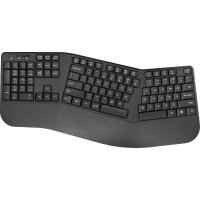


| Type de produit | Clavier sans fil |
| Dimensions (L x l x H) | 44,5 x 13,5 x 2,5 cm |
| Poids | 500 g (avec piles) |
| Alimentation | 2 piles AAA (non incluses) |
| Interface | USB sans fil 2,4 GHz |
| Portée | 10 mètres |
| Nombre de touches | 104 touches (AZERTY) |
| Systèmes d'exploitation compatibles | Windows 7, 8, 10, 11 ; macOS 10.10 ou ultérieur |
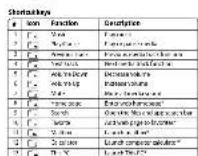
| Touches multimédia | Oui (12 touches dédiées) |
| Repose-poignet | Intégré |
| Autonomie des piles | Environ 12 mois (utilisation normale) |
| Nettoyage | Chiffon doux et sec ; ne pas utiliser de liquides |
| Garantie | 1 an limitée |
| Contenu de l'emballage | Clavier, récepteur USB, notice d'utilisation |
FOIRE AUX QUESTIONS - NSPK4KCB23 INSIGNIA
Questions des utilisateurs sur NSPK4KCB23 INSIGNIA
0 question sur cet appareil. Repondez a celles que vous connaissez ou posez la votre.
Poser une nouvelle question sur cet appareil
Téléchargez la notice de votre Clavier au format PDF gratuitement ! Retrouvez votre notice NSPK4KCB23 - INSIGNIA et reprennez votre appareil électronique en main. Sur cette page sont publiés tous les documents nécessaires à l'utilisation de votre appareil NSPK4KCB23 de la marque INSIGNIA.
MODE D'EMPLOI NSPK4KCB23 INSIGNIA

GUIDE DE DÉMARRAGE RAPIDE Clavier sans fil
N5-PKAKC63(N5-PKAKC63-C)
CONTENU DE L'EMBALLAGE - Basé sur Verilog - Basé sur UML - Fonctionnel
EXIGENCES SYSTÈME : Wald^2, I, Wald^3, C Wald^4, C, Wald^5, C Gauss^6 Gauss^7
CARACTÉRISTIQUES 160npted 53 ayzgeanwne wcnner pour - -
50
CONFIGURATION DE VOTRE CLAVIER
1 1
1
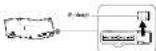
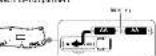
4.1256789000000000000000000000000000000000000
CONNEXION DE VOTRE CLAVIER À VOTRE ORDINATEUR Plan en 31 étapes de Hunt : Comment faire un 1
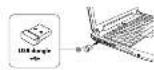
NETTOYAGE DE VOTRE CLAVIER
Donc · = 0
SPÉCIFICATIONS · : Fréquence d'ouverture : 420
1 () 1118868051.120.22
DÉPANNAGE
- 1
AVIS LÉGAUX
1
Vendredi 16 janvier 2017
Figure 0
1
10 janvier 2017
中
-

GUIDE D'INSTALLATION RAPIDE Clavier sans fil
NS-PSKACCD3 (NS-PSKACCD3-C)
CONTENU DE L'EMBALLAGE
CONFIGURATION EXIGENCES SYSTÈME
CARACTÉRISTIQUES






Tachy d nucordi
| T | Index | Description | Remarks |
| 1 | P | Name | Srinivas Nandam |
| 2 | P | Gender | Male |
| 3 | P | Occupation | Aunt of a woman who is in the house |
| 4 | P | Address | Srinivas Nandam's address |
| 5 | P | Phone number | No |
| 6 | P | District | Rajasthan, India |
| 7 | P | Gender | Kumari and his wife |
| 8 | P | Age | 10 years |
| 9 | P | Language | Srinivas Nandam's language |
| 10 | P | Area | Ashrama village |
| 11 | P | Area | The area of the house |
| 12 | P | Occupation | Srinivas Nandam's occupation |
| 13 | P | Region | Srinivas Nandam |
lundi 16 janvier 2018
INSTALLATION DU CLAVIER





| 2 | ### |
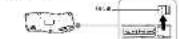
14 janvier 2017

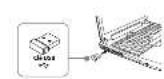
CONNEXION DU CLAVIER À L'ORDINATEUR Connectez le câble à l'ordinateur (port 253, prise 152, connecteur 102).
NETTOYAGE DU CLAVIER
SPÉCIFICATIONS
Poids : 2 μn.d. 10.6 ± 1 · Fréquence : 10x12p · Contrôle tactile : 102,5 %
PROBLÈMES ET SOLUTIONS
Fepre 451Aun pnn 187
- Page 1
AVIS JURIDIQUES
重要提示:本报告中的所有材料版权均属本公司。
1
1
()A
()
e
-74879206411111111111111111
eep
1
2 1
00
20dpn 1
perrn
Oe 2023年1月29日 rnnnne nnnnne nnnnne nnnnne nnnnne nnnnne nnnnne nnnnne nnnnne 1 ∴ · ( - ) = 0 GARANTIALIMITEDUALL GARANTY LIMITED D/ONAN
POUR CONTACT INSIGNIA A 142-00
A. 1,2,3,4,... ,n - 1 B. 0,1,2,3,... ,n - 1


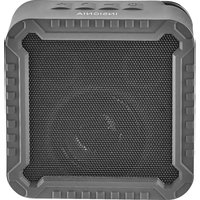
Marque : INSIGNIA
Modèle : NSPK4KCB23
Catégorie : Clavier