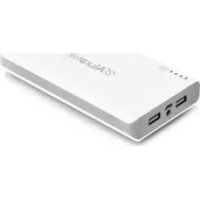
APB01F - Batterie portable Aluratek - Notice d'utilisation et mode d'emploi gratuit
Retrouvez gratuitement la notice de l'appareil APB01F Aluratek au format PDF.


| Type de produit | Batterie portable |
| Marque | Aluratek |
| Modèle | APB01F |
| Capacité | 5000 mAh |
| Type de batterie | Lithium-ion (estimation) |
| Dimensions approximatives | 100 x 60 x 20 mm |
| Poids approximatif | 150 g |
| Alimentation d'entrée | 5V/1A via port USB |
| Alimentation de sortie | 5V/1A via port USB |
| Temps de charge | 6 à 8 heures sur ordinateur |
| Indicateur de niveau | 3 LED (20%, 20-80%, >80%) |
| Bouton d'alimentation | Oui |
| Adaptateurs inclus | 5 adaptateurs pour différents appareils |
| Câble USB-DC inclus | Oui |
| Entretien et nettoyage | Nettoyer avec un chiffon sec |
| Sécurité | Ne pas exposer à l'eau ni à la chaleur excessive |
| Pièces détachées réparables | Câble USB, adaptateurs |
| Garantie constructeur | 1 an (estimation) |
FOIRE AUX QUESTIONS - APB01F Aluratek
Questions des utilisateurs sur APB01F Aluratek
0 question sur cet appareil. Repondez a celles que vous connaissez ou posez la votre.
Poser une nouvelle question sur cet appareil
Téléchargez la notice de votre Batterie portable au format PDF gratuitement ! Retrouvez votre notice APB01F - Aluratek et reprennez votre appareil électronique en main. Sur cette page sont publiés tous les documents nécessaires à l'utilisation de votre appareil APB01F de la marque Aluratek.
MODE D'EMPLOI APB01F Aluratek
5000 mAh Portable Battery Charger Quick Start Guide
Aluratek
aluratek.com
APB01F
qsg Q10207 Copyright © 2011 Aluratek, Inc. All Rights Reserved.
Package Contents
Your order has been carefully packaged and inspected. The following should be included in your package. Please inspect the contents of the package to ensure that you have received all items and that nothing has been damaged. If you discover a problem, please contact us immediately for assistance.

Battery Charger

USB - DC Cable

(x5)Adapters

Quick Start Guide

Warranty / Registration
Card
Product Highlights
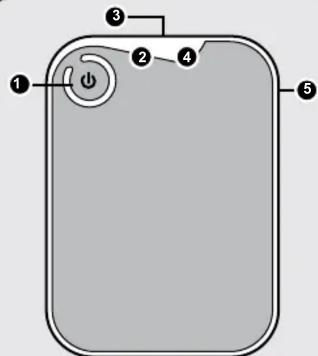
1 Power Button
2 LED Indicator
3 USB Output Port
4 Battery Level
DC Input Port
Operation
To check the power capacity, press the Power button for 2 seconds. The 3 LED lights will show the current power capacity. Refer to the chart below. The LEDs will turn off automatically after 5 seconds if not connecting with a device.

Empty, need to recharge
Less than 20% capacity
20% - 80% capacity
More than 80% capacity
Charge the battery pack via the USB - DC Cable (included) with a computer for 6 - 8 hours.
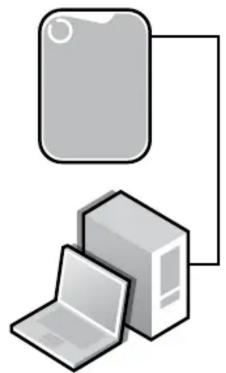
Use the USB - DC Cable (included) with the proper tip attached to charge your device.
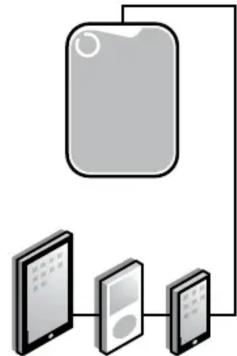
iPad®Pod iPhone