HJ113 - Podomètre OMRON - Notice d'utilisation et mode d'emploi gratuit
Retrouvez gratuitement la notice de l'appareil HJ113 OMRON au format PDF.

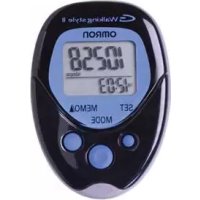
| Caractéristiques techniques | Détails |
|---|---|
| Type de produit | Podomètre |
| Modèle | OMRON HJ113 |
| Mesure des pas | Oui, comptabilise le nombre de pas effectués |
| Mesure de la distance | Oui, calcule la distance parcourue en fonction des pas |
| Mesure des calories | Oui, estimation des calories brûlées |
| Affichage | Écran LCD |
| Alimentation | Pile bouton, durée de vie prolongée |
| Dimensions | Compact et léger, facile à transporter |
| Utilisation | Facile à utiliser, idéal pour le suivi de l'activité quotidienne |
| Maintenance | Nettoyage régulier recommandé, changer la pile lorsque nécessaire |
| Sécurité | Utiliser selon les instructions pour éviter les dysfonctionnements |
| Informations générales | Garantie limitée, consulter le manuel pour plus de détails |
FOIRE AUX QUESTIONS - HJ113 OMRON
Questions des utilisateurs sur HJ113 OMRON
0 question sur cet appareil. Repondez a celles que vous connaissez ou posez la votre.
Poser une nouvelle question sur cet appareil
Téléchargez la notice de votre Podomètre au format PDF gratuitement ! Retrouvez votre notice HJ113 - OMRON et reprennez votre appareil électronique en main. Sur cette page sont publiés tous les documents nécessaires à l'utilisation de votre appareil HJ113 de la marque OMRON.
MODE D'EMPLOI HJ113 OMRON
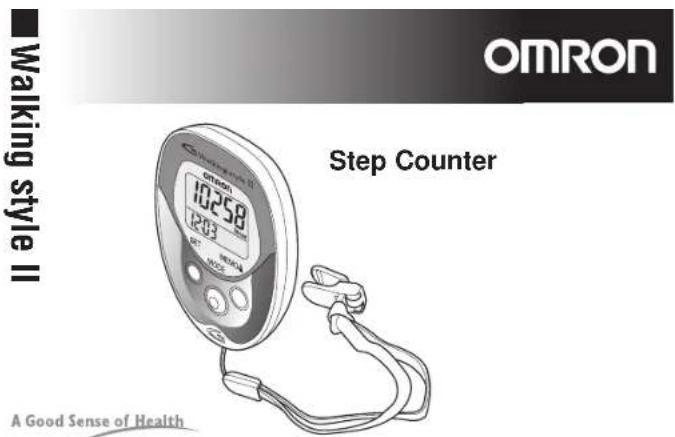
HJH1-6340-8089054040-2B
Walking style II English
Introduction
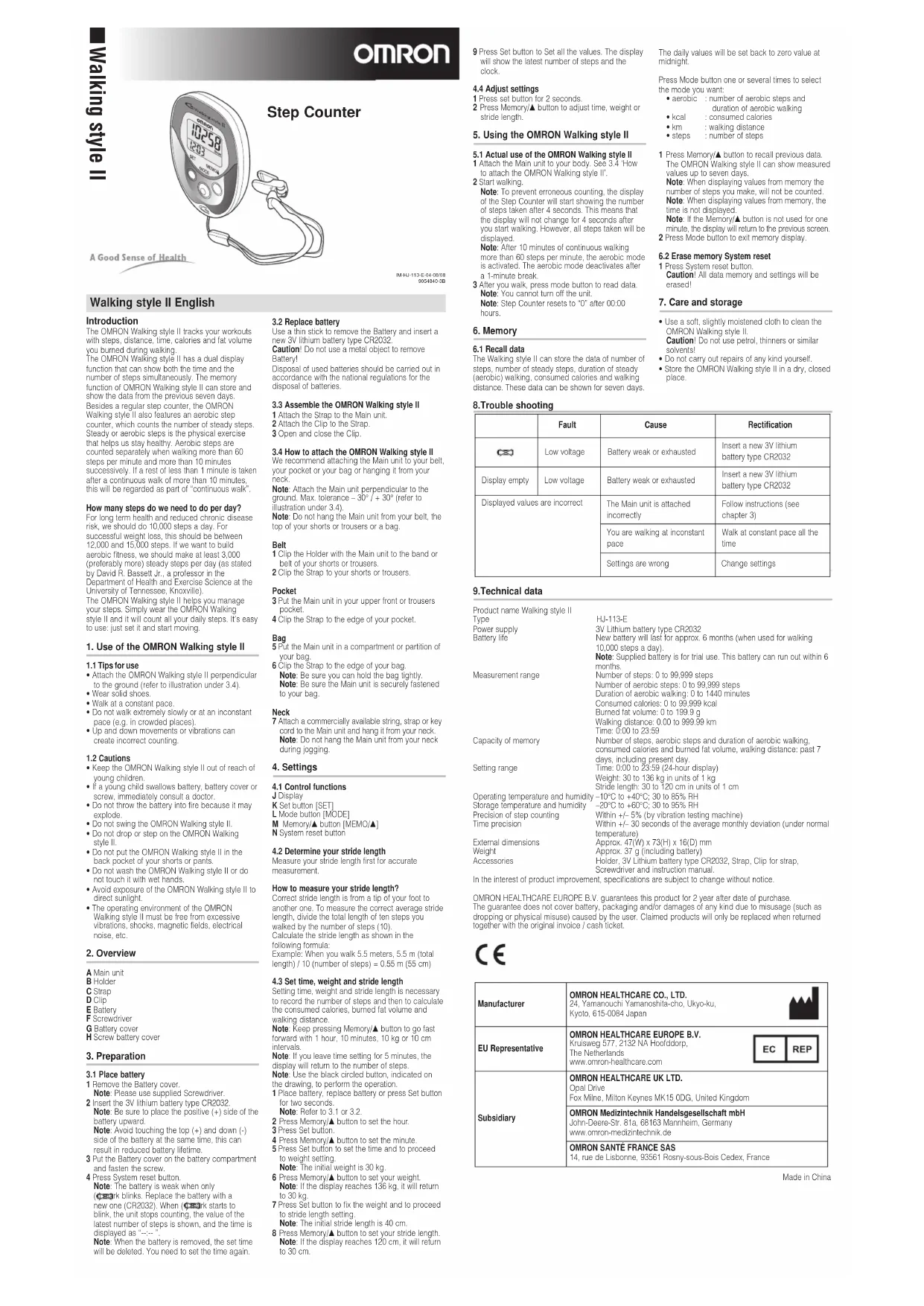
The OHJON Walking style II tracks your workups with steps, distance, time, calories and fat volume you can run during walking.
The OMRON Walking style II has a dual splay function that can show both the time and the number of steps simultaneously. The memory function of OMRON Walking style II can store and show the data from the previous seven days.
Besides a regular step counter, the CIMON Walk walking style also features an aerocare step counter which counts the number of steady steps. Steady or aerobic steps is the physical exercise that helps us stay healthy. Aerobic steps are counted separately when walking more than 60 steps per minute and more than 10 minutes successively. If a rest of less than 1 minute is taken after a continuous walk of more than 10 minutes, this will be regarded as part of "continuous walk."
How many steps do we need to do per day?
For long term health and reduced chronic disease risk, we should do 10,000 steps a day. For
successful weight loss, this should be between 12,000 and 15,000 stairs. If we want to build aerobic fitness, we should make at least 3,000 (preferably more) steady steps per day (as stated by David R. Bassett Jr., a professor in the Department of Health and Exercise Science at the University of Tennessee, Knoxville).
The OvRON Walking style II helps you manage your steps. Simply wear the OvRON Walking style II and it will count all your daily steps. It's easy to use: just set it and start moving.
1. Use of the OMRON Walking style II
1.1 Tips for use
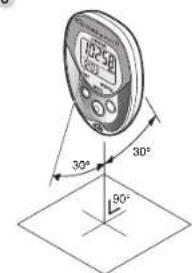
- Attach the CMHON Walking style II perpendicular to the ground (refer to illustration under 3.4).
Wear solid spaces - Walk at a constant pace.
Do not walk extremely slowly or at an inconstant pace (e.g., in crowded places). - Up and down movements or vibrations can create incorrect counting.
1.2 Cautions
- Keep the CMRON Walking style II out of reach of young children.
If a young child swallows battery, battery cover or screw, immediately consult a doctor.
Do not throw the battery into fire because it may explode
Do not swing the OMRON Walking style II.
Do not drop or slip on the C style II.
Do not put the OMRON Walking style II in the back pocket of your shorts or pants.
Do not wash the OMRON Walking style II or do not touch it with wet hands. - Avoid exposure of the OMNION Walking style II to a direct sunlight.
- The operating environment of the CNFRON Walking style IT must be free from excessive vibrations, shocks, magnetic fields, electrical noise, etc.
2. Overview
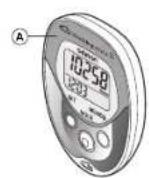
A Main unit
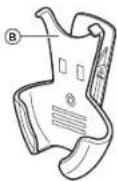
B Holde
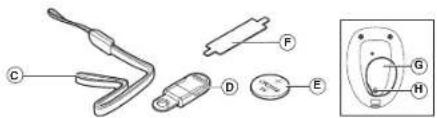
CStr
DClip
E Battery
F Screwdriver
G Battery cover
H Screw battery cover
3.Preparation
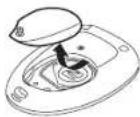
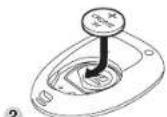
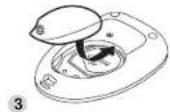
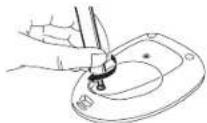
3.1 Place battery
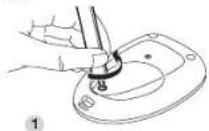
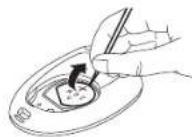
1 Remove the Battery cover.
Note: Please use supplied Screwdriver.
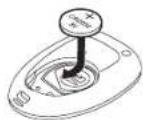
2 Insert the 3V lithium battery type CR2032. Note: Use sure to place the positive (+) side of the battery upward.
Note: Avoid touching the top (+) and down (-) side of the battery at the same time. This can result in reduced battery lifetime.
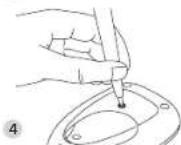
3 Put the Battery cover on the battery compartment and fasten this screw.
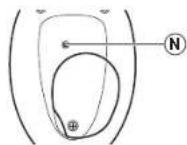
4 Press System reset button
Note: The battery is weak when only black blinks. Replace the battery with a new one (CR2032). When (O)ark starts to blink, the unit slows counting, the value of the latest number of steps is shown, and the time is displayed as "----".
Note: When the battery is removed, the set time will be deleted. You need to set the time again.
3.2 Replace battery
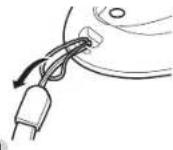
Use a third stick to remove the Battery and insert a new 3V lithium battery type CR2032.
Caution Do not use a metal object to remove Battery!
Disposal of used batteries should be carried out in accordance with the national regulations for the disposal of batteries.
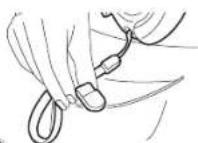
3.3 Assemble the OMRON Walking style II
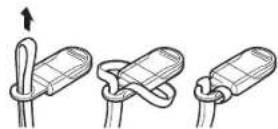
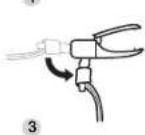
1 Attach the Strac to the Main unit.
2 Attach the Clip to the Strap
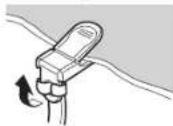
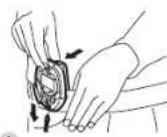
3 Open and close the Clip
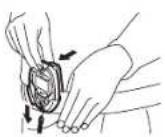
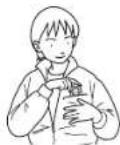
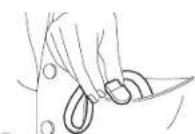
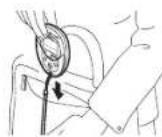
3.4 How to attach the OMRON Walking style II
We recommend attaching the Main unit to your belt, your pocket or your bed or hanging it from your
reck
Note Atach the Main unit perpendicular ground. Max tolerance = 30^ / - 30^ (re ilustration under 3.4).
Note Do not hang the Main unit from your belt, the top of your shorts or trousers or a bag.
Belt
1Clip the Holder with the Main unit to the band or
bel of your shorrs or trousers.
2Clip the Strap to your shorts or trousers.
Put the Main unit in your upper front or trousers pocket.
4Clip the Strap to the edge of your pocket.
Bag
5 Put the Main unit in a compartment; or portion of your bag.
6Clip the Strap to the edge of your bag.
Note Be sure you can hold the bag tightly.
Note Be sure the Main unit is securely fastened to your bag.
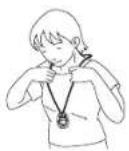
Neck
7 Attach a commercially available siring, strap or key cord to the Main unit and hang it from your neck. Note: Do not hang the Main unit from your neck during jogging.
4. Settings
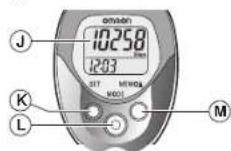
4.1 Control fun
J Display
K Sel button [SET]
Mode button MCDE)
M Memory*bution|VEMC*
N System reset cullor
4.2 Determine your stride length
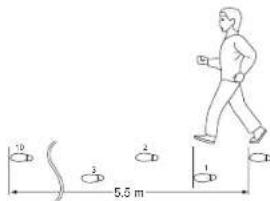
Measure your stride length first for accurate measurement.
How to measure your stride length?
Correct stride length is from a tip of your foot to another one. To measure the correct average stride length, divide the total length of ten steps you walked by the number of steps (10). Calculate the stride length as shown in the following formula:
Example: When you walk 5.5 meters, 5.5 m (total length) / 10 (number of steps) = 0.55 m (55 cm).
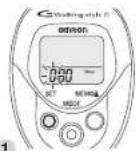
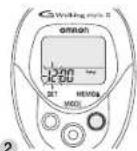
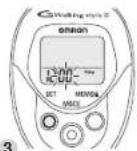
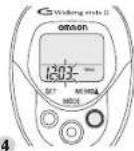
4.3 Set time, weight and stride length
Setting time, weight and stride length is necessary to record the number of steps and then to calculate the consumed calories, burned fat volume and walking distance.
Note: Keep pressing Memory! button to go fast forward with 1 hour, 10 minutes. 10 kg or 10 cm intervals.
Note If you leave time setting for 5 min.
display will return to the number of steps
Note: Use the black circled button, indicated on the drawing, to perform the operation.
1 Place battery, replace battery or press Set button for two seconds
Note Refer to 3.1 or 3.2
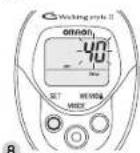
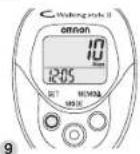
2 Press Memory! button to set the hour.
3 Press Selution.
4 Press Memo/ button to set the minute.
5 Press Sel button to set the time and to proceed
to weight setting.
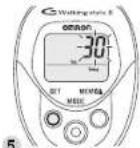
Note: The initial weight is 30 kg.
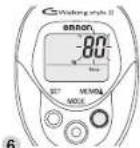
6 Press Memory! button to set your weight.
Note If the display reaches 136 kg, it will return to 32 kg.
7 Press Sel button to fix the weight and to proceed to stride length setting.
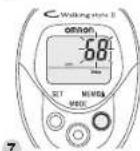
Note The initial stride length is 40 cm.
8 Press Memoir's button to set your stride length. Note If the display reaches 120 cm it will return to 30 cm.
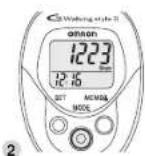
9 Press Set button to Set all the values. The display will show the latest number of stops and the clock.
4.4 Adjust settings
1 Press set button for 2 seconds
2 Press Memory/▲ button to adjust time, weight or stride ergh.
5. Using the OMRON Walking style II
5.1 Actual use of the OMRON Walking style II
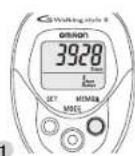
1 Attach the Main unit to your body. See 3.4 How to attach the OMRC walking style II.
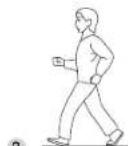
2 Start walking.
Note: To prevent erroneous counting, the display of the Stop Counter will start showing the number of steps taken after 4 seconds. This means that the display will not change for 4 seconds after you start walking. However, all steps taken will be displayed.
Note: After 10 minutes of continuous waking more than 60 stops per minute, the aerobic mode is activated. The aerobic mode deactivates after a 1-minute break.
3 After you walk, press mode button to read data
Note: You cannot turn off the unit.
Note: Step Counter resets to "0" after 00:00
hours.
6. Memory
6.1 Recall data
The Walking style II can store the data of number of steps, number of steady steps, duration of steady (aerobic) walking, consumed calories and walking distance. These data can be shown for seven days.
The daily values will be set back to zero value at 12:00.
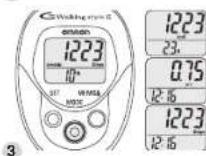
Press Mode button one or several times to select the mode you want.
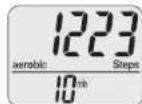
aerobic number of aerobic steps and
duration of aerobic walking
kcal consumed calories
·km ;walking distance
- steps : number of steps
1 Press Memory button to recall previous data. The OVRON Walking style II can show measures values up to seven days.
Note: When displaying values from memory the
number of steps you make will not be counted. Note: When displaying values from memory, the time is not displayed.
Note: If the Memory! button is not used for one
minute, the display will return to the previous screen. 2 Press Mode button to exit memory display.
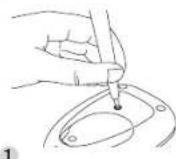
6.2 Erase memory System reset
1 Press System reset button.
Caution! All data memory and settings will be erased!
7. Care and storage
- Use a soft, slightly moistened cloth to clean the ORMON Walking style II.
Cautlon! Do rol use perol hinners or similar
solvents!
Do not carry out repairs of any kind yourself. - Store the OMRON Walking slye II in a dry, closed place.
8.Trouble shooting
| Fault | Cause | Rectification | |
| CS | Low voltage | Battery weak or exhausted | Insert a new 3V Lithium battery type CR2032 |
| Display empty | Low voltage | Battery weak or exhausted | Insert a new 3V Lithium battery type CR2032 |
| Displayed values are incorrect | The Main unit is attached incorrectly | Follow Instructions (see chapter 3) | |
| You are walking at inconstant pace | Walk at constant pace all the time | ||
| Settling are wrong | Change settings | ||
9.Technical data
Product name: Waking style II
Type
Power supply
Battery life
H-113-E
3V Lithium battery type CR2032
New battery will last for approx. 6 months (when used for walking
10.000 steps a day
Note: Supplied battery is for trial use. This battery can run out within 6
months.
Number of steps: 0 to 99,999 steps
Number of acrobatic steps, 0 to 89,999 steps
Duration of aerobic walking 0 to 1440 minutes
Consumed calories: 0 to 99,999 kcal
Burned fat volume: 0 to 199.9 g
walking distance: 0.00 to 999.99 km
Time: 000 to 2359
Number of steps, aerobic steps and duration of aerobic walkins
consumed calories and burned fat volume, walking distance, past 7
days, including past day.
Time:00 to 23:59(24-hour display)
Weight: 30 kg, 136 kg in, units of 1 kg.
Weight: 30 to 45 kg in units of 1 Kg.
Single length: 30 to 120 cm in units of 1 cm.
-10CG+40C:30ln85%RH
-20°C to +80°C; 30 to 95% RH
Within +5% (by vibrate or testing machine)
Within +/- 30 seconds of the average monthly deviation (uncer normal
temperature)
Accr. 47(W) x 73(H) x 16(D) mm
Approx. 37 g (including battery)
Holder, 3V Lithium battery type CR2032, Strap, CIn for strap.
Screwdriver and instruction manual
nt, specifications are subject to change without notice.
OVRON HEALTHCARE EUROPT B.V. quarantoes this product for 2 year after ceno of purchase.
The guarantee does not cover battery, packaging and/or damages of any kind due to misusage (such as dropping or physical misuse) caused by the user. Claimed products will only be replaced when returned together with the original invoice / cash ticket.

| Manufacturer | OMRON HEALTHCARE CO., LTD. 24, Yamouchi Yamanosita-chc, Ukyo-ku, Kyoto, 815-0064 Japan |
| EU Representative | OMRON HEALTHCARE EUROPE B.V. Kruisweg 577, 2132 NA Hoolddcorp, Tho Netherlands www.omron-healthcare.com |
| Subsidiary | OMRON HEALTHCARE UK LTD. Opel Drive Fox Milra, Milton Keynes MK15 0DG, United Kingdom |
| OMRON Medzintechnik Handelsgesellschaft mbH John-Deere-Str. 81a, 68163 Mannheim, Germany www.omron-medzintechnik.de | |
| OMRON SANTÉ FRANCE SAS 14, rue de Lisbonne, 93561 Roanry-sous-Bais Codex, France |
Made in China
Introduction
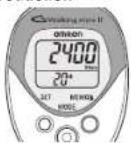
For example. If you walk 120 steps per minute for 20 minutes, "the number of steady steps" will be 2400. • Zum Boesch: Wärn Sie 20 Minuten lang 120 Schritte in der Minute gehorn. Current is die Zahl der gewichteten Schritte 2.400. • Börsbockt als: geordnete 20 minuten 120 passen per minu. loop, ist: als entfallend stellende passen 2400. - Par exemple: Si y's olivcuié 120 passes per minu. peclon, ist: c nombre de pas regicules. sera de 2.400. - Ad campe: Si ci alloufau 120 passi al minu per 20 minu. il numbei di passi a rime scilce mandarée corresponda a 2400. - Par exemple: Si cienne a un minu de 120 passes por minu durante 20 minu, el numero de pas regueares es 2.400. - Pimpin: acim Bui Mête de cc Koxphto 120 daque b mVHT y b Tcheneze 20 MVTY, to-KONHCTE do paoXhenbex baoX zuied pahe 2400.

3.1
3.2
3.3
2
3.4
3
4
4.1
4.2
4.3
1
5.1
2
6.1
6.2
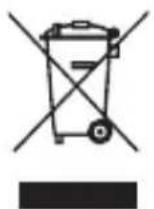
Correct Disposal of This Product (Waste Electrical & Electronic Equipment)
This marking shown on the product or its literature, indicates that it should not be disposed with other household wastes at the end of its working life. To prevent possible harm to the environment or human health from uncontrolled waste disposal, please separate this from other types of wastes and recycle it responsibly to promote the sustainable reuse of material resources.
Household users should contact either the retailer where they purchased this product, or their local government office, for details of where and how they can take this item for environmentally safe recycling.
Business users should contact their supplier and check the terms and conditions of the purchase contract. This product should not be mixed with other commercial wastes for disposal.
This product does not contain any hazardous substances.