MODE D'EMPLOI 720 SINGER
SINGER
700/720
THE SINGER COMPANY
SINGER*
700/720
...the newest
most excitingly different
sewing machines ever!
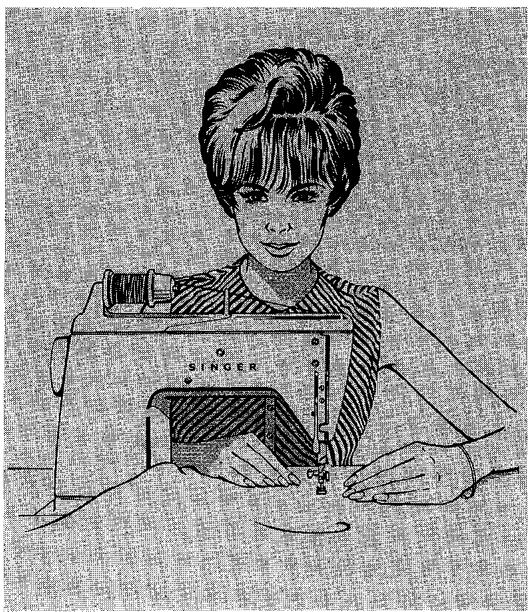
How to Use Your New
700
Sewing Machine by
SINGER*
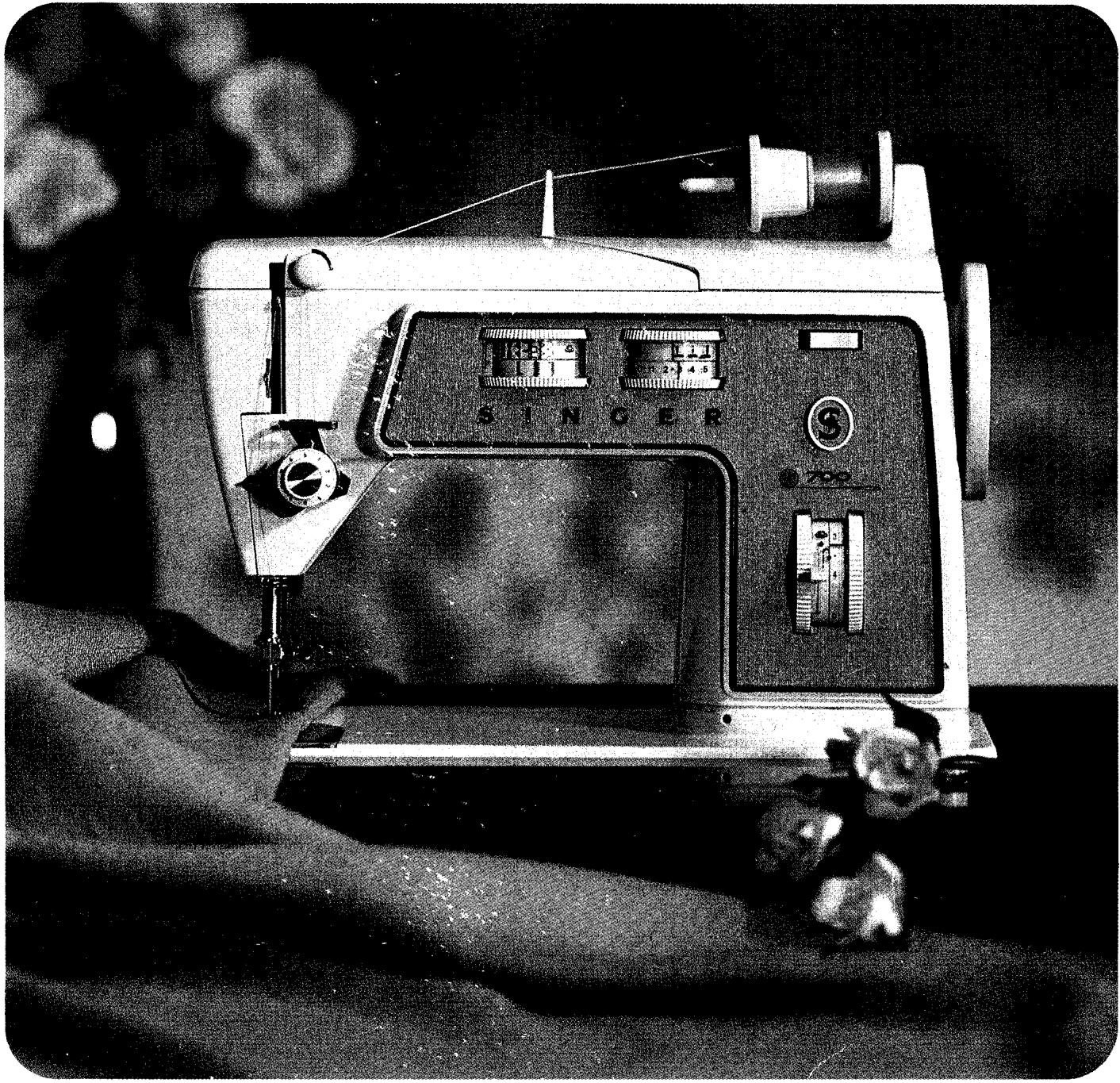
Now you are the owner of the world's finest sewing machine. We call it "The machine that has everything". This booklet will tell you how to use these wonderful new features, many exclusive to Singer.
Self Winding, Push Button Bobbin
- Two-step Built-in Buttonholer
- Dial Controls
DoubleFashion*Discs
- Circular Stitcher
IMPORTANT
Get your money's worth from your new Singer Sewing Machine.
Please read this book and keep it handy. Use the index at the end for quick reference. Learn about all the extra jobs you can do - so easily. And for further information on your new sewing machine, or for service, please contact your nearest Singer representative.
We want you to enjoy using all the extra features we have spent so much time to perfect. Happy sewing!
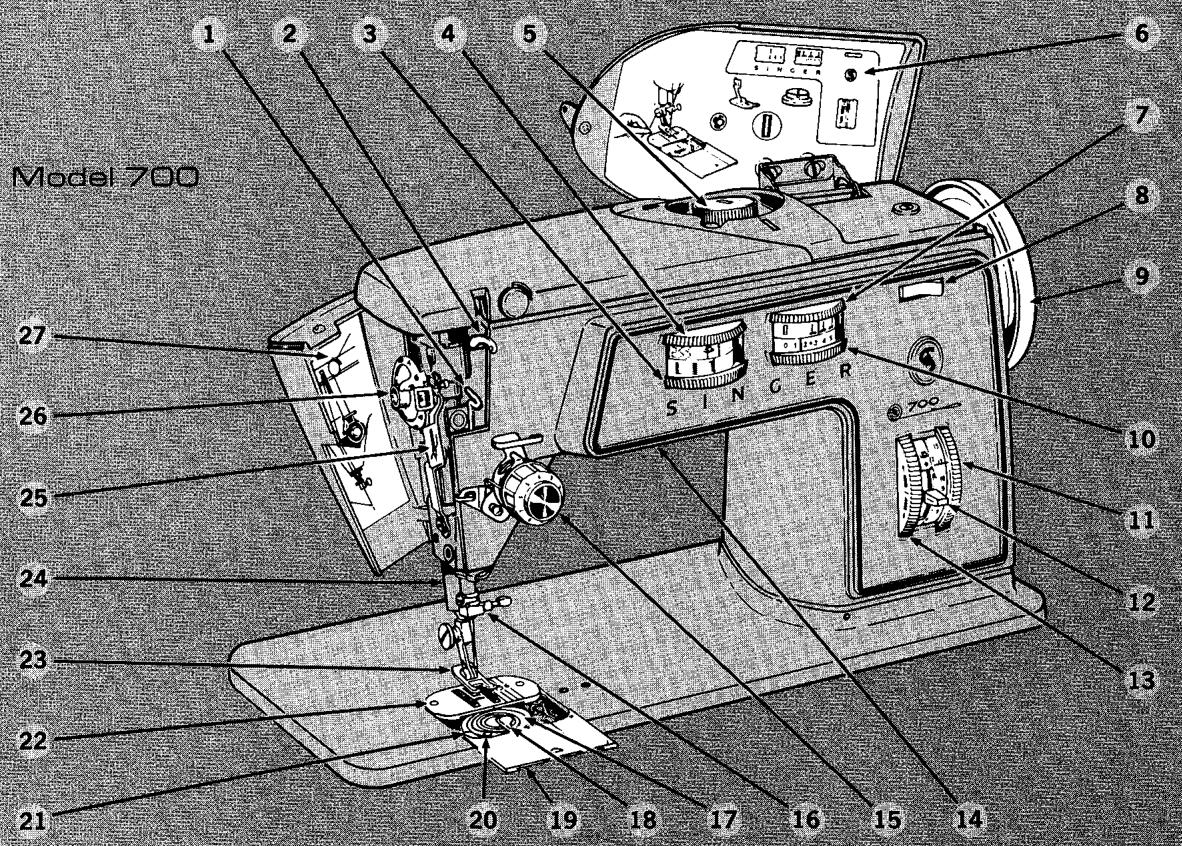
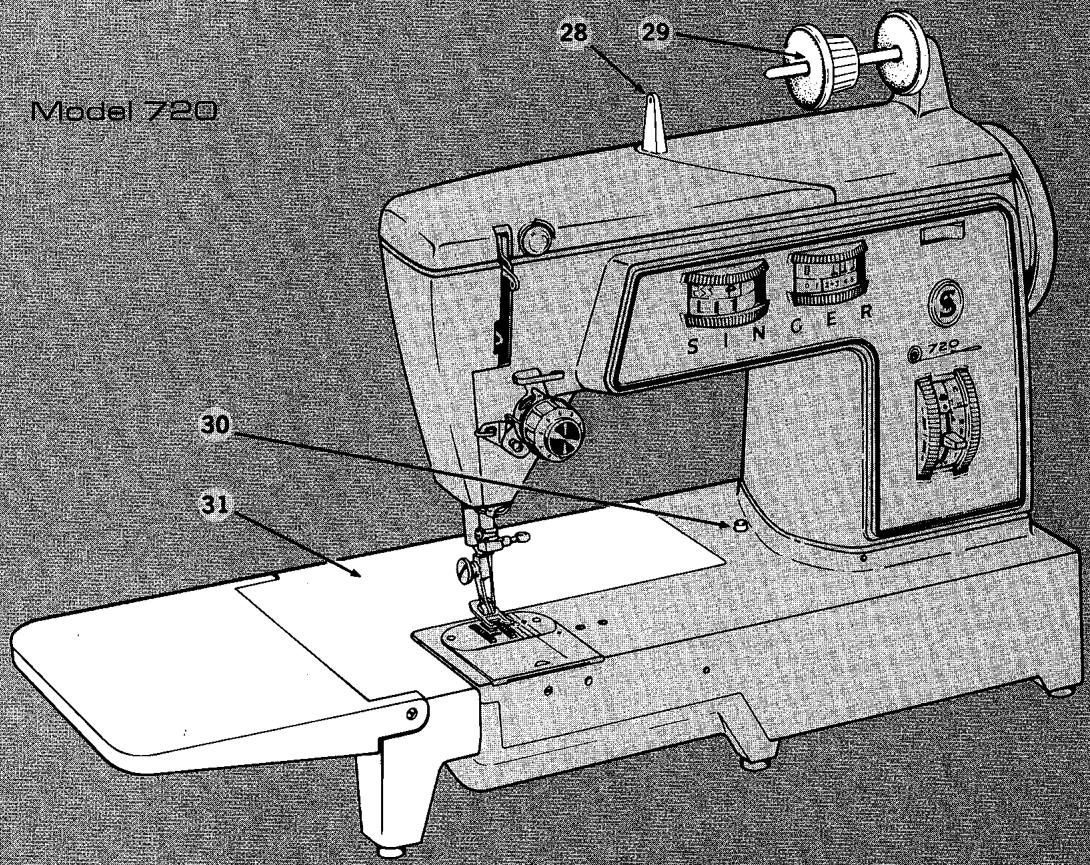
Model 720
Principal Parts
- Chainstitch Thread Guide is easily threaded for chainstitching.
- Take-up Lever controls needle thread.
- Buttonhole Dial controls steps in two-step buttonhole sewing.
- Stitch Pattern Selector lets you choose desired stitch at the touch of your finger.
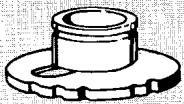
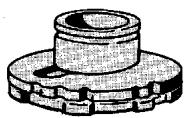
- Disc Holder holds the interchangeable Fashion* Discs and buttonhole assemblies.
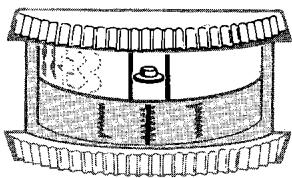
- Built-in Buttonhole and Bobbin Winding Chart can be left open while you sew.
- Needle Position Selector places needle in any one of three stitching positions. Has special setting for two-step buttonholing and combination stitch patterns.
- Power and Light Switch turns on machine and light simultaneously.
- Hand Wheel manually positions needle. Always turn it toward you.
- Stitch Width Selector controls width of zig-zag stitching. Positions needle for straight stitching and bobbin winding.
- Stitch Length Selector allows for variety of stitch lengths.
- Reverse Stitch Lever instantly reverses stitching at a touch of your finger.
- Stitch Balance Dial controls balancing of forward and reverse stitch length when using buttonhole assemblies and double Fashion* Discs.
- Built-in Sewing Light.
- Needle-Thread Tension Dial allows for exact settings.
- Needle Clamp holds single and twin needles.
- Transparent Bobbin shows thread supply.
- Bobbin Latch flips up at a touch of your finger.
- Slide Plate opens easily, lets you see bobbin.
- Bobbin Thread Tension Screw.
- Bobbin Push-Button allows you to switch from sewing to winding without removing bobbin.
- Throat Plate is secured by magnet for easy lift-out removal.
- Presser Foot holds fabric against feed dog. (Presser Foot Lifter at back of machine allows you to raise and lower presser foot.)
-
Thread Cutter built into presser bar is designed for safety and convenience.
-
Built-in Needle Threader allows you to thread the needle easily and conveniently.
- Pressure Regulating Dial regulates presser foot pressure on fabric.
- Threading Chart shows you how to thread machine.
- Thread Guide.
- Friction-free Spool Holders with horizontal pin hold spools of various sizes.
FOR 720 MACHINE ONLY
- Cloth Plate Push Button unlocks cloth plate at the touch of your finger.
- Cloth Plate with hinged extension. Easily detached for cylinder bed sewing.
Removing and Replacing the Cloth Plate
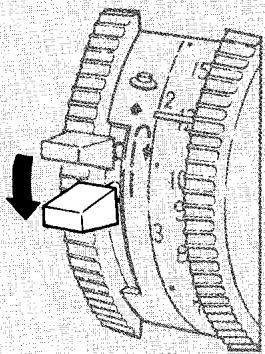
To remove the plate, press cloth plate push button 30 to unlock the plate and, at the same time, slide plate to the left.
To replace the plate, align the three pins on the plate with the corresponding holes in the machine bed.
Push cloth plate to the right until it snaps into locked position.
CONTENTS
-
Getting to Know Your SINGER Sewing Machine 2
Principal Parts - How They Are Used. 2
Accessories 13
-
Straight Stitching 22
Preparation 22
Sewing a Seam 25
3.Zig-ZagStitching 29
Basic Patterns - Built-in Discs 29
Basic Patterns - Single Fashion* Discs 30
DoubleFashion*Discs. 35
- Twin-Needle Stitching 42
Preparation. 42
42
Selector Settings 43
Decorative Twin-Needle Sti tching 44
- Chainstitching 45
Where to Use Chainstitching 45
Preparation 46
Sewing a Chainstitch Seam 47
Removing the Stitching 49
Removing the Fittings 49
Chainstitching Applications 50
6.Free-MotionStitching 52
Preparation 52
Darning with Embroidery Hoop 53
Script Lettering 53
Flower Embroidery 54
- Circular Stitching 55
Preparation 55
- Buttons and Buttonholes 56
56
Buttonholes 58
9.Clothes and Home Decorations 67
Seams 67
Darts 73
Hems 74
Edge Finishes. 79
Zippers 82
Keeping Up Appearances 83
Mending • Blanket Binding • Seam Repair and Reinforcement • Stretch Garment Repair
Darning
Decorative Touches 86
Top Stitching • Shell Edging • Scalloping • Fagotting • Lace Insertion • Applique • Monograms
and Motifs • Smocking • Patchwork Quilting • Drawn Work
- Tubular Bed Sewing 97
- Caring for Your Sewing Machine 103
Index 114
1. Getting to Know Your SINGER Sewing Machine
principal parts - how they are used
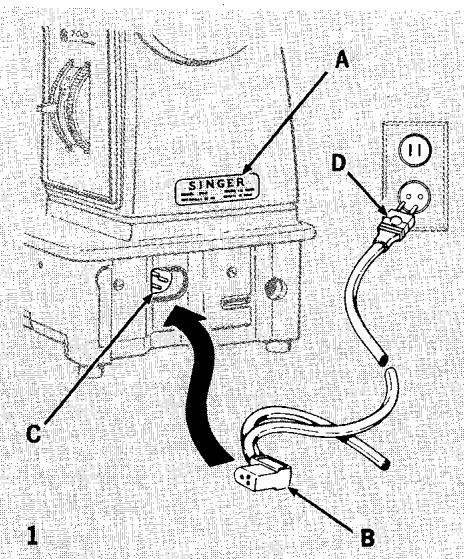
1. CONNECTING ELECTRIC DRIVE MACHINE AND SEWING LIGHT FOR TREADLE DRIVEN MACHINE
Before plugging in your machine, be sure that the voltage and number of cycles stamped on the electrical nameplate A at the right end of your machine are within the range marked on the electric meter installed by your power company.
Push the machine plug B into the electrical receptacle C at right end of machine. Then connect the power line plug D to your electrical outlet.
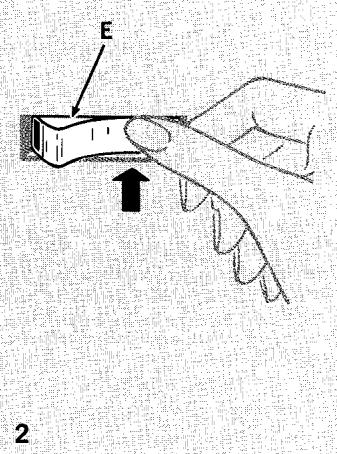
2. TURNING ON MACHINE AND LIGHT; TURNING OFF MACHINE AND LIGHT
To turn on both the machine and the sewing light, push in the right side of safety power and light switch E.
To turn off both the machine and light, push in the left side of the safety power and light switch E.
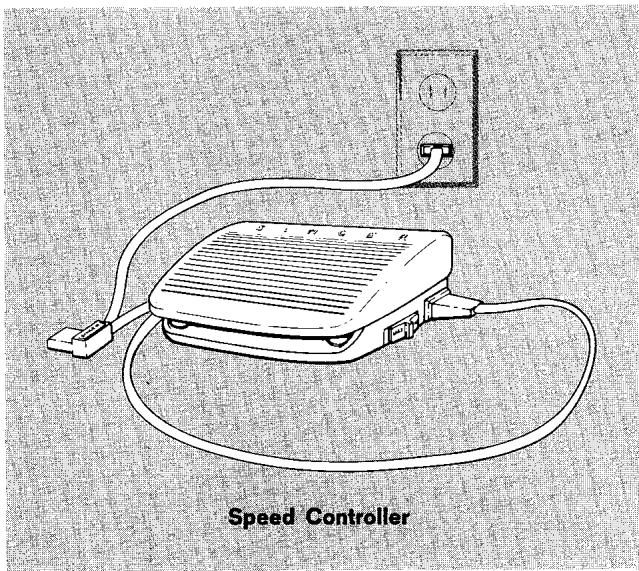
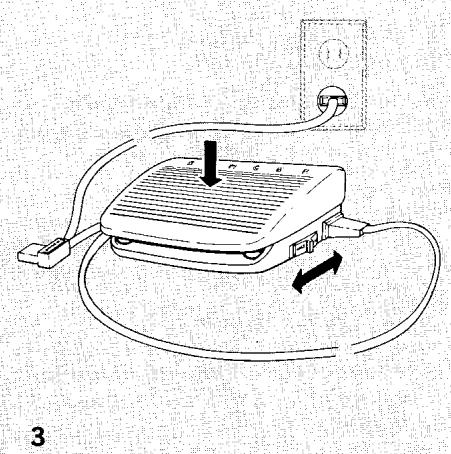
3. SELECTING AND SETTING SPEED RANGE; CONTROLLING SPEED; STOPPING MACHINE
To select the best speed range, consider what kind of sewing you will be doing. The "MAX" setting,
which you will probably use the most, allows for the full speed capacity of the machine. It is best for general sewing where a variety of speed changes and penetrating power is needed and for heavy-duty sewing where dense, closely woven fabrics and multiple fabric layers must be sewn. The "MIN" setting offers a speed range up to about 12 the top speed of the "MAX" setting. If you are a beginner, you may find that you will want to use the "MIN" setting until you have fully mastered control of the machine speed. It is particularly useful where slow even sewing speeds are desired, and should be used for best results on all Double Fashion Disc stitching.
To set the speed range of your machine, slide the speed control switch on the side of your speed controller to either "MIN" or "MAX" setting.
To run the machine and control the speed, press the speed controller. The harder you press, the faster the machine will sew within the selected speed range.
To stop the machine from sewing, remove your foot from the speed controller.
Built-in Stitch Patterns
4. SETTING STITCH PATTERNS
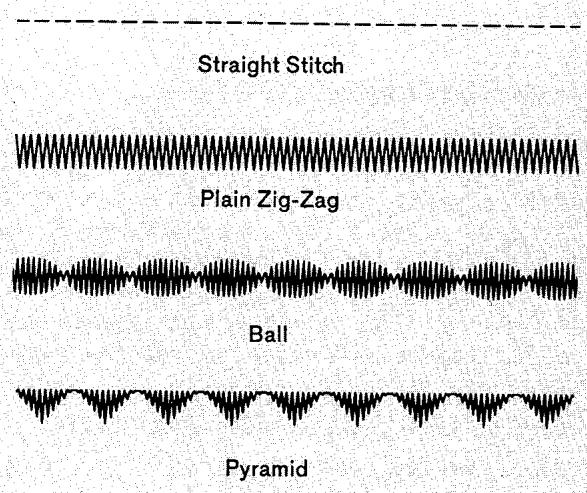
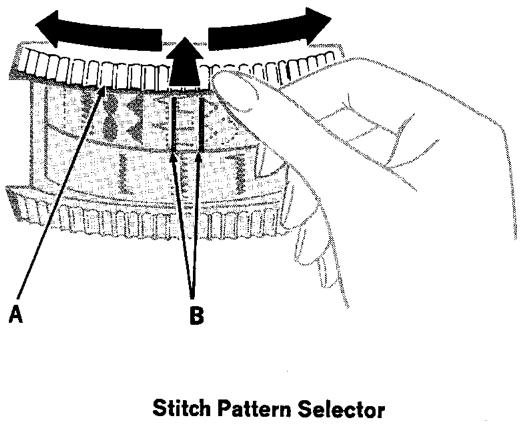
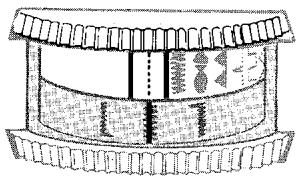
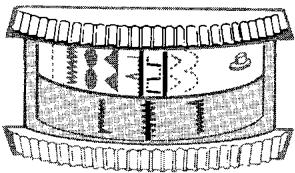
The Stitch Pattern selector, with nine different settings, can be set to produce either a straight stitch, one of the seven decorative and practical built-in stitch patterns, or a Fashion Disc pattern. Later on, when you come to the section called "Zig-Zag Stitching", you will learn how the selector is used to produce combination stitch patterns as well. The selector must be set before you start the machine for any purpose.
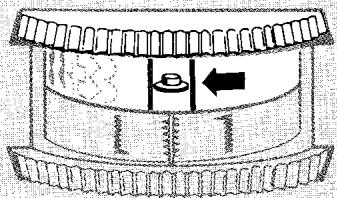
To select a pattern, push selector dial A in and rotate either left or right to bring setting desired between indicator lines, B. Release dial.
Bobbin Winding: Use straight stitch ( ).
Two-Step Buttonholing: Use plain zig-zag ( www ).
Fashion Disc Setting: Set selector on ( ) symbol.
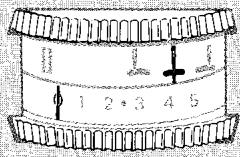
5. SETTING STITCH WIDTH
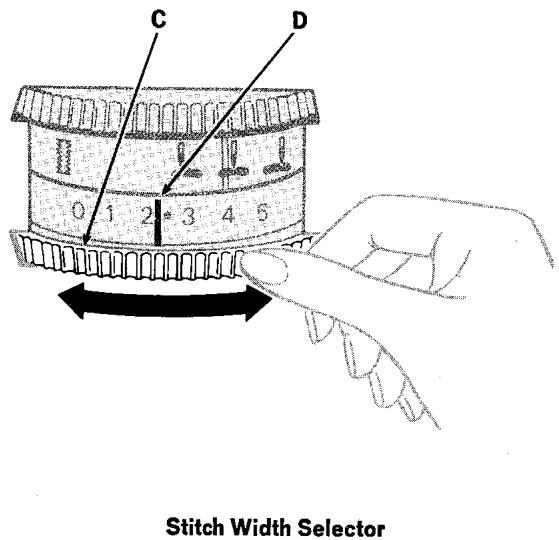
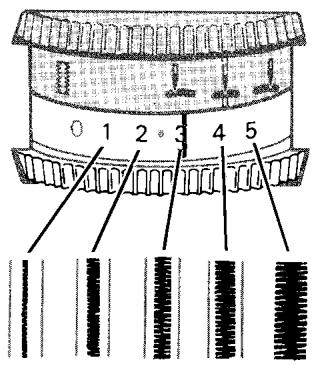
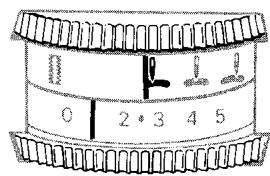
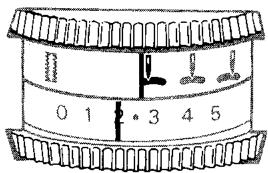
The stitch width selector does three jobs; it positions your needle for bobbin winding and straight stitching, controls the stitch width in zig-zag stitching and buttonholing, and varies the appearance of combination stitch patterns (see page 33).
To set stitch width, rotate dial C either left or right until indicator line D is aligned with desired stitch width setting number.
- Straight Stitch Setting: 0
- Zig-Zag Width Setting: 1 through 5
Bobbin Winding: Use straight stitch setting 0.
Zig-Zag Stitching: First be sure you set the stitch pattern selector. Then rotate the stitch width dial to any position between 1 (narrow) and 5 (wide).
Two-Step Buttonholing: Set indicator line on red dot midway between settings 2 and 3.
Stitch Width Selector
1
2
3

6. SETTING NEEDLE POSITION
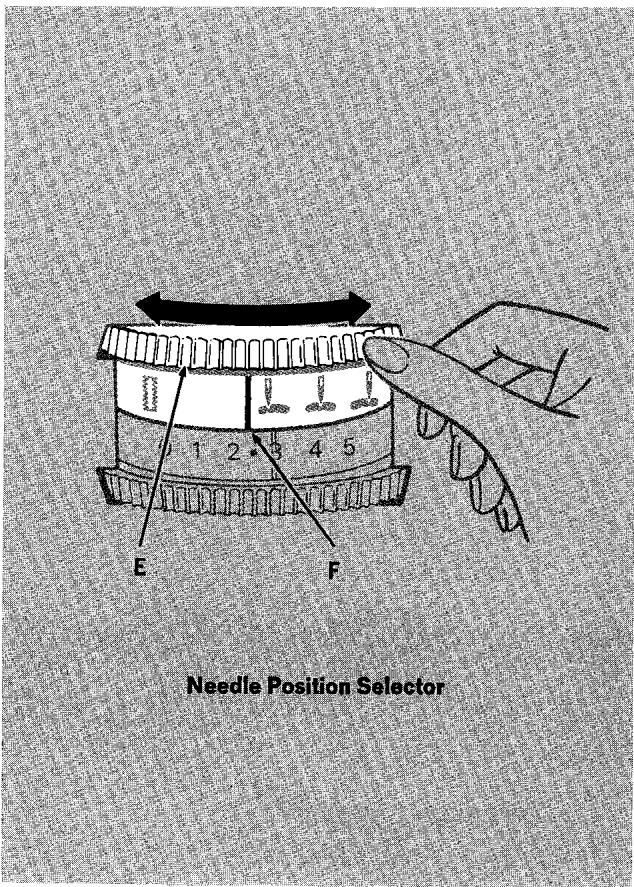
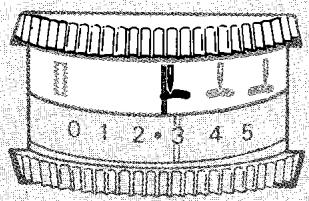
The needle position selector places the needle in either (left), (centre), or (right) stitching position when you are straight stitching, using one of the built-in zig-zag stitches, or one of the interchangeable Fashion Disc patterns. It has a special setting which you will use for two-step buttonholing. This special setting is also used to produce certain combination patterns (see page 33).
To set selector, rotate dial E either left or right until indicator line F is aligned with setting desired.
Bobbin Winding: Set indicator on (centre).
Two-Step Buttonholing: Set indicator on red I.
Straight Statching and Zig-Zag Statching: You will use (centre) position most often; (left) and (right) positions are for special stitch placement.
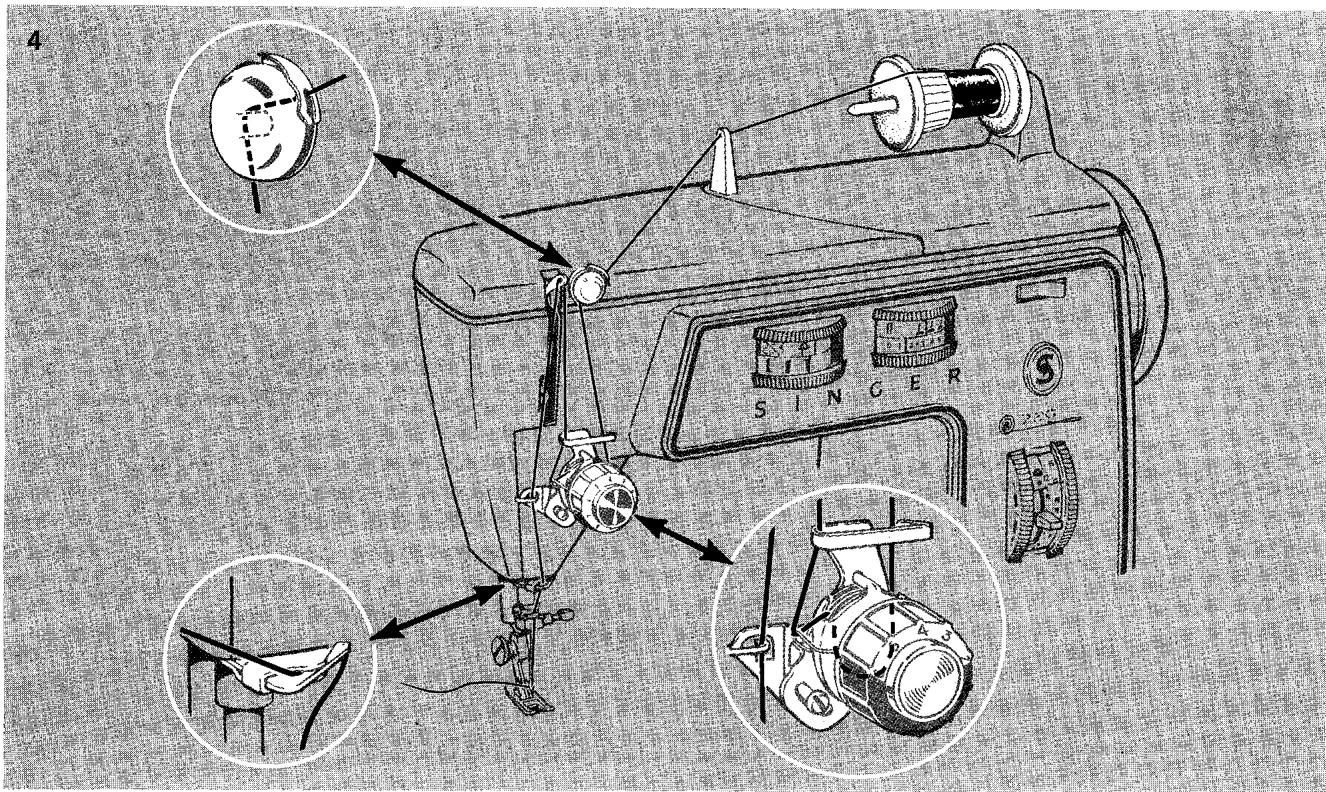
7. THREADING THE NEEDLE
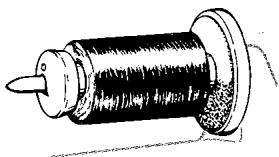
Spools of various sizes are held firmly on the spool holder of your machine. The spool does not turn as the thread unwinds over the thread lead-off holder. Two different lead-off holders are provided in your accessory set. Select (and place on spindle) according to size and type of thread spool being used. For very small diameter spools use the blue lead-off.
-
Slip back spool holder onto horizontal spindle (cushion side facing thread spool).
-
Slip spool of thread onto spindle.
-
Press appropriate thread lead-off holder firmly against thread spool. (When using the large holder, turn the small end to the right to secure small spools, or the wide end to the right to secure large spools.)
-
Raise the presser foot and make sure needle is in its highest position.
-
Lead thread through all threading points as shown.
- Thread needle from front to back, drawing about four inches of thread through eye of needle.
For greater convenience in threading the needle, use the built-in needle threads (see next page for instructions).
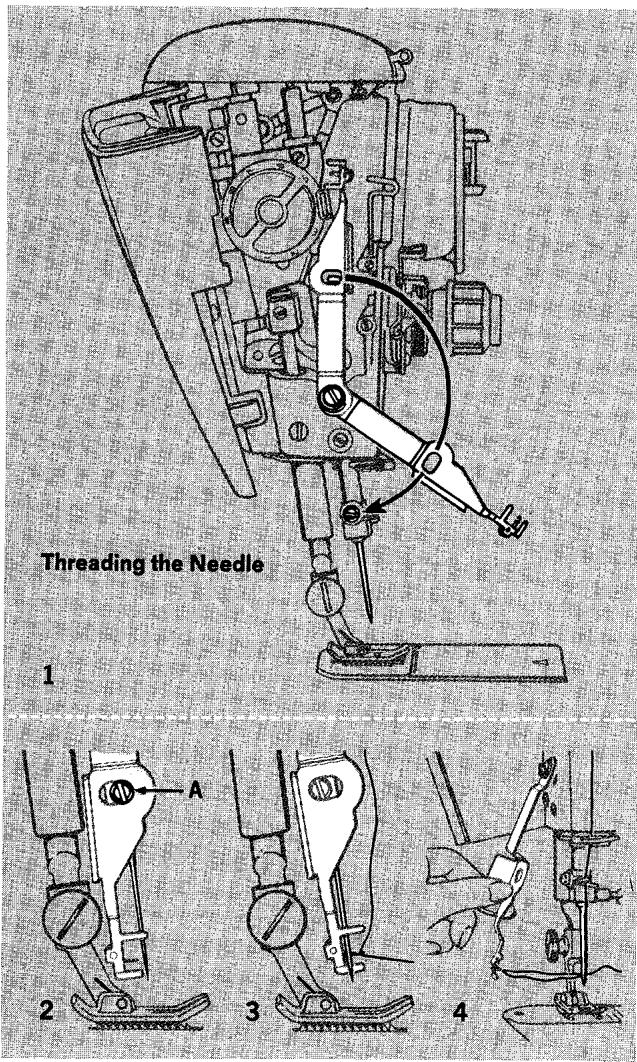
Threading Needle with Built-in Needle Threader
- Draw approximately five inches (13 cm) of thread through threading points on machine. Then lower the presser bar and make sure the needle is in its highest position.
Open face plate and release needle threads from its storage position by gently pulling it away from holding pin and lowering threads arm in line with the needle.
- Position aligning slot in threads arm over positioning screw A on needle clamp, bringing threader hook and guides behind the needle.
- Pull tab toward you so that the upper and lower hook guides straddle the needle (one on either side) and the threading hook comes through the eye of the needle.
- Place thread across the threading hook, keeping two to three inches (5 to 8 cm) of slack thread to the right of hook and one to two inches (2.5 to 5 cm) to the left. Withdraw hook from needle eye by pushing threader arm gently back and then to the left.
Release thread from hook carefully and return threads to storage position behind face plate. Be sure aligning slot in threads arm fits onto holding pin.
Close face plate.
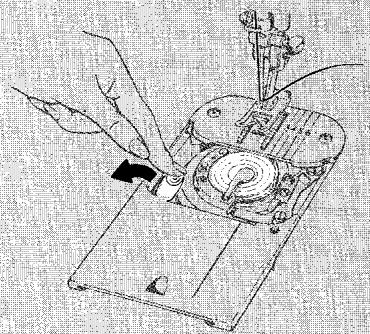
Winding Steps
1
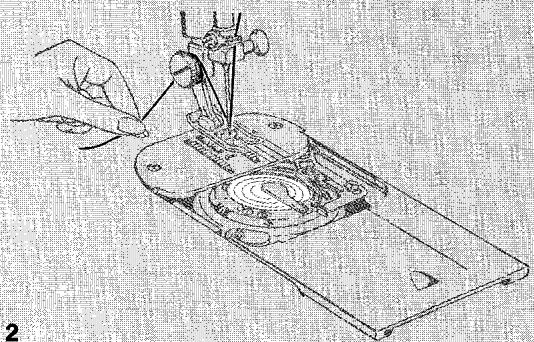
2
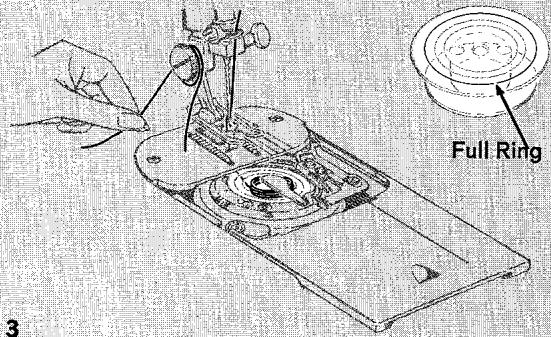
3
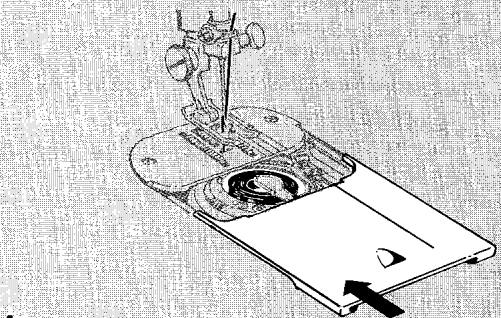
4
8. WINDING THE BOBBIN
The push-button bobbin will make your sewing go faster than ever before — whether you are using a lot of one kind of thread or small quantities of different threads, as you are likely to do when mending or darning.
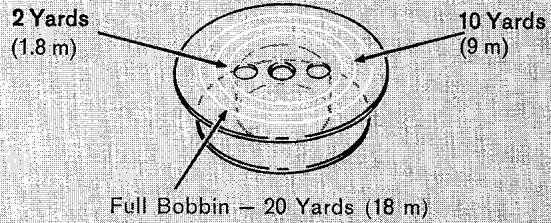
You will find a bobbin already in place in your machine, located under the slide plate. (To open slide plate, simply slide it gently toward you.) Notice the white rings on the bobbin. Each ring represents an approximate yardage of No. 50 mercerized cotton thread. The third, or outer ring, marks the full limit of the bobbin and you should never wind beyond that ring. If you are using fine thread, yardage on the bobbin will be greater. If you use thread heavier than No. 50, the yardage will, of course, be less.
The bobbin is ready for winding as you find it in the machine. If the bobbin runs out of thread while you are sewing, you can rewind it without removing it from the machine.
Preparation Steps
- Use general purpose, special purpose, or straight stitch presser foot. The general purpose foot is in place when the machine is delivered to you.
- Raise presser foot to release tension on thread, and make sure the needle is in its highest position.
- Open slide plate and make sure bobbin is empty. (For instructions on removing bobbin and thread, see next page.)
- Set stitch pattern selector at ( ) straight stitch, stitch width selector at 0, and needle position selector at 1 centre.
Winding Steps
- Press bobbin push-button to the left.
-
Wrap thread around presser foot screw, and hold end of thread firmly.
-
Start the machine.
-
Run the machine at a moderate speed.
- Pull thread end away after a few coils have been wound.
-
Keep your eye on the bobbin and fill with desired quantity of thread. Do not allow thread to wind beyond FULL ring.
-
Close slide plate to release push-button. (For instructions on starting to sew with a newly wound bobbin, see page 24.)
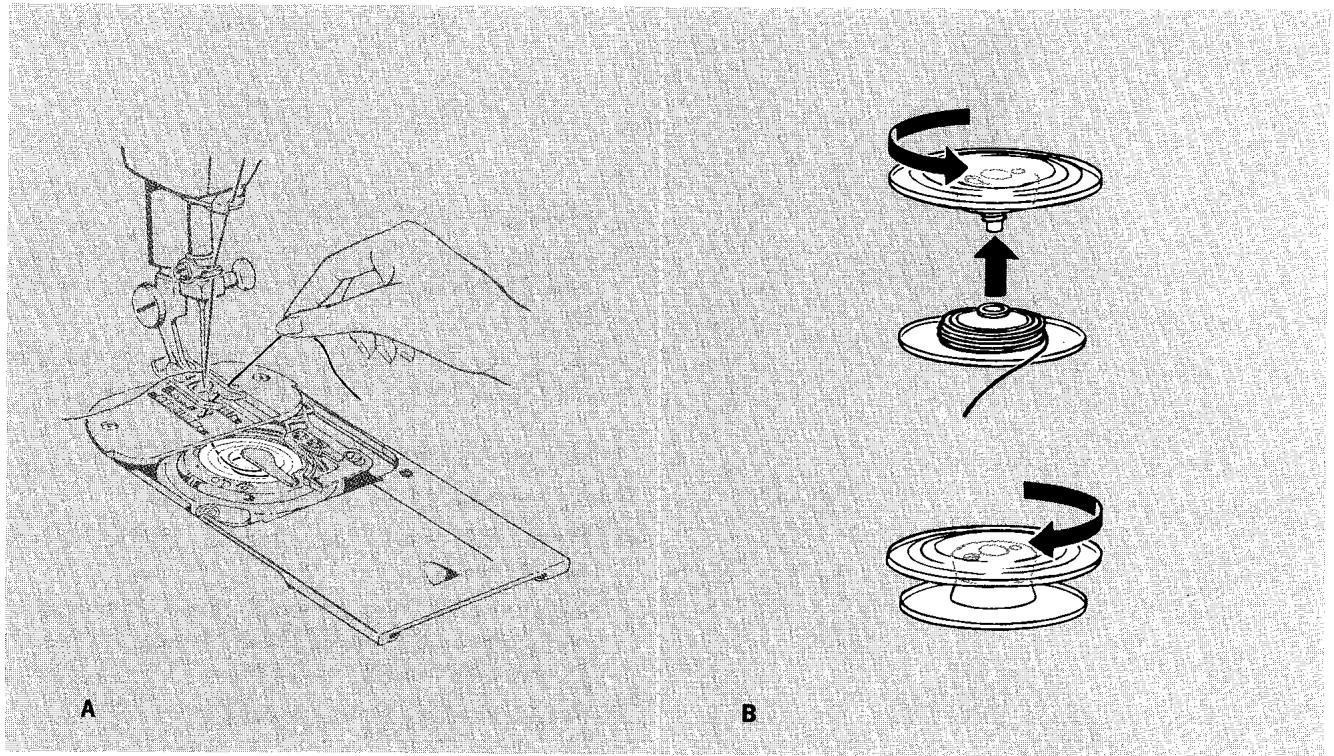
Removing Thread
A. If there is not much thread left on the bobbin, simply pull the thread end through the throat plate.
B. If there is a lot of thread left, remove the bobbin (as illustrated), unscrew the two halves, and remove all the thread at once.
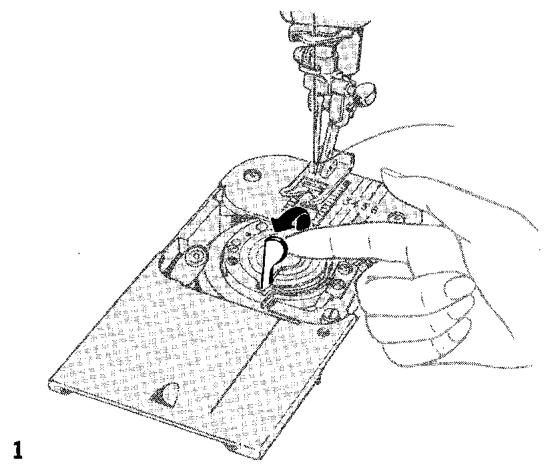
Removing Bobbin
Make sure the needle is in its highest position and open the slide plate. Leave the bobbin push-button in sewing position.
- Raise bobbin latch by inserting fingernail under end of latch at centre of bobbin.
- Insert fingernail under rim of bobbin immediately to right of latch and remove bobbin.
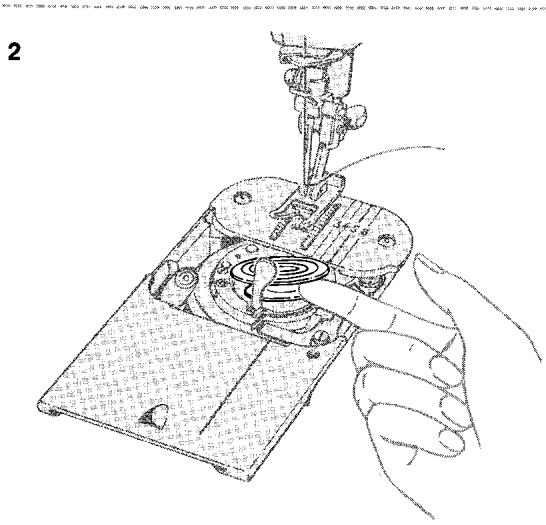
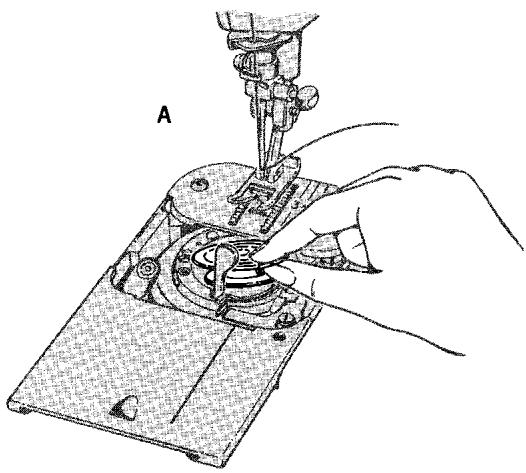
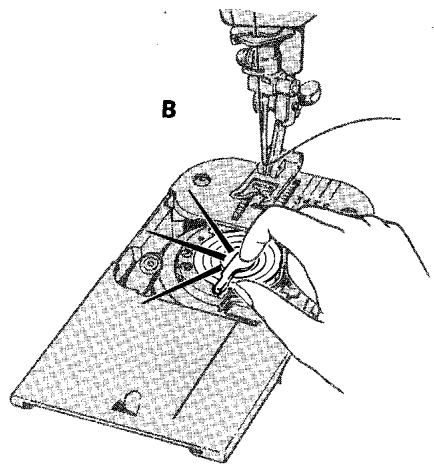
Replacing an Empty Bobbin
A. Tighten bobbin halves securely and, with latch raised, slip bobbin (wide side up) into bobbin case.
B. Snap latch down to secure bobbin. Leave the slide plate open until you have finished winding.
Inserting a Previously Wound Bobbin
Make sure needle is in its highest position.
- Open slide plate; leave bobbin push-button in sewing position.
Draw three or four inches of thread from bobbin and place bobbin in case with thread leading off to right side of latch as shown.
- Snap latch down to secure bobbin.
- Close slide plate, allowing the thread to enter the slot in the slide plate. (For instructions on starting to sew with a previously wound bobbin, see page 24.)
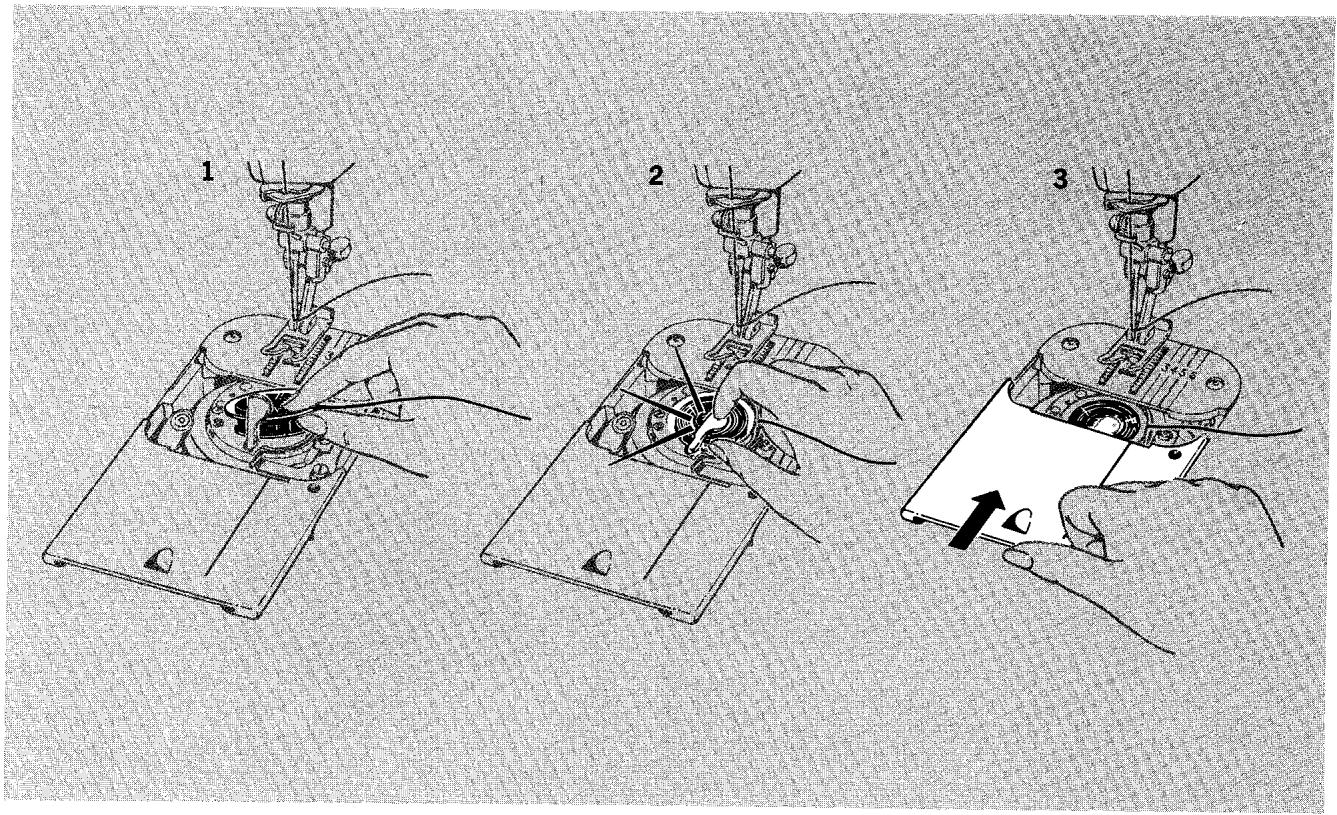
9. REGULATING PRESSURE
The pressure dial regulates the pressure that the presser foot exerts on the fabric. Correct pressure is important because it means fabric feeds smoothly, evenly, without being marked. Generally, heavy fabric requires a high number setting; lightweight fabric requires a low number setting. But fabric texture must also be considered; soft fabrics, for example, require less pressure than crisp fabrics.
- Lower the presser foot before setting pressure.
- To increase pressure, turn dial to higher number.
- To decrease pressure, turn dial to lower number.
- To release pressure, turn dial to D.
10. REGULATING NEEDLE THREAD TENSION
The needle thread tension dial regulates the degree of tension on your needle thread and lets you select just the right setting for your stitch pattern, thread, and fabric. The numbers eliminate guesswork in duplicating settings.
Correct tension is important because too much or too little will weaken your seams or mar the appearance of decorative work. To determine the correct tension setting, make a test on a sample of your fabric with the tension dial on 4 for trial stitching. If the fabric puckers, decrease tension. If the stitches look too loose, increase tension. (For detailed instructions on adjusting zig-zag stitch tension, see page 32.)
A. To increase tension, turn to higher number.
B. To decrease tension, turn to lower number.
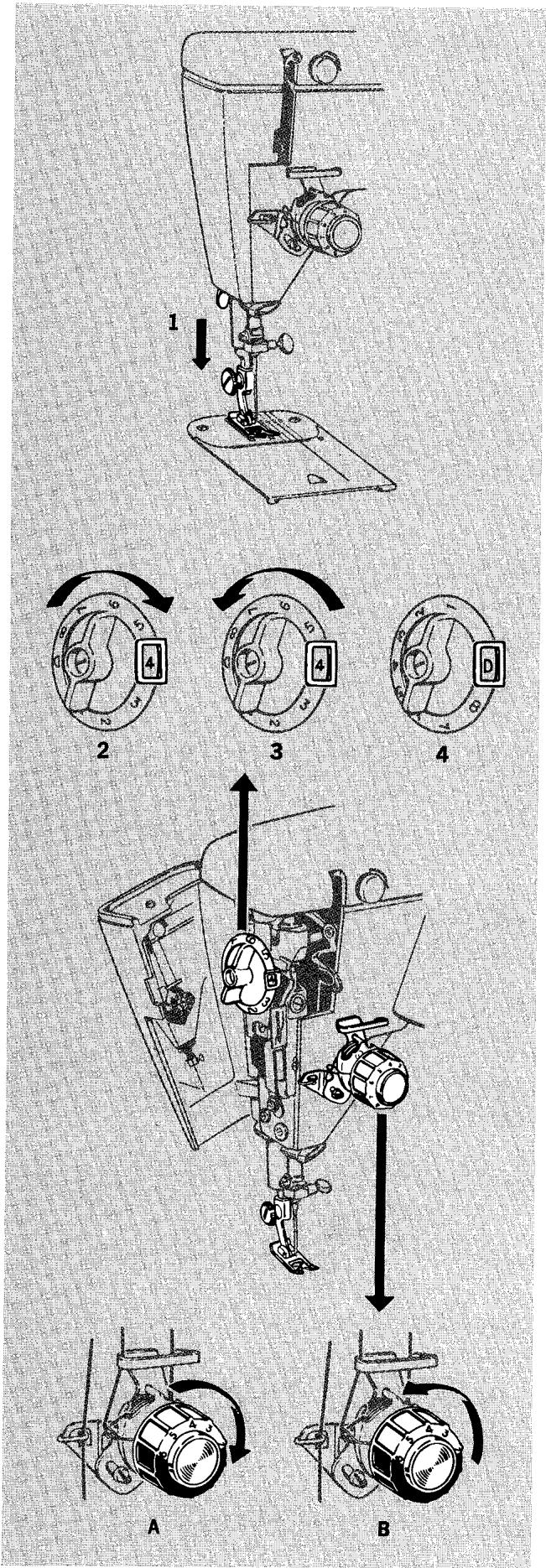
1. For Regular Sewing
2. For Reversible Zig-Zag Stitching
11. REGULATING BOBBIN THREAD TENSION
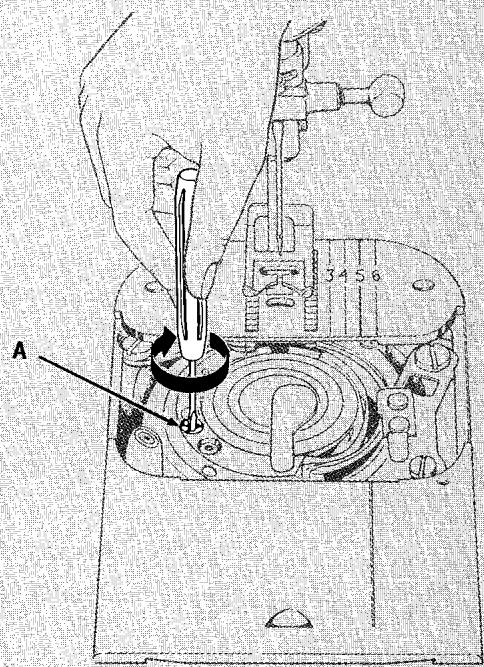
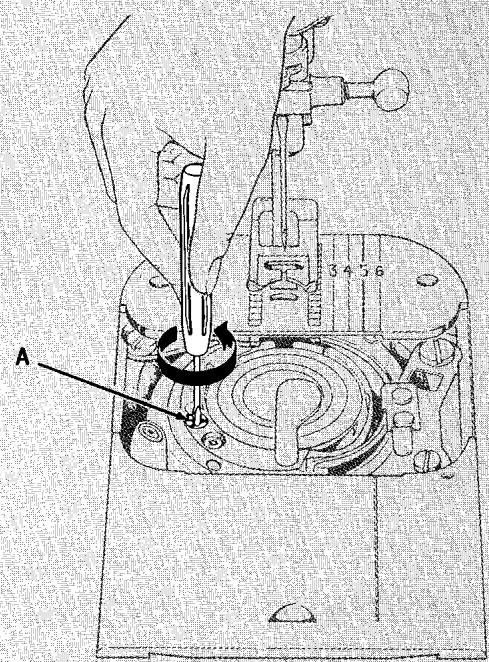
The bobbin thread of your machine is tensioned by the bobbin latch. Latch tension (controlled by the bobbin thread tension adjusting screw A) can be set for two kinds of sewing.
- Regular sewing, straight and zig-zag.
- Reversible zig-zag stitching (corner-locked) at open stitch lengths.
Bobbin thread tension is set at the factory for regular sewing and should not be adjusted unless a reversible zig-zag stitch (with needle and bobbin threads locked in the fabric at the corners) is required.
- For regular sewing, the bobbin thread tension screw A is turned to the right (clockwise) as far as it will go to the stop position.
- For reversible zig-zag stitching, at open stitch lengths, the bobbin thread tension adjusting screw A is turned to the left (counterclockwise) as far as it will go to the stop position. (Refer to page 32.)
Bobbin thread tension adjusting screw A must be turned either all the way left or all the way right. Never leave it in between these two extreme positions.
Use the small screwdriver supplied in your accessory box when making bobbin thread tension adjustments. The blade was designed to fit the slot in the adjusting screw.
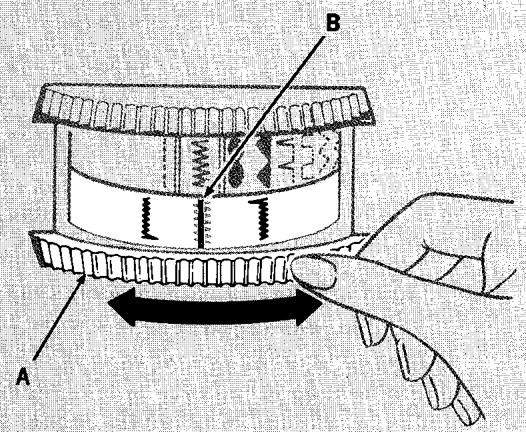
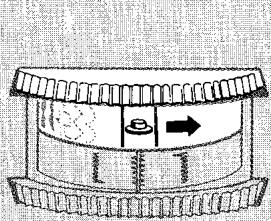
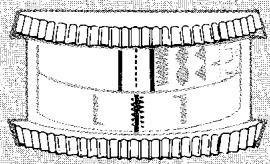
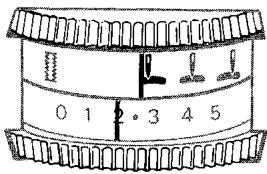
The buttonhole dial lets you control the two-step sequence for making buttonholes.
To set, rotate dial A either right or left until the desired illustration of buttonhole stitching (right side or left side of buttonhole) is centred under the indicator line B. (Turn to page 58 for detailed button-hole making instructions.)
The dial should always be set in neutral position ( ) when you are not making buttonholes.
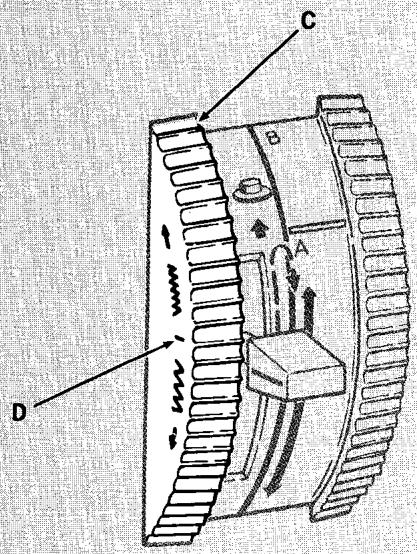
13. SETTING FORWARD-REVERSE STITCH BALANCE CONTROL DIAL
The stitch balance control dial C is used to balance the right side ±b of the buttonhole with the left side (see page 63) and to vary the forward - reverse balance of double Fashion Disc patterns (see page 37).
To set dial, rotate upward or downward until desired balance is attained.
The centre balance line D on the side of the dial should be located in its neutral position (parallel to machine bed) when you are not making buttonholes or using double Fashion Discs.
Buttonhole Dial
Stitch Balance Control
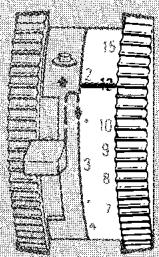
14. SETTING STITCH LENGTH
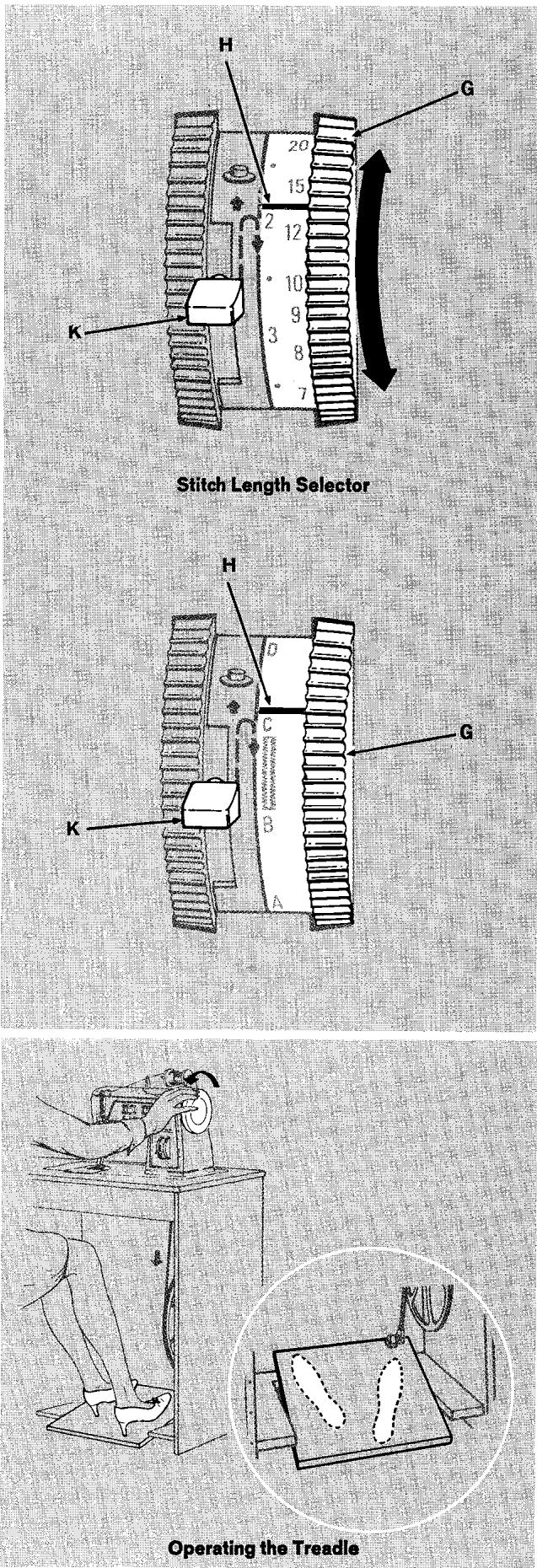
The stitch length selector controls the length of straight and zig-zag stitches in both forward and reverse stitching.
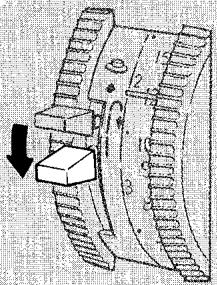
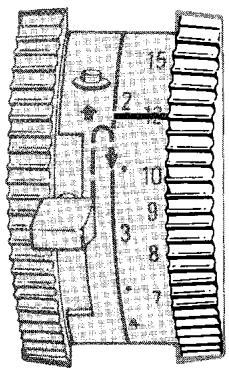
The numbers 6 through 20 on the outside band of the selector represent stitches per inch. The higher the number, the shorter the stitch will be. The numbers 1 through 4 (on the inside band) represent stitch length in millimeters. The area between 1 and 0 is used for zig-zag satin stitching (see page 34 for instructions on satin stitch length adjustment).
The letters A through D above the symbol on the millimeter band are special settings used only for the fine adjustment of stitch density (closeness) when you are using one of the double Fashion Discs or making a two-step buttonhole. Setting A will give you the most dense (or closest) stitch, while D will give you the least dense (or most open) stitch length. The red symbol represents the stitch length setting recommended for two-step buttonholing. When the selector is set in the A to D range, stitching direction is controlled by the disc or disc assembly being used.
To set stitch length, rotate dial G either up or down until the desired setting is aligned with the indicator line H.
For reverse stitching (in numerical range), simply press reverse stitch lever ±bK all the way down (lever can be moved while machine is sewing), hold in place until stitching is completed, then release lever for forward stitching.
(For treadle driven and combination electric and treadle driven machines only)
- Place both feet on the treadle as illustrated.
- Turn hand wheel over toward you, allowing your feet to move freely with the motion of the treadle.
- Practice this motion until you are able to start and keep the machine in operation with the hand wheel turning toward you.
- Remember that the faster you operate the treadle, the faster the machine will sew.
Changing from Treadle to Electric Drive
(Combination machines only)
When changing from treadle drive to electric drive, the drive belt must be removed from the band wheel in the cabinet by moving the belt shifter toward the right and turning the band wheel toward you. To return the machine to treadle drive, move belt shifter toward the left and turn band wheel over toward you until the belt is fully in the groove. (To install or replace the belt refer to page 109.)
accessories†
The accessories that come with your sewing machine are designed to help you do many kinds of sewing easily and perfectly. And they can be attached and removed with no trouble at all. Those that are already in place on your machine as you receive it are so noted.
†The accessories shown in this instruction book are not necessarily furnished with your machine. Those that are not included are available for separate purchase at your SINGER CENTRE.
1. BOBBINS
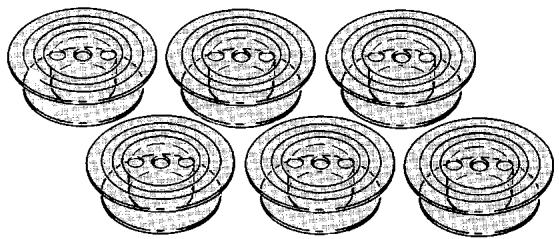
- One transparent drop-in bobbin in place in your machine.
- Six extra transparent drop-in bobbins.
2. NEEDLES
- One golden needle, Catalog 2020 (15x1) size 14, in place in your machine.
- Five extra needles:
- Two Catalog 2020 (15x1) Size 11 standard
- Two Catalog 2020 (15x1) Size 14 standard
- One Catalog 2020 (15x1) Size 16 standard
One twin-needle: Catalog 2028 Size 14
- Two needle threads hooks. (See page 109 for removal and replacement.)
Changing the Needle
The needle clamp is designed so that the needle can only be inserted one way — the correct way.
- Raise needle bar A to its highest position.
- Loosen the needle-clamp screw B and remove needle.
- Insert new needle in clamp C , with the flat side of the needle to the back and the long groove toward you; push it up as far as it will go.
- Tighten needle-clamp screw.
This machine uses needles
Catalog 2020 (15x1)
Sizes 9, 11, 14, 16 and 18
3. VERTICAL SPOOL PIN
The vertical spool pin ±bA is used for twin-needle stitching. Raise the arm top cover lid and insert the spool pin into the hole provided for it (see page 42, for detailed instructions).

Changing One-Piece Presser Feet
4. PRESSER FEET
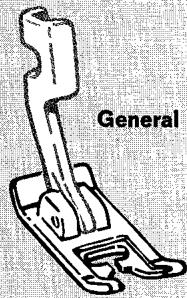
- The general purpose presser foot on your machine.
Eight additional presser feet:
Straight stitch foot
Special purpose foot
Buttonhole foot
Darning and Embroidery foot
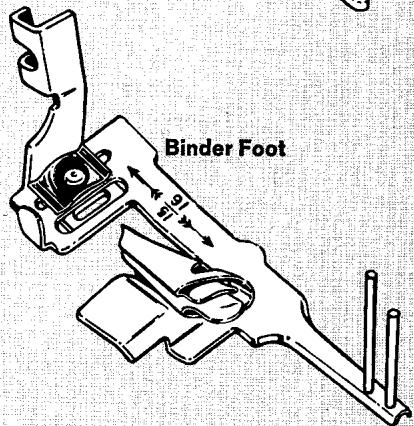
Binder foot
Button foot
Hemmer foot
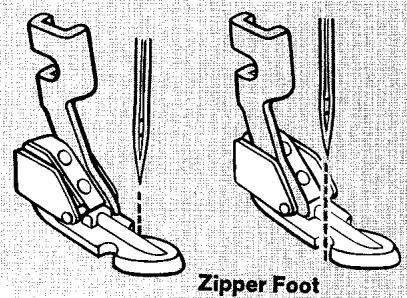
Zipper foot
Changing Snap-on Presser Feet
- General purpose foot
- Straight stitch foot
- Buttonhole foot
These presser feet quickly and easily snap off and snap on a common shank.
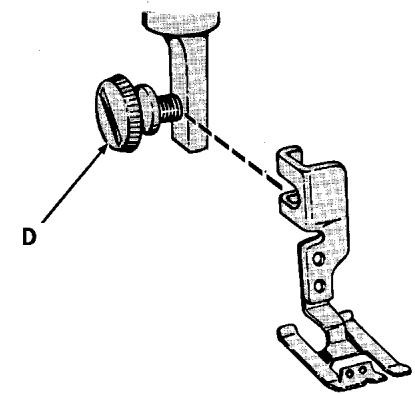
- Raise presser foot and make sure needle is in its highest position.
- Press toe of presser foot A upward (as far as it will go) and then snap down to remove.
- Centre the new presser foot under shank B.
- Lower the presser bar so that the shank opening fits over the presser foot pin C.
- Press down on presser foot screw D until the foot snaps into place.
The snap-on presser foot shank is changed in the same way as one-piece presser feet.
Changing One-Piece Presser Feet
Three Most Used Presser Feet
The three presser feet illustrated on this page will be used most often. The others are for special sewing needs and are described on the next page.
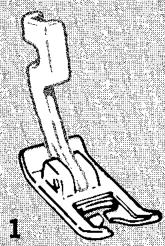
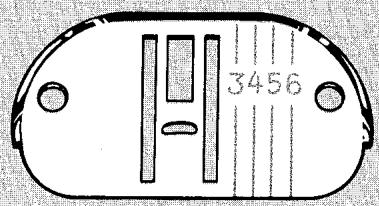
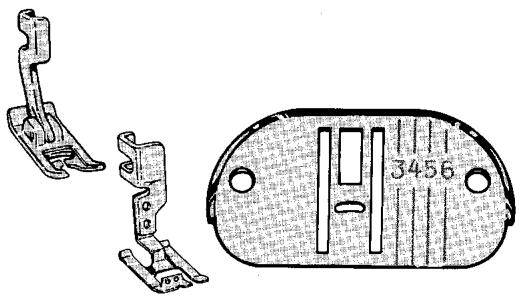
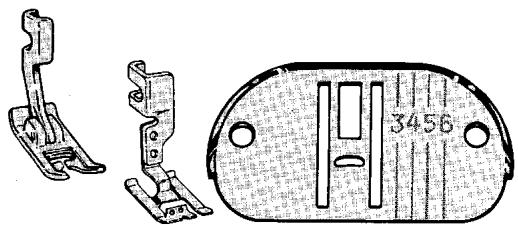
Use the general purpose presser foot with the general purpose throat plate for all utility sewing. These general purpose fittings must be used when alternating between straight and zig-zag stitching. (For discussion of throat plates, see page 18.)
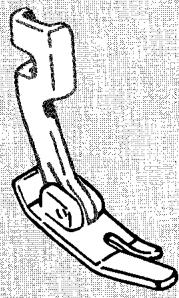
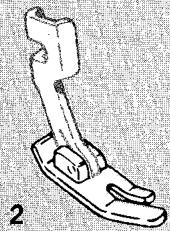
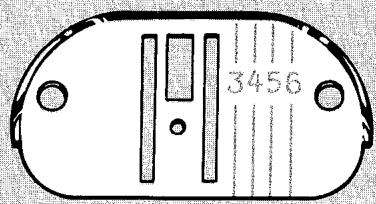
Use the straight stitch presser foot with the straight stitch throat plate, and selectors set for straight stitching, when your fabric or sewing procedure requires close control. This narrow, hinged foot rides over pins and allows you to control the fabric easily when stitching in a curve or close to the fabric edge. The narrow slot prevents fabric from rising with the needle. Use these fittings for:
- Precision stitching of curved and scalloped edges, top stitching, edge stitching, etc.
- Stitching on delicate or spongy fabrics, synthetics, and knits.
Use the special purpose presser foot with the general purpose throat plate for all kinds of closely spaced zig-zag stitching. This light, flexible foot has a raised centre section, which allows dense zig-zag stitches to feed evenly. The small holes in the front hold a filler cord when that is desired. Use these fittings for:
- Ornamental satin stitching
- Applique
- Hemstitching
- Four-step buttonholing
- Double disc stitching
General Purpose Presser Foot
Straight Stitch Presser Foot
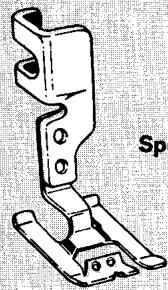
Special Purpose Presser Foot
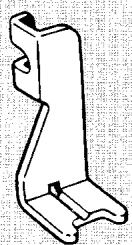
Button Foot
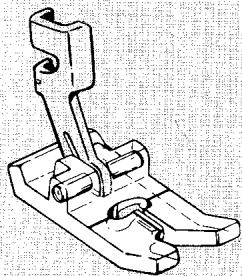
Buttonhole Foot
Presser Feet for Special Sewing Needs
The zipper foot makes it easy to place stitching close to a raised edge. Thus it is useful for corded seams (page 69) as well as zipper insertion (page 82). It can be adjusted to either the right or the left side of the needle. The foot's hinge allows it to ride over pins, heavy layers of fabric, or seams.
This short, open foot holds any two-hole or four-hole button securely for stitching. The groove in the foot can be used to hold a needle, over which a thread shank can be formed. For instructions see page 56.
The binder foot is used to apply ready-made bias tape or unfolded bias binding to an unfinished edge. Such a trim can form a colourful finish to children's clothes, aprons, and household linens. It can also be useful for binding seam edges that might fray. For instructions see page 79.
This snap-on transparent presser foot is used to make two-step buttonholes in fabrics of light to medium weights. The channels on the underside allow closely spaced zig-zag stitches to feed freely and permit buttonholes to be double stitched when extra strength is needed. The guidelines on the foot simplify button-hole placement and make it easy to gauge buttonhole length. For instructions see page 58.
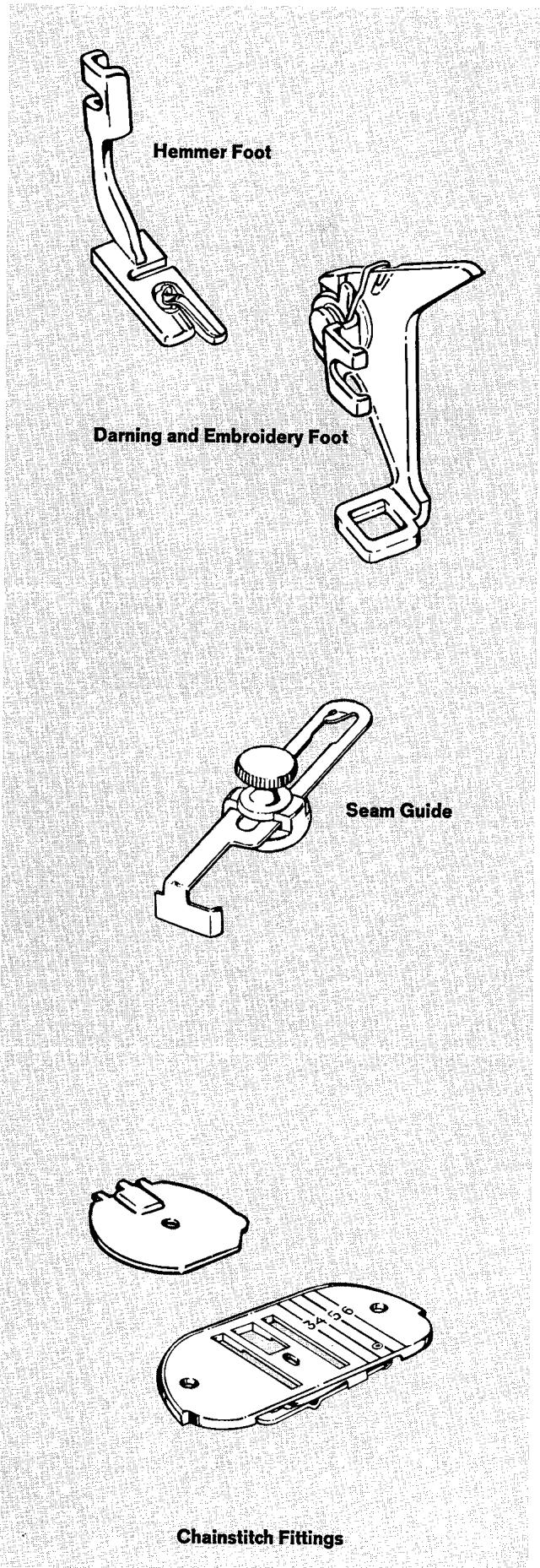
You can turn and stitch a narrow hem in a single operation if you use the hemmer foot. Thus, you can eliminate basting or pinning whenever you are making ruffle edges, lingerie finishes, and the like.
This accessory is recommended for all types of freemotion work. It is ideal for embroidery, monogramming, and decorative designs because the transparent toe holds firmly as the needle enters and leaves the work while fully revealing the line of the design to be followed.
5. SEAM GUIDE
The seam guide will help you to stitch seams of perfectly uniform width. It is especially useful for curved seams or top stitching, when absolute accuracy is required. Also, because it allows you to guide stitches at any distance between 18 inch and 138 inches (3 and 34 mm) from fabric edge, it is useful for very narrow or unusually wide seams. (For instructions on the use of the seam guide, see page 26.)
To Attach the Seam Guide
Place screw in hole to the right of the slide plate; line up straight edge of guide with the throat plate guideline for desired seam width; and tighten screw.
6. CHAINSTITCH FITTINGS
One set of two fittings:
Bobbin case cover
- Throat plate
Chainstitching produced with a single thread has many practical uses. It is ideal for temporary stitching and basting because the interlocked loops unravel easily. (See section called "Chainstitching" beginning on page 45 for detailed instruction on chainstitching applications.)
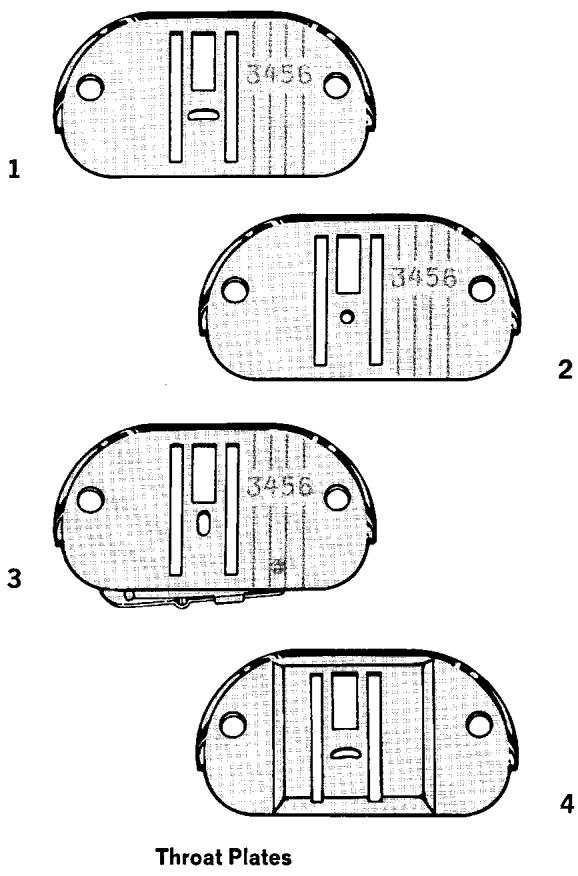
7. THROAT PLATES
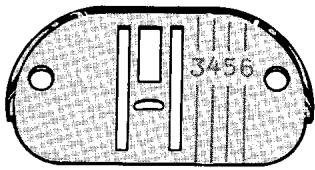
- The general purpose throat plate (1) in place on the machine. (For use with general purpose and special purpose presser feet.)
Three additional throat plates:
- Straight stitch throat plate (2). (For use with straight stitch presser foot.)
- Chainstitch throat plate (3). (This throat plate is one of two chainstitch fittings that must be used together and is discussed under the heading "Chainstitch Fittings" on page 17.)
- Feed cover plate (4). (For use when fabric feeding is not desired.)
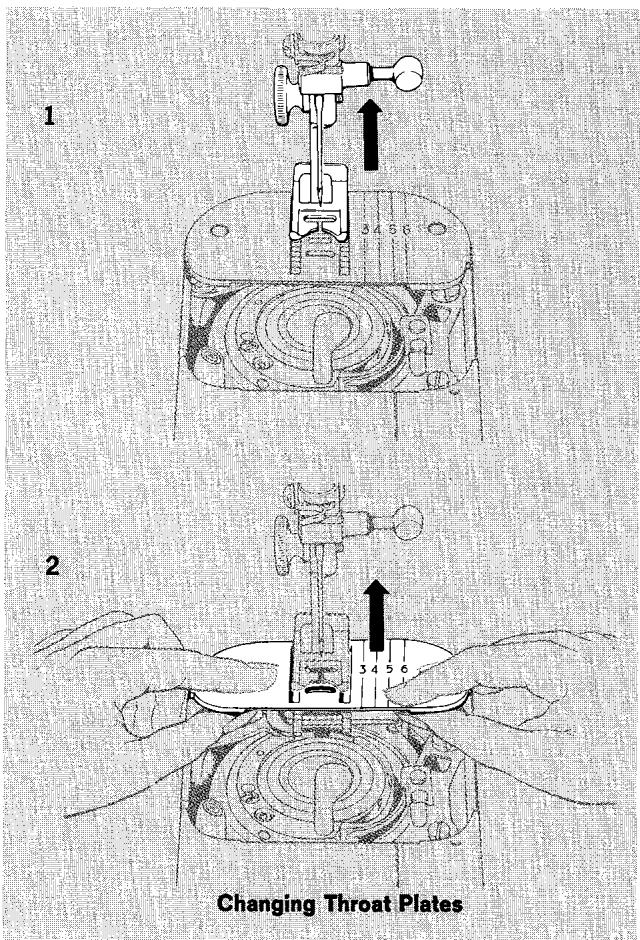
Changing Throat Plates
(Note: Remove bobbin if it contains thread in order to avoid thread being caught when throat plate is replaced.)
- Raise presser foot and make sure needle is at its highest point. (You do not need to remove the presser foot.)
- Open slide plate and place thumbs under throat plate. Remove plate by pressing up and lifting out.
- Position new throat plate over the two clamping pins and release. (Throat plate is drawn into position by magnets.)
- Close slide plate.
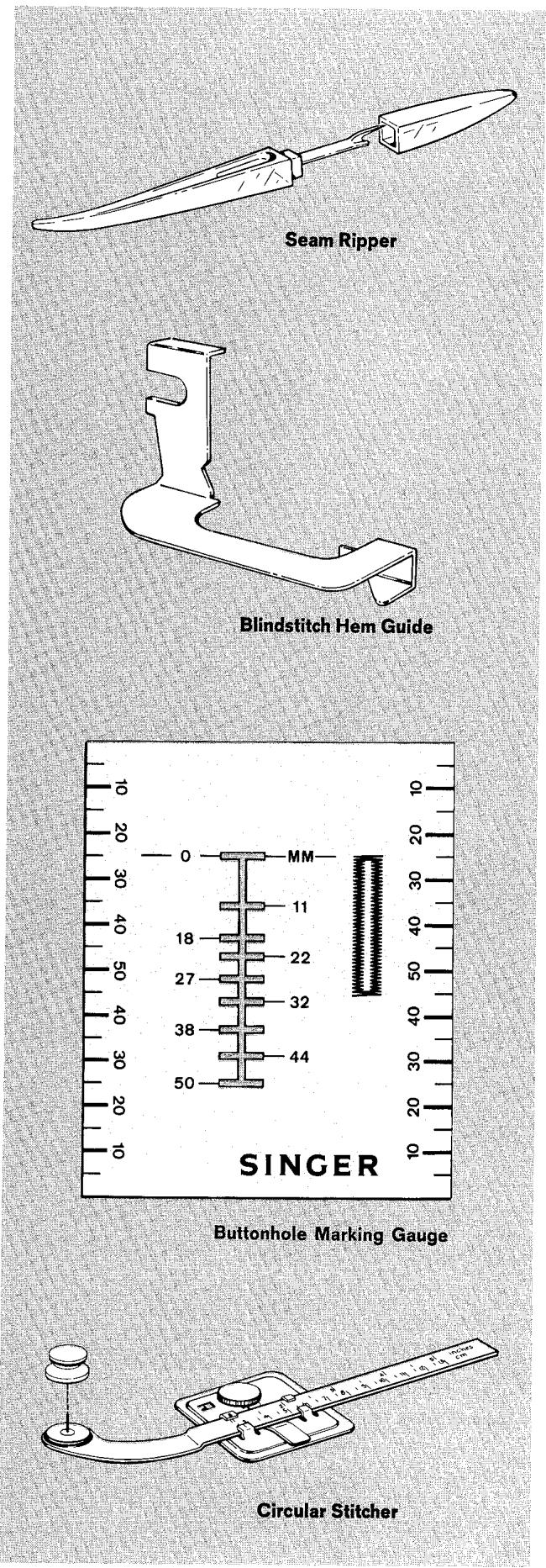
8. SEAM RIPPER
The seam ripper picks and cuts threads. It lets you rip seam stitching quickly and neatly without damage to the fabric. Also saves time when removing buttons, snap fasteners, hooks and eyes; and it cuts decorative zig-zag stitching and bar tacks for easy removal of thread. It is especially useful for cutting the button opening in stitched buttonholes because the narrow blade cuts a clean, straight line between the lines of stitching (see page 60 for detailed instructions).
9. BLINDSTITCH HEM GUIDE
The blindstitch hem guide positions the fabric for blindstitch hemming so that your hem will be uniform in width and the stitches almost invisible. And, it lets you achieve these more expert results with greater ease.
To Attach the Blindstitch Hem Guide
Loosen the presser foot screw; slip the guide between the presser foot screw and the presser foot shank and tighten screw. Turn to page 74 for blind-stitch hemming instructions.
This handy see-through gauge makes it easy to place and space buttonholes. The slotted cut-out ensures accuracy and precision when marking buttonhole guide lines. It is useful, too, in other areas of garment construction such as measuring seam width and hem depth, checking fabric grain, squaring off straight edges, and positioning buttons, snaps, and studs. The gauge measurements are expressed in millimeters. (For detailed instructions on the use of the gauge in marking buttonhole guidelines, see page 60.)
11. CIRCULAR STITCHER
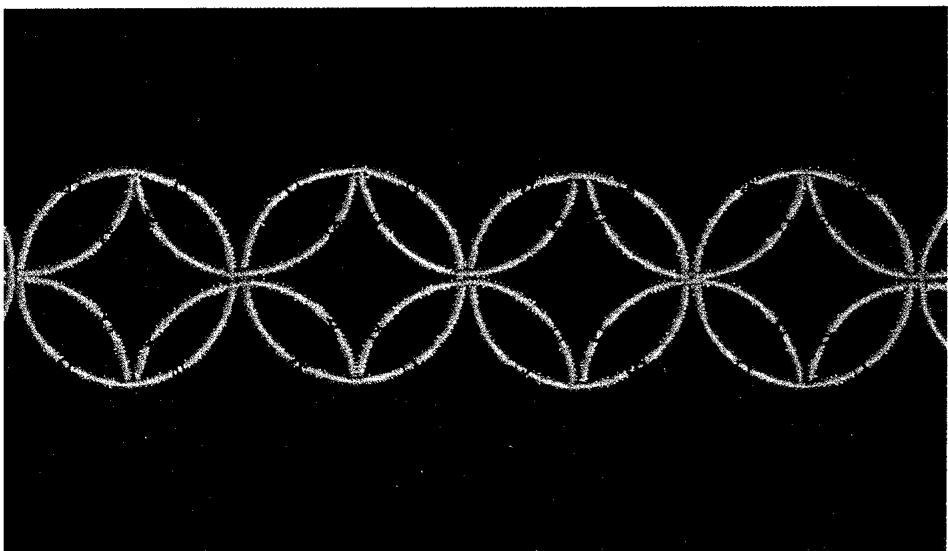
The circular stretcher lets you make circular designs with straight stitching or with any zig-zag pattern. With the aid of the gauge, you can make perfect full or half circles, 2 inches to 10 inches (5 to 25cm ) across, as well as geometric motifs and scallops. All of these may be done without having to follow a pattern. You can even use a twin needle and decorate, in the round, with two colors at once. (For detailed instructions on the use of the circular stretcher, see page 55.)
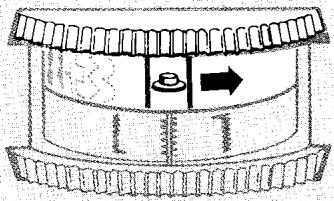
Changing Fashion Discs
12. FASHION DISCS
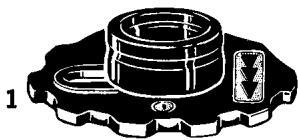
Eight single Fashion Discs (1)
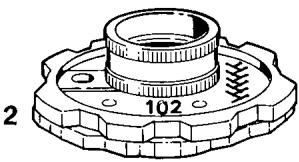
Eight double Fashion Discs (2)
These discs added to the seven basic pattern discs built into the machine give you an almost unlimited choice of stitch patterns. They greatly enlarge the scope of decorative applications as well as serving practical purposes such as stitching stretch fabrics, overedging and hemstitching. Each disc is numbered and its design is reproduced on its surface for quick recognition. Instructions for using the Fashion Discs begin on page 30.
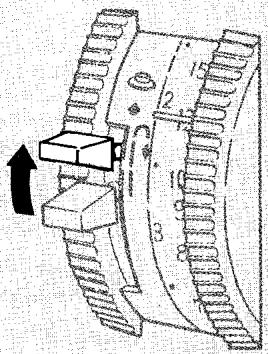
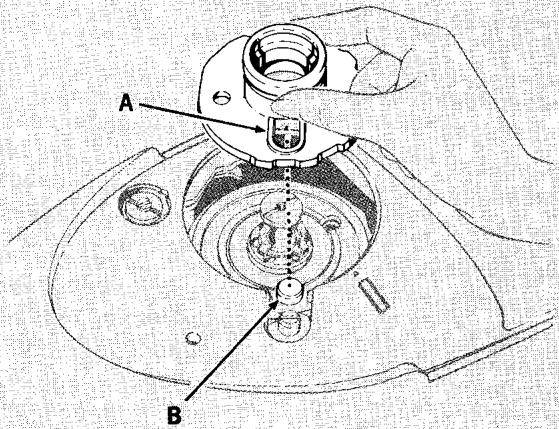
Changing Fashion Discs
Make sure needle is at its highest point.
- Open the arm top cover lid.
- Move stitch pattern selector off setting.
- Make sure needle position selector is off special setting
- Raise the reverse stitch lever and hold it in the up position while removing and replacing disc.
- Remove buttonhole disc assembly (or Fashion Disc) from holder by pulling it upward.
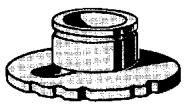
- Put replacement disc on the holder aligning opening A in disc with locating stud B as shown; push down until disc snaps into place.
- Release reverse stitch lever.
- Set stitch pattern selector on e to activate disc. When using double discs, set the stitch length selector in the Special A to D range (above the symbol) to complete the engagement of the disc.
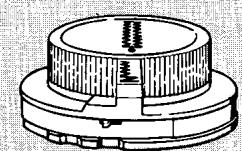
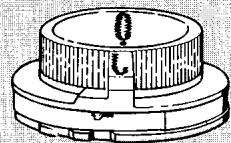
- One disc assembly for square-end buttonholes (1) in place on holder in machine.
- One disc assembly for round-end buttonholes (2).
These two interchangeable buttonhole disc assemblies let you make round-end and square-end (bartack) buttonholes in any length with two simple dial settings. Detailed instructions for making each of these buttonholes begin on page 58.
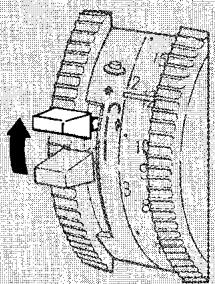
Make sure needle is in its highest position.
- Open the arm top cover lid.
- Move stitch pattern selector off setting.
- Make sure needle position selector is off special setting .
- Raise the reverse stitch lever and hold it in the up position while interchanging assembly.
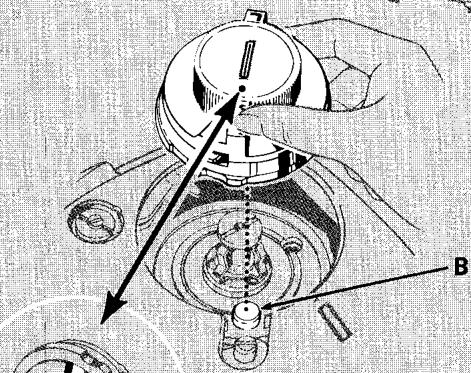
- Remove assembly from disc holder by pulling it upward.
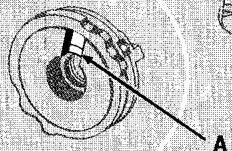
- Place new assembly on disc holder aligning underside notch A with locating stud B; push down until assembly snaps into place. The red dot on the top of the assembly indicates the location of notch A.
- Release reverse stitch lever.
- Set selectors on red buttonhole settings (see buttonhole chart) to activate assembly.
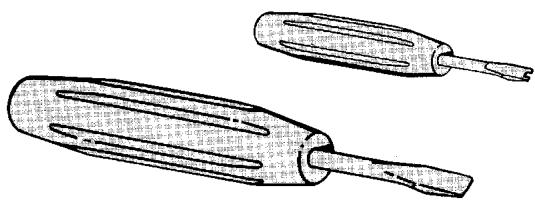
14. SCREWDRIVERS
One small screwdriver
- One large screwdriver
The small screwdriver is especially designed for the regulation of the bobbin case adjusting screw. Use it to adjust bobbin-thread tension on those occasions when a balanced zig-zag stitch setting is desired. See page 10 for detailed instructions on regulating bobbin-thread tension.
The large screwdriver will aid in the removal and replacement of the arm top cover and bed cover of the machine for oiling and lubricating. See page 103 for specific information.
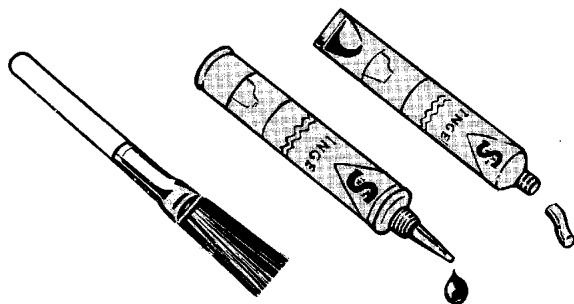
- One lint brush
- One tube SINGER sewing machine oil
- One tube SINGER sewing machine lubricant
Your sewing machine is a fine yet sturdy precision instrument, and it will serve you perfectly for many years if you take a few simple steps to keep it in good condition. Instructions on at-home-care of your sewing machine begin on page 103.
1
2
Changing Buttonhole Disc Assembly
2. Straight Stitching
preparation
SELECTING NEEDLE AND THREAD
The needle and thread you choose will depend upon the fabric to be stitched. The needle should be fine enough to prevent the fabric from being marked with large punctures, yet heavy enough to pierce the fabric without being bent or deflected.
Remember, too, that the eye of the needle must be
large enough for the thread to pass through it freely: a needle too fine for the thread will cause the thread to fray.
The table below is a practical guide for needle and thread selections. Refer to it before starting a sewing project. Be sure to use the same size and type of thread in both needle and bobbin.
FABRIC, THREAD, NEEDLE, AND STITCH LENGTH TABLE†
| Fabric | Thread Sizes | Needle Sizes | Straight Staining |
| Stitches per Inch | mm per Stitch |
| Delicate - tulle, chiffon, fine lace, silk organdy | Fine mercerized cotton Fine synthetic | 9†† | 15 to 20 | 1.3 to 1.7 |
| Lightweight - batiste, organdy, jersey, voile, taffeta, silk, crepe, chiffon velvet, plastic film | 50 mercerized cotton Silk Synthetic | 11 | 12 to 15 (8 to 10) (for plastic) | 1.7 to 2.1 (2.5 to 3.2) |
| Medium Weight - gingham, lawn, pique, linen, mintz, faille, satin, fine corduroy, velvet suitings, stretch fabric | 50 mercerized cotton 60 cotton Silk Synthetic | 14 | 12 to 15 | 1.7 to 2.1 |
| Medium Heavy - gabardine, tweed, sailcloth, coatings, drapery fabrics | Heavy duty mercerized cotton 40 to 60 cotton Synthetic | 16 | 10 to 12 | 2.1 to 2.5 |
| Heavy - overcoatings, denim, upholstery fabrics, canvas | Heavy duty mercerized cotton 24 to 40 cotton | 18 | 6 to 10 | 2.5 to 4.3 |
| All Weights - decorative top stitching | Buttonhole twist ††† | 18 | 6 to 12 | 2.1 to 4.3 |
Does not apply to chainstitching.
Size 9 needle recommended for sewing only. For bobbin winding, use larger size needle.
Use with 50 mercerized cotton in bobbin.
MACHINE SETTINGS AND ACCESSORIES
Before making any setting adjustments, make sure the buttonhole dial is set in neutral position and needle is out of the fabric.
Your choice of accessories will depend on the fabric and stitching requirements.
- Stitch Pattern Selector: ( ) Straight Stitch
- Stitch Width Selector: 0
- Needle Position: ( ) Centre
- Stitch Length: 6 to 20 to suit fabric
- Throat Plate: Straight Stitch or General Purpose
- Presser Foot: Straight Stitch or General Purpose
-
Seam Guide: (Optional, for extra control)
-
Use the general purpose presser foot with the general purpose throat plate for all utility sewing. These general purpose fittings must be used when alternating between straight and zig-zag stitching.
-
Use the straight stitch presser foot with the straight stitch throat plate when your fabric or sewing procedure requires close control. This narrow, hinged foot rides over pins and allows you to control the fabric easily when stitching in a curve or close to the fabric edge. The narrow slot prevents fabric from rising with the needle.
To meet special sewing requirements, you may wish to place a line of stitching to the left or right of centre. To do so, simply move the needle position selector to (left) or (right). The general purpose presser foot and general purpose throat plate must be used with left and right needle position settings.
STARTING TO STITCH
How you begin stitching depends on whether you are using a newly wound bobbin or a previously wound bobbin.
When you have just wound a bobbin, you will have one continuous thread leading from the needle into the bobbin.
When you have just inserted a bobbin that was previously wound, you will have two separate threads: the upper or needle thread and the lower or bobbin thread. Before you can start to stitch, you must bring the bobbin thread up through the throat plate needle hole.
Instructions for both conditions are given on the following page. (These instructions also apply to zig-zag stitching.)


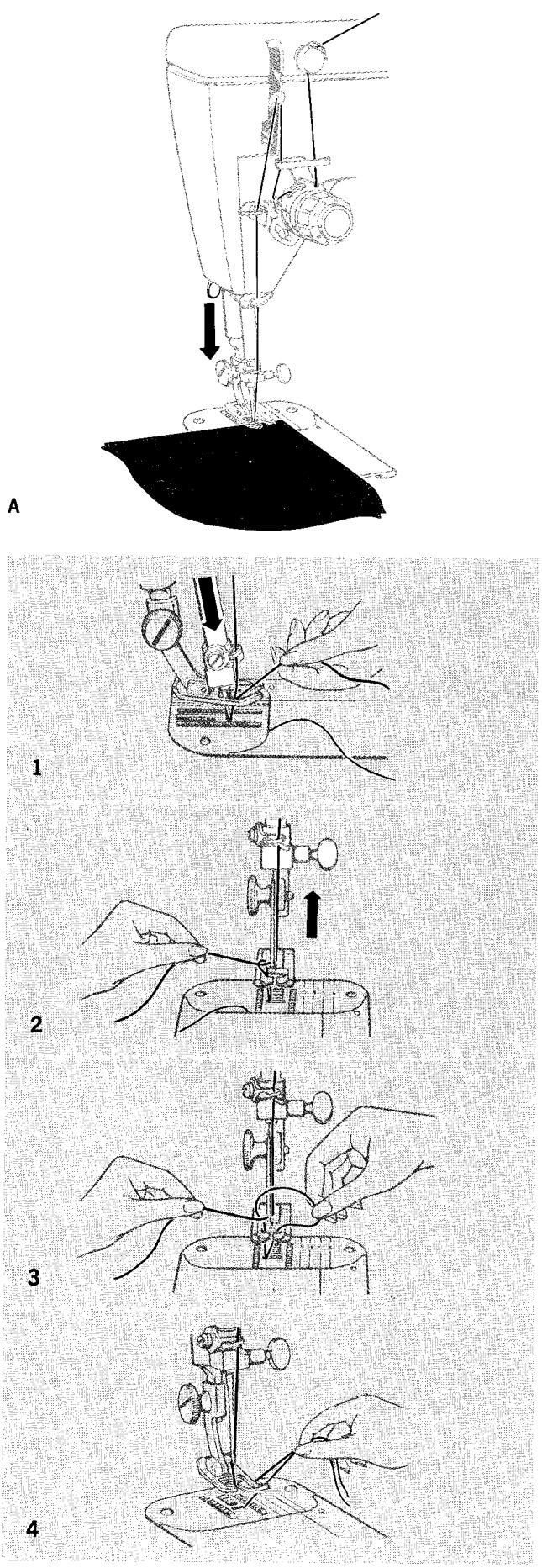
With a Newly Wound Bobbin
A. If you are starting to stitch at the fabric edge:
- Close slide plate.
- Position needle in very edge of fabric.
- Lower the presser foot and stitch. Thread will "lock" over fabric edge.
B. If you are starting to stitch away from fabric edge:
- Close slide plate.
- Pull thread back under presser foot and cut.
- Position needle in from fabric edge where desired, lower the presser foot, and stitch.
NOTE: Should the bobbin run out of thread after you have already begun a line of stitching, remove the fabric, rewind the bobbin, and follow the three immediately preceding steps.
With a Previously Wound Bobbin
- Hold needle thread lightly with left hand and turn hand wheel slowly toward you so that needle enters throat plate.
- Continue turning hand wheel until needle rises and brings up bobbin thread in a loop.
- Undo the loop with your finger.
- Place both needle and bobbin threads under presser foot and lay them diagonally to the right. Position needle in fabric where desired, lower the presser foot and stitch.
sewing a seam
STARTING A SEAM
Set stitch pattern, stitch width, and needle position selectors for straight stitching, and set stitch length selector for desired number of stitches per inch (mm per stitch).
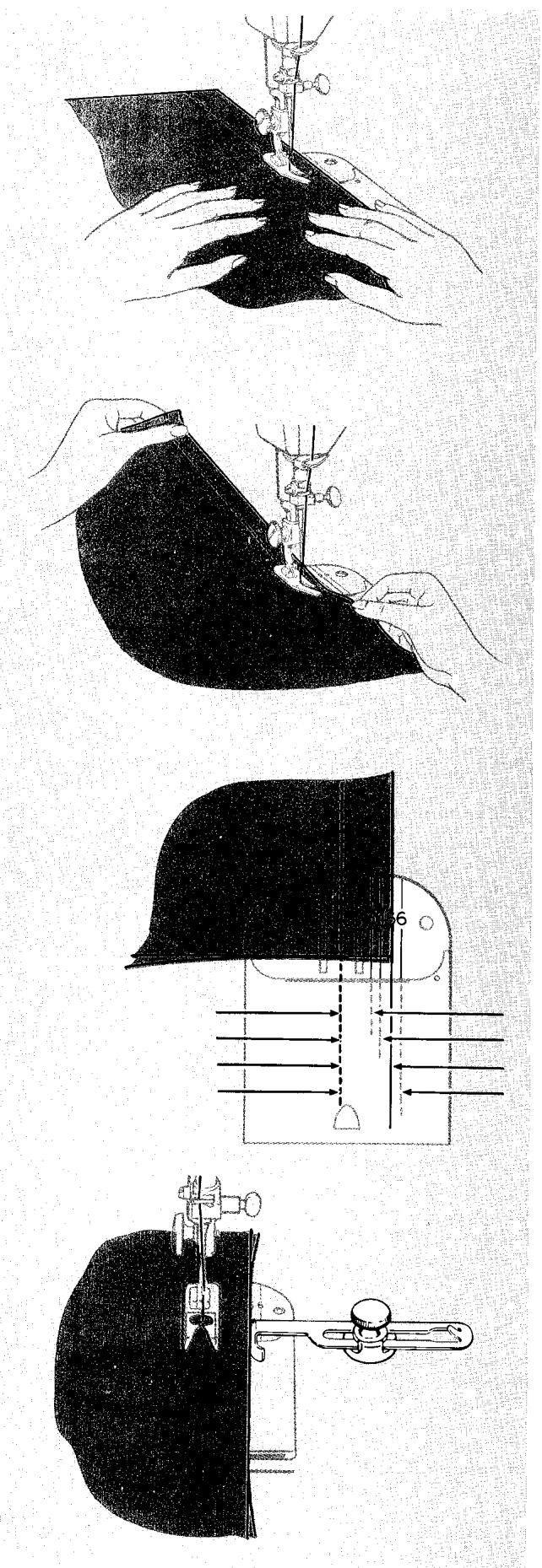
With presser foot up, align fabric with appropriate guide line on throat plate (as shown on next page). Position the needle in fabric about 1/2 inch (12mm) in from the starting edge.
Lower the presser foot and push the reverse stitch lever down as far as it will go. Hold lever in down position and backstitch to edge of fabric for reinforcement. Release lever when stitches reach fabric edge.
With reverse stitch lever in normal position, stitch in forward direction.
GUIDING AND SUPPORTING FABRIC
Most fabrics need only to be guided in front of the presser foot, as illustrated.
Some fabrics, however, require support while being stitched. These fabrics require using the straight stitch presser foot, as shown.
- For filmy sheers, knits, etc., apply gentle tension by holding seam in front and back of the presser foot.
- For stretch fabrics, apply firm tension front and back when stitching in the same direction as the stretch. For seams not in the stretch direction, stitch in conventional manner, guiding fabric in front of presser foot.
KEEPING SEAM STRAIGHT
To keep the seam straight as you stitch, use one of the numbered guidelines on the throat plate. If you want a 5/8 inch (15 mm) seam, for example, line up your fabric with line 5. Note that line 5, the one most commonly used, is extended on the slide plate for your convenience.
For additional guidance, you may wish to use the seam guide.
BASTING
You may wish to baste the seams in some fabrics before you stitch. For information on chainstitch blasting and blasting with pins, turn to pages 45 and 67 respectively.
ENDING A SEAM
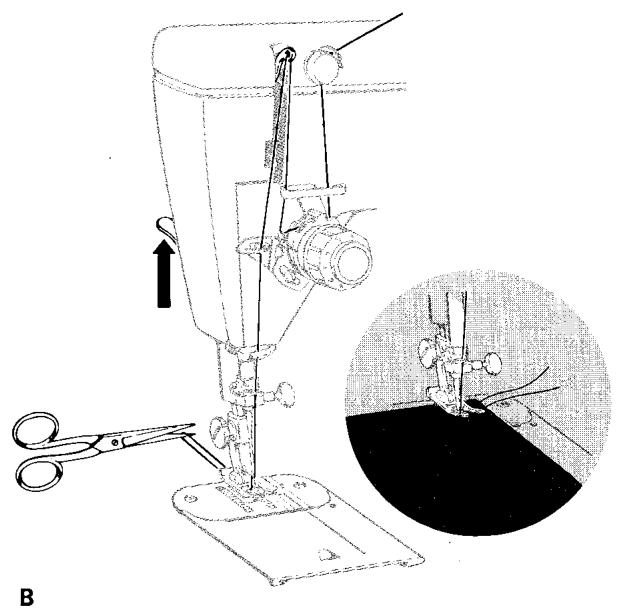
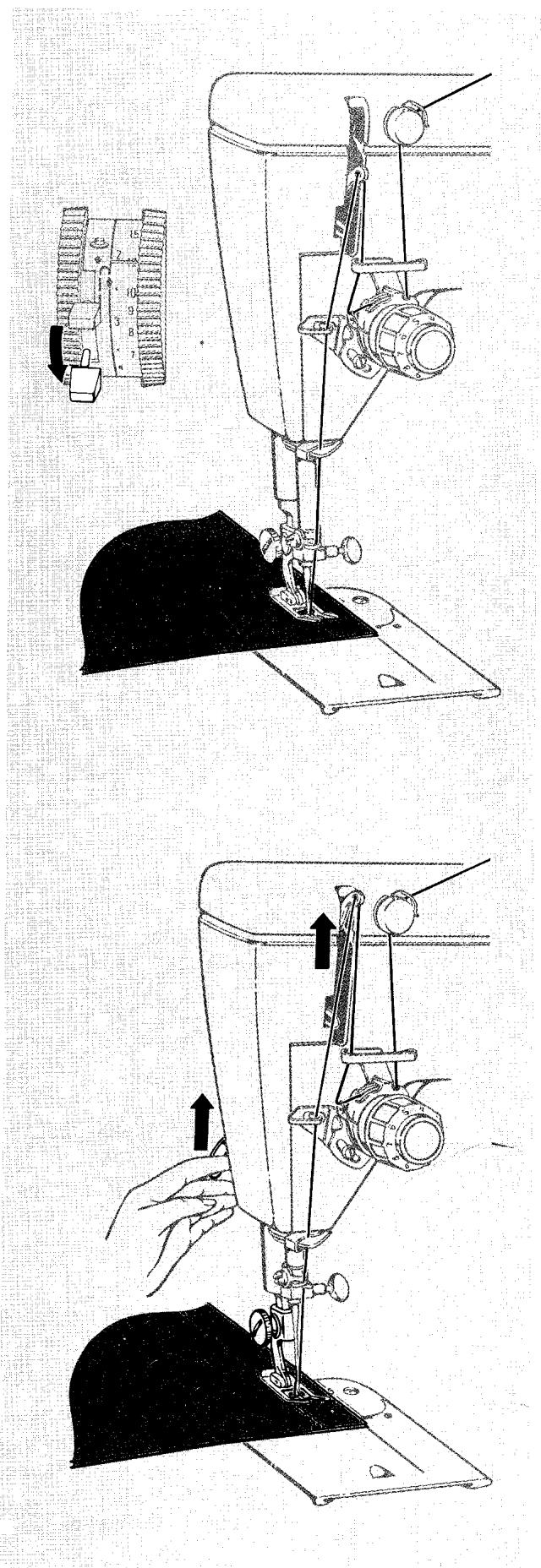
Stitch to the edge of the fabric to complete the seam. Then push the reverse stitch lever all the way down, hold it in place, and backstitch approximately 1/2 inch (12 mm) to reinforce end of seam. Release lever.
Turn hand wheel toward you to raise the take-up lever to its highest point, raise the presser foot and remove fabric by drawing it to the back and left.
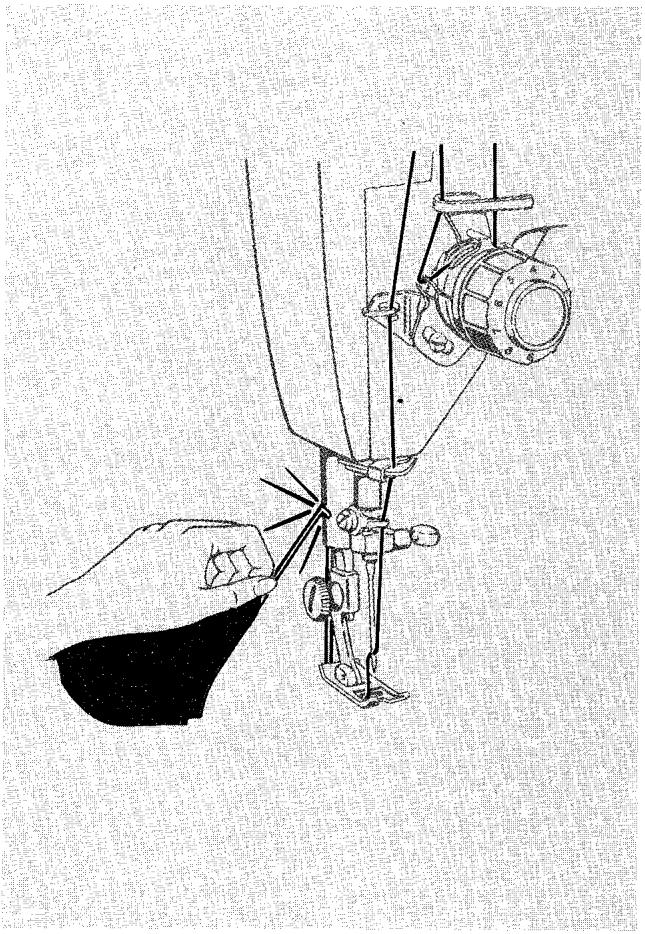
Cut threads on thread cutter at rear of presser bar.
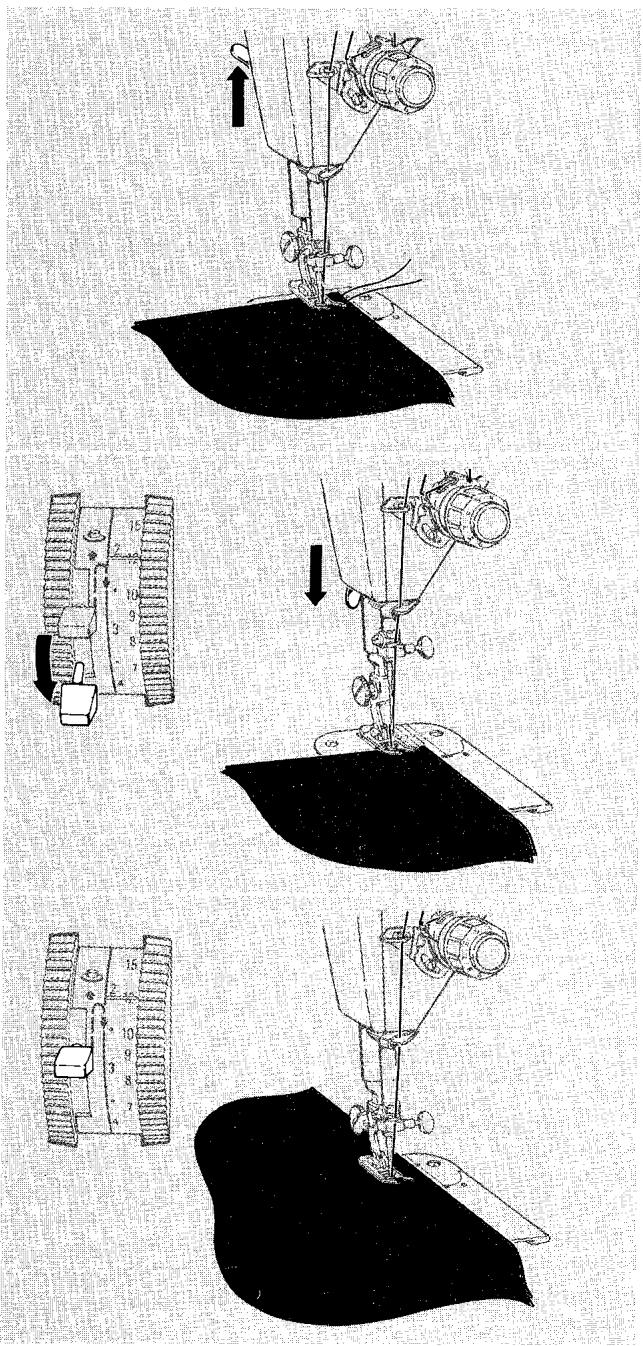
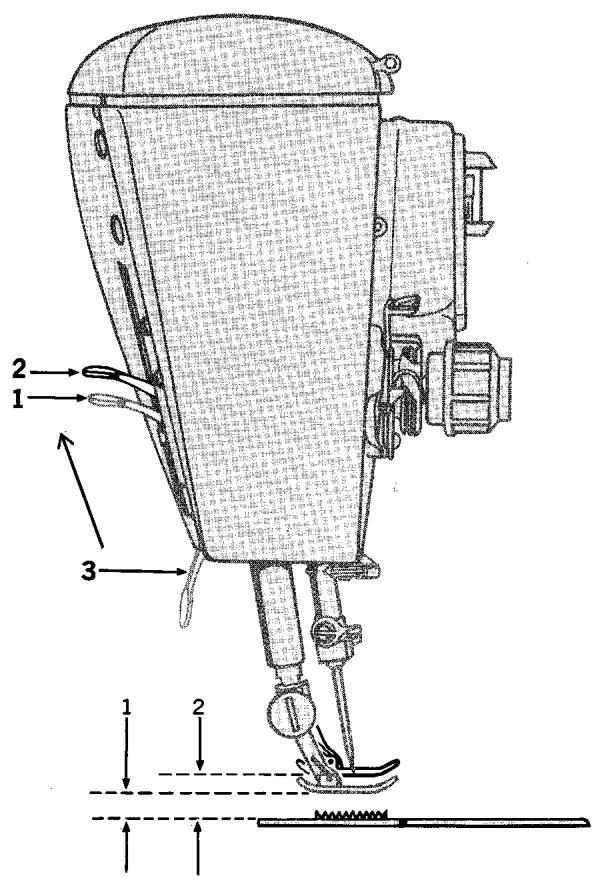
When you are placing bulky fabrics, multiple fabric layers, or an embroidery hoop under the presser foot you will find it convenient to use the "high rise" position of the presser foot lifter (position 2). In this position the space between the presser foot and the throat plate is increased, permitting fabric to be placed easily without tug and drag.
To Place Bulky Fabric
- Raise presser foot lifter beyond the normal lift position (1) to high-rise position (2).
- Hold lifter in this position (since it does not lock) while placing fabric under presser foot.
- Lower presser foot lifter to its down position (3). Make sure the lifter is all the way down before starting to sew.
3. Zig-Zag Stitching
a word about how patterns are produced
All patterns are produced from discs. The seven basic patterns shown on your pattern selection dial come from discs that are built into your machine. To use these, you need no special accessories — simply adjust the stitch selectors and you are all set. In addition to the obviously decorative uses of the discs, some also serve very practical purposes, such as buttonhole and button sewing, seaming, seam finishing, blindstitching and even mending.
The Fashion Discs furnished in your accessory box are interchangeable and can be inserted easily into the machine to assist you in practical applications and produce highly decorative patterns. There are two kinds of Fashion Discs, single and double. The single discs, like those built into your machine, control the
zig-zag movement of the needle and produce basic stitch patterns. The double discs control both the zig-zag movement of the needle and the forward-reverse stitching direction to produce highly sophisticated, multi-purpose patterns. Both single and double Fashion Discs can be combined with built-in discs to create a great variety of additional stitch patterns.
On the following pages you will learn:
- How to set the selectors for basic stitch patterns.
- How to use the Fashion Discs (single and double).
- How to produce a variety of combination stitch patterns by using single and double Fashion Discs in combination with built-in discs.
basic patterns - built-in discs
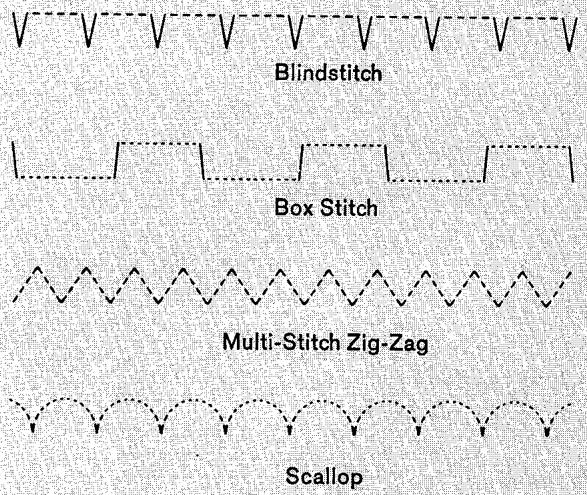
The seven zig-zag discs built into your machine produce the stitch patterns illustrated below. Some you will use for practical purposes, others are purely decorative.







- The plain zig-zag stitch. Used for buttonholes, button sewing, bar-tacks, and applique.
- The ball stitch. A decorative pattern for single and twin needle work.
- The solid pyramid stitch. Perfect for ornamental borders and edges.
- The blindstitch. Indispensable for finishing hems and seams.
- The box stitch. Appropriate for decorative twin-needle stitching.
- The multi-stitch zig-zag stitch. Lets you mend, join, and reinforce without bulk.
- The scallop stitch. Produces evenly spaced and perfectly formed scallops for decorative trims.
basic patterns - single FASHION discs
The following interchangeable Fashion Discs are furnished with the machine.

1Arrowhead

12 Domino

6 Crescent

20 Walls of Troy

4 Solid Scallop

3 Solid Diamond

14 Comb

11 Ribbon
SELECTOR SETTINGSFORBASICPATTERNS
Before moving the selector, make sure the needle is above the fabric.
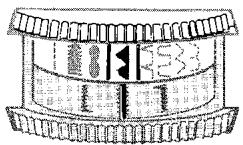
Setting Stitch Pattern Selector
Push the selector dial in and rotate it until setting desired (stitch pattern or symbol) is between the indicator lines.
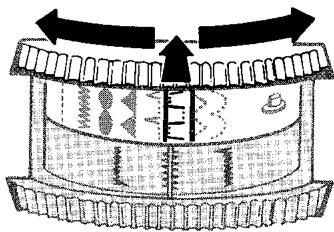
- Push In
- Rotate Dial
- Release
Adjusting Width of Design
Before moving the selector, make sure the needle is above the fabric.
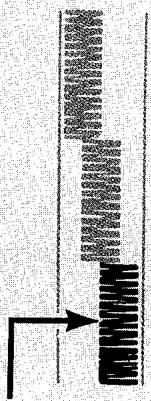
To produce a basic zig-zag stitch, the stitch width selector dial must be rotated from straight-stitch position 0 to any setting between 1 and 5. The higher the number you select, the wider your stitch will be. The stitch width setting must not exceed 2.5 when a twin-needle is used.
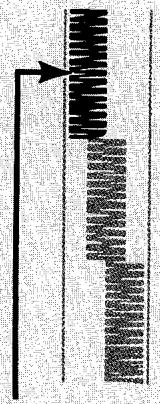
Left Needle Position
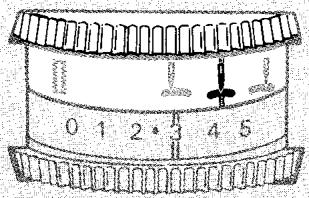
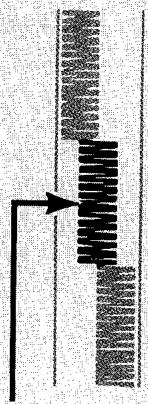
Centre Needle Position
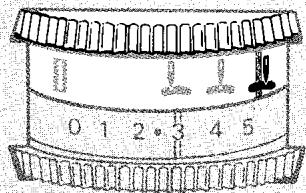
Right Needle Position
Adjusting Stitch Placement
Before moving selector, make sure needle is above fabric.
A needle position selector setting of places the stitching in centre position. Selector settings and place the stitching in left or right positions at stitch widths less than 5.
Selector setting is used most often. Settings and are for special placement of stitching. For example, a setting is required for button sewing and twin needle work. A or setting is used to place narrow zig-zag stitching to the left or right of centre in decorative work.
Stitch Length Selector
Adjusting Stitch Length
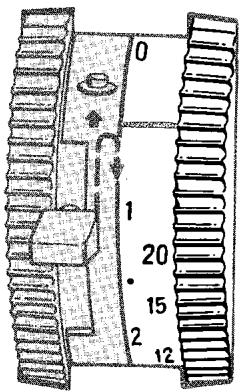
Any stitch length setting from 6 to 20 on the outside band of the selector will give you an open zig-zag stitch of whatever pattern you select. The lower the number, the more open, or further apart, your stitches will be. The inside band of the selector expresses the stitch length in millimeters. In this band your stitches will be more open, or further apart, when higher numbers are selected. The area between 1 and 0 in the millimeter band of the selector is used for the adjustment of zig-zag satin stitching. For specific instructions on satin stitch length adjustment, turn to page 34.
Needle Thread Tension
Bobbir: Thread Tension
Regular Stitch Setting
Reversible Stitch Setting
ADJUSTING THREAD TENSION
When you are preparing to do zig-zag stitching, make a test sample with the fabric, thread, and presser foot you plan to use so that you can adjust your thread tension to suit the type of stitching you plan to do.
Needle Thread Tension
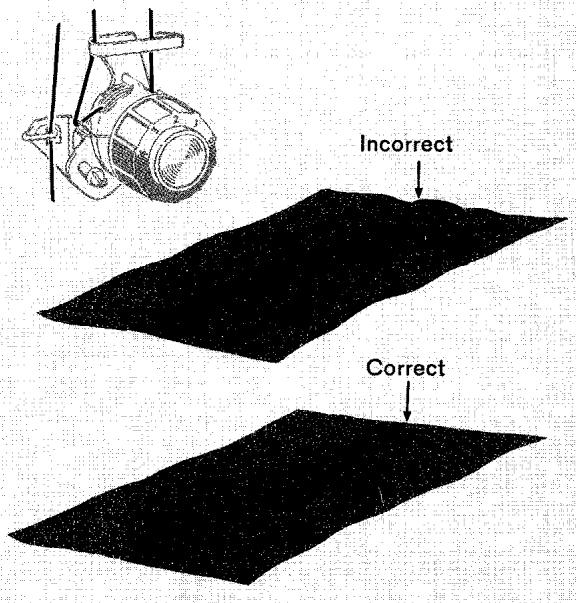
Zig-zag stitching requires less tension than straight stitching. Notice the stitching on your test sample. The stitches should be flat against the fabric without being too taut or without causing the fabric to pucker.
If the stitches are not flat and the fabric is puckering, lower the needle thread tension by turning the dial to a lower number.
Bobbin Thread Tension
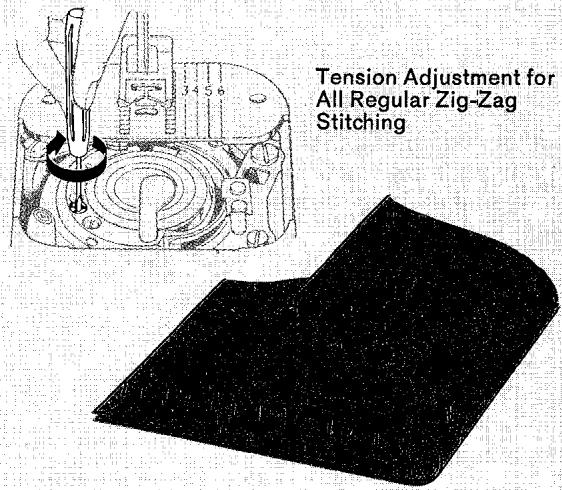
Bobbin thread tension has been correctly set at the factory and you do not need to adjust it except to produce plain zig-zag stitching that is reversible.
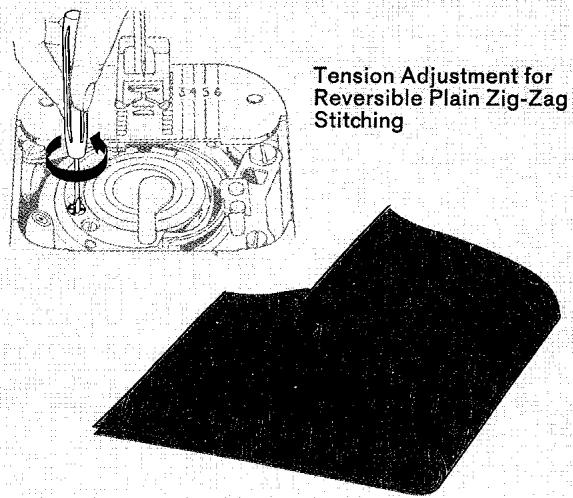
On stitch length settings 6 to 8 (at maximum stitch width) a plain zig-zag stitch can be made reversible by adjusting the bobbin tension adjusting screw so that the bobbin and needle threads will lock in the fabric at the corners of the stitch.
To adjust bobbin tension for reversible zig-zag stitching
- Turn the bobbin tension adjusting screw to the left (counterclockwise) as far as it will go to the stop position.
- Set needle thread tension dial on 1 and gradually rotate dial (to higher number) until the needle and bobbin threads lock in the fabric at the corner of each stitch and the stitch appearance is the same on both sides of the fabric.
-
When stitching is completed, return the bobbin thread tension adjusting screw to its position for regular sewing by turning screw to the right (clockwise) as far as it will go.
-
Stitch Pattern Selector: Pattern desired
Fashion Disc: Pattern desired
- Stitch Width Selector: 1 through 4
- Needle Position:
- Stitch Length: 6 to 20 +
- Throat Plate: General Purpose
- Presser Foot: General Purpose or Special Purpose
Before moving selector, make sure needle is above fabric.
Solid Pyramid

Fashion Disc 14
Example of Combination Pattern Varied by Stitch Width Selector
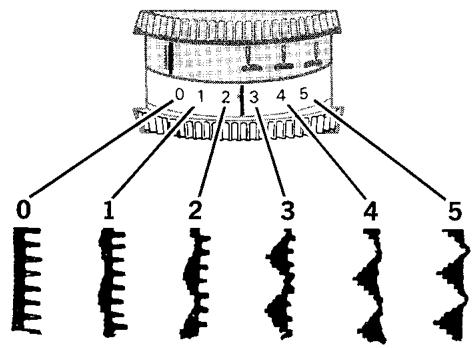
You can create a combination pattern by using a built-in pattern disc and a Fashion Disc at the same time. It is possible to do this (even though the stitch pattern selector cannot be set in two places at the same time) since in combination patterns the function of the selectors is changed.
The needle position selector, set on the special II setting, serves as a second stitch pattern selector producing the Fashion Disc pattern instead of positioning stitching. The stitch pattern selector is set to produce the built-in pattern, while the stitch width selector, instead of controlling stitch width, acts to determine the amount of influence each of the patterns exerts on the combination. In the example shown, the built-in Pyramid pattern is combined with the Comb pattern, Fashion Disc 14. You will note that the patterns being combined are produced individually at stitch width selector settings of 0 and 5 respectively, with combinations of these patterns at settings 1 through 4.
A few of the many combination patterns that can be created in this way are charted below. You will find it interesting to experiment with other combination settings.
NOTE: Combination pattern settings cannot be used with a twin needle.
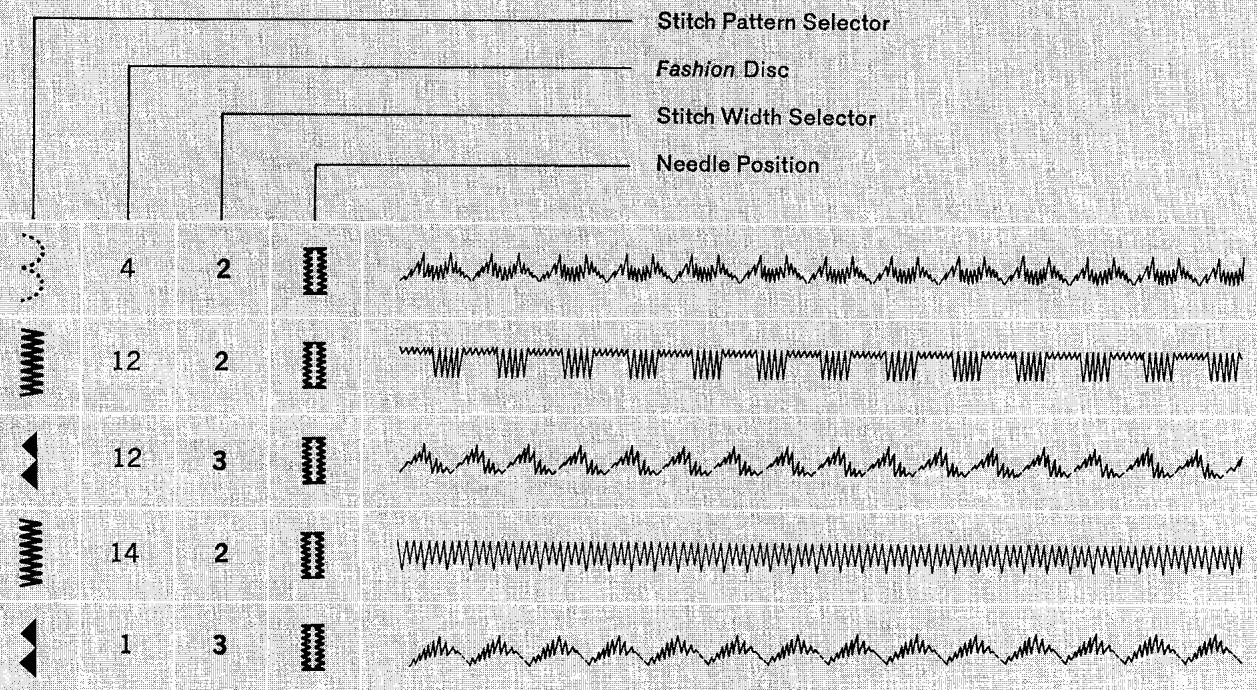
COMBINATION PATTERNS - SINGLE FASHION DISCS
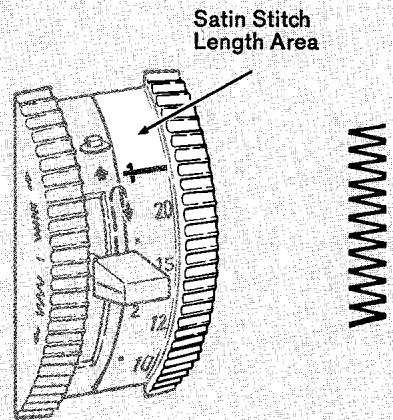
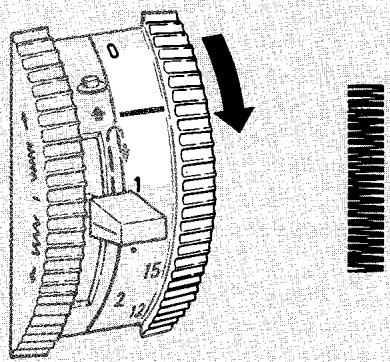
As the Selector is Rotated toward 0, Stitches Close Up
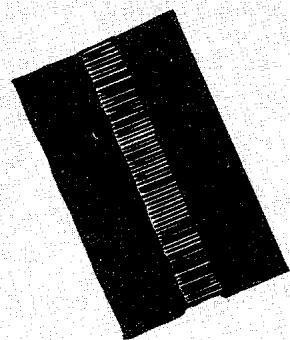
Correct
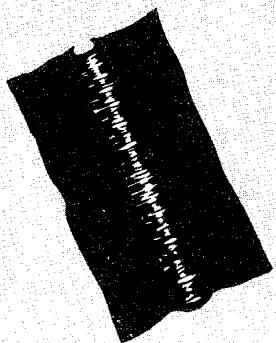
Incorrect
Tension Adjustment for Satin Stitching
SATIN STITCHING
- Stitch Pattern Selector: Setting desired
- Stitch Width Selector: 1 through 5
- Needle Position: Centre
- Stitch Length: 1 to 0 mm.
- Throat Plate: General Purpose
- Presser Foot: Special Purpose
Satin stitching, a series of closely spaced zig-zag stitches that form a smooth, satin-like surface, is useful for both utility and decorative work. It is accomplished by sewing a zig-zag stitch with stitch length selector in the mm area between 1 and 0. For best results, the special purpose presser foot must be used.
When you wish to produce a satin stitch, make a test sample first so that you can adjust the stitch length and thread tension properly.
Soft fabrics may require a backing to ensure firm satin stitching. Crisp organdy or lawn is suitable for this purpose.
Adjusting Stitch Length for Satin Stitching
- Align the 1 mm setting with the indicator line.
- Run the machine at a slow speed.
- Gradually move selector from 1 toward 0 by rotating the selector dial downward until stitches are closely spaced and form a smooth surface.
Adjusting Tension for Satin Stitching
Satin stitching generally requires even less tension than open zig-zag stitching. Furthermore, the wider the satin stitch, the lighter the tension on the thread must be. Thus, a stitch width setting of 5 requires the least tension; narrower stitching requires somewhat more.
Notice the stitching on your sample. If the stitching looks too taut, or if the fabric is puckering, lower the needle thread tension by turning the tension dial to a lower number.
The following interchangeable double Fashion Discs are furnished with your machine. Each of the eight discs provides dual control of both needle and feed
motion to produce a multi-purpose stitch pattern. The function and suggested application of each disc are listed below.
- Fashion Disc 100 produces Turkish Point hem-stitching. Use it to finish and decorate hems, join, quilt, and applique.
Fashion Disc 101 provides Paris Point hemstitching for picot edging, attaching lace and applique plus a double straight stitch that does not stretch for reinforced straight seaming (illustration A).
Fashion Disc 102 is particularly versatile. It gives you the Fagotting Stitch; an insertion stitch for lattice seams and decorative joining, and a flexible double straight stitch that stretches for sealing knit and elastic fabrics (illustration B). The Ric-Rac Stitch is also produced with this disc. See page 39.
Fashion Disc 103 produces a Straight Feather Stitch. Use it for all types of seaming where maximum strength and stretch are required. The flexible straight stitch (illustration C) can be used interchangeably with that produced by the fagotting disc.
Fashion Disc 104 is the Greek Key pattern. A traditional motif for decorative applications and useful for producing flexible, flat butted seams and joinings in stretch garments.
Fashion Disc 105 produces the Star Stitch. Use it in decorative applications.
- Fashion Disc 107 provides the Oriental Leaf Stitch which is particularly appropriate for use in the construction of garments made of knit, stretch, or elastic fabric. Overedged seams can be joined and finished in one operation when this stitch is used.
- Fashion Disc 108 gives you the Tulip Stitch pattern. A balanced geometric design that is ideal for decorative borders and hems.


A

B

C




To Actuate Fashion Disc
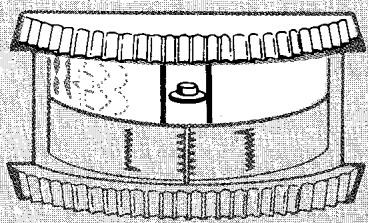
- Push In
- Rotate Dial
- Release on
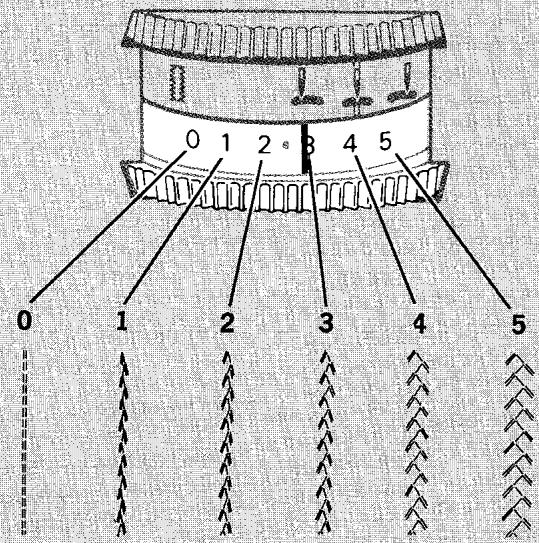
SELECTOR SETTINGS
Before moving pattern selector, make sure needle is above fabric.
The following illustrations show you how to set the selectors for double Fashion Disc stitching. To use a double Fashion Disc in combination with a built-in disc, follow the instructions on page 39. One disc assembly for making buttonholes is supplied on the holder in your machine. Instructions for removing it are given on page 21. For detailed information on inserting Fashion Discs, single and double, turn to page 20.
Setting Stitch Pattern Selector
- Move stitch pattern selector off Q and make sure needle position selector is not on setting.
- Raise reverse stitch lever and insert disc.
- Rotate stitch pattern selector to bring disc symbol between indicator lines.
Adjusting Width of Design
To produce the designated stitch pattern of a double Fashion Disc, the stitch width selector dial must be rotated from its straight stitch setting 0 to any setting from 1 to 5. The higher the number, the wider the stitch will be. On setting 0, all width is removed from double Fashion Disc patterns and straight stitch variations are produced. For example, Fashion Disc 102 (illustrated) produces a Fagotting Stitch at width settings 1 through 5 and a flexible straight stitch (for seaming stretch fabrics) on setting 0. Stitch width must not exceed 2.5 when a twin needle is used.
Adjusting Stitch Placement
Before moving the selector, make sure the needle is above fabric.
Double Fashion Disc stitching can be done in either left, centre, or right needle positions. Centre needle position setting is recommended for single needle work, but when a twin-needle is used, the left needle position setting must be used.
Adjusting Stitch Length
Check all adjustments by making a test sample with the fabric, thread, and accessories you plan to use.
The A to D portion of the stitch length selector, above the symbol, is used for the fine adjustment of stitch length when you are using a double Fashion Disc. Setting A will give you the most dense (or closest) stitch while setting D produces the least dense (or most open) stitch length.
Stitching done in the A to D range cannot be manually reversed by using the reverse stitch lever.
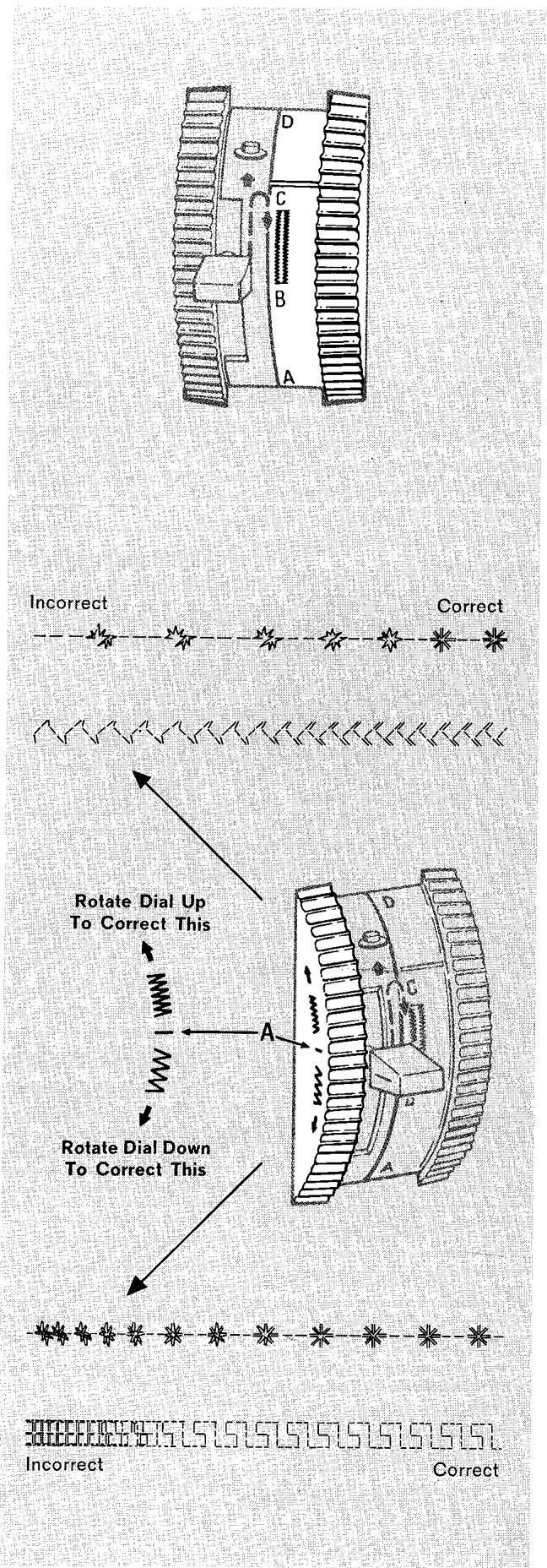
Adjusting Forward-Reverse Stitch Balance
When you are using a double Fashion Disc you may need to adjust the forward-reverse parts of your pattern in order to correct the appearance of a stitch so that it looks like the pattern on the Fashion Disc.
Before you move the stitch balance control dial from its neutral position for any reason, establish the need for adjustment by making a test sample with the stitch length selector set in the A to D range, above the symbol. If the need for adjustment exists, stitch slowly and move the stitch balance control dial as you sew.
- Rotate the dial upward to bring forward and reverse segments of the pattern together.
- Rotate the dial downward to separate forward and reverse pattern segments.
The centre balance line A (on the side of the control dial) should be returned to its neutral position (parallel to machine bed) when stitching is completed.
Test Setting
Correct
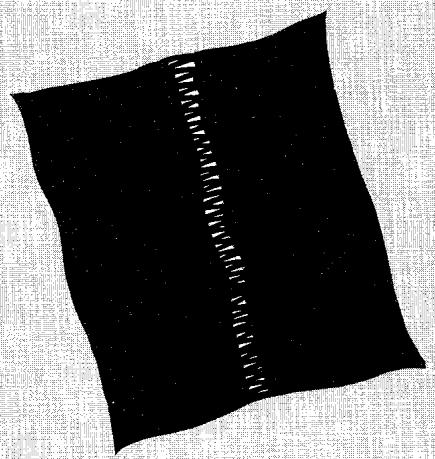
Incorrect
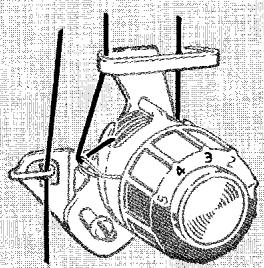
Adjusting Needle Thread Tension
When you are preparing to do double Fashion Disc stitching, make a test sample with the fabric and thread you plan to use so that you can adjust your needle thread tension to suit the stitch you have chosen.
Double Fashion disc stitch patterns that are formed with a series of straight stitches such as disc 104 — Greek Key require approximately the same needle thread tension as regular straight stitching done with the same thread. Double disc patterns with zig-zag formation such as Disc 100 — Turkish Hemstitching (as illustrated at left) require less tension than straight stitching. In general, the wider the stitch, the lighter the tension on the thread must be (see page 32).
Set the needle thread tension dial on 3 or 4 for your test sample. Notice the stitching. If it looks taut or if the fabric puckers, decrease tension by turning the dial to a lower number. Soft fabric may require a backing on stitch width settings above 2. Crisp organdy is suitable for this purpose.
Bobbin thread tension does not require adjustment for double disc stitching. The regular setting (adjusting screw turned clockwise to the stop) should always be used, see page 10.
COMBINATION PATTERNS - DOUBLE FASHION DISCS
In addition to producing the designated stitch pattern, double Fashion Discs can be combined with built-in discs in three different ways to produce an almost infinite variety of designs and design variations.
- Double disc feed motion plus built-in disc.
- Double disc dual control plus built-in disc.
- Double disc needle motion plus built-in disc.
Selector settings for each type of combination and examples of stitch patterns they produce are shown below and on the following pages.
Before moving the selectors, make sure needle is above the fabric.
1. Double Disc Feed Motion Plus Built-in Disc
- Stitch Pattern Selector: Pattern desired
Fashion Disc: Double Disc desired
- Stitch Width Selector: 1 through 5
- Needle Position: , , or
- Stitch Length: A to D
- Stitch Balance: Equalized
- Throat Plate: General Purpose
- Presser Foot: General Purpose or Special Purpose
- Speed Range: MIN.
This method of combining a double Fashion Disc with a built-in disc adds double disc feed control to built-in disc needle pattern. For example, the RicRac Stitch (illustrated below) combines the feed motion of the Fagotting Stitch disc 102 with the stitch formation of the plain zig-zag stitch. The stitch length selector must be set in the A to D range.
COMBINATION PATTERNS - DOUBLE FASHION DISCS
Double Disc Feed Motion Combined with Built-in Disct
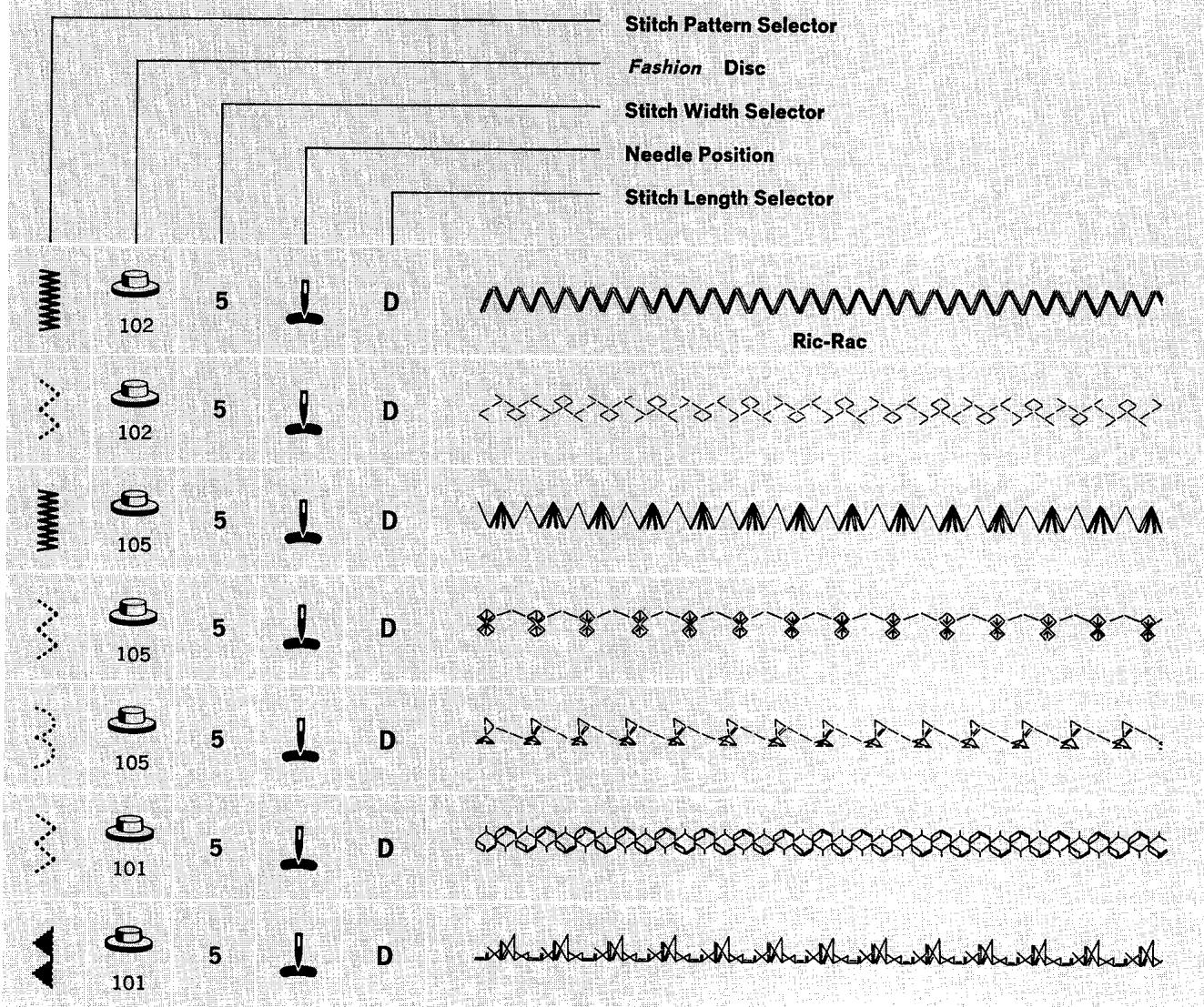
2. Double Disc Dual Control Plus Built-in Disc
- Stitch Pattern Selector: Pattern desired
Fashion Disc: Double Disc desired
- Stitch Width Selector: 0 through 5
- Needle Position:
- Stitch Length: A to D
- Stitch Balance: Equalized
- Throat Plate: General Purpose
- Presser Foot: General Purpose or Special Purpose
- Speed Range: MIN.
Before moving selectors, make sure needle is above fabric.
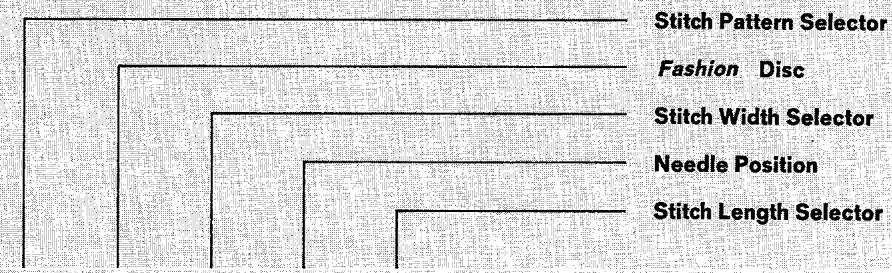
When both needle and feed motion controls of a double disc are added to the needle control of a built-in disc, the functions of the needle position se
lector and the stitch width selector are changed. Turn to the section called "Combination Patterns — Single Discs", on page 33, for detailed explanation of selector function. Combination patterns formed by this method cannot be made with a twin-needle, and require a stitch length setting in the A to D range.
Double Disc Feed and Needle Motion Combined with Built-in Disc
COMBINATION PATTERNS - DOUBLE FASHION DISCS





3. Double Disc Needle Motion Plus Built-in Disc
- Stitch Pattern Selector: Pattern desired
Fashion Disc: Double Disc desired
- Stitch Width Selector: 1 through 4
- Needle Position:
- Stitch Length: 6 to 20 +
- Throat Plate: General Purpose
- Presser Foot: General Purpose or Special Purpose
- Speed Range: MIN.
Before moving selectors, make sure needle is above fabric.
Combination patterns formed by this method follow the same rules and selector settings as single disc combination patterns. Turn to page 33 for a detailed explanation of selector function. For these patterns, set stitch length selector in the 6 to 20 + range.
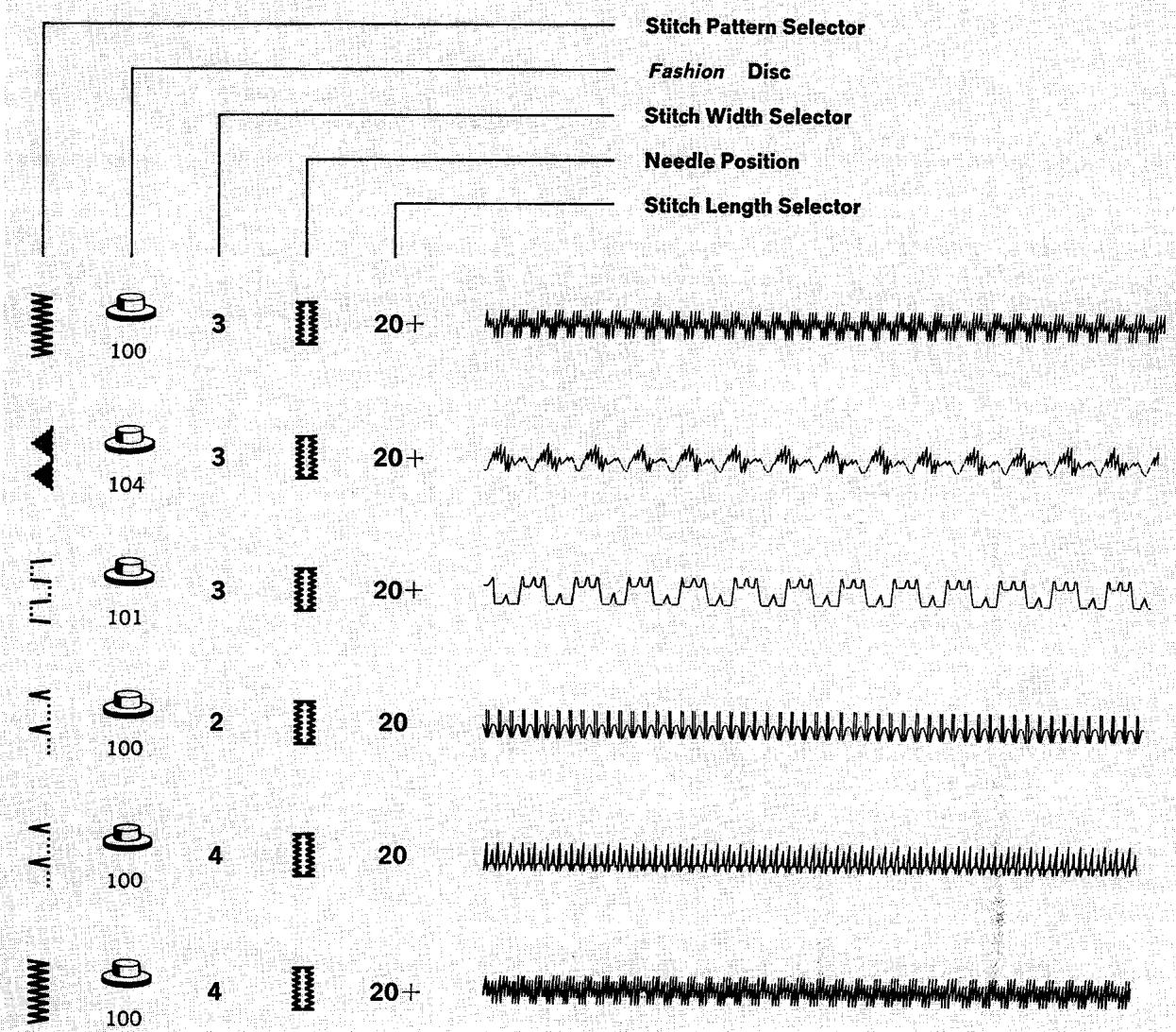
COMBINATION PATTERNS - DOUBLE FASHION DISCS
Double Disc Needle Motion Combined with Built-in Disc
4. Twin-Needle Stitching
By using a twin-needle, you can produce two parallel, closely spaced, decorative lines of stitching simultaneously. You can use either one or two colors of thread; and you can choose either a straight-stitch setting, one of the basic built-in patterns, a basic Fashion Disc pattern, or a double Fashion Disc pattern. Patterns produced with the use of a double Fashion Disc in combination with a basic built-in pattern in left needle position may also be used. (Combination patterns that cannot be made in left needle position are unsuitable for twin-needle work.) Some of the attractive designs you can create are shown on pages 44 and 88.
preparation
- Fill bobbin with enough thread to complete stitching. (Since the bobbin cannot be filled after a twin-needle is inserted, it is often wise to keep an extra wound bobbin at hand for replacement.)
- Close slide plate.
- Pull out a loop of thread between the needle and the throat plate.
-
Cut thread four inches (10 cm) from the needle hole, and unthread the machine.
-
Loosen thumb screw on needle clamp, remove single needle, and insert twin-needle, as illustrated.
NOTE: When inserting a previously wound bobbin, follow the instructions on page 8.
threading the needle
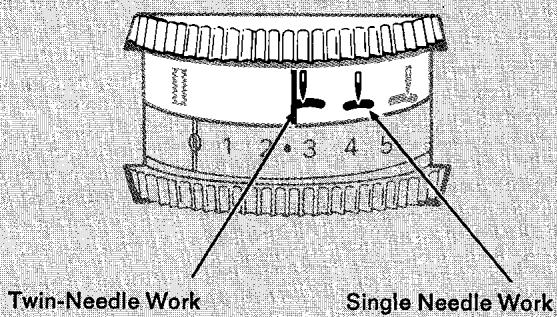
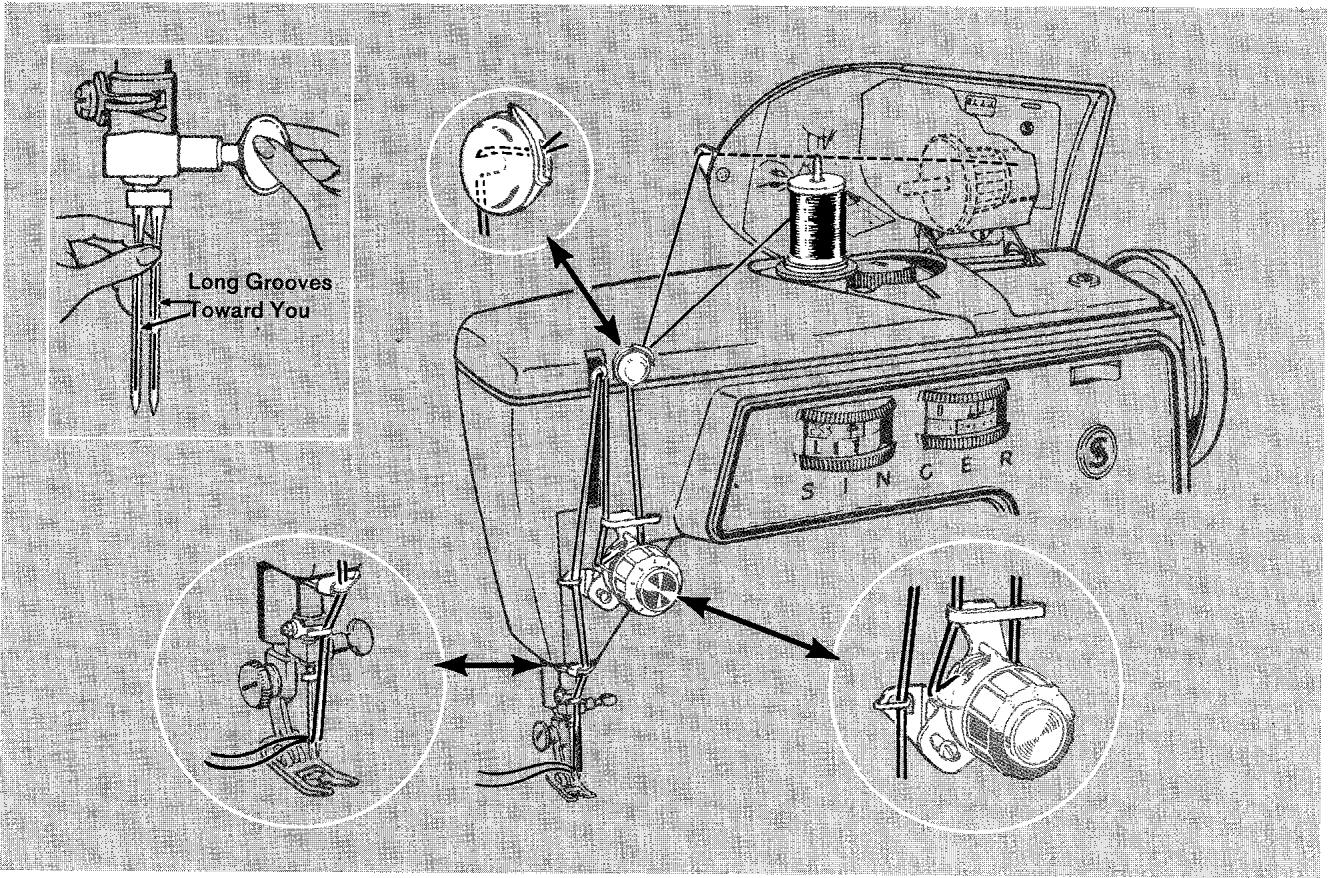
- Place spool of thread on horizontal spool spindle. Thread as for one-needle stitching except:
- Pass thread between centre and back tension discs and through left eye of needle.
- Raise buttonhole chart cover and insert detachable spool pin into hole provided for it (see page 13).
-
Place spool of thread on vertical spool pin and thread as for one-needle stitching except:
-
Do not attempt to pass thread through guide on top of buttonhole chart cover.
- Pass thread between centre and front tension discs and through right eye of needle.
Best twin-needle stitching results are obtained with mercerized thread, No. 50 or finer.
selector settings
STRAIGHT STITCHING WITH A TWIN-NEEDLE
- Stitch Pattern Selector: ( )
- Needle Position: Left
- Stitch Width Selector: 1 only
- Stitch Length: 6 to 20
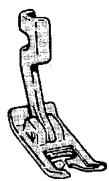
- Throat Plate: General Purpose
- Presser Foot: General Purpose

BASIC PATTERN STITCHING WITH A TWIN-NEEDLE
- Stitch Pattern Selector: ( wwwwwwww ) through ( ② )
- Needle Position: Left
- Stitch Width Selector: 2
- Stitch Length: 6 to above 20
- Throat Plate: General Purpose
- Presser Foot: General Purpose (open stitching)
Special Purpose (satin stitching)

DOUBLE DISC PATTERN STITCHING WITH A TWIN-NEEDLE
Fashion Disc: All Double Patterns
- Stitch Pattern Selector: (Double Discs)
(wwwwwww) through ( ) (Combinations)
- Needle Position: Left
- Stitch Width Selector: 2
- Stitch Length: C-D
- Stitch Balance: To suit pattern
- Throat Plate: General Purpose
- Presser Foot: General Purpose (open stitching)
Special Purpose (satin stitching)
- Speed: MIN.
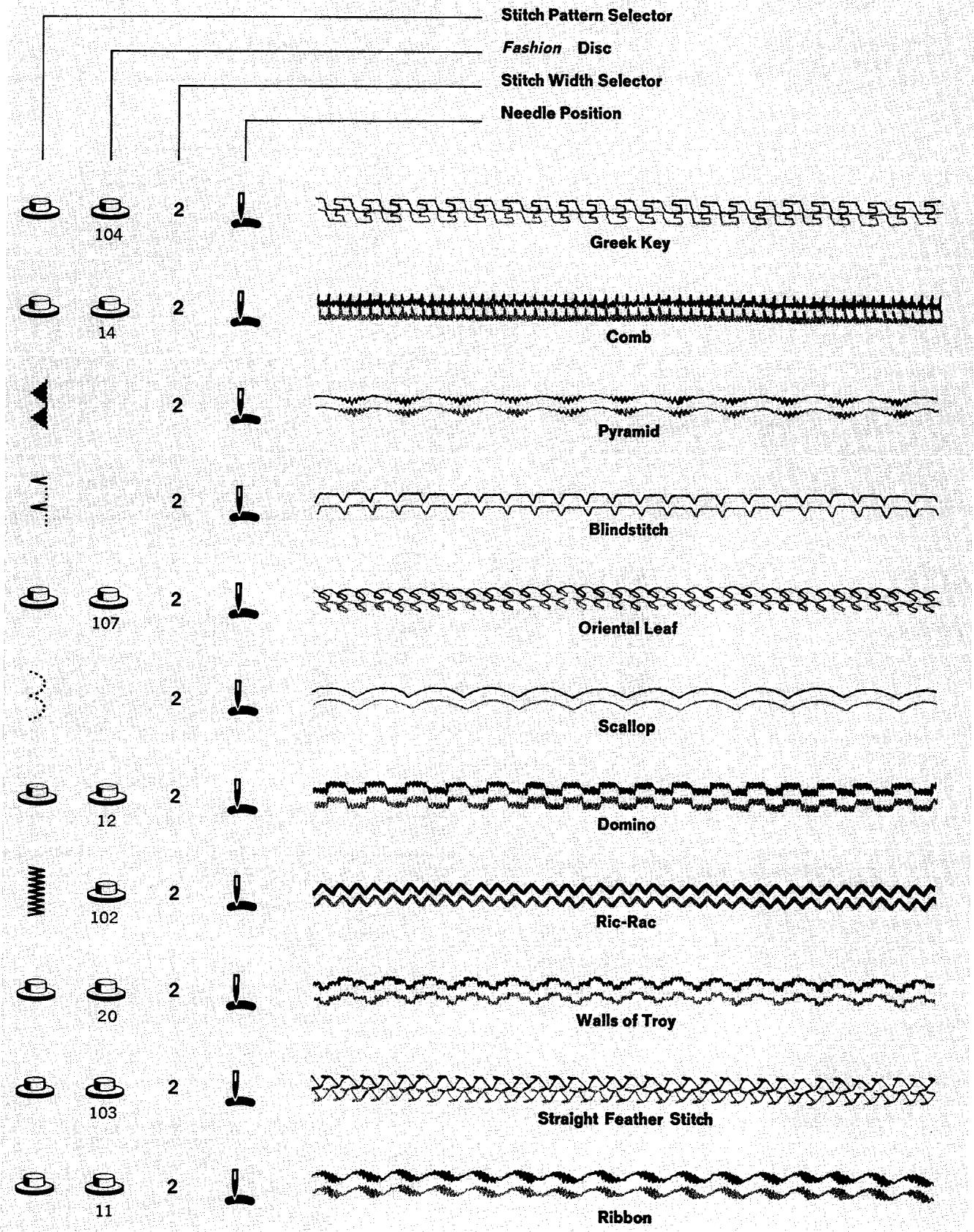
decorative twin-needle stitching
STITCH PATTERNS AND THEIR SELECTOR SETTINGS
5. Chainstitching
a word about single-thread chainstitching
Single-thread chainstitching looks like regular straight stitching on top, but is a series of interlocking loops on the underside of the fabric. The stitches are produced by the needle thread alone — so you do not need a bobbin thread or a bobbin. Because the stitches are formed by a single thread, the interlocked loops unravel easily. The entire line of stitching can be removed with just a pull on the thread end. Also, the loop formation of the stitches makes them less taut than regular straight stitches. That's what makes chain-stitching flexible.
where to use chainstitching
Here are a few of the many sewing jobs for which you will find chainstitching useful. (For further information on some of these chainstitching applications, see pages 50 and 51.)
Basting
Trial seams for fittings
Construction guidelines
Zipper openings, linings, and interfacings
- Stay-stitching to preserve garment shape during assembly
- Fastening removable trimming
Fur collars
White collars and cuffs
- Hemming curtains and draperies that may need to be altered
- Sewing temporary tucks to extend the life of —
Children's clothes
Curtains and linings that might shrink
- Making welting for corded seams, and making tubular cording for trimming and button loops
- Attaching hem tape
- Making stay chains to anchor linings, or to hold belts or shoulder pads in place

Chainstitch

Regular Straight Stitch
preparation
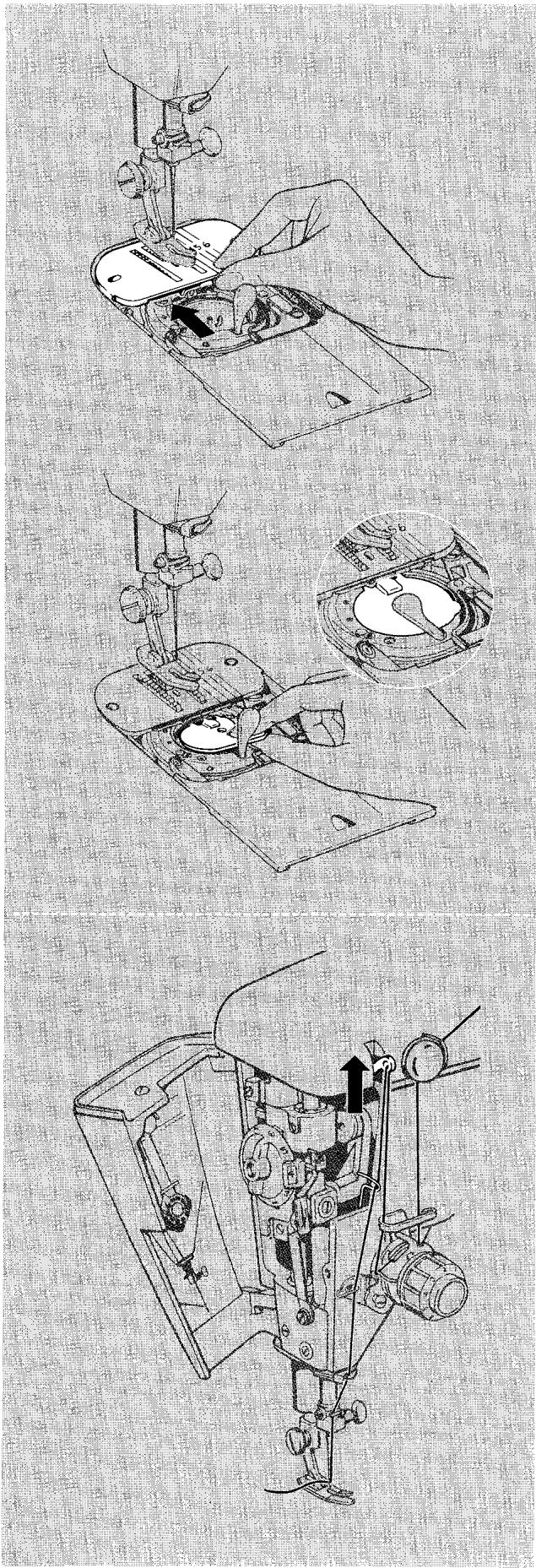
- Attach chainstitch fittings.
Make sure needle is at its highest point.
- Raise presser foot, open slide plate, and remove bobbin.
- Remove throat plate by pressing up and lifting out as shown.
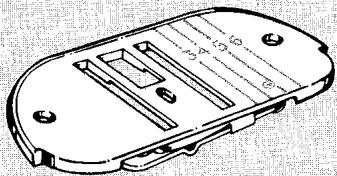
- Position chainstitch throat plate over clamping pins from the front.
-
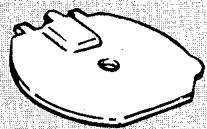
Insert bobbin case cover in bobbin case. The finger-lift tab goes to the right. Close slide plate.
-
Thread your machine in the usual way except open face plate and pass thread from take-up lever through built-in chainstitch thread guide. Close face plate.
Soft, pliable threads of light and mediumweight are the most suitable for chainstitching. No. 50 mercerized cotton and silk are recommended. Use these threads in a size 14 needle.
- Adjust thread tension. Chainstitching requires approximately the same needle thread tension as regular straight stitching, provided the same kind of thread is used. When the tension is correctly adjusted, the chain will be flat and smooth. Puckers in the fabric and pinched loops indicate too much tension; turn dial to a lower number. Large, irregular loops indicate too little tension; turn dial to a higher number.
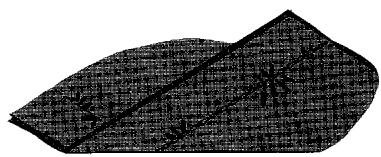
Too Much Tension
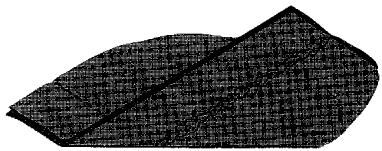
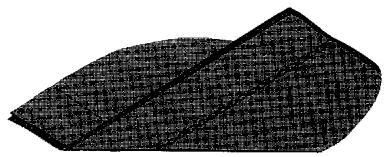
Too Little Tension
Correct Tension
- Stitch Pattern Selector: ( ) Straight Stitch
- Needle Position: Centre
- Stitch Width Selector: 0
- Stitch Length: 8 to 12 only
- Throat Plate: Chainstitch
- Presser Foot: Straight Stitch, General Purpose,
or Zipper Foot
STARTING AND CHAINING OFF
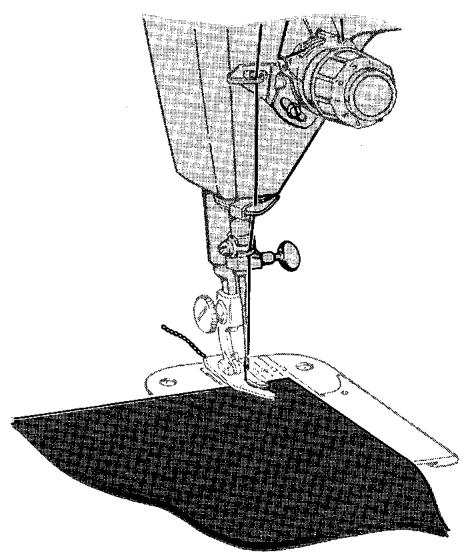
- Turn hand wheel toward you to position needle in very edge of fabric. Lower the presser foot.
- Start the machine, and stitch to end of seam. Continue stitching beyond edge of fabric, making a chain from one to two inches long (2.5 to 5 cm). Do not attempt to stitch in reverse. Chainstitching can be sewn in a forward direction only.
- Cut chain between fabric and presser foot.
- After chaining off, start a new line of stitching by raising the presser foot slightly and positioning the fabric in front of needle. Lower presser foot and stitch to end of seam.
RELEASING THE CHAIN FROM THE MACHINE
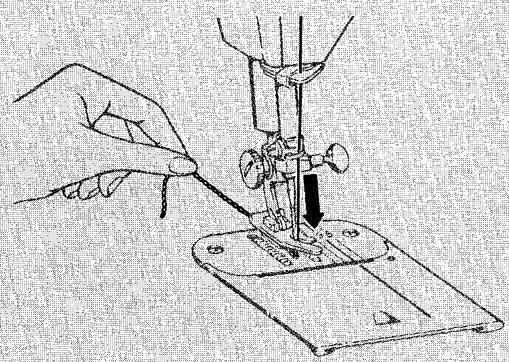
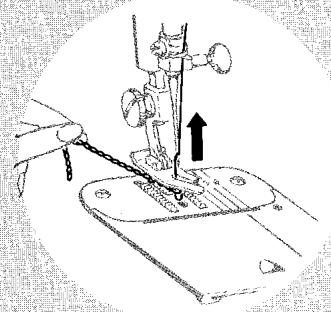
When you finish chainstitching, the chain can easily be removed from the machine.
- Raise presser foot.
- Hold end of chain with your left hand.
- Turn hand wheel slowly toward you with your right hand until needle is all the way down in the needle hole.
- Then turn hand wheel slowly away from you, pulling gently on chain, which will unravel as needle rises.
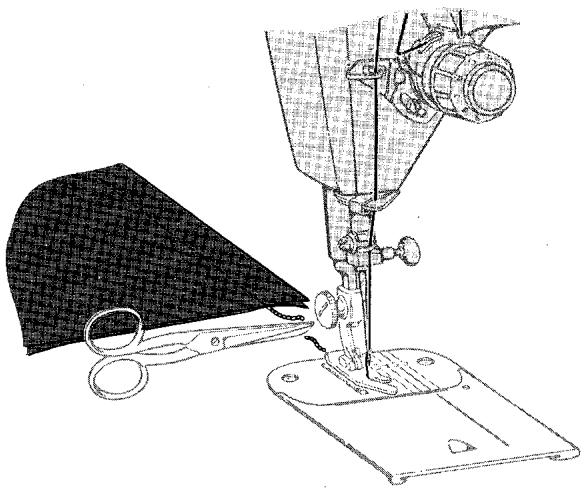
ENDING THE STITCHING IN THE FABRIC
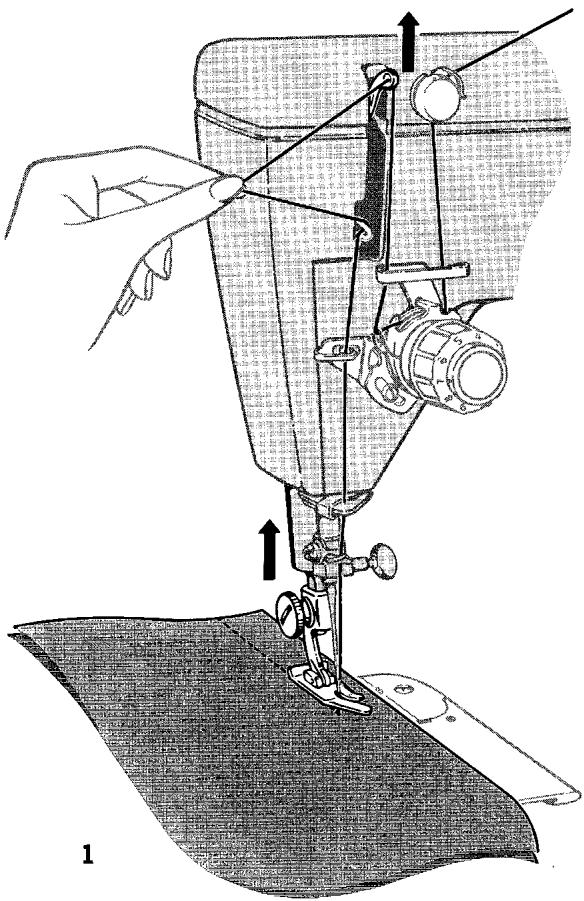
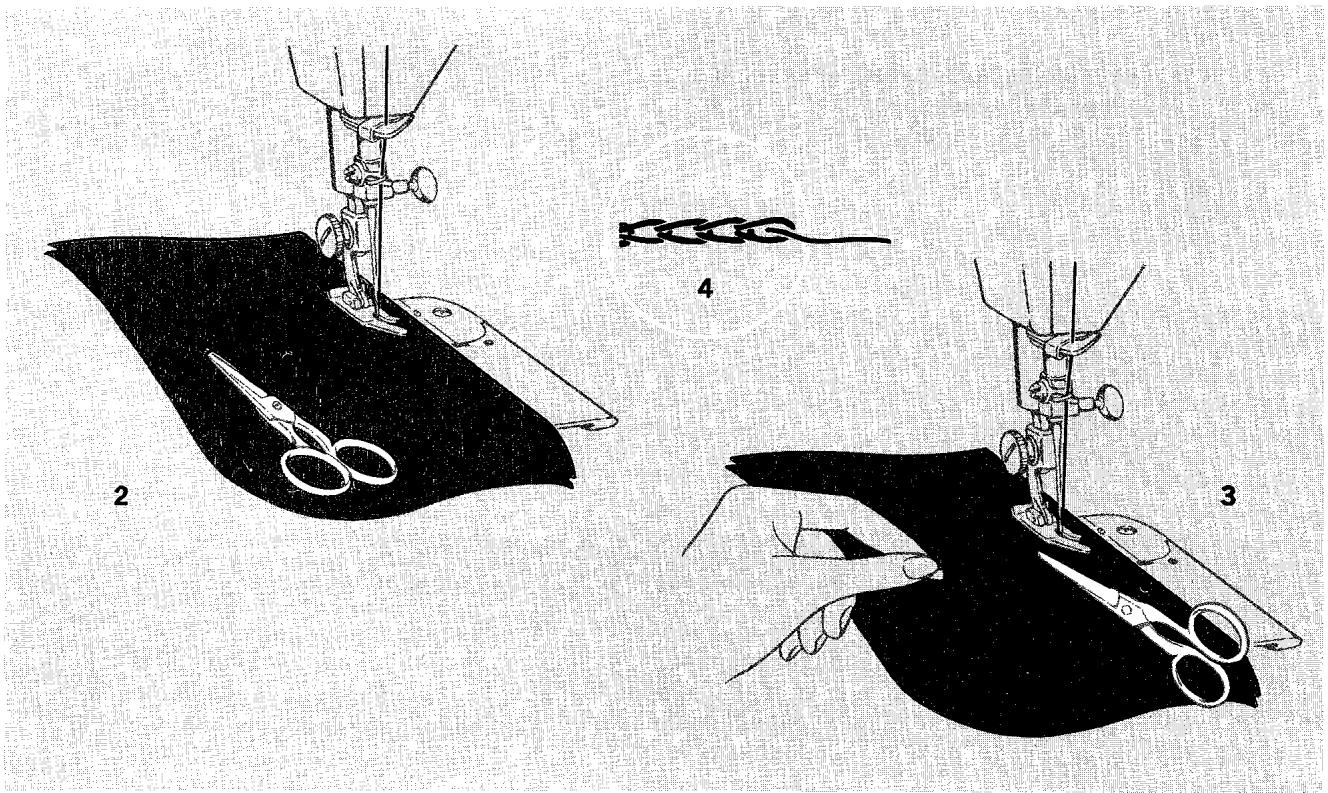
Occasionally you may need to end your stitching in the fabric. Basted hems and temporary tucks, for example, as well as partially stitched-down pleats can be completed in this way:
- Stop stitching at desired point. Make sure take-up lever is in its highest position.
- Raise presser foot.
- With your finger, pull the thread through the take-up lever, forming a loop between the take-up lever and chainstitch thread guide.
- Pass scissors under presser foot so as to draw the loop down to the left of the foot.
- Hold the loop and cut the thread close to the end of the stitching.
- Remove fabric from machine by pulling it straight back, away from you. This will cause the thread end to pull through the fabric to the underside and form a temporary lock.
- If you wish to secure this temporary lock, fold the thread*end back over the chain and fasten with hand stitching.
removing the stitching
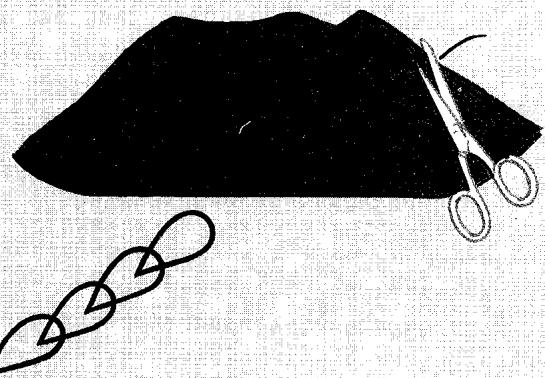
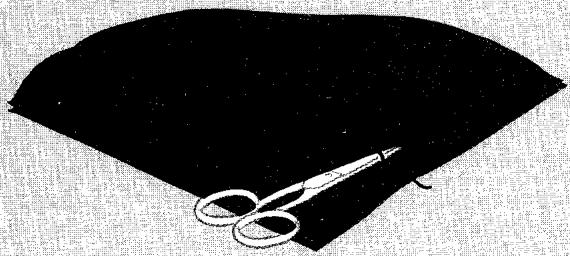
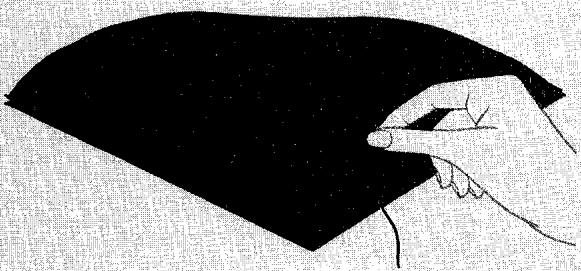
Chainstitching can be removed smoothly and cleanly in seconds by freeing the last stitch formed in the fabric.
- Simply cut the last loop formed on the underside of the fabric.
- Then pick up the free thread end from the top surface of the fabric.
- Pull the free thread end, removing entire line of stitching.
removing the fittings
- Release chain from machine.
- Make sure needle is at its highest point.
- Open slide plate.
- Remove bobbin case cover.
- Replace bobbin and snap down latch.
- Lift throat plate and remove by drawing it toward you.
- Insert general purpose or straight stitch throat plate.
- Open face plate and remove thread from chain-stitch thread guide. Close face plate.
1
2
3
chainstitching applications
Here are several ways in which you will find chain-stitching preferable to either regular straight stitching or hand basting.
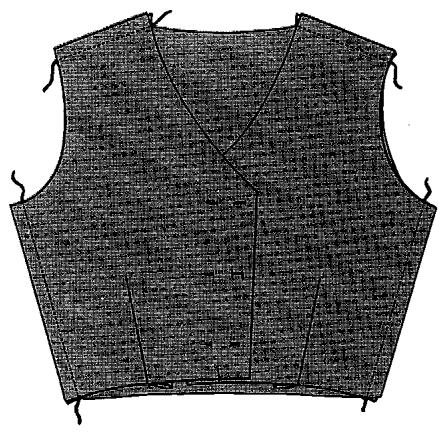
GARMENT FITTING
Time and energy can be saved when chainstitching is used to baste garment sections or muslin shells for trial fittings. The firmness of the stitch ensures accuracy in fitting, yet the stitching can be ripped out in seconds if adjustments are necessary.
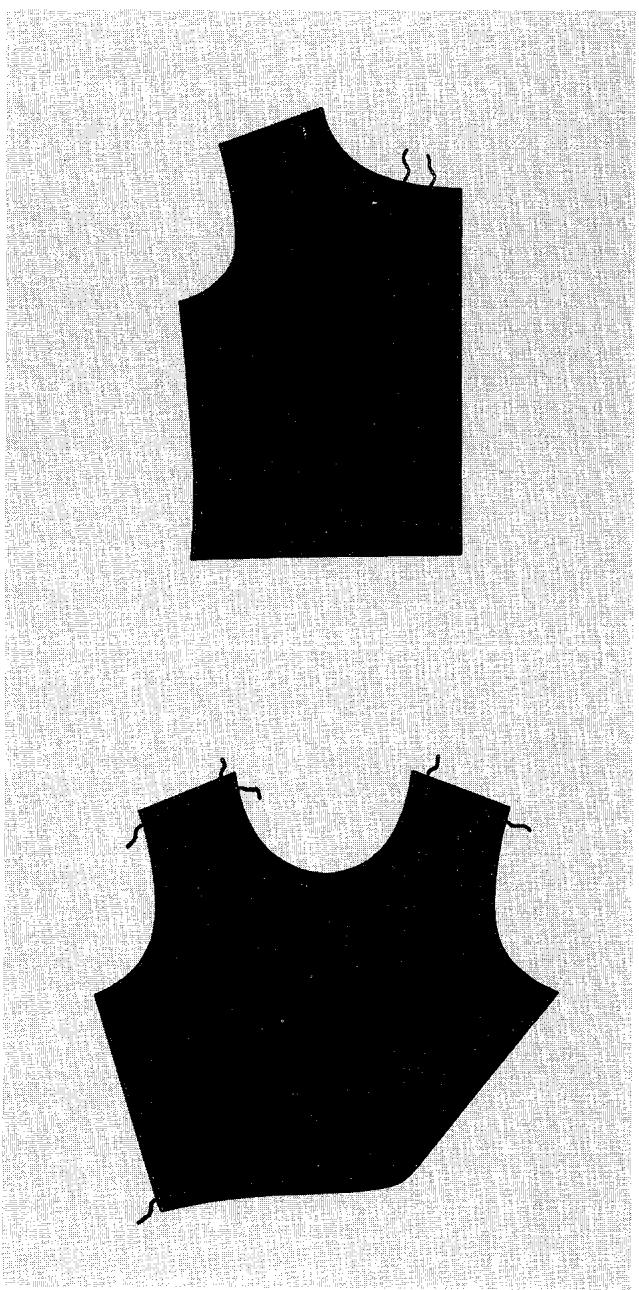
CONSTRUCTION GUIDELINES
In many instances, construction guidelines for pockets, buttonholes, and other details can be advantageously marked with chainstitch basting. The stitching will give a clearly defined line marking. Yet, unlike chalk or pins, it will not rub off or become lost as the fabric is handled. This method lends itself particularly to use on wools and other fabrics that do not retain the penetration marks of the needle.
STAY STITCHING
Chainstitching can be used to stay-stitch necklines, shoulderlines, and waistlines before garment assembly. Flexible, yet firm, this stitching will hold the original shape of these areas and prevent stretching.
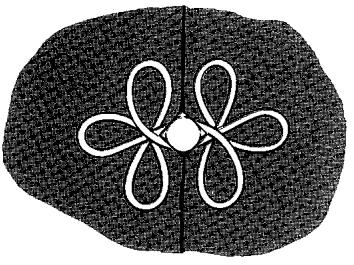
SLIPCOVER WELTING - TUBULAR TRIMMING
Chainstitching has an affinity for fabrics cut on the bias. The loop formation of the chainstitch is a natural for corded welting and tubular trimming where a certain amount of elasticity is needed to prevent stitches from "cracking".
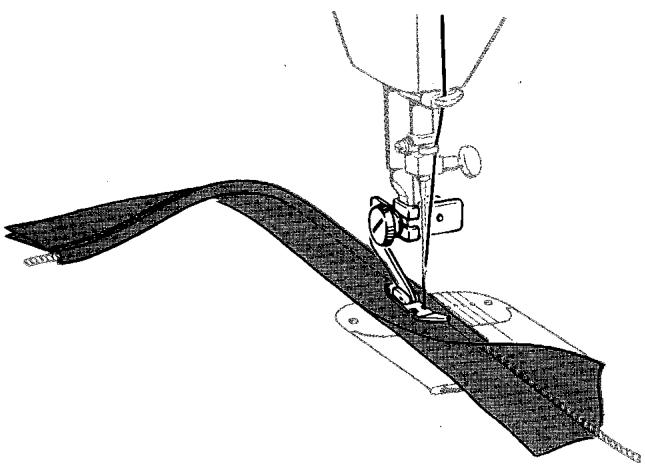
BELT CARRIERS AND STAY CHAINS
Stay chains (sometimes called French tacks) and belt loops, normally time-consuming hand-worked detail finishes, can now be quickly made by machine. To produce a chain, place the first stitch in the fabric. Stitch off fabric and continue stitching until a sufficient length of chain is produced. Thread chain through embroidery or darning needle and tack to garment or lining. A stitch length setting of 12 is recommended.
GROWTH AND SHRINKAGE TUCKS
Tucks are frequently put into curtains, linings, and children's clothes to allow for fabric shrinkage and child's growth. "Letting down" is no longer a chore when tucks are chainstitched. Simply unlock the last loop of the chain formed on the underside of the tuck and pull out the stitching.

6. Free-Motion Stitching
a word about free-motion stitching
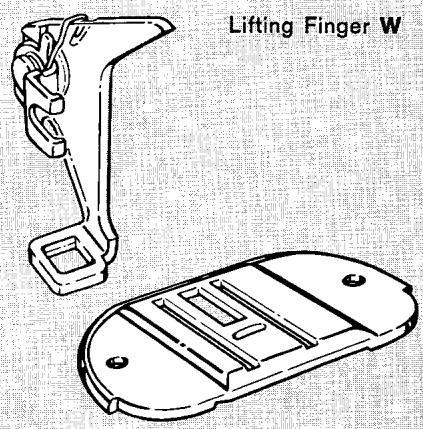
Feed Cover Plate Y
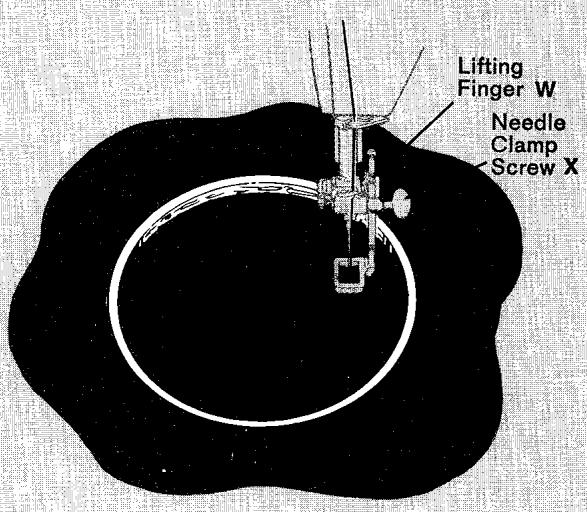
In free-motion stitching, you cancel the action of the feed by using the feed cover plate and control fabric movement (and stitch length) yourself, by means of an embroidery hoop. Either a straight or a zig-zag stitch setting can be used. Because you can move the hoop in any direction — forward or backward, from side to side, and even diagonally — free-motion stitching is extremely useful for intricate embroidery designs. On the other hand, it is equally useful for darning.
If you are embroidering, you can vary the length of stitches simply by moving the hoop faster or slower. The faster you move it, the longer or more open the stitches will be. A slow hoop movement will produce shorter or more closely packed stitches. You can also vary the width of zig-zag stitches, from a hairline to the full width of whatever stitch width setting you have chosen, simply by moving the hoop. If you move it sideways and stitch in a horizontal line, you will get a hairline; if you move it forward and backward and stitch in a vertical line, you will get full stitch width. Thus you can produce a ribbon-like effect in script lettering or create delicate flower designs. This takes practice, but you can achieve some lovely effects that look much like hand embroidery. See following pages for specific directions.
For darning, the embroidery hoop used in free-motion stitching enables you to hold the fabric taut — a real advantage when your fabric is lightweight or soft and thus is likely to pucker. See next page for directions.
preparation
- Get an embroidery hoop large enough to encompass the entire design or area to be darned.
- Attach the darning and embroidery foot to the presser bar, making sure the lifting finger W is over the needle-clamp screw x .
- Remove the regular throat plate and attach the feed cover plate ±b to the machine.
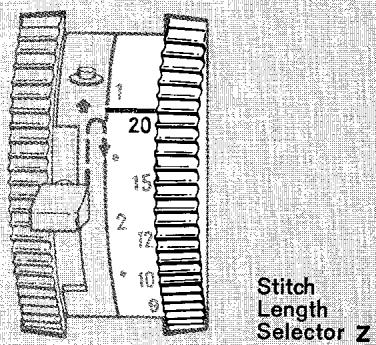
- Set the stitch length selector Z above 20 stitches per inch.
darning with embroidery hoop
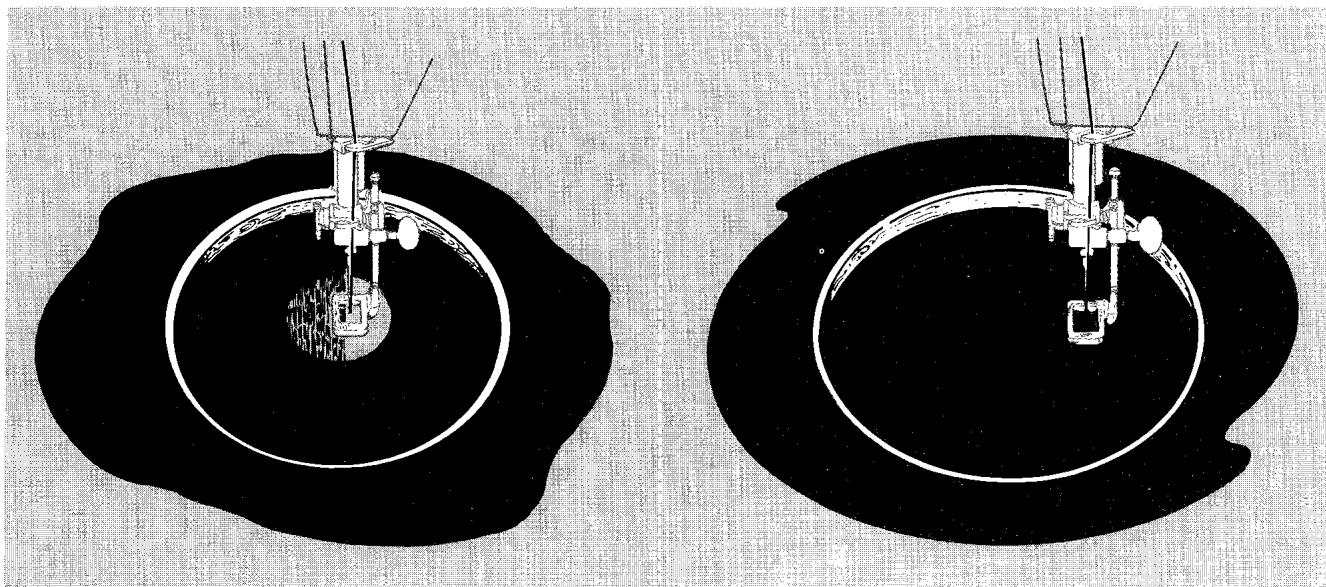
Worn or torn spots on children's clothes, knits, and household linens can be darned effortlessly and quickly with little practice. When the area to be darned is large or open, free-motion stitching with an embroidery hoop is usually best. For other methods of darning, see page 85.
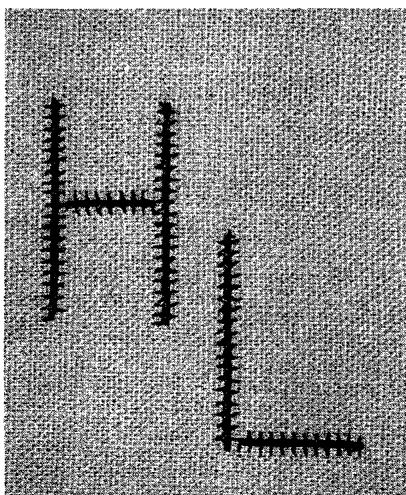
script lettering
- Stitch Pattern Selector: ( wwwwww ) Zig-Zag
- Stitch Width Selector: 2 through 5
- Needle Position: 1 Centre
- Stitch Length: Above 20
- Throat Plate: Feed Cover Plate
- Presser Foot: Darning and Embroidery
- Speed Range: MIN.
If you wish to embroider a whole name, you can do so by free-motion stitching.
- Always make a sample first to find the right stitch settings and spacing.
- Trace or mark lettering on right side of fabric.
- If the fabric is soft or loosely woven, add an underlay of crisp lawn or organdy.
- Centre design in embroidery hoop. Be sure fabric is held taut.
- Position work under the foot and lower the presser bar.
- Hold needle thread loosely with left hand and turn hand wheel toward you to bring bobbin thread up through fabric at start of design. Hold both threads to start stitching.
- Stitch, following outline of lettering. Maintain an even rate of speed so that stitches are uniformly spaced.
To produce a close stitch, move the hoop slowly; to produce an open stitch, move the hoop more rapidly.
To shade the lettering from wide to narrow stitching, turn the work slightly so that you will be moving it at an angle as you stitch.
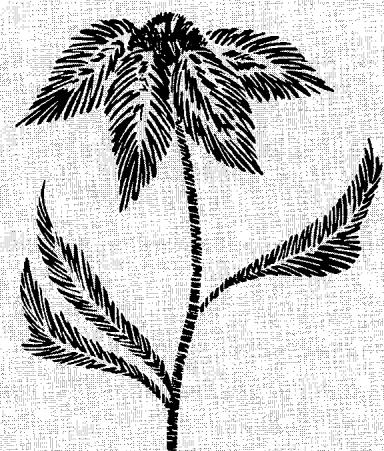
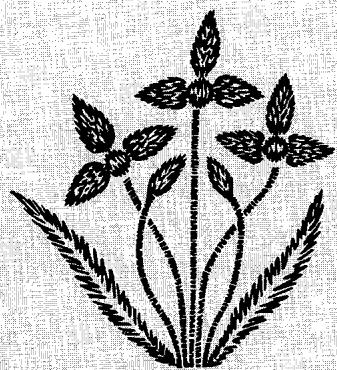
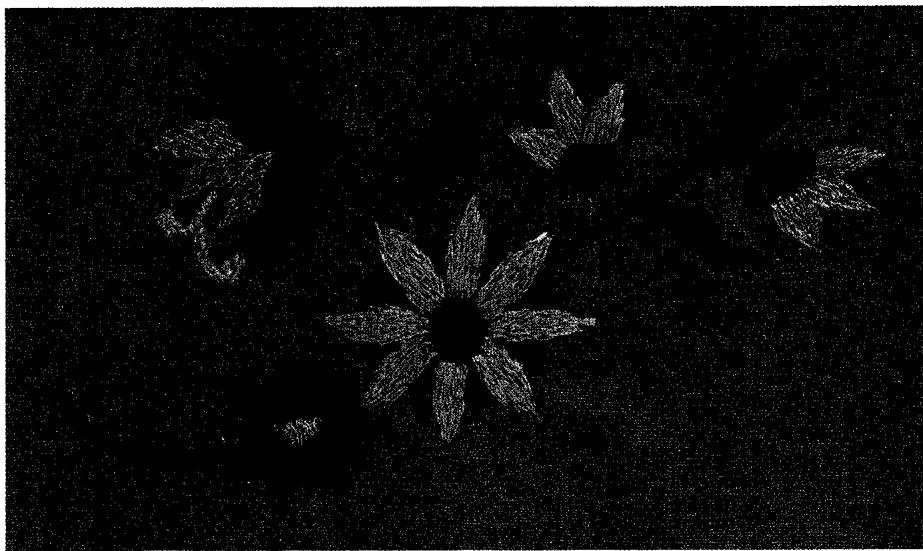
flower embroidery
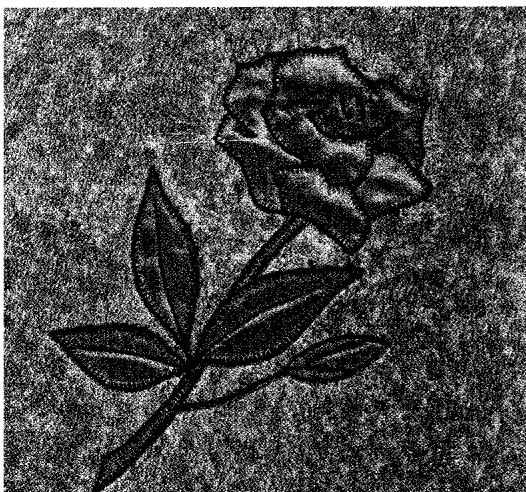
Whether you have artistic ability or not, with your sewing machine and a little practice you will be able to embroider flowers on table linens, pillow covers, and other home decorations, as well as on dresses and blouses. If you have designing skill, you will enjoy creating your own patterns. Otherwise, you can buy attractive transfer patterns.
- Stitch Pattern Selector: ( WWWWWWW ) Zig-Zag
- Stitch Width Selector: 2 through 5
- Needle Position: ↓ Centre
- Stitch Length: Above 20
- Throat Plate: Feed Cover Plate
- Presser Foot: Darning and Embroidery
- Speed Range: MIN.
Prepare the machine and your fabric in the same way as for free-motion script lettering (page 53). On your test sample, try out different stitch width settings to determine the one or more best suited to your design.
When filling in outlines, place stitches in parallel lines, shifting the direction of the hoop movement as appropriate to the design. For a smooth satin stitch that will catch the light, place the parallel stitches close together, moving the hoop slowly and steadily. For an irregular texture, move the hoop more rapidly, allowing some stitches to overlap.
A series of bar tacks can be used to form spray-like leaves or flowers. This technique adds variety and lightness to many designs. Leaves and petals formed in this way may carry the thread from one bar tack to the next. The carrying thread eliminates tying of thread ends.
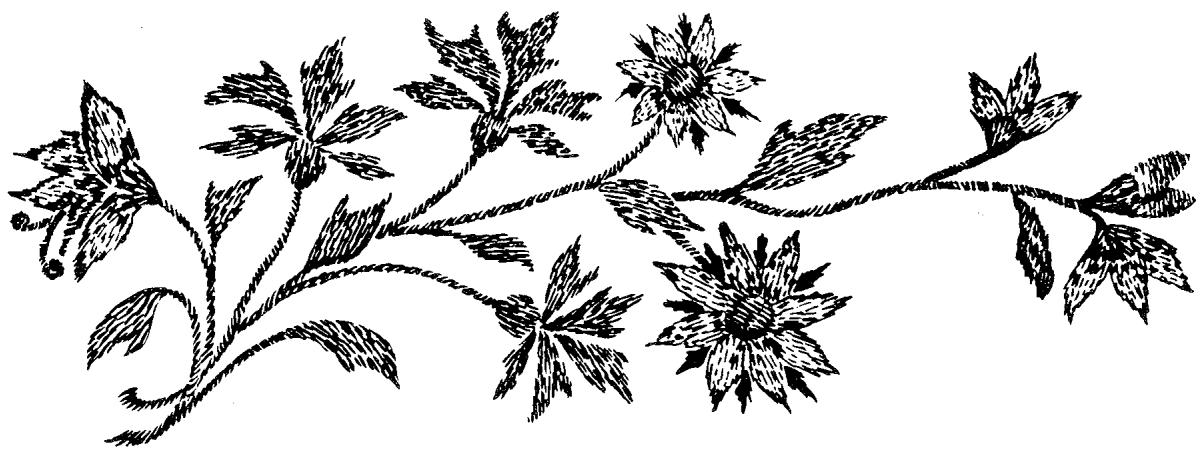
7. Circular Stitching
Straight stitch, chainstitch, plain zig-zag or decorative zig-zag stitching can be used with the circular stretcher to produce an endless variety of symmetrical circles, scallops and geometric motifs. (For instructions on such applications of circular stitching, see the section called "Decorative Touches".)
- Stitch Pattern Selector: Setting desired
Fashion Disc: Pattern desired
- Stitch Width Selector: 0 through 5
- Needle Position: Centre
- Stitch Length: To suit pattern
- Throat Plate: General Purpose
- Presser Foot: General Purpose, Straight Stitch, or Special Purpose
- Circular Stitcher
preparation
Plan the Design. Plan the design beforehand and carry it out with needle perforations on paper (sew without thread). The pivot pin hole may be reinforced by backing it with cellulose tape. From this pattern, make a fabric sample to be sure of the suitability of the design, stitch pattern, machine settings, etc.
Back the Fabric. For best results, baste a backing of lawn or organdy to the wrong side of the fabric to reinforce the design area. If backing is not appropriate (where transparency is desired, for example), place the area to be worked in an embroidery hoop to hold it taut.
Thread the Machine and Fill the Bobbin before attaching the Circular Stitcher.
Attach the Circular Stitcher. Place screw in hole to the right of the slide plate; line up edge of gauge bracket with edge of slide plate; tighten screw.
Set the Circular Stitcher Gauge. The numbers on the gauge express in centimeters and inches the distance of the pivot point from the needle. The pivot point is at the centre of the circle and thus a gauge setting of 1 inch (2.5 cm) will result in a circle of 2 inches across (5 cm), a setting of 2 inches (5 cm) in a circle of 4 inches (10 cm) etc.
- Depress tab lock, slide gauge so that arrow points to desired setting.
- Release tab to lock gauge into position.
NOTE: Should you have to rewind the bobbin while the circular stretcher is in place, you need not remove the accessory. For easy access to the bobbin, simply depress the tab lock and slide the gauge to the right as far as it will go. After winding, depress tab and slide gauge back into desired position. Release tab to lock in place.
Secure the Fabric. The fabric is held in place by the pivot pin. Remove cap, position fabric over pivot pin, press cap over pin to hold fabric in place.
feeding of fabric
It is very important that the fabric be kept smooth in front of the needle. The circular stretcher will guide the fabric, but any interference with the feeding of the fabric will cause a distortion in the design. Stitch at a moderate speed. If you are sewing on large fabric pieces, roll or fold them so that they pass freely under the machine arm.
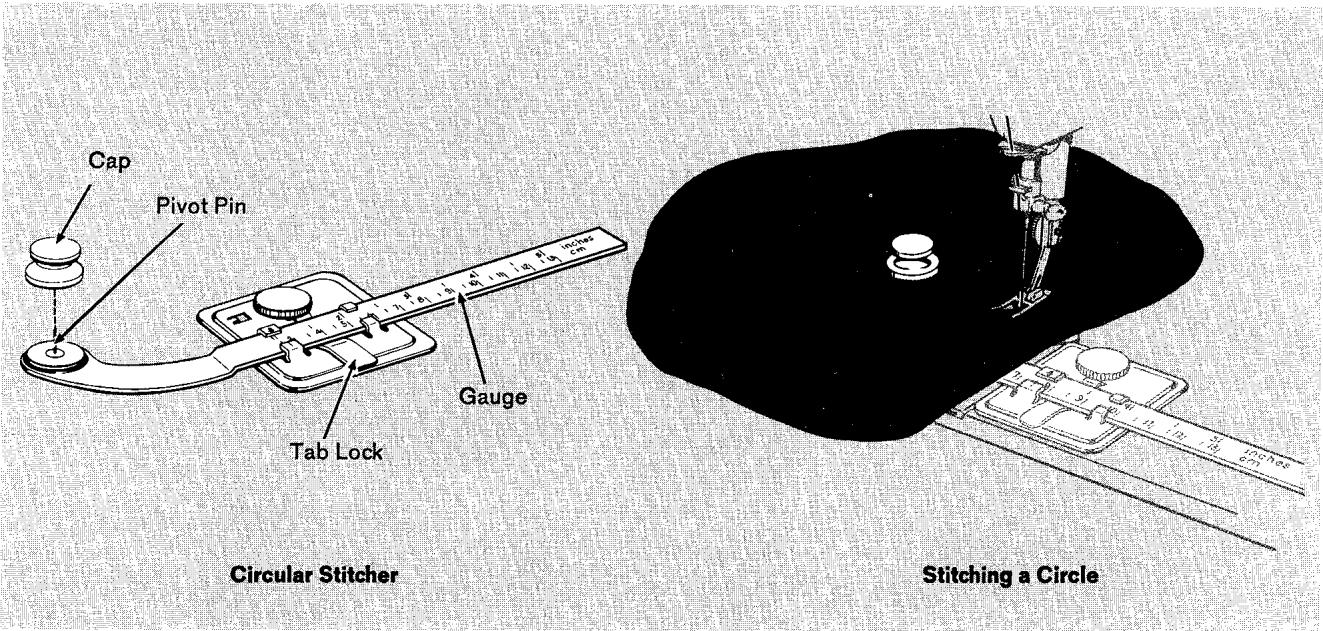
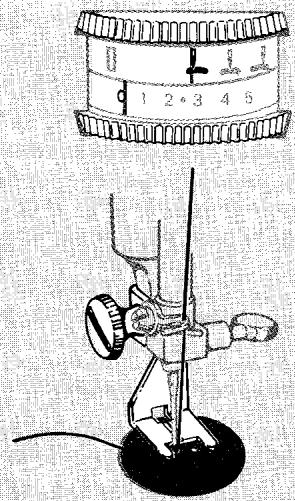
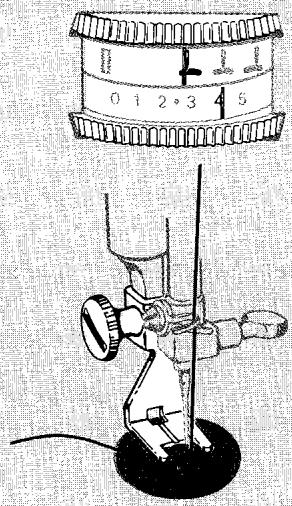
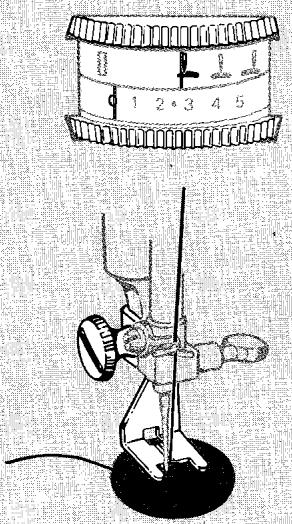
- Stitch Pattern Selector: ( wwwwwwwww ) Zig-Zag
- Stitch Width Selector: 0 and 4
- Needle Position: Left
- Throat Plate: Feed Cover Plate
- Presser Foot: Button Foot
The space between the holes in the button determines the stitch width settings. The 0 setting must always be used to position the button and to fasten stitching. For buttons with standard hole spacing, use settings 0 and 4. For buttons with unusual hole spacing, use setting 0 and increase or decrease the width setting (4) as necessary.
- Set stitch pattern selector at ( wwwwwww ) zig-zag, needle position at L (left), and stitch width selector at 0 . Remove regular throat plate and insert feed cover plate. Remove presser foot, attach button foot. Position button under foot and lower the needle into centre of left hole. Lower the presser foot. Turn hand wheel toward you until the needle rises out of button and is just above the foot.
- Set stitch width selector at 4. Then when you begin to stitch, the needle should enter the right hole of the button. Take six or more zig-zag stitches at this setting. End on the left side.
- To fasten stitching, return to stitch width setting 0 and take about three stitches.
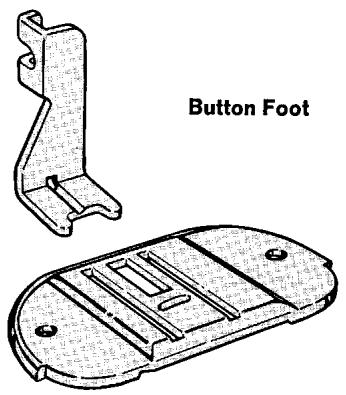
Feed Cover Plate
THREAD SHANK
In order to form a thread shank, you stitch over the blade of a regular sewing machine needle. Buttons sewn on heavy fabrics or on coats and jackets should have thread shanks to make them stand away from the fabric.
- Position button by following step 1 of button sewing (page 56).
- Slide needle through the groove of the button foot until the point emerges through the hole in the back of the foot. To form a longer shank, push the needle in further so you stitch over the heavy end of the needle.
- Set stitch width selector at 4. Then when you begin to stitch, the needle should enter the right hole of the button. Take about six or more zig-zag stitches at this setting, ending on the left side.
- Fasten stitching by returning stitch width selector to 0 and taking approximately three stitches. Remove needle from groove in button foot.
- Remove fabric from under presser foot, leaving about 6 inches (15 cm) of thread after cutting. Pull needle thread ends to the back of the button. Form a firm shank or stem between the button and the fabric by winding thread ends tightly around the attaching stitches. Fasten the thread ends securely.
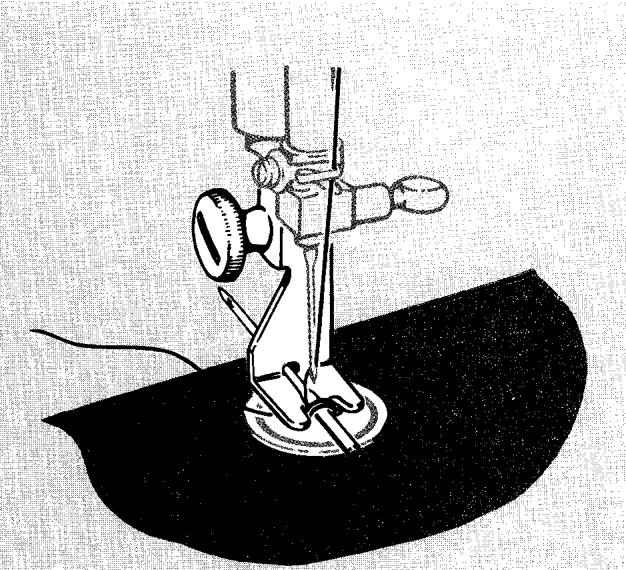
Needle in Groove of Button Foot
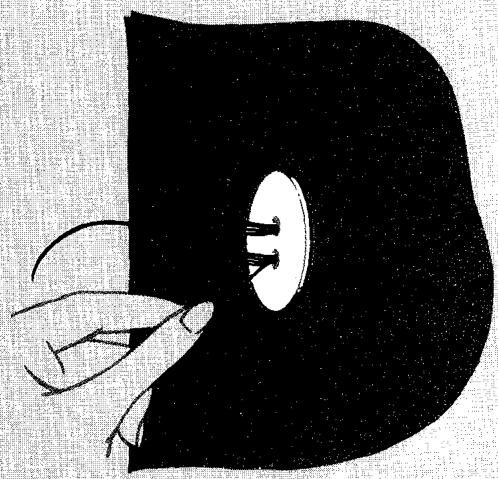
Pull Needle-Threads to Back of Button
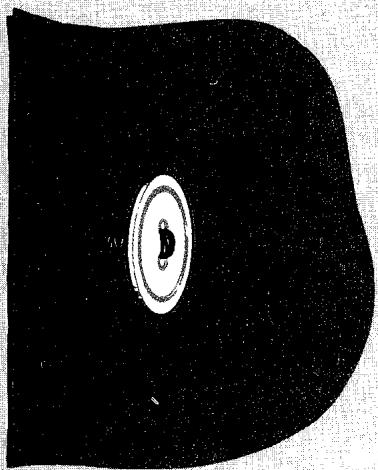
Thread Shank Completed
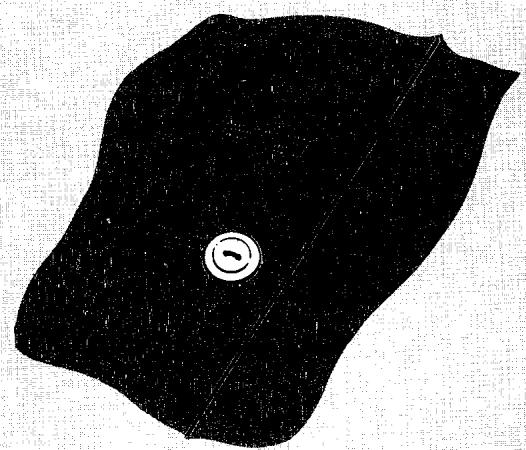
Square-End Buttonholes
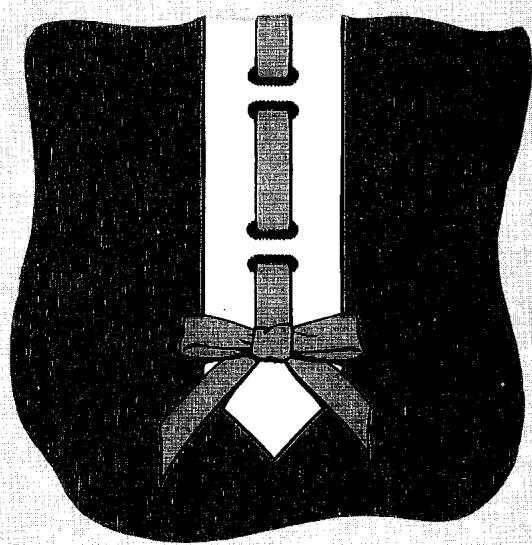
Round-End Buttonholes
You have a choice between two kinds of buttonholes and two buttonhole making methods.
The two-step buttonhole system of your machine lets you make square-end and round-end buttonholes, plus eyelets, with two simple buttonhole dial settings. Make the buttonholes, in any length in light and mediumweight fabrics for suits, dresses, blouses... just about everything. And use the eyelets for studs, lacing and belts.
By setting the stitch width selector manually for each buttonhole, you can make square-end buttonholes in four steps. This method lets you make buttonholes in extra narrow widths in lightweight fabric. Use them for infants' and children's wear and for blouses.
Turn to page 61 to learn how to make two-step buttonholes and page 64 for eyelet information. Four-step buttonholing begins on page 65. On these pages, detailed instructions are given for making each button-hole, but you will find the following information basic to them all.
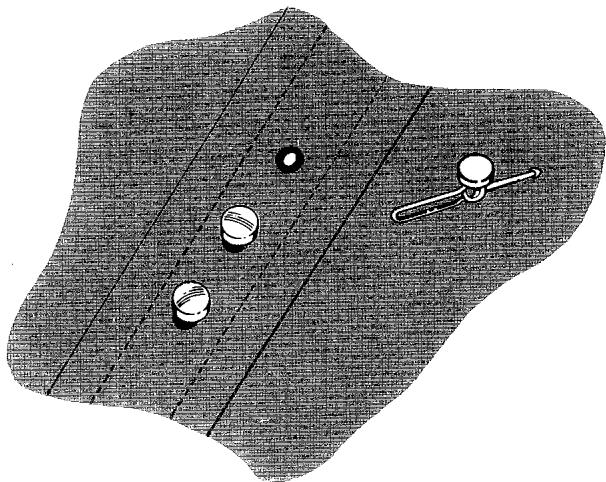
Eyelets
Accurate guidelines are essential to keep buttonholes at a uniform distance from the edge of the garment, evenly spaced, and on the grain of the fabric.
- Mark the centre line of the garment. This guideline can be made by machine or hand basting. The space from the centre line to the finished edge of the garment must be from three-quarters to once the diameter of the button. With this spacing, the button will not extend beyond the edge when the garment is buttoned. Make sure that the centre line marking follows a lengthwise fabric thread.
- Determine buttonhole length. A buttonhole should be just long enough to allow button to slip through the opening without stretching it. You can estimate the proper length of button opening by measuring the width plus the thickness of the button. To make sure the measurement is correct, particularly if the button is of unusual shape or thickness, cut a slit in a scrap of fabric the diameter of the button you intend to use. Increase length of opening gradually until button slips through. Add approximately 1/8 inch (3mm) to this measurement (for end stitching) to obtain the overall stitched length of the buttonhole.
-
Mark a position guideline for each buttonhole with a light pencil line or hand basting. Use the buttonhole measuring and marking gauge as described on the following page.
-
Horizontal buttonholes are placed to extend 18 inch (3 mm) beyond the centre line of the garment, as illustrated, so that the buttons will be in the centre of the figure when the garment is fastened. Horizontal buttonhole guidelines should follow a crosswise fabric thread. Mark ends of each buttonhole vertically. See page 61 for specific markings for square-end and round-end buttonholes.
Vertical buttonholes are placed so that the centre line of the garment is in the centre of the buttonhole, as illustrated. Mark the ends of each buttonhole horizontally across the centre line basting and use the centre line marking as a stitching guide.
-
Additional reminders
-
Remember to mark and make buttonholes on the correct side of the garment. Buttonholes in women's and girl's clothes are on the right hand side; on men's and boy's wear on the left hand side.
- Spaces between buttonholes should be equal. When a line of buttonholes crosses the waistline (as on a coat or jacket), be sure that one buttonhole will fall exactly on the waistline. Then measure the other buttonhole markings from that point.
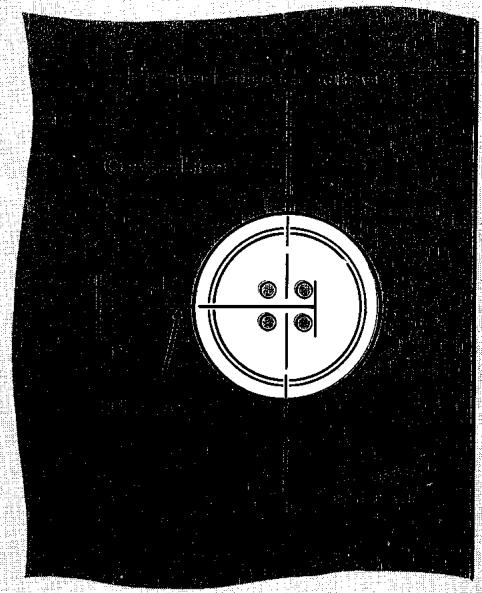
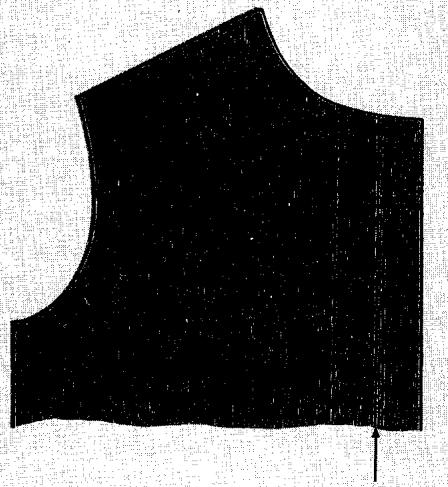
Horizontal Placement on Crosswise Grain
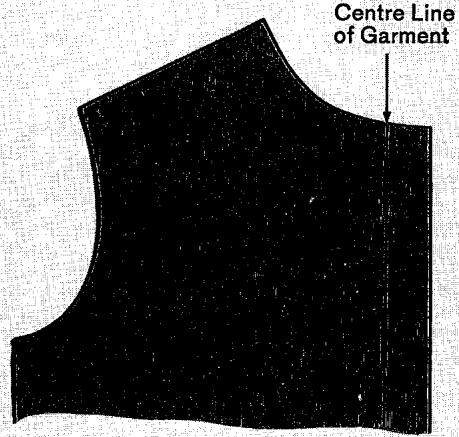
Vertical Placement on Lengthwise Grain
The slotted cut-out in the centre of the buttonhole marking and measuring gauge lets you place accurate guidelines for buttonhole stitching. Button-hole length measurements are expressed in millimeters and may be transferred to the garment with light pencil lines or pins. The method you choose will depend on the texture of your fabric.
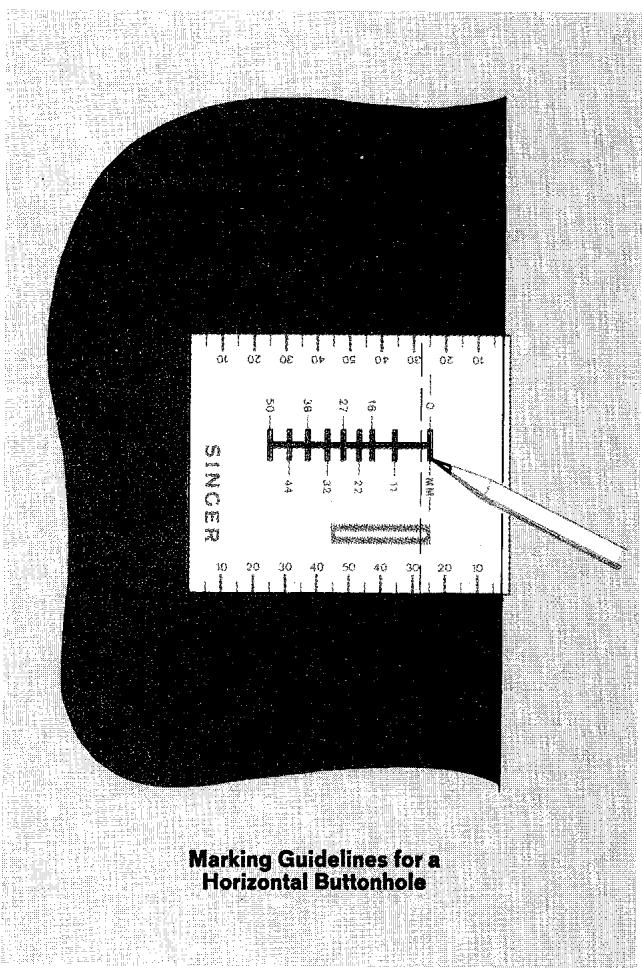
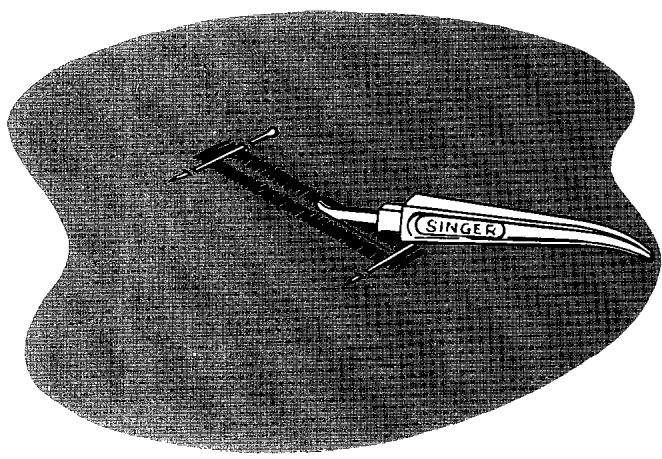
Smooth fabrics may be marked lightly with a sharp pencil. Use a colour to contrast with the garment but make sure you do not extend guidelines beyond the area of buttonhole stitching. Where pencil marking is unsuitable (textured fabrics for example) pins, or hand sewing needles, may be inserted through the gauge slots to define buttonhole length. Remove gauge over pins and baste guidelines.
- Place buttonhole cut-out over a crosswise fabric thread, extending the 0 ~mm slot 1/8 inch ( 3 ~mm ) beyond the centre line basting as illustrated.
- Mark buttonhole ends vertically and the centre line horizontally through the cut-out slots.
- Place buttonhole cut-out over centre line basting.
- Mark ends of buttonhole horizontally.
It is almost always wise to use an interfacing in the buttonhole area. An interfacing holds the fabric firmly so that a neat buttonhole may be stitched and keeps the finished buttonhole in shape. Interfacing is essential when the fabric is loosely woven or is a crepe or knit that stretches easily.
When planning your garment, remember that both round-end and square-end buttonholes are stitched through three thicknesses of fabric (garment, interfacing, and facing) after the facing has been attached.
TEST SAMPLE
Always make a test buttonhole in a sample of your fabric to determine suitability of buttonhole style, buttonholing methods, and machine settings. Be sure to duplicate the number of fabric layers in the garment and include interfacing if appropriate.
When you make your test buttonhole, choose a presser foot pressure adjustment that is suitable for the weight, texture, and weave of your fabric. Finally, check to see that the opening for the button can be cut without damaging buttonhole stitching.
Use the seam ripper or a pair of small sharp scissors to cut the button opening. Insert blade in centre of buttonhole cutting space and cut from this point in either direction. Place a pin across the cutting space at each end of buttonhole to protect end stitching.
- Stitch Pattern Selector: ( WWWWWW ) Zig-Zag
- Square-End or Round-End Buttonhole Assembly
- Stitch Width Selector: Red (2.5)
- Needle Position Selector:
- Stitch Length Selector:
- Stitch Balance: Neutral
Pressure Dial: 3-5
- Throat Plate: General Purpose
- Presser Foot: Buttonhole
The buttonhole system of your machine lets you make square-end or round-end buttonholes with two simple buttonhole dial settings. Simply insert the correct buttonhole assembly and set the selectors on the red buttonhole settings as instructed below.
Always make a test buttonhole on a sample of your fabric. Be sure to duplicate the thickness of the garment and include interfacing if appropriate.
If the right and left sides of your sample buttonhole are unequally balanced, equalize by adjusting the stitch balance control dial as shown on page 63.
Selector Settings
- Attach buttonhole foot.
- Raise reverse stitch lever and place buttonhole disc on holder in machine. Make sure: all selectors are OFF the red buttonhole settings when you insert the disc.
- Set stitch pattern selector on red (xxxxxxxx) symbol.
- Set stitch width selector on red dot (between settings 2 and 3). This stitch width setting is approximate and may be increased or decreased slightly to suit the fabric or change the width of the cutting space. When making a change in the stitch width setting, remember that as stitch width is increased, the cutting space in the centre of the buttonhole is decreased. Always use the red dot setting for your test buttonhole.
- Set needle position selector on red I
- Set the stitch length selector on the red symbol, locating the indicator line in the centre of the symbol. Use this length setting to make your test buttonhole, it may be increased or decreased to suit fabric or stitching requirements. Buttonholes stitched around a second time may require a longer stitch length setting, above the symbol.
- Set the stitch balance control dial in neutral position. Adjust if necessary to equalize difference in stitch density between left and right sides of test buttonhole. Turn to page 63 for detailed instructions.
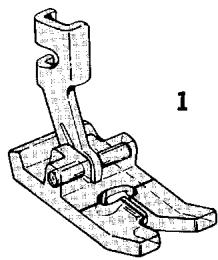
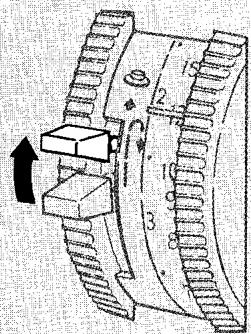
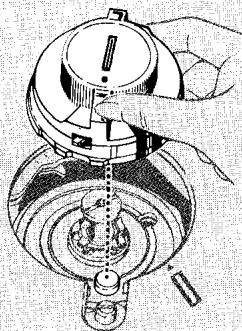
2
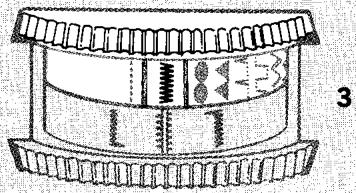
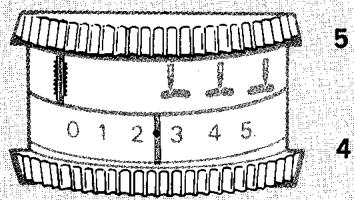
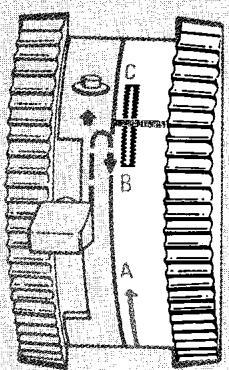
6
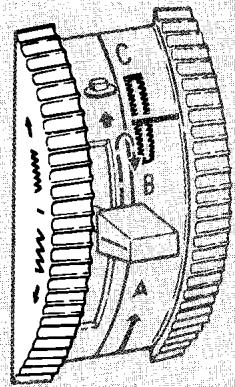
7
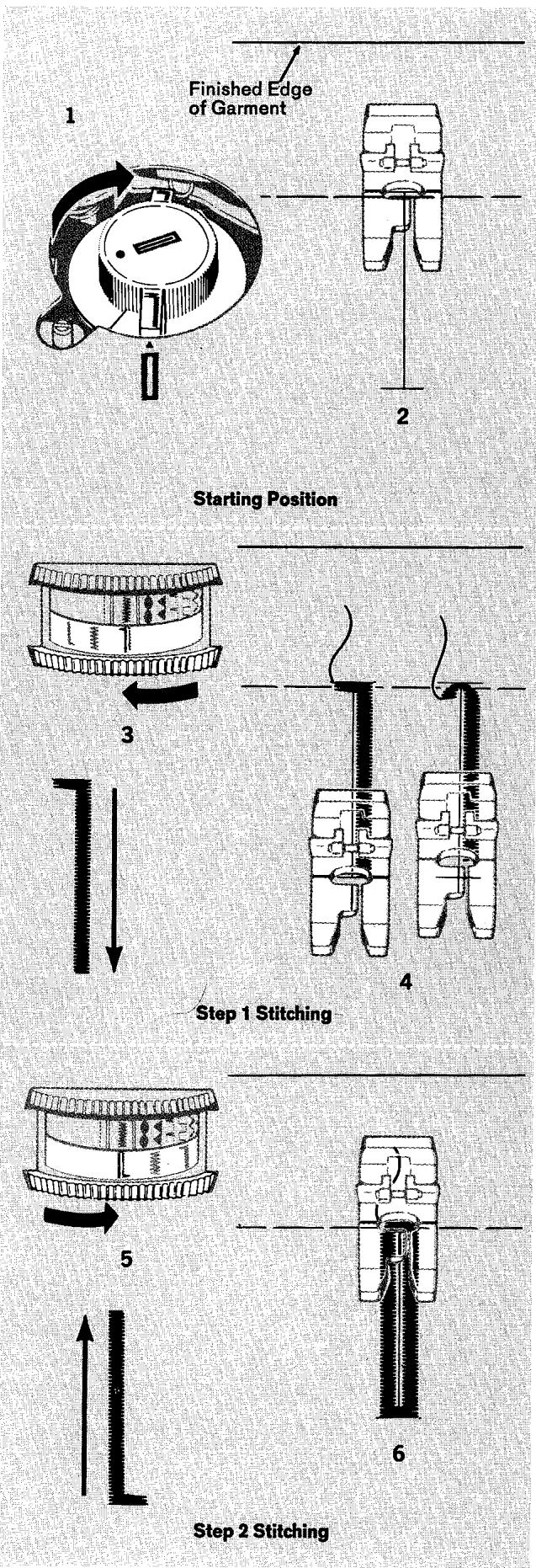
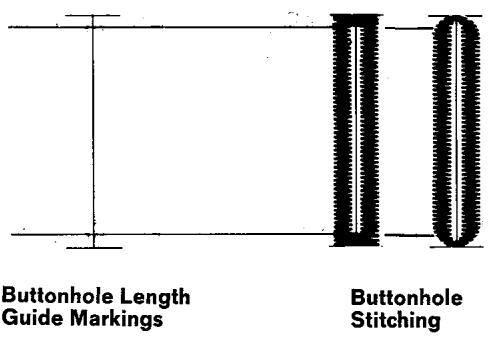
Procedure
Estimate buttonhole length and mark guidelines on fabric.
Make sure the needle is above the fabric and the buttonhole dial is in neutral position.
- Rotate the buttonhole disc clockwise to align the red symbol on the disc with the red indicator arrow on the machine.
- Place the garment under the buttonhole foot; align the centre marking for buttonhole with the centre guideline on the foot. Align the end-of-buttonhole marking (furthest away from you) with the horizontal guideline on the foot.
- Lower the foot and rotate buttonhole dial (to the left) to bring the red 1 symbol under the indicator line of the selector. Symbols indicated on buttonhole dial and buttonhole disc must match before you start to sew.
- Start the machine and let it complete step 1 of the buttonholing cycle; that is, stitching the starting end and the right side of the buttonhole. Stop the machine when the end-of-buttonhole marking on the garment reaches the horizontal guideline on the foot.
- Rotate buttonhole dial (to the right) to bring the black symbol under the indicator line of the selector.
- Start the machine and let it complete step 2 of the buttonholing cycle; that is, stitching the end and up the left side of the buttonhole. Stop the machine when the side stitching slightly overlaps the end stitching at the starting point. For greater durability, stitch around the buttonhole a second time by repeating the two-step dial sequence.
- Remove the work from the machine, draw thread ends to underside, fasten and trim. Cut button opening with the seam ripper. Check the balance of the stitching on the right and left sides of the buttonhole and equalize if necessary.
When buttonholes are completed, move buttonhole dial to its neutral position and set selectors off red buttonhole settings.
Adjusting Forward-Reverse Stitch Balance
Differences in stitch density between right and left sides of the buttonhole (forward and reverse stitching) are equalized by adjusting the stitch balance control dial. A very slight rotation of the dial will produce a noticeable change.
1. Make a test buttonhole with the stitch balance control dial in neutral position.
2. If the stitches on the right side of the buttonhole are too open, rotate the dial upward to increase density on the right side (and decrease density on the left).
3. If the stitches on the right side of the buttonhole are too dense, rotate the dial downward to decrease density on the right side (and increase density on the left).
NOTE: If the fabric fails to feed with the stitch balance control in neutral position, re-set the stitch length selector for a longer stitch. Stitch length settings above the butthonhole setting, C for example, may be used for making buttonholes. It is always advisable to use a longer-than-usual stitch length if you plan to stitch around the buttonhole a second time.
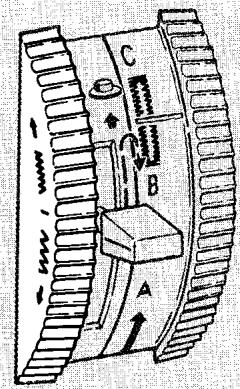
1. Neutral Setting
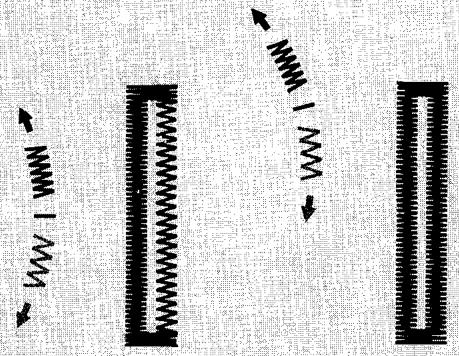
2. Stitches too Open on Right Side. Rotate Dial Up
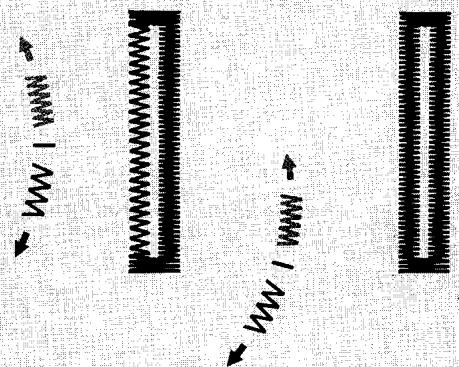
3. Stitches too Dense on Right Side. Rotate Dial Down
- Stitch Pattern Selector: ( WWWWWW ) Zig-Zag
- Round-End Buttonhole Assembly
- Stitch Width: Red (2.5)
Needle Position Selector:
Stitch Length:
- Stitch Balance: Neutral
Pressure Dial: 3-5
- Throat Plate: General Purpose
- Presser Foot: Buttonhole Foot
You can make neat, durable eyelets in a variety of fabrics by using the two-step buttonholing system of
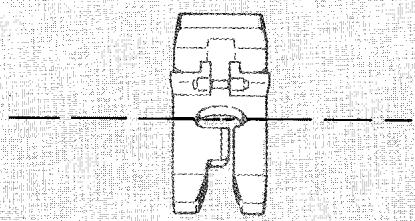
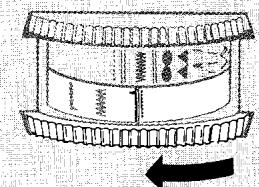

Step 1
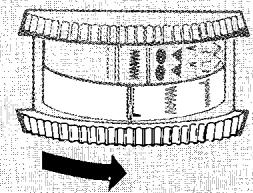

Step 2
your machine with the round-end buttonhole disc assembly. Useful and decorative, stitched eyelets can be made for studs, lacings of all kinds, and belts having a buckle and tongue.
Marking
If eyelets are to be placed in a straight line, baste a guideline following a lengthwise or crosswise fabric thread. Mark position of each eyelet lightly along this line with a pencil dot. Use the marking and measuring gauge for spacing.
Selector Settings
- Set the selector as for round-end buttonholes (see page 61) and make a test eyelet on a sample of your fabric using the following procedure.
- If there is insufficient space in the centre of the eyelet, reduce the stitch width setting slightly.
- Set stitch length, and balance forward-reverse stitch density to permit the eyelet to be stitched around a second time.
Procedure
- Rotate the round-end buttonhole disc clockwise to align the red 1 symbol on the disc with the red indicator arrow on the machine.
- Place fabric under buttonhole foot centering the eyelet placement marking in the needle hole of the foot.
- Lower the foot and rotate buttonhole dial to bring red 1 symbol under the indicator line of the selector. Symbols indicated on buttonhole dial and buttonhole disc must match before you start to sew.
- Start the machine and let it start step 1 of the buttonholing cycle; that is, form the end stitching and start down the right side. Stop the machine when the stitching on the right side is slightly longer than the starting stitching on the left.
- Rotate buttonhole dial to bring black symbol under indicator line of the selector.
- Start the machine and let it start step 2 of the buttonholing cycle; that is, form the end stitching and start up the left side. Stop the machine when the side stitching overlaps starting point.
- Stitch around the eyelet a second time by repeating the two-step sequence.
- Remove the work from the machine, draw thread ends to underside, fasten and trim.
To form the eyelet opening, pierce the fabric with a sharp pointed instrument, such as a dressmaker's awl.
- Stitch Pattern Selector: ( WWWWW ) Zig-Zag
- Stitch Width Selector: (see below)
- Needle Position: Left
- Stitch Length: Above 20 per inch
- Buttonhole Dial: Neutral
- Stitch Balance: Neutral
- Throat Plate: General Purpose
- Presser Foot: Special Purpose
First determine the length of the button opening. This will depend on the diameter and thickness of the button as explained on page 59. Then add at least 18 inch (3 mm) (1/16 inch = 1.5 mm for each bar tack), and mark the fabric as illustrated. This bar-tack measurement is approximate; on some buttonholes, you may need to increase it to arrive at pleasing proportions.
Next, select the stitch width settings that you will need: one for side stitching and one for bar tacks. The three possible combinations are shown below.
Four-step buttonholes are not made with a buttonhole disc assembly so be sure the buttonhole dial is in neutral position and the pattern and needle position selectors are set as shown above before you begin to sew.
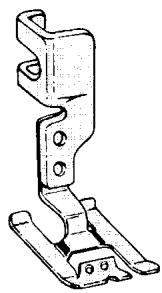
Special Purpose Presser Foot
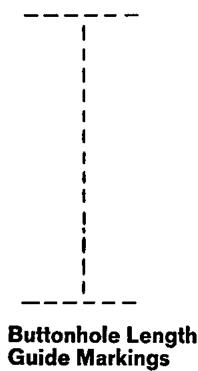
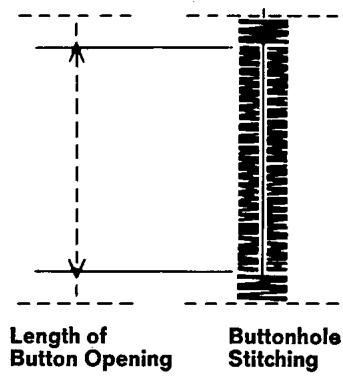
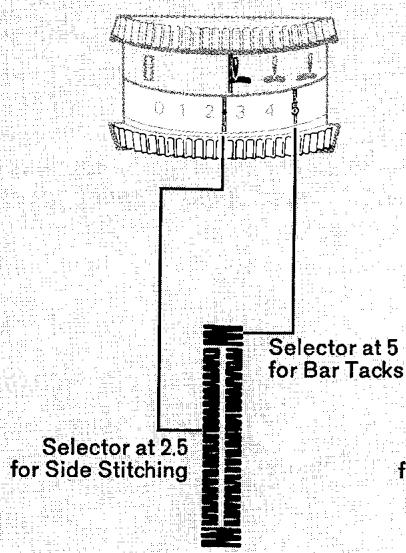
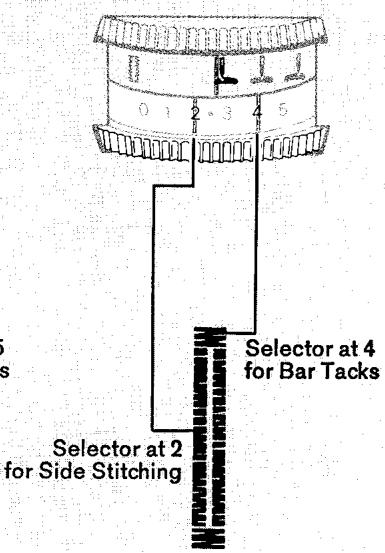
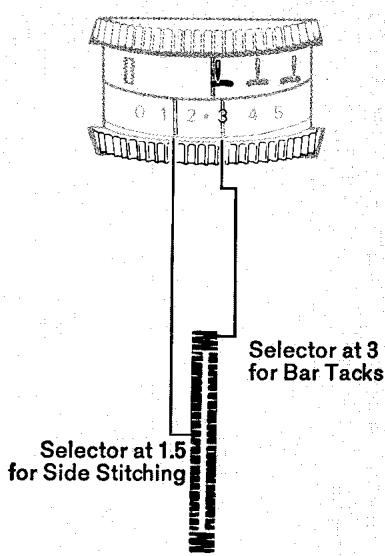
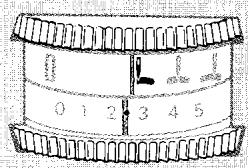
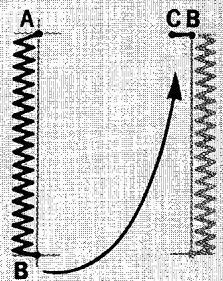
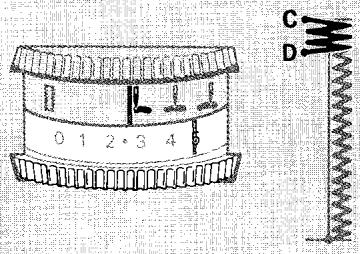
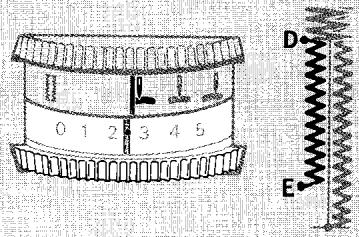
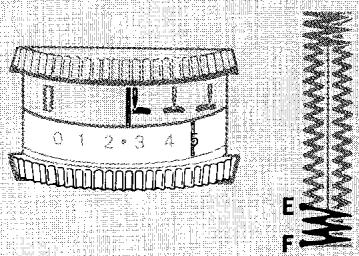
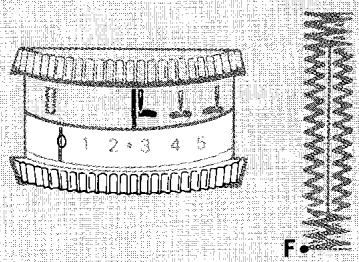
Procedure
Set stitch pattern selector at wwwwww zig-zag, needle position selector at and stitch width selector on desired setting for side stitching of buttonhole. Place work under needle, aligning the centre marking of buttonhole with the centre notch of the special purpose foot.
Side stitching: Position needle in fabric at point A. Lower foot and stitch to end of marking. Leave needle in fabric at point B. Raise foot and pivot work on needle. Lower foot. Take one stitch without changing width setting, bringing work to point C.
Bar tack: Adjust stitch width selector for bar tacks and take at least six stitches. Stop at point D.
Side stitching: Readjust stitch width selector for side stitching. Complete work to point E.
Final bar tack: Adjust stitch width selector for bar tacks, and take at least six stitches, ending at point F.
Fastening stitch: To secure stitching, move stitch width selector to 0 and take three stitches. Remove work, draw threads to underside, fasten, and trim. Cut buttonhole with seam ripper or sharp scissors.
Soft threads used for embroidery and crocheting make suitable filler cords for raised buttonholes. A fine pearl cotton or silk buttonhole twist is generally used.
To thread the special purpose foot, lead the end of the cord from above through the left eyelet guide. Draw the cord under the cross bar to the back of the foot.
Proceed with stitching as for plain bar-tack buttonholes, but just before making the final bar tack, cut the filler cord close to the eyelet guide. Complete the bar tack and fasten buttonhole stitching as usual. Carefully trim cord ends.
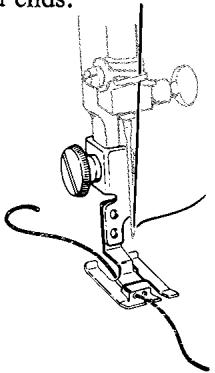
Eyelet Threading for Corded Buttonholes
9. Clothes and Home Decorations
seams
PIN BASTING
Pin basting is a time saver and can be used in place of hand basting when you are straight stitching seams in easy-to-handle fabrics. The straight stitch presser foot is recommended, but the general purpose presser foot may also be used. When sewing over pins with either foot, it is important to use fine pins and to place them correctly in reference to the stitching line.
Place pins so that:
- They are at right angles to the stitching line.
- They just nip into the fabric at the stitching line.
- There is minimum pin extension beyond the stitching line. Pins should not extend under both sides of the presser foot and should never be placed on the underside of the fabric in contact with the feed dog.
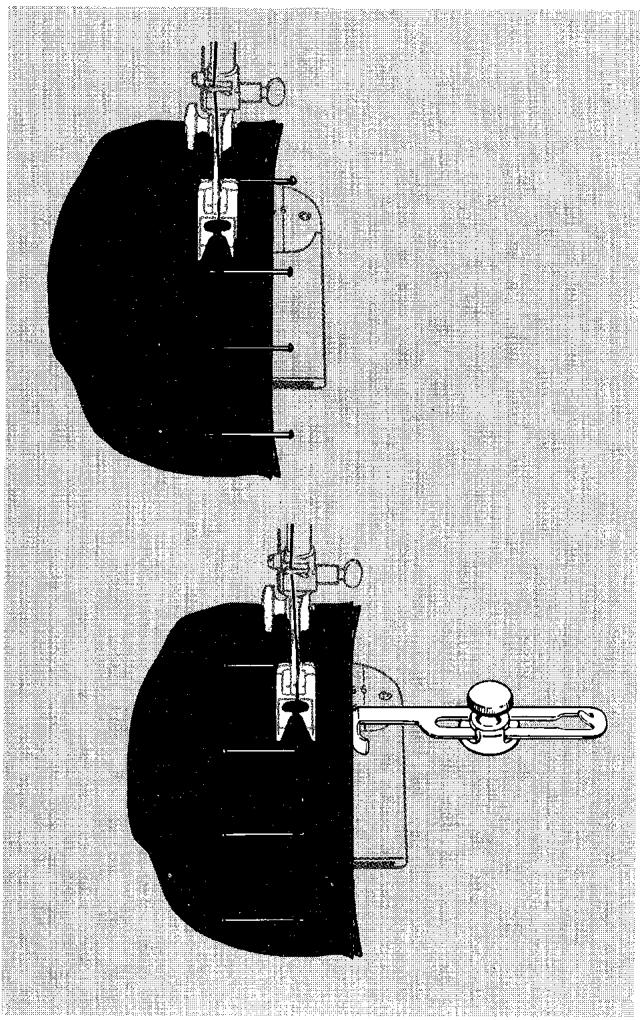
STRAIGHT SEAMS
- Stitch Pattern Selector: ( ) Straight Stitch
- Stitch Width Selector: 0
- Needle Position: Centre
- Stitch Length: 6 to 20, depending on fabric
- Throat Plate: Straight Stitch
- Presser Foot: Straight Stitch
-
Seam Guide: (Optional, for extra control)
-
Pin seam edges together and baste if necessary. If you pin baste, place pins as instructed above so that the hinged presser foot will ride freely over the points.
- If you use the seam guide, align edge with presser foot. Guide the fabric edges lightly against the guide while stitching. The straight stitch presser foot and straight stitch throat plate are recommended for maximum control and accuracy.
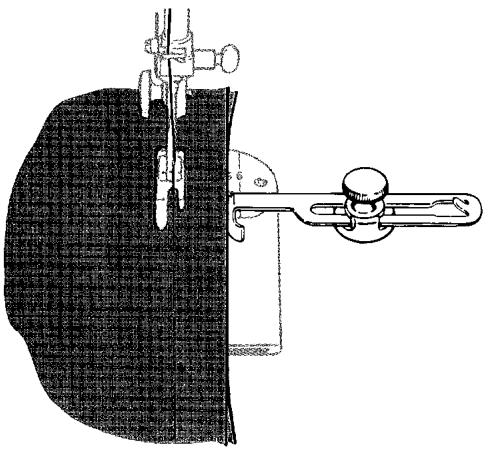
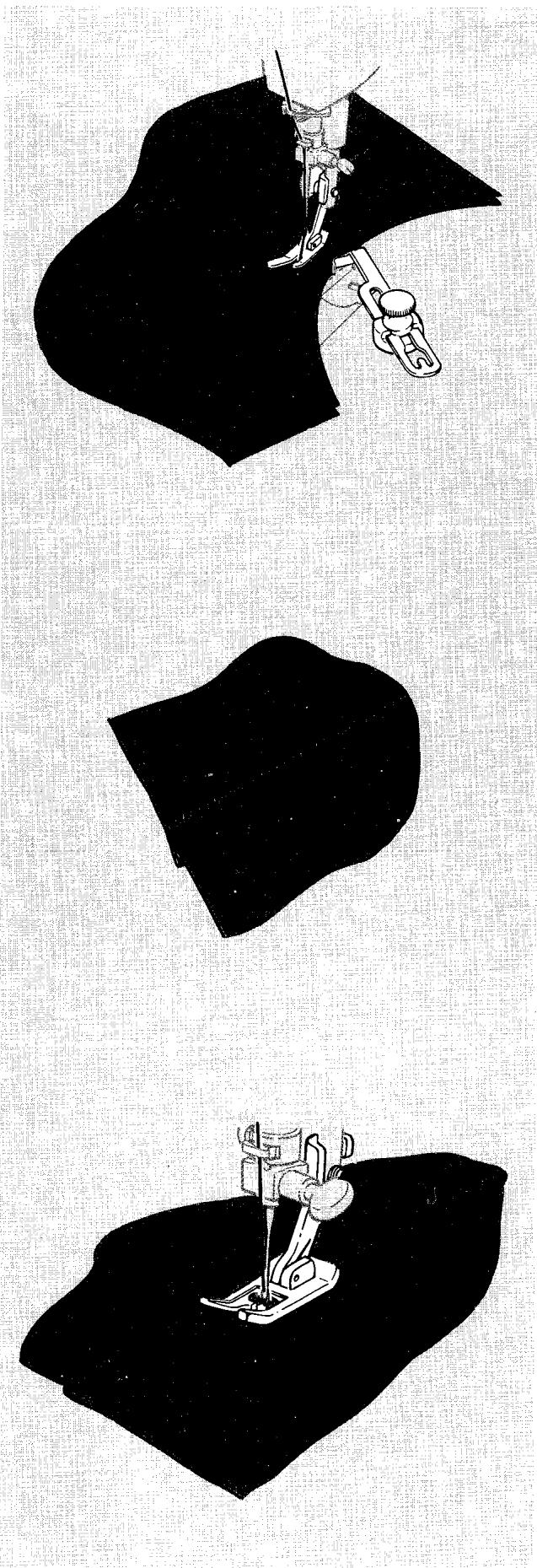
CURVED SEAMS
Follow the same steps as for straight seams except:
- Use a short stitch for elasticity and strength. For example, if you use 12 stitches per inch (stitch length 1.7mm ) for straight seams, select 15 to 20 per inch (stitch length 1.3 - 1.7mm ) to stitch curved seams in the same fabric.
- Use the straight stitch presser foot for greatest accuracy.
- If you use the seam guide, attach it at an angle so that the edge that is closer to the needle acts as a guide.
LINGERIE SEAMS
- Stitch Pattern Selector: ( wwwwww ) Zig-Zag
- Stitch Width Selector: 2
- Needle Position: Centre
- Stitch Length: 15 to 20, depending on fabric
- Throat Plate: General Purpose
- Presser Foot: General Purpose
To make a lingerie seam both durable and flexible, use a zig-zag stitch. This seam treatment is particularly suitable for bias seams.
- Straight-stitch the seam (with stitch width selector at 0) on the wrong side.
- Press both seam allowances in the same direction.
- From the right side, top stitch with zig-zag stitching (with stitch width selector at 2), letting the needle alternately enter the seam line and seam thickness.
FLAT-FELLED SEAMS
- Stitch Pattern Selector: ( wwwwww ) Zig-Zag
- Stitch Width Selector: 2^1/2
- Needle Position: Centre
- Stitch Length: 15 to 20, depending on fabric
- Throat Plate: General Purpose
- Presser Foot: General Purpose
Zig-zag stitching gives strength and durability to flat-felled seams.
- Stitch the seam on the right side of the fabric, taking full seam allowance.
- Press the seam allowance to one side, keeping the right side of the stitch on top.
- Trim the under seam allowance to one-half its width.
- Turn the upper seam allowance edge evenly over the trimmed edge, and top-stitch.
CORDED SEAMS
The corded seam is a professional treatment for slipcovers, children's clothes, blouses, and lingerie. To make a corded seam, make the welting first (or buy it ready-made at a notions counter), then stitch it into the seam. For both construction steps, use the following settings and accessories:
- Stitch Pattern Selector: ( ) Straight Stitch
- Stitch Width Selector: 0
- Needle Position: ↓ Centre
- Stitch Length: Slightly longer than for regular seaming
- Throat Plate: General Purpose or Straight Stitch
- Presser Foot: Zipper Foot
Making the Welting
- Buy piping cord (at notions counter) of desired size.
Cut bias strips of fabric (width: three times the diameter of the cord plus 1^ / 4 inches = 30mm
- Sew strips together on the lengthwise grain to obtain desired length.
- Fold resulting strip over cord, raw edges even.
Adjust zipper foot to the left side of the needle (for instructions on adjusting zipper foot, see page 82) and then lower the foot.
Stitch close to the cord (but do not crowd stitching against cord), pulling gently on the strip, both in front and in back of the zipper foot.
Stitching Welting into Seam
- Adjust zipper foot to the right of the needle so that the bulk of the fabric will fall to the left.
Stitch welting to the right side of a single seam edge; guide the edge of the foot next to the cord but not too close.
- Place the attached welting over the second seam edge, and pin or baste together.
Place the work under the needle, with the first stitching on top so that you can use it as a guide.
Stitch, this time, with the foot as close as possible to the cord.
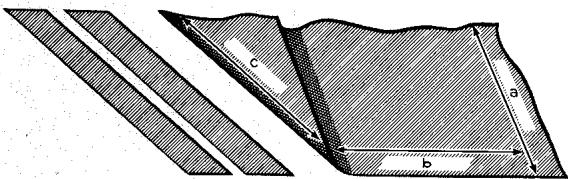
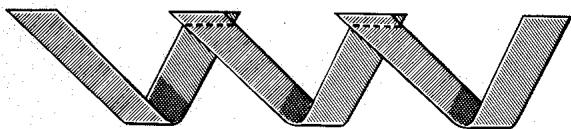
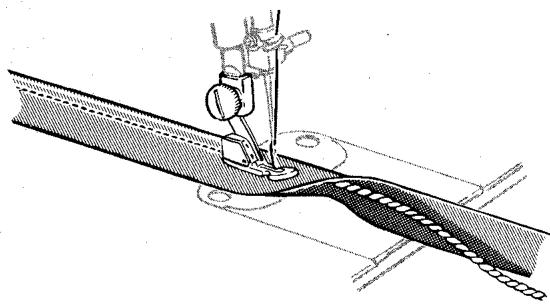
Making the Welting
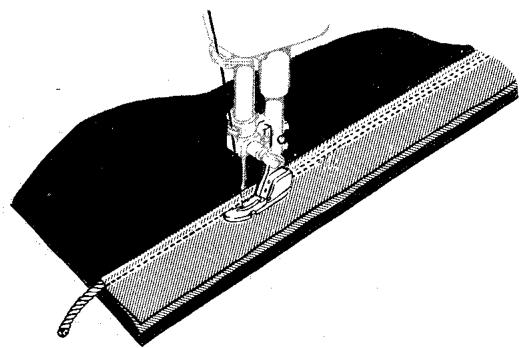
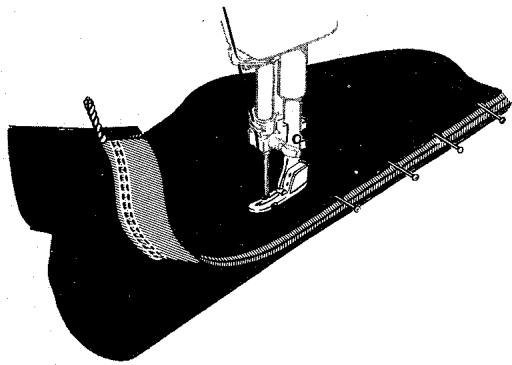
Stitching the Welting
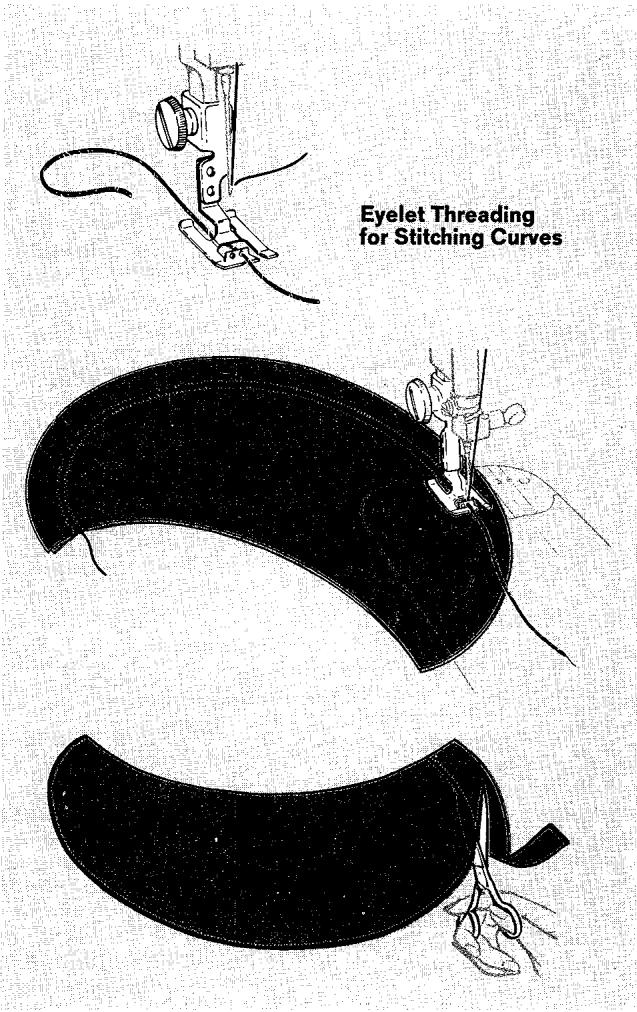
INSIDE SEAMS OF SHEER COLLARS, FACINGS, AND CUFFS
- Stitch Pattern Selector: ( wwwwww ) Zig-Zag
- Stitch Width Selector: 2
- Needle Position: Centre
- Stitch Length: Between 20 and 0
- Throat Plate: General Purpose
- Presser Foot: Special Purpose
With a delicate hairline finish, seam allowances that ordinarily show through can be eliminated. You may wish to use a filler cord to give body to the seam. Fine crochet thread or buttonhole twist are recommended for this purpose. For easy handling of the cord, place spool on the table, floor, or in your lap. Unwind a sufficient amount to avoid tension or strain on the cord. Lead the end of the cord over the toe of the presser foot and down through the right eyelet. Draw cord under cross bar to the back of the foot. Stitch along the seamline covering the cord. Cut seam allowance away close to line of stitching. Turn to the right side and gently roll out curved edges. Press flat.
SEAMS IN KNIT AND STRETCH FABRICS
- Stitch Pattern Selector:
Fashion Disc: 102 or 103
- Stitch Width Selector: 0
- Needle Position: Centre
- Stitch Length: C to D
- Stitch Balance: Equalized
- Throat Plate: General Purpose or Straight Stitch
- Presser Foot: General Purpose or Straight Stitch
Pressure Dial: 5
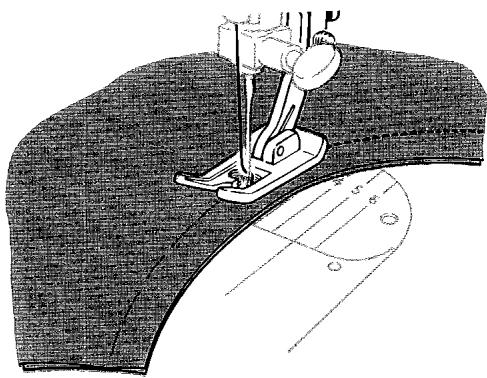
A reinforced straight stitch that also stretches is ideal for seaming knit, stretch and elasticized fabrics. It is particularly appropriate for under-arm and construction seams where elasticity and give are most needed. Seams will be both strong and flexible when you use Fashion Disc 102 or Fashion Disc 103. Choose the one best suited to your purpose. Disc 102 provides slightly more stretch. Disc 103 provides more reinforcement.
- Make a test sample to check appropriateness of pattern selection and stitch settings.
- Stitch and press seam as when using a plain straight stitch.
Where a stay is needed to prevent stretching, at neckline and shoulder seams for example, this same fine stitch can be used to apply seam tape. For a flat, smooth stayed finish:
- If seam is curved, pre-shape tape to fit by steam pressing.
- Baste tape in place over the seam line.
- Stitch, allowing needle to enter seam tape along the seam line.
OVEREDGED SEAMS
- Stitch Pattern Selector:
Fashion Disc: 107
- Stitch Width Selector: 5
- Needle Position: Centre
- Stitch Length: B or C
- Stitch Balance: Equalized
- Throat Plate: General Purpose
- Presser Foot: General Purpose
Pressure: Light 3-4
The flexible stitch produced by Fashion Disc 107 is particularly appropriate for use in construction of garments made of knit, stretch, or elasticized fabric. When this double disc is used, seams that stretch with the fabric are joined and finished in one operation.
- Make a test sample first to determine the suitability of an overedged seam in the construction of your garment. Be sure to duplicate the grain of your garment seam in your test. Adjust stitch length, pressure, and thread tension to suit fabric.
- Cut and fit garment in the regular way, using a 5/8 inch (15 mm) seam allowance. Baste fitted seam line.
- Trim seam edges evenly to a bare 14 inch (6 mm) from seam line basting.
- Place trimmed seam under the presser foot so that the bulk of the work falls to the left and the seam edge is under the presser foot as shown.
- Stitch so that the stitches fall on the seam line and over the seam edges.
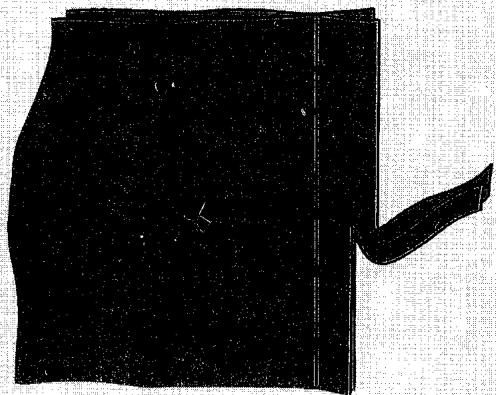
Trimming Seam Edges
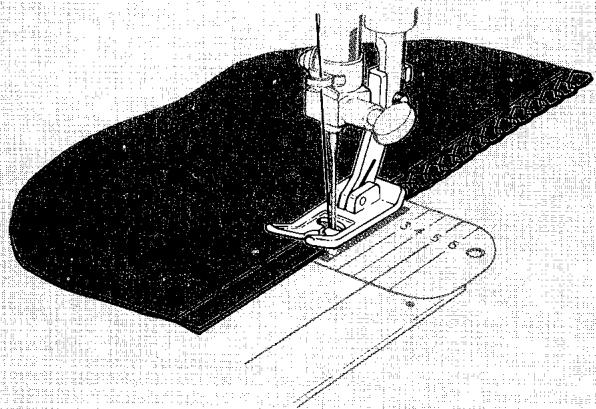
Stitching Seam
SEAM FINISHES
Seam edges support the garment and should be given a durable finish if the fabric is likely to ravel. There are two methods of finishing seams in such fabrics: method 1, trimming after stitching seam edge, or method 2, overedging. Make a test sample first to determine which method best suits your fabric.
Method 1
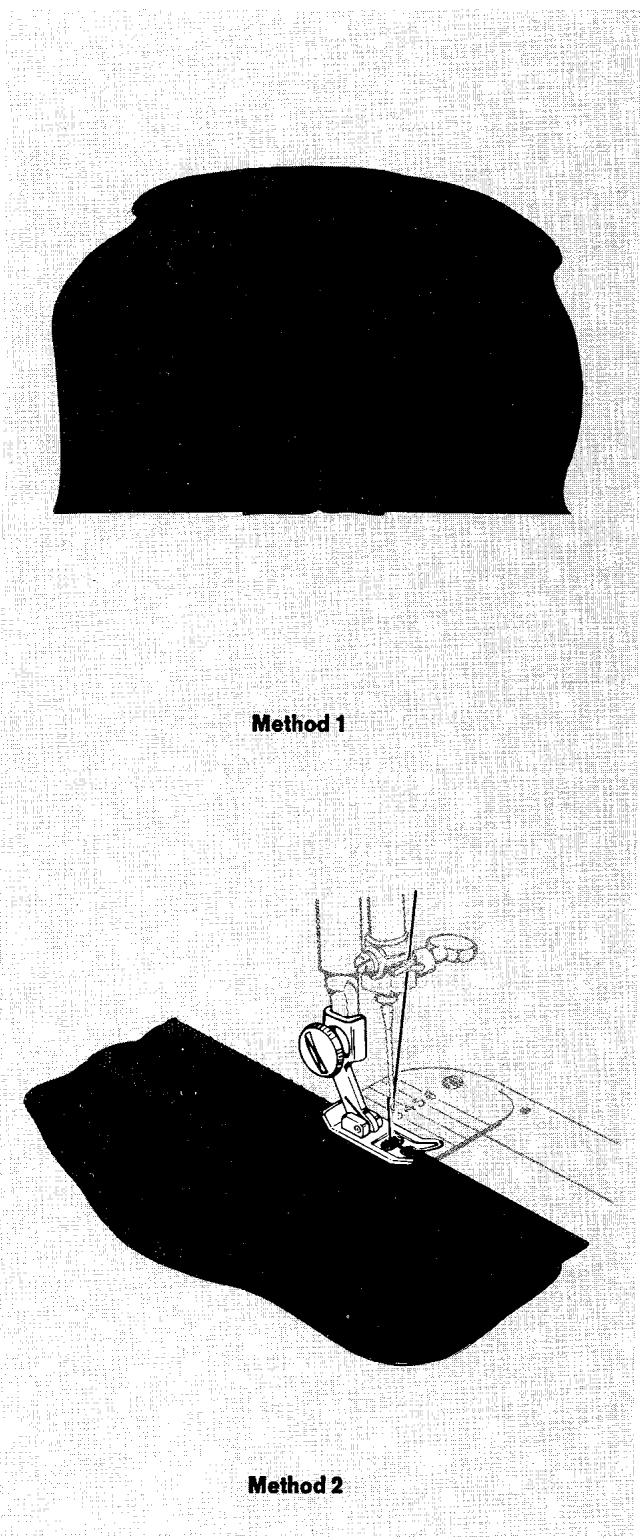
Method 2
darts
Darts can, of course, be made in the usual way on your sewing machine. That is, you can begin stitching at the wide end of the dart, stitch to the point, and then fasten the two thread ends. However, thanks to the push-button bobbin, you can avoid the problem of fastening the thread ends by making a "continuous-thread" dart and stitching in the opposite direction. This method is particularly useful for darts in sheer fabrics, where transparency requires a neat, clean finish. It is also useful for darts made on the right side of a garment as a style detail.
REGULAR DARTS
CONTINUOUS-THREAD DARTS
- Set machine selectors as for regular darts.
-
Wind an empty bobbin with enough thread to make a single dart (usually less than one yard — 1 m).
-
Close slide plate.
- Turn hand wheel toward you to position the needle in the very edge of the fold, at the point of the basted or pinned dart.
- Lower the presser foot.
- Stitch carefully, making the first three or four stitches in the fold of the fabric, then sew towards the wide end of the dart.
DARTS IN INTERFACING
- Stitch Pattern Selector: (WWWWWW) Zig-Zag or Multi-Stitch Zig-Zag
- Stitch Width Selector: 5
- Needle Position: Centre
- Stitch Length: About 20 or to suit fabric
- Throat Plate: General Purpose
- Presser Foot: General Purpose
With zig-zag stitching, interfacings can be shaped without bulk.
- Cut out the dart allowance on the stitching line.
- Bring raw edges together and pin over a muslin stay.
- Stitch, backstitching at both ends.
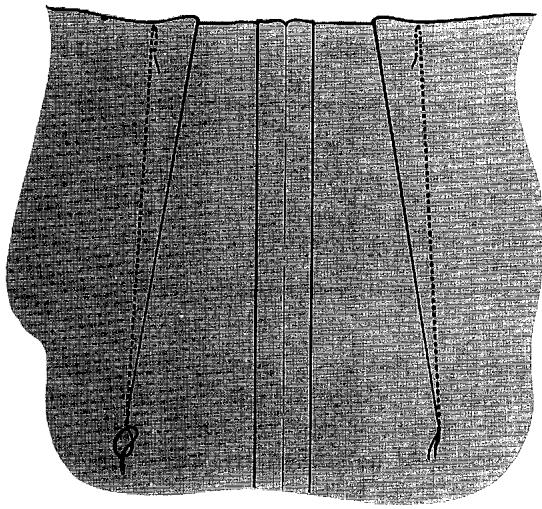
Regular Darts
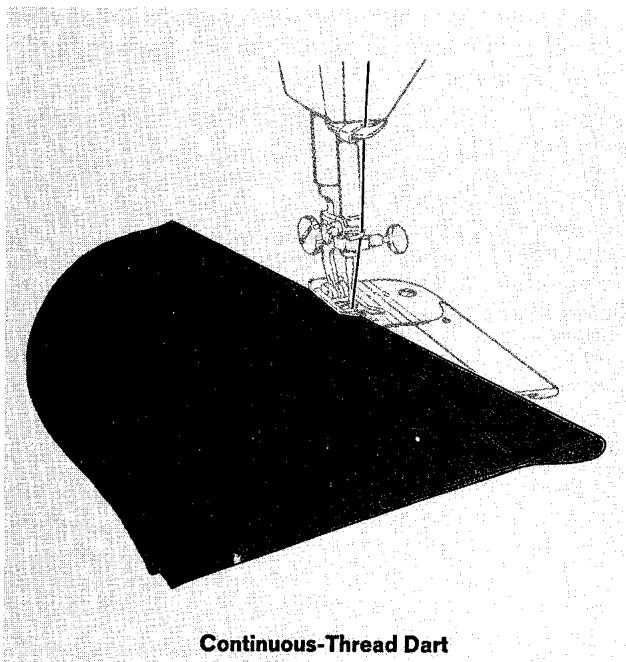
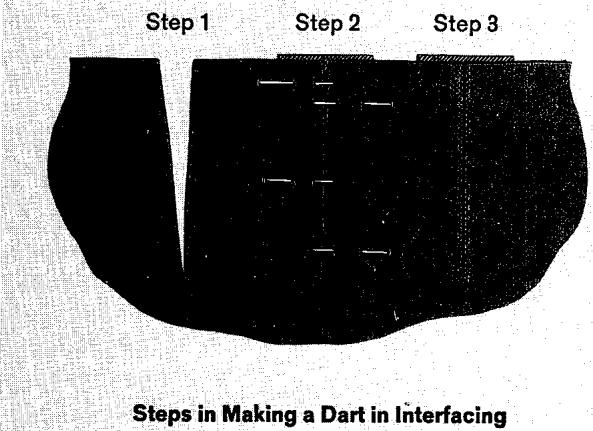
- Stitch Pattern Selector: ( y - v - y ) Blindstitch
- Stitch Width Selector: 3 to 4
- Needle Position: Centre
- Stitch Length: 10 to 15
- Throat Plate: General Purpose
- Presser Foot: General Purpose
- Blindstitch Hem Guide
Blindstitching provides a durable hem finish that can be used on a variety of light and medium weight fabrics. It is best suited to straight hems. Taped, bound, turned, or unfinished hem edges can be blind-stitched with equal ease.
-
Raise presser foot, loosen presser foot screw, and slip blindstitch hem guide between the screw and the shank of the general purpose presser foot. Make sure the underside of the guide clears the slide plate and the front of the presser foot. Tighten screw.
-
Mark, turn, and press hem in the usual way. (You may want to baste the turned hem to hold it in place. If so, be sure to place the basting at least 12 inch (12 mm) below the top edge of the hem so that it will not be caught by the flange of the hem guide as you stitch.)
- With the work wrong side up, turn the hem under, creating a soft fold about 14 inch (6 mm) from the top edge of the hem. Press lightly.
- Position the hem under the presser foot with the soft fold resting against the wall of the hem guide. Make sure the flange of the hem guide is between the soft fold and top of hem, as shown.
- Lower the presser foot and stitch so that the straight stitches fall on the hem edge and the sideward stitches pierce the soft fold. Adjust stitch width if necessary. While stitching, guide the hem edge in a straight line and feed the soft fold evenly against the wall of the hem guide.
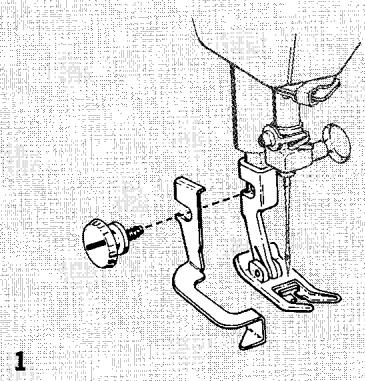
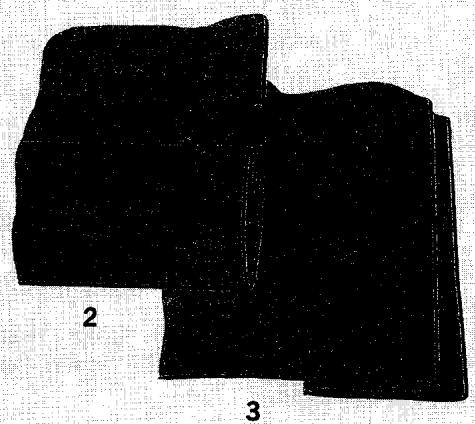
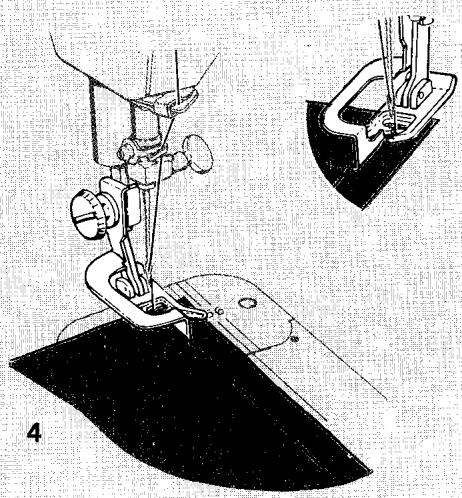
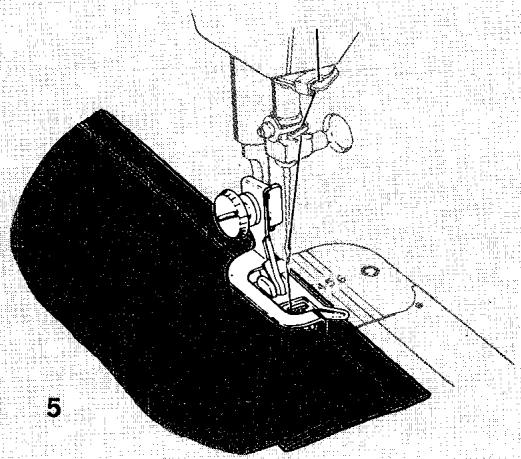
NARROW HEMS FOR FINE FABRICS
- Stitch Pattern Selector: ( ) Straight Stitch
- Stitch Width Selector: 0
- Needle Position: Centre
- Stitch Length: 10 to 15
- Throat Plate: General Purpose
- Presser Foot: Hemmer Foot
- Speed Range: MIN.
You can turn and stitch a narrow hem in a single operation if you use the hemmer foot. Thus, you can eliminate basting or pinning whenever you are making ruffle edges, lingerie finishes, and the like.
- Draw the bobbin and needle threads under the hemmer foot.
- Crease a double 1/8 inch (3 mm) fold for about 2 inches (50 mm) along the edge of the fabric.
- Place the creased fold under the hemmer foot.
- Lower the foot and start the hem by taking two or three stitches through the double fold.
- Hold the thread ends with the left hand and guide the raw fabric edge in front of the hemmer into the scroll.
- Sew slowly, guiding raw edge in front of hemmer foot. Hold threads until hem is well started. Even feeding is essential, so keep the same width of fabric in the scroll of the hemmer at all times.
For maximum control, remember to set the speed controller switch on MIN setting.
Decorative Narrow Hems
- Stitch Pattern Selector: All settings
- Stitch Width Selector: 2 to 5
- Needle Position: Centre or Left
- Stitch Length: 12 to 20
A to D for double discs
- Throat Plate: General Purpose
- Presser Foot: Hemmer Foot
- Speed Range: MIN.
If you use the hemmer foot and choose a zig-zag stitch pattern, you can turn and decorate a narrow hem in a single operation.
Set the selector of the machine for the stitch pattern desired and follow the same steps as for plain hems.
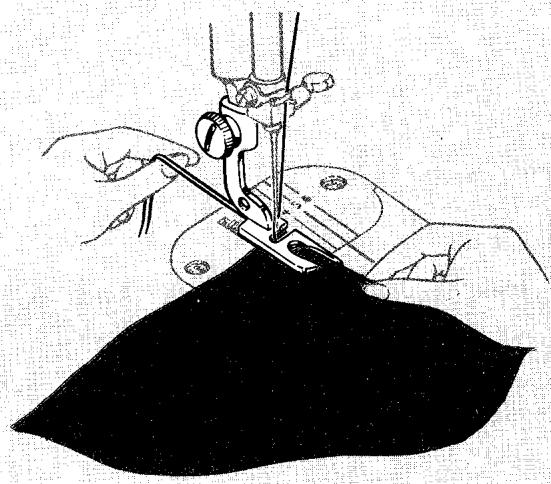
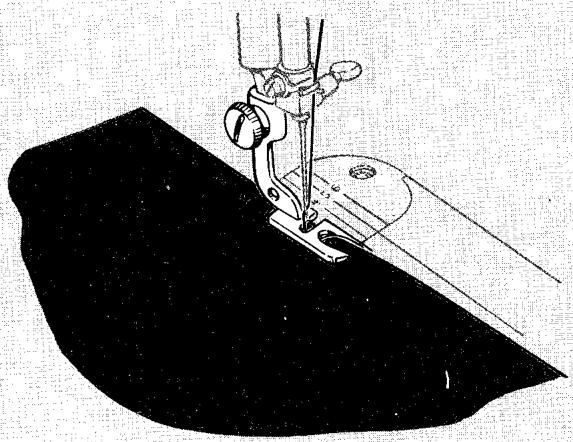
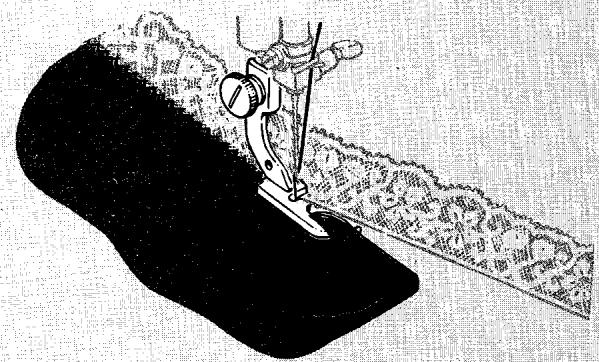
1
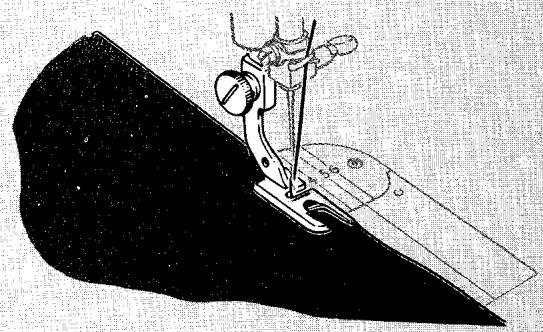
2

3
Hemming with Lace
- Stitch Pattern Selector: ( WWWWWWW ) Plain Zig-Zag
- Stitch Width Selector: 3
- Needle Position: Centre or Left
- Stitch Length: 15 to 20
- Throat Plate: General Purpose
- Presser Foot: Hemmer Foot
- Speed Range: MIN.
1. Lace applied over hem
Fold and start the hem in the usual way. Starting about 1 inch (25 mm) down from the end of the lace, place the Selvage under the needle and lower needle to hold lace firmly.
Raise presser foot slightly and slip the lace under the back portion of the foot, without disturbing the position of the fabric.
Stitch slowly, guiding the fabric with the right hand and the lace with the left. Take care not to stretch the lace.
2. Lace applied under hem
When applying lace underneath the fold of a hem, the procedure is the same as when making a hemmed seam. Slip the lace in from the left as you would the second piece of fabric. This method is used where a neat finish is desired on both sides of material.
3. Lace applied with decorative stitching
Lace may be applied by either method 1 or method 2 using a decorative stitch pattern instead of plain zig-zag stitching. The fagotting stitch, Fashion Disc 102, is illustrated.
HEMSTITCHED HEMS
A touch of quiet elegance is added to table and bed linens when hems are finished with Paris Point or Turkish Point hemstitching. Both stitches are effective when used on firm, plain weave fabrics such as lawn or organdy, or fabrics from which threads can be drawn readily, such as linen.
Paris Point Hemstitching
- Stitch Pattern Selector:
Fashion Disc: 101
- Stitch Width Selector: 2-3
- Needle Position: 1 Centre
- Stitch Length: D
- Stitch Balance: Equalized
Pressure Dial: Light
- Throat Plate: General Purpose
- Presser Foot: General Purpose or
Special Purpose
- Speed Range: MIN.
Procedure:
- Insert a size 18 needle and thread the machine with a fine cotton, silk, or synthetic sewing thread.
- Turn edge of fabric over twice to make hem of desired width. Fold and press on lengthwise or crosswise thread of fabric. Baste in place.
- Draw out 2 to 4 threads just above top edge of hem. The number of threads drawn will depend on the texture of the fabric and the depth of the open work desired. (If threads cannot be drawn, mark or baste a guideline on right side of fabric.)
- Place work, right side up, under presser foot with the hem toward the left.
- Lower the presser foot and stitch, guiding the hem edge under the needle so that the straight stitches are made in the drawn thread channel (or through the single thickness of fabric) and the sideward stitches (or points) in the hem.
Hems in household linens are usually mitred at the corners but they may also be turned with a double overlap and stitched from edge to edge. If corners are mitred, work should be pivoted on the needle at the inside point of the litre. Leave the needle in the fabric at the corner, making sure your last stitch is a straight stitch before a point (or sideward stitch).
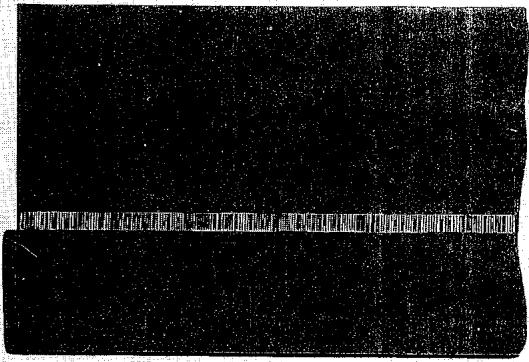
Steps 1, 2 and 3
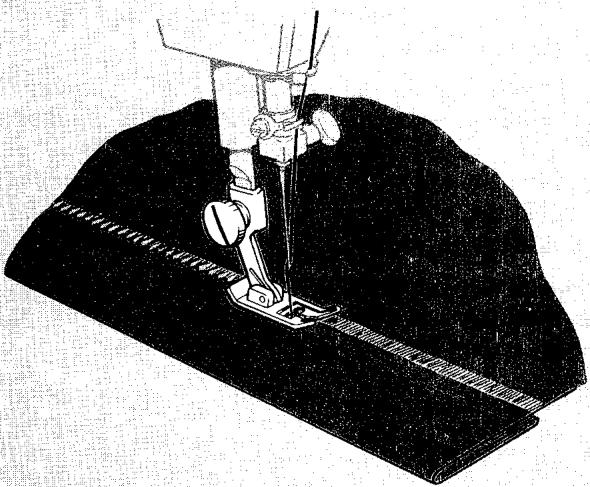
Steps 4 and 5
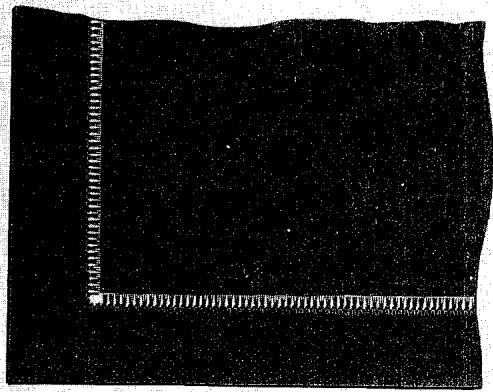
Square Corner
- Stitch Pattern Selector:
Fashion Disc: 100
- Stitch Width Selector: 3-5
- Needle Position: Centre
- Stitch Length: D
- Stitch Balance: Equalized
Pressure Dial: Light
- Throat Plate: General Purpose
- Presser Foot: Special Purpose
- Speed Range: MIN.
Turned hems
- Insert a size 18 needle and thread the machine with a fine cotton, silk, or synthetic sewing thread.
- Fold a double hem of desired width on lengthwise or crosswise thread of fabric. Baste in place.
- Mark or baste a guideline on right side of fabric just above top edge of hem.
- Place work, right side up, under presser foot with the hem turned to the left.
- Lower the presser foot and stitch, guiding the hem edge under the needle so that the stitches on the right side of the hemstitching are made over the hem edge (in the single thickness of fabric) and the stitches on the left side penetrate the thickness of the hem.
Corners may be mitred or turned with a double overlap and stitched in the same way as when using Paris Point hemstitching. See page 77 for instructions.
Applied hems
Hems that provide a colour contrast are frequently used to add interest to table linens and bed linens. Such applications are enhanced when the joining seam is hemstitched.
Procedure:
- Measure and cut fabric for hem. Width allowance should be twice the width desired for the finished hem plus one inch (25 mm).
- Fold hem strip in half lengthwise (right side out) following a fabric thread.
- Open fold and seam top edge of hem to main body of article with straight stitching, taking 1/2 inch (12 mm) seam allowance.
- Press both seam allowances down into hem and fold hem over so that the unfinished edge extends 12 inch (12 mm) beyond the joining seam. Baste in place.
- Place work (right side up) under the presser foot with the hem turned to the left side.
- Lower the presser foot and stitch, guiding the hem edge so that the stitches on the right side of the hemstitching are made in the seam channel and those on the left side are made in the hem.
- After stitching is completed, trim away excess fabric close to the stitching line on reverse side of hem.
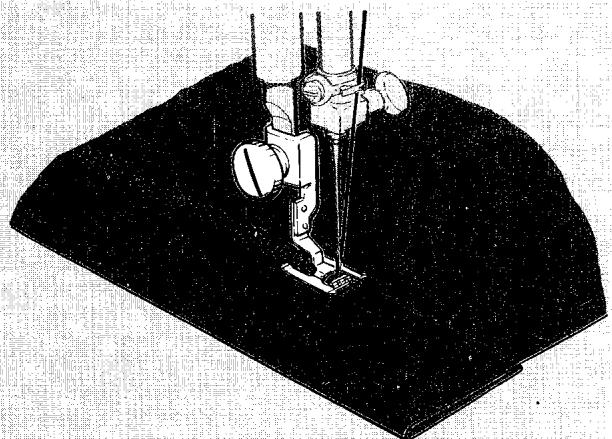
Turned Hem
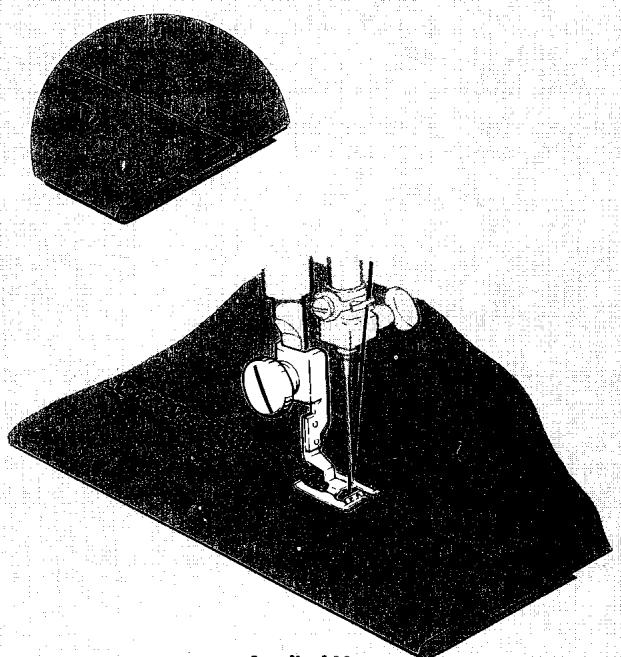
Applied Hem
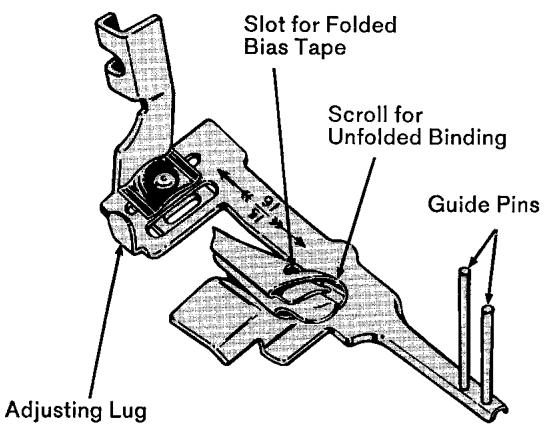
Binder Foot
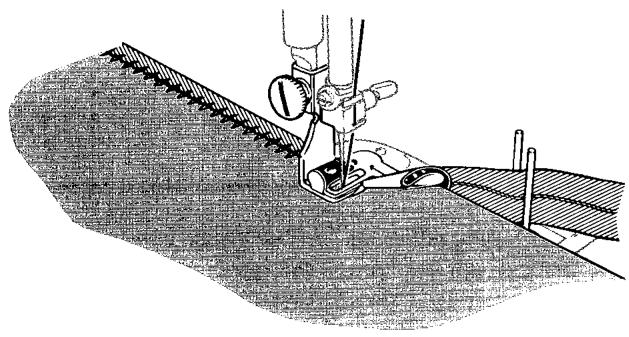
Bias Binding with Decorative Stitch
Inside Curves
Curved edges require slightly different fabric handling from straight edges. Inside curves are straightened as they are fed into the binder. If fabric is soft and has a tendency to stretch, reinforce the edge with a single row of stitching before binding.
edge finishes
BOUND EDGES
With the binder foot, you can apply bias binding to an unfinished edge in a single operation. Straight, plain zig-zag, or decorative zig-zag stitching can be used. The illustration shows a combination stitch pattern.
If you use ready-made bias tape, buy one which is 15/16 of an inch (24 mm) wide and will come already folded. If you make the binding yourself, be sure to cut it 15/16 of an inch (24 mm) wide on the bias.
- Stitch Pattern Selector: All settings
- Stitch Width Selector: 0 through 5
- Needle Position: Centre
- Throat Plate: General Purpose
-
Presser Foot: Binder Foot
-
Cut end of binding diagonally and insert in scroll. If tape is already folded, insert it (from the outside of the scroll) in the slot near the end of the scroll. If tape is not folded, insert it in the wide end of the scroll.
- Pull binding through scroll until evenly folded edges are under the needle. Let free length of binding fall between guide pins.
- Insert edge of fabric to be bound into centre of scroll.
- Position stitching by moving scroll portion of foot to right or left by means of adjusting lug.
Outside Curves
Outside curves tend to lead away from the centre slot of the scroll and should be guided so that a full seam width is taken at the needle point. Do not attempt to pull or straighten fabric into the full length of the scroll.
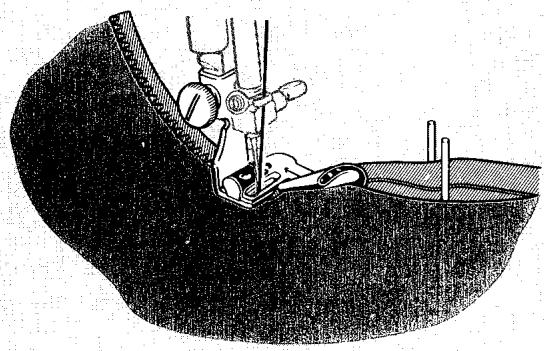
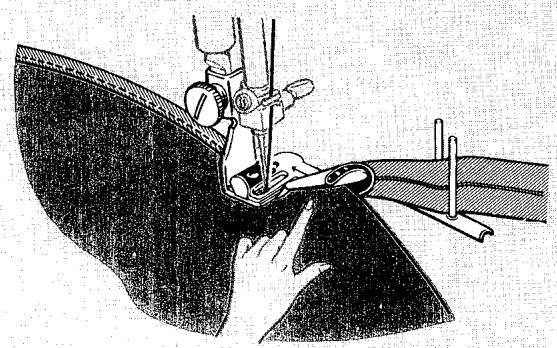
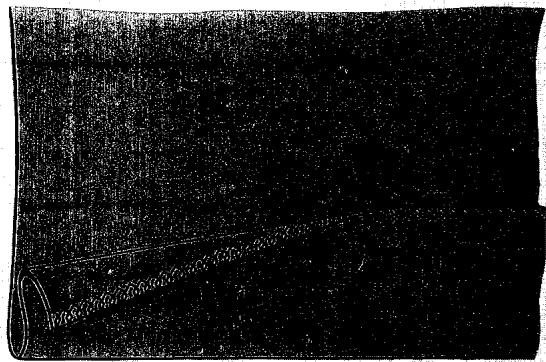
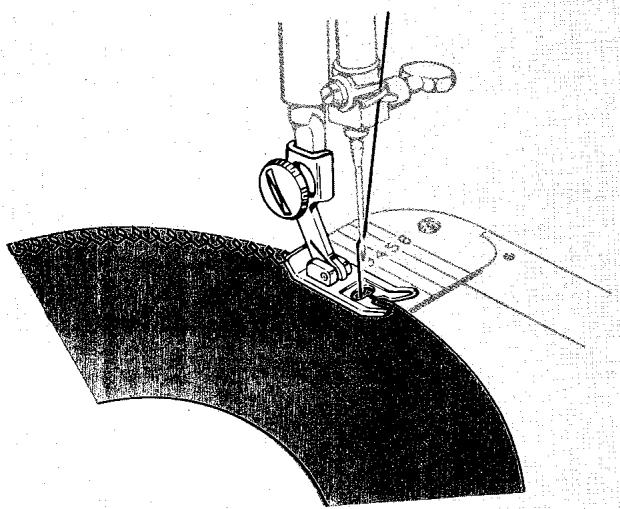
OVEREDGED FINISHES FOR HEMS AND FACINGS
- Stitch Pattern Selector:
Fashion Disc: 107
- Stitch Width Selector: 4 to 5
- Needle Position: Centre
- Stitch Length: D
- Stitch Balance: Equalized
- Throat Plate: General Purpose
- Presser Foot: General Purpose
Hem and facing edges, in knit or bulky woven fabrics, will be less apt to "press through" and mark when given an overedged finish. Overedging eliminates the bulk of turned-in edges and retains fabric flexibility.
- Make a test sample to determine correct stitch setting.
- Trim away excess seam allowance.
- Place fabric under the presser foot so that the stitches will be made over the hem or facing edge.
-
Press after stitching.
-
Stitch Pattern Selector:
Fashion Disc: 101
- Stitch Width Selector: 2
- Needle Position: Centre
- Stitch Length: A to C
- Stitch Balance: Equalized
- Throat Plate: General Purpose
- Presser Foot: General Purpose
- Speed Range: MIN.
A dainty and decorative picot-like edge can be very simply made in fine, sheer fabrics when you use the Paris Point stitch, Fashion Disc 101. The fine hem-stitched finish produced by this disc is particularly appropriate for edging ruffles because it eliminates bulk. Use it too, as a foundation stitch for hand rolled hems, it will make bias cut edges firm and easy to handle. Soft fabrics, such as chiffon and voile, can be given a picot edge if they are supported by a crisp fabric underlay while being stitched. Always make a test sample to determine the need for an underlay, and the correctness of stitch length, thread tension and stitch balance adjustments.
- Use a large needle (size 18 is recommended) and a fine cotton thread.
- Mark stitching line approximately 1/2 inch (12 mm) in from raw edge of fabric.
- Stitch along marked line, placing fabric so that the edge to be finished is turned to the right.
- Trim fabric close to the right side of line of stitching as shown.
FRINGED EDGES
- Stitch Pattern Selector:
Fashion Disc: 101
- Stitch Width Selector: 2
- Needle Position: Centre
- Stitch Length: A to C
- Stitch Balance: Equalized
- Throat Plate: General Purpose
- Presser Foot: General Purpose
- Speed Range: MIN.
Fringed edges make an appropriate and decorative finish for informal table linens. Easy to sew, such edges are accented and made durable with Paris Point hemstitching.
- Cut fabric carefully to correct size.
- Mark lines (or draw a thread) for depth of fringe along each edge.
- Place fabric so that the edge to be fringed is turned to the right.
- Stitch with matching or contrasting thread along marked lines, pivoting on the needle at corners.
- Fray fabric threads between stitching and fabric edges to form fringe.
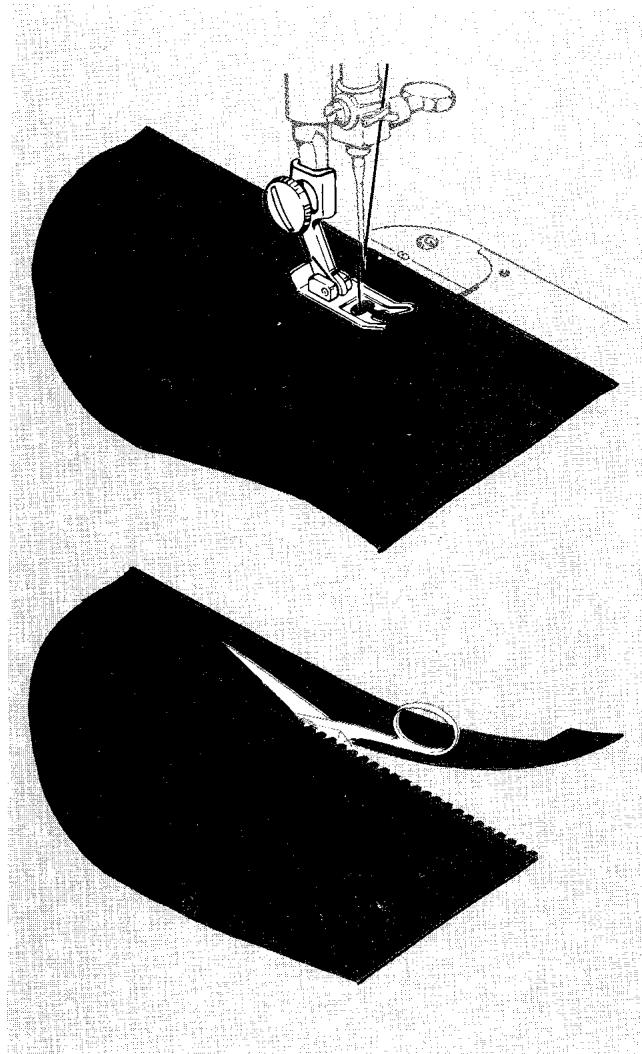
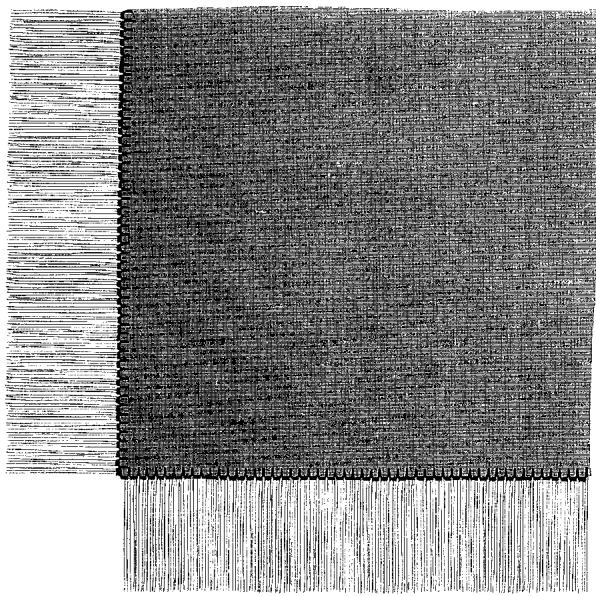
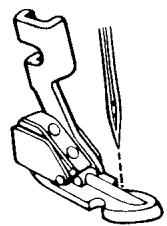
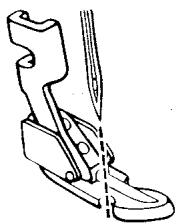
a
b
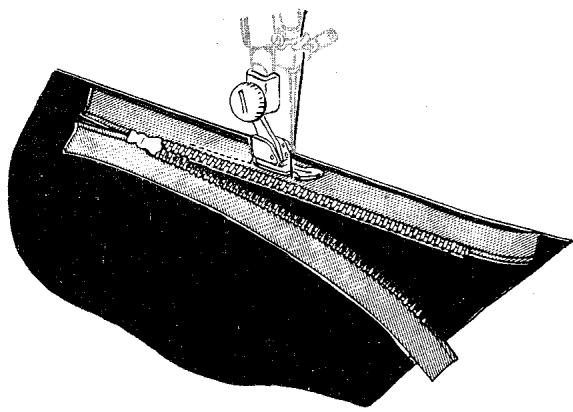
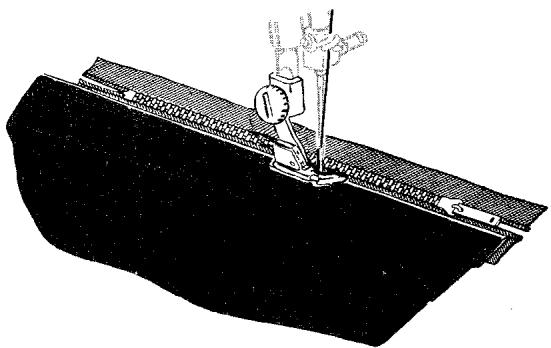
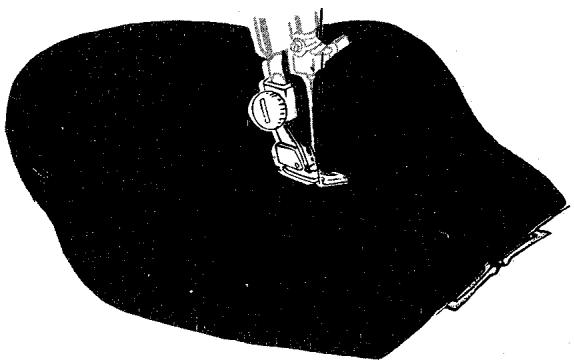
zippers
At your notions counter you will find many kinds of zippers which include detailed sewing instructions in the package. If you use the zipper foot, you will find it easy to form an even line of stitching close to the zipper.
STRAIGHT STITCH ZIPPER INSERTION INTO A SKIRT
- Stitch Pattern Selector: ( ) Straight Stitch
- Stitch Width Selector: 0
- Needle Position: Centre
- Stitch Length: 10 to 15
- Throat Plate: General Purpose or Straight Stitch
-
Presser Foot: Zipper Foot
-
When the zipper is to the right of the needle, adjust the zipper foot to the left of the needle, Figure a.
-
When the zipper is to the left of the needle, adjust the zipper foot to the right of the needle, Figure b.
-
Machine-baste the placket opening of the skirt and press this seam open.
- Attach the zipper foot to the machine and position it to the right of the needle.
- Open the zipper.
- Place the zipper face down on the seam allowance with the edge of the zipper teeth on the seam line.
- Turn the back seam allowance away from the body of the skirt.
- Stitch the zipper tape to the seam allowance.
- Adjust the foot to the left of the needle.
- Close the zipper and turn it face up.
- Smooth back the seam allowance at the edge of the zipper.
- Top stitch it to the tape close to the folded edge.
- Spread skirt flat and turn zipper face down over front seam allowance.
- Hand-baste zipper to skirt from wrong side, through zipper tape, seam allowance, and skirt front.
- Turn skirt right side out.
- Adjust zipper foot to right side of needle and stitch across the lower end of the zipper and up to the waistline, using the basting stitches as a guide.
- Remove hand and machine bastings. Press.
keeping up appearances
MENDING
Many of the zig-zag stitch patterns are just as useful for mending as they are for creative sewing. The Multi-Stitch Zig-Zag forms a firm, flexible bond for repairing tears and replacing elastic. The Oriental Leaf pattern (Fashion Disc 107) provides a stretchable zig-zag stitch for the repair of stretch and elasticized garments. Straight stitches that stretch, for seam repair and reinforcement, are produced by the Straight Feather Stitch (Fashion Disc 103) and the Fagotting Stitch (Fashion Disc 102) at 0 stitch width setting. The plain zig-zag stitch, which is a built-in stitch pattern, is useful for making bar tacks to repair lingerie.
Tears
Replacing Elastic
- When replacing waistline elastic use the same settings and accessories as for "Tears" above.
- Fit elastic for desired snugness at waistline, allowing one inch (25 mm) for joining. Lap the ends and join with multi-stitch zig-zag.
- Divide the elastic band and garment waistline into quarters. Lap the elastic over the fabric and pin the two together at these intervals. Place pins at right angles to the stitching line.
- Take a few stitches to anchor elastic to fabric, then hold the elastic taut as you stitch so that it will remain stretchable after stitching is completed.
Bar Tacks
Use the plain zig-zag stitch at satin stitch length to bar-tack garters, pockets, zippers, shoulder straps, etc.
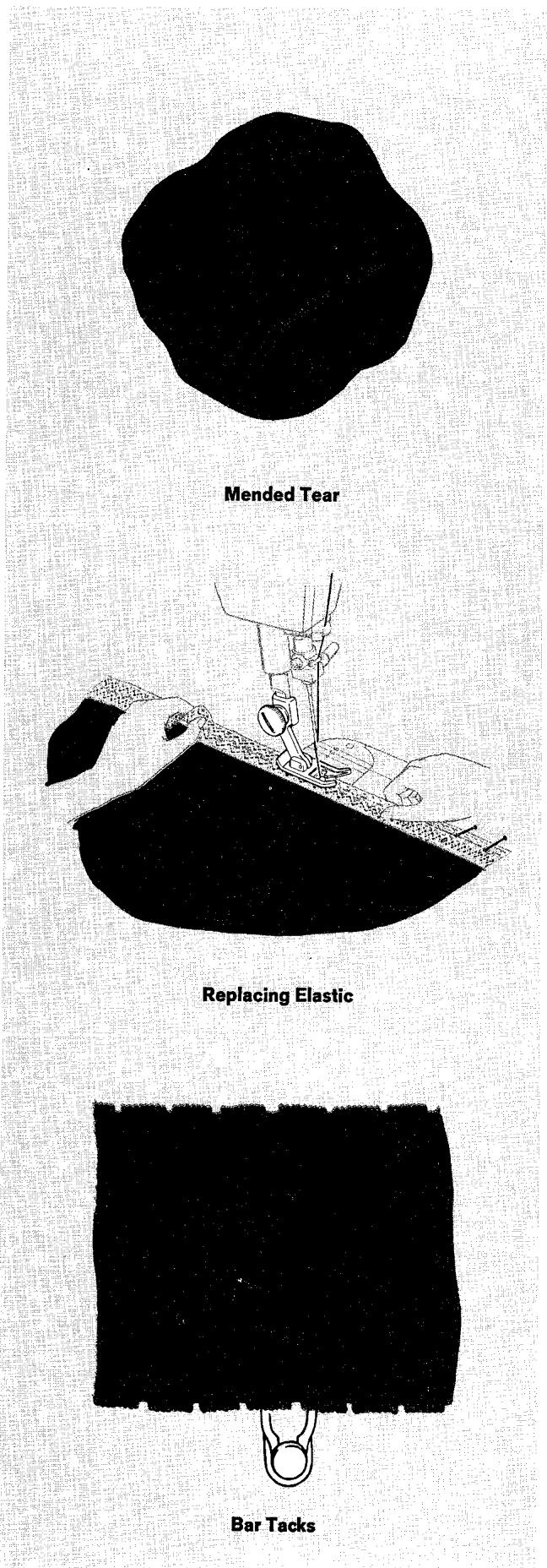
Blanket Binding
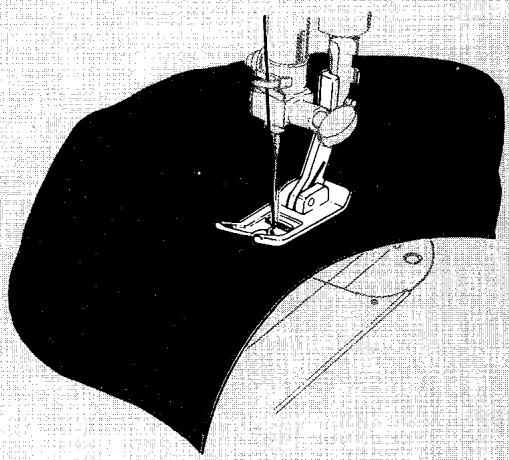
Seam Repair
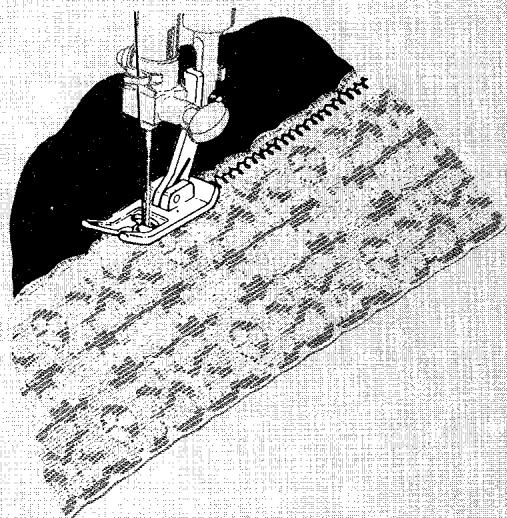
Stretch Garment Repair
BLANKET BINDING
Often you can make a blanket look almost new by replacing the binding. A basic zig-zag stitch pattern such as plain zig-zag or multi-stitch zig-zag may be used. Double Fashion Disc 107 is particularly suitable because it combines utility with beauty.
- Stitch Pattern Selector: Setting desired (see above)
- Stitch Width Selector: 5
- Needle Position: Centre
- Stitch Length: 15 to 20 for basic patterns
C to D for double discs
- Throat Plate: General Purpose
Presser Foot: General Purpose
-
Speed Range: MIN.
-
Make a sample first to determine the correct stitch setting. Reduce pressure (on pressure dial) and increase stitch length if necessary, so that blanket feeds freely. If you are using a double Fashion Disc, remember to equalize the design by adjusting stitch balance control.
- Remove worn binding and baste new binding securely in place.
- Stitch, and remove basting.
SEAM REPAIR AND REINFORCEMENT
Breaks in garment seams can be repaired quickly and easily when you use Fashion Disc 102. The reinforced straight stitch produced by this disc, at 0 stitch width setting, is both strong and flexible and is particularly useful for repairing or strengthening seams subjected to stress; ideal for knit and stretch fabrics.
- Make a test sample to check suitability of selector settings.
- Remove loose thread along the break and press seam edges together.
- Re-stitch broken area along original seam line, overlapping stitching 1 inch (25 mm) at each end.
- Press seam open if appropriate.
STRETCH GARMENT REPAIR
- Stitch Pattern Selector:
Fashion Disc: 103 or 107
- Stitch Width Selector: 3 to 5
- Needle Position: Centre
- Stitch Length: C or D
- Stitch Balance: Equalized
- Throat Plate: General Purpose
- Presser Foot: General Purpose
Seams in stretch garments retain their elasticity when stitched with double Fashion Disc 103 or 107. These stitch patterns build "stretch" into the seam as it is being sewn and are equally suitable when used to top stitch (as shown) or to overedge. Make a test sample to check selector settings, and to adjust the stitch balance control.
DARNING
Worn or torn spots on children's clothes, knits, and household linens can be darned effortlessly and quickly. You may darn in a number of different ways depending on the texture of your fabric, the size of the area to be darned, and the location of the worn or torn area.
When a quick reinforcement is needed, you can darn without any special accessories (method 1). Hard-to-reach garment areas (that cannot be placed in an embroidery hoop) can be darned effectively by the free-motion method when the darning and embroidery foot is used for fabric control (method 2).
For greatest stitch and fabric control or if the area to be darned is large and open, free-motion darning with an embroidery hoop and the darning and embroidery foot is recommended. Turn to page 53 for specific instructions.
Method 1
Darning without Accessories
- Stitch Pattern Selector: ( ) Straight Stitch
- Stitch Width Selector: 0
- Needle Position: 1 Centre
- Stitch Length: 10 to 15
- Throat Plate: General Purpose
-
Presser Foot: General Purpose
Pressure Dial: D
-
If area to be darned is open, baste an underlay in place and position area under presser foot.
- Lower presser foot and start stitching, alternately drawing fabric toward you and pulling it gently away from you.
- Continue this forward and backward motion as you fill the area with parallel lines of stitching.
- For additional strength, cover area with crosswise lines of stitching.
Method 2
A slow movement of the fabric will produce a short stitch; more rapid movement lengthens the stitch. Use fairly long stitches when darning knits to keep the area smooth and flexible. Short stitches are best for cottons and linens as they approximate the weave of the fabric.
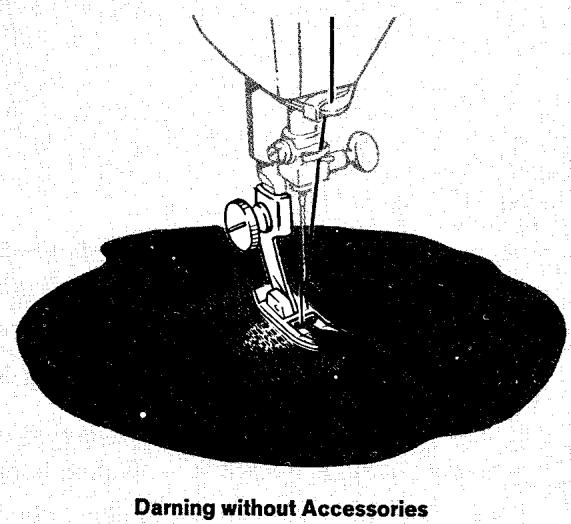
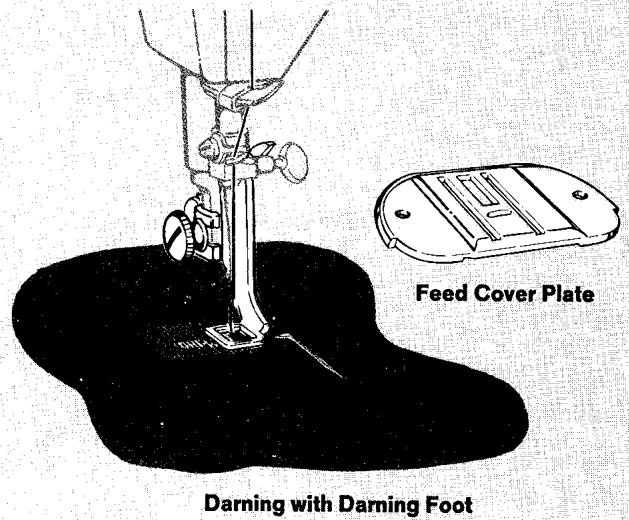
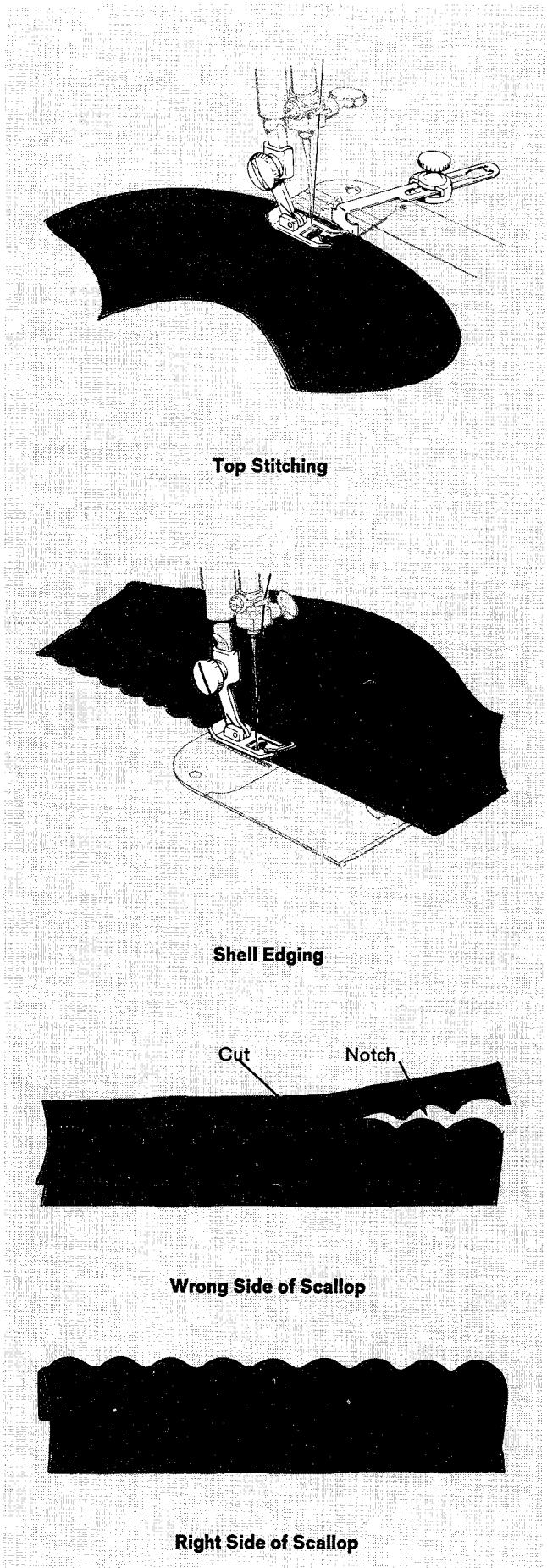
decorative touches
TOP STITCHING
A practical, simple way to accent the lines of a dress or coat is to place one or more rows of stitching along collars, lapels, facing edges, pockets, seams, etc. For a tailored look, use lines of plain straight stitching. For decorative interest, use a stitch pattern or flexible straight stitching produced by Fashion Disc 102. The seam guide will help you place the rows accurately. (See page 17 for instructions on attaching guide.)
SHELL EDGING
- Stitch Pattern Selector: ( v-vv) Blindstitch
- Stitch Width Selector: 3 through 5
- Needle Position: Centre
- Stitch Length: 12 to 20
- Throat Plate: General Purpose
-
Presser Foot: General Purpose
-
Make a test on a sample of your fabric to find the right thread tension, stitch length, and stitch width.
- Place folded hem (basted, if necessary) or bias -fold under presser foot, with hem or fold toward the left.
- Stitch slowly, guiding fabric by hand so that the sideward stitches do not pierce the folded edge.
SCALLOPING
Scalloping adds interest to blouses, dresses, lingerie, and children's clothes. Scallops will be perfect in form and evenly spaced when you use the scallop stitch.
Scalloping - Using the Circular Stitcher
You can vary the widths and depths of scallops by using the circular stretcher. Scallop width is determined by gauge setting (from 2 inches to 10 inches = 5 - 25 cm across), and proportionate scallop depth is controlled by guideline placement. Scallops outlined with zig-zag satin stitching or faced straight stitch scallops make excellent edge finishes.
Preparation
Remember to test your design beforehand and to use a backing on your fabrics.
- Baste a guideline on fabric for pivot pin placement. Scallops less than "half circle" depth require the addition of a stitching guideline below the pivot pin basting; scallops more than "half circle" depth require a stitching guideline above the pivot pin basting.
- Mark centre of first scallop at right end of pivot pin basting.
- Set machine for stitch desired (straight, or zig-zag satin stitching, or decorative stitch pattern). Use appropriate presser foot.
To stitch a scallop
- Insert pivot pin through fabric at centre marking for first scallop. Cap pivot pin.
- Swing fabric under presser foot and position needle on stitching guideline to right of pivot pin.
- Lower presser foot and stitch; stop when stitching reaches guideline.
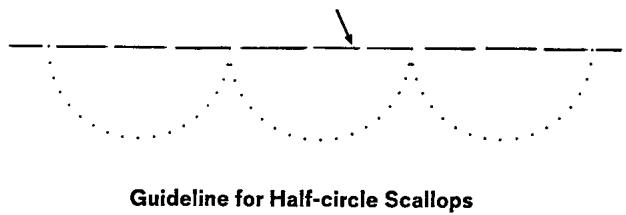
Pivot Pin and Stitching Guideline
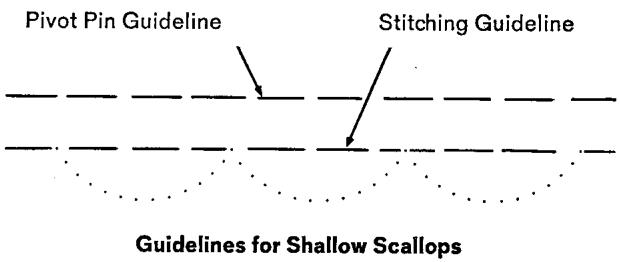
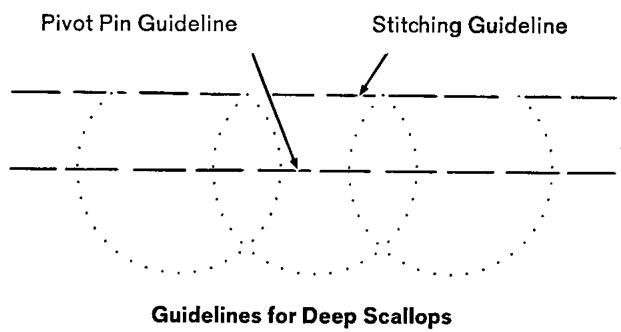
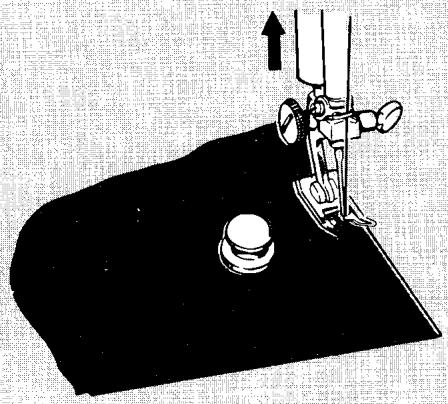
Straight Stitched Scallops for a Faced Edge
Insert Pivot Pin and Position Needle
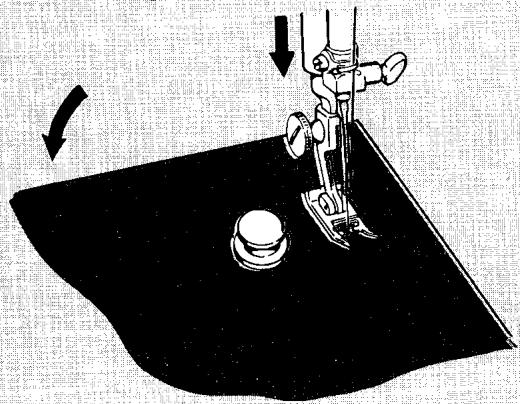
Stitch to Guideline
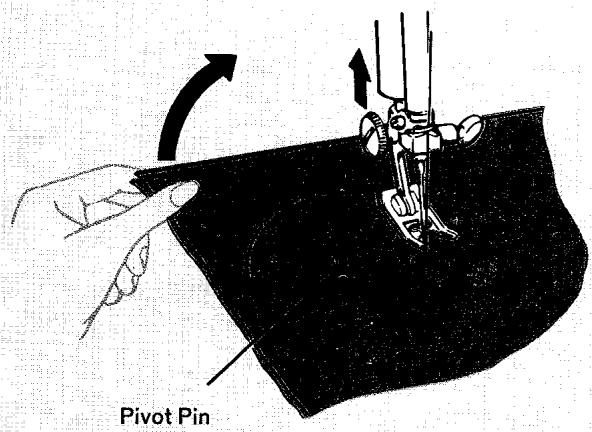
Remove Fabric from Pin and Pivot
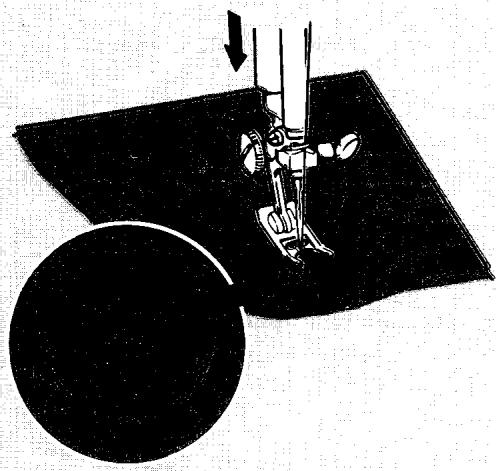
Take One Stitch and Pivot
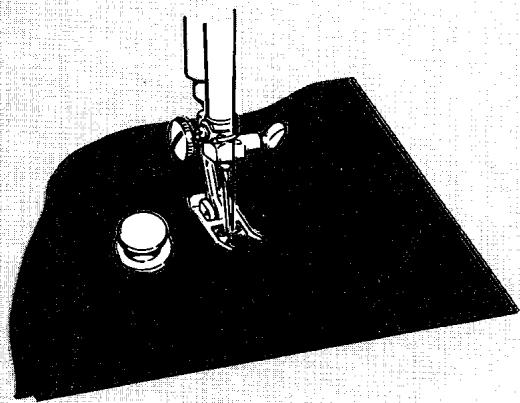
Start Second Scallop
- Leave needle in fabric, raise presser foot and remove fabric from pivot pin.
- Pivot fabric on needle in a clockwise direction and re-position pivot pin on pivot pin guideline to left of needle. Lower presser foot and stitch second scallop.
Repeat procedure, working from right to left across the work, positioning pivot pin and starting and ending stitching on their guidelines.
When scallops are formed with zig-zag stitching, the needle should be on the right side of the zig-zag swing when work is pivoted.
When scallops are straight stitched, as for a faced edge, remove fabric from pivot pin and take a single stitch across the base of each scallop before pivoting the work so that the corners between the scallops can be clipped and turned readily.
After stitching, finish work appropriately.
TWIN-NEEDLE CIRCULAR DESIGNS
Circular stitching and twin-needle stitching may be combined to produce an infinite variety of decorative touches, such as the straight-stitch sample illustrated. Simply follow the instructions for twin-needle stitching beginning on page 42 and basic instructions for circular stitching on page 55.
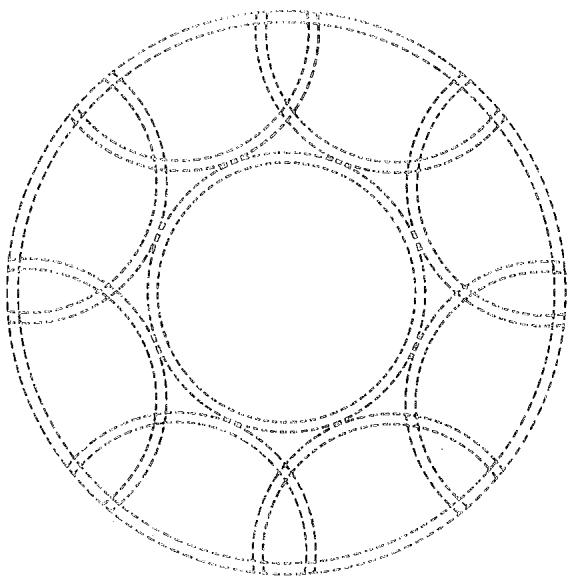
FAGOTTING
- Stitch Pattern Selector:
Fashion Disc: 102
- Stitch Width Selector: 5
- Needle Position: Centre
- Stitch Length: D
- Stitch Balance: Equalized
- Throat Plate: General Purpose
- Presser Foot: General Purpose
- Speed Range: MIN.

The art of joining two fabric pieces with a decorative insertion stitch is called "Fagotting". You can create the attractive open, lacy trim with Fashion Disc 102. Use it to join seams or for fagotting strips of fabric together to make an attractive garment section.
- Turn under, and hem by slipstitching, the raw edges of the fabric strips to be joined. Then press fabric.
- Stitch, guiding the two fabric strips under the centre of the presser foot a bare 18 inch (3 mm) apart. Allow the needle to alternately make one stitch in each fabric strip and two stitches in the centre of the opening.
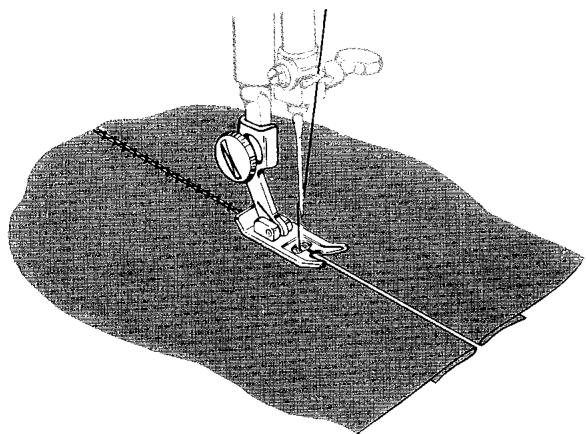
Fagotting
LACE INSERTION
Fine (Valenciennes) lace insertion and edging add a feminine touch to blouses, dresses, lingerie, and children's wear. Such trimming can be made decorative and durable when applied with Paris Point hem-stitching. Be sure to use a large size needle (size 18) and a fine mercerized thread to enhance the hem-stitched effect.
- Stitch Pattern Selector:
Fashion Disc: 101
- Stitch Width Selector: 2
- Needle Position: Centre
- Stitch Length: C or D
- Stitch Balance: Equalized
- Throat Plate: General Purpose
- Presser Foot: General Purpose
- Speed Range: MIN.
Insertion
- Mark position of lace on fabric and baste lace in position.
- Stitch, guiding work under needle so that the straight stitches fall along the edge of the lace (in the fabric and the crosswise stitches over the lace edge.
- Trim fabric away under lace insertion after stitching both edges.
Edging
- Baste lace in place over fabric, with edge to be stitched at least 12 inch (12 mm) in from edge of fabric.
- Stitch and trim as for insertion above. If lace edging is to be applied to a curved edge, draw thread in upper edge of lace and adjust fullness to fit curve.
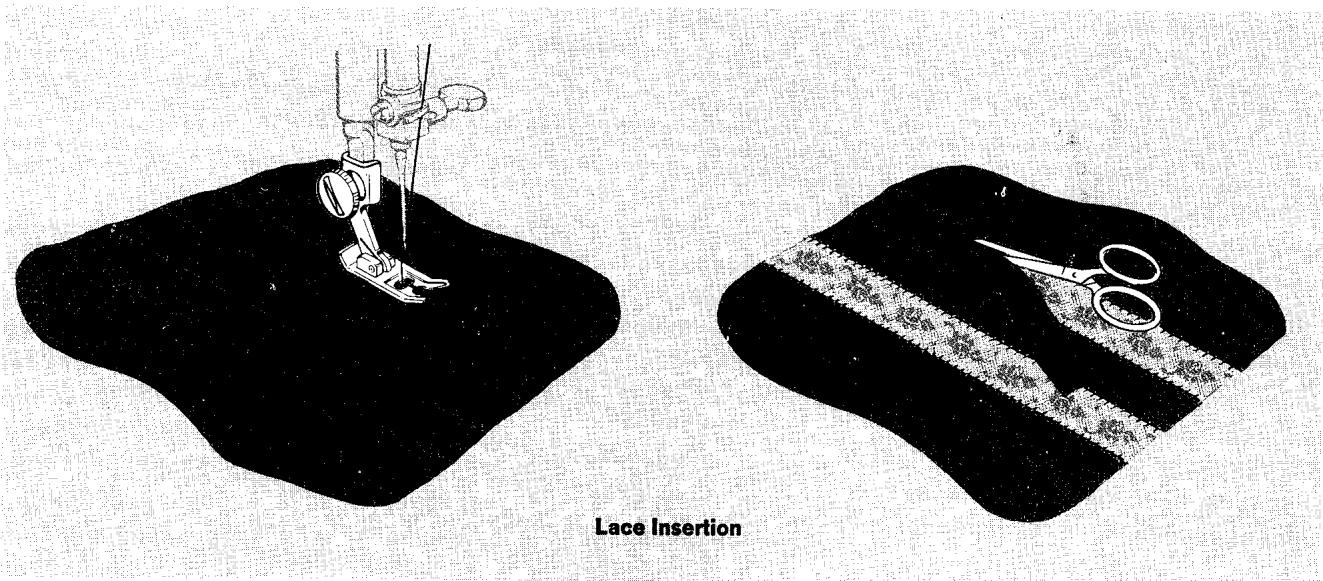
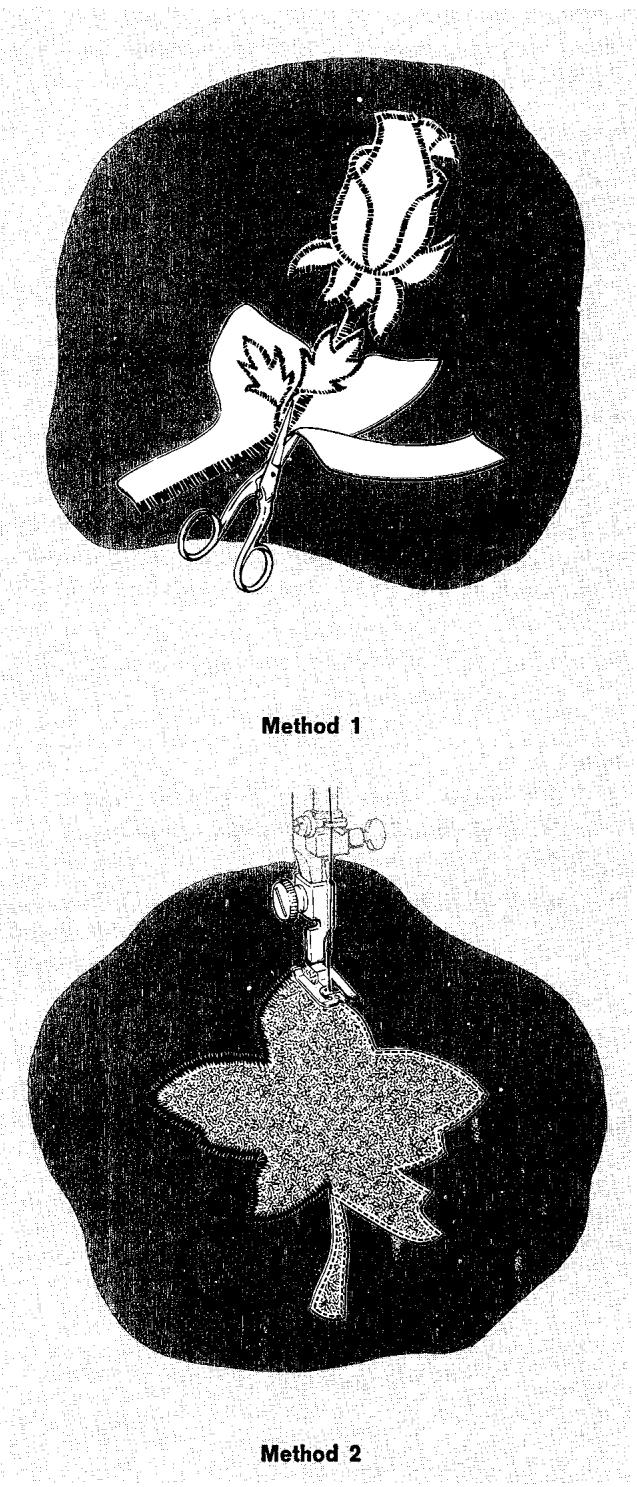
APPLIQUE
Applique adds beauty and interest to clothes and household items. Either contrasting or self fabric can be used effectively.
The stitch most commonly used in appliqueing is a plain zig-zag stitch, closely spaced to form a satin stitch. The width of this stitch can be varied to accommodate fabrics of different weaves and textures.
Single and double Fashion Disc patterns and combination patterns can also be used to applique with decorative stitching. Circular stitching also lends itself to applique and you will find an interesting treatment of this on page 92.
To prepare for appliqueing, make a sample to help you decide which of the following two methods is the most appropriate for your fabric and design.
- Position the design
- Baste it to the fabric
- Attach special purpose presser foot (and general purpose throat plate)
Method 1
- Set stitch pattern and stitch width selector for desired applique stitch. Set stitch length selector above 20 to produce a closely spaced stitch.
- Outline the entire design with applique stitching.
- Trim any excess fabric on the outer edges of the stitching. Remove basting.
Method 2
- Adjust selectors for straight stitching.
- Outline the entire design with a short stitch.
- Trim raw edges to the stitching and remove bast ing.
- Readjust selectors for stitch pattern and stitch width desired, and set stitch length selector above 20 to produce a closely spaced stitch.
- Stitch, following the straight stitch outline. This step will produce a smooth over-edged finish, with no raw edges to be trimmed after stitching.
Cored Applique
Cored applique, which gives a raised, three-dimensional effect, is a particularly attractive finish for lace applique.
Follow Method 1 or 2, as previously described, but first insert a cord of crochet thread, or buttonhole twist into the right eyelet on the special purpose presser foot, as instructed under "Inside Seams", page 70.
Hemstitched Applique
Designs applied with Paris Point or Turkish hem-stitching are particularly beautiful. Especially effective on closely woven, smooth textured, and sheer fabrics when a fine thread and large machine needle are used to emphasize the hemstitched effect.
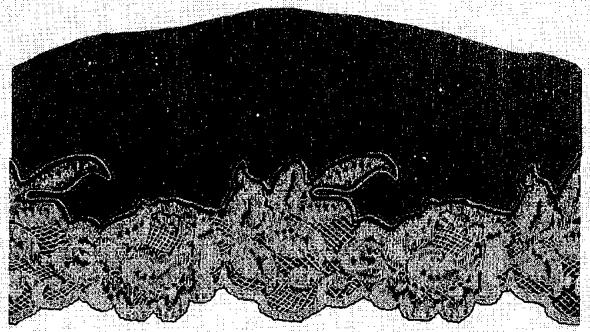
Cored Lace Applique
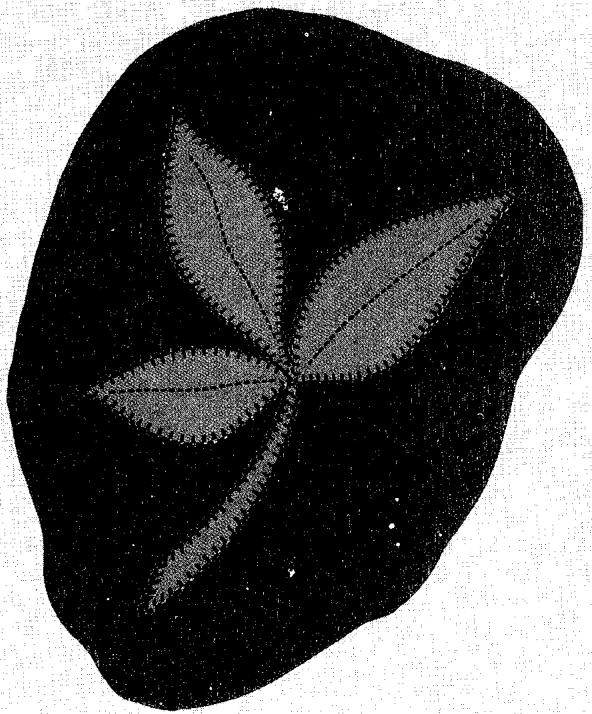
Hemstitched Applique
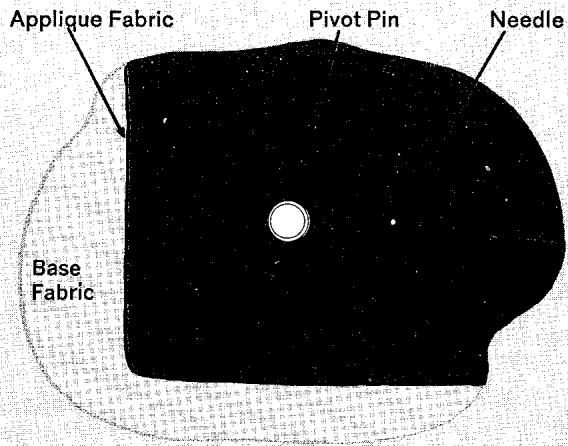
First Circle Completed
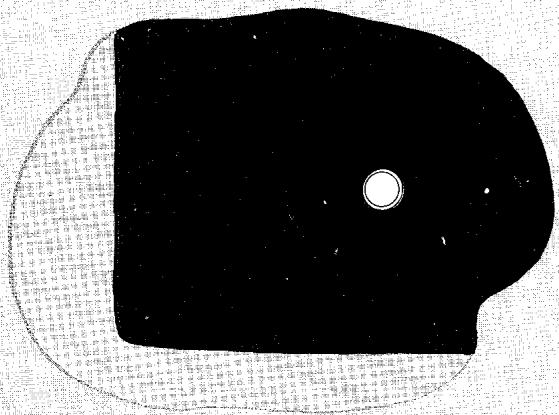
Second Circle Completed
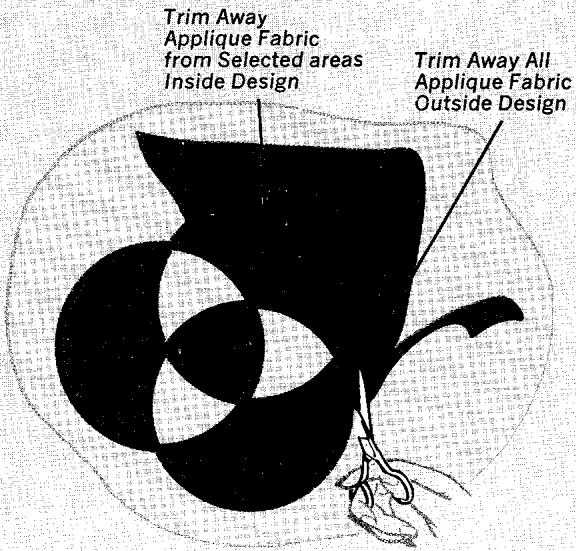
Trimming Completed Design
Applique with the Circular Stitcher
Interesting effects can be created when fabric is appliqued in a series of interlocking circles and trimmed to give contrast and depth. The fabric chosen for applique should be different from the base fabric in color, texture, or weave. Use the circular stretcher with the machine settings and accessories recommended for applique method 1 on page 90. See page 55 for instructions on attaching and using the circular stretcher.
Preparation
Remember to test your design beforehand and to use a backing on your fabric, or place it in a hoop.
- Cut applique fabric large enough to accommodate entire design.
- Mark location of centre of first circle on base fabric.
To applique
- Insert pivot pin through base fabric at centre of circle mark; place layer of applique fabric over pivot pin and cap pin.
- Stitch complete circle through both fabric layers.
- Position pivot pin anywhere on edge of first circle; stitch second circle.
- Locate pivot pin where circles overlap and stitch third circle.
- Trim away all applique fabric on the outer edge of the three circles.
- Trim away applique fabric layer from selected areas inside the circles to give form to the design.
Trim close to stitching, taking care not to damage base fabric underneath while trimming applique layer.
MONOGRAMS AND MOTIFS
Many of the decorative stitch patterns can be used for monograms or motifs — for adding a personal touch to a blouse collar, for example, or for initialing household linens. You can buy designs — or create them yourself to suit the stitch patterns you wish to use.
Very simple line monograms (illustration A) can be made with double disc straight stitching (Fashion Disc 102) and elaborate motifs created by arranging individual pattern units to form a design (illustration B and C).
For detailed information on zig-zag stitch patterns and their selector settings, turn to page 30.
- Make a sample first to determine the suitability of the stitch pattern and to find the right presser foot, stitch length, stitch width, thread tension, and pressure adjustment.
- Transfer the design (by tracing, usually) to the right side of the fabric.
- If the fabric is soft or loosely woven, baste a backing of lawn or organdy onto the wrong side.
- After stitching, trim the backing close to the stitching.
Finding the Beginning of the Pattern Unit
When you use decorative stitch patterns in a motif, always start stitching at the beginning of a pattern unit - that is, at the beginning of the pyramid, ball, or whatever pattern you are using. To find the beginning:
- On a scrap of material, stitch until you come to the end of a complete pattern unit. Now you are ready to start stitching at the beginning of the next unit.
- Raise presser foot and remove scrap.
- Position motif under needle; lower presser foot; and stitch.
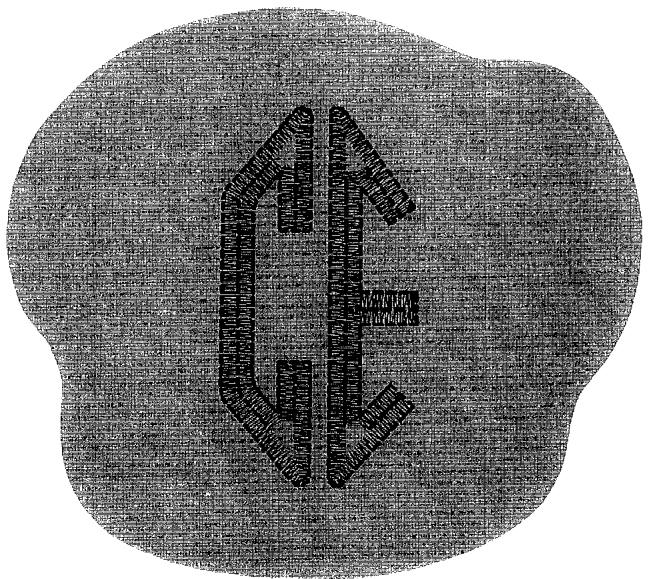
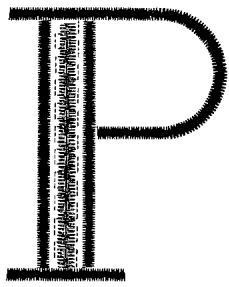
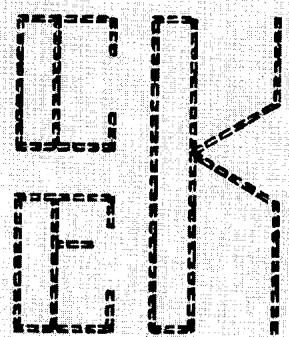
A
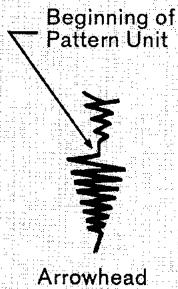
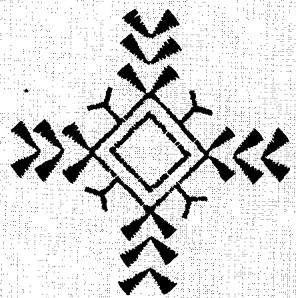
B
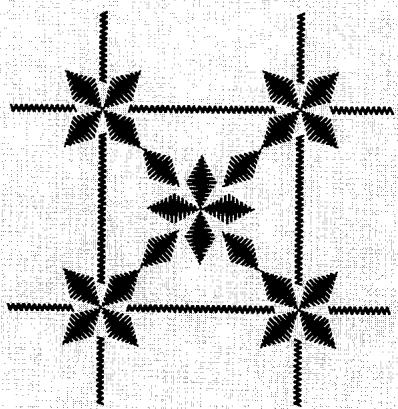
C
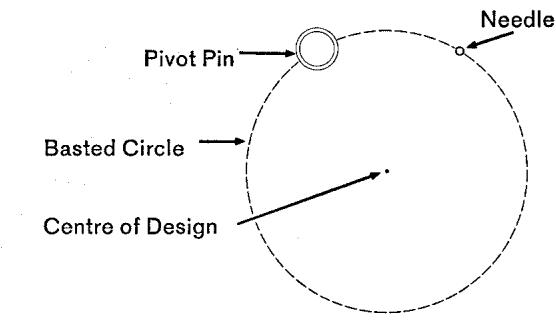
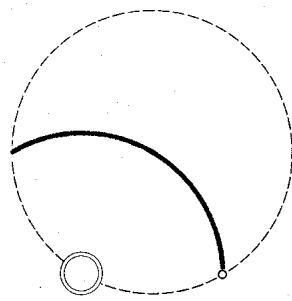
First Line of Stitching Completed
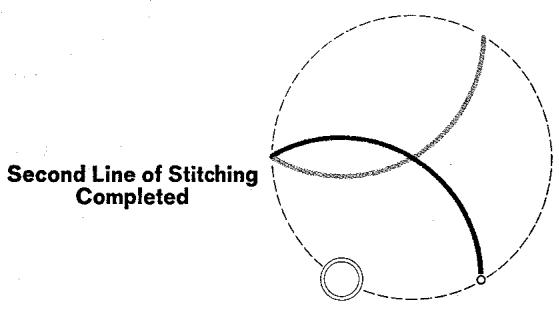
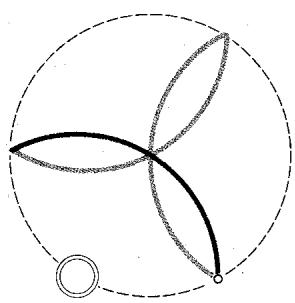
Third Line of Stitching Completed
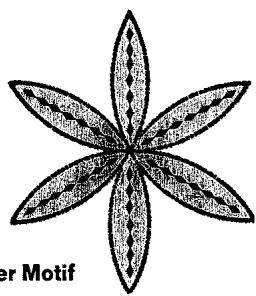
Six-Petal Flower Motif
Flower Motifs made with the Circular Stitcher
Geometric flower motifs, 2 to 10 inches (5-25 cm) across, can be made by using the circular stretcher Designs are based on the repeat of a simple three-petal figure. Basic shapes can be given dimension with fabric applique and additional interest with stitch pattern decoration (as illustrated).
Preparation
Remember to test your design beforehand and to use a backing on your fabric.
- Mark the location of the flower centre on the right side of the fabric.
-
Machine baste, using the straight stitch setting at 6 stitch length, a circle of foundation stitching of the size desired for the flower. Hand baste the circle if your fabric retains needle punctures.
-
Stitch Pattern Selector: ( WWWWW ) for zig-zag satin stitching. See page 30 for decorative stitch settings
- Stitch Width Selector: 2-3 for zig-zag satin stitching
2 through 5 for decorative stitches
- Needle Position: Centre
- Stitch Length: Above 20
- Throat Plate: General Purpose
- Presser Foot: Special Purpose
- Circular Stitcher
To stitch petals
- Set machine for zig-zag satin stitching.
- Insert pivot pin at any point on the basted circle and cap pin.
- Swing fabric around (clockwise) under presser foot and position needle at edge of circle; lower presser foot and stitch in an arc across the circle ending at the basted circle line.
- Leave needle in the fabric (on the right zig-zag swing) where stitching meets the circle; raise presser foot and remove fabric from pivot pin.
- Rotate work on the needle in a clockwise direction and reposition pivot pin on edge of circle. Recap pin, lower presser foot and stitch across circle again. Repeat steps 4 and 5 until a three-petal motif is completed.
- The same three-petal figure is repeated to make six-petal and twelve-petal designs. After each three-petal sequence is completed, the pivot pin is positioned at the end of the previously stitched petal.
- Remove circle of basting and press.
SMOCKING
Smocking is a technique which uses embroidery stitches to control fabric fullness. It is particularly effective when used for a yoke section, insert or band on baby, toddler, and little girls dresses.
Hand-worked smocking is a time consuming process. However, the heavy-stitched look, which is characteristic of hand work, can be simulated with your machine quickly and easily. The double Fashion Disc patterns are especially effective when used in the following way.
- Space rows of shirring or gathering evenly on the crosswise grain of the fabric using matching thread.
- Adjust gathers evenly for the amount of fullness desired.
- Stitch over and between rows of shirring with decorative stitching. Create your own design or adapt the one illustrated which makes effective use of double Fashion Disc Ric-Rac (No. 102), Fagotting (No. 102), and Star (No. 105) patterns. Use thread that contrasts with or matches your fabric depending on the effect desired.
Always make a test sample to check stitch settings using the same fabric and degree of fullness you plan for your garment.
PATCHWORK QUILTING
- Stitch Pattern Selector:
Fashion Disc: 102
- Stitch Width Selector: 5
- Needle Position: Centre
- Stitch Length: C or D
- Stitch Balance: Equalized
Pressure Dial: Light
- Throat Plate: General Purpose
- Presser Foot: General Purpose
- Speed Range: MIN.
Patchwork quilts, formerly put together with hand stitching, can be quickly pieced and decorated at the same time when the Fagotting Stitch is used. Joinings are both flexible and durable when this method is used.
Procedure:
- Baste a light padding of cotton flannel or sheet wadding to a backing of cotton fabric.
- Prepare patches, turning under 14 inch (6 mm) seam allowance.
- Baste patches to padding in arrangement desired, butting all edges.
- Stitch in lengthwise and crosswise rows, allowing stitching to straddle two patches.
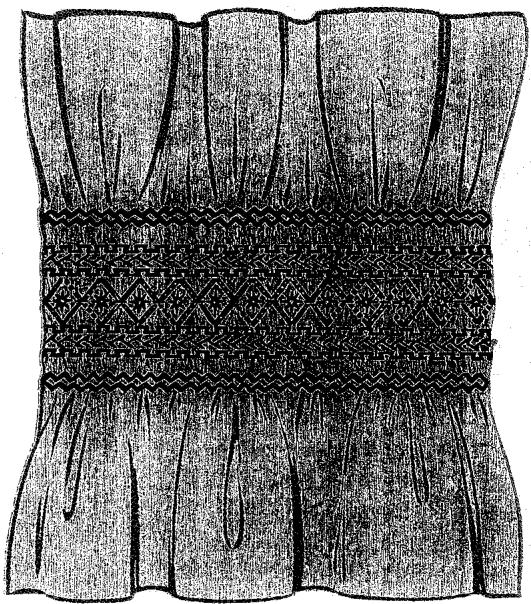
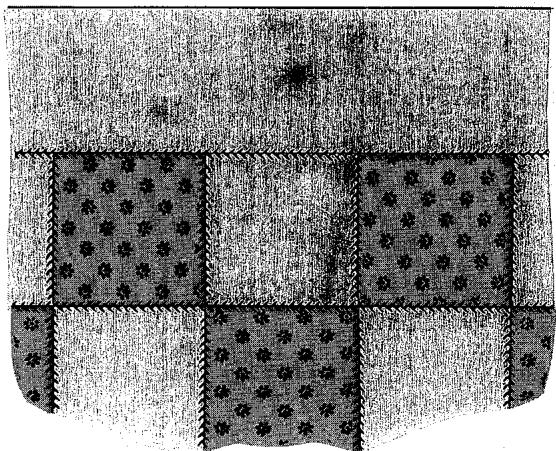
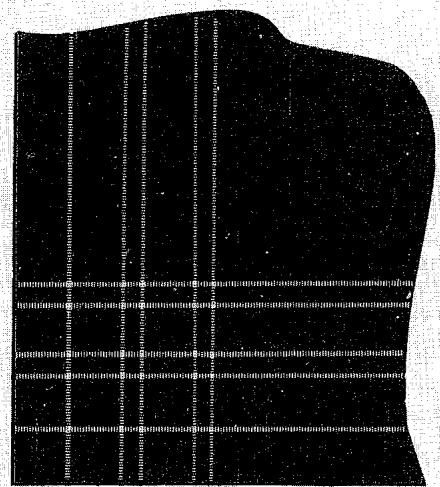
A
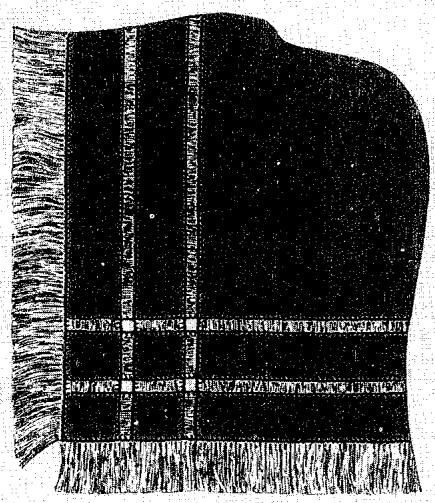
DRAWN THREAD WORK
- Stitch Pattern Selector:
Fashion Disc: 101
- Stitch Width Selector: About 2
- Needle Position: Centre
- Stitch Length: D
- Stitch Balance: Equalized
- Throat Plate: General Purpose
- Presser Foot: General Purpose or
Special Purpose
- Speed Range: MIN.
Drawn thread work is the simple but effective technique of removing crosswise and lengthwise threads from plain weave fabrics and pulling the remaining threads together with decorative stitching. Usually done by hand, this kind of embroidery can be done quickly and easily by machine when you use Paris Point hemstitching. Use it to add textured interest to table linens, dresses, and blouses.
- Choose a linen or linen-like fabric from which threads can be easily removed.
- Use a size 18 needle and fine sewing thread.
- Draw one (or more) threads to define each edge of drawn work band, as illustrated (A).
- Stitch along drawn thread on left and right sides of band, placing and guiding fabric under the needle so that the straight stitches are made in the drawn thread channel and the sideward stitches (or points) in the body of the fabric outside the drawn work band. If the fabric is soft, it is advisable to stitch through an underlay of tissue paper.
- After all stitching is completed, draw out threads between rows of stitching to form open work bands. At corners, where stitching intersects threads to be drawn, cut threads close to stitching before drawing them out.
10. Tubular Bed Sewing
In this section you will find illustrations of ideas where the tubular bed of your machine will be an aid to your sewing skill. The tubular construction of the bed is ideal for stitching cuffs and sleeves, decorative bands, and other tubular areas.
Remove cloth plate, as instructed on principal parts page, and use your machine in the conventional manner.
decorative bands
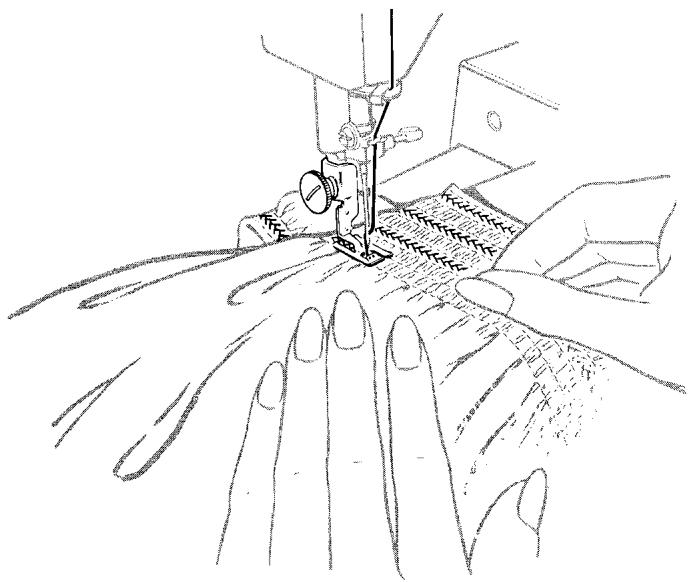
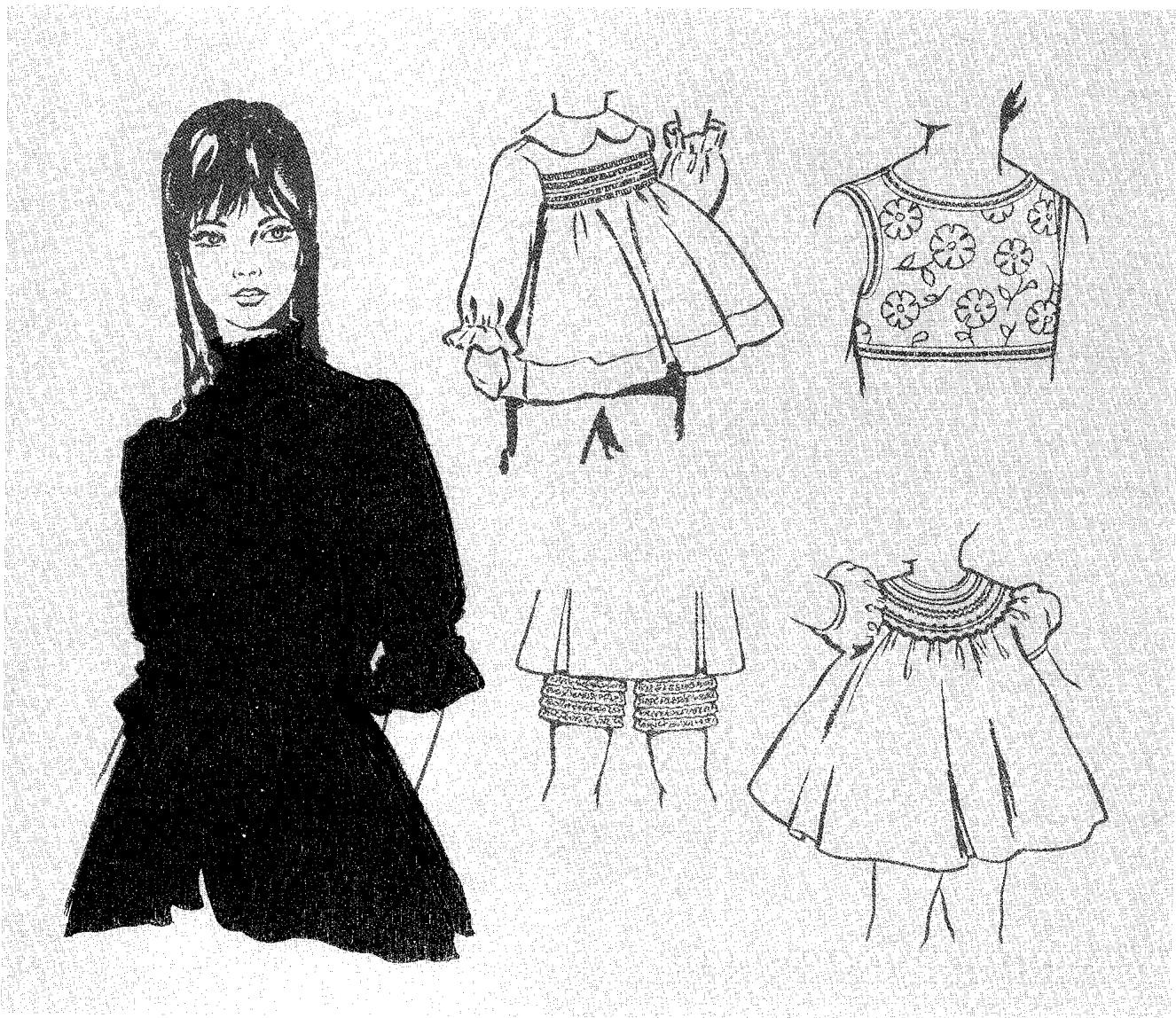
shorts and slacks
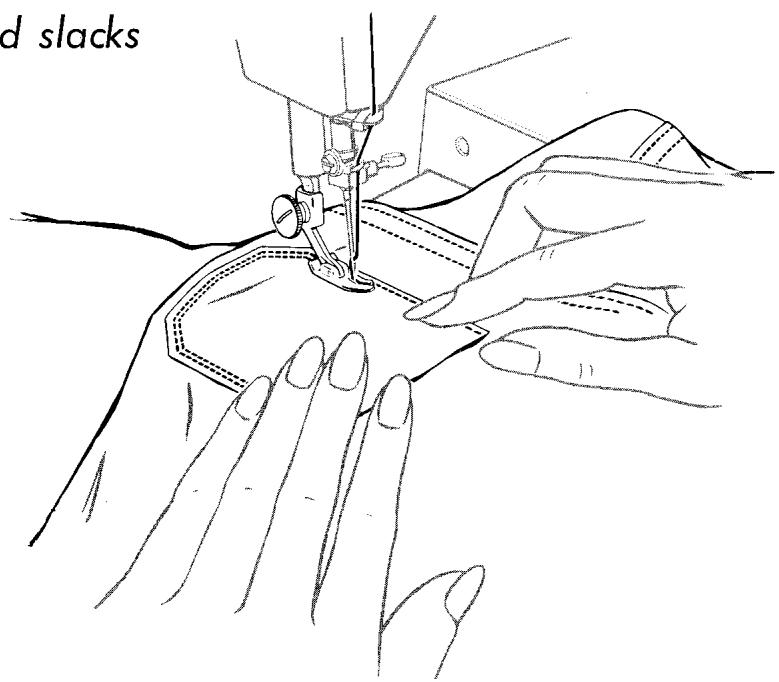
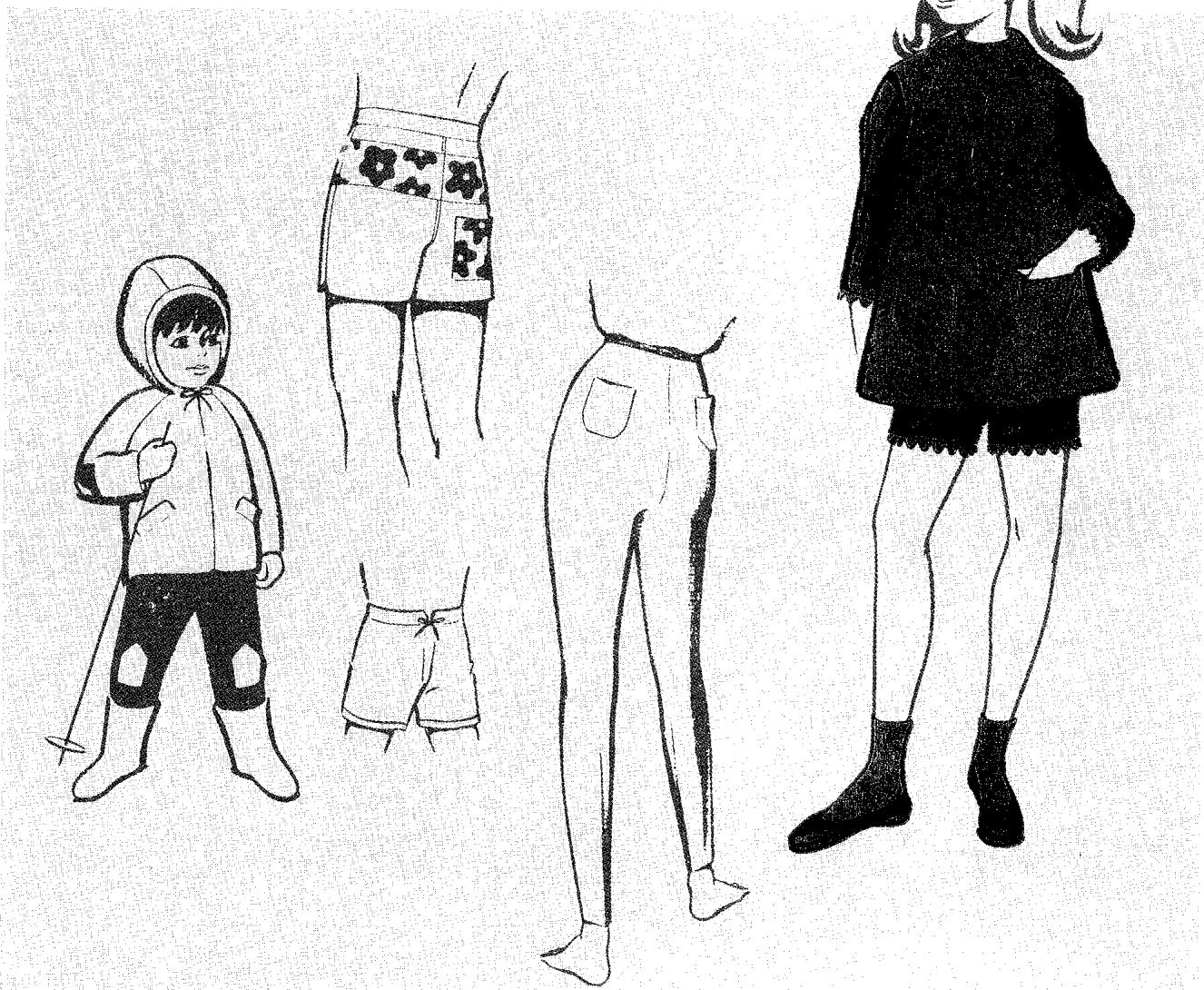
top stitching
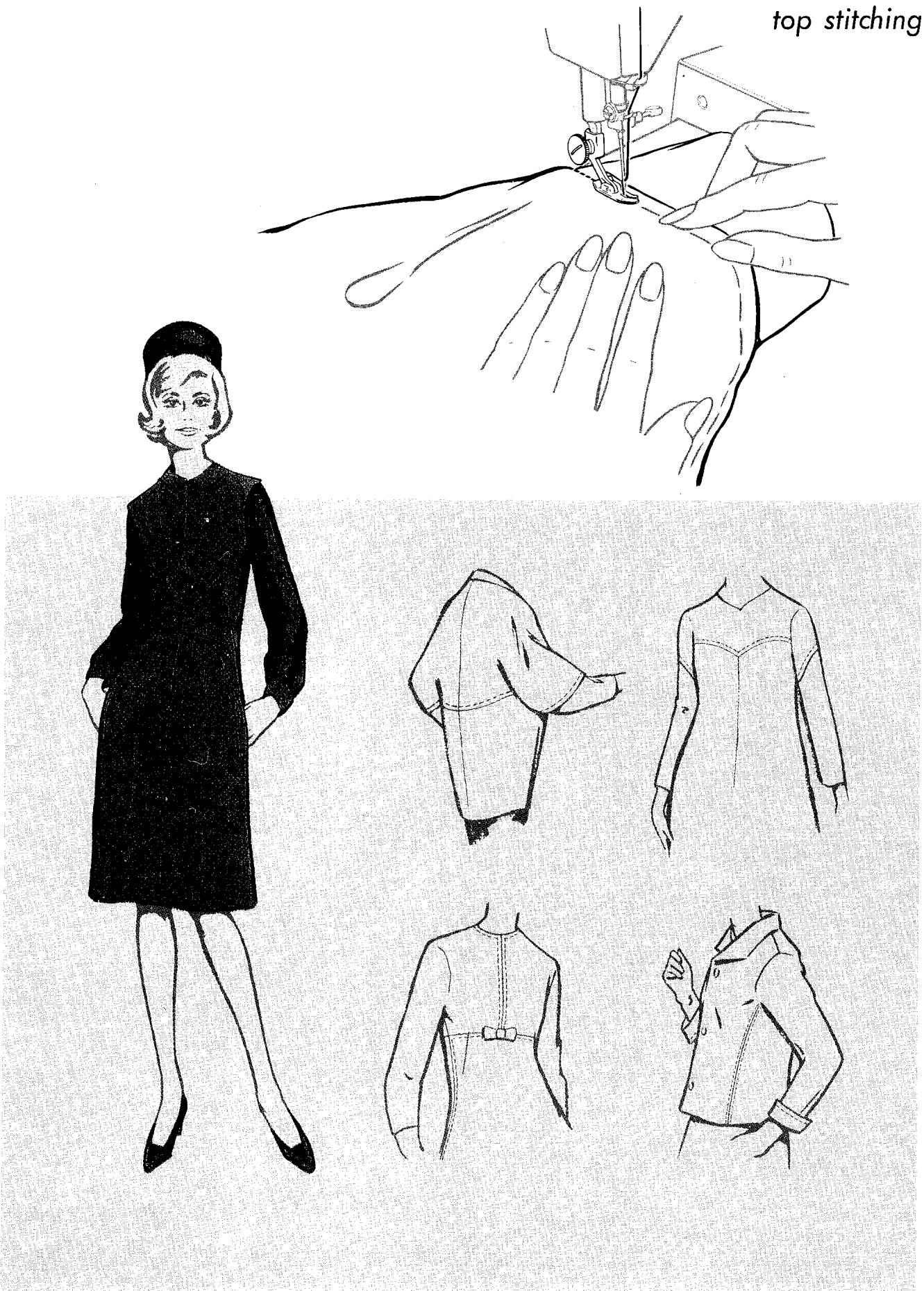
cuffs and sleeves
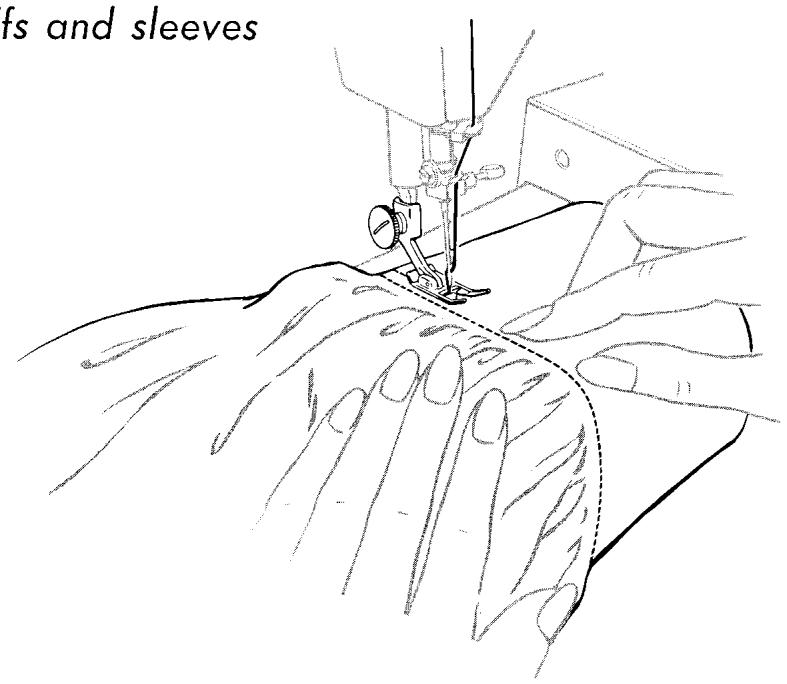
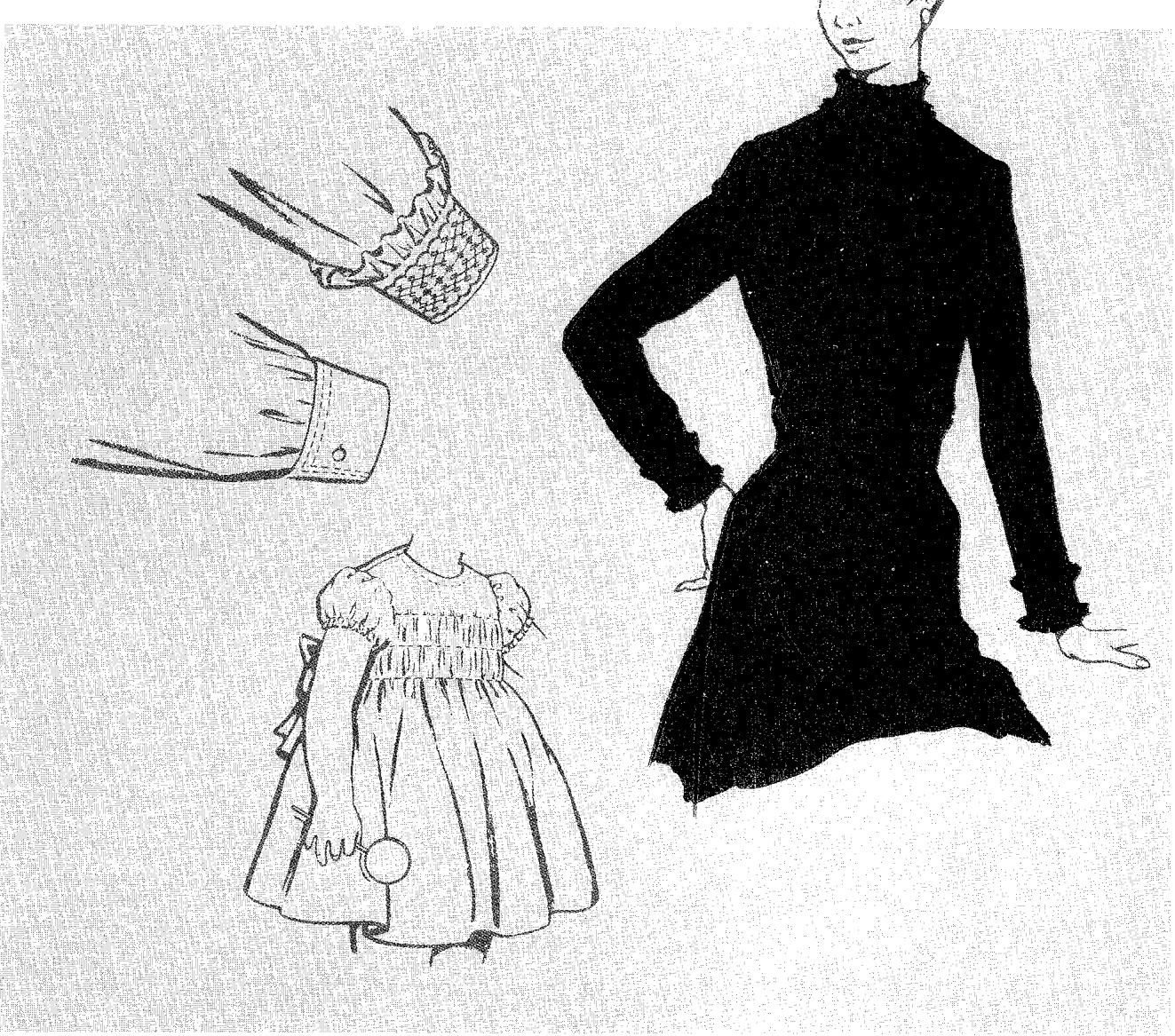
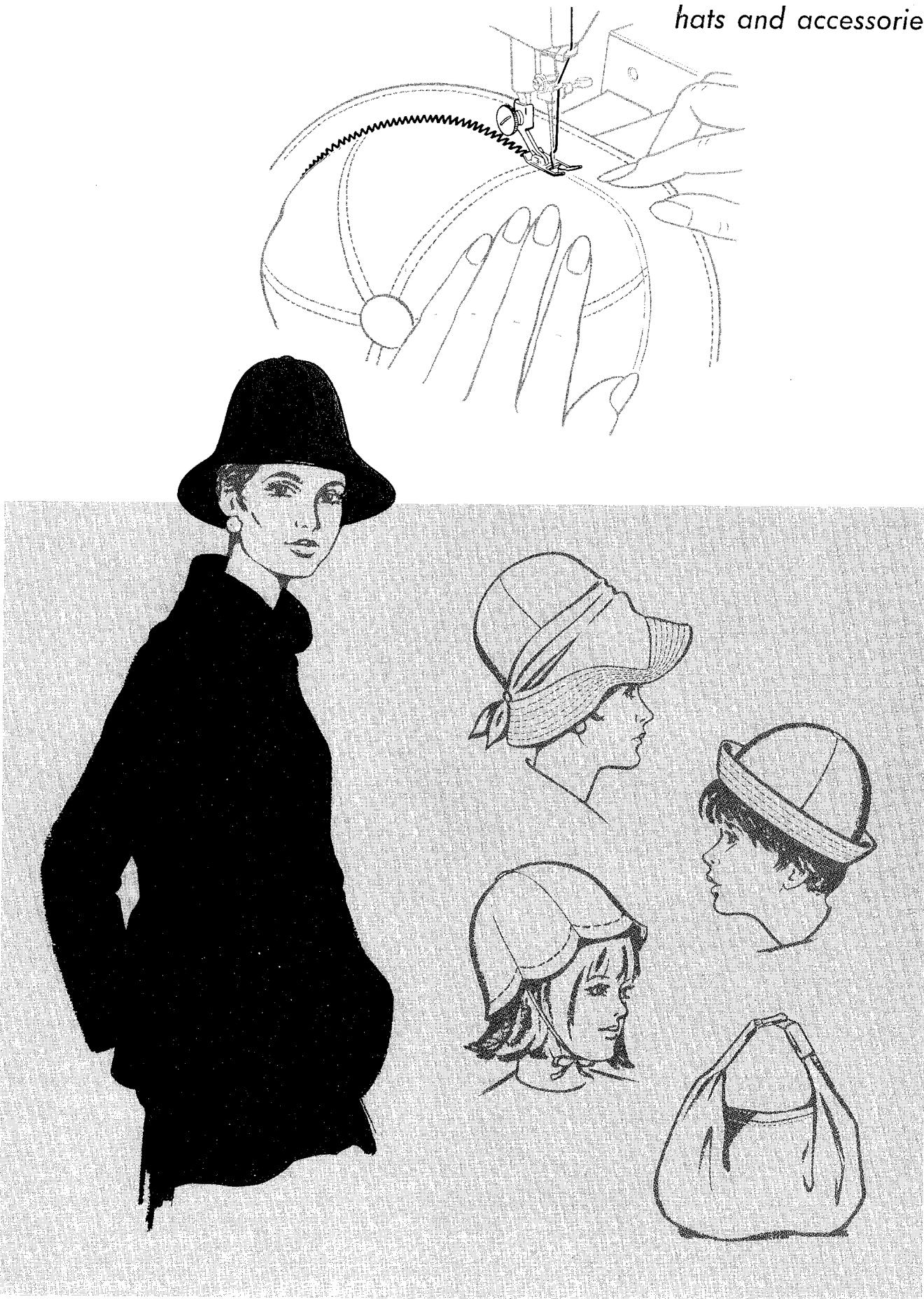
slip covers and pillows
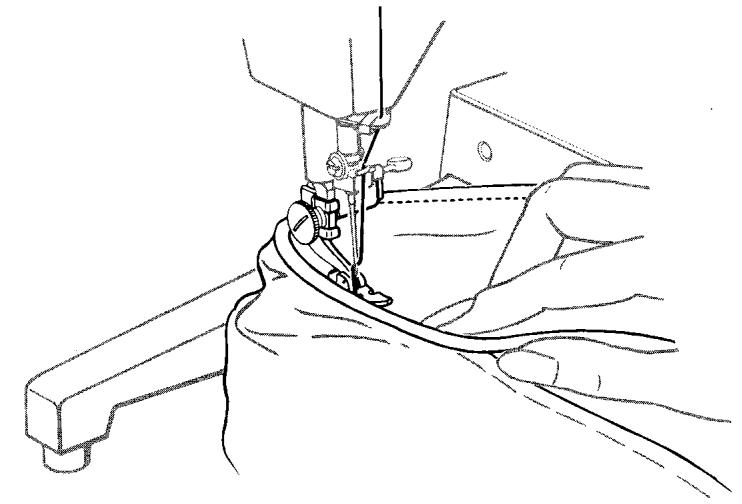
11. Caring for Your Sewing Machine
cleaning, oiling, and lubricating the machine
How often you will need to clean, oil, and lubricate your machine will depend on how often you use it and where you keep it. The following general guidelines assume that you will be sewing two or three times a week. But if you use the machine continuously, clean and oil it daily. Or if you keep it in a very warm or damp place, oil and lubricate it more frequently than the guidelines suggest.
EVERY WEEK OR SO
Remove lint or fluff from exposed parts.
With a soft cloth, clean:
Tension Discs A
Take-up lever and thread guides B
- Presser bar and needle bar C
- Bobbin case D (for instructions on removal, see next page).
Machine arm and bed
If necessary, dampen the cloth to clean the machine surface. Do not use detergents.
With the lint brush that comes with your machine, clean:
- Feed dog E
- Throat plate seat F
- Rotating hook G (area under throatplate and slide plate)
After each cleaning, apply a drop (but no more than a drop) of SINGER* Oil to the areas indicated. Then sew a line of stitching on a scrap of material to remove excess oil.
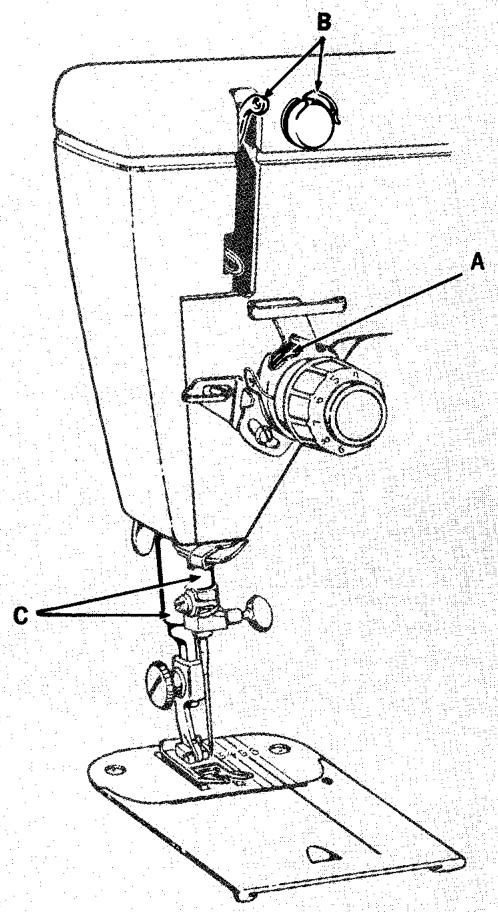
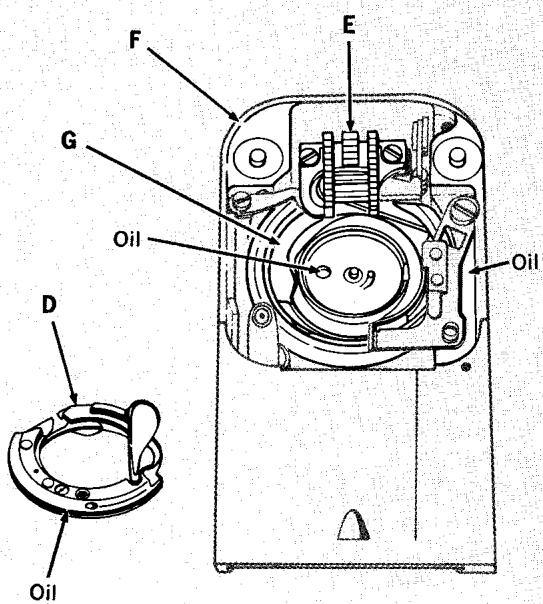
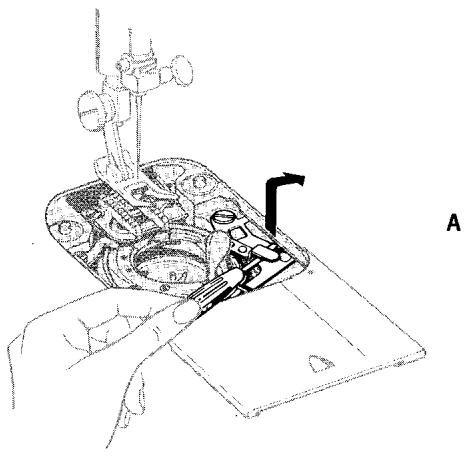
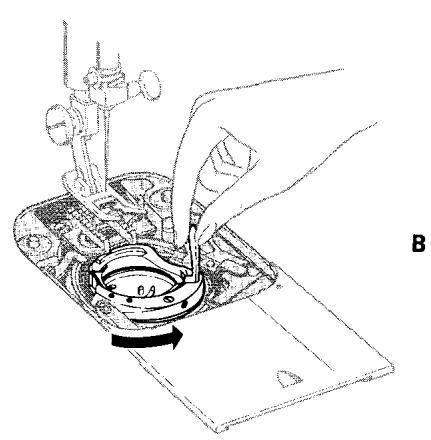
Removing the Bobbin Case
Make sure needle is above the throat plate
A. Open slide plate and remove throat plate (see page 18 for instructions). Remove bobbin. Keep bobbin push-button in sewing position. To unlock bobbin case, lift position bracket (at right of case) with a small screwdriver and slide to right.
B. To remove bobbin case, hold latch, twist case to right, and lift out.
Replacing the Bobbin Case
Make sure needle is above throat plate
- Keep bobbin push-button in sewing position. Hold bobbin case by latch and, with latch to right of needle, slip case in position so that the groove engages hook channel. Twist bobbin case to left until latch is in centre.
- Push position bracket to left until it snaps down, locking bobbin case in place.
- Replace bobbin and snap latch down. Replace throat plate and close slide plate.
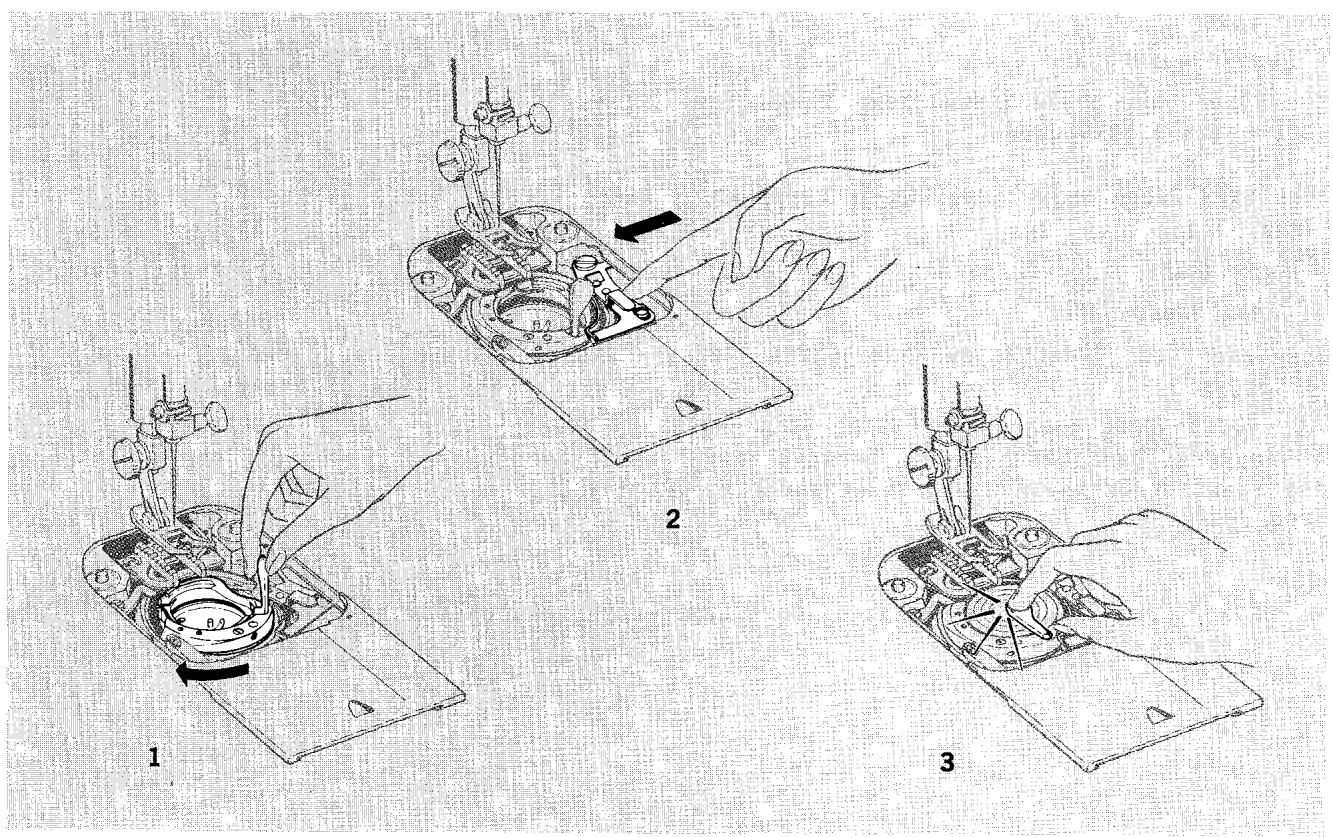
EVERY FEW MONTHS
Clean and oil area behind face plate.
- You will find this easier to do if you remove the top cover first, as described below.
Place a drop of oil in the hole at base of upright arm.
Oil and lubricate the top of the machine as shown on the next page.
- After oiling, always sew a few lines of stitching on a scrap of material to remove excess oil.
- SINGER* lubricant, as well as oil, is available for purchase at your SINGER CENTRE.
Removing and Replacing Top Cover
- Move take-up lever to a low point.
- Open buttonhole chart and remove screw A; slide top cover toward left and off the machine.
- Replace cover by positioning it on top of the arm with a slight overhang on the left side; slide cover to the right until it locks in place.
- Replace and tighten screw A .
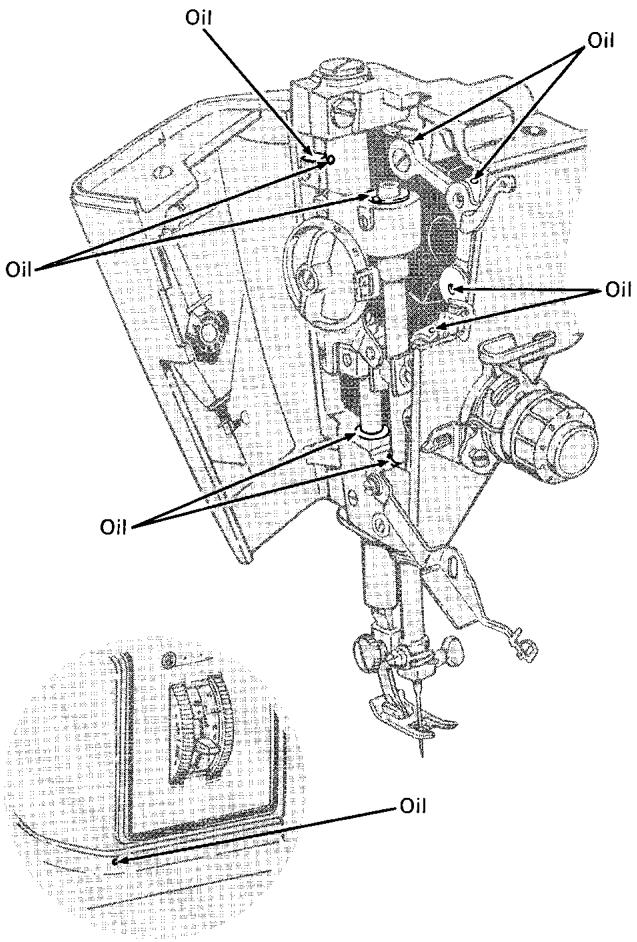
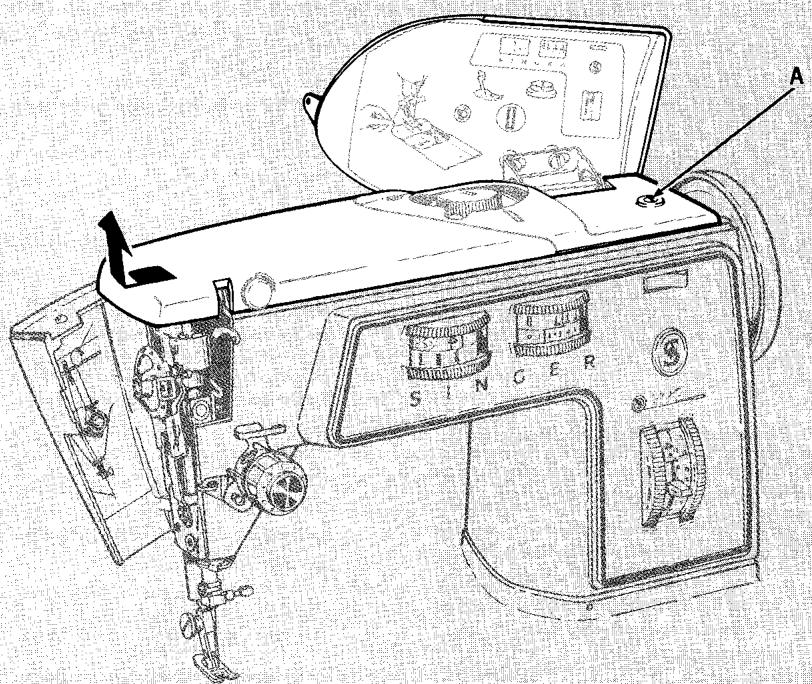
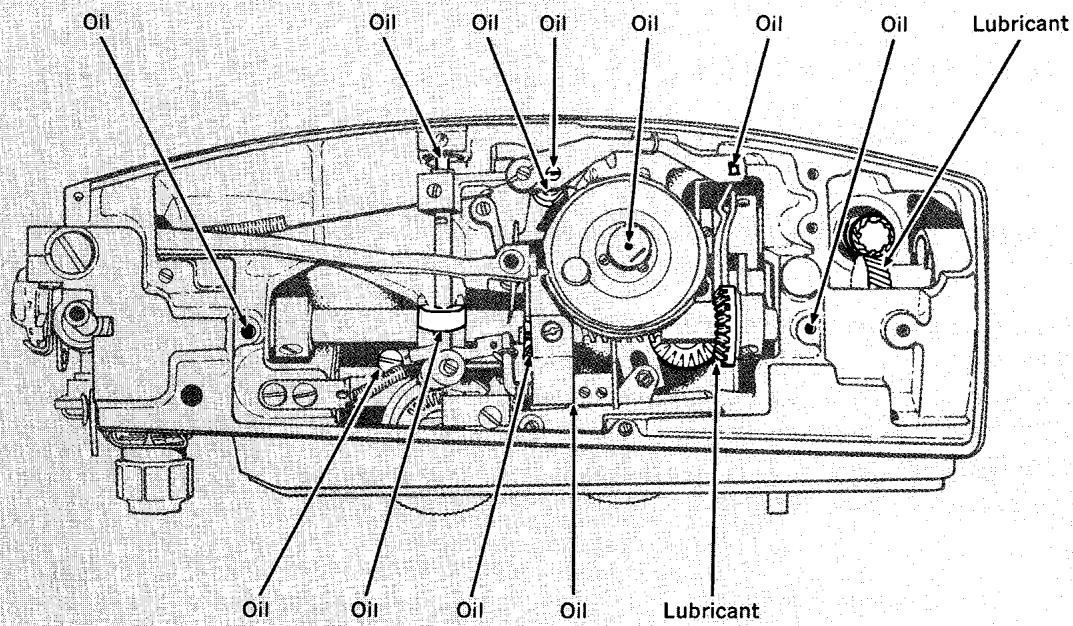
Oil and Lubricate Top of Machine
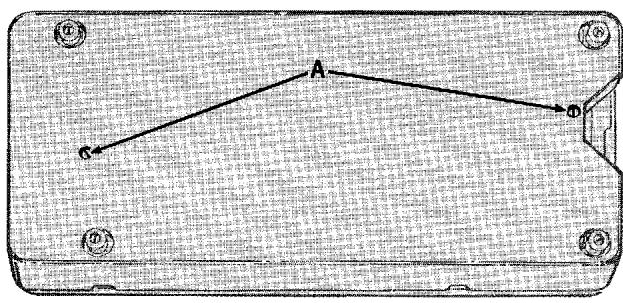
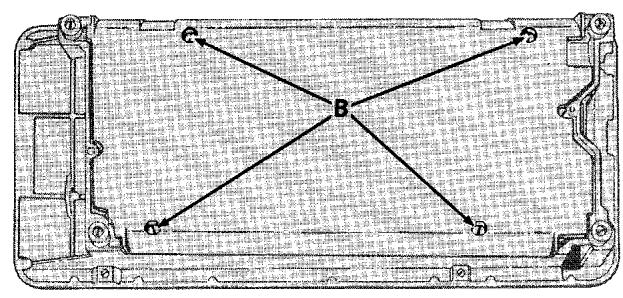
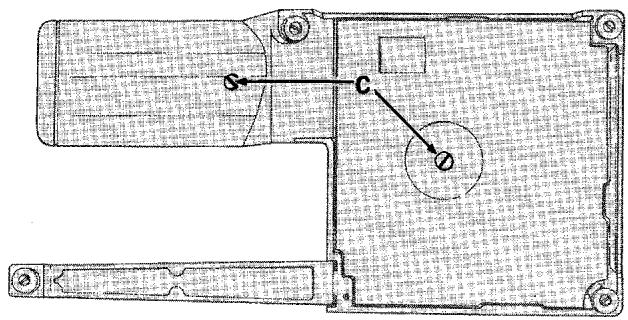
The white gears are made of special material which do not require lubrication.
Removing and Replacing Carrying Case Base
- Disconnect machine plug from electrical receptacle at right end of machine.
- Tilt machine back, loosen the two retaining screws A and move the base cover away from the bottom of the machine.
- Replace base cover by guiding it into place over the four bed cushions after the bed cover has been attached.
- Replace and securely tighten screws A
Oiling and Lubricating bottom of machine
- Disconnect machine plug from electrical receptacle at right end of machine. (If your machine is a 700 Class portable, remove carrying case base as instructed above.)
- Tilt machine back, loosen and remove the four screws B (700 Class Machine) or the two screws C (720 Class Machine) that attach the bottom cover plate to the machine bed. Lift off cover.
- Apply SINGER oil and lubricant to each of the places indicated, as shown on page 107.
- Replace bottom cover plate.
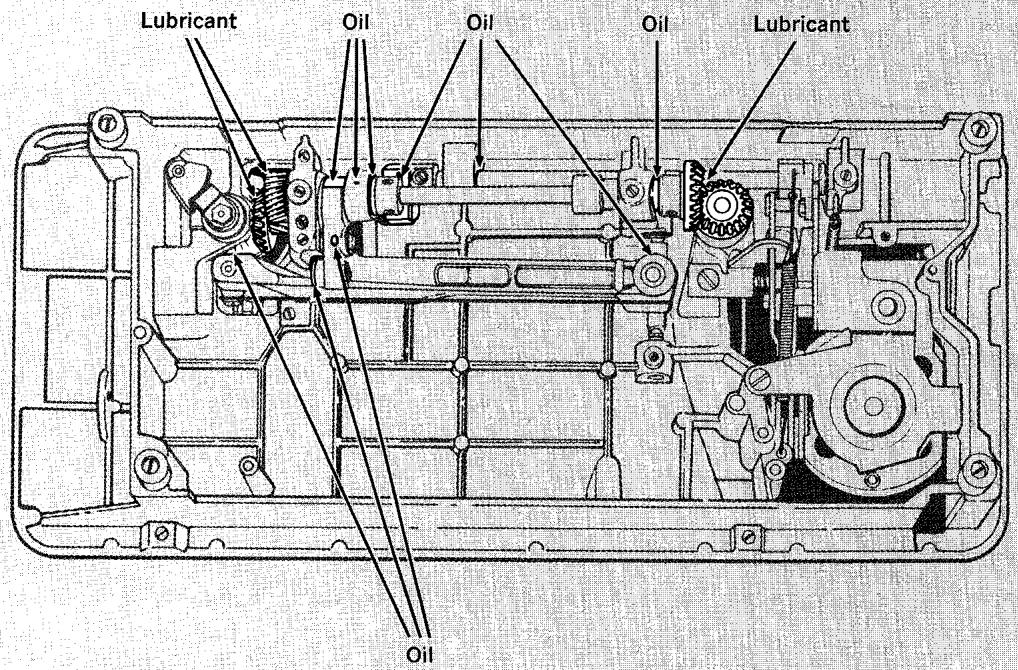
Model 700
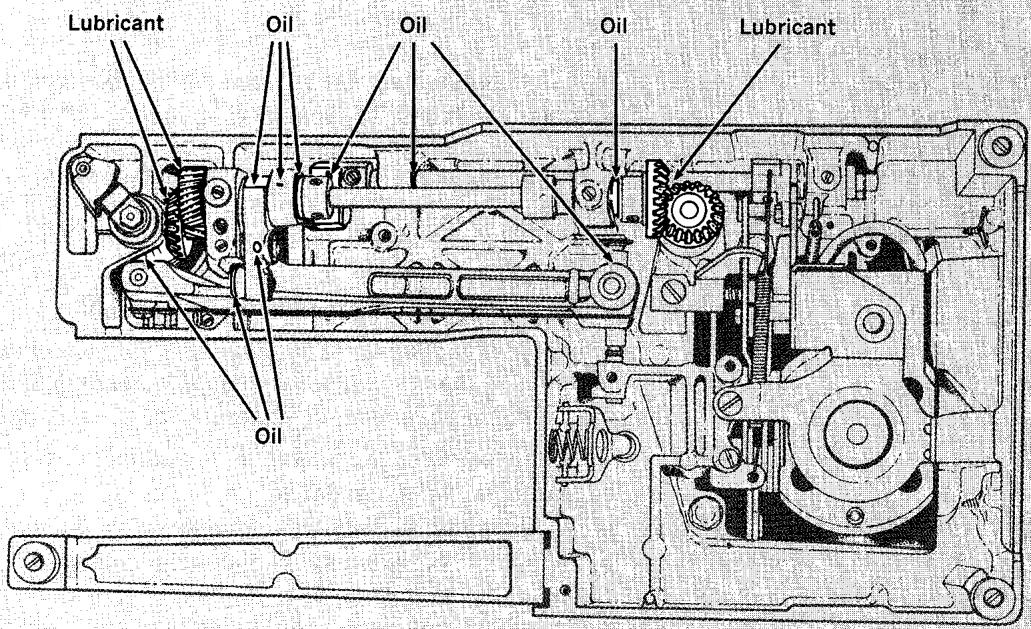
Model 720
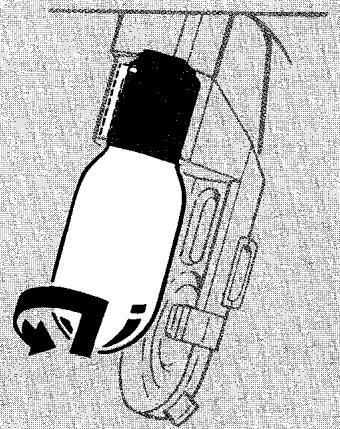
UnlockS
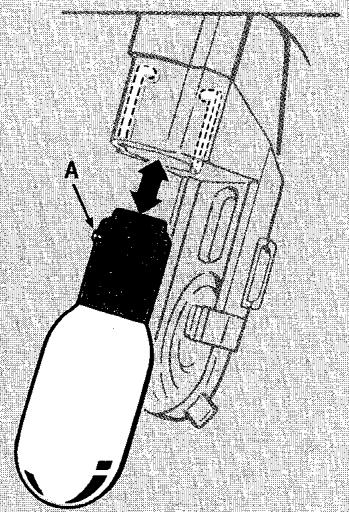
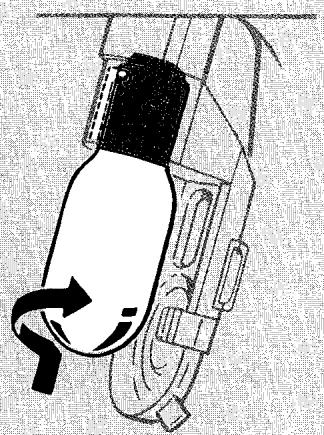
Locks
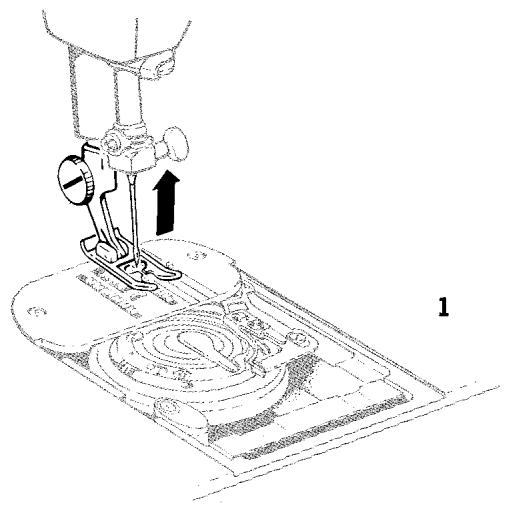
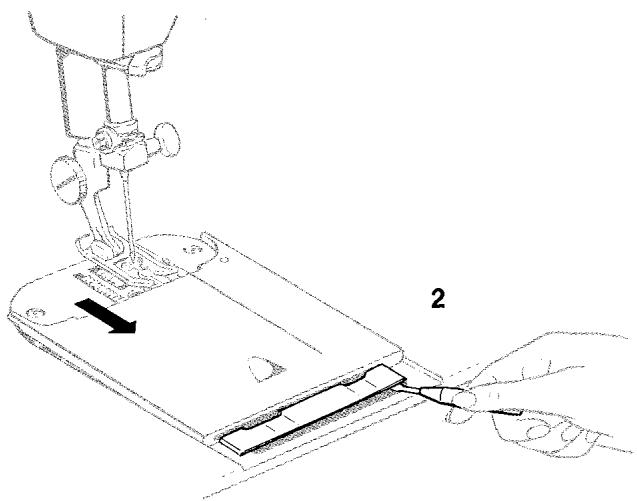
CHANGING THE LIGHT BULB
Be sure that power and light switch is in OFF position.
Removing bulb: Press down on tab at end of light lens and lower the light bracket. Do not attempt to unscrew the bulb. Press it up into the socket and at the same time turn bulb over in direction shown to unlock bulb Pin A.
Replacing bulb: Press new bulb into socket, with bulb pin entering slot of socket, and turn it over in direction shown to lock bulb in position. Push entire assembly up until it snaps in position.
REPLACING THE SLIDE PLATE
You will not have any occasion to remove the slide plate. However, if it should accidentally become disengaged from the machine, it is easily replaced.
- Raise the presser foot and make sure needle is in highest position.
- Place slide plate in slide way with front edge close to, but not covering, the retaining spring (as shown).
With a small screwdriver, lift each end of the spring into each of the side grooves on the underside of the plate.
- Draw the plate gently toward you and fully engage the spring.
- Close slide plate.
INSTALLING AND REPLACING TREADLE MACHINE BELT
Should it become necessary to replace the treadle drive belt on your machine, remove arm top cover (as instructed on page 105), tilt machine back on its hinges and remove bottom cover (as instructed on page 106).
Insert end of belt into cutout A and lead belt to top of machine so that it enters groove in hand wheel. Lead belt around hand wheel and down through guide of treadle belt idler pulley bracket B in bottom of machine. Replace bottom cover and return machine to sewing position. Then lead belt around band wheel in cabinet. Join both ends together by means of the belt clip. Replace arm top cover.
NOTE: Tension on belt should only be heavy enough to keep belt from slipping.
REMOVING AND REPLACING THREADING HOOK
Removing Hook
Lower the needle threads and remove screw A, washer B, and damaged hook C. Be careful not to lose the washer.
Replacing Hook
Place the washer on shank of screw and place a new hook (with thread slot up) on shank of screw on top of the washer. Replace screw with hook into threads arm, making certain that the flat at rear of hook is flush against rear of threads arm. Securely tighten the screw.
Lower the presser foot and raise needle to its highest point. Position slot in threads arm over positioning screw on needle clamp. Check alignment of hook by carefully pulling threads arm forward so hook guides D straddle the needle. (Use caution to avoid damage to new hook.)
If the threading hook does not enter eye of needle properly, loosen the screw, and guide hook through eye of needle. Securely tighten the screw and gently swing threads arm back and forward again to re-check hook setting.
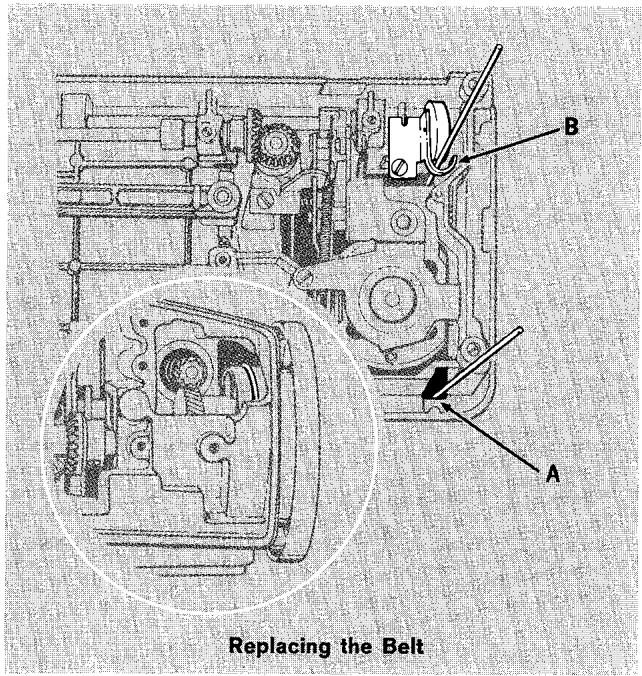
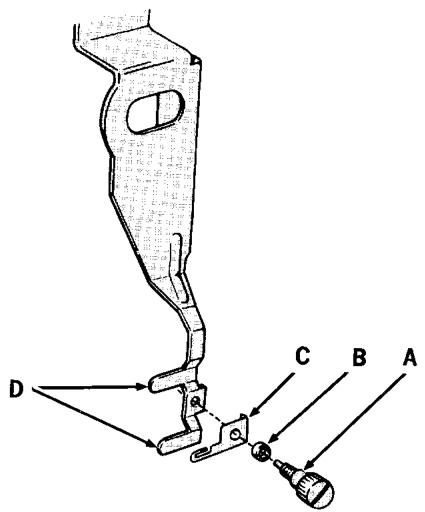
Removing and Replacing Threading Hook
Whenever sewing difficulty is encountered, review the sections of the instruction book that explain the operation you are performing to make sure you are
using the machine correctly. If the problem still exists, the following check list may help you to correct it.
MACHINE DOES NOT SEW
Needle bar does not move.
Make sure...
- Power and light switch is on.
- Motor is connected to electrical supply or treadle belt is engaged.
Make sure...
- Needle is straight and sharp.
- Needle class is correct for machine.
- Needle size is correct for thread being used.
- Machine is correctly threaded.
Bobbin contains thread.
Bobbin push-button is in SEW position.
- Bobbin case area is free of lint and loose threads.
Needle breaks.
Make sure...
- Needle is straight and sharp, correct class for machine, and proper size for thread being used.
- Needle is fully inserted into needle clamp.
- Stitch width and needle position selectors are correctly set for work being done.
- Stitch width setting does not exceed 2.5 setting when a twin-needle is being used.
- A combination stitch pattern is not being used for twin-needle stitching.
- Presser foot or accessory is securely fastened to presser bar.
- Selectors are set for straight stitching when the straight stitch throat plate and presser foot and chainstitch throat plate are being used.
- Fabric is not being pulled to one side as work is removed from machine.
- Fabric being guided or supported behind the needle is not being pulled too hard or too fast.
BOBBIN WINDING DIFFICULTIES
Turn to page 6 for bobbin winding information.
Make sure...
- Presser bar is raised.
- Selectors are set for straight stitching.
- Thread is unwinding freely from spool.
- Thread spool is secured by correct spool holder.
Machine is correctly threaded.
Thread does not wind onto bobbin.
Make sure...
Bobbin push button is in winding position.
- Bobbin is empty (do not attempt to wind thread-over-thread).
Bobbin halves are securely tightened.
- Thread end is held securely at start of wind.
Bobbin displaced during winding.
Make sure . . .
Bobbin tension is set for regular sewing.
Bobbin is being wound at medium machine speed.
- Bobbin is properly seated and secured by the latch in the bobbin case.
Make sure...
- Bobbin has not been wound too full (beyond the FULL ring). Turn handwheel away from operator free over wound bobbin.
Bobbin case area is free of lint and loose threads.
- Slide plate has been closed after winding.
Make sure...
Machine is properly threaded.
- Thread is unwinding freely from spool.
- Thread spool is secured by correct holder.
- Thread is free from slubs and knots.
- Needle is correct size for thread.
- Needle is straight and sharp.
- Needle thread tension is not too tight.
- Bobbin and bobbin case are correctly inserted in machine.
Bobbin rim is free of nicks.
- Throat plate needle hole and presser foot are undamaged.
- Threads are correctly placed under presser foot when starting to sew.
- Presser foot is securely fastened to presser bar.
Make sure...
Bobbin has been correctly wound.
Bobbin case area is free of lint.
- Bobbin halves have been tightened securely.
- Bobbin has been correctly inserted into bobbin case.
Bobbin has not been wound too full.
STITCHING DIFFICULTIES
Skipped stitches.
Make sure...
- Needle is straight and sharp.
- Needle is correct class for machine and size for thread (see page 22).
- Machine is properly threaded.
- Fabric is held down firmly (particularly when doing free-motion darning and embroidery).
- Correct presser foot and throat plate is being used.
Loose stitches on underside of fabric.
Make sure...
- Needle is straight and sharp.
- Needle is correct class for machine and size for thread (see page 22).
- Sufficient tension is being exerted on needle thread.
Bobbin case area is free of hint.
Bobbin has not been wound beyond the FULL ring.
- Presser bar has been lowered (particularly when sewing dense fabric or doing free-motion darning and embroidery).
- Correct bobbin case tension setting is being used (see page 10).
Loose irregular straight stitches.
Make sure...
Bobbin case tension is set for "normal" sewing.
- Needle thread has sufficient tension.
- Throat plate and presser foot are correct for fabric being sewn.
Fabric does not lie flat after stitching.
Make sure...
- Needle-thread tension is light enough.
- There is sufficient presser foot pressure to hold fabric.
- Stitch length is short enough for fabric.
- Correct presser foot is being used.
- Machine is correctly threaded.
- Needle thread is left out of chainstitch thread guide when lockstitching (using a bobbin thread).
Loose stitches when chainstitching.
Make sure...
- Needle thread is in chainstitch thread guide.
- Needle thread has sufficient tension.
- Stitch length setting is between 8 and 12.
Turn to page 58 for buttonholing information.
Make sure...
- Needle position selector is off buttonhole setting.
- Stitch pattern selector is off setting.
- Stitch length selector is set below in 6 to 20 range.
- Reverse stitch lever is raised.
Make sure...
- Buttonhole dial is in neutral position. Buttonhole disc assembly cannot be rotated manually when dial is set for step 1 or step 2 stitching.
Stitches pile up and fabric fails to feed.
Make sure...
- Stitch length selector is correctly set, on or above setting.
- Forward-reverse stitch balance has been equalized.
- Buttonhole presser foot is being used.
- Pressure setting of presser bar is adequate.
- Buttonhole disc assembly is correctly inserted on holder and selectors set on red buttonhole settings.
- Sequence symbol on buttonhole disc assembly not indexed to match sequence symbol set with buttonhole dial. Red 7 and black 1 symbols on disc and dial must be set to match. Set buttonhole dial in neutral ( ) position to rotate button-hole disc.
- Forward-reverse stitch balance control dial needs adjustment.
Make sure...
- Buttonhole disc assembly is correctly inserted. Remove disc and re-insert it, making sure the needle position selector is off buttonhole setting and stitch pattern selector is off setting.
FEEDING DIFFICULTIES
Make sure...
- Presser bar pressure is heavy enough for fabric being stitched.
- Presser foot or accessory is correctly attached to machine.
- Stitch length selector is set correctly.
- Lint has not accumulated around feed dog.
Forward-reverse fabric movement absent when using double Fashion Discs.
Make sure...
- Stitch length selector is set in correct range (above symbol). Double disc forward-reverse feed control is activated by setting stitch length selector in A to D range.
Zig-zag stitches pile up.
Make sure...
- Stitch length selector is set in correct range: above symbol for double Fashion Disc patterns, below symbol for built-in patterns and single Fashion Discs.
- Correct presser foot is being used.
PROBLEMS WITH FASHION DISCS
Double Fashion Disc stitch patterns imperfect.
Make sure...
- Forward-reverse stitch balance dial has been adjusted correctly.
- Stitch length setting is correct.
- Selectors have been correctly set after disc insertion.
Stitching piles up and/or pattern not well defined when using double Fashion Discs.
Make sure...
- Stitch length selector is set for a long enough stitch.
- Correct presser foot is being used.
- Forward-reverse stitch balance has been equalized.
Fashion Disc difficult or impossible to insert and remove.
Make sure...
- Stitch pattern selector is off setting.
- Needle position selector is in (centre) position.
- Stitch length selector is in 6 to 20 range below symbol.
- Stitch width selector is on 0 setting.
SLUGGISH OR NOISY MACHINE
Hand wheel difficult to turn over manually or increase in operating noise level.
Make sure...
- Bobbin case and feed dog area are free of lint and loose thread ends.
- Machine is lubricated periodically.
INDEX
| Page | | Page |
| Accessories | 13 | Presser Feet (Continued) | |
| Applique | 90 | Changing Presser Feet | 14 |
| Basic Patterns | 29 | Darning and Embroidery Foot | 17, 53, 85 |
| Built-in Disks | 29 | General Purpose Foot | 14 |
| Single Fashion Discs | 30 | Hemmer Foot | 17, 75, 76 |
| Basting | 67 | Special Purpose Foot | 15 |
| Blanket Binding | 84 | Straight Stitch Foot | 15 |
| Blindstitch Hem Guide | 19, 74 | Pressure Adjustment | 9 |
| Bobbin | 6 | Quilting | 95 |
| Inserting a Previously Wound Bobbin | 8 | Reverse Statching | 12 |
| Removal | 7 | Satin Stching | 34 |
| Replacing an Empty Bobbin | 8 | Scalloping | 86 |
| Sewing with a Newly Wound Bobbin | 24 | Script Lettering | 53 |
| Sewing with a Previously Wound Bobbin | 24 | Seam Guide | 17 |
| Winding | 6 | Seams | 25, 67 |
| Bobbin Case | 104 | Chainstitch | 47 |
| Built-in Discs | 29 | Cored | 69 |
| Buttons | 56 | Curved | 68 |
| Buttonholes | 58 | Finishes | 72 |
| Cored | 66 | Flat-Felled | 68 |
| Four-Step | 65 | Inside | 70 |
| Round-End | 61 | Knit and Stretch Fabrics | 70 |
| Square-End | 61 | Lingerie | 68 |
| Buttonhole Dial | 11, 62 | Overedged | 71 |
| Buttonhole Disc Assemblies | 21 | Straight | 67 |
| Buttonhole Measuring Gauge | 19, 60 | Seam Repair | 84 |
| Chainstitch Fittings | 17 | Seam Ripper | 19 |
| Chainstitching | 45 | Shell Edging | 86 |
| Chainstitching Applications | 50 | Slide Plate | 108 |
| Check List | 110 | Smocking | 95 |
| Circular Statching | 55, 87, 92 | Spool Pin | 13 |
| Cleaning the Machine | 103 | Stitch Balance Control | 11 |
| Combination Patterns | 33, 40, 41 | Stitch Length Selector | 12 |
| Darning | 85 | Stitch Pattern Selector | 3 |
| With Embroidery Hoop | 53 | Stitch Width Selector | 3 |
| Darts | 73 | Straight Statching | 22 |
| Drawn Thread Work | 96 | Stretch Garment Repair | 84 |
| Edge Finishes | 79 | Tension Adjustments | 9, 10, 32 |
| Bound | 79 | Bobbin Thread | 10 |
| Fringed | 81 | For Zig-Zag Stching | 32 |
| Overedged | 80 | Needle Thread | 9 |
| Picot | 81 | Threading the Needle | 4 |
| Electrical Connections | 2 | Replacing Threading Hook | 109 |
| Embroidery | 52, 54 | With Built-in Needle Threader | 5 |
| Fabric, Thread, Needle and Stitch Length Table | 22 | Throat Plates | 18 |
| Fashion Discs | 20, 29, 35 | Chainstitch | 17, 18 |
| Changing Fashion Discs | 20 | Feed Cover Plate | 18 |
| Double Fashion Discs | 35 | General Purpose | 18 |
| Single Fashion Discs | 30 | Straight Stitch | 18 |
| Floral Designs | 54, 94 | Top Stching | 86 |
| Free-Motion Statching | 52 | Treadle | 12 |
| Guiding and Supporting Fabric | 26 | Connecting Sewing Light | 2 |
| Hems | 74 | Operating Treadle | 12 |
| Blindstitch Hems | 74 | Replacing Belt | 109 |
| Narrow Hems | 75 | Tubular Bed Sewing | 97 |
| Hemming with Lace | 76 | Twin-Needle Stching | 42 |
| Hemstitched Hems | 77 | Basic Patterns | 43 |
| Light Bulb | 108 | Circular Designs | 88 |
| Lubricating the Machine | 103 | Decorative Stching | 44 |
| Mending | 83 | Double Disc Patterns | 43 |
| Monograms and Motifs | 93 | Straight Stching | 43 |
| Needle | 13 | Threading the Needle | 42 |
| Position | 4 | Zig-Zag Stching | 29 |
| Replacement | 13 | Basic Patterns - Built-in Discs | 29 |
| Threading | 4 | Basic Patterns - Single Fashion Discs | 30 |
| Oiling the Machine | 103 | Combination Patterns | 33 |
| Presser Feet | 14 | Double Fashion Discs | 35 |
| Binder Foot | 16, 79 | With a Twin Needle | 43 |
| Button Foot | 16, 56 | Zipper Insertion | 82 |
| Buttonhole Foot | 16, 61 | Straight Stitch | 82 |