OPPO RENO14 - Smartphone

RENO14 - Smartphone OPPO - Notice d'utilisation et mode d'emploi gratuit

Retrouvez gratuitement la notice de l'appareil RENO14 OPPO au format PDF.

📄 1 pages Français FR Télécharger 💬 Question IA 11 questions ⚙️ Specs
Notice OPPO RENO14 - page 1
Choisissez votre langue et indiquez votre email : nous vous enverrons une version traduite specifiquement.
Type de produit Smartphone OPPO RENO14
Écran 6,4 pouces, AMOLED, résolution 2400 x 1080 pixels
Processeur MediaTek Dimensity 720
RAM 8 Go
Stockage interne 128 Go, extensible via microSD
Caméra arrière Double capteur : 64 MP (principal) + 2 MP (profondeur)
Caméra avant 32 MP
Système d'exploitation Android 11, ColorOS 11.1
Connectivité 5G, Wi-Fi 802.11 a/b/g/n/ac, Bluetooth 5.1, NFC
Batterie 4300 mAh, charge rapide 30W
Dimensions approximatives 160,6 x 73,4 x 7,8 mm
Poids 172 g
Matériaux Verre avant, dos en plastique
Fonctions principales Déverrouillage par empreinte digitale, reconnaissance faciale, mode nuit, mode portrait
Entretien et nettoyage Utiliser un chiffon doux et sec, éviter les produits chimiques agressifs
Pièces détachées et réparabilité Disponibilité limitée des pièces, réparation recommandée par des professionnels
Sécurité Protection par mot de passe, empreinte digitale, mises à jour de sécurité régulières
Informations générales Vérifier la compatibilité avec les opérateurs 5G, garantie de 2 ans

FOIRE AUX QUESTIONS - RENO14 OPPO

Comment réinitialiser mon OPPO RENO14 aux paramètres d'usine ?
Pour réinitialiser votre OPPO RENO14, allez dans 'Paramètres' > 'Système' > 'Réinitialiser' > 'Réinitialiser les données d'usine'. Suivez les instructions à l'écran.
Que faire si mon OPPO RENO14 ne s'allume pas ?
Vérifiez si la batterie est chargée en branchant le téléphone à un chargeur. Si le problème persiste, essayez de maintenir le bouton d'alimentation enfoncé pendant 10 secondes.
Comment libérer de l'espace de stockage sur mon OPPO RENO14 ?
Allez dans 'Paramètres' > 'Stockage'. Vous pouvez voir ce qui occupe de l'espace et supprimer les fichiers inutiles ou utiliser l'option 'Libérer de l'espace'.
Mon OPPO RENO14 ne se connecte pas au Wi-Fi, que faire ?
Assurez-vous que le Wi-Fi est activé et que vous êtes à portée du routeur. Essayez de redémarrer votre téléphone et le routeur. Si le problème persiste, oubliez le réseau et reconnectez-vous.
Comment mettre à jour le logiciel de mon OPPO RENO14 ?
Allez dans 'Paramètres' > 'À propos du téléphone' > 'Mise à jour système'. Votre téléphone recherchera les mises à jour disponibles et vous permettra de les installer.
Comment prendre une capture d'écran sur mon OPPO RENO14 ?
Pour prendre une capture d'écran, appuyez simultanément sur le bouton d'alimentation et le bouton de réduction du volume pendant quelques secondes.
Que faire si l'écran tactile de mon OPPO RENO14 ne répond pas ?
Essayez de redémarrer votre téléphone. Si l'écran tactile ne fonctionne toujours pas, vérifiez s'il y a des dommages physiques. Si nécessaire, contactez le support technique.
Comment désactiver les notifications d'applications sur mon OPPO RENO14 ?
Allez dans 'Paramètres' > 'Notifications' > sélectionnez l'application dont vous souhaitez désactiver les notifications et ajustez les paramètres.
Mon OPPO RENO14 surchauffe, que dois-je faire ?
Évitez d'utiliser des applications exigeantes pendant de longues périodes. Retirez la coque si elle est trop épaisse. Si le problème persiste, contactez le service client.
Comment transférer des données vers mon OPPO RENO14 ?
Utilisez l'application 'Clone Phone' d'OPPO pour transférer des données depuis un ancien appareil. Suivez les instructions à l'écran pour compléter le transfert.

Questions des utilisateurs sur RENO14 OPPO

1 question sur cet appareil. Repondez a celles que vous connaissez ou posez la votre.

Poser une nouvelle question sur cet appareil

L'email reste privé : il sert seulement à vous prévenir si quelqu'un répond à votre question.

Comment imprimer le mode d'emploi du smartphone OPPO RENO14 ?
FAQ fréquente - 16 j
Réponse Notice-Facile

Pour imprimer le mode d'emploi de votre smartphone OPPO RENO14, suivez ces étapes simples :

1. Télécharger le mode d'emploi au format PDF

Accédez au site officiel d'OPPO ou effectuez une recherche en ligne avec les mots-clés "mode d'emploi OPPO RENO14 PDF" pour trouver la version officielle du manuel.

2. Ouvrir le fichier PDF

Une fois téléchargé, ouvrez le fichier PDF avec un lecteur de PDF installé sur votre ordinateur ou smartphone, comme Adobe Acrobat Reader ou tout autre lecteur compatible.

3. Imprimer le document

  • Dans le lecteur PDF, cliquez sur l'icône d'impression ou utilisez le raccourci clavier (souvent Ctrl+P ou Cmd+P).
  • Sélectionnez votre imprimante connectée.
  • Paramétrez les options d'impression selon vos besoins (nombre de copies, orientation, taille du papier, etc.).
  • Validez pour lancer l'impression.

Si vous ne disposez pas d'une imprimante, vous pouvez aussi transférer le fichier PDF sur un autre appareil équipé d'une imprimante ou utiliser un service d'impression en ligne.

Répondre (soyez le premier)

Téléchargez la notice de votre Smartphone au format PDF gratuitement ! Retrouvez votre notice RENO14 - OPPO et reprennez votre appareil électronique en main. Sur cette page sont publiés tous les documents nécessaires à l'utilisation de votre appareil RENO14 de la marque OPPO.

MODE D'EMPLOI RENO14 OPPO

CPH2737

OPPO RENO14 - 1

Copyright © Guangdong OPPO Mobile Telecommunications Corp., Ltd.

OPPO RENO14 - 2

CE

OPPO RENO14 - 3

OPPO RENO14 - 4

OPPO RENO14 - 5
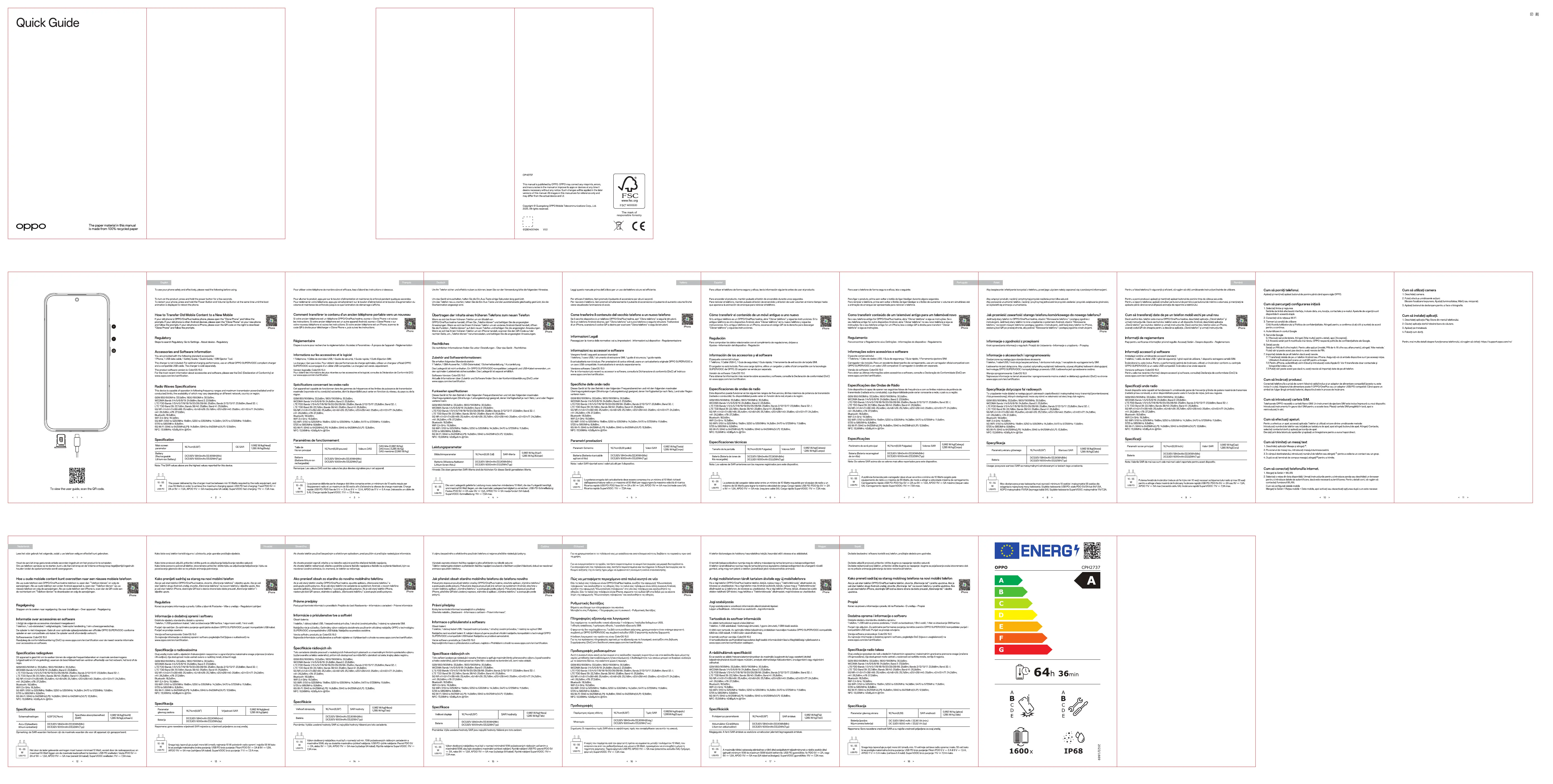
To view the user guide, scan the QR code

OPPO RENO14 - 6

(3) 2017年

English

To use your phone refisk and effectively, please read the following before using

To date, you need to be on account, you need to bring before you

[Non-Text]

To turn on the product, press and hold the power button for a few seconds. To control up a sphere, square and hold the Shape Button and Vout may be Better

To establish your phone, please add how the Power Button and Inside Up Button at the same time until the boot animation is displayed to reboot the phone.

(1) 2017年1月1日,公司与上海浦东发展银行股份有限公司签订了《关于使用部分闲置募集资金进行现金管理的协议》。

[Non-Text]

How to Transfer Old Mobile Content to a New Mobile

If your old phone is OPPO/OnePlus/realme phone, please open the "Clone Photo

prompts. If your old phone is other Android devices, please open the iPhone and follow the presents. If your old phone is iPhone, please scan the QR code or

"Clone Phone" and follow the prompts.

[Non-Text]

-

Regulatory

Steps to search Regulatory: Go to Settings - About device - Regulatory

[Non-Text]

Accessories and Software Information

You are provided with the following standard accessories:

1Phone, 1 USB data cable, 1 Safety Guide, 1 Quick Guide, 1 5M Ejector Tool

The charger is not included. For optimal charging performance, use an official C

and a compatible USD cable. The charger is sold separately:

The product software version is: ColorOS 15.0

For the role: Riscart information about occasions and scrolling, please see the www.ango.com/en/certification.

(1) 2017年1月1日(T+3)至2018年1月1日

[Non-Text]

Radio Waves Specifications

This device is capable of operation in following frequency ranges and maximum

conducted) limits, the availability of which may vary depending on different networks

GSM 850/900MHz: 33.5dBm; 1800/1900MHz: 30.5dBm;

WCDMA Bands 1/4/5/6/8/18:24.8dBm; Band 2:23.8dBm; LTE EDD Bands 1/3/4/5/7/8/08/19:20/26/28/09:25dBm; Bands 2/12/13/17:

LTE TDD Band 39: 22.7dBm; Bands 38/40: 25dBm; Band 4t: 25.8dBm;

5G NR n1/n3/n7/n38/n60: 25.4dBm; n5/n8/n26: 25.7dBm; n20/n28/n40: 25d

n41.26.20Bm; n78.27.20Bm; ■velocity: 38.5dBm;

WiFi 2.4 GHz: 19.3dBm;

5G WiFi: 5150 to 5250MHz: 19dBm; 5250 to 5350MHz: 14.3dBm; 5470 to 5725

5/25 to 560WHE: 0.8dBH; 6G W-F: 5945 to 6425MHz-1.Pt: 14.8dBm; 5965 to 6425MHz-1.Pt: 12.8dBm

NFC: 13.56MHz: 42dBμA/m @10m

[Non-Text]

  1. (6-1)

Specification

Main screen 16.75—48.60

parameter 10.7431(226)

Battery

(Rechargeide DC3.92V 5840mAh/22:00Wh(Min) DC3.92V/6000mAh/22:00Wh(Tm))

Lithium-ion Battery) DC3.5V 8000mAh/23.52VH, Type

Note: The SAR values above are the highest values reported for this device.

(1) 2017年1月1日至2018年1月1日

2.2

1

10.25

10-50 The power delivered by the charger must be between min 10 Wall W.

4" US\$ PD 2A or 9V = 1.5A, APDO 11V = 5A max/requires 5A cabled. Super

= 2 =

OPPO RENO14 - 7

OPPO RENO14 - 8

OPPO RENO14 - 9

OPPO RENO14 - 10

OPPO RENO14 - 11

OPPO RENO14 - 12

OPPO RENO14 - 13

OPPO RENO14 - 14

OPPO RENO14 - 15

OPPO RENO14 - 16

OPPO RENO14 - 17

OPPO RENO14 - 18

OPPO RENO14 - 19

OPPO RENO14 - 20

OPPO RENO14 - 21

OPPO RENO14 - 22

OPPO RENO14 - 23

OPPO RENO14 - 24

OPPO RENO14 - 25

OPPO RENO14 - 26

OPPO RENO14 - 27

OPPO RENO14 - 28

OPPO RENO14 - 29

OPPO RENO14 - 30

OPPO RENO14 - 31

OPPO RENO14 - 32

OPPO RENO14 - 33

OPPO RENO14 - 34

OPPO RENO14 - 35

OPPO RENO14 - 36

OPPO RENO14 - 37

OPPO RENO14 - 38

OPPO RENO14 - 39

OPPO RENO14 - 40

OPPO RENO14 - 41

OPPO RENO14 - 42

OPPO RENO14 - 43

OPPO RENO14 - 44

OPPO RENO14 - 45

OPPO RENO14 - 46

OPPO RENO14 - 47

OPPO RENO14 - 48

OPPO RENO14 - 49

OPPO RENO14 - 50

OPPO RENO14 - 51

OPPO RENO14 - 52

OPPO RENO14 - 53

OPPO RENO14 - 54

OPPO RENO14 - 55

OPPO RENO14 - 56

OPPO RENO14 - 57

OPPO RENO14 - 58

OPPO RENO14 - 59

OPPO RENO14 - 60

OPPO RENO14 - 61

OPPO RENO14 - 62

OPPO RENO14 - 63

OPPO RENO14 - 64

OPPO RENO14 - 65

OPPO RENO14 - 66

OPPO RENO14 - 67

OPPO RENO14 - 68

OPPO RENO14 - 69

OPPO RENO14 - 70

OPPO RENO14 - 71

OPPO RENO14 - 72

OPPO RENO14 - 73

OPPO RENO14 - 74

OPPO RENO14 - 75

OPPO RENO14 - 76

OPPO RENO14 - 77

OPPO RENO14 - 78

OPPO RENO14 - 79

OPPO RENO14 - 80

OPPO RENO14 - 81

OPPO RENO14 - 82

OPPO RENO14 - 83

OPPO RENO14 - 84

OPPO RENO14 - 85

OPPO RENO14 - 86

OPPO RENO14 - 87

OPPO RENO14 - 88

OPPO RENO14 - 89

OPPO RENO14 - 90

OPPO RENO14 - 91

OPPO RENO14 - 92

OPPO RENO14 - 93

OPPO RENO14 - 94

OPPO RENO14 - 95

OPPO RENO14 - 96

OPPO RENO14 - 97

OPPO RENO14 - 98

OPPO RENO14 - 99

OPPO RENO14 - 100

OPPO RENO14 - 101

OPPO RENO14 - 102

OPPO RENO14 - 103

OPPO RENO14 - 104

OPPO RENO14 - 105

OPPO RENO14 - 106

OPPO RENO14 - 107

OPPO RENO14 - 108

OPPO RENO14 - 109

OPPO RENO14 - 110

OPPO RENO14 - 111

OPPO RENO14 - 112

OPPO RENO14 - 113

OPPO RENO14 - 114

OPPO RENO14 - 115

OPPO RENO14 - 116

OPPO RENO14 - 117

OPPO RENO14 - 118

OPPO RENO14 - 119

OPPO RENO14 - 120

OPPO RENO14 - 121

OPPO RENO14 - 122

OPPO RENO14 - 123

OPPO RENO14 - 124

OPPO RENO14 - 125

OPPO RENO14 - 126

OPPO RENO14 - 127

OPPO RENO14 - 128

OPPO RENO14 - 129

OPPO RENO14 - 130

OPPO RENO14 - 131

OPPO RENO14 - 132

OPPO RENO14 - 133

OPPO RENO14 - 134

OPPO RENO14 - 135

OPPO RENO14 - 136

OPPO RENO14 - 137

OPPO RENO14 - 138

OPPO RENO14 - 139

OPPO RENO14 - 140

OPPO RENO14 - 141

OPPO RENO14 - 142

OPPO RENO14 - 143

OPPO RENO14 - 144

OPPO RENO14 - 145

OPPO RENO14 - 146

OPPO RENO14 - 147

OPPO RENO14 - 148

OPPO RENO14 - 149

OPPO RENO14 - 150

OPPO RENO14 - 151

OPPO RENO14 - 152

OPPO RENO14 - 153

OPPO RENO14 - 154

OPPO RENO14 - 155

OPPO RENO14 - 156

OPPO RENO14 - 157

OPPO RENO14 - 158

OPPO RENO14 - 159

OPPO RENO14 - 160

OPPO RENO14 - 161

OPPO RENO14 - 162

OPPO RENO14 - 163

OPPO RENO14 - 164

OPPO RENO14 - 165

OPPO RENO14 - 166

OPPO RENO14 - 167

OPPO RENO14 - 168

OPPO RENO14 - 169

OPPO RENO14 - 170

OPPO RENO14 - 171

OPPO RENO14 - 172

OPPO RENO14 - 173

OPPO RENO14 - 174

OPPO RENO14 - 175

OPPO RENO14 - 176

OPPO RENO14 - 177

OPPO RENO14 - 178

OPPO RENO14 - 179

OPPO RENO14 - 180

OPPO RENO14 - 181

OPPO RENO14 - 182

OPPO RENO14 - 183

OPPO RENO14 - 184

OPPO RENO14 - 185

OPPO RENO14 - 186

OPPO RENO14 - 187

OPPO RENO14 - 188

OPPO RENO14 - 189

OPPO RENO14 - 190

OPPO RENO14 - 191

OPPO RENO14 - 192

OPPO RENO14 - 193

OPPO RENO14 - 194

OPPO RENO14 - 195

OPPO RENO14 - 196

OPPO RENO14 - 197

OPPO RENO14 - 198

OPPO RENO14 - 199

OPPO RENO14 - 200

OPPO RENO14 - 201

OPPO RENO14 - 202

OPPO RENO14 - 203

OPPO RENO14 - 204

OPPO RENO14 - 205

OPPO RENO14 - 206

OPPO RENO14 - 207

OPPO RENO14 - 208

OPPO RENO14 - 209

OPPO RENO14 - 210

OPPO RENO14 - 211

OPPO RENO14 - 212

OPPO RENO14 - 213

OPPO RENO14 - 214

OPPO RENO14 - 215

OPPO RENO14 - 216

OPPO RENO14 - 217

OPPO RENO14 - 218

OPPO RENO14 - 219

OPPO RENO14 - 220

OPPO RENO14 - 221

OPPO RENO14 - 222

OPPO RENO14 - 223

OPPO RENO14 - 224

OPPO RENO14 - 225

OPPO RENO14 - 226

OPPO RENO14 - 227

OPPO RENO14 - 228

OPPO RENO14 - 229

OPPO RENO14 - 230

OPPO RENO14 - 231

OPPO RENO14 - 232

OPPO RENO14 - 233

OPPO RENO14 - 234

OPPO RENO14 - 235

OPPO RENO14 - 236

OPPO RENO14 - 237

OPPO RENO14 - 238

OPPO RENO14 - 239

OPPO RENO14 - 240

OPPO RENO14 - 241

OPPO RENO14 - 242

OPPO RENO14 - 243

OPPO RENO14 - 244

OPPO RENO14 - 245

OPPO RENO14 - 246

Assistant notice
Powered by Anthropic
En attente de votre message
Informations produit

Marque : OPPO

Modèle : RENO14

Catégorie : Smartphone