PHILIPS SCD625/26 - Babyphone

SCD625/26 - Babyphone PHILIPS - Notice d'utilisation et mode d'emploi gratuit

Retrouvez gratuitement la notice de l'appareil SCD625/26 PHILIPS au format PDF.

📄 8 pages Français FR Télécharger 💬 Question IA 10 questions ⚙️ Specs
Notice PHILIPS SCD625/26 - page 1
Choisissez votre langue et indiquez votre email : nous vous enverrons une version traduite specifiquement.
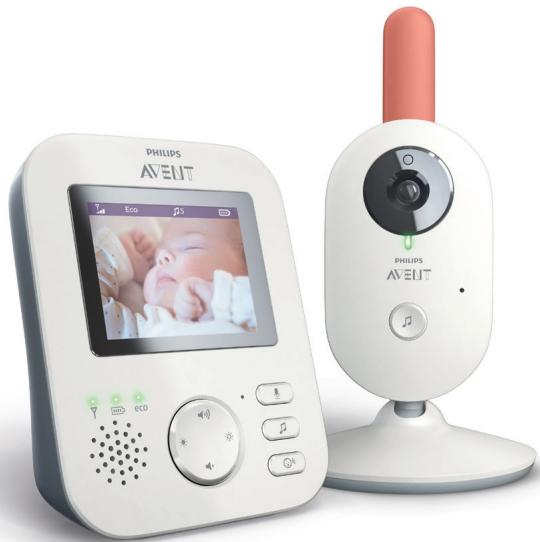
Type de produit Babyphone vidéo avec écran couleur
Marque PHILIPS
Modèle SCD625/26
Alimentation unité parent Batterie rechargeable intégrée
Alimentation unité bébé Adaptateur secteur (inclus)
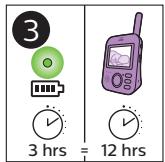
Autonomie unité parent Jusqu'à 12 heures en mode audio
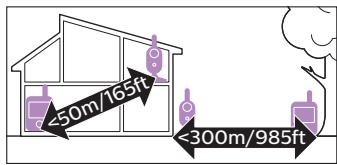
Portée intérieure Jusqu'à 50 mètres
Portée extérieure Jusqu'à 300 mètres
Écran Écran couleur 2,8 pouces
Vision nocturne Oui, infrarouge automatique
Sensibilité audio réglable Oui, plusieurs niveaux
Fonction VOX Oui, activation automatique par le son
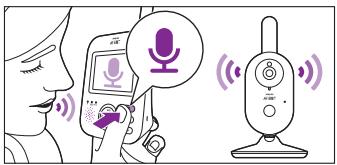
Talk-back (communication) Oui, micro intégré sur l'unité parent
Berceuses intégrées 5 berceuses classiques
Veilleuse Oui, projecteur avec berceuses
Indicateur de température Oui, affiché sur l'écran parent
Portée maximale (champ libre) Jusqu'à 300 mètres
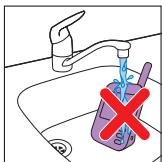
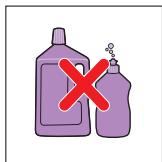
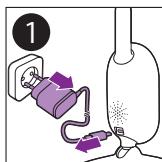
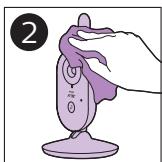
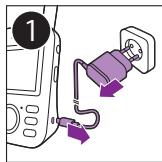
Nettoyage et entretien Essuyer avec un chiffon doux et sec. Ne pas immerger
Pièces détachées disponibles Adaptateur secteur, batterie (référence fournisseur)
Garantie 2 ans (selon conditions)

FOIRE AUX QUESTIONS - SCD625/26 PHILIPS

Comment associer l'unité parent et l'unité bébé ?
Les deux unités sont préappariées en usine. Si nécessaire, consultez la notice pour la procédure de réappairage : maintenez enfoncé le bouton PAIR sur l'unité bébé puis appuyez sur OK sur l'unité parent.
Quelle est la portée maximale du babyphone ?
La portée est d'environ 50 mètres à l'intérieur et jusqu'à 300 mètres en extérieur sans obstacles. Les murs épais réduisent la portée.
Comment régler la sensibilité du micro (VOX) ?
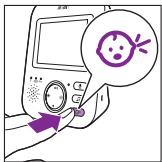
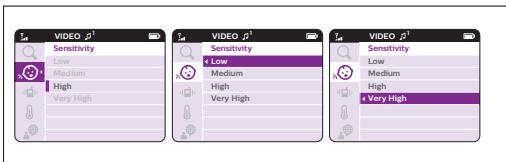
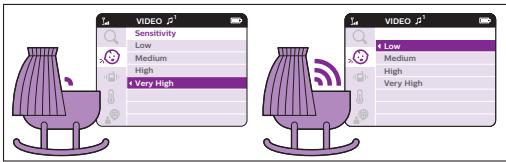
Allez dans le menu VIDEO puis Sensitivity. Choisissez entre Low, Medium, High ou Very High selon le niveau de bruit ambiant.
Puis-je utiliser le babyphone sans électricité ?
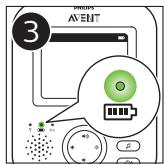
L'unité parent fonctionne sur batterie rechargeable et peut être utilisée sans fil pendant environ 12 heures en mode audio. L'unité bébé doit être branchée sur secteur.
Comment activer la veilleuse ou les berceuses ?
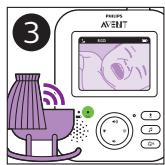
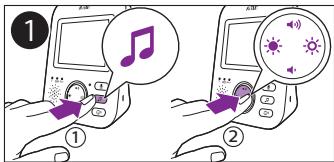
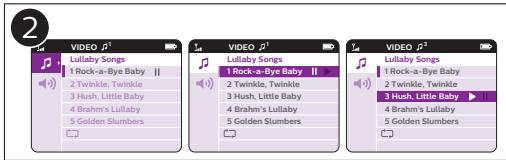
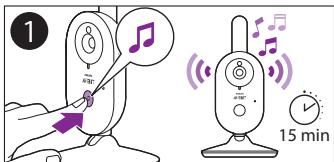
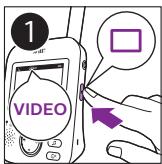
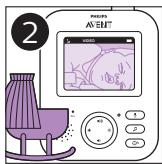
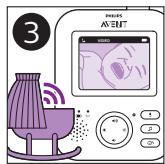
Sur l'unité parent, appuyez sur le bouton VIDEO, sélectionnez Lullaby Songs et choisissez une berceuse. La veilleuse s'allume automatiquement avec les berceuses.
Que faire si l'écran reste noir ?
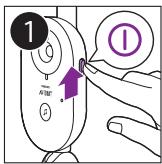
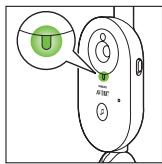
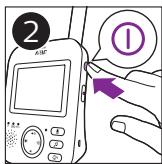
Vérifiez que l'unité parent est allumée (bouton POWER) et que la batterie est chargée. Assurez-vous que l'unité bébé est sous tension et à portée.
Comment nettoyer le babyphone ?
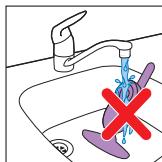
Utilisez un chiffon doux et sec pour essuyer les surfaces. N'utilisez jamais de produits liquides ou abrasifs. Ne plongez jamais les appareils dans l'eau.
Puis-je ajouter une deuxième unité bébé ?
Ce modèle ne supporte qu'une seule unité bébé. Pour plusieurs enfants, optez pour un modèle multi-caméras.
Que signifie le voyant rouge clignotant sur l'unité parent ?
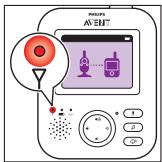
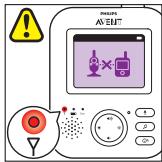
Un voyant rouge clignotant indique une perte de liaison avec l'unité bébé, une batterie faible ou que l'unité bébé est hors de portée.
Où trouver des pièces de rechange ?
Les adaptateurs secteur et batteries de rechange sont disponibles auprès du service client PHILIPS ou sur www.philips.com/support.

Questions des utilisateurs sur SCD625/26 PHILIPS

0 question sur cet appareil. Repondez a celles que vous connaissez ou posez la votre.

Poser une nouvelle question sur cet appareil

L'email reste privé : il sert seulement à vous prévenir si quelqu'un répond à votre question.

Aucune question pour l'instant. Soyez le premier à en poser une.

Téléchargez la notice de votre Babyphone au format PDF gratuitement ! Retrouvez votre notice SCD625/26 - PHILIPS et reprennez votre appareil électronique en main. Sur cette page sont publiés tous les documents nécessaires à l'utilisation de votre appareil SCD625/26 de la marque PHILIPS.

MODE D'EMPLOI SCD625/26 PHILIPS

Always here to help you

Register your product and get support at www.philips.com/welcome

SCD625

PHILIPS SCD625/26 - Always here to help you - 1

text_image Question? Contact Philips

PHILIPS SCD625/26 - Always here to help you - 2

natural_image Two Philips AVENT mobile phone devices, one displaying a screen with baby photo and the other showing a digital camera module (no visible text or symbols on device body)
PHILIPS SCD625/26 - Always here to help you - 3

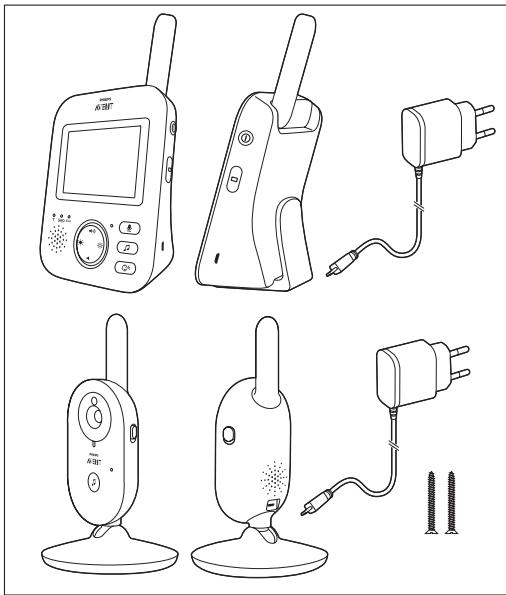
natural_image Line drawings of various electronic devices including a radio, flip-flop, and plug (no text or symbols present)

www.philips.com/support

PHILIPS SCD625/26 - Always here to help you - 4

natural_image Illustration of a laptop with a question mark and globe icon on screen (no text or symbols)

PHILIPS SCD625/26 - Always here to help you - 5

natural_image Battery icon with lightning bolt symbol on purple background (no text or numbers)
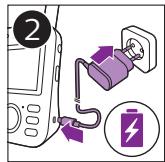
PHILIPS SCD625/26 - Always here to help you - 6

text_image 1

PHILIPS SCD625/26 - Always here to help you - 7

text_image Diagram showing a battery connected to a power outlet with a plug, labeled with number 2 and a battery icon.

PHILIPS SCD625/26 - Always here to help you - 8

text_image 3 3 hrs = 12 hrs

PHILIPS SCD625/26 - Always here to help you - 9

natural_image Illustration of a mobile phone connected to a wall-mounted device (no text or symbols)
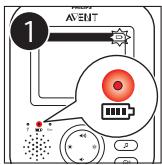
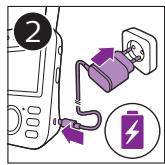
PHILIPS SCD625/26 - Always here to help you - 10

text_image 1 EVENT 7 0 1 0 0 0 0 0 0 0 0 0 0 0 0

PHILIPS SCD625/26 - Always here to help you - 11

text_image Diagram showing a battery charging setup with labeled components and a battery symbol

PHILIPS SCD625/26 - Always here to help you - 12

text_image 3 PHILIPS EVENT

PHILIPS SCD625/26 - Always here to help you - 13

text_image 1 ← A B I A B A B

PHILIPS SCD625/26 - Always here to help you - 14

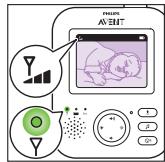
text_image Diagram of a device with labeled green indicator lights and a U-shaped symbol, showing measurement markings.

PHILIPS SCD625/26 - Always here to help you - 15

text_image 2 ①

PHILIPS SCD625/26 - Always here to help you - 16

text_image PHOLOS AVENT

PHILIPS SCD625/26 - Always here to help you - 17

text_image PILION AV EUT I β Gn

PHILIPS SCD625/26 - Always here to help you - 18

text_image AV-EUT OK P R

PHILIPS SCD625/26 - Always here to help you - 19

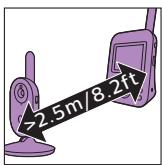
text_image >2.5m/8.2ft

PHILIPS SCD625/26 - Always here to help you - 20

text_image <50m/165ft <300m/985ft

PHILIPS SCD625/26 - Always here to help you - 21

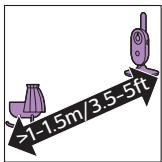
text_image >1-1.5m/3.5-5ft

PHILIPS SCD625/26 - Always here to help you - 22

natural_image Illustration of a purple handheld device with a knob and handle, no text or symbols present
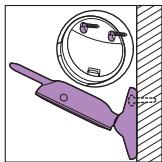
PHILIPS SCD625/26 - Always here to help you - 23

natural_image Diagram of a mechanical clamp or bracket with a circular component and a vertical wall, no text or symbols present.
PHILIPS SCD625/26 - Always here to help you - 24

natural_image Purple square icon with a white speaker symbol emitting sound waves (no text or numbers)

PHILIPS SCD625/26 - Always here to help you - 25

text_image Diagram showing a hand inserting a CD to a speaker into an audio device, with Chinese text labels.

PHILIPS SCD625/26 - Always here to help you - 26

natural_image Simple white sun icon on a solid purple background (no text or symbols)
PHILIPS SCD625/26 - Always here to help you - 27

text_image Diagram showing a device connected to a screen displaying a virtual reality app interface with signal icons and control buttons.

PHILIPS SCD625/26 - Always here to help you - 28

natural_image Illustration of a white electric toothbrush against a solid purple background (no text or symbols)
PHILIPS SCD625/26 - Always here to help you - 29

text_image 1 VIDEO

PHILIPS SCD625/26 - Always here to help you - 30

text_image 2 PHILIPS AVENT® 5 6 7 8 9 10

PHILIPS SCD625/26 - Always here to help you - 31

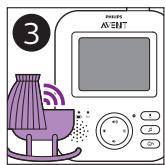
text_image 3 PHILIPS A/ENT 40 5 6 7 8 9 10 11 12 13 14 15 16 17 18 19 20

PHILIPS SCD625/26 - Always here to help you - 32

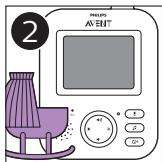
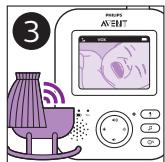
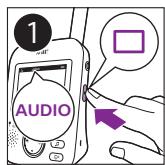
text_image 1 AUDIO

PHILIPS SCD625/26 - Always here to help you - 33

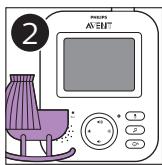
text_image 2 PHILIPS AVENT®

PHILIPS SCD625/26 - Always here to help you - 34

text_image 3 PHILIPS AENT

PHILIPS SCD625/26 - Always here to help you - 35

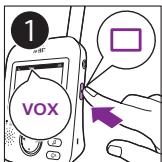
text_image 1 VOX

PHILIPS SCD625/26 - Always here to help you - 36

text_image 2 PHILIPS AVENT® S B C1

PHILIPS SCD625/26 - Always here to help you - 37

text_image 3 PHIPS A/ENT

PHILIPS SCD625/26 - Always here to help you - 38

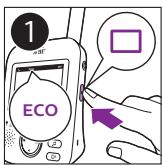
text_image 1 ECO

PHILIPS SCD625/26 - Always here to help you - 39

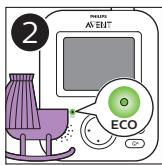
text_image 2 PHILUS AVENT ECO

PHILIPS SCD625/26 - Always here to help you - 40

text_image 3 PHIOPS AS-EXIT

PHILIPS SCD625/26 - Always here to help you - 41

natural_image Purple square icon with a white microphone symbol (no text or numbers)

PHILIPS SCD625/26 - Always here to help you - 42

text_image Illustration showing a person using a smartphone and earphones with earphones, alongside a device emitting sound waves.

PHILIPS SCD625/26 - Always here to help you - 43

natural_image Purple square icon with a white musical note symbol (no text or numbers)

PHILIPS SCD625/26 - Always here to help you - 44

text_image Illustration showing two-step music recording process: one with microphone and musical note, the other with speaker and sound icon.

PHILIPS SCD625/26 - Always here to help you - 45

text_image VIDEO Lullaby Songs 1 Rock-a-Bye Baby || 2 Twinkle, Twinkle 3 Hush, Little Baby 4 Brahms Lullaby 5 Golden Slumbers VIDEO Lullaby Songs 1 Rock-a-Bye Baby || 2 Twinkle, Twinkle 3 Hush, Little Baby 4 Brahms Lullaby 5 Golden Slumbers VIDEO Lullaby Songs 1 Rock-a-Bye Baby 2 Twinkle, Twinkle 3 Hush, Little Baby 4 Brahms Lullaby 5 Golden Slumbers

PHILIPS SCD625/26 - Always here to help you - 46

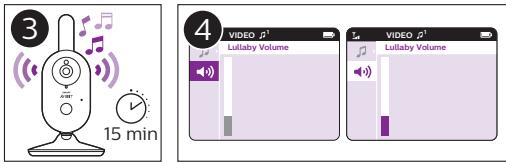
text_image 3 15 min 4 VIDEO p1 Lullaby Volume VIDEO p1 Lullaby Volume

PHILIPS SCD625/26 - Always here to help you - 47

text_image 1 15 min

PHILIPS SCD625/26 - Always here to help you - 48

natural_image Simple line drawing of a blood glucose meter with a baby icon on screen (no text or symbols)

PHILIPS SCD625/26 - Always here to help you - 49

text_image Illustration of a person using a device with a speech bubble containing a cartoon face and Chinese text.

PHILIPS SCD625/26 - Always here to help you - 50

text_image VIDEO Sensitivity Low Medium High Very High VIDEO Sensitivity Low Medium High Very High VIDEO Sensitivity Low Medium High Very High VIDEO Sensitivity Low Medium High Very High

PHILIPS SCD625/26 - Always here to help you - 51

text_image VIDEO Sensitivity Low Medium High Very High VIDEO Low Medium High Very High

PHILIPS SCD625/26 - Always here to help you - 52

natural_image Pure illustration of a stylized knife or blade against a solid purple background (no text or symbols)
PHILIPS SCD625/26 - Always here to help you - 53

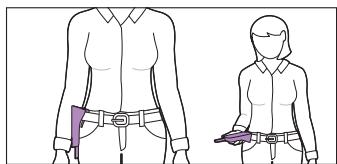
natural_image Two illustrated figures of a person wearing belt covers, no text or symbols present

PHILIPS SCD625/26 - Always here to help you - 54

natural_image Abstract geometric shape resembling a folded paper or flag on a solid purple background (no text or symbols)
PHILIPS SCD625/26 - Always here to help you - 55

natural_image Illustration of a faucet with water flowing through a sink, marked with a red X (no text or symbols)
PHILIPS SCD625/26 - Always here to help you - 56

natural_image Illustration of a faucet with liquid and a red X mark indicating a water level (no text or symbols)
PHILIPS SCD625/26 - Always here to help you - 57

text_image Image showing two purple bottles with a red 'X' symbol crossed out, indicating a prohibition or rejection in the absence of any text.

PHILIPS SCD625/26 - Always here to help you - 58

text_image 1

PHILIPS SCD625/26 - Always here to help you - 59

natural_image Illustration of a hand holding a purple object with a cloth, no text or symbols present
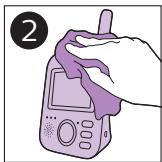
PHILIPS SCD625/26 - Always here to help you - 60

text_image 1

PHILIPS SCD625/26 - Always here to help you - 61

natural_image Illustration of a hand holding a handheld device with a cloth, no text or symbols present
PHILIPS SCD625/26 - Always here to help you - 62

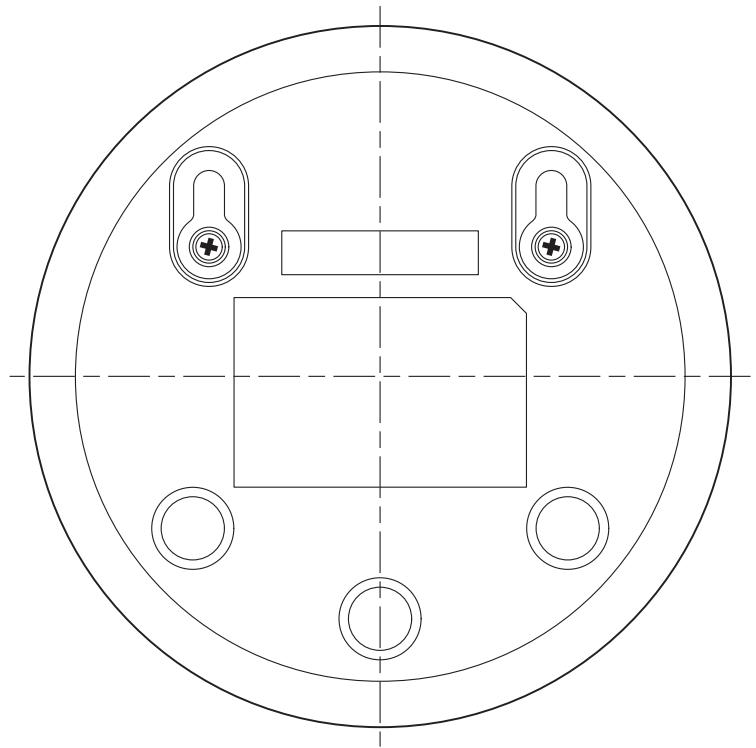
natural_image Technical line drawing of a circular mechanical or electrical component with four mounting holes and central rectangle (no text or symbols)

Philips Consumer Lifestyle BV

Tussendiepen 4, 9206 AD Drachten, The Netherlands

Trademarks owned by the Philips Group.

©2016 Koninklijke Philips N.V. All rights reserved

Sommaire Cliquez un titre pour y accéder
Assistant notice
Powered by Anthropic
En attente de votre message
Informations produit

Marque : PHILIPS

Modèle : SCD625/26

Catégorie : Babyphone