PIXEL 2 - PIXEL 2 XL - PIXEL 2 XL LTE - Smartphone GOOGLE - Notice d'utilisation et mode d'emploi gratuit
Retrouvez gratuitement la notice de l'appareil PIXEL 2 - PIXEL 2 XL - PIXEL 2 XL LTE GOOGLE au format PDF.

| Type de produit | Smartphone |
| Marque | |
| Modèles | Pixel 2, Pixel 2 XL, Pixel 2 XL LTE |
| Dimensions (Pixel 2) | 145,7 x 69,7 x 7,8 mm |
| Dimensions (Pixel 2 XL / XL LTE) | 157,9 x 76,7 x 7,9 mm |
| Poids (Pixel 2) | 143 g |
| Poids (Pixel 2 XL / XL LTE) | 175 g |
| Écran (Pixel 2) | 5,0 pouces AMOLED, 1080 x 1920 pixels |
| Écran (Pixel 2 XL / XL LTE) | 6,0 pouces P-OLED, 1440 x 2880 pixels |
| Batterie (Pixel 2) | 2700 mAh, non amovible |
| Batterie (Pixel 2 XL / XL LTE) | 3520 mAh, non amovible |
| Système d'exploitation | Android 8.0 Oreo, évolutif |
| Processeur | Qualcomm Snapdragon 835 MSM8998 |
| Mémoire RAM | 4 Go |
| Stockage interne | 64 Go ou 128 Go |
| Appareil photo arrière | 12,2 Mpx, f/1,8, OIS |
| Appareil photo avant | 8 Mpx, f/2,4 |
| Connectivité | USB-C, NFC, Bluetooth 5.0, Wi-Fi 802.11 a/b/g/n/ac |
| Capteurs | Empreinte digitale, accéléromètre, gyroscope, proximité, boussole |
| Résistance à l'eau | IP67 – résistant à l'eau et à la poussière |
| Entretien et nettoyage | Nettoyer avec un chiffon doux et sec. Éviter les liquides et produits abrasifs. |
| Sécurité | Ne pas exposer à la chaleur excessive. Utiliser un chargeur officiel. |
| Pièces détachées et réparabilité | Écran et batterie réparables par un professionnel agréé. |
FOIRE AUX QUESTIONS - PIXEL 2 - PIXEL 2 XL - PIXEL 2 XL LTE GOOGLE
Questions des utilisateurs sur PIXEL 2 - PIXEL 2 XL - PIXEL 2 XL LTE GOOGLE
0 question sur cet appareil. Repondez a celles que vous connaissez ou posez la votre.
Poser une nouvelle question sur cet appareil
Téléchargez la notice de votre Smartphone au format PDF gratuitement ! Retrouvez votre notice PIXEL 2 - PIXEL 2 XL - PIXEL 2 XL LTE - GOOGLE et reprennez votre appareil électronique en main. Sur cette page sont publiés tous les documents nécessaires à l'utilisation de votre appareil PIXEL 2 - PIXEL 2 XL - PIXEL 2 XL LTE de la marque GOOGLE.
MODE D'EMPLOI PIXEL 2 - PIXEL 2 XL - PIXEL 2 XL LTE GOOGLE
Hard Reset GOOGLE Pixel 2
How to factory reset GOOGLE Pixel 2? How to wipe all data in GOOGLE Pixel 2? How to bypass screen lock in GOOGLE Pixel 2? How to restore defaults in GOOGLE Pixel 2?
The following tutorial shows all method of master reset GOOGL Pixel 2. Check out how to accomplish hard reset by hardware keys and Android 8.0 Oreo settings. As a result your GOOGLE Pixel 2 will be as new and your Qualcomm Snapdragon 835 MSM8998 core will run faster.
First method:
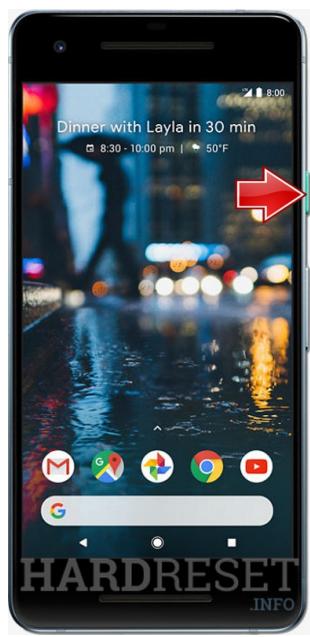
- In the first step turn off the GOOGLE Pixel 2 by holding down the Power button.
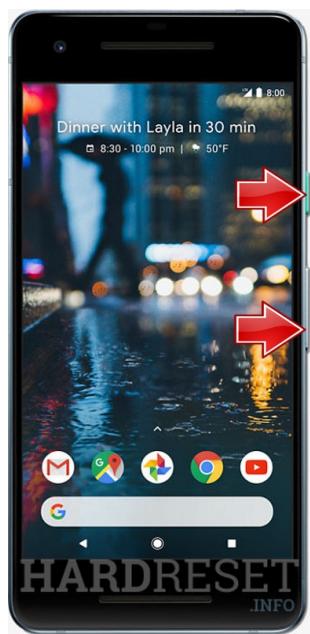
- Next, press and hold the Volume Down button for about 2-3 seconds.
- While still holding this key press the Power key for about 3 seconds and release all buttons.
- Afterwards choose Recovery option by using to navigate Volume buttons, and to confirm Power key.
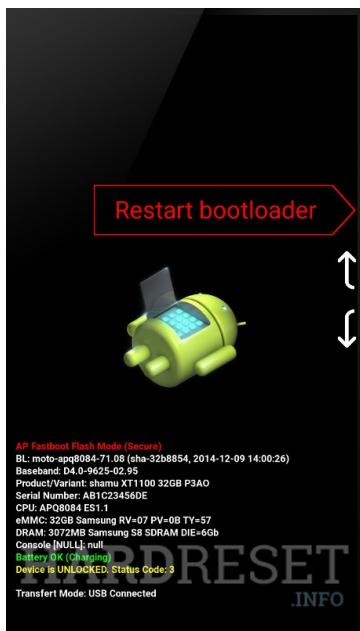
- As soon as the Android Image shows up on the screen hold down the Power key for a couple of seconds.
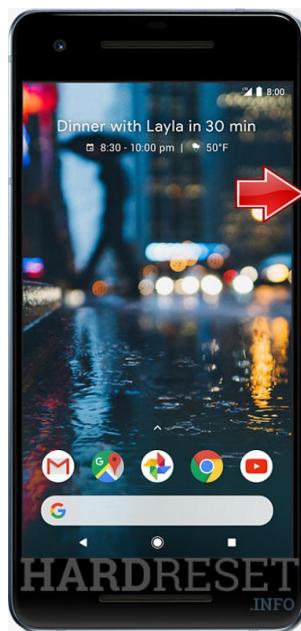
- While you holding the Power button quickly press the Volume Up key.
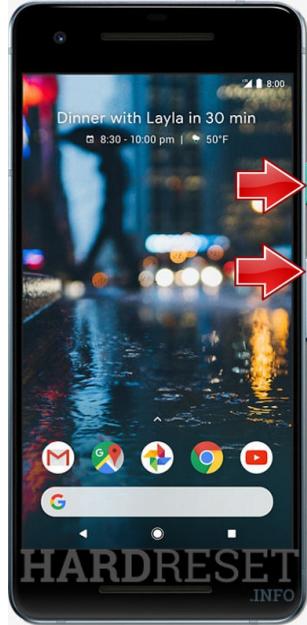
- Use the Volume keys to highlight the "wipe data/factory reset", and then push the Power button to confirm.
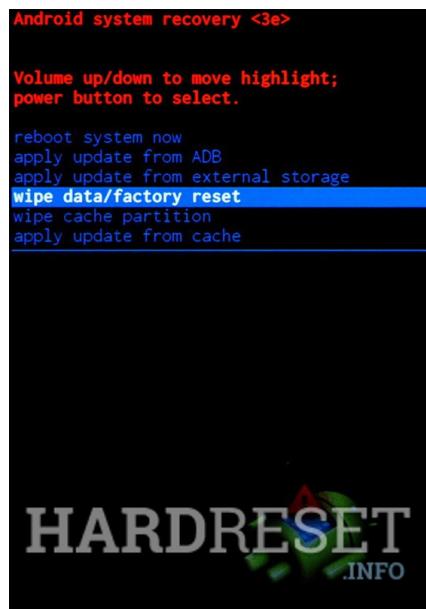
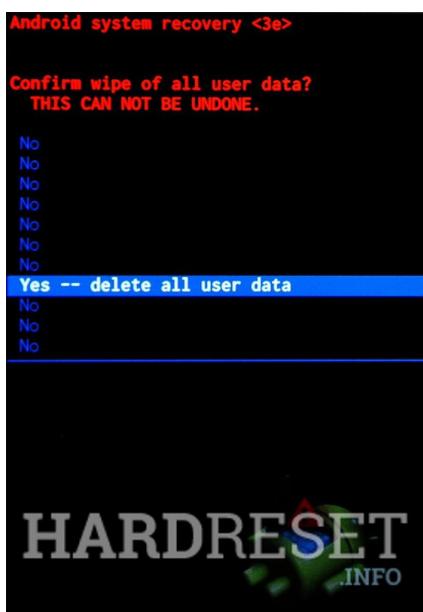
- Select "Yes--delete all user data". Use Volume Down button to scroll and Power button to select.
-
Now the GOOGLE Pixel 2 is erasing all personal data and customized settings.
-
In order to restart the phone, select "reboot system now".
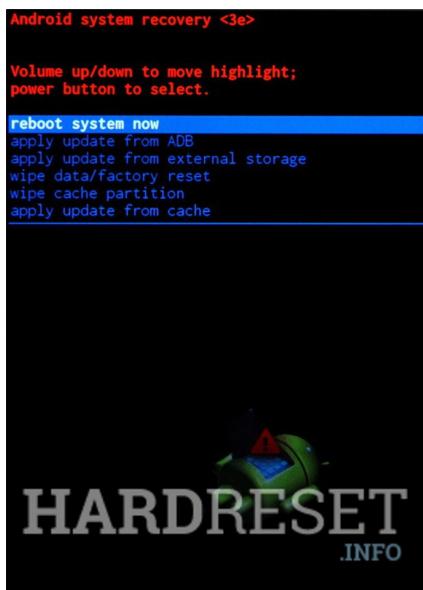
- Excellent! The hard reset is done! You can activate the GOOGLE Pixel 2 without inputting pattern or password.