
ARMOR X1 - Routeur ZYXEL - Notice d'utilisation et mode d'emploi gratuit
Retrouvez gratuitement la notice de l'appareil ARMOR X1 ZYXEL au format PDF.

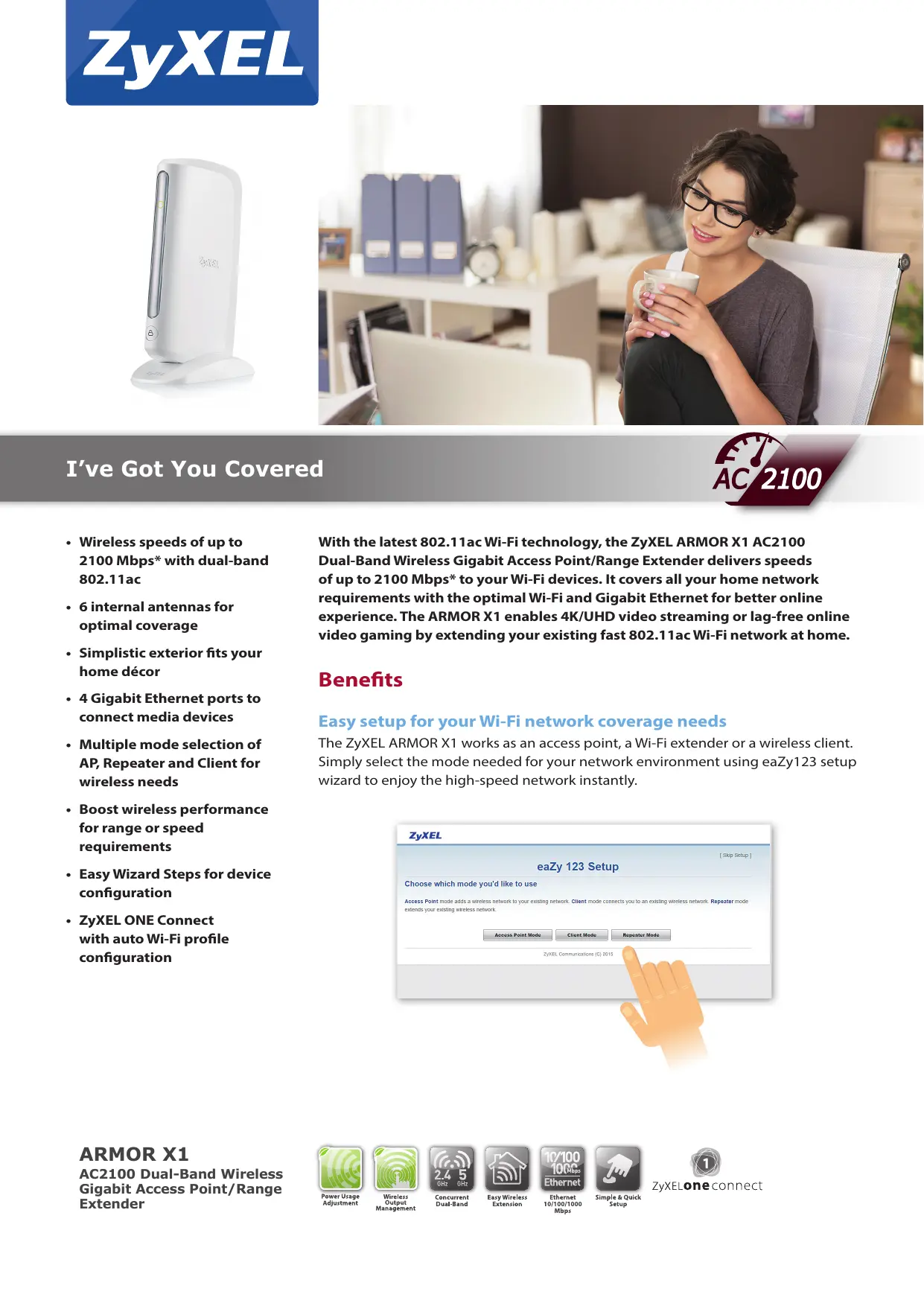
| Type de produit | Routeur / Point d'accès / Répéteur / Client Wi-Fi |
| Marque | ZyXEL |
| Modèle | ARMOR X1 |
| Normes Wi-Fi | 802.11 a/b/g/n/ac, double bande 2,4 GHz et 5 GHz |
| Débit Wi-Fi maximal | Jusqu'à 300 Mbit/s (2,4 GHz) + 1733 Mbit/s (5 GHz) |
| Antennes | 6 antennes internes (2 pour 2,4 GHz, 4 pour 5 GHz) |
| Ports Ethernet | 4 ports Gigabit Ethernet RJ-45 (10/100/1000 Mbit/s) |
| Boutons | WPS, Reset |
| Indicateurs LED | Alimentation, WPS, qualité Wi-Fi |
| Dimensions (L x P x H) | 37 x 134 x 218 mm |
| Poids | 396 g |
| Alimentation | Adaptateur secteur (inclus), consommation max. 10,2 W |
| Sécurité sans fil | WPA/WPA2-PSK, WEP (2,4 GHz) |
| Fonctions principales | Mode point d'accès, répéteur ou client ; gestion de la puissance d'émission ; sélection automatique de canal ; SSID caché |
| Configuration | Assistant eaZy123, application ZyXEL ONE Connect |
| Température de fonctionnement | 0 °C à 40 °C |
| Humidité de fonctionnement | 10 % à 90 % (sans condensation) |
| Contenu de l'emballage | Point d'accès, adaptateur secteur, câble Ethernet |
| Entretien et nettoyage | Nettoyer avec un chiffon doux et sec. Ne pas utiliser de produits abrasifs. |
| Réparabilité | Pièces détachées non fournies par le fabricant. Consultez un professionnel pour toute réparation. |
FOIRE AUX QUESTIONS - ARMOR X1 ZYXEL
Questions des utilisateurs sur ARMOR X1 ZYXEL
0 question sur cet appareil. Repondez a celles que vous connaissez ou posez la votre.
Poser une nouvelle question sur cet appareil
Téléchargez la notice de votre Routeur au format PDF gratuitement ! Retrouvez votre notice ARMOR X1 - ZYXEL et reprennez votre appareil électronique en main. Sur cette page sont publiés tous les documents nécessaires à l'utilisation de votre appareil ARMOR X1 de la marque ZYXEL.
MODE D'EMPLOI ARMOR X1 ZYXEL
natural_image
White electronic device labeled 'ZyX81' with a circular port and base (no visible text beyond branding)
natural_image
Woman sitting in a white chair holding a mug, smiling while wearing glasses, in an office setting with bookshelves and a clock (no visible text or symbols)I've Got You Covered

- Wireless speeds of up to 2100 Mbps* with dual-band 802.11ac
- 6 internal antennas for optimal coverage
- Simplistic exterior fits your home décor
• 4 Gigabit Ethernet ports to connect media devices - Multiple mode selection of AP, Repeater and Client for wireless needs
- Boost wireless performance for range or speed requirements
- Easy Wizard Steps for device configuration
- ZyXEL ONE Connect with auto Wi-Fi profile configuration
With the latest 802.11ac Wi-Fi technology, the ZyXEL ARMOR X1 AC2100 Dual-Band Wireless Gigabit Access Point/Range Extender delivers speeds of up to 2100 Mbps* to your Wi-Fi devices. It covers all your home network requirements with the optimal Wi-Fi and Gigabit Ethernet for better online experience. The ARMOR X1 enables 4K/UHD video streaming or lag-free online video gaming by extending your existing fast 802.11ac Wi-Fi network at home.
Benefits
Easy setup for your Wi-Fi network coverage needs
The ZyXEL ARMOR X1 works as an access point, a Wi-Fi extender or a wireless client. Simply select the mode needed for your network environment using eaZy123 setup wizard to enjoy the high-speed network instantly.
![ZyXEL eaZy 123 Setup [ Skip Setup ] Choose which mode you'd like to use Access Point mode adds a wireless network to your existing network. Client mode connects you to an existing wireless network. Repeater mode extends your existing wireless network. Access Point Mode Client Mode Repeater Mode ZyXEL Communications (C) 2015](/content/2026/01/221004/images/4d8fa647718237445985dd2cb8cb700d92a8430969617e917e3abd9e46b8acbc.jpg)
ARMOR X1
AC2100 Dual-Band Wireless Gigabit Access Point/Range Extender

Power Usage Adjustment

Wireless Output Management

Concurrent Dual-Band

Easy Wireless Extension

Ethernet 10/100/1000 Mbps

Simple & Quick Setup

ZyXELone connect
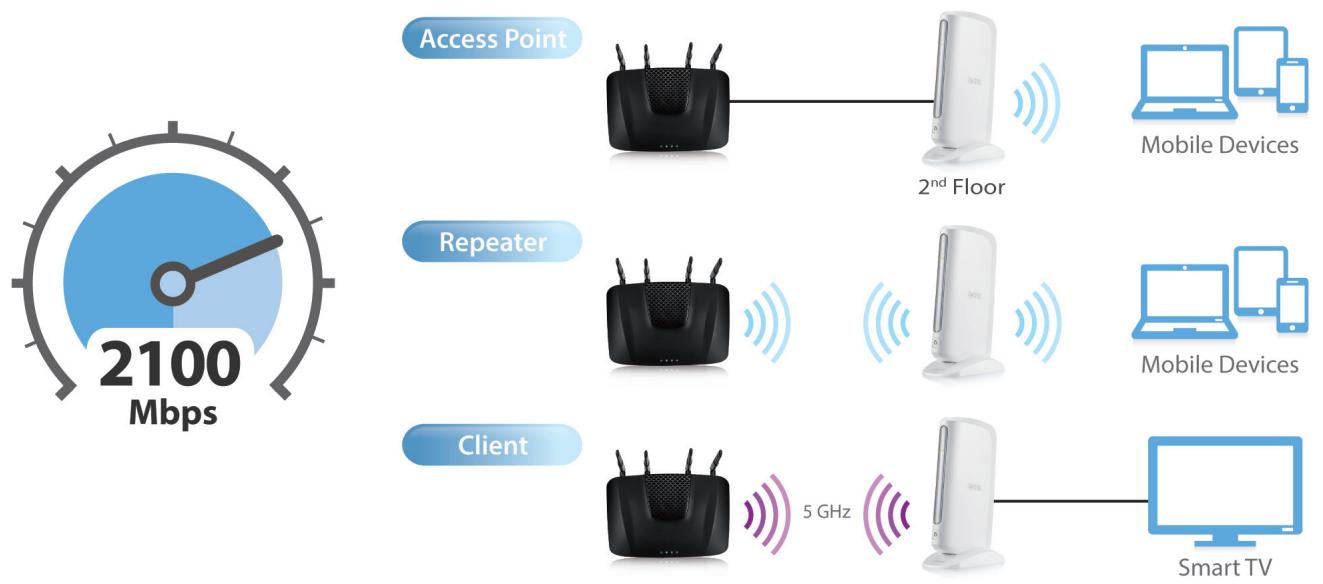
An access point, a repeater or a client? Make it the way you want it
You have the freedom to choose: adding wireless speeds of up to 2100 Mbps* with reliable Gigabit Ethernet connection to different floor or rooms, easily extending 802.11ac wireless coverage from your existing 802.11ac router, or providing Internet connection to your media devices wirelessly from the router. Choose what you need for your wireless network at home so the ZyXEL ARMOR X1 will play the role for you.
Prioritize wireless performance as needed
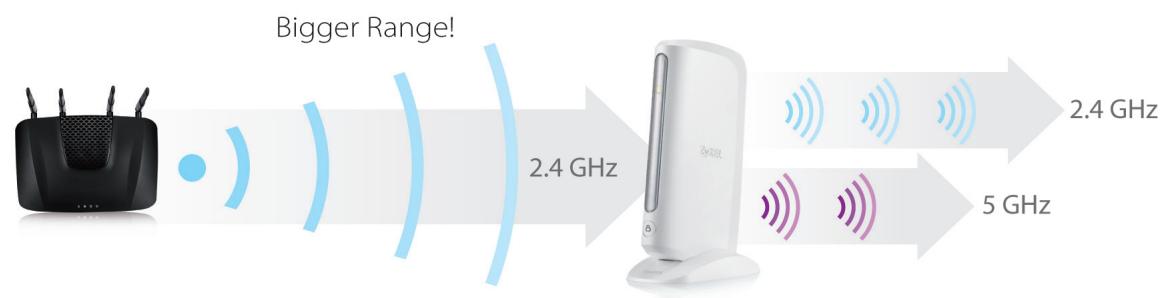
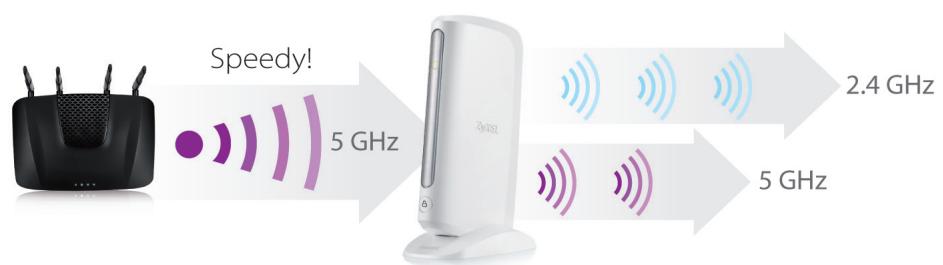
The ZyXEL ARMOR X1 provides the latest 802.11ac dual-band wireless technology, with which you can instantly enjoy 2.4 GHz/5 GHz wireless connectivity for daily use. Choose the "Range" mode for maximum Wi-Fi coverage or "Speed" mode to boost speedy 5 GHz connection for video streaming and throughput-intensive applications.
Design with simplicity to fit your home
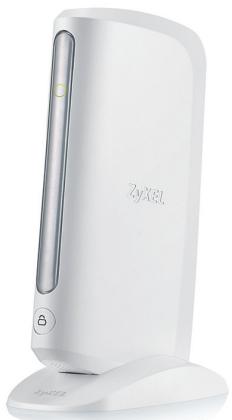
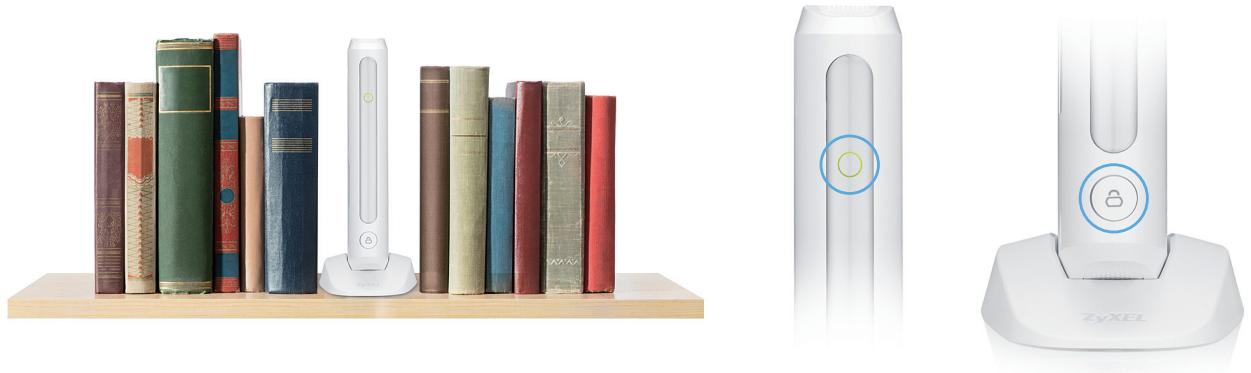
It fits into shelves like a book, sits on the desk beside the telephone or stands next to the ultra-thin TV perfectly—just place it the way you'd like. All you need to do is to decide the best spot to connect your wireless devices to the router and power it up.
Gigabit Ethernet maximizes wired performance
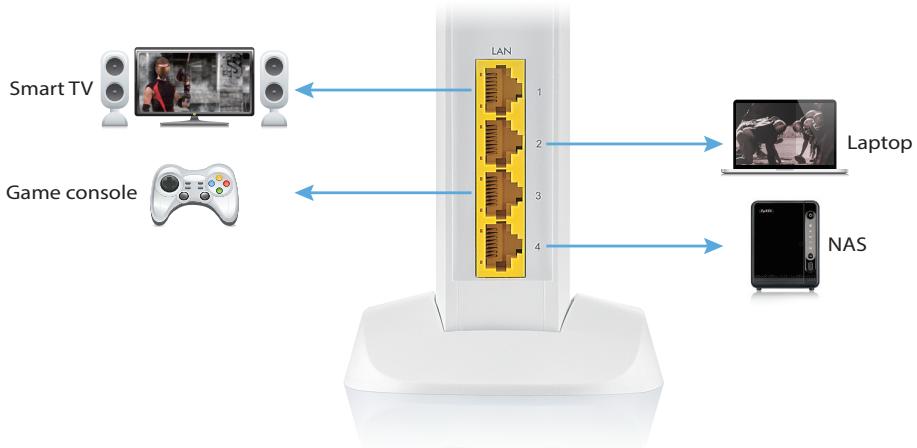
With four Gigabit Ethernet ports, the ZyXEL ARMOR X1 has been designed for reliable, high-performance video streaming with speeds much faster than typical Ethernet connections; and the device makes it easy to connect multiple wired devices like smart TV, laptop, game console or NAS.
ONE Connect to discover home connectivity and activity
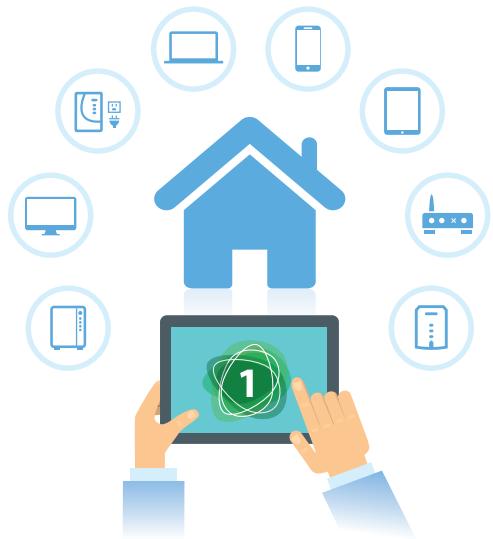
With the ZyXEL ONE Connect, you can easily configure network settings from your router** to network devices connected and manage them easily with ONE Connect app installed.
natural_image
Illustration of a hand holding a tablet displaying a numbered icon, surrounded by icons representing devices like home, devices, and mobile (no text or symbols present)Specifications
System Specifications
Wireless Standard
• 802.11 b/g/n 2.4 GHz
• 802.11 a/n/ac 5 GHz
Wireless Speed
- Transmit:
- 300 Mbps* for 2.4 GHz
- 1733 Mbps* for 5 GHz
Receive:
- 300 Mbps* for 2.4 GHz
- 1733 Mbps* for 5 GHz
Wireless Security
• WPA/WPA2-PSK and WEP for 2.4 GHz
• WPA/WPA2-PSK for 5 GHz
Features
- Wireless output power management
- Repeater/AP/Client mode
• Wi-Fi Protected Setup (WPS)
• Wi-Fi Multimedia (WMM)
• Auto channel selection - Hidden SSID
Hardware Specifications
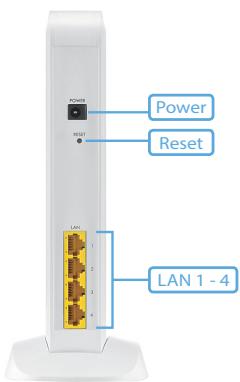
• LAN: Four 10/100/1000 Mbps Ethernet RJ-45 ports with auto MDI/MDIX support
- Button/Switch:
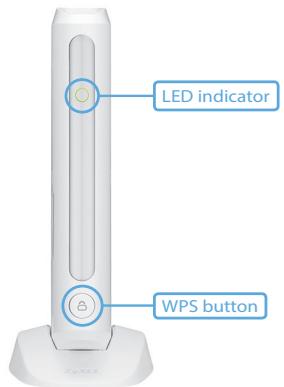
- WPS button
- Reset button
• LED indicator: Color LED (power, WPS, and W-Fi quality)
- Antenna:
- Two 2.4 GHz internal antennas
- Four 5 GHz internal antennas
• Power consumption: 10.2 watt max.
Physical Specifications
- Item dimensions (WxDxH):
37 x 134 x 218 mm (1.46" x 5.28" x 8.58")
• Item weight: 396 g (0.87 lb.) - Packing dimensions (WxDxH):
307 x 99 x 185 mm (12.09" x 3.90" x 7.28")
- Packing weight: 1,038 g (2.29 lb.)
Environmental Specifications
Operating Environment
• Temperature: 0°C to 40°C (32°F to 104°F)
• Humidity: 10% to 90% (Non-condensing)
Storage Environment
• Temperature: -30^ to 70^ ( -22^ to 158^ )
• Humidity: 10% to 95% (Non-condensing)
Certification
- Safety: CE-LVD
• EMC: CE
Package Contents
- Wireless AP
- Power adapter
- Ethernet cable
* The maximum wireless data transfer rate of up to 300 Mbps for 2.4 GHz and 1733 Mbps for 5 GHz simultaneously, which is derived from IEEE Standard 802.11 specifications. Actual data transfer rate will vary from network environment including: distance, network traffic, building site materials/construction, interference from other wireless devices, and other adverse conditions.
** ZyXEL ONE Connect router is required for all features on this app.
Application Diagram
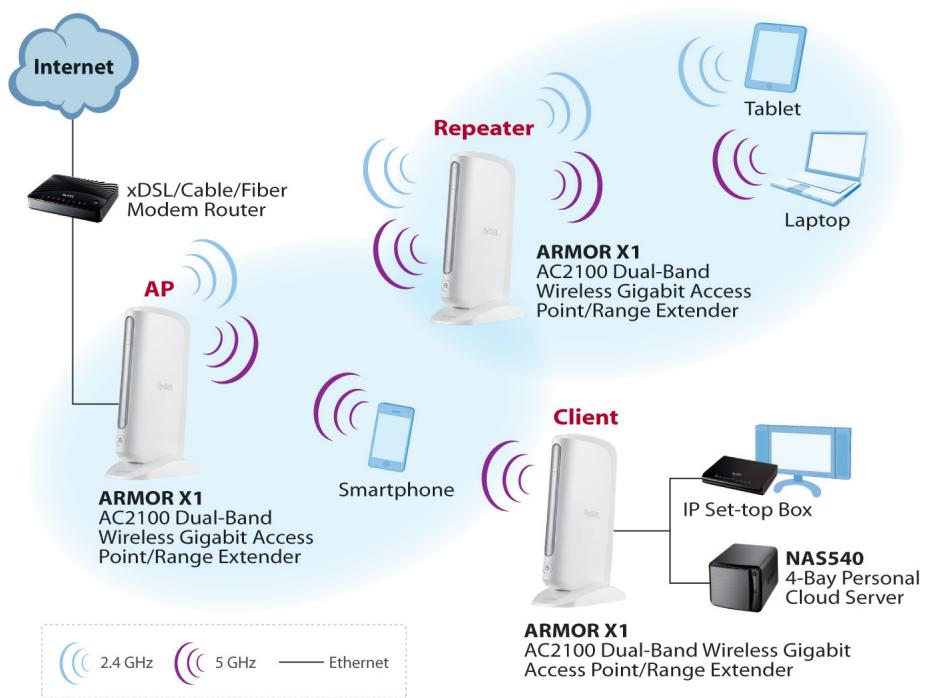
flowchart
graph TD
    A["Internet"] --> B["xDSL/Cable/Fiber Modem Router"]
    B --> C["AP"]
    C --> D["ARMOR X1 AC2100 Dual-Band Wireless Gigabit Access Point/Range Extender"]
    D --> E["Smartphone"]
    E --> F["Client"]
    F --> G["IP Set-top Box"]
    F --> H["NAS540 4-Bay Personal Cloud Server"]
    G --> I["Tablet"]
    H --> J["Laptop"]
    style A fill:#f9f,stroke:#333
    style B fill:#ccf,stroke:#333
    style C fill:#cfc,stroke:#333
    style D fill:#fcc,stroke:#333
    style E fill:#cff,stroke:#333
    style F fill:#ffc,stroke:#333
    style G fill:#cfc,stroke:#333
    style H fill:#fcc,stroke:#333
    style I fill:#fff,stroke:#333
    style J fill:#fff,stroke:#333
Front Panel
Rear Panel
For more product information, visit us on the web at www.ZyXEL.com
- I've Got You Covered
- Benefits
- Easy setup for your Wi-Fi network coverage needs
- ARMOR X1
- An access point, a repeater or a client? Make it the way you want it
- Prioritize wireless performance as needed
- Design with simplicity to fit your home
- Gigabit Ethernet maximizes wired performance
- ONE Connect to discover home connectivity and activity
- Specifications
- System Specifications
- Wireless Standard
- Wireless Speed
- Wireless Security
- Features
- Hardware Specifications
- Physical Specifications
- Environmental Specifications
- Operating Environment
- Storage Environment
- Certification
- Package Contents
Marque : ZYXEL
Modèle : ARMOR X1
Catégorie : Routeur