
ECHO - Enceintes intelligentes AMAZON - Notice d'utilisation et mode d'emploi gratuit
Retrouvez gratuitement la notice de l'appareil ECHO AMAZON au format PDF.


| Type de produit | Enceinte intelligente (haut-parleur connecté) |
| Marque | Amazon |
| Modèle | Echo (2e génération) |
| Dimensions (L x l x H) | Environ 148 x 99 x 99 mm |
| Poids | Environ 820 g |
| Alimentation | Adaptateur secteur 15 V CC, 1,4 A (fourni) |
| Connectivité | Wi-Fi 802.11 a/b/g/n/ac (2,4 et 5 GHz), Bluetooth 5.0 |
| Assistant vocal | Alexa intégré |
| Haut-parleur | Haut-parleur large bande de 2,5 pouces |
| Microphones | 7 micros à champ lointain pour la reconnaissance vocale |
| Fonctions principales | Contrôle vocal Alexa, diffusion de musique en streaming, podcasts, livres audio, contrôle de la maison connectée, compatibilité EZCast pour diffuser des vidéos |
| Commandes vocales EZCast | Lecture de vidéos, contrôle de la lecture (pause, avance, retour), réglage du volume, gestion des listes de lecture, sélection de chaînes |
| Compatibilité | EZCast dongle (version complète), application EZCast (Android 4.4+, iOS 9.0+) |
| Entretien et nettoyage | Essuyer avec un chiffon doux et sec. Ne pas utiliser de produits abrasifs ou de liquides. |
| Sécurité | Utiliser dans un environnement sec et bien ventilé. Ne pas exposer à l'eau ou à l'humidité. Débrancher en cas d'orage. |
| Pièces détachées et réparabilité | Aucune pièce réparable par l'utilisateur. En cas de problème, contacter le service client Amazon. |
| Informations générales | Enceinte connectée avec assistant vocal Alexa, compatible avec de nombreux services de streaming et appareils domotiques. |
FOIRE AUX QUESTIONS - ECHO AMAZON
1. Téléchargez l'application EZCast sur votre smartphone (Android 4.4+ ou iOS 9.0+).
2. Connectez votre dongle EZCast au Wi-Fi et lancez l'application.
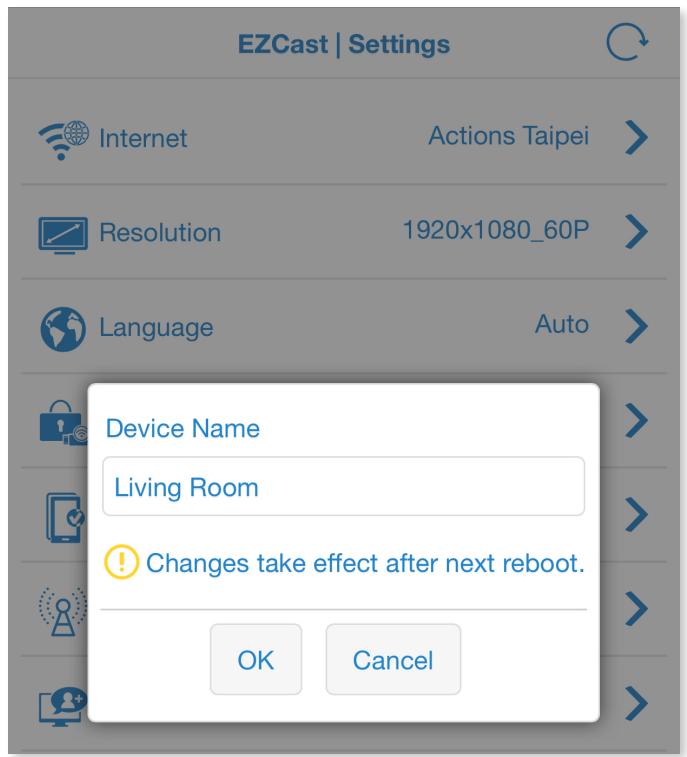
3. Dans l'application, sélectionnez votre appareil EZCast et accédez aux paramètres pour lui donner un nom facile à prononcer (ex : Salon).
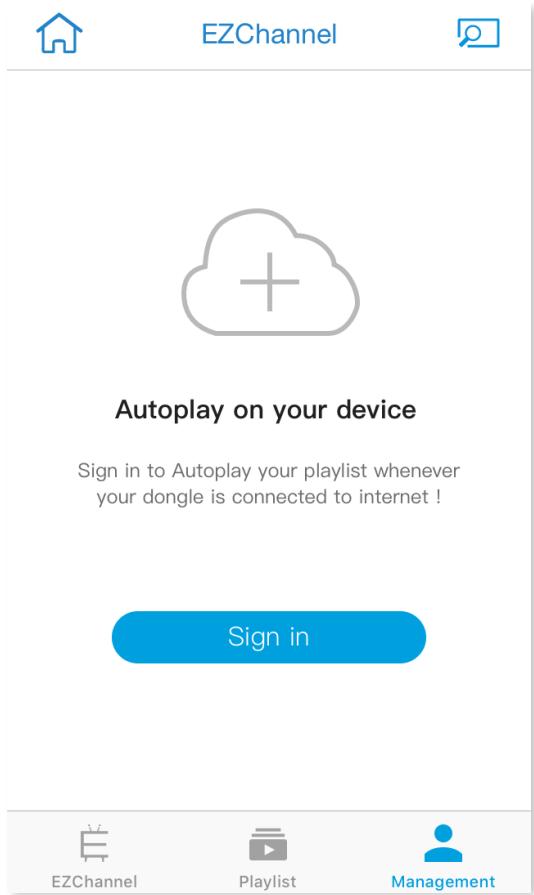
4. Connectez-vous à votre compte EZChannel dans l'application.
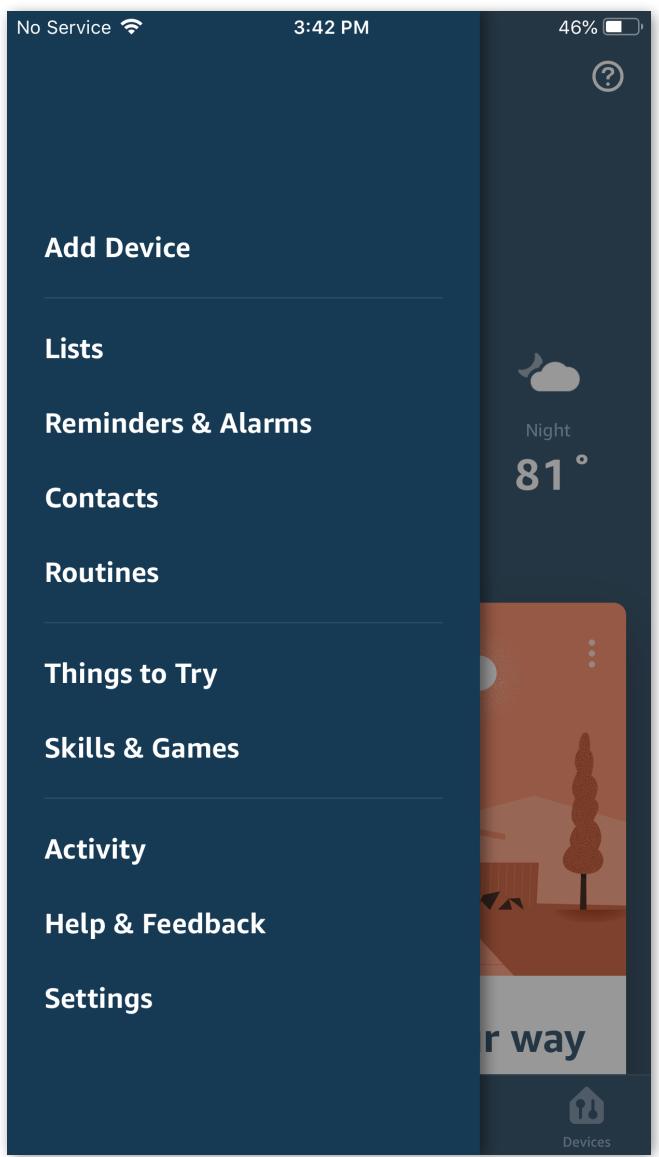
5. Ouvrez l'application Amazon Alexa, allez dans Skills & Jeux, cherchez 'EZCast' et activez la compétence.
6. Connectez-vous avec votre compte EZCast et liez votre appareil. Votre Echo est maintenant prêt à contrôler EZCast.
- 'Alexa, demande à EZCast de lire la vidéo'
- 'Alexa, demande à EZCast de mettre en pause'
- 'Alexa, demande à EZCast d'avancer de 2 minutes 30 secondes'
- 'Alexa, demande à EZCast de revenir en arrière'
- 'Alexa, demande à EZCast de lire la vidéo suivante'
- 'Alexa, demande à EZCast de monter le volume' (augmente d'un cran)
- 'Alexa, demande à EZCast de baisser le volume de 2'
- 'Alexa, demande à EZCast de mettre le volume à 6'
- 'Alexa, demande à EZCast de couper le son' (muet)
- 'Alexa, demande à EZCast de réactiver le son'
- 'Alexa, demande à EZCast de regarder les vidéos de Katy Perry'
- 'Alexa, demande à EZCast de chercher la saison 2, épisode 4 de Game of Thrones'
- 'Alexa, demande à EZCast de jouer Deadpool'
- 'Alexa, demande à EZCast d'ajouter cette vidéo à la liste de lecture'
- 'Alexa, demande à EZCast de sauvegarder cette vidéo'
- 'Alexa, demande à EZCast de regarder plus tard'
- 'Alexa, demande à EZCast de lire ma chaîne' (joue la chaîne par défaut)
- 'Alexa, demande à EZCast de jouer la chaîne 1'
- 'Alexa, demande à EZCast de montrer mes chaînes' (liste les chaînes disponibles)
- 'Alexa, demande à EZCast de définir le bureau comme dongle par défaut'
- 'Alexa, demande à EZCast de changer de dongle'
- 'Alexa, demande à EZCast de basculer vers salon'
Questions des utilisateurs sur ECHO AMAZON
0 question sur cet appareil. Repondez a celles que vous connaissez ou posez la votre.
Poser une nouvelle question sur cet appareil
Téléchargez la notice de votre Enceintes intelligentes au format PDF gratuitement ! Retrouvez votre notice ECHO - AMAZON et reprennez votre appareil électronique en main. Sur cette page sont publiés tous les documents nécessaires à l'utilisation de votre appareil ECHO de la marque AMAZON.
MODE D'EMPLOI ECHO AMAZON
Use Amazon Echo to voice control your EZCast
(EZCast Full version)
Introduction
There are two versions of EZCast skills in Alexa, which are EZCast Lite for basic commands and full version for advanced commands. Downloading both versions makes voice control more convenient: brief commands to control playback and adjust volumes; full commands to search videos, watch your channels, and edit your playlists.
Setup
Before you begin using Echo Dot to voice control your EZCast devices, you have to register your devices to your EZCast account from the EZCast app. To do this, follow the steps below:
1. Download EZCast App
You need to register your EZCast device within the EZCast app, before using your Amazon Echo to voice control it. Our EZCast app supports on phones and tablets with:
Android 4.4 and above
iOS 9.0 and above
2. Select your EZCast device
Launch EZCast app and select your EZCast device (make sure your device is connected to a Wi-Fi Network).

- After selecting your device, go to Settings (side bar) to change your device name to something easy to pronounce such as: Living Room, Office, Bedroom, Kitchen Please reboot your dongle for the changes to take effect.
4. Sign in to EZChannel
After selecting your EZCast device, choose EZChannel within the EZCast app, and choose Management > Sign in EZChannel.
5. Register device
After signing in, click your device to make sure it has been registered.

Management

My devices

EZCast 4K
Now connecting


Plants
Videos that introduce
different plants living in
variety of circumstances.

Cloud
Control
- After registration, please proceed to the Amazon Alexa app to bind your EZCast device
- Launch Amazon Alexa > select Skills & Games located at the side bar > Search the "EZCast" Keyword
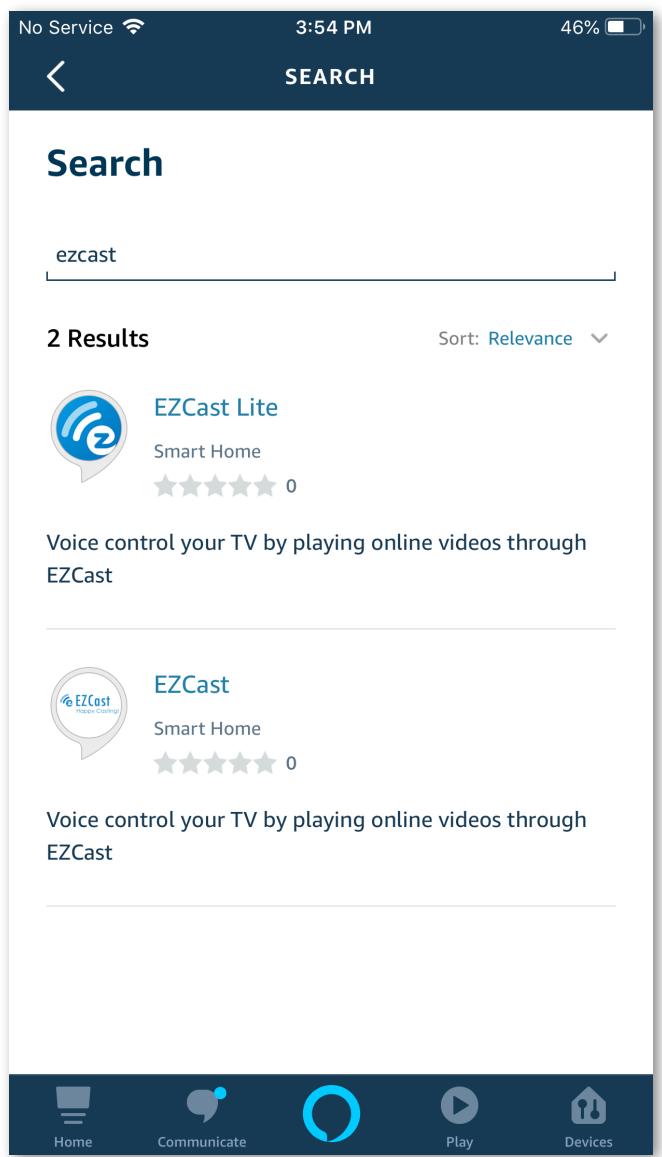
- Select EZCast Skill > Enable EZCast Skill
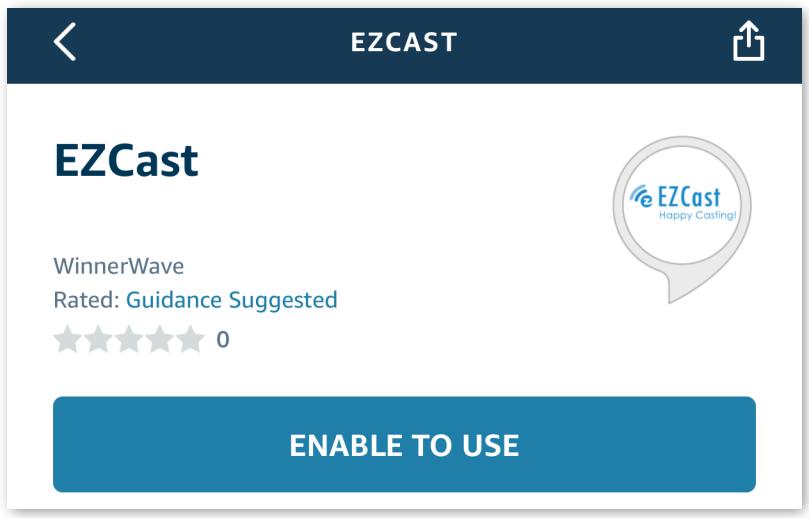
- After Enable EZCast Skill, you have to log into EZCast account.
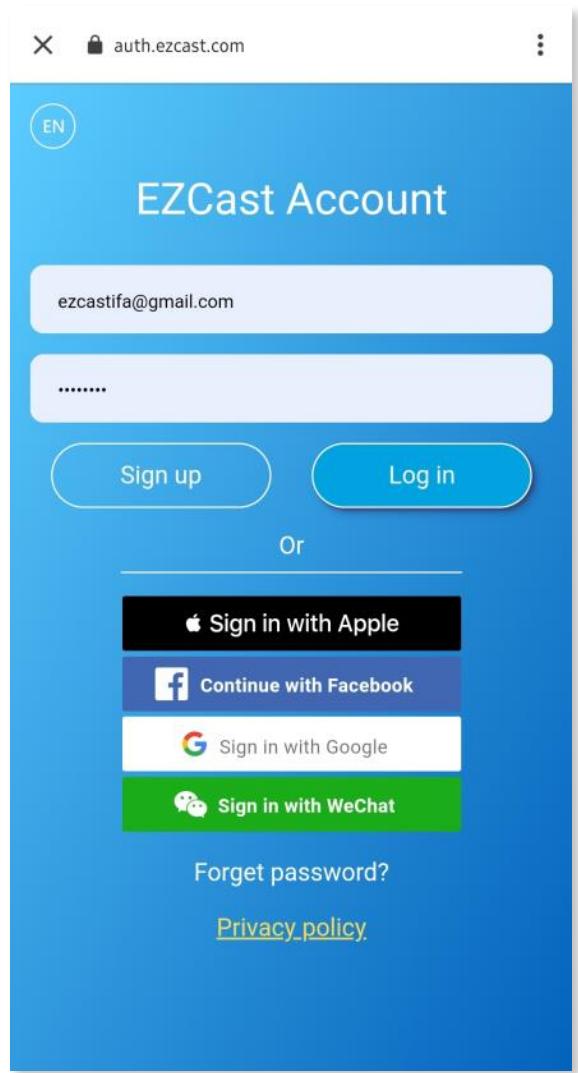
10. Proper authorization is required to access this skill.
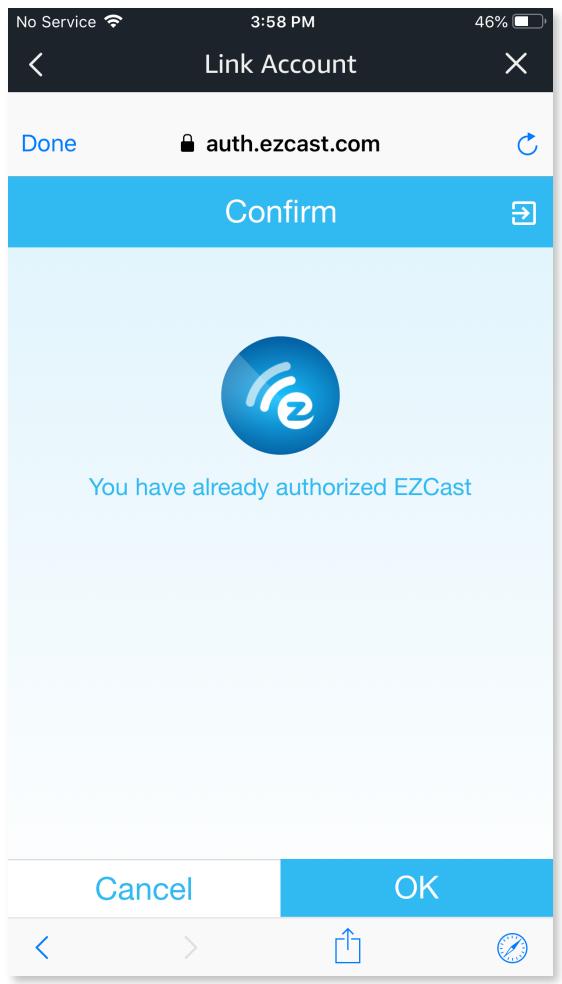
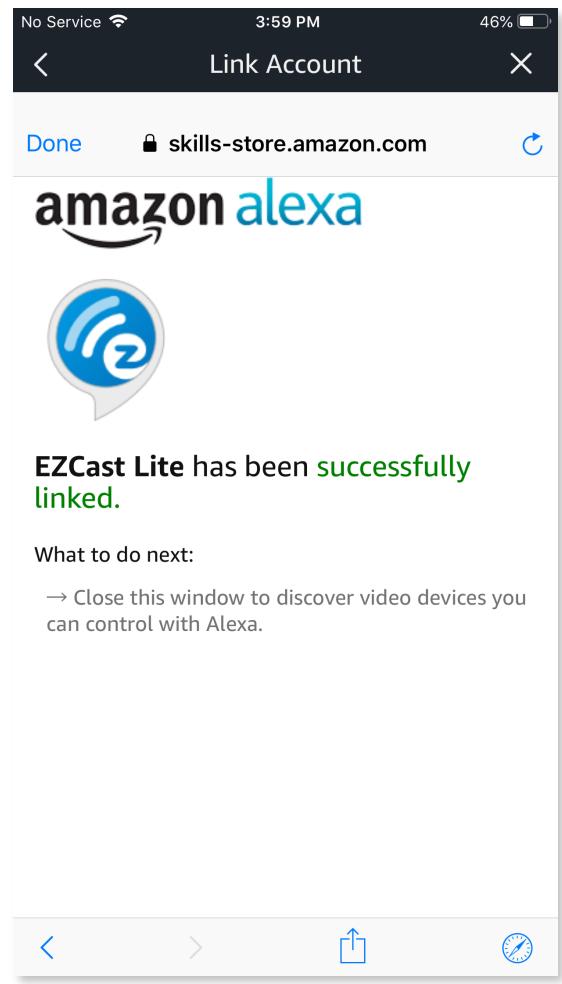
11. Pick the EZCast device you want to link to
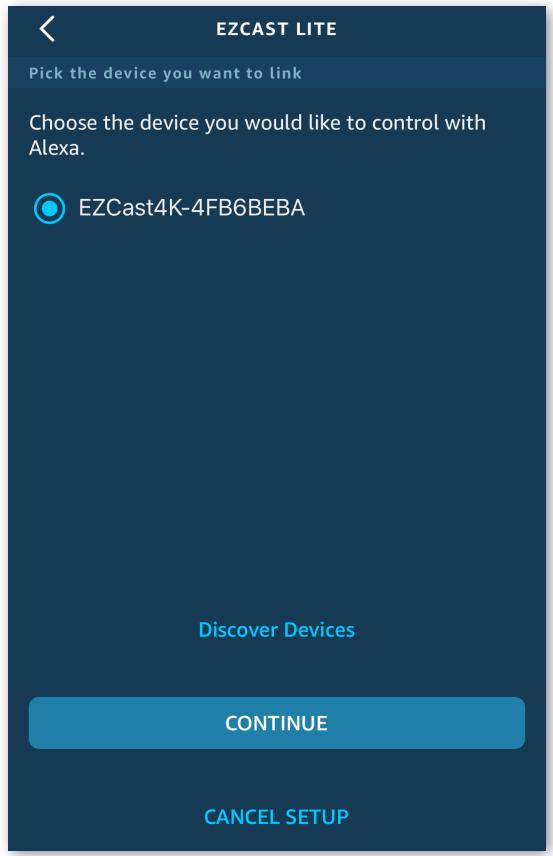
- Pick your Alexa devices that you want to use to control your EZCast device
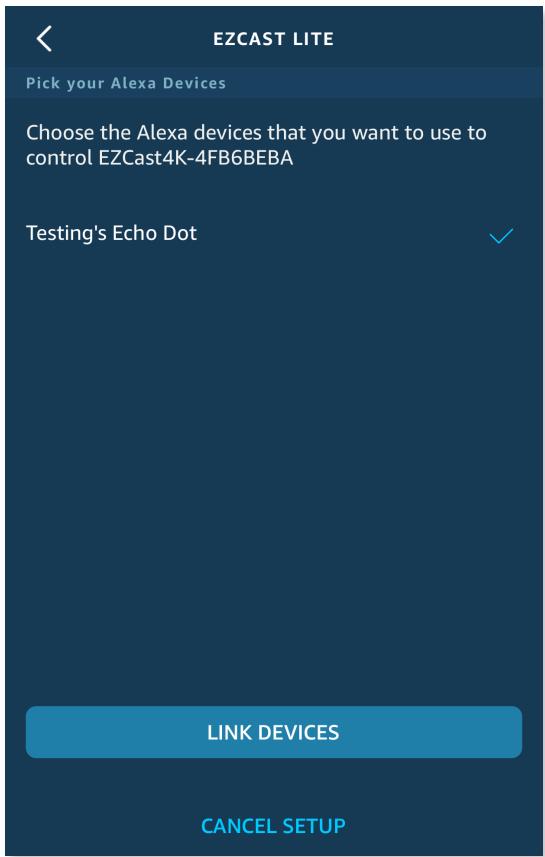
- Your EZCast is ready! Now you can voice command your EZCast device!
Note: Once you sign in the EZCast account at the skills page in Alexa, it would be remembered. If you'd like to switch your EZCast account, please follow the steps below:
- Disable the EZCast skill
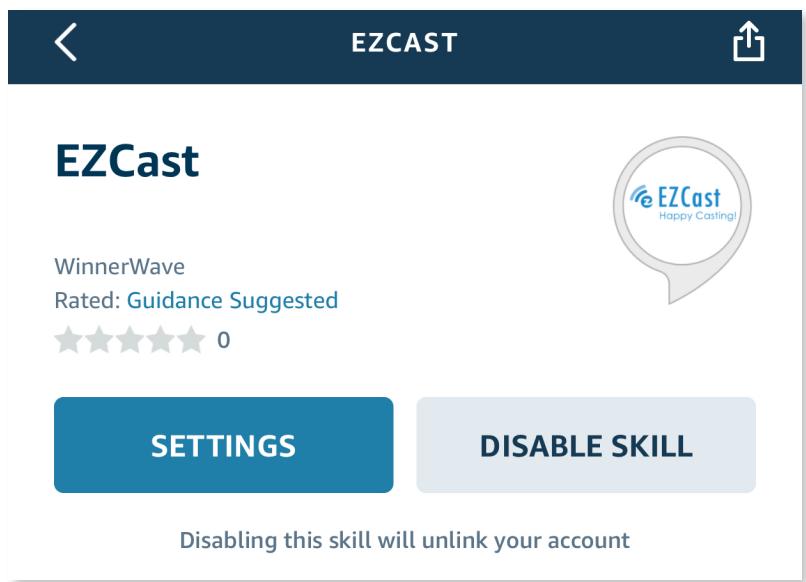
2. Re-enable EZCast skill
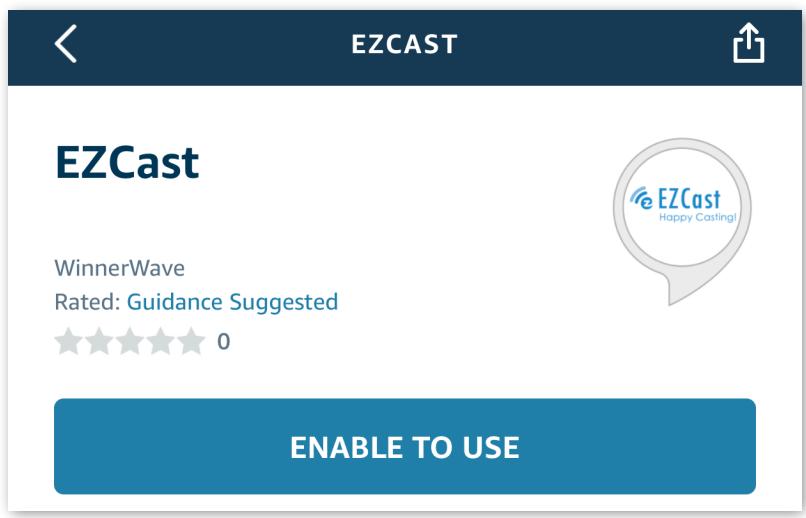
3. Log out EZCast account from top-right
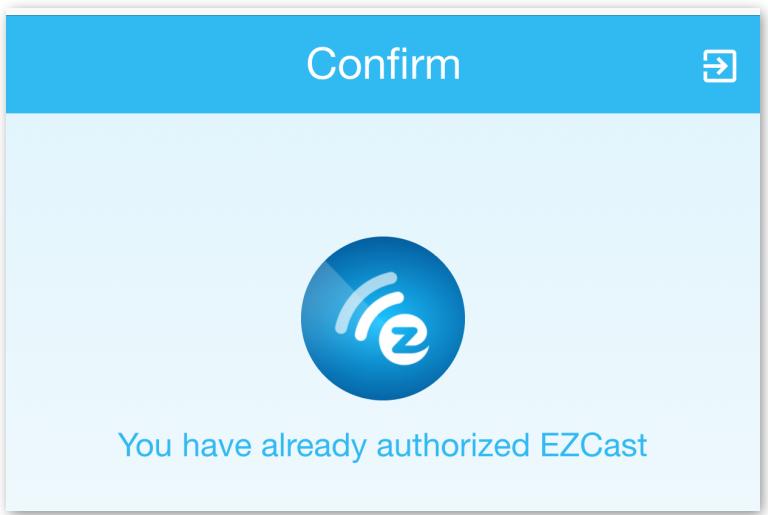
- Sign in another account you like, and enjoy EZCast!
Voice commands on Amazon Echo
While using EZCast full version of Alexa to control EZCast, it's necessary to get connected to EZCast before any commands. Please say before any command:
Alexa, ask EZCast
Or make it a complete sentence connected with "to", like:
Alexa, ask EZCast to play Katy Perry video
- Alexa, ask EZCast to search season 2, episode 4 of Game of Thrones
Alexa, ask EZCast to pause video
1. Play videos
To play EZChannel's recommended videos :
Alexa, ask EZCast to play videos
To play videos from search results:
Alexa, ask EZCast to watch Katy Perry music videos
Alexa, ask EZCast to play Deadpool videos
Alexa, ask EZCast to watch season 2, episode 4 of Game of thrones
2.Playback controls
Currently supported playback controls:
Alexa, ask EZCast to pause video
Alexa, ask EZCast to play video
Alexa, ask EZCast to play next video
Alexa, ask EZCast, forward video
Alexa, ask EZCast, next video
Alexa, ask EZCast to play previous video
Alexa, ask EZCast to go back video
Alexa, ask EZCast, previous video on [device name]
To fast forward :
Alexa, ask EZCast to fast forward 2 minutes 30 seconds
Alexa, ask EZCast to skip 30 seconds
To rewind :
Alexa, ask EZCast to rewind 3 minutes 20 seconds
Alexa, ask EZCast to rewind 30 seconds
3. Adjust volume
To Set Volume (levels range depends on dongle) :
Alexa, ask EZCast to set the volume to 6
To Adjust Volume (levels range depends on dongle) :
Alexa, ask EZCast to volume down (default value is 1)
Alexa, ask EZCast to volume up (default value is 1)
Alexa, ask EZCast to set the volume down by 2
Alexa, ask EZCast to set the volume up by 2
Alexa, ask EZCast to set the volume down
To Mute
Alexa, ask EZCast to mute
To Unmute
Alexa, ask EZCast to unmute
4. Play and edit channel
To play channel by name
Alexa, ask EZCast to play watch list channel
To add video to watch list
Alexa, ask EZCast to add this video to watch list
Alexa, ask EZCast to save this video
Alexa, ask EZCast to watch it later
Alexa, ask EZCast to add to watch later
Alexa, ask EZCast to watch later
Alexa, ask EZCast to add video
5. Series Commands
To show channels
Alexa, ask EZCast to show my channel
-
Play channel 1
1
Show channel 1 playlist -
Play video 1
.1
To play channel
Alexa, ask EZCast to play channel
Alexa, ask EZCast to play my channel
- Play channel 1
1
To show search playlist videos
Alexa, ask EZCast to show Katy Perry
Alexa, ask EZCast to show season 2, episode 4 of Game of Thrones
- play video1
.1
To switch Dongle
Alexa, ask EZCast to set office as default dongle
Alexa, ask EZCast to switch dongle
Alexa, ask EZCast to set default dongle
office
- Use Amazon Echo to voice control your EZCast
- (EZCast Full version)
- Introduction
- Setup
- Download EZCast App
- Select your EZCast device
- Sign in to EZChannel
- Register device
- Management
- EZCast 4K
- Plants
- Proper authorization is required to access this skill.
- Pick the EZCast device you want to link to
- Re-enable EZCast skill
- Log out EZCast account from top-right
- Voice commands on Amazon Echo
- Play videos
- 2.Playback controls
- Adjust volume
- Play and edit channel
- Series Commands
Marque : AMAZON
Modèle : ECHO
Catégorie : Enceintes intelligentes