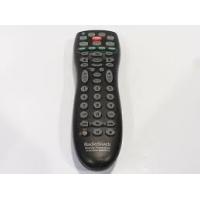
4-IN-1 FAMILY FAVORITES REMOTE - Télécommande universelle RADIOSHACK - Notice d'utilisation et mode d'emploi gratuit
Retrouvez gratuitement la notice de l'appareil 4-IN-1 FAMILY FAVORITES REMOTE RADIOSHACK au format PDF.

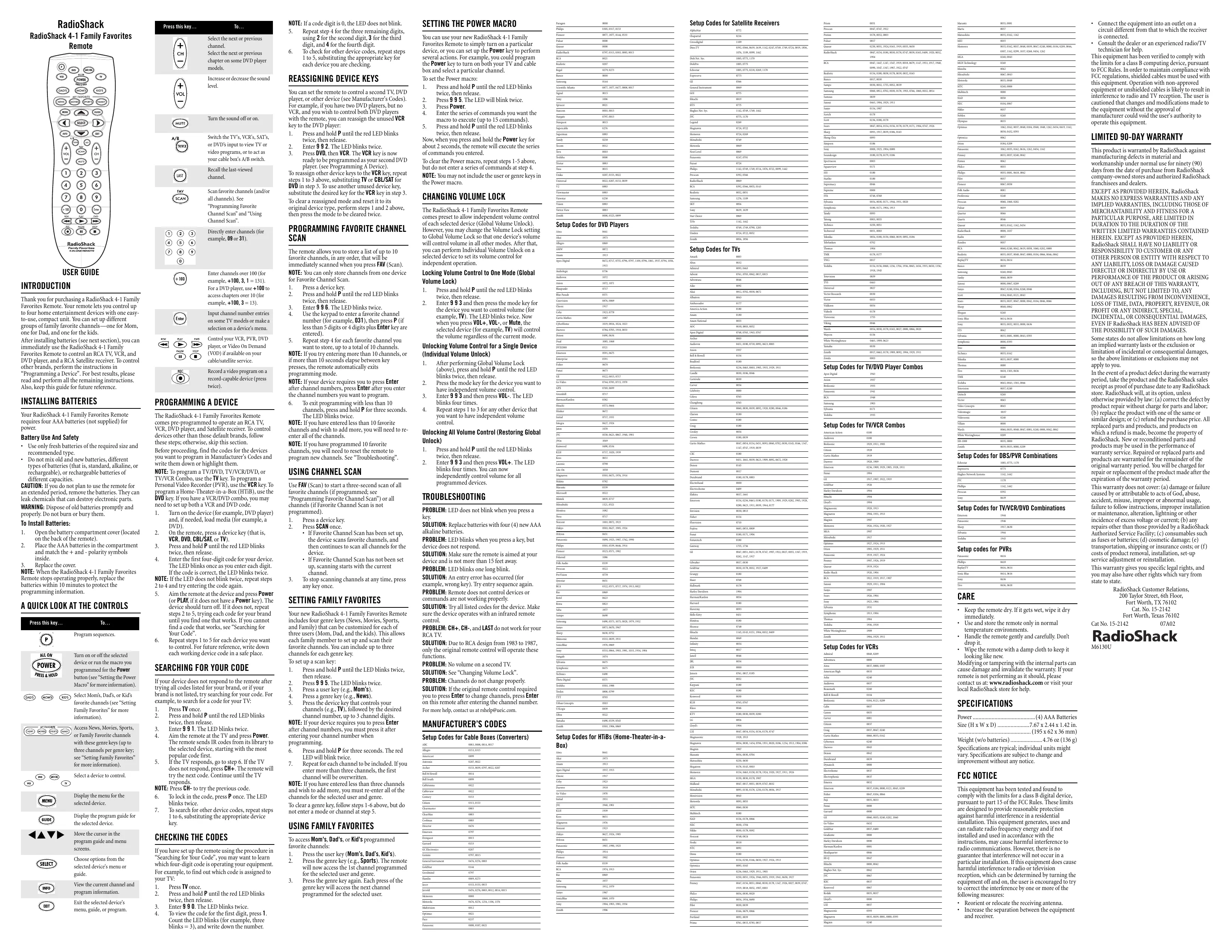
| Type de produit | Télécommande universelle 4-en-1 |
| Marque | RADIOSHACK |
| Modèle | 4-IN-1 FAMILY FAVORITES REMOTE |
| Dimensions | Environ 20 cm x 5 cm x 2,5 cm |
| Poids | Environ 150 g (avec piles) |
| Alimentation | 4 piles AAA (non fournies) |
| Portée infrarouge | Jusqu'à 4,5 m (15 pieds) |
| Nombre de dispositifs contrôlables | Jusqu'à 4 |
| Préprogrammé pour | TV, VCR, DVD et récepteur satellite RCA |
| Fonctions principales | Contrôle de volume, changement de chaînes, navigation dans les menus, touches Favoris familiaux, Power Macro, verrouillage du volume |
| Mémoire des codes | Jusqu'à 10 chaînes favorites, 3 chaînes par touche de genre, macro de 15 commandes |
| Programmation | Par code direct ou recherche automatique |
| Boutons | Power, TV, VCR, DVD, CBL/SAT, P (setup), touches de navigation, volume, mute, etc. |
| Entretien et nettoyage | Essuyer avec un chiffon doux et sec. Ne pas utiliser de produits chimiques. |
| Sécurité | Retirer les piles en cas de non-utilisation prolongée. Jeter les piles usagées conformément aux réglementations locales. |
| Pièces détachées et réparabilité | Non réparable par l'utilisateur. Remplacer par un modèle identique en cas de panne. |
| Informations générales | Utilisation intérieure uniquement. Température de fonctionnement : 0°C à 40°C. |
FOIRE AUX QUESTIONS - 4-IN-1 FAMILY FAVORITES REMOTE RADIOSHACK
Questions des utilisateurs sur 4-IN-1 FAMILY FAVORITES REMOTE RADIOSHACK
0 question sur cet appareil. Repondez a celles que vous connaissez ou posez la votre.
Poser une nouvelle question sur cet appareil
Téléchargez la notice de votre Télécommande universelle au format PDF gratuitement ! Retrouvez votre notice 4-IN-1 FAMILY FAVORITES REMOTE - RADIOSHACK et reprennez votre appareil électronique en main. Sur cette page sont publiés tous les documents nécessaires à l'utilisation de votre appareil 4-IN-1 FAMILY FAVORITES REMOTE de la marque RADIOSHACK.
MODE D'EMPLOI 4-IN-1 FAMILY FAVORITES REMOTE RADIOSHACK
RadioShack
RadioShack 4-1 Family Favorites
Remote
INTRODUCTION
Thank you for purchasing a RadioShack 4-1 Family Favorites Remote. Your remote lets you control up to four home entertainment devices with one easy-to-use, compact unit. You can set up different groups of family favorite channels—one for Mom, one for Dad, and one for the kids.
After installing batteries (see next section), you can immediately use the RadioShack 4-1 Family Favorites Remote to control an RCA TV, VCR, and DVD player, and a RCA Satellite receiver. To control other brands, perform the instructions in "Programming a Device". For best results, please read and perform all the remaining instructions. Also, keep this guide for future reference.
INSTALLING BATTERIES
Your RadioShack 4-1 Family Favorites Remote requires four AAA batteries (not supplied) for power.
Battery Use And Safety
- Use only fresh batteries of the required size and recommended type.
- Do not mix old and new batteries, different types of batteries (that is, standard, alkaline, or rechargeable), or rechargeable batteries of different capacities.
CAUTION: If you do not plan to use the remote for an extended period, remove the batteries. They can leak chemicals that can destroy electronic parts.
WARNING: Dispose of old batteries promptly and properly. Do not burn or bury them.
To Install Batteries:
- Open the battery compartment cover (located on the back of the remote).
-
Place the AAA batteries in the compartment and match the + and - polarity symbols inside.
-
Replace the cover. NOTE: When the RadioShack 4-1 Family Favorites Remote stops operating properly, replace the batteries within 10 minutes to protect the programming information.
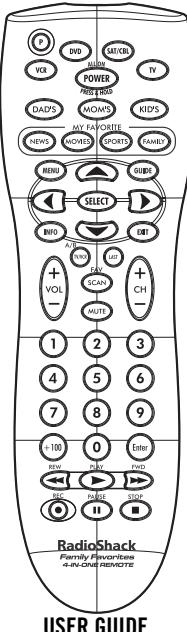
A QUICK LOOK AT THE CONTROLS

Program sequences.

Turn on or off the selected device or run the macro you programmed for the Power button (see "Setting the Power Macro" for more information).

Select Mom's, Dad's, or Kid's favorite channels (see "Setting Family Favorites" for more information).

Access News, Movies, Sports, or Family Favorite channels with these genre keys (up to three channels per genre key; see "Setting Family Favorites" for more information).


Display the menu for the selected device.

Display the program guide for the selected device.

Move the cursor in the program guide and menu screens.

Choose options from the selected device's menu or

View the current channel and program information.

Exit the selected device's menu, guide, or program.
Press this key.

Select the next or previous channel.
Select the next or previous chapter on some DVD play models.

Increase or decrease the sound level.

Turn the sound off or on.

Switch the TV's, VCR's, SAT's, or DVD's input to view TV or video programs, or to act as your cable box's A/B switch.

Recall the last-viewed channel.

Scan favorite channels (and/or all channels). See "Programming Favorite Channel Scan" and "Using Channel Scan".

Directly enter channels (for example, 09 or 31).


Enter channels over 100 (for example, +100,3,1 = 131 ). For a DVD player, use +100 to access chapters over 10 (for example, +100,3 = 13 ).

Input channel number entries on some TV models or make a selection on a device's menu.

Control your VCR, PVR, DVD player, or Video On Demand (VOD) if available on your cable/satellite service.

Record a video program on a record-capable device (press twice).
PROGRAMMING A DEVICE
The RadioShack 4-1 Family Favorites Remote comes pre-programmed to operate an RCA TV, VCR, DVD player, and Satellite receiver. To control devices other than those default brands, follow these steps; otherwise, skip this section. Before proceeding, find the codes for the devices you want to program in Manufacturer's Codes and write them down or highlight them.
NOTE: To program a TV/DVD, TV/OCR/DVD, or TV/OCR Combo, use the TV key. To program a Personal Video Recorder (PVR), use the PVR key. To program a Home-Theater-in-a-Box (HTiB), use the DVD key. If you have a VCR/DVD combo, you may need to set up both a VCR and DVD code.
turn on the device (for example, DVD player) and, if needed, load media (for example, a DVD).
on DVD, press a device key (that is, PCR, DVD, CBL/SAT, or TV).
press and hold P until the red LED blinks twice, then release.
Enter the first four-digit code for your device. The LED blinks once as you enter each digit. If the code is correct, the LED blinks twice. If the LED does not blink twice, repeat steps and try entering the code again.
aim the remote at the device and press Power or PLAY, if it does not have a Power key). The device should turn off. If it does not, repeat steps 2 to 5, trying each code for your brand until you find one that works. If you cannot find a code that works, see "Searching for Your Code".
repeat steps 1 to 5 for each device you want to control. For future reference, write down each working device code in a safe place.
SEARCHING FOR YOUR CODE
If your device does not respond to the remote after trying all codes listed for your brand, or if your brand is not listed, try searching for your code. For example, to search for a code for your TV:
- Press TV once.
-
Press and hold P until the red LED blinks twice, then release.
-
Enter 9 9 1. The LED blinks twice.
- Aim the remote at the TV and press Power. The remote sends IR codes from its library to the selected device, starting with the most popular code first.
- If the TV responds, go to step 6. If the TV does not respond, press CH+. The remote will try the next code. Continue until the TV responds.
NOTE: Press CH to try the previous code. 6. To lock in the code, press P once. T blinks twice.
7. To search for other device codes, repeat steps 1 to 6, substituting the appropriate device key.
CHECKING THE CODES
If you have set up the remote using the procedure in "Searching for Your Code", you may want to learn which four-digit code is operating your equipment. For example, to find out which code is assigned to your TV:
1. Press TV once.
2. Press and hold P until the red LED blinks twice, then release.
- Enter 9 9 0. The LED blinks twice.
- To view the code for the first digit, press 1 Count the LED blinks (for example, three blinks = 3), and write down the number.
NOTE: If a code digit is 0, the LED does not blink. SET
- Repeat step 4 for the three remaining digits, using 2 for the second digit, 3 for the third digit, and 4 for the fourth digit.
- To check for other device codes, repeat steps 1 to 5, substituting the appropriate key for each device you are checking.
REASSIGNING DEVICE KEYS
You can set the remote to control a second TV, DVD player, or other device (see Manufacturer's Codes). For example, if you have two DVD players, but no VCR, and you wish to control both DVD players with the remote, you can reassign the unused VCR key to the DVD player:
1. Press and hold P until the red LED blinks twice, then release.
2. Enter 9 9 2. The LED blinks twice.
3. Press DVD, then VCR. The VCR key is now ready to be programmed as your second DVD player. (see Programming A Device).
To reassign other device keys to the VCR key, repeat steps 1 to 3 above, substituting TV or CBL/SAT for
DVD in step 3. To use another unused device key, substitute the desired key for the VCR key in step 3. To clear a reassigned mode and reset it to its original device type, perform steps 1 and 2 above, then press the mode to be cleared twice.
PROGRAMMING FAVORITE CHANNEL SCAN
The remote allows you to store a list of up to 10 favorite channels, in any order, that will be immediately scanned when you press FAV (Scan).
NOTE: You can only store channels from one device for Favorite Channel Scan.
- Press a device key.
- Press and hold P until the red LED blinks twice, then release.
- Enter 9 9 6. The LED blinks twice.
- Use the keyboard to enter a favorite channel number (for example, 031), then press P (if less than 5 digits or 4 digits plus Enter key are entered).
- Repeat step 4 for each favorite channel you want to store, up to a total of 10 channels. NOTE: If you try entering more than 10 channels, or if more than 10 seconds elapse between key presses, the remote automatically exits programming mode.
NOTE: If your device requires you to press Enter after channel numbers, press Enter after you enter the channel numbers you want to program. - To exit programming with less than 10 channels, press and hold P for three seconds. The LED blinks twice.
NOTE: If you have entered less than 10 favorite channels and wish to add more, you will need to re enter all of the channels.
NOTE: If you have programmed 10 favorite channels, you will need to reset the remote to program new channels. See "Troubleshooting".
USING CHANNEL SCAN
Use FAV (Scan) to start a three-second scan of all favorite channels (if programmed; see "Programming Favorite Channel Scan") or all channels (if Favorite Channel Scan is not
programmed)
1. Press a device key
2. Press SCAN once
If Favorite Channel Scan has been set up, the device scans favorite channels, and then continues to scan all channels for the device.
- If Favorite Channel Scan has not been set up, scanning starts with the current channel.
3. To stop scanning channels at any time, press any key once.
SETTING FAMILY FAVORITES
Your new RadioShack 4-1 Family Favorites Remote includes four genre keys (News, Movies, Sports, and Family) that can be customized for each of three users (Mom, Dad, and the kids). This allows each family member to set up and scan their favorite channels. You can include up to three channels for each genre key.
To set up a scan key:
1. Press and hold P until the LED blinks twice, then release.
2. Press 9 95. The LED blinks twice.
3. Press a user key (e.g., Mom's).
4. Press a genre key (e.g., News).
5. Press the device key that controls your channels (e.g., TV), followed by the desired channel number up to 3 channel digits.
NOTE: If your device requires you to press Enter after channel numbers, you must press it after entering your channel number when programming.
- Press and hold P for three seconds. The red LED will blink twice.
- Repeat for each channel to be included. If you enter more than three channels, the first channel will be overwritten.
NOTE: If you have entered less than three channels and wish to add more, you must re-enter all of the channels for the selected user and genre.
To clear a genre key, follow steps 1-6 above, but do not enter a mode or channel at step 5.
USING FAMILY FAVORITES
To access Mom's, Dad's, or Kid's programmed favorite channels:
- Press the user key (Mom's, Dad's, Kid's).
- Press the genre key (e.g., Sports). The remote will now access the 1st channel program for the selected user and genre.
- Press the genre key again. Each press of the genre key will access the next channel programmed for the selected user.
SETTING THE POWER MACRO
You can use your new RadioShack 4-1 Family Favorites Remote to simply turn on a particular device, or you can set up the Power key to perform several actions. For example, you could program the Power key to turn on both your TV and cable box and select a particular channel.
To set the Power macro:
1. Press and hold P until the red LED blinks twice, then release.
2. Press 9 95. The LED will blink twice.
3. Press Power.
4. Enter the series of commands you want the macro to execute (up to 15 commands).
5. Press and hold P until the red LED blink twice, then release.
Now, when you press and hold the Power key for about 2 seconds, the remote will execute the series of commands you entered.
To clear the Power macro, repeat steps 1-5 above, but do not enter a series of commands at step 4.
NOTE: You may not include the user or genre keys in the Power macro.
CHANGING VOLUME LOCK
The RadioShack 4-1 Family Favorites Remote comes preset to allow independent volume control of each selected device (Global Volume Unlock). However, you may change the Volume Lock setting to Global Volume Lock so that one device's volume will control volume in all other modes. After that, you can perform Individual Volume Unlock on a selected device to set its volume control for independent operation.
Locking Volume Control to One Mode (Global)
Volume Lock)
- Press and hold P until the red LED blinks twice, then release.
- Enter 9 9 3 and then press the mode key for the device you want to control volume (for example, TV). The LED blinks twice. Now when you press VOL+, VOL-, or Mute, the selected device (for example, TV) will control the volume regardless of the current mode.
Unlocking Volume Control for a Single Device (Individual Volume Unlock)
- After performing Global Volume Lock (above), press and hold P until the red LED blinks twice, then release.
- Press the mode key for the device you want to have independent volume control.
-
Enter 9 9 3 and then press VOL-. The LED blinks four times.
-
Repeat steps 1 to 3 for any other device that you want to have independent volume control.
Unlocking All Volume Control (Restoring Global Unlock)
- Press and hold P until the red LED blinks twice, then release.
- Enter 9 9 3 and then press VOL+. The LED blinks four times. You can now independently control volume for all programmed devices.
TROUBLESHOOTING
PROBLEM: LED does not blink when you press a key.
SOLUTION: Replace batteries with four (4) new AAA alkaline batteries.
PROBLEM: LED blinks when you press a key, but device does not respond.
SOLUTION: Make sure the remote is aimed at your device and is not more than 15 feet away.
PROBLEM: LED blinks one long blink.
SOLUTION: An entry error has occurred (for example, wrong key). Try entry sequence again.
PROBLEM: Remote does not control devices or commands are not working properly.
SOLUTION: Try all listed codes for the device. Make sure the device operates with an infrared remote control.
PROBLEM: CH+ , CH-, and LAST do not work for your RCA TV.
SOLUTION: Due to RCA design from 1983 to 1987, only the original remote control will operate these functions.
PROBLEM: No volume on a second TV.
SOLUTION: See "Changing Volume Lock"
PROBLEM: Channels do not change properly.
SOLUTION: If the original remote control required you to press Enter to change channels, press Enter
on this remote after entering the channel number. For more help, contact us at rshelp@ueic.com.
MANUFACTURER'S CODES
Setup Codes for Cable Boxes (Converters)
ABC 0003,0008,0014,0017
Allegra 0153,0315
Americast 0899
Antarionix 0207,0022
Archer 0153,0039,0797,0022,0207
Bell & Howell 0014
Bell Earth 0000
Jace Souza 0899
Kabiletena 0022
Caberview 0022
Century 0153
Cizen 0315,0153
Clearmaster 0883
ClearMax 0883
Clearer 0962
Governess wGy Director 0476
Everquest 0615
Garrard 0153
Hartley
Germini 0797,0015
General Instrument 0476,0276,0003
GoldStar 0144
Goodmind 0797
Hamlin 0069,0273
Jason 0315,0153,0015
Jerrold 0476,0276,0003,0012,0014,0015
Memorex 0000
| Paragon | 0000 |
| Philips | 0955, 0312, 0153 |
| Pentnet | 0877, 1877, 0144, 0533 |
| Pelaar | 0000 |
| Quasar | 0000 |
| Radiocheck | 0797, 0315, 0303, 0883, 0015 |
| BCA | 0021 |
| Realistic | 0207 |
| Region | WEP, WEP-1 |
| Status | 0000 |
| University | 0.144 |
| Scientific Atlanta | 0877, 1877, 0477, 0008, 0017 |
Signal 0015
Sory 1006
S
Spruce 0021
Starcom 0003,0015
Surgate 0797,0015
Starquest 0015
Superable 0276
Suspension 0852
Study 0258
Foccom 0012
Toro 0003
Toshiba 0000
Tristar 0883
Toshiba
Tasa 0015
Unika 0207,0153,0022
Universal 0022,0207,0153,0039 2 0884
Viewmaster 0883 Viewstar 0258 Vision 0883 Vertex View 0883 Zenith 0000,0525,0899
Setup Codes for DVD Players
Area 0641
Akai 1975
Allergo 0869
AMW 0872
Anam 1913
Apex Digital 0672,0717,0755,0796,0797,1100,0796,1061,1937,0794,1056
1915
audologic 6736
audovox 1072
Asian 1072, 1071
Blue Parade 0571
Blaupunk
Cinevision
Class3
Cindy
Curtis Mather
Cytobinom
Dornon
Dual
DVD2000
Emerson
Enterprise
Fisher
F1
Go Video
GPX
Greenh
Harman/Kan
Hitachi
F
图图
Inertial
JWC
jWin
Kemwood
KLH
Koss
Lasiomic
Life-Oh
Makata
Marantz
Monitors
Nesa
Norcent
Onkyo
Unitron
Panasonic 时钟:
Pioneer
Polaroid
Polk Audio
Provision
Qeestar
B.C.A D. C
Batal
Rowa
Saba
Sampo
Samsung
Sanyo
snip
Sinnnsonic
Sence
Sungale
Tb
Toshiha
Tindex
TI
Urban Conce
USLogic
Xbox Yamaha
Setu
Bo
Aina
Akai
Anam
Apex Digital
Classic
Coby
Daewoo
Go Video
Initial 10:00
PCL
REIT Vega
Marnayox
Norcent
Onkyo
Oritron
Panasonic
Philips
Pioneer
Polk Audio
RCA
BIO
1.07
AlphaStar
Chaparral
Crossdigital
DirecTV
一
Dish Net. Sys.
DishPro
Echostar
Expressvu
GE
General Instru
GOI
Hitachi
HTS
Hughes Net. Sy
JVC
Legend
Magnavox
Memorex
Mitsubishi
Motorola
Next Level
Panasonic
Paysat
Philips
Proscan
RadioShack
BC.A
Realistic
Samsung
SKY
Sony
Star Choice
TVo
Uniden
Zenith
Setup
Amark
Abex
Admiral
Advert
Adventura
Aiko
Thai
Albatrop
Ambassador
Ameri
A
Anomaties
105
A
1
1
A
Prepared
Pheochrom
G. II
G
Carver
Celebrity
Changhong
Citizen
Clarion
Contec
Crate
Credor
Cooms
Curtis Mather
CXC
Dacwoo
Denon
Dumont
Durabrand
Electroband
Electrochome
Eektn
Emerson
Envision
Fisher
Se
Flexy
Eoits
Fenai
Feature
Gates
GE
Geng
Golds
G
Hager
H
Harks
Harm
Hyy
H
H股
L
W
1
1
JBL
J.C.B
一
Kyp
REC
Keme
RLH
Klass
KTV
LG
Lloyd
LXI
Magn
Magn
Magn
Maran
Matsu
Mega
Memo No. 10
MGA
Media
Mitsu
Moni
Motor
MTC
Multi
NAD
NFC
Nikko
Nora
一
NTC
一
Optic
0
0
一
Ferric
Phillip
Piot
Table
Form
一
s for Satellite Receivers
0772
0216
1109
0392.0566.0639.1639.1142.0247.0749.1749.0724.0819.1856.
1076,1109,0099,1442
1005,0775,1170
1005,0775
1005,0775,0218,0269,1170
0775
0566
0869
0775
0819
0775
1142,0749,1749,1442
0775-1170
0269
0724.0722
0724.0269
0749
0869
0869
0347.0701
0234
1142,0749,1749,0734,1076,0733,0999,1443
0.382.0566
0202.0566.0855.0143
1276,1400
1476,1485 0056
1442.1442
0234,0232,0063
0076,1054
s for TVs
000
0032
0093,0463
0761,0783,0843,0817,0815
0003
0013782.00236673
0012,0764,0856,0974
0843
0177
0180
0180
0055
0030,0003,0052
0748.0765,1943.0767
0003
0451,0180,0710,0092,0623,0003
1937
0154
0180
0236,0463,0003,1905,1935,1929,1911
0030,0186,0046
0030
0054
0000
0765
0765
0060.0030.0020.0021.028.0280.0046.0186
0.189
0.105,0030
0047.0541.0541.0541.0541.0541.0541.0541.0541.0541.0541.0541.0541.0541.0541.0541.0541.0541.0541.0541.0541.054
1147.0747.1918.0038
0.189
04511661003906231909009206721978
0145
0017
01.06-0179-2003
0194.0230.0403.0160.0170.1959.1929.0282.1959.1928 0280.0623.1911.0030.1944.0177
0030-0813
0154
0710
063,053,000
0189,0171-1004
1735,1736
0841,6831,6831,0710,6497,1507,1522,6027,6033,1549,1579 0282.1147.1917
00170030
0039,0178,0923,1037,0400
0.189
0.178
0693 0.47
04.31 一、回购股份的基本情况
0189
0.748
1143,0143,0151,1964,0032,0409
0849
0054
0017
0046
0054
0.61,081,018
0032
0180
0180
0030
0785,0787
0046
0180,0030,0039,0280
0856
1904
0047,0054,0154,0156,0178,0747
1928, 1913
0054,0030,1454,0706,1931,0020,0186,1254,1913,1904,0386
1907
0054,0030,0704
0250,0650
0178,0145,0003
0154,0463,0150,0178,1924,1920,1927,1911,1926
0150,0030,0178,1907
0047,0017,0051,0039,0747,0032
0093,0150,0178,1250,0178,0836,1917
0843
0093.0055
0060.0030
0180
0156,0178,0866
0030.1704
0030.0178.0092
07480824
0002
0154,0350,0166,0450,1027,1024,1012
0236,462,1929,1011,1007
0.250,0031,192,1940,0033,193,194,003,1927.68% 7.25% 7.25% 7.25%
0047,0136,0031,0080,0030,0178,1947,1928,0027,0039,0747 1111111111111111
1973,6010,682,1967,685
(1) 2006, 2007, 2008 and 2009.
0.04, 19.54, 0.69%
00360,0039
0166,6879,6868
0092,0039
0.61,0815,0783,0817
一
-
一
-
GUI DEL USUARIO
INTRODUCCION
MuchasgraciasporhabecompradoelControlRemoto
Favoritosde la Familia4 en1 de RadioShack.Sus newo controlremotolepermittiracorrelarhaetuido dispositivos (aparatos)deentretenimiento enelhogaroun una unidad compacta y fácil de usar.Usted tambiénpuedecfgurarusquede cada membere delfamilyangaaccessafullasuncalesfotvos.
Despeduesofinstalarbasateriasvea la seccionque sugla,ustedpodusrudeimmediatoelControlRemoto
Favoritosde la Familia4 en1 de RadioShackparacontroluntelevision,uana videograbadora,unreproducrDVD,yun receptorofsatellite,todos dela marcaRCA.Forcontrallosdispositivesoerdasmarcas,llevea cabo lasinstrucciones enla Programaciondeun Dispositivo.Paraobtenerlosmejoresresultados, asegugresedeleuryvellearcaboelrestofas
instrucciones.Ademas,conservestoa guita parauna
referencia futura.
INSTALACION DE LAS BATERIAS
Su Control Remoto Favoritos de la Familia 4 en 1 de RadioShack necessita quatre bacterias AAA (no vienen incluidas) paraunalcar.
La Seguidad y el Uso de las Baterias
- Utilice unicamente baterias frescas del tiempo requisado y del tipo recommendado.
- No mezcle bacterias vijanas y;nuevas, differsentes temas de baterias (por exemple, estarand, alcalinas, o recargables), ni bacterias recargables de differedes capacidades.
ADVERTENCIa: Si no va a使用者l control remoto durante unlongo tiempo, quiteles laticaderas. Estaspuedserramar substancias quimicas que pueedenestruiu los componentes electronicos.
ADVERTENCA: Deseche las bacterias viejas rápida y adeducamente. Las no queme ni elsurente.
Para instalar las baterias:
-
Presione la lengieta en la tapa del compartmento de baterias (ubicado en el respaldo del control remoto) y levante la tapa.
-
Coloque las bacterias AAA en el compartmento de igual forma a la indicada por los SYMBOLOs del polaridad ^+ v- en el interior.
-
Alinee la saliente de la tapa con la abertura del compartmento y vuelta a colocar la tapa.
NOTA: Cuando el control Remotec Favoritos de la Familia 4 en 1 de RadioShackSEOde configurar adequadamente, reemplae las bacterias pero, al hacerlo, no se tarde mas de 10mnitos (con el fin de proteger la informacion sobre la programacion).
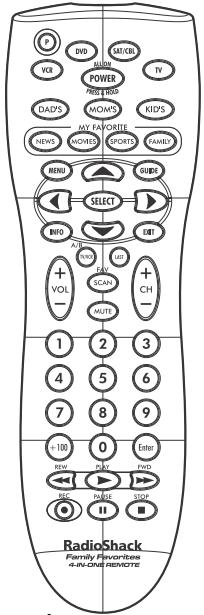
UNA MIRADA RÁPIDA A LOS CONTROLES
Presiione
Para

Las secuencias programacion.

Encender o apagar el dispositivo seleccionado o ejectar el macro programado
para la tecla Power (vea "Configuración del Macro "Power" para más información)

, Selectionar canales favoritos para papá, mamá, o niños (vea "Progración de Favoritos de la Familia" para mole información).
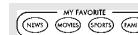
Acceder los canales programados para las teclas deeware News, Movies, Sports or Family (Noticias, Peliculas, Deportes, Familia) (hasta tres canales por genero; vea "Programacion de Favoritos de la Familia" para más informacion).

- quiere controla.

Mostrar el menu del dispositivo seleccionado.

Mostrar la guía de programas para el dispositivo selecciónndo.
Presinne
A
Mover es cursor on the mouse on the
programas y en los niños del camino.

Selección las-optiones delmenú o de la guía deldispositivo seleccionado.

Ver el canal actual y la informacion del programa.

Salir del menu, guía o programa del dispositivo selectionado.

Selecciónar elsiguiente canal con número mas alto (o mas bajo). Paraalgunos modelos de reproductoresDVD, selecciónar el capitulo anterior o singular.

Subir oBJAR el nivel del sonido (volumen).

Apagar o encender el sonido.

Cambiar la.), que entre al television y ver programas de TV o de video, o para que actue como el interruptor A/B de su caja/convertidor de cablevision.

Regresar alultimate canal que estviendo.

Explorar los canales favoritos (y/o todos los canales).Vea "Progracion de una Exploracion de Canales Favoritos" y "Uso de la Exploracion de Canales".
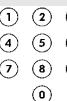
Introducir directamente los canales (por exemple, 09 o 31).

Introducir canales superiores al 100 (por exemple, +100,3,1 = 131 - Para un reproducer DVD,us +100 para acceder los capités superiores a 10 (po,. example, +100,3 = 13

Presione Enter (seecionar) una vezuponedireducir loszneros del canal en algunosmodelosde TVo para hacer una seleccion en el menu de undispositivo.

Controlar su videograbadora (VCR), su videograbadora personal digital en disco duro (PVR), su reproductor DVD, o su video a petecnion (VOD) si está disponible en su

Grabar un programa de video en uno disposito que pueda grabar (presione dos veces).
PROGRAMACION DE UN DISPOSITIVO (APARATO)
El Control Remoto Favoritos de la Familia 4 en 1 de RadioShack秦皇岛 preprogramado para operar un television, una videografia, unroducctor DVD, y un receptor de satélite de lamarca RCA. Para controlar dispositivos differentes a las MARCAS fijadas en la fabricula, siga estas pasos; de othera forma能把 saltarse esta seccion. Antes de proceder, encontrar los códigos para los dispositivos que quiere programar en la section de Códigos del Fabricante y anelotes o marquelos.
NOTA: Para programar un aparato combinado TV/DVD, TV/VCR/DVD, o TV/VCR, use la tecla TV. Para programar una PVR (Videograbadoras Personales Digitales en Disco Duro), use la tecla VCR. Para programar un HTiB (Sistema de Cine en Casa Integrado), use la tecla DVD. Si usted tiene un aparato combinado VCR/DVD,uede que necessite programar un documento tanto para el componente VCR como para el componente DVD.
Encienda el disposivo (por ejemplo, el reproductor DVD) y, si es necessario, introduzca el medio utilizado (por ejemplo, un DVD).
2. En el control remoto, presiona una tecla de disposiciono (ese decir, VCR, DVD, CBL/SAT, o TV).
3. Presione y mantegue presionada la P esta que el LED rojo parpadee dos veces, y despues suele la P.
4. Introduzça el primer número de cinco digitos de su dispositivo. El LED parpadea cada vez por cada número que se introduce. Si el número es el correcto, el LED parpadearé das vezes.
NOTA: Si el LéD no parpada dos veces, repita los pasos 2 al y的概率をentaatar la introduccion del numero.
5. Apunte el control remoto汇集 de su disposibo y presione Power (o PLAY, si el disposibo no tiene una tecla Power). El disposibo debe apagarse. Si no lo hace, repita los pasos 2 a 5, probando cada.). como para la hora que enquiryce uno que funciona. Si no pueda高尔ar un (.)--que funciona, vena "Busqueda de su Código".
6. Repita los pasos 1 a 5 por cada dispositivo que usted quiera controlar. Para una referencia futura, anote cada@cógido de dispositivo que funciona en un lugar seguro.
BUSQUEDA DE SU CODIGO
Si su dispositorio no response al control remoto despues de haber prohibido todos loscottivos listedados para sumarca, o si sumarca no estalistedado en lo absoluto, trate de巴斯curcodelgo. Por exemple,para巴斯quer un codigosto para su TV:
1. Presione TV una vez.
2. Presione y mantenga presionada la P hasta que el
LEO redo parpadee dos段时间, despuys sueite la P. 3. Introduzca 99.1. El LEO parpadea dos times.
- Apunte el remoto al TV y presione Power. El control remoto envíacottiges hacía el dispositivo selecciónado,comingzando primero con el codigmas popular.
- Si el TV responds, continue con el caso 6. Si el TV no responds, presione CH+ . Elremoto continua bajo rescando codigos. Siga presionado CH+ hasta que el TV responds.
NOTA: Presione CH- para probar el numero anterior. - Para guardar el número, presione P una vez. El LED parnada dos theyes.
- Para巴斯car los@códingo deotrosdispositivos,repitlos pasos1a6,sustituyendo tecla adecadura porla del dispositivo que es esta bucando.
VERIFICACION DE LOS CÓDIGOS
Si configuró el remoto uso del procedimiento de Búqueida de su Codiglo, tal vezonga que averiguár cuando es el codiglo de quatre digitos que está operando su equipo. Por exemple, para descrear cuando codiglo está operando su television:
1. Presione TV una vez.
2. Presione y mantenga presionada la Phesta que el LED rojo parparede dos veces, y你想edue la P.
3. Interse a P. P. P. FELLED para la P.
3. Introduzida 5 90. El LED parpadea dos veces.
4. Para ver el primer digito del numero, presione 1.
Cuente los parpades del LED (por exemple, tres parpades = 3), y anote el numero.
NOTA: Si uno de los digitos del número es 0, el LED no parpada.
5. Repita el paso 4 para los tres digitos restantes, usingo 2 para el segundo digito,3 para el tercero digito,y 4 para el cuarto digito.
6. Para veritar或其他os@csgidos dedispositivos, repita los pasos 1 al 5, pero sustituya la tecla acecuida por la de cada dispositivo que esteverifiedico.
REASIGNACION DE LAS TECLAS DE DISPOSITIVOS
El control remoto se pueda configurar para que controle una segunda VCR, un reproductor DVD, u(other dispositivo (vea los Codigos del Fabricante).Por exemple, para controlaruna TV, una caja/convertidor de cablevision,y dos reprodurones de DVDs,lieve a cabo theseos pasos para reasignar la tecla VCR que no se esta using con el fin de que opere el segundo reproducer DVD.
1. Presione y mantenga presionada la P hasta que el LED rojo parpadee dosvos,yesperuedesuetlaP. 2.Introduzca992.ELLEDarpadasea dosvos.
3. Presione DVD y après VCR. La tecla VCR ya está lista para ser programada como su segundo reproduactor DVD. (Vea "Proyectos de un Dispositivo (Anapato)").
Para reasigurar otheras fechas de dispositosa la tecla VCR, repita los pasos a 1 3 de arrira, pero, en lugar de la tecla DVD use la de TV o la de CBL/SAT en el caso 3. Para usar otherca de dispositoso uso, use thea tecla descada en lugar de VCR en el caso 3.
Para regresar un modo reasignado a su tipo de dispositorio original, lleve a cabo los pasos 1 a 2 de arriba, y après presione el modulo que va a despejar dos veces.
PROGRAMACION DE UNA EXPLORACION DE CANALES FAVORitos
El remoto le permitted guarar una lista de hasta 10 canales favoritos, enequalier orden,que se explorara del inmediato cuando presione FAV (Scan) [favoritos (exploracion)].
NOTA: Sólo se pueda guardar canales de un solo dispositivo para la Exploración de Canales Favoritos. 1. Práctico, el所做的 dispositivo, y
1. Presione la tecta del dispositivo deseado.
2. Presione y mantenga presionada la P hasta que el
3. Introduza 9 96. El LED parpada dosvos.
4.Use el teclado para introducer el numero de un canal favorito (por exemple,031),y bajo presiona P (si introduce menos de 5 o 4 digitos y la tecla Enter).
5. Repita el pego 4 por cada canal favorito que se va a guardar, hasta un total de 10 canales.
NUTA: Si tratate de introducir mas de 10 canales o transcurren mas de 10 segundos entre cada presidencia de tecla, el remoto se sale automatically de laProgramming.
NOTA: Si su aparey requiere que presione la teca Ente.
esperued del numero de canal, la necessities presionar
descuys del numero de canal cuando programa los
canales favoritos.
6. Para salirse de la programación con menos de diez canales favoritos programados, presione y mantenga presionada la P durante tres segundos. E LED parpadae dos veces.
NOTA: Si programa 10 canales y deseñaATTER
programacion de los canales favoritos,kee que borrar
los canales programados antes de programar newos
canales favoritos.
NOTA: Si ha programado menos de 10 canales favoritos y
quiere agragar mas,keeque re-programar todos los
canales.
NOTE: Si ha programado 10 canales favoritos, tendrá que reinacializar el remoto antes de programar canales nuevos Vea "Localización de Fallas".
USO DE LA EXPLORACION DE CANALES
Use la teca FAV (Scan) para iniciar una exploración a tres segundos de todos sus canales favoritos (sistema que ya está programada - va "Programación de una Exploración de Canales Favoritos" arriba) o de todos los canales (si no se ha programado la Exploración de Canales Favoritos).
1. Presione la tecla del disposito回馈ado.
2. Presione SCAN una vez.
- Si ya se configuró la Exploración de Canales Favoritos, el disposativo explora (recorre) los canales favoritos, y cuando se Continuingly explorando todos los canales de su disposativo.
- Si no se ha configurado la Exploración de Canales Favoritos, la exploración comienza con el canal actual.
- Para detener la exploracion de canales enequalquiermomento, presioneequalquier teca una vez.
PROGRAMACION DE FAVORitos DE LA FAMILIA
Su nuevo Control Remoto Favoritos de la Familia 4 en 1 de RadioShack incluce quatre teclas de ): News [noticias], Movies [pelucillas], Sports [departes], y Familia [familia]) que peuvent ser programadas como los gustos de tres usariosos (mama, padre, y los niños). Cada miembro de la familia可以选择 programar y explorar sus canales favoritos. Es possible incluir hasta tres canales para cada tecla de ): Género.
Para programar una una tecla de preferencia: 1. Presione y presonga presionada la P h LED parpadee dos veces, y desde sus
2. Introduzca 9 95. EI LED parpadea dos vezes
3. Presione una tecla de usuario (por exemple, Mom's).
4. Presione una tecla de genere (por exemple, News)
- Presione la tecla de modo del disposativo que controla sus canales (por exemple, TV), y después presione el numero del canal que quiere programas (hasta 3 digitos).
NOTA: Si su aparato requires que presione la teca Enter despues del numero de canal, la necessita presionar despues del numero de canal cuando programa los canales favoritos. - Presione y mantegna presionada la P durante tres segundos, ELLED mio narnpade dos yeces.
- Repita los pasos 1 al 6 para cada canal que quiere incluir. Si programa mas de tres canales, el primer canal se borrado.
NOTA: Si ha programado menos de 3 canales favoritos y quiere agragar más, tendrá que re-programar todos los canales para el usuario y género seleccionado.
Para borrar una tecla de género, lleve a cabo los pasos 1 a 6 de砥aba, pero no entre un modo ni un canal en el paso 5.
USO DE FAVORitos DE LA FAMILIA
Para acceder los canales favoritos de mamá, páp, o los niños:
- Presione una teca de uso (por exemple, Mom's Dad's, Kid's).
- Presione una tecla de genero (por exemple, Sports) El remoto accederé el primer canal programado para el usuario y genero selectionado.
- Vuelva a presionar la teca de genero. Cada vez que la presione, accederá el suiviente canal programado para el usuario y genero seleccióno.
CONFIGURACION DEL MACRO "POWER"
Usted puede usar su nuevo Control Remoto Favoritos de la Familia 4 en 1 de RadioShack solo para encargar un aparato a la vez, o pueda configurar la tecla Power para ejectar varias funeciones a la vez (tipso macro). Por exemple,oodest Podria programar la tecla Power para que enciende el television y la caja/convertidor de cablevision, a la vez que seleccione un canal en particular. Para programar el macro "Power":
- Presione y mangeteria presionada la P esta que el LED rojo parpadae dos yeves, y despues sueita la P.
- Introduzca 9 95. EI LED parpadea dos vvces.
-
Presione Power.
-
Introduzca una serie de functions para executar el macro (hasta 15 functions)
- Presione y mantenga presionada la PISTA que el LED rojo parpadee dos veces, y despues suele la P.Ahora, cuando presione y mantenga presionada por 2 segundos la teca Power, el remoto ejecta el maco. Para borrar el maco, llvea a cabo los pasos 1 al 5 de arriba, pero no introduzca una series deuciones en el paso 4. NOTE: No es possible inclui las teclas de usuario o de "...gonero en el macro "Power".
CAMBIO DEL BLOQUEO DEL VOLUMEN
El remoto está programado para permitir un control independiente del volumen en cada dispositivo seleccióndo (Desbloqueo Global del Volumen). Sin embargo, usted可以选择 la fijación del Bloqueo de Volumen a la de Bloqueo Global de Volumen de tal mane que el volumen de un dispositivo controle el volumen en todos los除外mos. Más,iustpuedeCambiarla configuracion de un solo dispositivo para que controle el volumen deforma independiente (Desbloqueo Individual de Volumen).
Bloqueo del Control de Volumen a Un Modo (Bloqueo Global de Volumen)
- Presione y mandesa presionaria la Phesta que el LED rojo parpadee dos yeves, y despues sueita la P
- Introduzca 9 93 y après presione la tecla de modo para el dispositivo en que es quiere controlar el volumen (por exemple, TV). El LED parpada doceves.Ahora cuando presione VOL + VOL-, o Mute (emmudecer), el dispositivo selectionacion (por exemple, TV) contralara el volumen independiente del modo actual
Desbloqueo del Control de Volumen para un Solo Dispositivo (Desbloqueo Individual de Volumen)
- Despué deURTAR a cabo el Bloqueo Global de volumen (arriba), presione yamage pangenada la P hasta que el LED rojo parpadee dos vejes, y despueu suele la P
- Presione la teca de modo del dispositivo en el que puisite tener un control independiente del volumer 3. Introduzca 9 9 3 y après presione VOL.- El LED ppmadaea cuando veces.
- Repita los pasos 1 al 3 para cadaquier除外 dispositivo en el que usted quiera tener un control independiente del volumen.
Desbloqueo de Todos los Controles de Volumen (Restauracion del Desbloqueo Global)
- Presione y mantenga presionada la P hasta que el LED rojo parpadea dos veces, y après suelela la P.
- Introduza 9 93 y après presione V0L+. El LED parpadea cuatro vezes. El volumen estaré controlado en forma independiente en todos los dispositivos programados.
LOCALIZACION DE FALLAS
PROBLEM: El LED no parpadea cuando se presiona una vez.
SOLUCION: Reemplace las bacterias por quatre (4) bacterias alcinas nouvellesomens AAA.
PROBLEM: El LED parpadea cuando se presiona una tecla, pero el dispositivo no responde.
SOLUCION. Aseguese de que el control remoto este apuntandosla de dispositiyo y que no se enquiry a mas de 4.58m (15 pies) de distancia.
PROBLEM: El LED parpadae con un solo parpadeo largo SOLUCION: Ha occurs un error de introduccion (por exemple, una tecla equivocada).Trate de introduir la secuencia de nuevo.
PROBLEMA: El control remoto no controla los dispositivos o losmandos no estantrabajandoaecudamente. SOLUCION: Pruebe todos los@categorlos listedado por el dispositivo. Asegurese que el dispositivo funciona con un control remoto de rayos infrarrosos.
PROBLEM: Las teasca CH + ,CH - , y LAST (ultimo) nomericanan para su TV marca RCA.
SOLUCION: Debro al diseno RCA de 1983 a 1987, solo el control remoto original可以使 estasesiones. PROBLEMA: No hayolen en un segundo tevisor. SOLUCION: Siga los pasos en la seccion Cambio del Bloqueo del Volumen.
PROBLEM: Los canales no se cambian en la forma adecauda.
SOLUCION: Si el control remoto original requería que se presionara Enter paraCambiar canales, presione Enter en este control remotoupon de introduccelnumber del canal.
Para más fácil, comuniquee con nosotros a reshelp@ueic.com.
CÓDIGOS DEL FABRICANTE
Códigos de Configuración para Cajas de Cablevisión (Convertidos)
ABC 0003,0008,0014,0017
Allergo 0153,0315
Americast 0899
Antonix 0207,0022
A.
Archer 0153,0609,0797,0822,0877
Bell & Howell 0014
Bell South 0899
Cabreraena 0022
Cabibiew 0022
Century 0153
Citizen 0315,0153
Urban
XBox
Yamah Zmith
C01
HTI
CIN
Area
Akai
Anam
Apex D
Classic
Coby
GoVid
Initial
JVC
KLH
Koss
Magna
Norcen
Onkyo
Oritor
Pamiso Philine
F
Pioneer Polk As
RCA
Rio
Saba
Samsung
Sanyo
SonicB
Sony
一
Có
Sat
Sal Abbrev
Chapter
Crossd
DirecT
一
Dish N
Echost
Expres
GE
Genera
GOI
Hitachi
HTS
HUGHE:PVC
1
Magnus
Memo No. 10
Mitsub
Motorc
Next Let
Panaso
Pbilinx
Pnncy
RadioS
B.CA
Realist
Samsu
SKY
Sony
Star Ch
Tioo Tcibb
Unidcr
Zenith
Cot
Amark
Abex
Admir
Advent
Advent Athe
Akai
Albatro
Ambas
Americas
Anam
Anam1
AOC
Aep
Archer
Axiom
Boll&V
Bradford
Brokso
Candle
Carniv.
Carver
Celebri
Celera
Changl
Citizen
Clanor
Contec
Crosly
Crown
Curtis
一
CXC
Daewo
Denon Durnor
Durab
Electro
Electro
Elektra
Emperor
Enviic
Fisher
Flexvis
Fujitsu
Funai
Future
Gatewa CF
GE
Gibraht
GoEdSt
Grunpy
Haier 10
Hallima
Harma
Harvard
Havern
Hello
Himits
Hisens
Hitachi
Hunda
Infinity
Ineel
JRL
JCB
Jensen
JVC
Kaypa
KEC
XBox
一
一
Ig0s
3 (H)
e en
一
一
一
一
一
一
一
一
X
一
一
一
C
一
一
一
一
一
一
igos
elite
1
tal
一
一
Sys.
一
一
nstrums
一
let.33
一
X
ni
图 1
C
一
一
续表
一
一
一
一
一
一
一
in
Fig. 1
一
一
一
一
2
一
一
do
Action
tional
一
well
C
一
1/2
一
ng
一
一
一
一
一
一
一
一
and
and
0
一
一
一
h
一
一
一
:
Karlson
一
by
一
一
一
一
一
一
一
一
一
jg03CH
en
- 电
一
一
一
一
一
一
一
一
X
一
一
C
一
一
一
一
一
igos
elite
1
tal
一
Sys.
一
一
一
let.33
X
ni
Fig. 1
一
一
一
2
一
See Action
tional
ital
一
12 × 12
C
一
一
ng
一
一
一
一
theles
一
一
一
一
ad
and
一
。
一
h
一
一
一
一
widson
Kardon
- RADIOSHACK
- RADIOSHACK 4-1 FAMILY FAVORITES
- REMOTE
- INTRODUCTION
- INSTALLING BATTERIES
- BATTERY USE AND SAFETY
- TO INSTALL BATTERIES
- A QUICK LOOK AT THE CONTROLS
- PRESS THIS KEY
- PROGRAMMING A DEVICE
- SEARCHING FOR YOUR CODE
- CHECKING THE CODES
- REASSIGNING DEVICE KEYS
- PROGRAMMING FAVORITE CHANNEL SCAN
- USING CHANNEL SCAN
- SETTING FAMILY FAVORITES
- USING FAMILY FAVORITES
- SETTING THE POWER MACRO
- CHANGING VOLUME LOCK
- LOCKING VOLUME CONTROL TO ONE MODE (GLOBAL)
- VOLUME LOCK)
- UNLOCKING VOLUME CONTROL FOR A SINGLE DEVICE (INDIVIDUAL VOLUME UNLOCK)
- UNLOCKING ALL VOLUME CONTROL (RESTORING GLOBAL UNLOCK)
- TROUBLESHOOTING
- MANUFACTURER'S CODES
- SETUP CODES FOR CABLE BOXES (CONVERTERS)
- GOVERNESS WGY DIRECTOR 0476
- VIEWMASTER 0883 VIEWSTAR 0258 VISION 0883 VERTEX VIEW 0883 ZENITH 0000,0525,0899
- SETUP CODES FOR DVD PLAYERS
- XBOX YAMAHA
- SETU
- TVO
- S FOR SATELLITE RECEIVERS
- INTRODUCCION
- INSTALACION DE LAS BATERIAS
- LA SEGUIDAD Y EL USO DE LAS BATERIAS
- PARA INSTALAR LAS BATERIAS
- UNA MIRADA RÁPIDA A LOS CONTROLES
- PROGRAMACION DE UN DISPOSITIVO (APARATO)
- BUSQUEDA DE SU CODIGO
- VERIFICACION DE LOS CÓDIGOS
- REASIGNACION DE LAS TECLAS DE DISPOSITIVOS
- PROGRAMACION DE UNA EXPLORACION DE CANALES FAVORITOS
- USO DE LA EXPLORACION DE CANALES
- PROGRAMACION DE FAVORITOS DE LA FAMILIA
- USO DE FAVORITOS DE LA FAMILIA
- CONFIGURACION DEL MACRO "POWER
- CAMBIO DEL BLOQUEO DEL VOLUMEN
- BLOQUEO DEL CONTROL DE VOLUMEN A UN MODO (BLOQUEO GLOBAL DE VOLUMEN)
- DESBLOQUEO DEL CONTROL DE VOLUMEN PARA UN SOLO DISPOSITIVO (DESBLOQUEO INDIVIDUAL DE VOLUMEN)
- DESBLOQUEO DE TODOS LOS CONTROLES DE VOLUMEN (RESTAURACION DEL DESBLOQUEO GLOBAL)
- LOCALIZACION DE FALLAS
- CÓDIGOS DEL FABRICANTE
- CÓDIGOS DE CONFIGURACIÓN PARA CAJAS DE CABLEVISIÓN (CONVERTIDOS)
Marque : RADIOSHACK
Modèle : 4-IN-1 FAMILY FAVORITES REMOTE
Catégorie : Télécommande universelle