
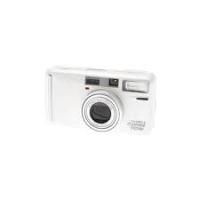
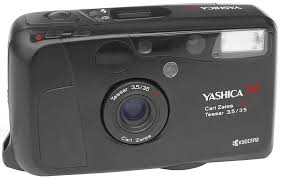
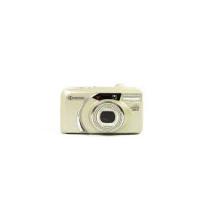
ZOOMATE 165SE - Appareil photo compact YASHICA - Notice d'utilisation et mode d'emploi gratuit
Retrouvez gratuitement la notice de l'appareil ZOOMATE 165SE YASHICA au format PDF.

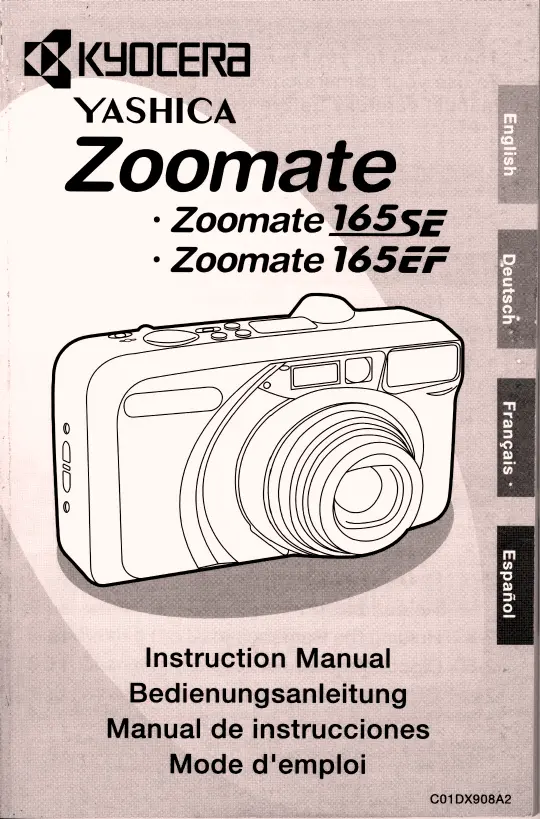
| Type de produit | Appareil photo compact 35 mm avec zoom intégré |
| Marque | YASHICA |
| Modèle | ZOOMATE 165SE |
| Objectif | KYOCERA ZOOM LENS 38 mm F6.7 - 165 mm F13.1 (10 éléments en 8 groupes) |
| Distance de mise au point | 38 mm : 0,9 m à l'infini ; 165 mm : 1,1 m à l'infini ; mode macro : 0,45 m - 0,6 m |
| Dimensions (L x H x P) | 114 x 64 x 51 mm |
| Poids (sans pile) | 220 g |
| Alimentation | Pile au lithium 3V CR123A ou DL123A |
| Autonomie de la pile | Environ 15 rouleaux de 24 poses avec flash à 50 % |
| Film compatible | Film 135 mm (35 mm) avec codage DX (ISO 100/200/400/800) ; non-DX réglé sur ISO 100 |
| Format d'image | 24 x 36 mm ; panorama (12 x 35 mm) |
| Obturateur | Programmé électronique, 2 à 1/300 seconde (mode portrait de nuit : 1 à 1/300) |
| Contrôle d'exposition | Automatisme programmé, plage EV5 - EV16 (ISO 100) |
| Modes de flash | Auto, réduction d'yeux rouges, flash désactivé, flash d'appoint |
| Portée du flash (ISO 400) | 38 mm : 0,9 m - 7,9 m ; 165 mm : 1,1 m - 4,2 m |
| Modes de prise de vue | Portrait de nuit, paysage, macro, panorama |
| Autofocus | Multicolle passif 5 points / Spot AF |
| Viseur | Viseur zoom à image réelle, grossissement 0,44x - 1,67x, champ 80 % |
| Correction dioptrique | De -3 à +1 dioptries |
| Retardateur | Électronique, 10 secondes |
| Télécommande | Infrarouge (R-4), portée jusqu'à 4 mètres, piles non incluses |
| Chargement du film | Automatique (avance jusqu'à la première vue) |
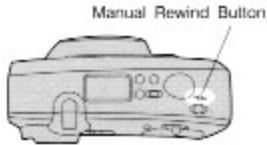
| Remontage du film | Automatique en fin de rouleau, possibilité de rembobinage en cours de rouleau |
| Impression de la date | Modèles avec horloge intégrée : choix du format date/heure |
| Entretien et nettoyage | Essuyer avec un chiffon doux ; pour les lentilles, utiliser un papier spécial et du liquide de nettoyage. Éviter les solvants. |
| Sécurité | Ne pas utiliser en milieu humide ; ne pas démonter ; tenir hors de portée des enfants ; en cas de fumée ou surchauffe, retirer la pile. |
| Pièces détachées et réparabilité | Pile CR123A, télécommande R-4 (en option), batterie de télécommande remplaçable en centre agréé |
| Informations générales | Notice d'utilisation disponible en PDF ; spécifications sujettes à modifications sans préavis. |
FOIRE AUX QUESTIONS - ZOOMATE 165SE YASHICA
Questions des utilisateurs sur ZOOMATE 165SE YASHICA
0 question sur cet appareil. Repondez a celles que vous connaissez ou posez la votre.
Poser une nouvelle question sur cet appareil
Téléchargez la notice de votre Appareil photo compact au format PDF gratuitement ! Retrouvez votre notice ZOOMATE 165SE - YASHICA et reprennez votre appareil électronique en main. Sur cette page sont publiés tous les documents nécessaires à l'utilisation de votre appareil ZOOMATE 165SE de la marque YASHICA.
MODE D'EMPLOI ZOOMATE 165SE YASHICA
YASHICA
Zoomate
Zoomate 165SE
Zoomate 165EF
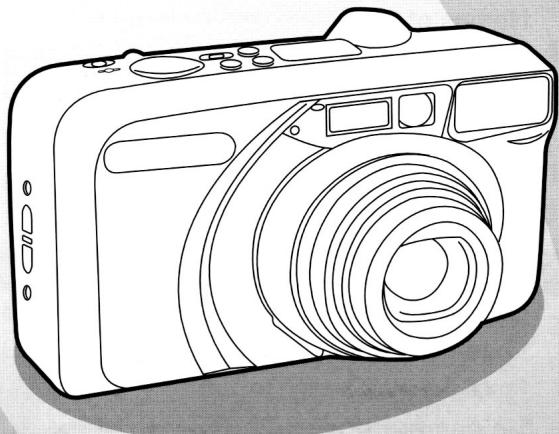
Instruction Manual Bedienungsanleitung Manual de instrucciones Mode d'emploi
Thank you for your purchase of this camera. To use your camera correctly, please read this manual carefully before using it.
Contents
1. Introduction 3
1-1 Names of Parts 3
1-2 Camera care & Precautions 5
1-3 Photographic Concepts 7
- Regarding the Film 7
Possible Distance for Shooting 8
2. Basic Operations 8
2-1 Load the battery 8
2-2 Load the film 9
2-3 Press the main switch to turn the camera power "ON" 10
2-4 Holding the Camera 10
2-5 Diopter Adjustment 11
2-6 Compose Your Picture 11
2-7 Shutter Button 11
2-8 Remove the film 12
3. Photography Tips 13
3-1 Use Focus lock 13
3-2 Close-up Photography 14
3-3 Use Tripod 14
4. Advanced Techniques 15
4-1 Use the Flash Modes 15
Auto-Flash Mode 15
Red-eye Reduction Auto-Flash Mode 15
-Flash-off Mode 16
- Fill-in Flash Mode 16
4-2 Use the Photography Modes 17
Night Portrait Mode 17
·Landscape Mode 17
- Macro Mode 18
4-3 Self-timer/Remote Control Photography 19
4-4 Spot AF Mode 20
4-5 Panorama Photography 21
5. Imprinting the Date and Time (Only model with dating unit) 22
5-1 Setting the Date and Time 22
5-2 Changing the Order of the Date 23
6. Trouble shooting 24
7. Specifications 25
1. Introduction
1-1 Names of Parts
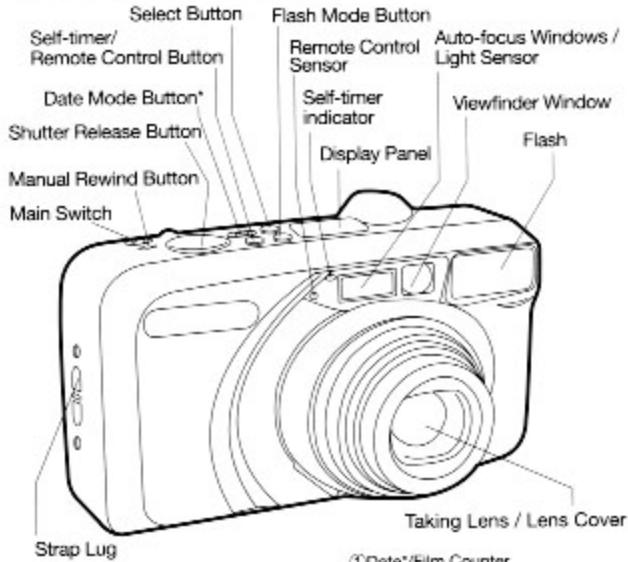
Display Panel
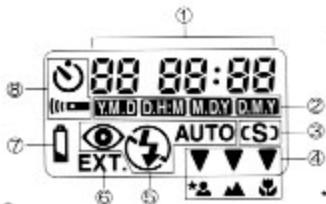
Date/Film Counter
20ate Mark
3Spot AF Mark
4Photography Mode Mark Night Portrait Mode
Landscape Mode Macro Mode
5Flash Mode Mark
Auto-Flash Mode
Red-eye Reduction Mode A Flash-off Mode
Fill-in Flash Mode
EXT. Indicator (Only Zoomate 165EF)
Battery Warning Mark
Set-timer/Remote Control Mark
*Only model with dating unit
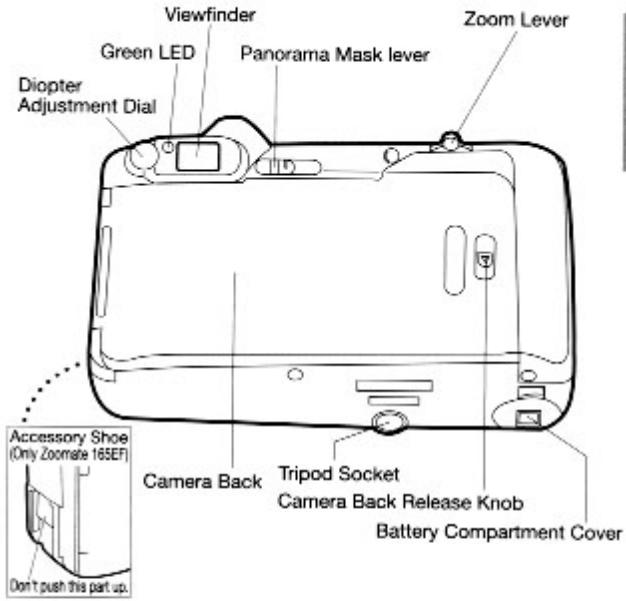
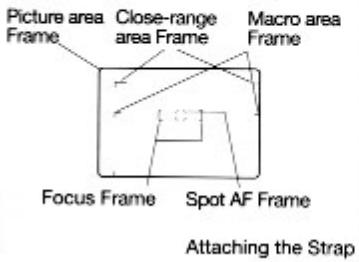
Finder
1-2 Precautions
| A. CAUTION | The symbol indicates the possible risk of personal injury to the product's user and / or others, and the possible occurrence of physical damages if the product is not used properly. |
| A.WARNING | The symbol indicates the possibility of fatal accidents and /or serious injury if the product is not used properly. |
- Fingersprints and dirt on the lens and other areas can affect the accuracy of the camera. If the camera is soiled, wipe off gently. Clean the surfaces with a soft lens cleaning tissue moistened with lens-cleaning solution. Remove dust off with a blow brush.
- Use a soft cloth to clean the camera body. Never use organic solvents such as thinner or benzene.
| CAUTION | Clean the unit well when using it at beach or in some other dustyenvironments. A sea breeze / briny air may corrode metals, causing short circuit, and may result in smoke or fire. In addition, dust causes malfunction to the internal mechanism. The lens may become misty when suddenly brought into a warm room from a cold environment. The mist will clear in a short while. However, if such incidents occur repeatedly, water drops may be left inside the body or the lens. Water drops may cause short circuit, and may result in smoke or fire. Avoid sudden changes of temperature as much as possible. The Camera is a delicate electronic device: avoid dropping or shocks that may cause smoke, fire, or damages to its structure due to short circuit of the unit. Make sure to test shoot and / or double check the operational functions prior to the important events, such as wedding, overseas travelling, and so on. Take some extra batteries along with you, too. |
| WARNING | If any defect is found with the unit while using it (e.g. external body of the unit becomes extremely hot, smoke comes out, or it smells of burning, etc.), immediately stop using it, switch off the power, and remove the batteries; it may cause a fire hazard or burn. (Be careful not to get burned when taking the batteries out.) |
| WARNING | Do not use the unit in a very humid environment, or places where it may get wet. Do not operate it with wet hands: the unit may be damaged due to corrosion, fire, smoke overheating, short circuit, or electric shocks. (Special caution is required when operating inrain, snowing period, at the beach, and near water.) A high voltage circuit is built into the product; therefore, NEVER touch the internal parts of the unit when it is damaged due to a fall and so forth: there is a risk of causing electric shocks. (the unit witha built-in flash) When taking pictures with flash, Do Not use the flashlight close to people's eyes (specially at infants' eyes): emitting the flash-lightclose to eyes may carry a risk of visual problem. Do not look at the sun or other strong light sources directly throughthe camera finder: there is a risk of visual problem. Do not take pictures whilst in motion: taking pictures while moving, especially looking into the finder while moving, may result in an accident. Be sure to pay attention to surroundings as well, instead of only looking at the objects, while taking pictures. Keep the product out of the reach of children. Be sure to pay careful attention, and do not leave the unit carelessly while using it around infants and children: infants and children do not understand safety warning and precaution. Moreover, there are risks of accidents listed as follows: - Getting injured by dropping or knocking off the unit. - Getting choked by accidentally tying the strap around the neck. - Getting their fingers caught in as the motor turns. |
< Storage of the Camera >
- Do not leave the camera and film for a long time in a hot place (on an ocean beach in summer, in a closed car under direct sunlight, etc.) as the camera, film and battery may be adversely affected.
- If you are unlikely to use the camera for long period, remove the batteries to prevent damage due to battery leakage.
| CAUTION | · Store the unit in a well ventilated place. Avoid humid or dusty environments or places with chemicals (e.g. laboratory or drawer with moth repellents): circuit break down or short circuiting may occur, resulting in smoke or fire. |
- Battery performance will be reduced temporarily in low temperatures. If you are shooting in cold weather, keep the camera warm inside your jacket and take it out only when needed. Battery performance reduced by cold temperature will return to normal under normal temperature conditions.
- Poor contact may result if battery poles are soiled with sweat or grease. Wipe both poles clean before loading the battery.
| CAUTION | ·Do not touch the battery with an electric conductive object (e.g. metallic tweezers). it will not only wear the battery out quickerbut it is also dangerous, causing a short circuit. |
| WARNING | ·NEVER DO what is listed below: damaging the batteries will cause personal injury, fire, or damage to surroundings.(1)Do not use batteries other than the ones specified to this unit.(2)Do not insert the battery with incorrect matching of the polarities (+ and -).(3)Never throw the battery into fire, or recharge short disassemble, or heat up the battery.(4)The 3V lithium(CR123A/DL123A) battery can not be recharged.When disposing of the battery, stick a tape or something on the terminalsfor insulation purpose.Contacting with metals after disposing of the batterymay cause explosion or fire.Keg the battery out of the reach of children. In case a child swallows a battery, consult a doctor immediately; a broken battery may leak its fluid and harm the stomach and intestines. |
1-3 Photographic Concepts
This instruction manual refers to general photographic concepts in addition to the specifications of Zoomate165SE/EF.
The time, place, and occasion to select the film
Film speed means that the film is the speed which is sensitive to light, ISO 100 or 400, and so forth are indicated on the film box. A large ISO value means high sensitivity. Such films can be used in locations with poor ambient lighting or with fast shutter speeds, but it has coarser grain and therefore poorer image quality.
For flash photography, use ISO 400 film which increases the flash distance. (See the details about the distance which could be reached using flash on Page 8.)
Possible Distance for Shooting
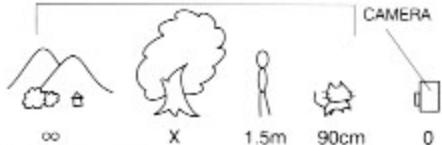
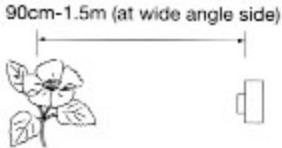
Possible distance for shooting means the distance between the camera and the subject. (Strictly speaking, this means the distance between the subject and the film plane.) Possible distance for shooting of this camera is from 90cm to ∞ (infinity), but the following shooting situations may limit the shooting range.
SUBJECT
When the distance from the camera to the subject is within 1.5m, this is called close-up photography. The camera can shoot as close as 90cm for wide-angle, and 1.1 for telephoto.
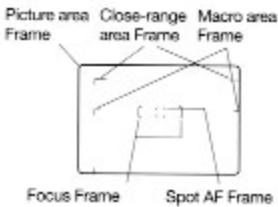
With this type of camera, there is a difference with what you see in the viewfinder when taking close-up photography and the actual picture. (This is called Parallax.) In order to avoid this, compose the subject by using the close-range area frame. (See the details on pages 64 about this.)
There is a distance limit when using the flash.
This distance varies depending on film ISO or zooming.
| Film Speed | Wide-Angle | Telephoto |
| ISO100 | 0.9m~3.9m | 1.1m~2.1m |
| ISO400 | 0.9m~7.9m | 1.1m~4.2m |
2. Basic Operations
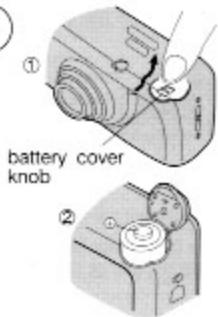
2-1 Load the battery
① Press the battery cover knob in the direction of the arrow to open the cover.
2Load the battery (CR123A or DL123A) facing the directions indicated by the label inside the battery compartment, then close the battery cover.

Key Point
- Reset the date and time after loading a new battery
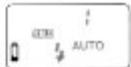
Lighted...The battery should be changed as soon as possible.
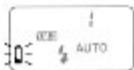
Blinking...The camera no longer operates.
2-2 Load the film
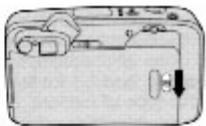
① Open the Camera Back by pushing down the Camera Back Release Knob.
- Please avoid changing the film in bright light.
①
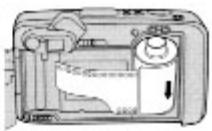
Insert the film cassette slantwise with its bottom end first.
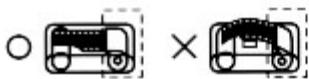
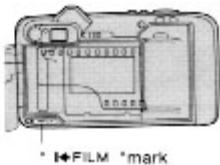
3Pull the tip of the film up to the "I+FILM"mark and place it on the top of the spool. Be careful at this time that the film does not float up from the spool.
3
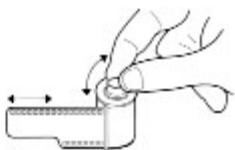

Key Point
If the film leader is too long, please rewind the film as shown in the figure.
4Close the Camera Back securely. As soon as the Camera Back is closed, the film will automatically advance and stop when the Exposure Counter shows "1".

Key Point
If the counter does not show ^ 喜 1 ^ 喜 the film is not advancing properly. Open the Camera Back and load the film correctly again.
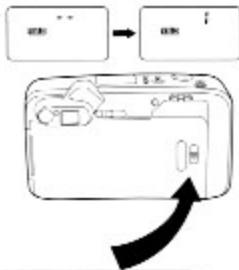
(4)
2-3 Press the main switch to turn "ON" the camera power
When you press the main switch, the camera power comes ON and you are now ready to take pictures.
- When you press the main switch again, the lens retracts, the lens barrier closes, and the camera power goes off.
Make it a rule to switch off the power when you do not use the camera soon. This prevents accidental shooting.
To conserve the battery power, if the camera is left unused for about 2 minutes with the power-on, the lens retracts, the lens barrier closes, and the camera power goes off.
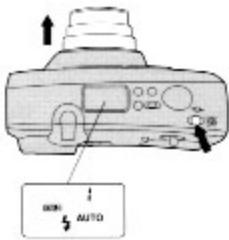
2-4 Holding the Camera
Basically, hold the camera with both hands. Find the camera holding techniques that suit you best referring to the following illustration. Be sure your fingers do not obstruct or rest on the lens, flash and etc.
Vertical Position
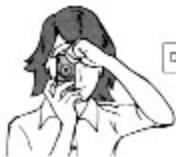
Gently depress the shifter release without staining yourself!
Horizontal Position
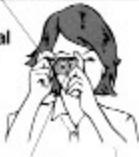
Keep your elbows tucked in to steady the camera.
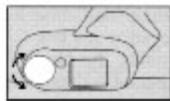
2-5 DIOPTER ADJUSTMENT
Turn the diopter adjustment dial until the viewfinder display becomes clear.
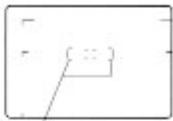
Focus Frame
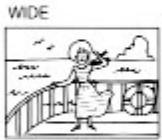
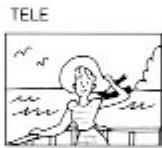
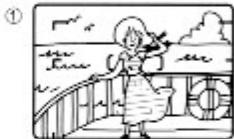
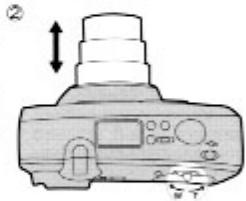
2-6 Compose Your Picture
① Aim the focus frame at the subject you want to focus.
Turn the zoom lever to determine the size of the field.
2-7 Shutter Button
The shutter button has two positions.
①To set the focus frame on your selected image, press the shutter button lightly. This is called half shutter.
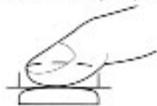
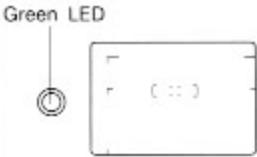
② After confirming that the green LED is illuminated, press the shutter button the rest of the way.
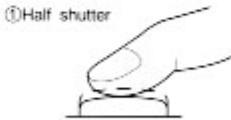
The Shutter is fully depressed.
| Lighted | It is in focus.(Depress the shutter release button fully, the shutter trips.) |
| Blinking | It is out of focus./Flash is charging.(Depress the shutter release button fully, the shutter does not trip.) |
AF assist flash
When the subject is dimly lighted or its contrast is low, The flash may partially emit prior to the shutter closing for auto focus in low light conditions. Please do not mistake this for the flash when the shutter will actually release.
2-8 Remove the film
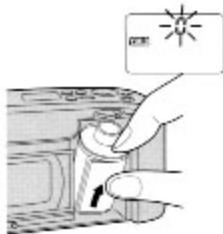
As soon as the last frame is exposed, the film will automatically start to wind itself back into its cassette. While it is rewinding, the Exposure Counter will count down. When it has wound itself back completely, it will stop automatically and the Exposure Counter will show "0", and blink. After making sure the Exposure Counter blinks at "0", open the Camera Back and take out the film.
- While the film is rewinding, other camera features will not function.
If you obtain more exposures than stated on the film pack, the last exposure may be cut in the process of developing.
3. Photography Tips
3-1 Use Focus Lock
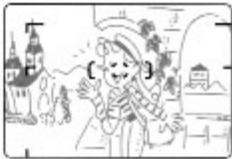
When you take a snap shot, in most cases the subject you want to focus might be in the center of the focusing frame.
Please try to take a photograph with the subject off center.
For example, when you take a photograph like this.
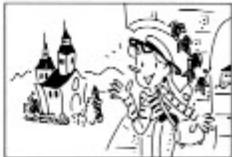
① Aim the focusing frame at the subject and press the shutter release button halfway. This is called "Focus Lock."
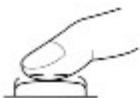
①
2Move the camera to recompose the picture without lifting your finger off the halfway position, then take the picture by depressing the shutter release button all the way.
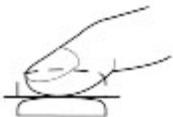
②
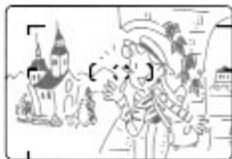

Key Point
The camera features a multi-auto focus. Even if the subject is not centered, as long as they are in the focus frame, they will be in focus.
3-2 Close-up Photography
When the distance between the subject and camera is within 1.5m, this is 'Close-up Photography'. (You can shoot as close as 90cm at wide angle and 1.1m at telephoto.) When you look at the viewfinder, you can see the 'Close-range area frame' in the viewfinder. Use this frame to compose your picture.
- Shooting panorama photos with a distance to the subject of less than 1.5 meters is not recommended.
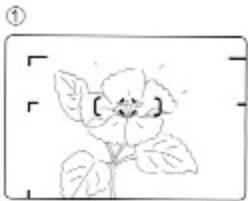
①Look at the viewfinder and compose the picture in the picture area frame. Then press the shutter release button half-way down to lock the focus.
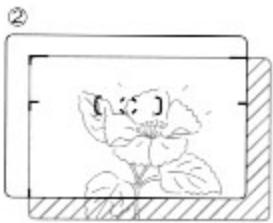
2Move the camera slightly left in order to shift the composition which has been set 1 to the Close-range area Frame. And press the shutter release button all the way.
3-3 Use Tripod
When you take a picture during an evening or night scene making use of natural light without flash, or for indoor picture making use of natural light, the shutter speed will slow down. Use a tripod in this case in order to prevent camera shake.
If a tripod is necessary in any explanation in this instruction manual, then Tripod mark is printed on the manual.
4. Advanced Techniques
Take a picture using various built-in features.
4-1 Use the Flash Modes
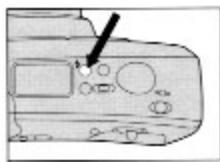
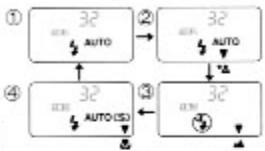
Each time * is pressed, the flash mode changes (see illustration). The selected mode is displayed in the display panel. Set your desired mode and shoot.
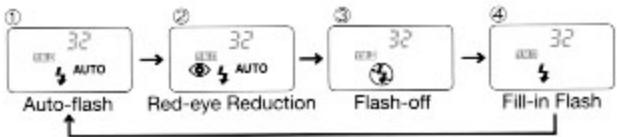
Auto-flash Mode AUTO
When the camera power is turned on, the camera is set to this mode. In dim light, the flash automatically fires to take pictures.
Red-eye Reduction Auto-flash Mode AUTO
If a person or pet are photographed in dim light using a flash, the pupils of their eyes may turn out red in the picture (red-eye effect.) This mode is useful for reducing the red-eye effect.
①Press ° ,and displays 一 _ 一 ^ 一
Inform your subjects that the 'Flash will fire twice', then press the shutter release button.
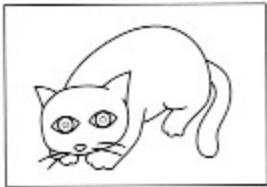
- In this mode, the flash fires twice. After the flash fires for the first time, the shutter trips when it fires for the second time. Please do not move the camera before the second flash, and also be sure your subjects do not move.
The conditions where the flash will go off are the same as the auto flash mode.
Flash-off Mode

Tripod
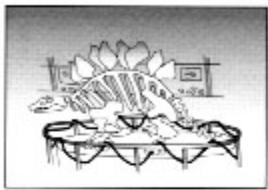
If you want to take pictures without flash such as twilight scenes or indoor sites such as museums, set the camera to this mode.
①Press " "and displays " ".
② Press the Shutter release button.
- Shutter speed will be slower in low light conditions. Use a tripod to prevent camera shake.
Fill-in Flash Mode
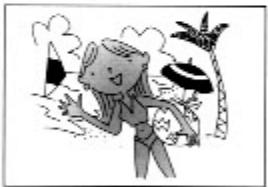
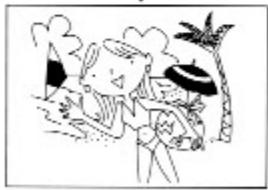
The fill-in flash mode gives a better balanced lighting of the person as well as the background in outdoor photography, portrait pictures with shadows of the subjects, in bright sunlight or backlight, or indoor photography with bright, fluorescent light. Please pay attention to the working range of the flash.
①Press“3”and displays“4”。
Press the shutter release button.
4-2 Use the Photography Modes
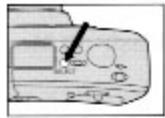
By pressing ° you can cycle through the different photo modes as shown in the illustration. Please choose the mode that you would like to use.
Night Portrait Mode* Tripod
Use this mode for shooting outdoors in evening, or a night scene if you want to have both the subject and the background beautifully exposed.
①Press "to change to auto"
Press to change to night portrait mode.
Press the shutter button.

Key Point
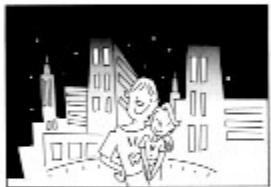
- The shutter speed for night portrait mode is reduced from 2 seconds to 1 second. This is because of possible camera movement when the camera is hand held during slow shutter speeds. To reduce camera movement when the camera is hand held, hold the camera firmly with both hands. To eliminate camera movement, use of a tripod is strongly recommended.
Landscape Mode Tripod
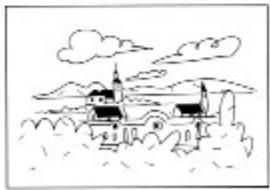
Use this mode when you shoot far away landscape with sharper image.
Press* SELECT and displays the landscape mode.
Press the shutter release button. In this mode, the camera is set to the "Flash off mode" automatically.

Key Point
In this mode, the lens is focused at infinity regardless of the proximity of any foreground subjects.
Macro Mode

This mode is useful when you wish to take close up photos. The closest recommended distances for standard photography are 90 cm for wide angle and 1.1 meters for telephoto, however, macro mode lets you get as close as 50 cm.
English
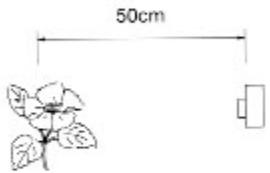
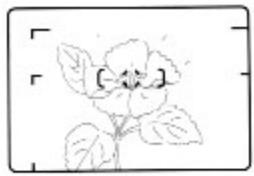
Press "SELECT", to change to Macro mode.
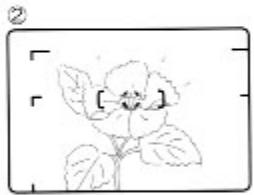
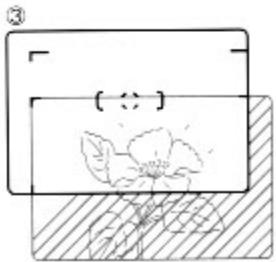
Center the subject in the focus frame and press the shutter halfway to lock the focus.
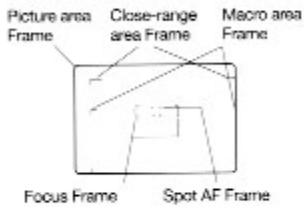
You can now reposition the subject as desired in the macro area frame and press the shutter completely.
- In Macro mode, the lens will automatically adjust to the macro position and the auto focus will change to spot AF.
It is not possible to zoom while in Macro mode. - Panorama mode is not recommended for Macro mode photography.
The camera will be able to focus on the subject between 45cm and 60cm. If you are too close, the shutter will not release.
4-3 Self-timer / Remote Control Photography
Use this mode if you want to get into the picture yourself.
Self-timer/Remote Control Button
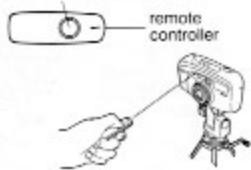
Remote Control Photography
If the Remote Controller is not included with your camera, you'll have to buy it separately.
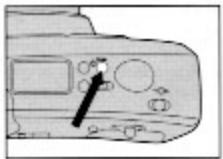
Press the "按钮," "is displayed on the display panel. Notes: Use a tripod tohold the camera securely.
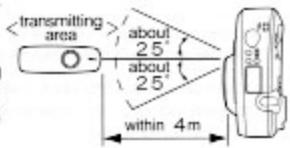
2Compose the image and press the transmitting button on the remote controller. The lens will focus and the self-timer LED on the front of the camera will blink.The shutter is released 2 seconds later.
- If the remote controller is not operated for about five minutes, the camera power goes off.
- In rare cases of strong backlighting or under inverter type fluorescent lighting, the remote control function may not operate.
In order to prevent problems with future pictures, please turn off the remote control/self timer mode after you are finished with them.
② transmitting button
Self-timer/Remote Control Button
Self-timer Photography
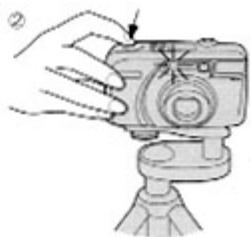
1Press the "O" button. "S" is displayed on the display panel. Notes: Use a tripod to hold the camera securely.
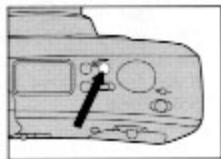
Aim at your subject, and press the shutter release button. The shutter will be released 10 seconds after the shutter release.
Focus and exposure will be locked during self-timer countdown.
To cancel the self-timer after it has been activated, press the button again.
After the shutter is released in self timer mode, the camera will automatically revert to normal photography mode and turn off the self timer mode.
Note that when it is impossible for the autofocus mechanism to operate in spite of the auto-focus assisting flash function, the self-timer LED will not blink and exposure will not take place.
4-4 Spot AF mode
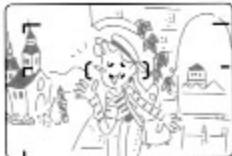
Spot AF mode is useful when you want to specifically focus on a portion of your subject. Simply center the Spot AF frame on the subject and press the shutter button.
①Turn the camera off
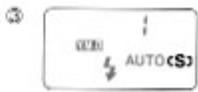
2Press the main switch until "c\$" is displayed on the display panel (about 2 seconds).
3When the focus mode has changed to Spot AF, the camera will turn on.

Simply center the subject in the Spot AF frame and press the shutter button halfway.
After the green lamp is illuminated, press the shutter button completely.
- Spot AF will be turned off automatically when the camera is turned off.
4
4-5 Panorama Photography
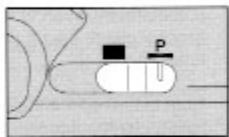
①Move the Panorama Mask lever to P.
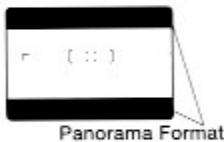
The viewfinder will change to panorama format as shown in the illustration. Please frame your subject in the view-finder and press the shutter button.
- You can not use the auto date function with panorama mode.
①
②

Key Point
- Please use a minimum distance of 1.5 meters for panorama photography. For distances less than 1.5 meters, the film image may differ from the viewfinder image
About Panorama Photography
- With panorama photography, one standard frame of film has the top and bottom trimmed to leave an image 12 × 35 mm in size which can be printed up to 89 × 256 mm in size.
- To take better panoramic shots, use zoom out to wide angle, step back and try to include a wide field in your shot.
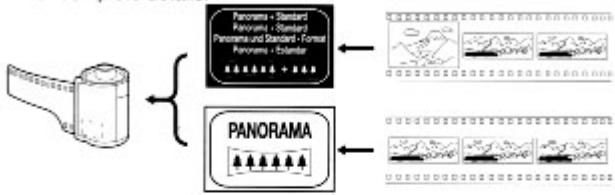
About PanoramaPrints
When processing your panorama shots, be sure to label your film canister according to the following table before sending it in to be processed.
| Film Format | Label |
| Panorama and standard photography | Mixed Panorama |
| Panorama photography only | All Panorama |
- Processing of panorama prints typically takes longer than standard photos. The cost may also be different. Please consult your processor for complete details.
5. Imprinting the Date and Time (Only model with dating unit)
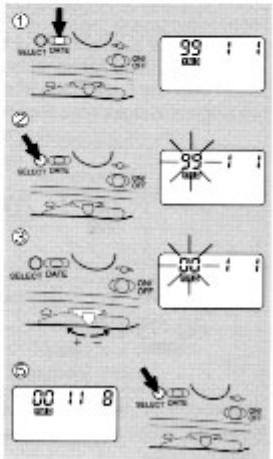
5-1 Setting the Date and Time
Set the Date Mode with the main switch off.
①Press " CATE " and shows "Year/ month/day".
Press " SELECT and the number which you want to set blinks.
3Press the Zoom Lever and set the number.
Repeat the operation of 2 and 3 and set all numbers.
When you finish to set up to 'Day', press " SEFT again to finish.
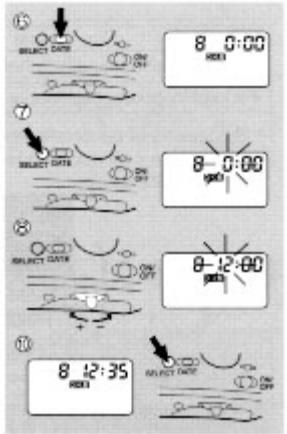
Press "DATE" and shows "Day/Hour/Minute".
Press " SELECT " and the number which you want to set blinks.
Press the Zoom Lever and set the number.
Set the number of "Minute" by operation of 7 and 8.
Press" SELECT " to finish the time setting.
The blinking display will release and the LCD will return to normal after 8 seconds.
If you take more than the number of photos listed on the canister, the final frame may not contain a complete image.
5-2 Changing the Order of the Date
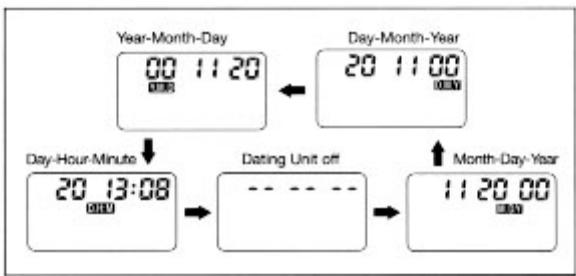
You can print the date or time on your photographs.
Set the date mode with main power switch off.
- Date or Time is displayed only during Date Mode Button is pressed with main power switch on.
- Date or Time is displayed for 8 seconds when the main power switch off and the Date Mode Button is pressed.
① Each time the Date Mode Button is pressed, the date mode changes as shown in the chart. Set the desired mode.
念 With the main power switch on, depress the Shutter Release to take pictures.
6. Troubleshooting
| Symptom | Cause | Action | Page |
| The shutter will not release | The power switch is turned off. | Turn the power switch on. | 10 |
| The battery is weak. | Replace with fresh battery | 8 | |
| Battery is inserted incorrectly. | Confirm the battery is inserted correctly. | 8 | |
| The camera is set to remote control / self timer mode | Change the mode to a different setting. | 19 | |
| The display panel is blank | The power switch is turned off. | Turn the power switch on. | 10 |
| The battery is are weak. | Replace with fresh battery. | 8 | |
| Battery is inserted incorrectly. | Confirm the battery is inserted correctly. | 8 | |
| The green light is flashing | The camera is too close to the subject. | Follow the minimum distance requirements. | 14 |
| The flash is charging. | Wait till the charging lamp goes out. | 12 | |
| The flash goes off when the shutter is pushed halfway. | In low light conditions where there is not enough ambient light to focus, normally the auto focus uses light from the flash to set the focus. | Push the shutter button completely to release the shutter. | 12 |
| The flash will not flash. | The camera is set to flash-off mode | Change to a different flash mode. | 16 |
| The camera is set to landscape (long distance) mode | Change to a different camera mode. | 17 |
7. Specifications
| Type: | Fully automatic 35mm lens shutter camera with built-in zoom lens. |
| Film Used: | 135 Film |
| Picture size: | 24mm x 36mm |
| Lens: | KYOCERA ZOOM LENS 38mm F6.7 - 165mm F13.1 (10 elements in 8 groups). |
| Shutter: | Programmed electronic shutter, 2-1/300 seconds. (At Night portrait mode: 1-1/300 seconds.) |
| Focusing range: | 38mm………0.9m/3.0ft. - ∞, 165mm………1.1m/3.6ft. - ∞, macro mode………0.45m/1.5ft. - 0.6m/2.0ft. |
| Exposure control: | Programmed automatic exposure. |
| Exposure range: | EV5 - EV16 (ISO 100) |
| Metering Method: | External |
| Film speed: | Automatic setting with DX-coded ISO 100, 200, 400, 800 film. Film speed automatically set to ISO 100 with non-DX coded film. |
| Focusing: | passive type, 5 point Multi Auto Focus/Spot AF |
| Viewfinder: | Real-image zoom viewfinder. |
| Magnification: | 0.44-1.67X |
| Field of view: | 80% |
| Dipter Adjustment: Correctable range -3--+1 | |
| Display in | |
| Viewfinder: | Focus frame, Spot AF frame, Picture area frame, close-range area frame, Macro area frame. |
| Display beside | |
| Viewfinder eyepiece: | Focusing/Flash indicator (green LED). |
| Display panel: | Flash mode marks (Auto-flash, Red-eye Reduction Auto-flash, Flash-off, Fill-in Flash) date mark, battery warning mark, Exposure counter/self-timer count down, self-timer/remote control mark, date & time, Spot AF mark, EXT. indicator (only Zoomate 165EF) |
| Film loading: | Auto loading (film automatically advances to the first frame) |
| Film advance: | Automatic. |
| Film rewinding: | Auto return/auto stop and a mid-roll film can be rewound. |
| Exposure Counter: Automatic additive type | |
| Self-timer: Electronic, with 10-sec. delay (self-timer indicator blinks while it is operating); exposure counter shows remaining time in seconds. | |
| Flash: Built-in, with guide-number control. | |
| Flash range: (ISO 400) At 38mm: 0.9m/3.0ft. - 7.9m/25.9ft. | |
| At 165mm: 1.1m/3.6ft. - 4.2m/13.8ft. | |
| (ISO 100) At 38mm: 0.9m/3.0ft. - 3.9m/12.8ft. | |
| At 165mm: 1.1m/3.6ft. - 2.1m/ 6.9ft. | |
| Recycle time: | about 2 sec. - 10 sec. |
| Auto dating unit (for models with dating unit only): | Built-in LCD displayquartz watch (automatic calendar). |
| Date imprinting method: | ①year-month-day, ②day-hour-minute, ③dating unit off, ④month-day-year, ⑤day-month-year. |
| Battery for dating unit: Battery: | Power supply from camera body battery. 3 V Lithium battery 1 pc. (CR123A or DL123A); about 15 rolls of 24-exposure film can be exposed with 50% flash. |
| Dimensions: | (165SE) 114(W) x 64(H) x 51(D) mm 4.5(W) x 2.5(H) x 2.0(D) in. (165EF) 119(W) x 64(H) x 51(D) mm 4.7(W) x 2.5(H) x 2.0(D) in. |
| Weight: | (165SE) 220 g / 7.8 oz. (without battery). |
| (165EF) 230 g / 8.1 oz. (without battery). |
Remote Control R-4
| Format: | Infrared remote control |
| Effective distance: | Within 4 meters of the front of the camera |
| Battery life: | About 50000 uses |
| Battery can be replaced at an authorized service center. | |
| Dimensions: | 64mm (W) x 22mm (H) x 9mm (D) / 2.5(W) x 0.9(H) x 0.4(D)in. |
| Weight: | 7.5g / 0.26oz. (without the battery) |
Specifications and design are subject to change without notice. All data are based on KYOCERA's Test method.

- YASHICA
- ZOOMATE
- CONTENTS
- INTRODUCTION 3
- BASIC OPERATIONS 8
- PHOTOGRAPHY TIPS 13
- ADVANCED TECHNIQUES 15
- IMPRINTING THE DATE AND TIME (ONLY MODEL WITH DATING UNIT) 22
- TROUBLE SHOOTING 24
- SPECIFICATIONS 25
- INTRODUCTION
- NAMES OF PARTS
- PRECAUTIONS
- PHOTOGRAPHIC CONCEPTS
- THE TIME, PLACE, AND OCCASION TO SELECT THE FILM
- POSSIBLE DISTANCE FOR SHOOTING
- BASIC OPERATIONS
- LOAD THE BATTERY
- KEY POINT
- LOAD THE FILM
- PRESS THE MAIN SWITCH TO TURN "ON" THE CAMERA POWER
- HOLDING THE CAMERA
- DIOPTER ADJUSTMENT
- COMPOSE YOUR PICTURE
- SHUTTER BUTTON
- AF ASSIST FLASH
- REMOVE THE FILM
- PHOTOGRAPHY TIPS
- USE FOCUS LOCK
- CLOSE-UP PHOTOGRAPHY
- USE TRIPOD
- ADVANCED TECHNIQUES
- USE THE FLASH MODES
- AUTO-FLASH MODE AUTO
- RED-EYE REDUCTION AUTO-FLASH MODE AUTO
- FLASH-OFF MODE
- TRIPOD
- FILL-IN FLASH MODE
- USE THE PHOTOGRAPHY MODES
- NIGHT PORTRAIT MODE* TRIPOD
- LANDSCAPE MODE TRIPOD
- MACRO MODE
- SELF-TIMER / REMOTE CONTROL PHOTOGRAPHY
- REMOTE CONTROL PHOTOGRAPHY
- SELF-TIMER PHOTOGRAPHY
- SPOT AF MODE
- PANORAMA PHOTOGRAPHY
- ABOUT PANORAMA PHOTOGRAPHY
- ABOUT PANORAMAPRINTS
- IMPRINTING THE DATE AND TIME (ONLY MODEL WITH DATING UNIT)
- SETTING THE DATE AND TIME
- CHANGING THE ORDER OF THE DATE
- TROUBLESHOOTING
- SPECIFICATIONS
- REMOTE CONTROL R-4
Marque : YASHICA
Modèle : ZOOMATE 165SE
Catégorie : Appareil photo compact