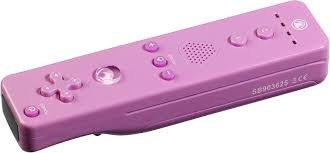
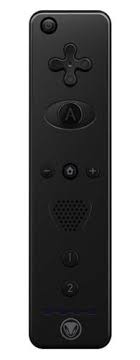
REMOTE XS CONTROLLER - Contrôleur de jeu SNAKEBYTE - Notice d'utilisation et mode d'emploi gratuit
Retrouvez gratuitement la notice de l'appareil REMOTE XS CONTROLLER SNAKEBYTE au format PDF.

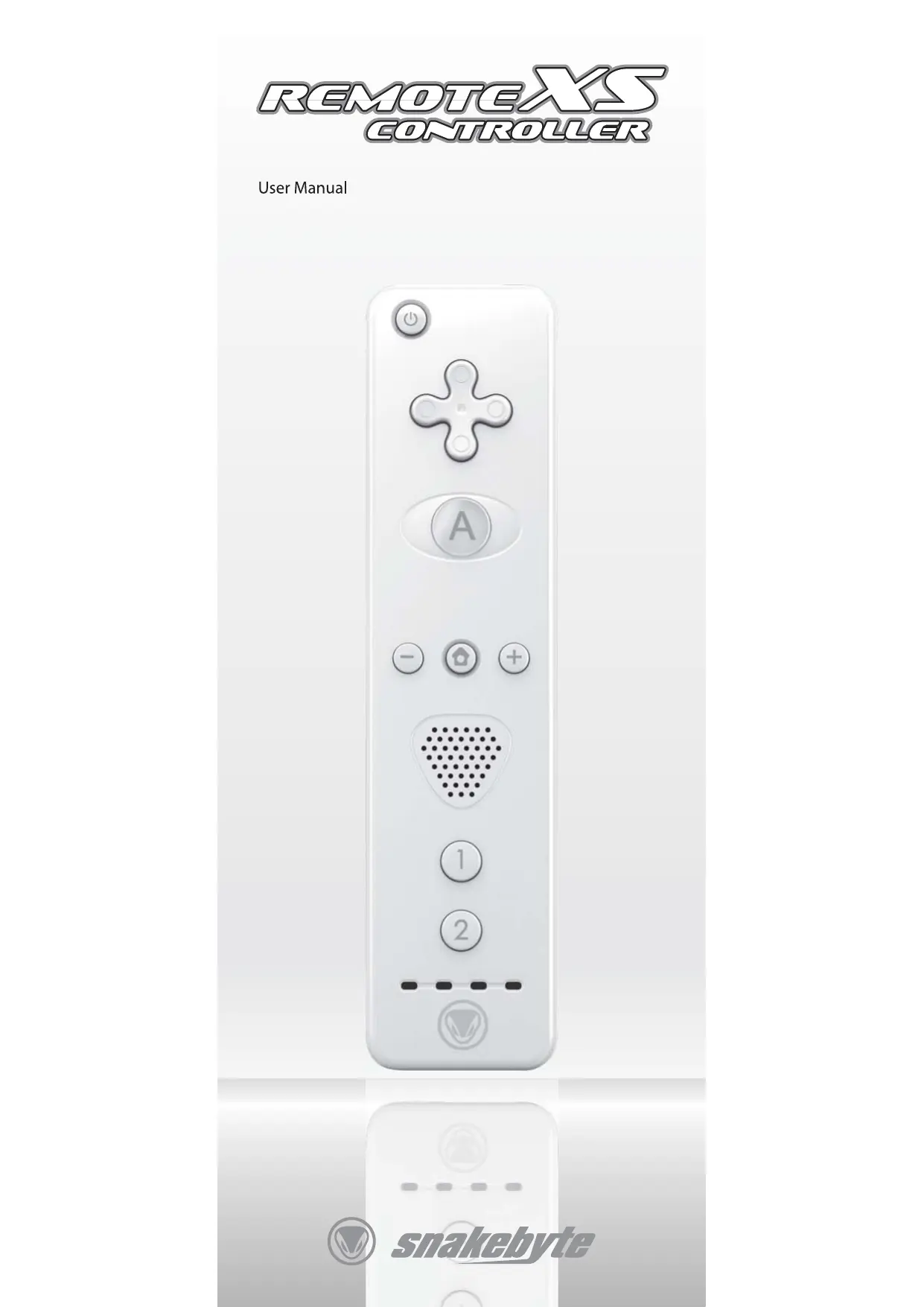
| Type de produit | Contrôleur de jeu sans fil pour Nintendo Wii |
| Marque | SNAKEBYTE |
| Modèle | REMOTE XS CONTROLLER |
| Utilisation | Manette de jeu avec détection de mouvement, vibreur, haut-parleur intégré |
| Nombre de joueurs | Jusqu'à 4 contrôleurs simultanément |
| Alimentation | 2 piles AA (non incluses) |
| Autonomie estimée | Environ 30 heures avec piles alcalines |
| Technologie de synchronisation | Synchronisation permanente (Standard) ou temporaire (One Time) |
| Connectivité | Sans fil via Bluetooth |
| Accessoires inclus | Sangle de sécurité, manuel d'utilisation |
| Accessoires compatibles | Nunchuk, Classic Controller (Nintendo et SNAKEBYTE) |
| Dimensions (approx.) | 148 mm x 36 mm x 30 mm |
| Poids (approx.) | 180 g (avec piles) |
| Matériau | Plastique ABS avec revêtement antidérapant |
| Couleur | Blanche (identique à la manette Wii d'origine) |
| Entretien et nettoyage | Nettoyer avec un chiffon doux et sec. Ne pas utiliser de produits liquides. |
| Sécurité | Tenir éloigné des liquides. Ne pas démonter. Utiliser avec la sangle de sécurité. |
| Pièces détachées et réparabilité | Aucune pièce réparable par l'utilisateur. Contactez le support SNAKEBYTE. |
| Garantie | 2 ans |
| Certifications | CE, RoHS, WEEE |
FOIRE AUX QUESTIONS - REMOTE XS CONTROLLER SNAKEBYTE
Questions des utilisateurs sur REMOTE XS CONTROLLER SNAKEBYTE
0 question sur cet appareil. Repondez a celles que vous connaissez ou posez la votre.
Poser une nouvelle question sur cet appareil
Téléchargez la notice de votre Contrôleur de jeu au format PDF gratuitement ! Retrouvez votre notice REMOTE XS CONTROLLER - SNAKEBYTE et reprennez votre appareil électronique en main. Sur cette page sont publiés tous les documents nécessaires à l'utilisation de votre appareil REMOTE XS CONTROLLER de la marque SNAKEBYTE.
MODE D'EMPLOI REMOTE XS CONTROLLER SNAKEBYTE
REMOTEX5
CONTROLLER
User Manual
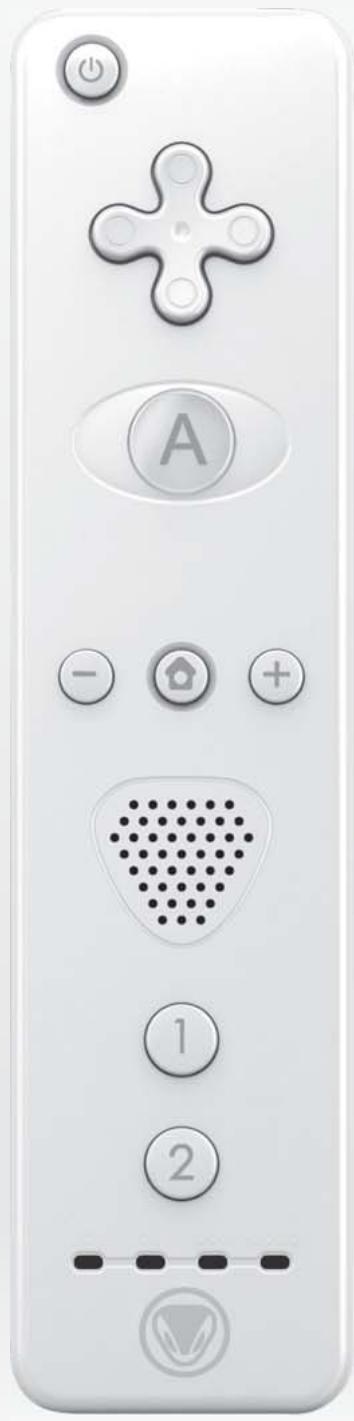
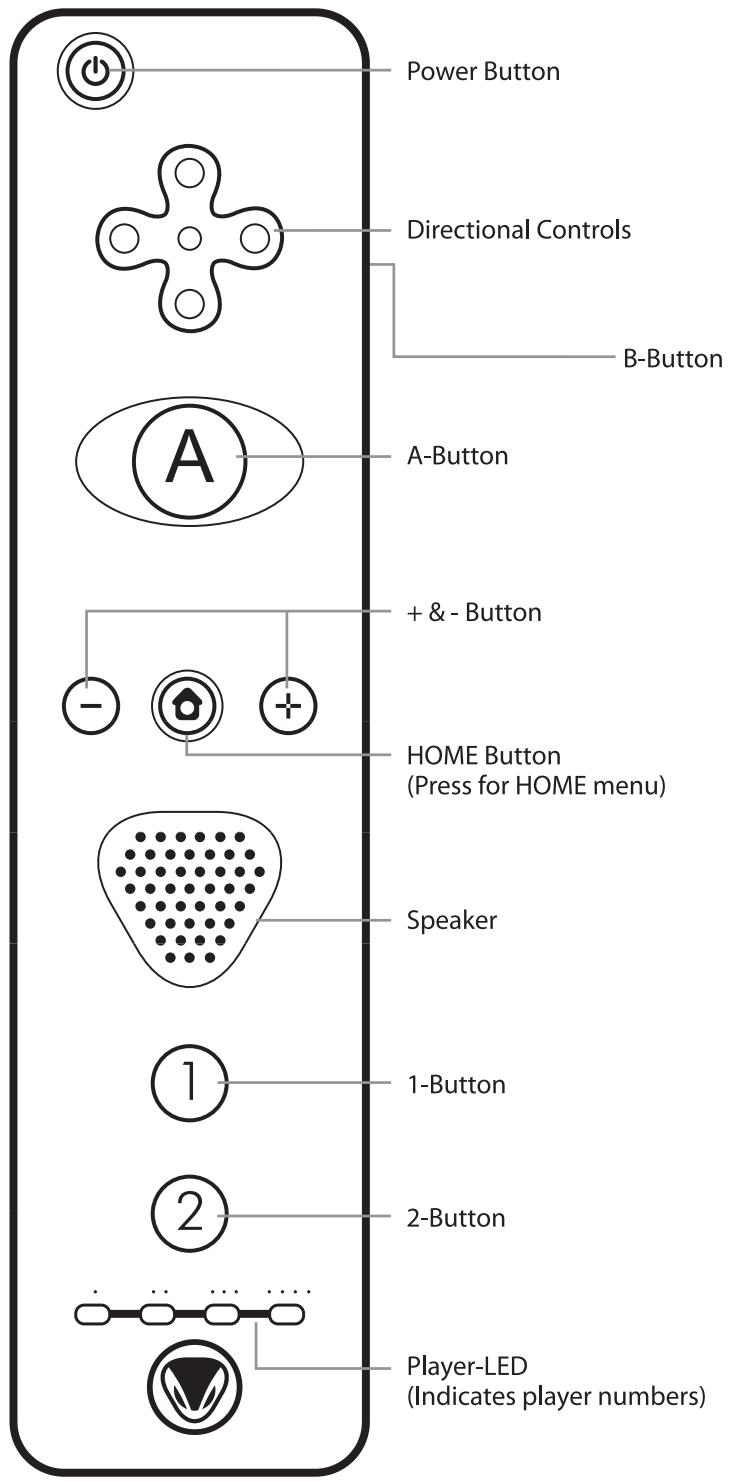
TABLE OF CONTENT
Important Safety Instructions
Introduction
Thank you very much!
Specifications
Installation
Operating Instructions
Troubleshooting
Contact and Support
Terms of Guarantee
Further products of the snakebyte range
Important safety instructions
Before using your snakebyte Remote XS Controller please read this manual thoroughly. If you comply with all instructions and tips, using the Remote XS Controller is easy and comfortable. Please retain this manual for future reference.
If you don't want to lose your warranty, please refrain from disassembling the Remote XS Controller - there are no user serviceable parts inside anyway. Inappropriate handling does invalidate the warranty and leads to malfunctions of the device.
- Keep your Remote XS Controller away from liquids and liquid containers such as vases, bottles, hot baths, jacuzzi tubs, etc. Any damage occurring from liquids invalidates the warranty.
Introduction
Thank you very much!
Congratulations for purchasing the snakebyte Remote XS Controller. We really appreciate your trust in our fine products. This controller was thoroughly produced under constant quality inspection and according to international quality and safety standards. Have fun with this controller. If you follow this manual, set up, operation, and basic maintenance of the Remote XS Controller is cakewalk. In case you encounter any problems exceeding this manual please contact your dealer or our friendly customer support under support@snakebyte-europe.com.
Specifications
Wireless Remote XS Controller for use with Nintendo Wii™
■ Enjoy the most intuitive motion sensing gameplay ever
Use up to 4 units simultaneously for maximum multi-player fun
Super sleek and elegant design
Antislip rubber sleeve included: for secure grip in fast-paced action and sports games
Integrated speaker for realistic positional audio effects
Built-in memory to save settings and avatars
Strong vibration effects
Only needs 2 AA batteries (not included)
Technical data is subject to change without notice.
Installation
Included in delivery
Within the package of the snakebyte Remote XS Controller you should find the following items:
1x Remote XS Controller
1x Security Wrist Strap
1x this manual
If any part is missing or obviously broken please contact your dealer immediately. If there are more than the three mentioned items included - congratulations!
Synchronisation of the Remote XS Controller
In order to use the snakebyte Remote XS Controller with your Nintendo Wii™ it needs to be synchronised with the console.
There are two different ways to synchronise the Remote XS Controller with the console, a permanent (Standard) and a temporary (One Time) mode.
In Standard Mode the controller remains synchronised (synced) with the Wii™ console even when the console is turned off. This setting can only be changed by syncing the controller to another Wii™.
In One Time Mode the Remote XS Controller can temporarily be synced with a console it is not permanently linked to. The Standard Mode setting is not overwritten byyncing the Remote XS Controller one time to a different Wii™. This mode allows you to bring your Remote XS Controller along with your stored Mii™ avatars and game settings to all your buddies for tons of unadulterated multiplayer fun.
How to sync in Standard Mode:
Remove the battery cover of your Remote XS Controller
Open the SD card slot cover on the front of your Wii™ console
Press the "SYNC" button underneath the Remote XS Controller battery cover once. Now press and release the "SYNC" button on the console.
- Your Remote XS Controller's bottom LEDs will start flashing, indicating a successful hardware-handshake of controller and console. Once the LEDs stop flashing one LED should light permanently, indicating the player number of the Remote XS Controller.
- Repeat the above steps for each Remote XS Controller you would like to use with your Wii™ console. The order in which controllers are syncsed represents the player numbers in multi-player games.
How to sync in One Time Mode:
Press "HOME" on the controller that is synchronised permanently with the console.
■ Select "WII REMOTE SETTINGS" in the upcoming menu, followed by "RECONNECT"
Press "1" and "2" simultaneously on the Remote XS Controller which you want to sync with the Wii™ console in One Time Mode.
- Repeat the above steps for each controller you would like to temporarily sync with your Wii™ console. The order in which controllers are synchronized represents the player numbers in multi-player games.
Please be aware of the fact that the temporary synchronisation will be erased once the Wii^TM is turned off and that the Standard Mode settings of the respective Remote XS Controller will then be reactivated.
For further information regarding synchronisation please refer to your Wii™ console manual.
Operating Instructions
Your Remote XS Controller needs two AA batteries to operate. It is highly recommended to use quality Alkaline batteries for maximum operating time. (You may also use rechargeable NiMH batteries though the actual operating time of the Remote XS Controller will be heavily shortened). Please pay attention to the correct placement of any batteries in the Remote XS Controller, incorrect polarisation leads to defects which void your product guarantee, render the Remote XS Controller inoperable, and on top may cause a horrible acidic mess.
Further more do not mix worn-out old batteries with fresh new ones or batteries of different types. Batteries should not be left in the Remote XS Controller for extended periods of non-use in order to avoid leakage (again: horrible acidic mess, you should keep that in mind...).
Please also pay attention to the appropriate disposal of drained batteries to protect our valuable environment.
How to install batteries in your Remote XS Controller
Remove the battery cover
Insert the batteries into the battery compartment, ensuring the correct placement and polarisation
Close the battery cover
Proper use of the Remote XS Controller
Please fasten the wrist strap to the fixture in the Remote XS Controller's base and always wear it with a tightened strap lock to avoid accidental slipping.
The snakebyte Remote XS Controller's advanced motion sensing technology is highly sensitive: there is no need to move it excessively while playing. Always pay attention to your surroundings and persons around you, e.g. during multiplayer games.
The Remote XS Controller can be used in vertical position for Wii™ games that require its pointer functionality, in horizontal position for classic Virtual Console games, and with accessories such as the Nunchuk and the Classic Controller (Nintendo 1^st party originals and respective snakebyte accessories).
For further information please refer to your Wii™ console's and the respective game's manuals.
Troubleshooting
If you encounter any problems using the snakebyte Remote XS Controller please read this section carefully before contacting our customer support or your dealer.
1. My Remote XS Controller does not work correctly at all.
Turn off your Wii™ console and turn it on again immediately. Make sure your Remote XS Controller is either synced in permanent (STANDARD) or temporary (ONE TIME) mode to the console. Please refer to the installation instructions above.
2. My game seems to receive input signals although I do not even touch the controller.
Make sure your IR sensor bar (e.g. the snakebyte Wireless Sensor Bar) is placed directly in the line of sight either on top of or below your TV when playing. Also pay attention to the maximum operating distance of the Remote XS Controller. Depending on the sensor bar in use this distance may vary. Try to stay within a range of max. five meters of the sensor bar and console while playing to ensure optimal performance and precision.
3. My Remote XS Controller's precision and reliability seem to decrease.
Please make sure that the inserted batteries are not too weak. Replace weak or old batteries with fresh ones (always replace both batteries!) and try again to restore optimal performance.
Contact and support
If you still encounter problems that can not be solved by reading the section „troublesheathing“, please contact us:
Sunflex Europe GmbH
Obere Oese 2-4
58675 Hemer
Germany
Tel: +49 2372 55439-0
Fax: +49 2372 55439-29
E-Mail: support@snakebyte-europe.com
Terms of guarantee
We issue a guarantee of two years after purchase of the snakebyte Remote XS Controller. Therefore, please preserve your invoice, e.g. together with this manual.
In order not to invalidate the warranty and to protect your health never try to repair and/or disassemble the device. There are no user serviceable parts inside anyway. On top, the danger of electric shock or even fire is reduced considerably.
The guarantee is limited to defective parts or faulty assembly of the Controller exclusively, i.e. it only covers manufacturing defects.
Amongst others the following defects can not be asserted:
basically all defects resulting from violation of this manual
defects resulting from improper use or cleaning
mechanical and optical flaws (e.g. scratches, broken casing caused by brute force or carelessness)
defects caused by force majeure
- any defects caused by components that are not themselves parts of or the Controller itself
Certifications
ROHS
WEEE
CE
©2008 Sunflex Europe GmbH. snakebyte is a trademark of Sunflex Europe. Nintendo and Wii are trademarks or registered trademarks of Nintendo Inc. This product is not designed or manufactured by Nintendo. All other trademarks are the marks of their respective owners. All rights reserved.
Motion XS
Wireless Motion XS
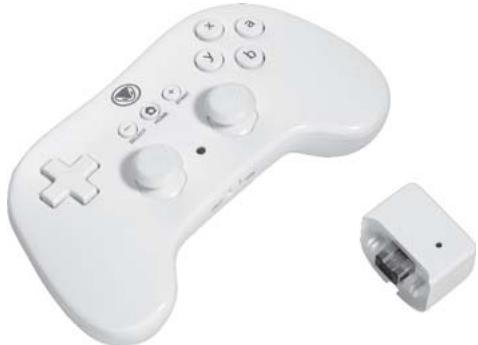
Wireless Retro Controller
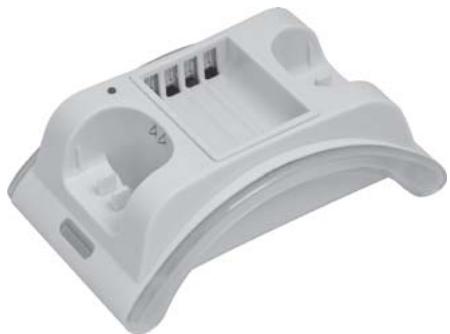
Charging Cradle
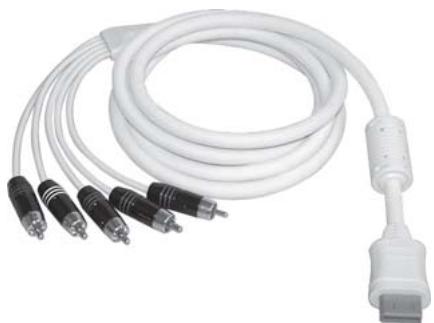
Premium Component Cable