
DGDXL-2671 - Accessoires de jeux vidéo DREAMGEAR - Notice d'utilisation et mode d'emploi gratuit
Retrouvez gratuitement la notice de l'appareil DGDXL-2671 DREAMGEAR au format PDF.


| Type de produit | Accessoire de jeu vidéo |
| Compatibilité | Compatible avec plusieurs consoles de jeux |
| Dimensions approximatives | Variable selon l'accessoire spécifique |
| Poids | Variable selon l'accessoire spécifique |
| Alimentation électrique | Non applicable (accessoire sans alimentation) |
| Matériaux | Plastique de haute qualité |
| Fonctions principales | Amélioration de l'expérience de jeu, protection des manettes |
| Entretien et nettoyage | Essuyer avec un chiffon doux, éviter les produits chimiques agressifs |
| Pièces détachées et réparabilité | Disponibilité variable selon le revendeur |
| Informations de sécurité | Utiliser conformément aux instructions du fabricant |
| Garantie | Vérifier auprès du revendeur pour les conditions de garantie |
FOIRE AUX QUESTIONS - DGDXL-2671 DREAMGEAR
Questions des utilisateurs sur DGDXL-2671 DREAMGEAR
0 question sur cet appareil. Repondez a celles que vous connaissez ou posez la votre.
Poser une nouvelle question sur cet appareil
Téléchargez la notice de votre Accessoires de jeux vidéo au format PDF gratuitement ! Retrouvez votre notice DGDXL-2671 - DREAMGEAR et reprennez votre appareil électronique en main. Sur cette page sont publiés tous les documents nécessaires à l'utilisation de votre appareil DGDXL-2671 de la marque DREAMGEAR.
MODE D'EMPLOI DGDXL-2671 DREAMGEAR
SILVER EDITION
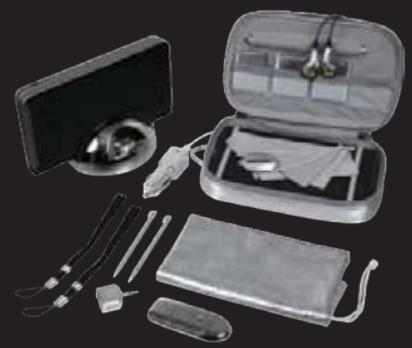
20 in 1 Starter Kit
20 essential items for your DSi XL
ITEM No.-DGDXL-2671
UPC - 8 45620 02671 5
COLOR - Silver
PRODUCT FEATURES
- CHARGING DOCK: charge and dock your DSi XL with a dock where power meets style.
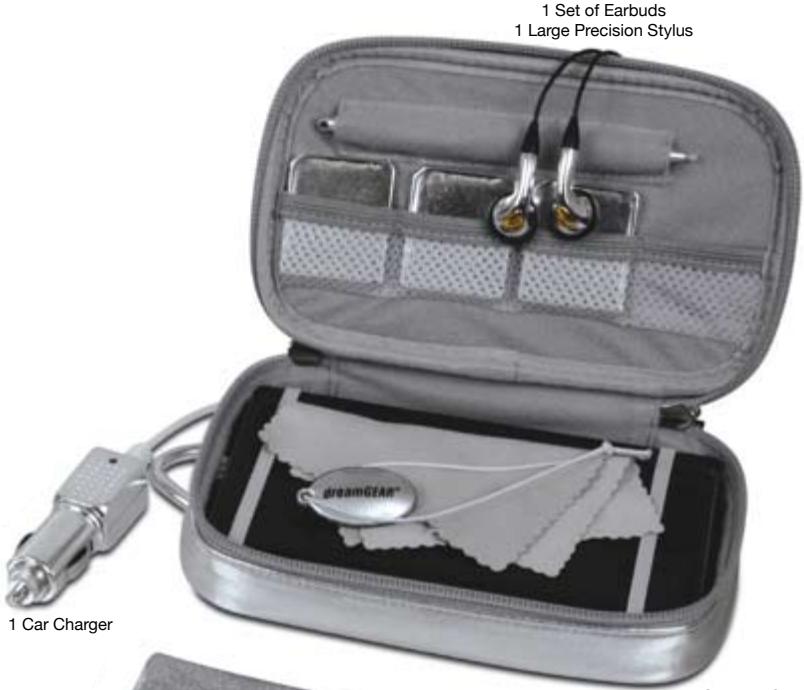
CARRYING CASE: offers portability along with protection. - USB SD CARD READER: transfer your data to and from via USB port.
- CAR CHARGER: stay charged and entertained while traveling.
- EARBUDS: crisp and clear audio experience.
- AUDIO SPLITTER: Share your audio with friends.
- 3 SCREEN CLEANERS: 1 screen cleaners and 2 micro fiber cleaning cloths keep your DSi XL shiny and smudge-free.
- CARRY ALL TOTE BAG: Carry everything conveniently.
- 2 SMALL PRECISION STYLUSES: Increase gaming accuracy.
- 1 LARGE PRECISION STYLUS: Increase comfort and convenience while gaming.
- 2 SETS of SCREEN PROTECTORS: Keep screens new and scratch free.
- 3 GAME CASES: Keep your games organized and protected.
- 2 WRIST STRAPS: Protect your DSi XL from being dropped or and keep your large stylus handy.
PRODUCT PACKAGING
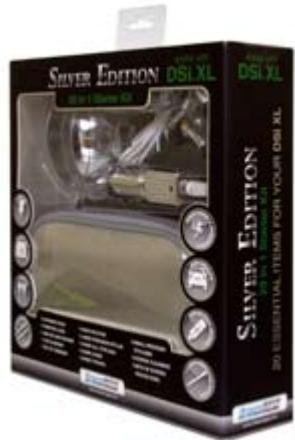
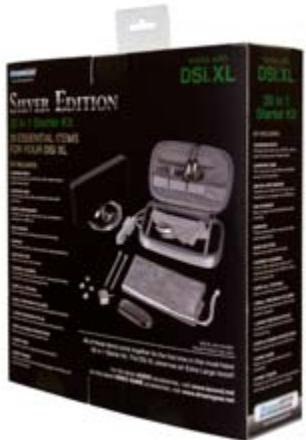
TRANSLATIONS
| SPANISH | FRENCH | |
| PACKAGING | NO | NO |
| USER'S GUIDE | YES | YES |
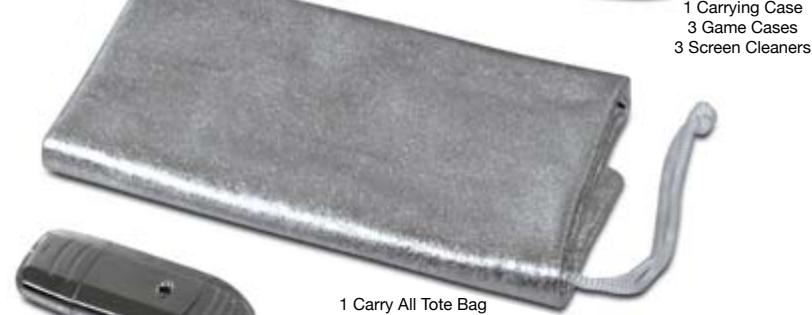
Hall Precision Styluses
2 Wrist Straps
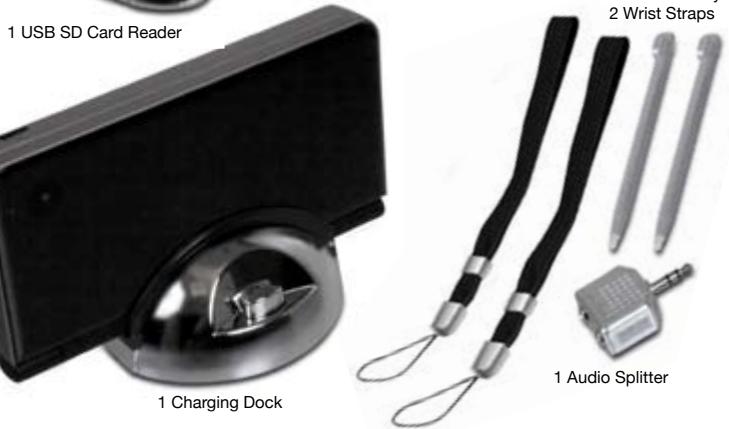
*DSi XL not included
SHIPPING INFORMATION
| QUANTITY | WIDTH (in.) | HEIGHT (in.) | DEPTH (in.) | CUBE (ft3) | WEIGHT (lbs.) | UPC NUMBER | |
| SINGLE | 1 | 8.5 | 10 | 2.25 | 0.11 | 0.90 | 8 45620 02671 5 |
| MASTER | 8 | 10 | 11 | 18.5 | 1.18 | 8.95 | 8 45620 02671 5 |
| INNER | 4 | 9.25 | 9.75 | 9.75 | 0.51 | 3.95 | 8 45620 02671 5 |
User's Guide
20in1 Starter Kit SILVER EDITION
dreamGEAR
www.dreamgear.net
works withDSi® XL

PACKAGE CONTENTS:
- Charging Dock
- Carrying Case
USB SD Card Reader
CarCharger
Forbuds
Earbuds
Audio Splitter
2 Small Precision Styluses
1 Large Precision Stylus
2 Sets of Screen Protectors
2 Gels of Cere 3 Game Center
6 Wrist Shrimp - 2 Wrist Straps
3 Screen Cleaners
Carry All Tote Bag
-User's Guide Warranty Card
Registration Card
Charging Dock:
- Place DSI XL upside-down onto the charging pin on the Charging Dock.
- Plug in the Original DSI XL AC adapter into the back of the Charging Dock.
- To release, press down on the release button located on the front of the Charging Dock.
USB SD Card Reader:
- Pull off the back cover of the SD Card Reader exposing the opening for an SD Card.
- Insert an SD Card into the back of the SD Card Reader.
- Pull off the front cover of the SD Card Reader exposing the USB plug.
- Insert the USB plug into any powered USB port to view or transfer files.
- After viewing or transferring files, pull the SD Card Reader from the USB port.
NOTE: Please refer to your device's User's Guide on how to safely remove the SD Card Reader.
- Pull out the SD Card from the SD Card Reader.
- Insert the SD Card into the DSi XL.
NOTE: SD Card not included.
Car Charger:
- Connect the Car Charger to the DSi XL's DC input.
- Plug the Car Charger into your car's power outlet. The DSI XL will begin charging automatically.
Earbuds:
- Insert the 3.5mm end of the Earbuds into the headphone jack located on the Dsi XL.
- Volume is adjusted by the volume control on the DSi XL.
Audio Splitter:
- Connect the Audio Splitter to the headphone input on the DSi XL.
- Connect up to 2 earbuds or headphones to the Audio Splitter using the 3.5mm headphone jack.
Precision Stylus:
- Lightly touch or slide the Small Precision Stylus across the touch screen of the DSi XL.
- Use the stylus only on the lower touch screen.
- Use only enough pressure to operate the game. Excessive pressure may damage the touch screen.
NOTE: Do not use the stylus if it is broken. Replace the stylus in the stylus holder located on the right side of the DSI XL when not in use.
Screen Protector:
- Peel the top off the Screen Protector by pulling the red and white sticker to the right.
- Once you peel the Screen Protector apart, the part with the red and white sticker belongs on the screen.
- The sticky part of the side that you place onto the screen.
dreamGEAR
www.dreamgear.net
FOR TECHNICAL SUPPORT
PLEASE CONTACT: 1-877-999-DREAM
or support@dreamgear.net