INSTANTHDTV PCI PTV380 - Carte TV ADS TECH - Notice d'utilisation et mode d'emploi gratuit
Retrouvez gratuitement la notice de l'appareil INSTANTHDTV PCI PTV380 ADS TECH au format PDF.


| Type de produit | Carte tuner TV PCI |
| Caractéristiques techniques principales | Réception de signaux TV numériques, compatibilité avec les formats ATSC et Clear QAM |
| Alimentation électrique | Alimentation par le bus PCI |
| Dimensions approximatives | Longueur : 15 cm, Largeur : 10 cm, Hauteur : 2 cm |
| Poids | Environ 200 g |
| Compatibilités | Compatible avec Windows XP, Vista, 7, 8, 10 |
| Fonctions principales | Enregistrement de programmes TV, lecture en direct, planification d'enregistrements |
| Entretien et nettoyage | Débrancher l'appareil avant tout nettoyage, utiliser un chiffon doux et sec |
| Pièces détachées et réparabilité | Réparabilité limitée, pièces disponibles sur demande auprès du fabricant |
| Sécurité | Ne pas exposer à l'humidité, respecter les normes électriques locales |
| Informations générales utiles | Vérifier la compatibilité avec votre système avant l'achat, nécessite un logiciel de lecture compatible |
FOIRE AUX QUESTIONS - INSTANTHDTV PCI PTV380 ADS TECH
Questions des utilisateurs sur INSTANTHDTV PCI PTV380 ADS TECH
0 question sur cet appareil. Repondez a celles que vous connaissez ou posez la votre.
Poser une nouvelle question sur cet appareil
Téléchargez la notice de votre Carte TV au format PDF gratuitement ! Retrouvez votre notice INSTANTHDTV PCI PTV380 - ADS TECH et reprennez votre appareil électronique en main. Sur cette page sont publiés tous les documents nécessaires à l'utilisation de votre appareil INSTANTHDTV PCI PTV380 de la marque ADS TECH.
MODE D'EMPLOI INSTANTHDTV PCI PTV380 ADS TECH
InstantHDTV PCI
Receive Free Over the Air HDTV Broadcasts on your PC
English
HDTV ATSC TUNER EPG REMOTE
Instant HDTV PCI
Instant HDTV PCI Hardware Installation:
1) Insert your Instant HDTV PCI into an open PCI slot on your motherboard.
2) Connect the Coaxial cable or Audio/Video cables from your video source to the Instant HDTV PCI.
3) Insert the Instant HDTV PCI CD into your CD-ROM drive.
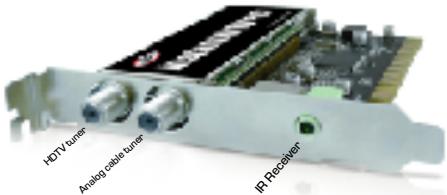
Step by Step Hardware Installation
- Turn your computer off.
- Take the case off of your computer to have access to the PCI slot of your motherboard.
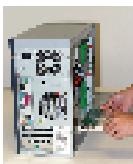
- Take the Instant HDTV PCI from the packaging.
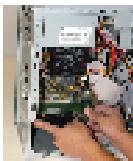
- Insert the Instant HDTV PCI into an open PCI slot on the motherboard and screw in tightly.
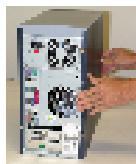
- Put the case of your computer back on.
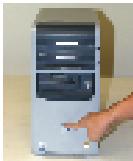
- Press the power button to turn the computer on to start the installation of the drivers.
Step by Step Drivers Installation
- The Found New Hardware Wizard will appear

- Insert the Instant HDTV PCI Installation CD into the CD-ROM Drive
- Click "No, not at this time and then Next >
- Click "Install the software automatically (Recommended) and then Next >
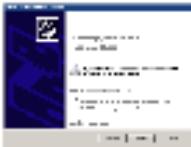
- Click on Finish to complete the driver installation
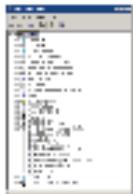
- Check within the Device Manager under "Sound, video and game controllers" to ensure that "ADS Instant HDTV PCI" is listed.