
S5 - Enceinte sans fil SONOS - Notice d'utilisation et mode d'emploi gratuit
Retrouvez gratuitement la notice de l'appareil S5 SONOS au format PDF.

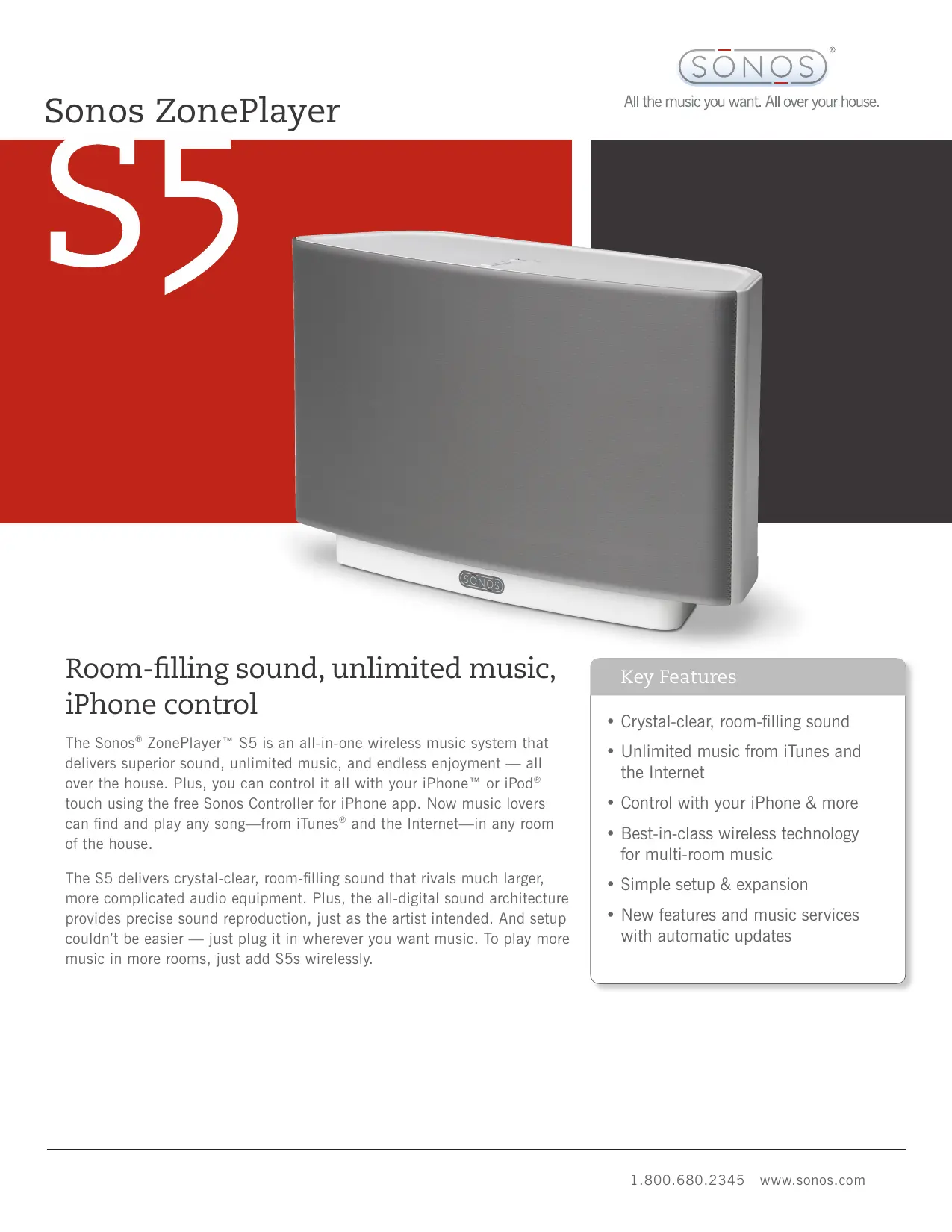
| Type de produit | Enceinte sans fil multibras (Sonos ZonePlayer S5) |
| Marque | SONOS |
| Modèle | S5 |
| Dimensions (L x H x P) | 365 x 217 x 123 mm |
| Poids | 4,15 kg |
| Alimentation | AC 120-240 V, 50-60 Hz, auto-switchable |
| Consommation électrique | Non spécifié |
| Amplificateurs | Cinq amplificateurs numériques de classe D |
| Haut-parleurs | 5 haut-parleurs : 2 tweeters, 2 médiums de 3" (76 mm), 1 woofer de 3,5" (89 mm) |
| Connectivité sans fil | SonosNet 2.0 (réseau maillé, AES 128 bits) |
| Connecteurs | 1 entrée audio 3,5 mm (auto-détection), 1 sortie casque 3,5 mm, 2 ports Ethernet (10/100 Mbps) |
| Formats audio pris en charge | MP3, iTunes Plus, WMA, AAC, Ogg Vorbis, Audible, Apple Lossless, FLAC, WAV, AIFF |
| Services de musique en ligne | Last.fm, Napster, Pandora, Rhapsody, SIRIUS Internet Radio, et téléchargements DRM-free |
| Radio Internet | 25 000 stations préchargées, streaming MP3 et WMA |
| Contrôle | Application iPhone/iPod touch (gratuite), logiciel Mac/PC, ou contrôleur dédié Sonos Controller 200 |
| Synchronisation multiroom | Jusqu'à 32 zones, lecture synchronisée ou indépendante |
| Mises à jour | Automatiques et gratuites (nouveautés et services) |
| Température de fonctionnement | 0°C à 40°C |
| Nettoyage | Essuyer avec un chiffon doux et sec. Ne pas utiliser de produits abrasifs ou de solvants. |
| Pièces détachées et réparabilité | Contactez le support SONOS ou un centre de service agréé. Aucune pièce réparable par l'utilisateur. |
FOIRE AUX QUESTIONS - S5 SONOS
Questions des utilisateurs sur S5 SONOS
0 question sur cet appareil. Repondez a celles que vous connaissez ou posez la votre.
Poser une nouvelle question sur cet appareil
Téléchargez la notice de votre Enceinte sans fil au format PDF gratuitement ! Retrouvez votre notice S5 - SONOS et reprennez votre appareil électronique en main. Sur cette page sont publiés tous les documents nécessaires à l'utilisation de votre appareil S5 de la marque SONOS.
MODE D'EMPLOI S5 SONOS
Sonos ZonePlayer
All the music you want. All over your house.
S5
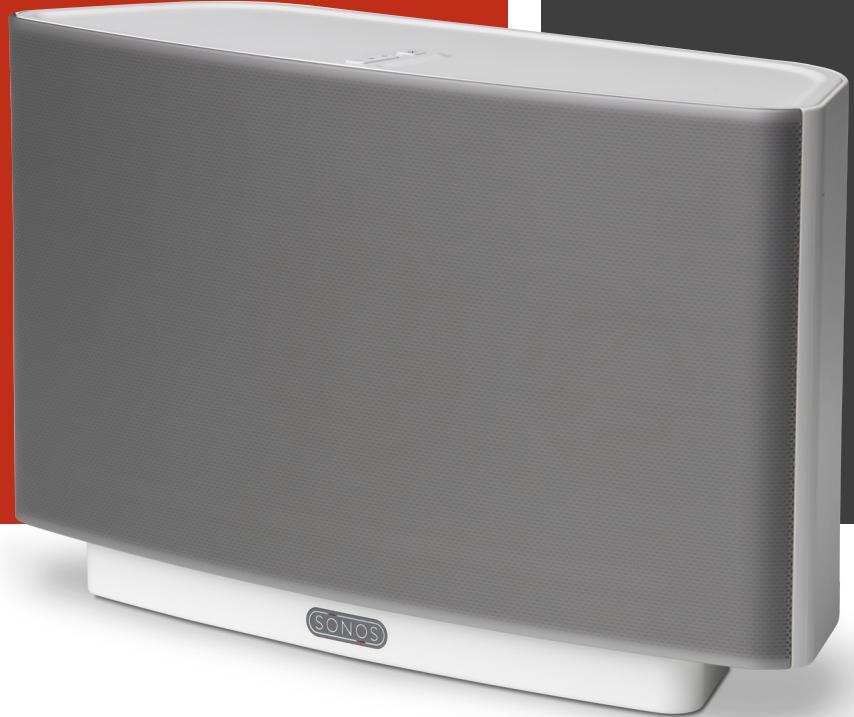
Room-filling sound, unlimited music, iPhone control
The Sonos® ZonePlayer™ S5 is an all-in-one wireless music system that delivers superior sound, unlimited music, and endless enjoyment — all over the house. Plus, you can control it all with your iPhone™ or iPod® touch using the free Sonos Controller for iPhone app. Now music lovers can find and play any song—from iTunes® and the Internet—in any room of the house.
The S5 delivers crystal-clear, room-filling sound that rivals much larger, more complicated audio equipment. Plus, the all-digital sound architecture provides precise sound reproduction, just as the artist intended. And setup couldn't be easier — just plug it in wherever you want music. To play more music in more rooms, just add S5s wirelessly.
Key Features
Crystal-clear, room-filling sound
- Unlimited music from iTunes and the Internet
Control with your iPhone & more
- Best-in-class wireless technology for multi-room music
- Simple setup & expansion
- New features and music services with automatic updates

Crystal-clear, room-filling sound
The S5's all-digital sound architecture includes 2 tweeters, 2 mid-range drivers and 1 subwoofer driver for bass you can feel. Each speaker is powered by a dedicated digital amplifier and optimized to deliver accurate tonal balance and deep bass. All filter settings, active equalization and time-alignment are done in the digital domain through state-of-the-art DSP circuitry, so there's absolutely no loss of audio quality or energy.

Unlimited music from iTunes and the Internet
The S5 is Internet connected so you can listen to way more music than just what fits on your iPod. The S5 provides instant access to your entire music library, like iTunes, that's stored on any computer. Plus, you can tune in to thousands of free Internet radio stations and millions of songs and stations from the most popular online music services. And you can connect the S5 to an iPod or CD player and listen to those songs throughout your house.

Control it all with your iPhone and more
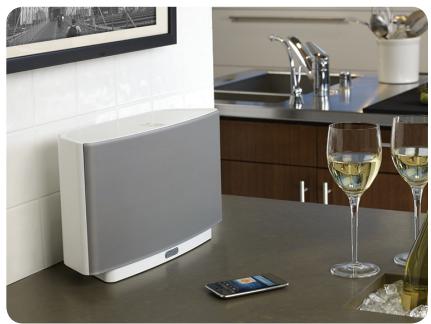
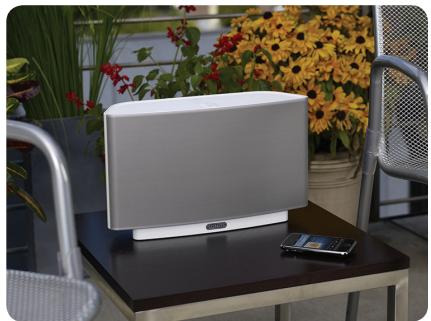
When it comes to controlling your S5 and the vast array of music on your computer and the Internet, simply reach for your iPhone™ or iPod touch. With the free Sonos Controller for iPhone app (available on the iTunes App Store), you can search for songs and stations, choose the music and control the volume in as many rooms as you like. The S5 also includes free software for control from your Mac or PC. Or you can get even more control with the dedicated Sonos Controller 200.

Best-in-class wireless technology for multi-room music
The S5 brings great sounding music wirelessly to any room in your house, without a big wiring project. SonosNet™ 2.0, our wireless mesh network technology, provides superior wireless range and performance so the music gets to all the right rooms—near or far—at exactly the right time. That means you can play the same song in every room, perfectly synchronized, or mix it up and play different songs in different rooms, simultaneously.

Simple setup & expansion
Setting up your S5 is incredibly easy — simply plug it in. No technical or wiring expertise required. All you need is a high-speed Internet connection and a router to get started. One ZonePlayer or ZoneBridge™ in your system must be connected to the router and all the rest will work wirelessly. Add more S5s in more rooms without adding wires.

New features and music services with automatic updates
With free automatic software updates you'll always have the newest features and music services to enjoy. Which means your system will keep getting better even after you buy.
TECHNICAL SPECIFICATIONS
Amplifiers
Five Class-D digital amplifiers
Speakers
Five driver speaker system - two tweeters, two 3" mid-range drivers, and one 3.5" woofer
Headphone connection
3.5mm (auto-detecting)
Audio line in
3.5mm (auto-detecting)
Audio formats supported
Support for compressed MP3, iTunes Plus, WMA (including purchased Windows Media downloads), AAC (MPEG4), Ogg Vorbis, Audible (format 4), Apple Lossless, Flac (lossless) music files, as well as uncompressed WAV and AIFF files. Native support for 44.1kHz sample rates. Additional support for 48kHz , 32kHz , 24kHz , 22kHz , 16kHz , 11kHz , and 8kHz sample rates.
Apple "Fairplay", AAC Enhanced and WMA Lossless formats not currently supported. Previously purchased Apple "Fairplay" DRM-protected songs may be upgraded. See Apple for details.
Music services supported*
Last.fm, Napster®, Pandora®, Rhapsody® 3.0+, SIRIUS® Internet Radio, and downloads from any service offering DRM-free tracks, including iTunes
Internet radio supported*
Comes pre-loaded with 25,000 stations; supports streaming MP3, WMA
Operating systems (for stored files)
Windows® XP SP2 and higher; Mac OS X v10.4 and higher; NAS (Network Attached Storage) devices supporting CIFS
Wireless connectivity*
SonosNet 2.0, a secure AES encrypted, peer-to-peer wireless mesh network
Network bridging
2-port switch (10/100Mbps, auto MDI/MDIX) allows Ethernet devices to connect through SonosNet
Power supply
AC 120/240V, 50-60Hz, auto-switchable
Dimensions/Weight
8.50 × 14.40 × 4.80 in. (217 x 365 x 123 mm)/ 9.15 lb (4.15 kg)
Operating/Storage temp.
32^ to 104^ (0^ to 40^) / 4^ to 158^ (-20^ to 70^)
*Internet connection required for access to Internet radio stations, online music services and software updates (DSL, cable modem or LAN-based high-speed Internet connection required.) Internet functionality may require payment of separate fee to a service provider.
Note: All specifications subject to change without notice.


- Sonos ZonePlayer
- S5
- Room-filling sound, unlimited music, iPhone control
- Key Features
- Crystal-clear, room-filling sound
- Unlimited music from iTunes and the Internet
- Control it all with your iPhone and more
- Best-in-class wireless technology for multi-room music
- Simple setup & expansion
- New features and music services with automatic updates
- TECHNICAL SPECIFICATIONS
- Amplifiers
- Speakers
- Headphone connection
- Audio line in
- Audio formats supported
- Music services supported*
- Internet radio supported*
- Operating systems (for stored files)
- Wireless connectivity*
- Network bridging
- Power supply
- Dimensions/Weight
- Operating/Storage temp.
Marque : SONOS
Modèle : S5
Catégorie : Enceinte sans fil