
WSKP100 EU FG - Téléphone mobile SMC - Notice d'utilisation et mode d'emploi gratuit
Retrouvez gratuitement la notice de l'appareil WSKP100 EU FG SMC au format PDF.


| Type de produit | Téléphone Wi-Fi pour Skype |
| Modèle | WSKP100 EU FG |
| Marque | SMC |
| Dimensions | Environ 120 x 50 x 20 mm (estimé) |
| Poids | Environ 100 g (avec batterie) |
| Alimentation | Chargeur secteur 100-240 V AC, 50/60 Hz ; port mini USB |
| Batterie | Lithium-Ion rechargeable ; temps de charge initial 8 h, puis 3 h |
| Autonomie | Non spécifiée, typique 4-6 h en communication |
| Écran | Écran LCD couleur avec menus logiciels |
| Connectivité | Wi-Fi IEEE 802.11b/g, portée jusqu'à 90 m (300 pi) |
| Sécurité Wi-Fi | Clé de sécurité Wi-Fi (WEP, WPA, etc.) |
| Fonctions principales | Appels Skype, contacts, historique, recherche, messagerie vocale, Skype Credit |
| Clavier | Clavier alphanumérique avec touches de navigation, touches logicielles, touche d'envoi/fin |
| Prise casque | Prise jack pour casque |
| Port USB | Mini USB pour charge et connexion |
| Verrouillage clavier | Par combinaison de touches (touche gauche + [a/A *]) |
| Langues | Anglais par défaut, autres langues disponibles via menu |
| Contenu de la boîte | Téléphone, batterie, casque, câble mini USB, chargeur, guide de démarrage rapide, CD manuel |
| Entretien et nettoyage | Nettoyer avec un chiffon doux et sec ; ne pas utiliser de produits abrasifs |
| Sécurité | Ne pas exposer à l'humidité ; utiliser uniquement la batterie fournie |
| Réparabilité | Pièces détachées disponibles auprès du support SMC ; ne pas démonter soi-même |
FOIRE AUX QUESTIONS - WSKP100 EU FG SMC
Questions des utilisateurs sur WSKP100 EU FG SMC
0 question sur cet appareil. Repondez a celles que vous connaissez ou posez la votre.
Poser une nouvelle question sur cet appareil
Téléchargez la notice de votre Téléphone mobile au format PDF gratuitement ! Retrouvez votre notice WSKP100 EU FG - SMC et reprennez votre appareil électronique en main. Sur cette page sont publiés tous les documents nécessaires à l'utilisation de votre appareil WSKP100 EU FG de la marque SMC.
MODE D'EMPLOI WSKP100 EU FG SMC
WSKP100 Wi-Fi Phone for Skype™
Quick Start Guide

N e t w o r k s
www.smc.com

The whole world can talk for free. Skype.Com
TECHNICAL SUPPORT
From U.S.A. and Canada
(24 hours a day, 7 days a week)
(800)SMC-4-YOU
Phn: (949) 679-8000
Fax: (949) 679-1481
From Europe :
Contact details can be found on
http://www.smc.com
World Wide Web:
http://www.smc.com
If you are looking for further contact
information, please visit
http://www.smc.com
Driver updates:
http://www.smc.com/index.cfm?event downloads.searchCriteria&localeCode EN_USA
Model Number: WSKP100
Information furnished by SMC Networks, Inc. (SMC) is believed to be accurate and reliable. However, no responsibility is assumed by SMC for its use, nor for any infringements of patents or other rights of third parties, which may result from its use. No license is granted by implication or otherwise under any patent or patent rights of SMC. SMC reserves the right to change specifications at any time without notice.
Copyright © SMC Networks, Inc., 2006. All rights reserved. SMC is a registered trademark; EZ Connect™ and Barricade™ are trademarks of SMC Networks, Inc. Other product and company names are trademarks or registered trademarks of their respective holders.
SkypeTM is a trademark of Skype Technologies S.A.

WSKP100
E072006-EK-R03
15020002790OE
Introduction
The WSKP100 is a Wi-Fi (IEEE 802.11b/g) wireless phone that enables you to make Skype calls without using a computer. The phone enables you to use your normal Skype account with complete mobility, allowing you to talk from any location where you have an Internet connection through a nearby access point.
Package Checklist — The WSKP100 Wi-Fi Phone package includes these items:
- One Wi-Fi Phone for Skype™ (WSKP100)
- One Lithium-Ion battery
One headset
One mini USB cable
One AC power charger - This Quick Start Guide
- User Manual CD
Inform your dealer if there are any incorrect, missing or damaged items. If possible, retain the carton, including the original packing materials. Use them to repack the product in case there is a need to return it.
Getting Started — After unpacking the Wi-Fi Phone for Skype™, you must install and charge the battery pack before turning on the phone. Just follow the steps in this guide.
1. Install Battery
Warning: Risk of explosion if battery is replaced by an incorrect type. Dispose of used batteries according to the instructions.
Remove Battery Compartment Cover — Place the phone face down. Push and slide down the battery compartment cover until it becomes free.
Install Battery — Place the battery into the compartment. Be sure the text label on the battery is facing out and the battery's three metal contacts point to the top of the phone.
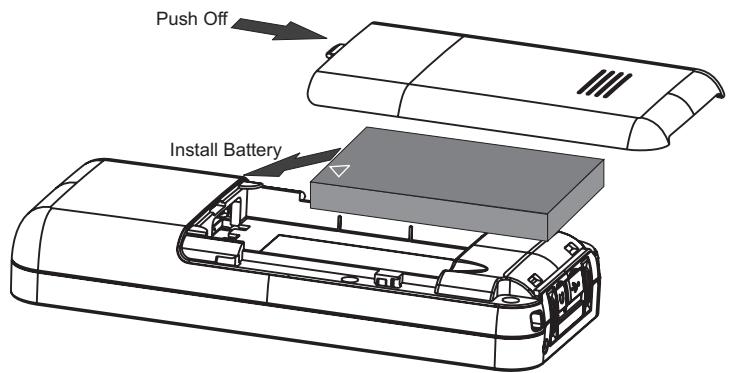
Replace Battery Compartment Cover — Slide the battery compartment cover back onto the phone until it clicks firmly into place.
Description
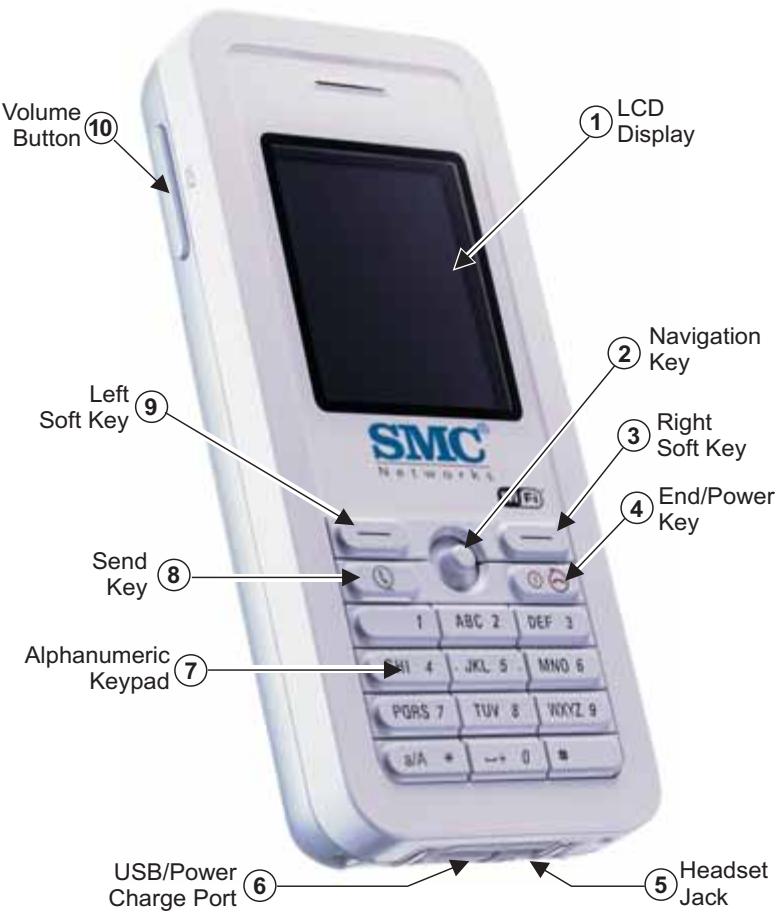
Before preparing the Wi-Fi Phone for Skype™ for use, first become familiar with its main keys, buttons, and other hardware features.
- LCD Display — Colour software menu display.
- Navigation Key — Four-direction software navigation key. Pressing the key down selects the current option.
- Right Soft Key — Negative action key. Cancels or returns to previous menu.
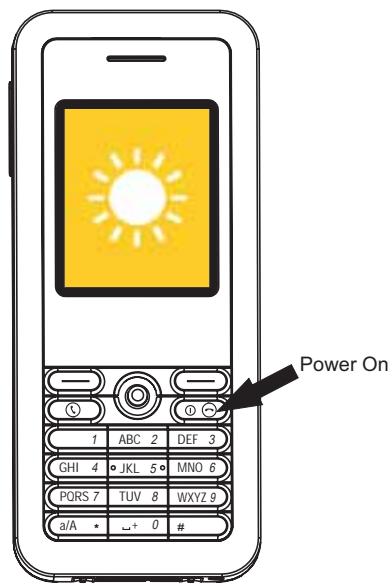
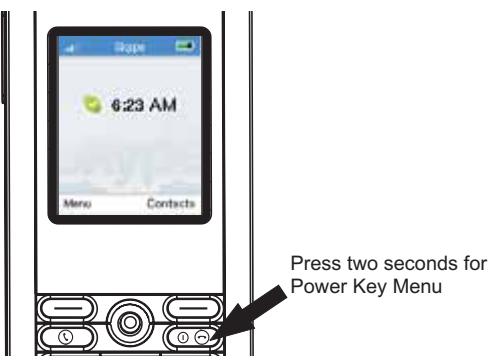
- End/Power Key — Ends a call. Turns the power on and off. Press for two seconds to power on. Press two to four seconds for menu. Press for more than four seconds to power off.
- Headset Jack - Jack for headset connection.
- USB/Power Charge Port — Power charger connection for charging battery.
- Alphanumeric Keypad — Includes 0-9, A-Z, , and # keys. The [a / A^] key selects upper- or lower-case characters, numbers, or hexadecimal. The [1] key selects common punctuation marks during text input. The [#] key selects special characters and symbols during text input
- Send Key - Calls a selected contact.
- Left Soft Key - Positive action key. Selects menu option.
- Volume Button - Adjusts volume of the speaker.
Keypad Lock — The phone keypad can be locked by pressing the Left Soft Key together with the [a/A *] key. Pressing the two keys again unlocks the keypad.
2. Charge Battery
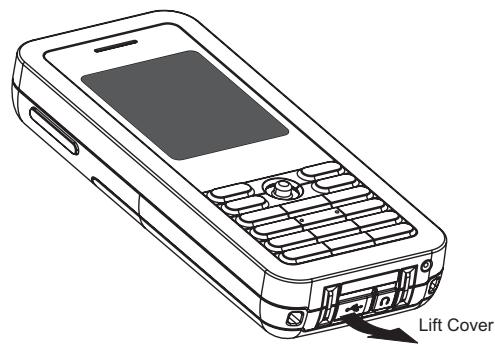
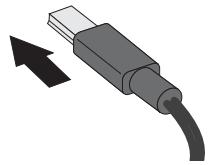
Connect Battery Charger — Lift up the rubber cover on the mini USB charger port and connect the power charger to the port. Then, plug the charger into an AC electrical outlet.
Fully Charge Battery - For the first time use, allow eight hours to fully charge the battery.
After the first-time charge, the battery requires only three hours to charge.
Note: The power charger automatically adjusts to any voltage between 100-240 volts at 50 or 60Hz .
Connect Charger
3. Power On Phone
Power On Phone — Push and hold down the End/Power key for more than two seconds to power on the phone.
Go to step 4 to learn how to make initial settings and start using the phone.
4. Make Initial Settings
After powering on the Wi-Fi Phone for SkypeTM for the first time, perform the following procedure:
-
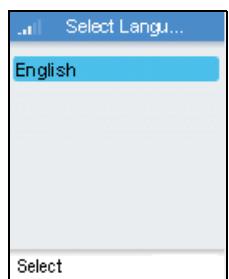
Select the language of the display. The default is English.
-
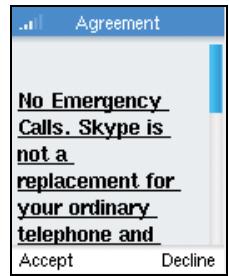
Scroll down and read the entire Skype Agreement. Press the Left Soft Key to accept the Agreement.
-
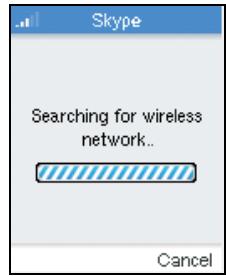
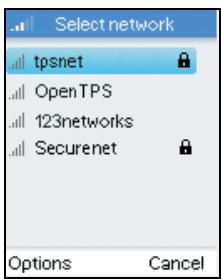
The phone searches for nearby access points and lists those that it finds.
Normally, you need to be within 90 m (300 ft) of a network's wireless access point to be able to connect to it. If the network you want to connect to is not on the list, move to another location and try again.
- From the wireless networks list, select the wireless network that you want to connect to and press the Left Soft Key to access Options menu. Then select "Connect."
If a security key is required, the phone prompts for the key value. Security keys should be provided by the wireless network operator.
The access point information is stored in the phone's memory as a "Preferred Network" and will be used next time the phone is pow
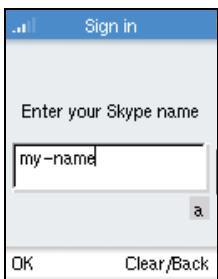
- If you already have a Skype account, sign in with your user name and password.
Note that if you are already signed in to your Skype account from your PC, you should sign out first before using the phone. You cannot sign in to your Skype account from two devices at the same time.
You can also create a new account using the phone.
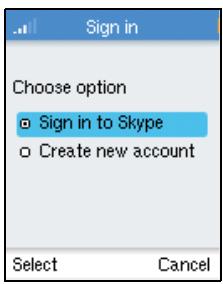
When your Skype sign in is successful, you can start making calls. Your current list of contacts should display in the Contacts screen.
Note that large Contact lists may take a few minutes to download during an initial sign in.
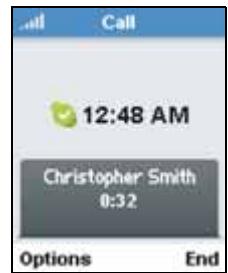
5. Make a Call
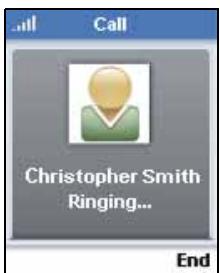
To make a Skype call, follow these steps:
- Be sure you have a valid network connection before making a call.
- Press the Right Soft Key to select Contacts.
-
Use the Navigation key to scroll down and select the contact name you want to call.
-
Press the Send key to make the call.
-
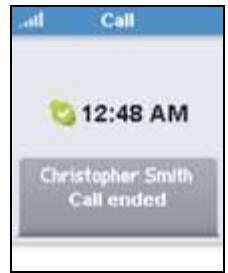
When you have finished the call, press the End button.
The Phone LCD Display
The Wi-Fi Phone for Skype™ colour LCD display provides various status indicators and access to the menu-based interface. The illustration below shows the main screen and its elements.
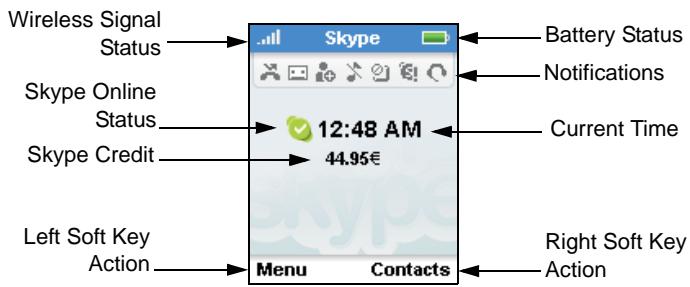
Battery Status - Indicates the status of the battery.
Wireless Signal Status - Indicates the strength of the Wi-Fi network signal.
Phone Notifications — The notification icons alert you of certain events and settings.
Skype Online Status — Indicates your current Skype online status. You can set your online status by using the Menu to select "Status" and then "Change status."

Online. The normal status when you are signed in to Skype.

Offline. When you are not signed in to Skype.
Do Not Disturb. You can set this status to indicate that you are busy.
Skype Me. Makes your Skype Name available for anyone to call.
Away. You can set this status to indicate that you are away.
Not Available. You can set this status to indicate that you are not available to answer calls.
Invisible. Indicates to others that you are offline, but you are still signed in to Skype and can make calls.
Current Time — The current time set on the phone. You can set the time and date by using the Menu to select "Settings" and then "Time and Date."
Skype Credit — Your current Skype Credit balance.
Right Soft Key Action — The action that happens when you press the Right Soft Key. Typically, the Right Soft Key cancels the last action or returns to the previous menu. From the main screen, this provides access to your Contacts.
Left Soft Key Action — The action that happens when you press the Left Soft Key. Typically, the Left Soft Key selects the current menu item or confirms a setting. From the main screen, this provides access to the user menu.
The Main Menu
The main menu provides access to all your Skype and phone settings. The menus are easy to move through using the four-way Navigation key. Just move the Navigation key up or down to highlight a menu item, then push down on the key to select it.
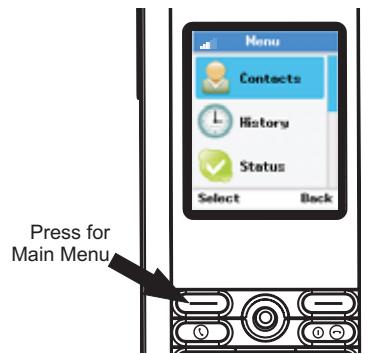
| Menu | Description |
| Contacts | Your Contacts and their Skype status |
| History | Lists missed calls, incoming and outgoing calls, Voicemails, and detail requests |
| Status | Sets status and user profile, and signs out |
| Add Contact | Adds a Skype or SkypeOut number to your Contacts |
| Search | Searches for Skype contacts online |
| Services | Sets up Skype Credit, SkypeIn, and Voicemail |
| Settings | Access to other phone settings |
The Power Key Menu
To access the Power Key menu, press the End/Power key for more than two seconds, but less than four, and then release it. The menu lists items depending on your current network connection and Skype sign in status.
| Menu | Description |
| Switch Off | Powers off the phone |
| Silent/Sounds On | Sets the ring tone volume to off/on |
| Change Status | Changes your Skype online status |
| My Profile | Change your Skype profile information |
| Sign In/Out | Signs in or out from Skype |
| Find/View Networks | Displays list of detected Wi-Fi networks |
| Network Details | Displays network connection information |