
MM004PV5 - Clé USB photo SWEEX - Notice d'utilisation et mode d'emploi gratuit
Retrouvez gratuitement la notice de l'appareil MM004PV5 SWEEX au format PDF.

| Type de produit | Porte-clés photo numérique avec écran LCD |
| Marque | SWEEX |
| Modèle | MM004PV5 |
| Taille de l'écran | 1.5 pouces |
| Connectivité | USB 2.0 (compatible USB 1.1) |
| Alimentation | Via port USB (charge de la batterie intégrée) |
| Autonomie en veille | Jusqu'à 2 heures (estimation) |
| Capacité de stockage | Mémoire interne non spécifiée (estimation 128 Mo à 512 Mo) |
| Formats d'image supportés | JPEG, BMP |
| Fonctions principales | Affichage de photos, diaporama, connexion USB, menu de navigation |
| Boutons de contrôle | Haut, Bas, Menu (marche/arrêt par pression prolongée) |
| Dimensions (approx.) | 65 x 45 x 10 mm (estimation) |
| Poids (approx.) | 25 g (estimation) |
| Entretien et nettoyage | Nettoyer avec un chiffon doux et sec. Ne pas utiliser de produits chimiques. |
| Précautions de sécurité | Ne pas exposer à l'eau, aux températures extrêmes ou aux chocs. |
| Pièces détachées et réparabilité | Câble USB inclus. Réparation non prévue par le fabricant. |
| Informations générales | Porte-clés photo SWEEX, modèle MM004PV5. Utilisation avec logiciel fourni (sur l'appareil). |
FOIRE AUX QUESTIONS - MM004PV5 SWEEX
Questions des utilisateurs sur MM004PV5 SWEEX
0 question sur cet appareil. Repondez a celles que vous connaissez ou posez la votre.
Poser une nouvelle question sur cet appareil
Téléchargez la notice de votre Clé USB photo au format PDF gratuitement ! Retrouvez votre notice MM004PV5 - SWEEX et reprennez votre appareil électronique en main. Sur cette page sont publiés tous les documents nécessaires à l'utilisation de votre appareil MM004PV5 de la marque SWEEX.
MODE D'EMPLOI MM004PV5 SWEEX
MM004V5/MM004PV5 Sweex 1.5" photo key chain
Switching on and off happens by pressing the menu button for three seconds.
Placing photo's on the photo key chain
Connect the photo key chain to a USB port of your computer.
Press the menu button on the rear side of the photo key chain and choose "USB Connect". Select "Yes" and wait 15 seconds. The software will start automatically.
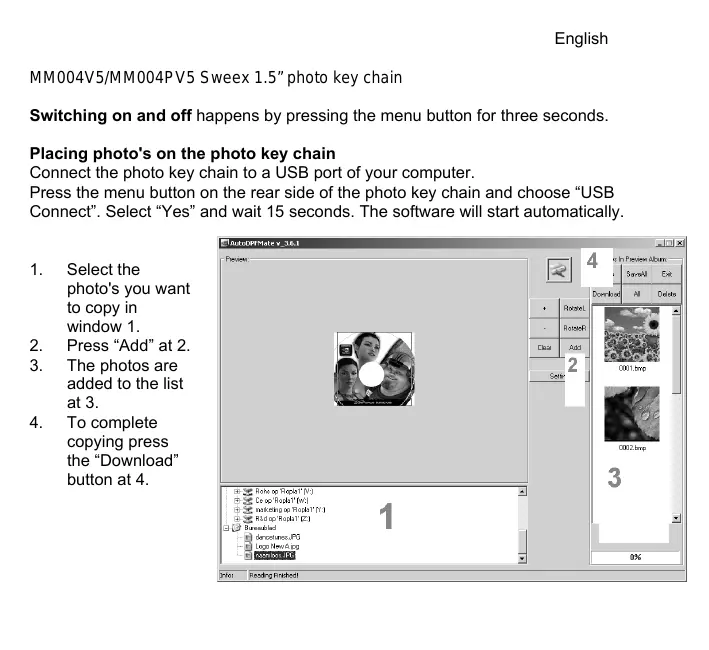
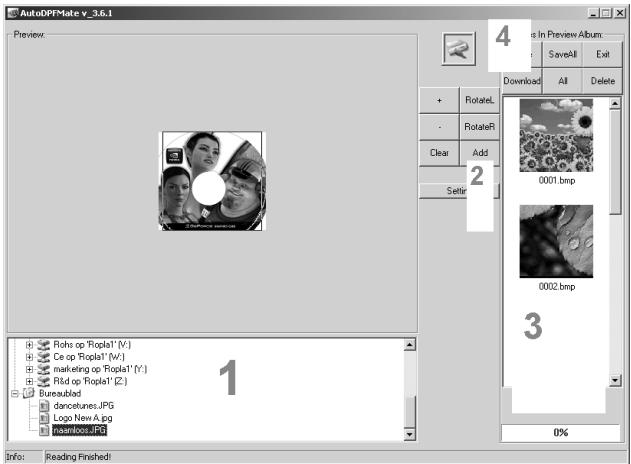
- Select the photo's you want to copy in window 1.
- Press "Add" at 2.
- The photos are added to the list at 3.
- To complete copying press the "Download" button at 4.
Settings and Operation
With the "Up" and "Down" buttons you can browse through the photo's and navigate in the menu.
Press "Menu" on the rear side to enter the menu and change the settings. To select one of the menu items press menu again. Change the values with the "Up" and "Down" buttons.
Charging the photo key happens by connecting the device to a USB port.
All brand names and associated rights mentioned in this manual are and stay property of the rightful owner.