
MI410 - Souris SWEEX - Notice d'utilisation et mode d'emploi gratuit
Retrouvez gratuitement la notice de l'appareil MI410 SWEEX au format PDF.

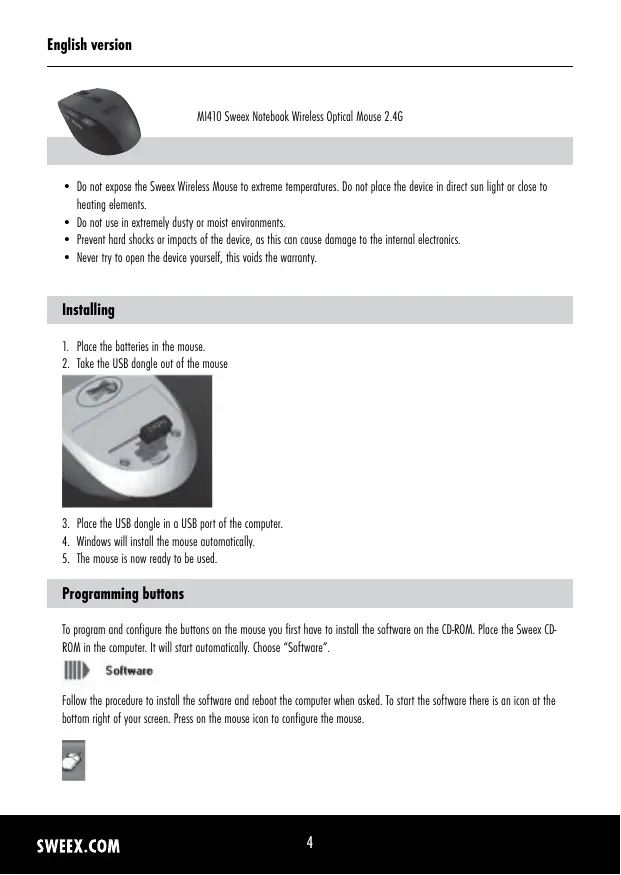
| Type de produit | Souris optique sans fil |
| Marque | SWEEX |
| Modèle | MI410 |
| Catégorie | Souris |
| Connexion | Sans fil 2,4 GHz via adaptateur USB |
| Portée | Environ 10 mètres |
| Alimentation | 2 piles AAA (non incluses) |
| Autonomie | Variable selon usage ; mode veille automatique |
| Dimensions (approx.) | 10 x 6 x 3 cm |
| Poids (avec piles) | Environ 100 g |
| Boutons | Bouton gauche, droit, molette cliquable, 2 boutons programmables |
| Résolution optique | 1000 ou 1600 dpi (commutable) |
| Compatibilité | Windows, Mac OS, Linux (installation automatique) |
| Logiciel inclus | CD avec pilotes et outil de configuration |
| Fonctions spéciales | Mode veille, indicateur de batterie faible (voyant rouge clignotant) |
| Entretien et nettoyage | Nettoyer avec un chiffon doux sec ; éviter liquides et solvants |
| Sécurité | Ne pas exposer à la chaleur, humidité excessive ou chocs violents |
| Réparabilité / Pièces détachées | Ne pas ouvrir ; garantie 3 ans (hors piles et logiciel) |
| Garantie | 3 ans (hors consommables) |
FOIRE AUX QUESTIONS - MI410 SWEEX
Questions des utilisateurs sur MI410 SWEEX
0 question sur cet appareil. Repondez a celles que vous connaissez ou posez la votre.
Poser une nouvelle question sur cet appareil
Téléchargez la notice de votre Souris au format PDF gratuitement ! Retrouvez votre notice MI410 - SWEEX et reprennez votre appareil électronique en main. Sur cette page sont publiés tous les documents nécessaires à l'utilisation de votre appareil MI410 de la marque SWEEX.
MODE D'EMPLOI MI410 SWEEX

MI410 Sweeck Notebook Wireless Optical Mouse 2.4G
- Do not expose the Sweeex Wireless Mouse to extreme temperatures. Do not place the device in direct sun light or close to heating elements.
- Do not use in extremely dusty or moist environments.
- Prevent hard shocks or impacts of the device, as this can cause damage to the internal electronics.
- Never try to open the device yourself, this voids the warranty.
Installing
- Place the batteries in the mouse.
- Take the USB dongle out of the mouse
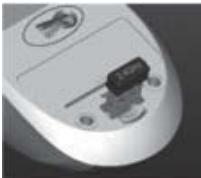
- Place the USB dongle in a USB port of the computer.
- Windows will install the mouse automatically.
- The mouse is now ready to be used.
Programming buttons
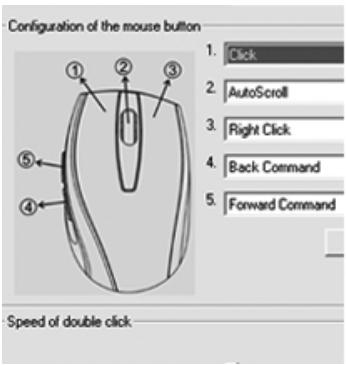
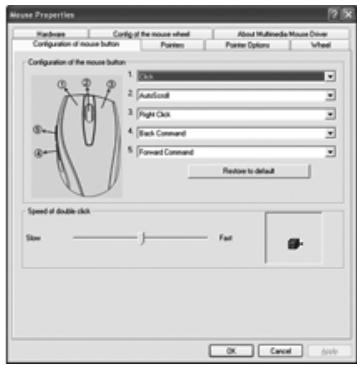
To program and configure the buttons on the mouse you first have to install the software on the CD-ROM. Place the Sweeex CD-ROM in the computer. It will start automatically. Choose "Software".

Software
Follow the procedure to install the software and reboot the computer when asked. To start the software there is an icon at the bottom right of your screen. Press on the mouse icon to configure the mouse.

Be aware that when the mouse is not used for a period of time it will go in to hibernation mode. To re-activate the mouse press one of the mouse buttons once.
To indicate that the batteries of the mouse are almost empty a red light at the bottom of the mouse will blink rapidly.
Warranty
For all Sweex products a warranty period of 3 years applies. We do not give support or warranty on supplied software, rechargeable batteries and batteries. Transaction of warranty only takes place at the sales point where the product is bought.
All brand names and associated rights mentioned in this manual are and stay property of the rightful owner.