
IA120 - Télécommande SWEEX - Notice d'utilisation et mode d'emploi gratuit
Retrouvez gratuitement la notice de l'appareil IA120 SWEEX au format PDF.

| Type de produit | Télécommande universelle |
| Marque | SWEEX |
| Modèle | IA120 |
| Alimentation | 2 piles AAA (non incluses) |
| Nombre de touches | Environ 40 |
| Rétroéclairage | Oui, avec touche LIGHT |
| Apprentissage | Oui, fonction d'apprentissage des codes |
| Recherche de code | Manuelle, rapide et automatique |
| Appareils compatibles | TV, AUD, SAT, AUX, VCR, DVD |
| Distance de fonctionnement | Environ 8 mètres |
| Température de fonctionnement | 0°C à 40°C |
| Dimensions (L x l x H) | Environ 18 x 5 x 2 cm |
| Poids | Environ 100 g (sans piles) |
| Entretien et nettoyage | Nettoyer avec un chiffon doux et sec. Ne pas utiliser de produits chimiques. |
| Sécurité | Ne pas exposer à l'humidité ou à une chaleur excessive. Retirer les piles si inutilisé longtemps. |
| Réparabilité | Pièces détachées non disponibles. En cas de dysfonctionnement, remplacer l'appareil. |
| Informations générales | Télécommande universelle SWEEX IA120 avec fonction d'apprentissage et rétroéclairage. |
FOIRE AUX QUESTIONS - IA120 SWEEX
Questions des utilisateurs sur IA120 SWEEX
0 question sur cet appareil. Repondez a celles que vous connaissez ou posez la votre.
Poser une nouvelle question sur cet appareil
Téléchargez la notice de votre Télécommande au format PDF gratuitement ! Retrouvez votre notice IA120 - SWEEX et reprennez votre appareil électronique en main. Sur cette page sont publiés tous les documents nécessaires à l'utilisation de votre appareil IA120 de la marque SWEEX.
MODE D'EMPLOI IA120 SWEEX
LED Flash
1.When key is pressed, LED flash means that it has data transition. If LED does not flash, it means that it is no data transition.
2.If the key is a function key, LED will flash.
3.In Quick Power Searching Mode, LED will be fast flashing.
4. In Auto Power Searching Mode, LED will be slow flashing.
Code Stored
1.For the Manual Code Input, all brand code can be stored in any Device (E.g. TV, VCR, DVD, etc.)
2.For the Quick Power Search Mode, it can search their device's code range only. (E.g. TV, search range is from TV code's library.
Others
1.For the any device: If [VOL+], [VOL-], [MUTING] and [AV] keys are no DATA, it will be replaced by the last TV device key's function.
Function Buttons
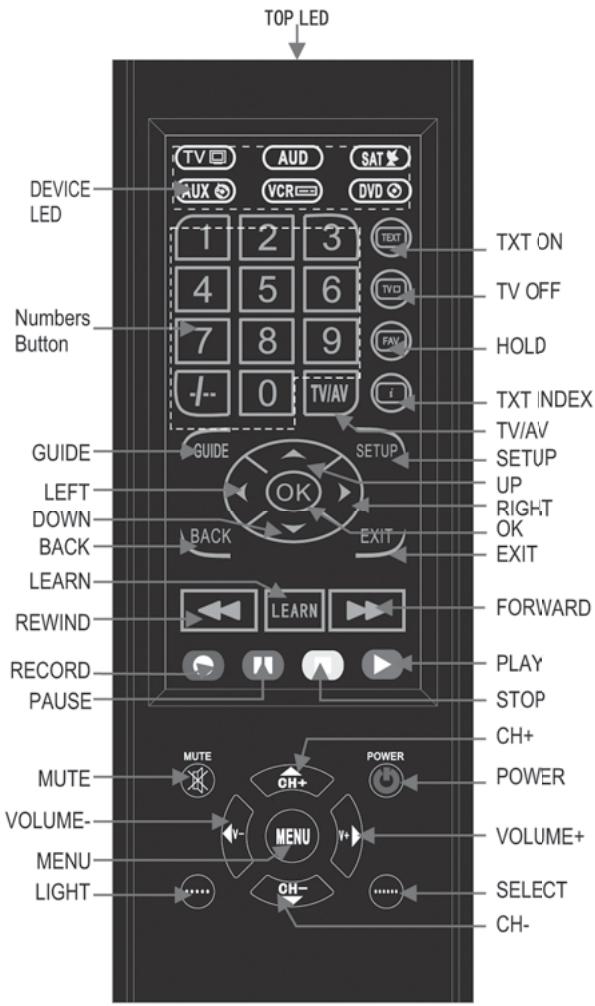
CODE SETUP
Manual Code Input
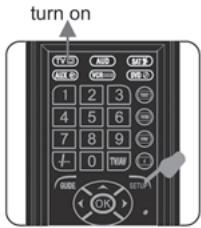
- Turn on the device to be programmed.(TV,AUD,SAT, AUX,VCR,DVD).
- In the code list section of this manual, locate the code(s) for the device and brand name to be programmed.
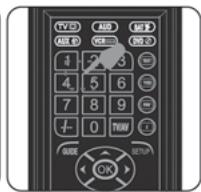
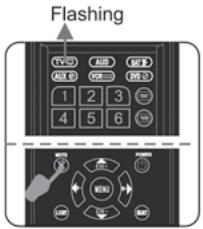
- Press the [SELECT] button to select the device you want to control, LED will keep on 3 seconds and then turns off. Press and hold the [SETUP] button for 3-5 seconds until the Device LED flashes once and turns on, when Device LED turns on, enter a 4-digit code for the device and brand name. Each time a number is pressed, the Device LED flashes once.If the code is valid, the Device LED will shut off.If the code is invalid, the Device LED will flash two times and then still keep on.
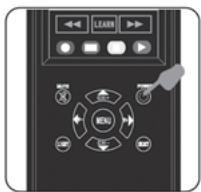
- Press the [power] button on the remote, if the device turns off, programming was successful.
5.If the device does not turn off,repeat steps 3-4 trying all the listed codes for the device and brand name.If none works, try the programming options bellow.
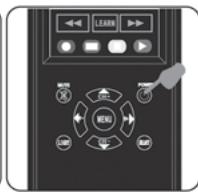
Note:
If no key on your remote is pressed for 10 seconds, the programming process will exit automatically. You will have to start over.
At the setup mode, if you press any key except digits, Power, Mute, CH+ & CH- ; it will exit the setting process. LED turn off.
CODE SETUP
POWER SEARCH SETTING (QUICK and AUTO)
- Turn on the device to be programmed.(TV,AUD,SAT, AUX,VCR,DVD).
- Press the [SELECT] button to select the device you want to control, LED will keep on 3 seconds and then turns off. Press and hold the [SETUP] button for 3-5 seconds until the Device LED flashes once and turns on.
3.When the Device LED keep on,Press the [POWER] button once and release, Device LED will quick flashing continuously. It stands for entering the Power Search Mode:
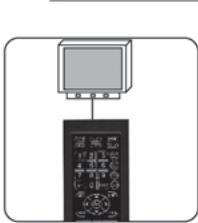
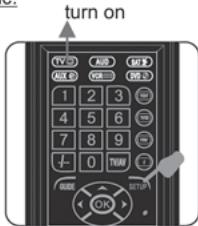
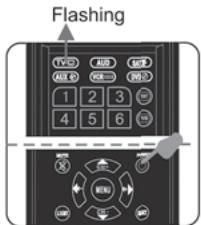
- Quick Power Search Mode: When the Device LED keep quick flashing, press the [POWER] button repeatedly. When the device turns off, immediately press [SETUP] button to save the code and LED will turn off.
To test programming success,press the Power Button on the Rerrote. If the device turns on, programming was successful. If it does not, you may repeat the steps in this section to try again, or proceed to the "Auto Power Search Mode".
- Auto Power Search Mode: When the Device LED keep quick flashing, press the [POWER] button for 3-5 seconds until LED turns off, then release the [POWER] button, Code will be transmitted one by one automatically every 3 seconds, when the device turns off, immediately press [SETUP] button to save the code and LED will turn off.
To test programming success by pressing the Power Button of the Remote. If the device turns on, programming was successful; if not, you may repeat the steps in this section to try again. If you still cannot successfully program the device, it may not be supported by this Remote.
CODE SETUP
Note:
1.If no key on your remote is pressed for 30 seconds, the programming process will stop automatically, and you will have to start over.
2.If the Device LED is off on the setting mode, it stands for exit the setting mode.
3.If the code is not match with your device, then repeat step 2 to 5.
4.If you want to change the direction of the searching mode, you can press and release the [CH + ] button.(Only for Quick Power Search Mode).
5.If the code searching is going to the end or the first code, it will stop and exit the setting mode automatically. LED will turn OFF.
Mute Searching (Only for TV)
- Turn on TV.
- Press the [SELECT] button to select the TV device, LED will keep on 3 seconds and then turns off.
3.Aim the remote at TV. Press and hold the Mute button and do not release until TV shows the "MUTE" signal,LED keep flashing continuously. - When TV shows the mute signal, release the Mute button, LED will flash every 3 seconds.
5.If TV shows or disappear the Mute signal again, immediately press any button(such as : CH+,CH-) to save the code. LED goes OFF. - To test programming success by pressing the power button of the remote, if the device turns off, programming was successful; If not, you may repeat the step 2-5.
Note:
1.If LED flashes 18 times, and then goes OFF. It stands for exit the setup mode.
READING THE PROGRAMMED CODE
- Press and hold the [SETUP] button for 3-5 seconds until the Device LED flashes once and turns on.
- Press and release [CH-] key. Check the LED flashing time. (E.g. Code=1056)
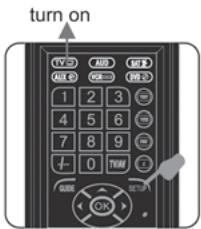
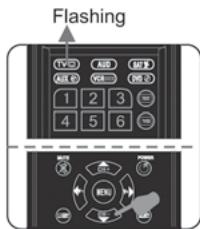
1).LED fast flashing once and pause: 1
2).LED fast flashing 10 times and pause: 0
3).LED fast flashing 5 times and pause: 5
4)LED fast flashing 6 times and stop:6.
Learning function setting process
LEARNING SETTING
- Press the [SELECT] button to select the device you want to control, LED will keep on 3 seconds and then turns off. Press and hold the [SETUP] button for 3-5 seconds until the Device LED flashes once and turns on.
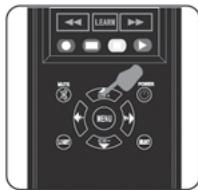
2.When the Device LED turns on in step 1, press the [LEARN] button once, the top LED on the remote flashes once and turns on.
3.When the Top LED turns on,aim the target device's remote control at our remote's learning eye. (2-5cm) - Press the corresponding button on our remote first, and then press the corresponding button on the target device's remote control.
5.If the top LED on our remote flashed 2 times and still keep on, it indicates that the code was successfully learned and saved; If the top LED does not flash and keep on only, it stands for the code was not learned, you may repeat step 4-5.
6.If you want to learn others button code,Repeat step 4-5. - Press the [SETUP] button to exit the setting mode when the code was successfully learned.
- After learning setting, please check the learned key. If the learned key does not work properly, please re-try the learning setting
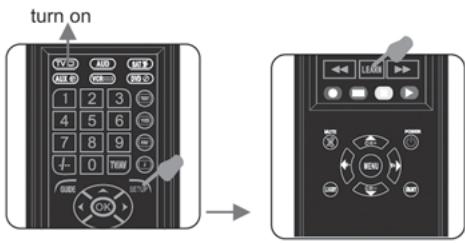
Learning function setting process
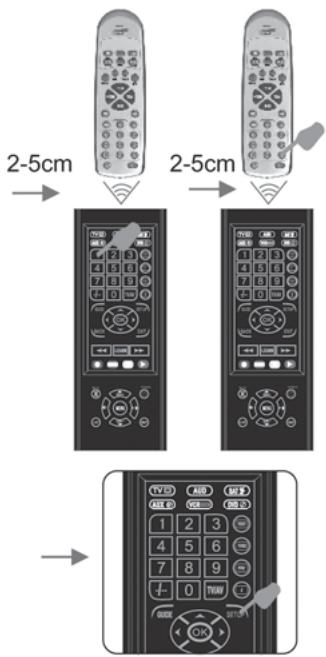
Note:
- All Device Keys, [SETUP], [SELECT], [POWER] or [LEARN] button, it can not be learned in this mode.
2.If no key on your remote is pressed for 30 seconds, the programming process will stop. LED will flashes 3 times and then OFF
3.If the learned key is repeated to learn, the previous code will be replaced.
4.Before learning function, please use NEW battery for both remotes.
CLEAR ALL LEARNED KEY
- Press and hold the [SETUP] button for 3-5 seconds until the Device LED flashes once and turns on.
- When the Device LED turns on in step 1, keep pressing the [LEARN] Key and do not release, the top LED will quick flash once, and then flash twice and turns off, It stands for clear and exit.
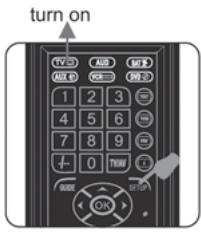
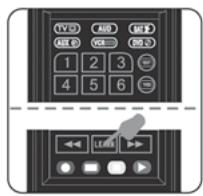
Backlight
1. ON mode:
1) Press and release [LIHGT] key when the backlight function is OFF. It will turns On the backlight function.
2).It will turns off if no key be pressed for 10 seconds.
3).If you press any key again, it will turn on again.
2. OFF mode:
1). Press and release [LIGHT] key when the backlight function is ON. It will turns off the backlight function.
2).If you press any key, it will be no backlight function.
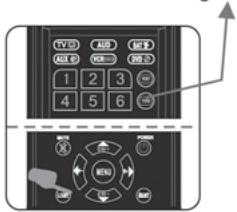
Backlight on
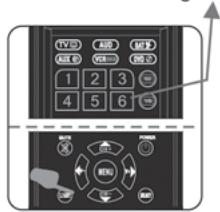
Backlight off