
CR100 - Accessoires informatiques SWEEX - Notice d'utilisation et mode d'emploi gratuit
Retrouvez gratuitement la notice de l'appareil CR100 SWEEX au format PDF.


| Type de produit | Lecteur de cartes mémoire |
|---|---|
| Compatibilités | SD, SDHC, SDXC, microSD, microSDHC, microSDXC |
| Interface de connexion | USB 2.0 |
| Dimensions approximatives | 80 x 50 x 15 mm |
| Poids | 50 g |
| Alimentation électrique | Alimentation par USB |
| Fonctions principales | Transfert de données entre cartes mémoire et ordinateurs |
| Entretien et nettoyage | Essuyer avec un chiffon doux, éviter l'humidité |
| Pièces détachées et réparabilité | Non spécifié, produit généralement non réparable |
| Sécurité | Ne pas exposer à des températures extrêmes, éviter les chocs |
| Informations générales | Compatible avec la plupart des systèmes d'exploitation, plug-and-play |
FOIRE AUX QUESTIONS - CR100 SWEEX
Questions des utilisateurs sur CR100 SWEEX
0 question sur cet appareil. Repondez a celles que vous connaissez ou posez la votre.
Poser une nouvelle question sur cet appareil
Téléchargez la notice de votre Accessoires informatiques au format PDF gratuitement ! Retrouvez votre notice CR100 - SWEEX et reprennez votre appareil électronique en main. Sur cette page sont publiés tous les documents nécessaires à l'utilisation de votre appareil CR100 de la marque SWEEX.
MODE D'EMPLOI CR100 SWEEX
natural_image
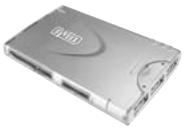
Exterior view of a silver hard drive (no visible text or symbols)CR100 SWEEX EXTERNAL CARD READER & 3 PORT USB 2.0 HUB
Introduction
- Do not expose the Sweex External Cardreader & 3 port USB 2.0 HUB to extreme temperatures. Do not place the device in direct sunlight or in the direct vicinity of heating elements.
- Do not use the Sweex External Cardreader & 3 port USB 2.0 HUB in extremely dusty or moist surroundings.
- Protect the device against powerful shocks or jolts - they may damage the internal electronics.
- Never attempt to open the device yourself - it will cause the warranty to lapse.
Installation under Windows 2000, XP and Vista
No drivers are required for use under Windows 2000, XP and Vista. You can start using the Sweex Card Reader straight away without having to install any software.
Connect the Sweex External Cardreader & 3 port USB 2.0 HUB to a free USB port. Windows will automatically install the card reader. You can access the cards in the Sweex External Cardreader & 3 port USB 2.0 HUB via "My computer". Only use 1 memory card at a time.
Warranty
All Sweex products are warranted for three years. We do not grant support or warranties for any software and/or (rechargeable) batteries included. Settlement of guarantee only takes place via the dealer where you have purchased the product in question.
The rightful owner has and retains title to all brand names and related rights mentioned in this manual.