
IMPATICA SHOWMATE - Projecteur interactif INFOCUS - Notice d'utilisation et mode d'emploi gratuit
Retrouvez gratuitement la notice de l'appareil IMPATICA SHOWMATE INFOCUS au format PDF.

| Type de produit | Projecteur interactif |
| Marque | INFOCUS |
| Modèle | IMPATICA SHOWMATE |
| Dimensions | 3,5 x 2,5 x 1 pouces (8,9 x 6,4 x 2,5 cm) |
| Poids | Environ 200 g |
| Alimentation | Adaptateur secteur inclus (international) |
| Résolution de sortie vidéo | SVGA (jusqu'à 800 x 600 pixels) |
| Connectivité | Bluetooth, USB (BlackBerry uniquement) |
| Fonctions principales | Projection de présentations PowerPoint depuis un appareil mobile, télécommande sans fil, affichage des animations et transitions, notes visibles sur l'écran du mobile |
| Compatibilité des appareils mobiles | BlackBerry (OS 3.8+), Sony Ericsson (Java 5+), Windows Mobile 2003+ |
| Système d'exploitation requis | Windows 98/ME/NT/2000/XP |
| Logiciels inclus | Impatica Viewer, Impatica for PowerPoint Mobile Edition |
| Accessoires inclus | Adaptateur secteur international, câble USB (3 m), guide de démarrage rapide, CD-ROM |
| Garantie | 1 an limitée |
| Entretien et nettoyage | Nettoyer avec un chiffon doux et sec, éviter l'humidité |
| Sécurité | Ne pas exposer à des températures extrêmes, utiliser l'adaptateur fourni |
| Pièces détachées | Contacter le service client INFOCUS |
| Réparabilité | Réparation par un professionnel recommandée |
FOIRE AUX QUESTIONS - IMPATICA SHOWMATE INFOCUS
Questions des utilisateurs sur IMPATICA SHOWMATE INFOCUS
0 question sur cet appareil. Repondez a celles que vous connaissez ou posez la votre.
Poser une nouvelle question sur cet appareil
Téléchargez la notice de votre Projecteur interactif au format PDF gratuitement ! Retrouvez votre notice IMPATICA SHOWMATE - INFOCUS et reprennez votre appareil électronique en main. Sur cette page sont publiés tous les documents nécessaires à l'utilisation de votre appareil IMPATICA SHOWMATE de la marque INFOCUS.
MODE D'EMPLOI IMPATICA SHOWMATE INFOCUS
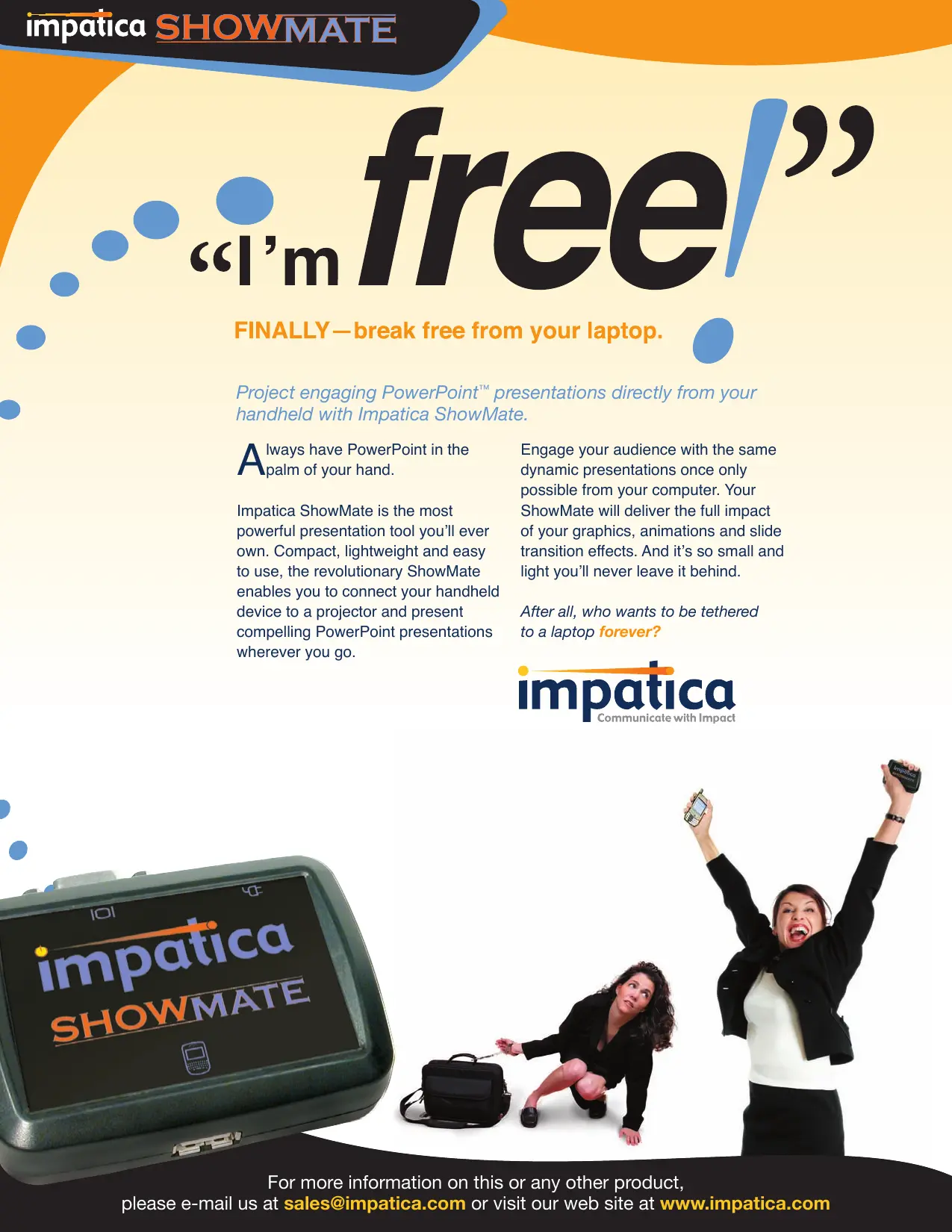
free
FINALLY—break free from your laptop.
Project engaging PowerPoint™ presentations directly from your handheld with Impatica ShowMate.
Always have PowerPoint in the palm of your hand.
Impatica ShowMate is the most powerful presentation tool you'll ever own. Compact, lightweight and easy to use, the revolutionary ShowMate enables you to connect your handheld device to a projector and present compelling PowerPoint presentations wherever you go.
Engage your audience with the same dynamic presentations once only possible from your computer. Your ShowMate will deliver the full impact of your graphics, animations and slide transition effects. And it's so small and light you'll never leave it behind.
After all, who wants to be tethered to a laptop forever?


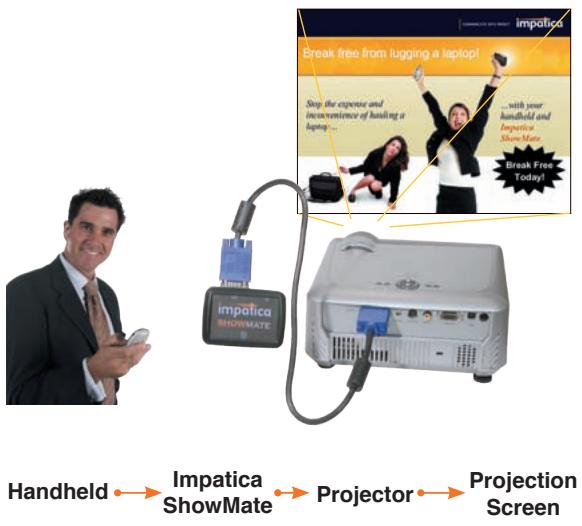
Impatica ShowMate displays presentations loaded onto the handheld with Impatica for PowerPoint Mobile Edition, a desktop-based software tool for converting PowerPoint presentations for viewing and projecting from handheld devices.
Users simply connect the ShowMate to a projector and wirelessly to their handheld, and are then ready to present.
To get the show started, users open a presentation that they have already saved to the handheld. The PowerPoint slides are displayed on the projector screen. Text, graphics, charts, graphs and even advanced animations and transition effects are shown in full fidelity. The handheld becomes an easy-to-use remote, allowing the user to navigate through the presentation while viewing a slide list, text or notes.
With a handheld and ShowMate, slide show presentations deliver the same impact with the power and convenience of true mobility.
Product Features
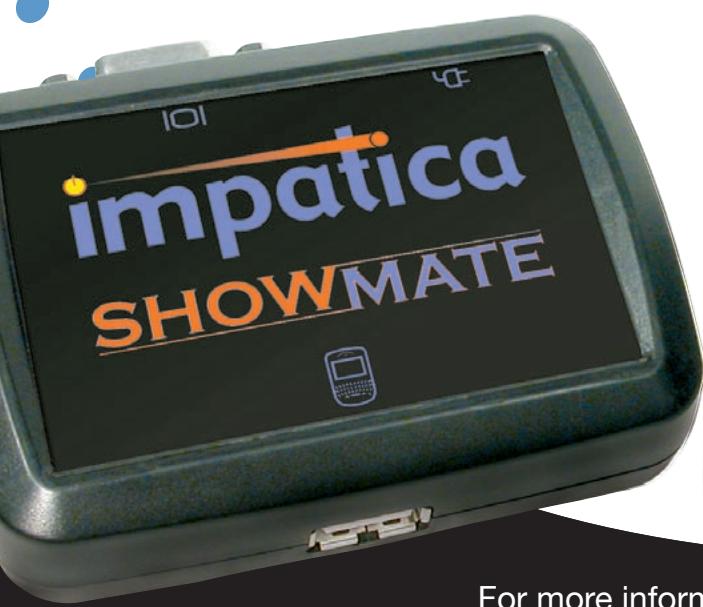
Impatica ShowMate is a simple, compact device that makes presenting to your audience easy.
Easy to use:
- Features plug-and-present simplicity
- Displays all PowerPoint slide attributes including animation and transition effects
Uses handheld as a remote control - Shows presentation notes, slide titles and text on the handheld
- Operates without buttons or switches
Easy to carry:
- Compact
Lightweight
Specifications
Dimensions: 3.5^ × 2.5^ × 1^
Video Out: SVGA (up to 800 x 600)
Handheld In: USB (BlackBerry® only) or Bluetooth®
Power: Power adapter included
Warranty: One year limited
Inclusions:
International power adapter
- 10' USB cable
- QuickStart Guide
- CD-ROM with documentation, Impatica Viewer handheld software and Impatica for PowerPoint Mobile Edition software (for Windows 98/ME/NT/2000/XP)
System Requirements
Handheld:
- BlackBerry handheld with BlackBerry software 3.8 or later; or
- Sony Ericsson® handheld with Java platform 5 or higher and Bluetooth; or
Windows Mobile® Smartphone or Pocket PC with Windows Mobile 2003 or later and Bluetooth - Impatica Viewer (included)
Software:
- Windows 98/ME/NT/2000/XP
- BlackBerry Desktop Manager (BlackBerry only)
- Impatica for PowerPoint Mobile Edition (included)
Projector/Display:
- Standard VGA input
Impatica Inc.
2430 Don Reid Drive, Suite 200
Ottawa, Ontario, Canada K1H 1E1
Tel: (613) 736-9982 · (800) 548-3475
Fax: (613) 736-9084
www.impatica.com