
WIRELESS CONTROLLER IR-1 - Contrôleur sans fil MINOLTA - Notice d'utilisation et mode d'emploi gratuit
Retrouvez gratuitement la notice de l'appareil WIRELESS CONTROLLER IR-1 MINOLTA au format PDF.


| Type de produit | Contrôleur sans fil infrarouge pour appareils photo Minolta |
| Marque | Minolta |
| Modèle | Wireless Controller IR-1 |
| Portée maximale | Jusqu'à 60 mètres (200 pieds) sans obstacle |
| Nombre de canaux | 3 canaux indépendants |
| Modes de déclenchement | Continu (C) et mono-image (S) |
| Alimentation du transmetteur | 2 piles AA 1,5 V (carbone-zinc, alcaline ou Ni-Cd) |
| Alimentation du récepteur | 1 pile 9 V (type Eveready 216 ou équivalent) |
| Dimensions du transmetteur | 34 x 116 x 70 mm |
| Dimensions du récepteur | 60 x 94 x 43 mm |
| Poids du transmetteur | 110 g (sans piles) |
| Poids du récepteur | 100 g (sans pile) |
| Angle d'émission (transmetteur) | 50° vertical, 70° horizontal |
| Angle de réception (récepteur) | 80° vertical et horizontal |
| Appareils compatibles | Minolta SLR à déclenchement magnétique (X-700, XD, XG, XK, XM Motor) et caméras 8 mm (XL-401, 601, XL-Sound 42, 64, 84) |
| Accessoires inclus | Support IR-1, Cordon de connexion IR-1(A) |
| Accessoires en option | Cordon de connexion IR-1(B) |
| Entretien et nettoyage | Utiliser un chiffon sec ou imprégné de silicone. Éviter les solvants. |
| Sécurité | Ne pas démonter le transmetteur (circuit haute tension). Consulter un revendeur Minolta en cas de problème. |
| Stockage | Retirer les piles si inutilisé plus de 2 semaines. Stocker dans un endroit frais et sec. |
FOIRE AUX QUESTIONS - WIRELESS CONTROLLER IR-1 MINOLTA
Questions des utilisateurs sur WIRELESS CONTROLLER IR-1 MINOLTA
0 question sur cet appareil. Repondez a celles que vous connaissez ou posez la votre.
Poser une nouvelle question sur cet appareil
Téléchargez la notice de votre Contrôleur sans fil au format PDF gratuitement ! Retrouvez votre notice WIRELESS CONTROLLER IR-1 - MINOLTA et reprennez votre appareil électronique en main. Sur cette page sont publiés tous les documents nécessaires à l'utilisation de votre appareil WIRELESS CONTROLLER IR-1 de la marque MINOLTA.
MODE D'EMPLOI WIRELESS CONTROLLER IR-1 MINOLTA

MINOLTA
WIRELESS CONTROLLER
INSTRUCTION MANUAL
BEDIENUNGSCANLEITUNG
MODE D'EMPLOI
MANUAL DE INSTRUCCIONES
IR-1 SET
A
B
C
D
E

2
(3)
4
Your IR-1 set is designed for remote control operation of certain Minolta SLRs and 8mm cine cameras. The Receiver senses infrared rays emitted from the Transmitter and transfers a release signal to the camera. This permits remote control of a camera at a distance of up to 60 meters (nearly 200 feet).
With a single Transmitter unit, any number of cameras can be operated simultaneously or independently in up to three individual groups.
Before using your IR-1 set for the first time, please read this manual carefully all the way through, while loading batteries and acquainting yourself with its parts and features, so you can begin to realize its broad potential right from the start.
Applicable Cameras
Your Minolta Wireless Controller IR-1 Set can be used with Minolta magnetic-release SLRs, 8mm cameras, and camera systems listed below:
SLRs: X-700, XD series, XG series, XK and XM Motor (The Motor Drive 1 or Auto Winder D or G is required for automatic film advance except with the XK/ XM Motors.)
8mm Cameras: XL-401 and 601: XL-Sound 42, 64, and 84
NOTE
Designations such as "(A-1)" in the text refer to the lettered blocks on the fold-out pages.
CONTENTS
NAMES OF PARTS 1
SUMMARY OF OPERATION 2
PREPARATIONS
- Battery types and loading.. 2
- Battery check 3
- Receiver connection.. 4
- Channel setting 4
OPERATION
1.Use with Motor Drive 1. 5
2.Use with Auto Winder D and G 6
3.Use with XK or XM Motor 6
4.Use with XL movie cameras 6
OPERATION CHECK
DIRECTIONS FOR THE IR-1 BRACKET. 8
OPERATING PRECAUTIONS
CARE AND STORAGE 9
INTRODUCTION TO THE X-700 SYSTEM 10
SPECIFICATIONS 11
NAMES OF PARTS
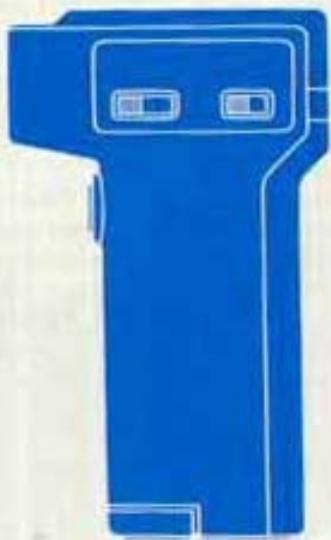
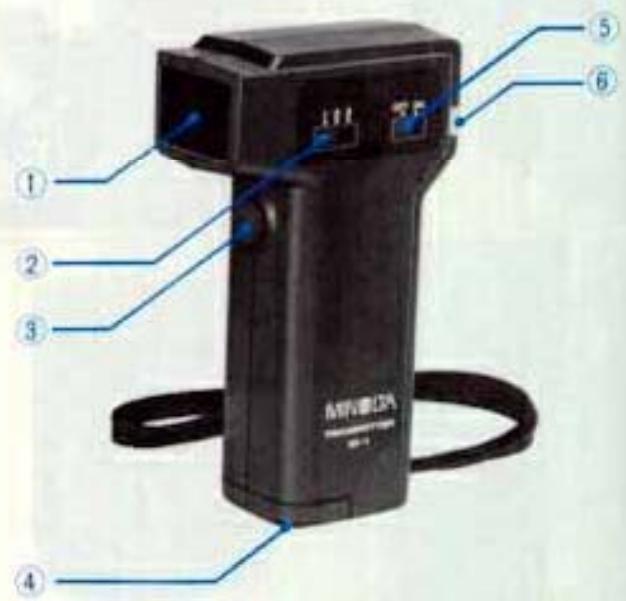
IR-1 Transmitter
(A-1) Emission head
(A-2) Channel selector
(A-3) Transmitting button
(A-4) Battery-chamber cover
(A-5) Power switch
(A-6) Monitor light
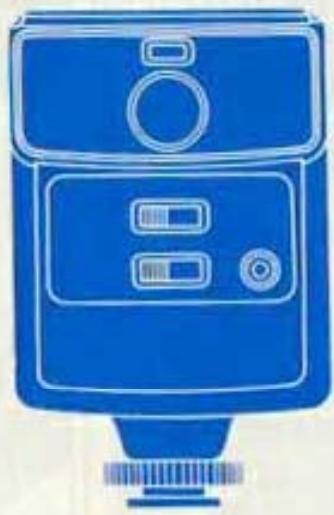
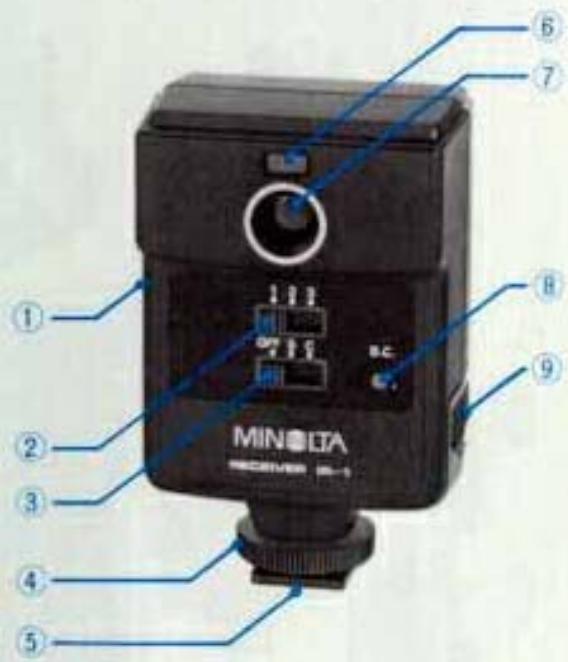
IR-1 Receiver
(B-1) Cord socket
(B-2) Channel selector
(B-3) Mode-selector/power switch
(B-4) Bracket clamp
(B-5) Attaching bracket (rotates 360^ )
(B-6)Operation-indicator light
(B-7) Sensor
(B-8) Battery-check button
(B-9) Battery-chamber cover
SUMMARY OF OPERATION
(C-1) Load the Transmitter with batteries (see page 2).
(C-2) Load the Receiver with a battery (see page 3).
(C-3) Attach the Receiver to the camera and attach the connecting cord (see page 4).
(C-4) Set Transmitter and Receiver channels (see page 4).
(C-5) Slide the mode selector switch to the C or S position (see page 5).
(C-6) Check operation of the Transmitter and Receiver (see page 8).
PREPARATIONS
1. Battery types and loading
Transmitter:
Two-AA size penlight batteries (either sealed carbon-zinc, alkaline-manganese, or nickel-cadmium type) supply power for the IR-1 Transmitter.
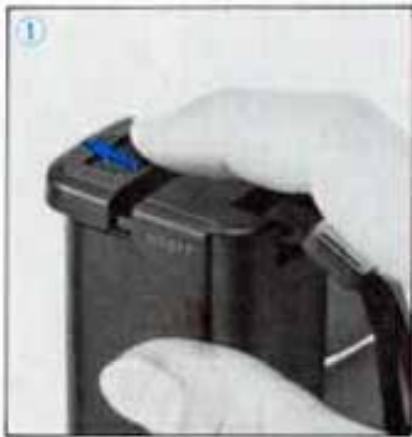
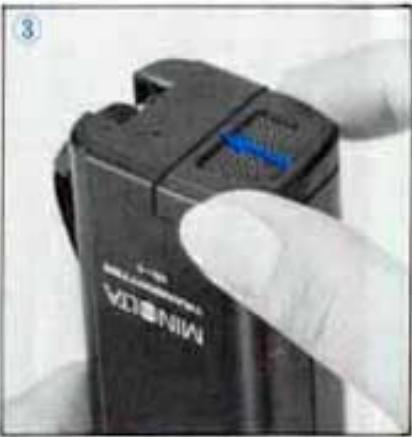
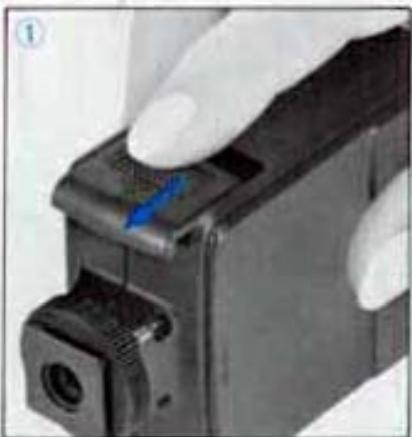
(D-1) Slide the battery chamber cover off in the direction of the arrow.
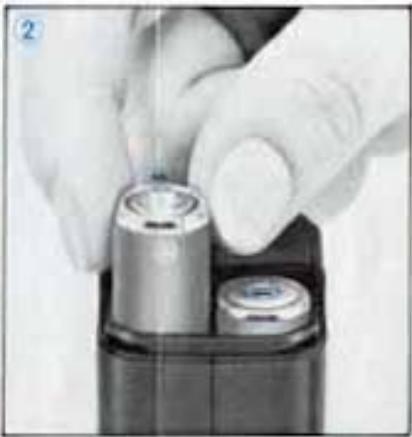
(D-2) Load the batteries, making sure their polarities match the plus and minus indications in the battery chamber.
(D-3) Slide the battery chamber cover back into its original position.
Receiver:
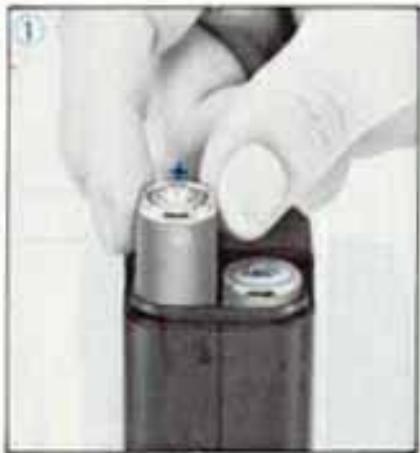
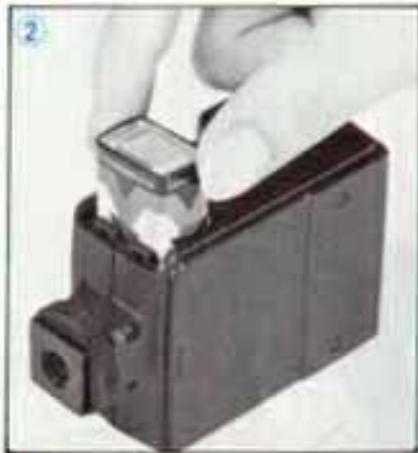
Use one 9v transistor-type battery (Eveready 216 or equivalent).
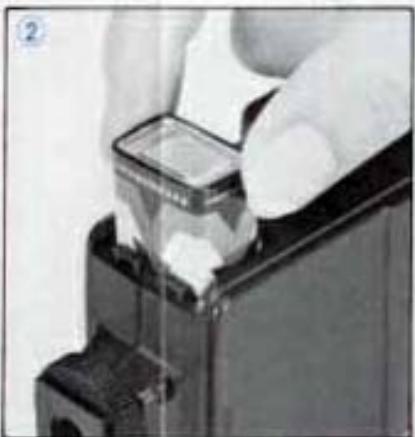
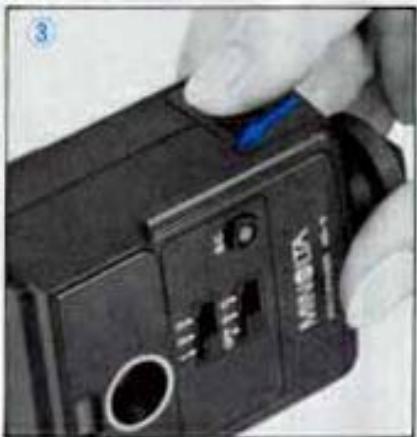
(E-1) Slide the battery chamber cover off in the direction of the arrow.
(E-2) Load the battery, making sure its polarities match the plus/minus indications in the battery chamber.
(E-3) Slide the battery chamber cover back into its original position.
2. Battery check
Before taking pictures, check for sufficient battery power.
Transmitter:
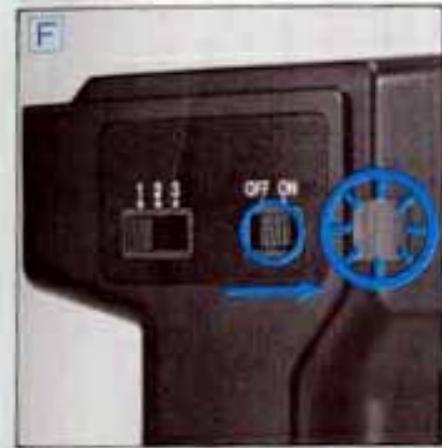
(F) Turn the power switch on and time how long it takes for the pilot lamp to come on. If it takes more than 5 seconds, replace the batteries with new ones.
Receiver:
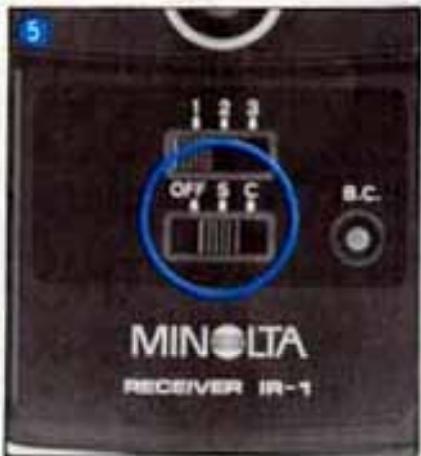
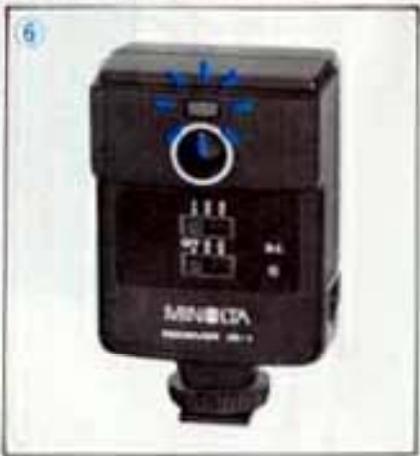
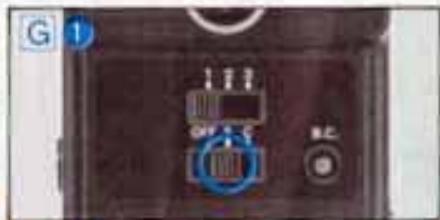
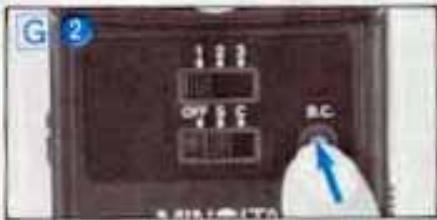
(G-1) Slide the mode selector/power switch to the "C" or "S" position.
(G-2) Press the battery-check button.
The operation-Indicator light comes on to indicate sufficient battery power. If the lamp does not light, the battery needs to be replaced.
- Battery power level varies with brand, age, etc., even though they are the same type. Even new batteries may slightly deteriorate in performance if used more than a few months after production. This may cause the number of operations to differ from the specifications.
Batteries by nature tend to lose power as
temperature drops. Regardless of which battery type is used, remember always to insert fresh batteries and keep a spare set with you when using your camera in cold weather. (Battery deterioration due to low temperatures can be recovered if returned to normal temperature).
- Be sure to turn the power switch off when the IR-1 set is not in use. Leaving the receiver on (ie., at the "C" or "S" position) will exhaust a fresh battery in about 12 hours.
- Mixing battery types, or using an exhausted battery with a fresh one could cause battery leakage on bursting.
- Improper battery loading may not only result in operation failure but may also cause battery leakage. Make certain that poles are aligned as indicated in the battery chamber.
If either unit of the set is not be used for more than two weeks, it is advisable to remove the batteries. Leaving the batteries loaded when not being used for long periods may cause battery leakage and contact corrosion.
3. Receiver connection
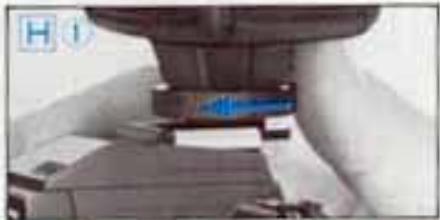
(H-1) Loosen the Receiver's bracket clamp and insert the attaching bracket into the camera's accessory shoe as far as it will go.
- Use the IR-1 Bracket (included with the IR-1 set) when the camera accessory shoe is being used for flash photography or when the Receiver is mounted on an 8mm camera not equipped with an accessory shoe (see page 9).
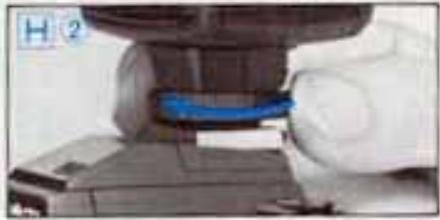
(H-2) To secure the attaching bracket in place, rotate the bracket clamp in the direction of the arrow until tight.
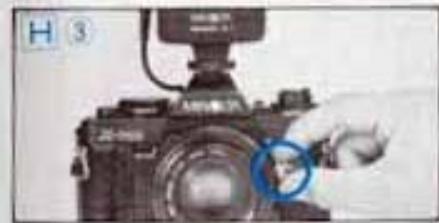
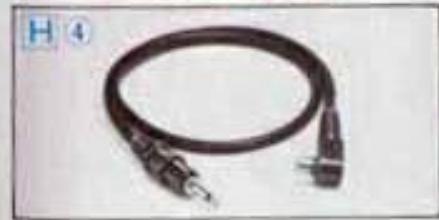
(H-3) For applicable magnetic-release SLRs other than the XM or XK Motor, use the Connecting Cord IR-1(A), included with the set, to connect the Receiver with the threaded release socket on the camera body or in its operating button.
(H-4) For the XM or XK Motor SLR or the XL-401, 601, XL-Sound 42, 64, or 84 movie cameras, use the Connecting Cord IR-1(B), available optionally, to connect the Receiver with the accessory-input or remote-filmng jack or socket on the camera body.
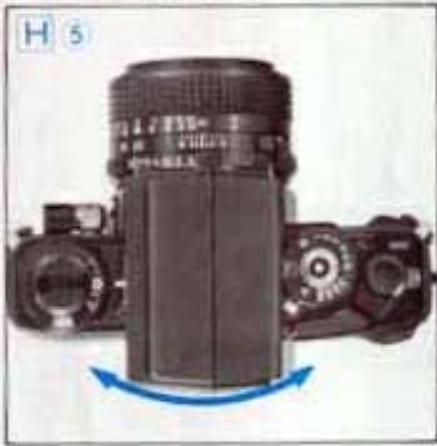
(H-5) Direct the Receiver's sensor (generally) towards the Transmitter.
The Receiver rotates 360^ (with a detent every 30^ ) on the attaching bracket to allow a choice of directions for best reception.
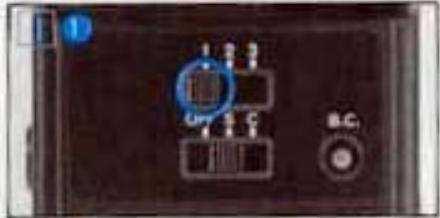
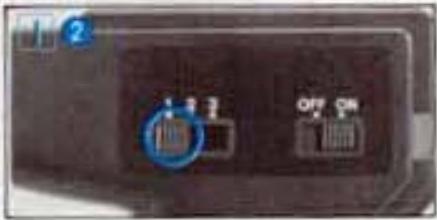
4. Channel setting (1)
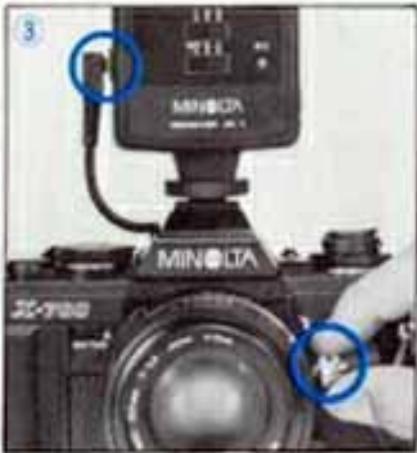
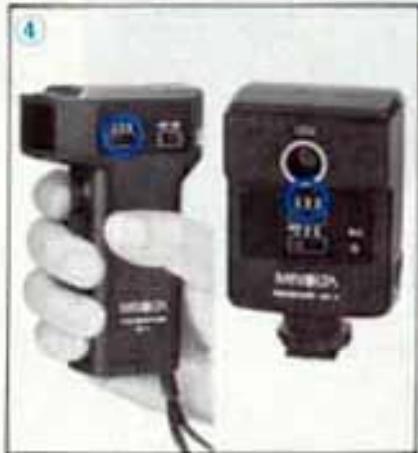
The channel selector of the Receiver and Transmitter should be set to the same channel number for actuation (1-1, 1-2).
- With two, three, or more Receivers set to appropriate channels, two or three individual or groups of cameras can be independently controlled with one Transmitter.
- Alternatively, setting Receivers to the same channel allows simultaneous control of any number of cameras with one Transmitter. All Receivers should be aimed towards the Transmitter.
OPERATION
Continuous or single-frame mode
The Receiver's mode selector switch is used to set the unit for single-frame or continuous exposures. Set the switch to the "S" position for single-frame mode or the "C" position for continuous mode.
To prevent accidental waste of film, make sure you set the desired mode before pressing the transmitting button.
Single-frame exposures
Each press of the transmitting button releases the shutter (and advances film by one frame with movie cameras or a still camera with a motor/winder).
Continuous operation
One press of the transmitting button starts operation, and the film advances at the continuous frame rate set on the set on the motor/winder. Pressing the button a second time stops operation.
1. Use with Motor Drive 1
(1) Single-frame exposures
-
Set the Receiver's mode selector switch to the "S" position.
-
Turn the frame-speed-selector dial of Motor Drive 1 to the "S" position.
Each transmission releases the shutter and advances film.
(2) Continuous operation
-
Set the Receiver's mode selector to the "C" position.
-
Turn the selector dial on the Motor Drive 1 to the "Hi" or "Lo" position.
-
Pressing the transmitting button begins continuous operation. The camera will continue to make exposures until the button is pressed a second time (or film is exhausted).
(3) Bulb exposures
- Set camera shutter speed to the "B" (bulb) position.
- Slide the Receiver's mode selector to the "C" position.
- Set the frame-speed selector dial on the Motor Drive 1 to the "Hi", "Lo", or "S" position.
- Pressing the transmitting button opens the camera shutter.
Pressing it a second time closes the shutter and advances film.
2. Use with Auto Winders D and G
(1) Single-frame exposures
- Set the Receiver's mode selector switch to the S position.
-
Turn on the Auto Winder main switch.
-
Pressing the transmitting button releases the shutter and advances film.
(2) Continuous shooting
- Set the Receiver's mode selector switch to the C position.
- Turn on the Auto Winder main switch.
- Pressing the transmitting button starts continuous exposures. The camera will continue to make exposures until the button is pressed a second time (on film is exhausted).
(3) Bulb exposures (XD-series cameras excluded)
- Set the camera shutter-speed dial to the "B" (bulb) position.
- Turn the Receiver's mode selector switch to the "C" position.
-
Turn on the Auto Winder main switch.
-
Pressing the transmitting button opens the camera shutter. Pressing it a second time closes the shutter and advances film.
- Bulb exposures are not possible with the
IR-1 and the XD series cameras. (If an XD camera is set to the "B" position and the IR-1 set to the "C" mode, pressing the transmitting button begins continuous operation at a shutter speed of 1/100 sec.).
3. Use with XM or MK Motor
(1) Single-frame exposures
- Set the Receiver's mode selector switch to the "S" position.
- Turn the camera's frame-speed dial to the S position.
- Pressing the transmitting button once releases the shutter and advances the film.
(2) Continuous operation
- Set the Receiver's mode selector switch to the "C" position.
- Turn the camera's frame-speed dial to the 1, 2, 3 or "H" position, as desired.
- Pressing the transmitting button begins continuous operation. The camera will continue to make exposures at the set rate until the button is pressed a second time or film is exhausted.
- Bulb exposures are impossible with the IR-1 set and the XM or XK motor.
4. Use with XL or XL-Sound movie cameras
(1) Continuous Operation
- Set the Receiver's mode selector switch to the "C" position.
- Turn the function selector on XL cameras or the run/lock switch on XL-Sound cameras to "RUN".
- Pressing the transmitting button begins operation. The camera will continue operating until the button is pressed a second time.
(2) Single-frame operation
- For the XL-401 or 601, set the Receiver's mode selector to the "S" position; with the XL-Sound 42, 64, or 84, to the "C" position.
- Turn the function selector of XL models or the frame-speed selector of XL-Sound models to "1".
- With XL models, each press of the transmitting button expose a single frame and advances film.
- With XL-Sound models, pressing the transmitting button will expose a frame after a delay of one second, then advance the film. (If the receiver's mode selector is set to "S", the camera will not function properly.)

OPERATION CHECK
Maximum remote-control range of your IR-1 set is 60 meters (about 200 feet) when the Transmitter's flash head and Receiver's sensor are facing each other unobstructed. Maximum range decreases if there is an obstacle between the Transmitter and Receiver, direct sunlight on the sensor, misty air, or other adverse weather conditions. Before taking pictures, be sure to make an operation check under actual conditions.
- Turn on the Receiver's mode selector switch and set it to the "C" or "S" position (C-5).
If the camera is loaded with film, remove the cord that connects the camera's remote-release terminal and the Receiver's cord socket. - With the Transmitter and Receiver set to the same channel, press the transmitting button to simulate operation (C-4).
- The operation-display lamp confirms receiver operation.
-
The lamp lights only once for single-frame shooting, and flashes about twice per second during continuous shooting.
-
After operation check, reattach the connecting cord to the camera's remote-release terminal and the Receiver's cord socket.
- When the Transmitter and Receiver are not facing each other, you may utilize reflecting surfaces, such as a wall or the ground, to operate the IR-1. Be sure to carry out an operation check in this situation.
- If the operation-indicator is not visible due to camera position, it is possible to make an operation check by connecting the IR-1 to the camera and confirming proper operation by the camera's frame counter. In this case, the operation check should be done before loading the camera with film.
DIRECTIONS FOR THE IR-1 BRACKET
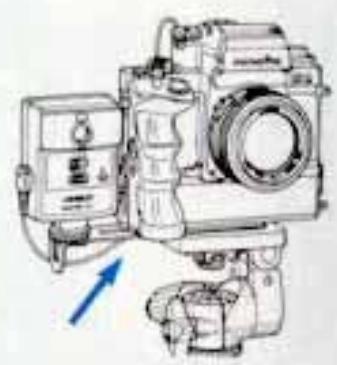
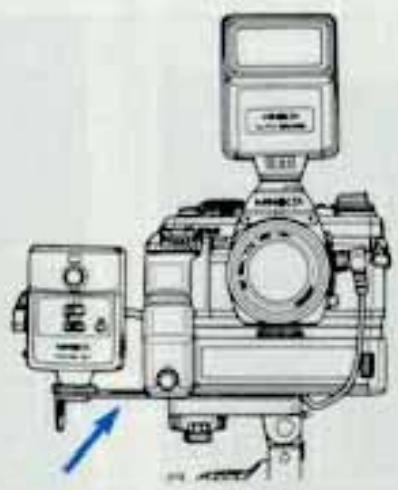
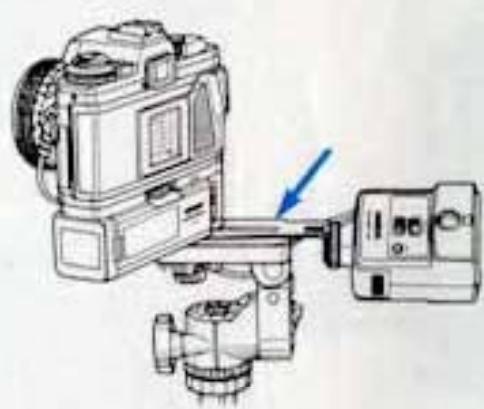
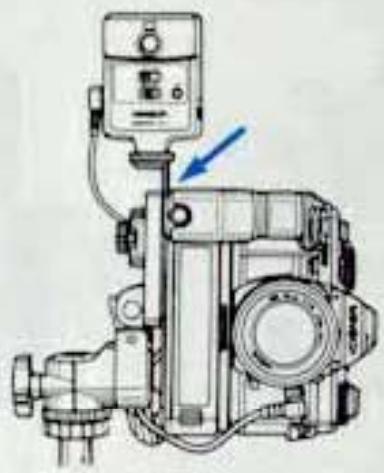
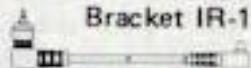
The IR-1 Bracket is useful for attaching the Receiver when no accessory shoe is available (as with the XM or XK Motors or XL or XL-Sound movie cameras), when an Electroflash is being used, or for better reception from various angles.
(J-1) No accessory shoe available
(J-2) With a strobe unit
(J-3) With Transmitter directed upward toward Receiver or from bottom
(J-4) Camera positioned vertically
OPERATING PRECAUTIONS
- When two or three Receivers are used in the same area, be sure to set them to different channels unless simultaneous atuation is desired.
- For automatic-exposure shooting, use an eyepiece cap to prevent light coming from the winter eyepiece.
CARE AND STORAGE
- Clean the Transmitter and Receiver using a dry or silicone-impregnated cloth. Never use solvents such as paint thinner or benzine on time.
- The IR-1 Transmitter has a high-voltage electrical circuit. Therefore, do not attempt to disassemble the Transmitter. If any problem occurs with the Transmitter or Receiver, please consult your nearest Minolta dealer or the camera shop where your set was purchased.
- If the set is not to be used for more than two weeks, remove the batteries from the units and store them in a cool dry place. Leaving the units loaded with batteries for long periods may cause battery leakage and contact corrosion.
- Exposing the units to high temperatures (particularly inside a car in summer) or high humidity during storage will cause damage to them.
INTRODUCTION TO THE X-700 SYSTEM
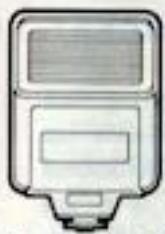
Auto Electroflash 280PX
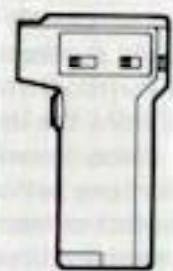
Wireless Controller IR-1 set
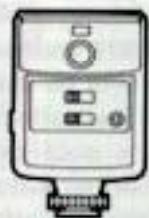
Receiver
Transmitter

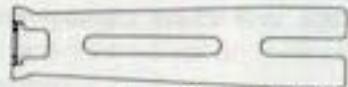
Connecting Cord IR-1(A)
Connecting cord IR-1(B)
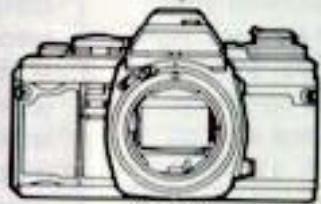
X-700
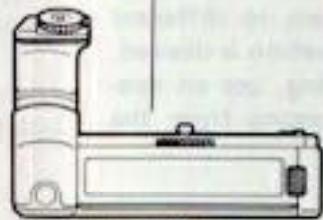
Motor Drive 1
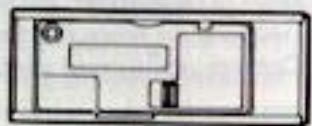
Multi-Function Back
TECHNICAL DETAILS
Type: Compact transmitter-receiver set for remote camera control by near-infrared radiation
Max. range: Approx. 60m (200 ft.)
Operating channels: Three
Actuation modes: Continuous (C) and single-frame (S)
Transmitter unit: Transmission angle: 50° vertically 70° horizontally Number of bursts: Approx. 2,000 with sealed carbon-zinc cells Approx. 4,000 with alkaline-manganese cells Triggering interval: 0.5 sec. (* under Minolta standard testing conditions)
Receiver unit: Reception angle: 80^ vertically and horizontally
Continuous stand-by time: 12 hrs. with fresh battery specified
Power sources: Transmitter: Two AA-size 1.5v sealed carbon-zinc, alkaline-manganese, or 1.2v nickel-cadmium cells
Receiver: One 9v battery, Eveready 216 or equivalent
Weights: Transmitter: 110g (3-7/8 oz.) without power cells
Receiver: 100g (3-1/2 oz.) without battery
Sizes (W x H x D): Transmitter: 34 x 116 x 70mm (1-5/16 x 4-9/16 x 2-3/4 in.)
Receiver: 60 × 94 × 43mm (2-5/16 x 3-11/16 x 1-11/16 in.)
Accessories: Included with unit: Bracket IR-1 (for attaching Receiver at camera position when accessory shoe cannot be used, etc.) and Connecting Cord IR-1(A) (for connecting Receiver with camera shutter-release socket) Available optionally: Connecting Cord IR-1(B) (for connecting Receiver with XM (or XK or X-1) Motor or suitably equipped Super-8 movie cameras (XL-401, 601; XL-Sound 42, 64, 84)
Specifications subject to change without notice
- WIRELESS CONTROLLER
- Applicable Cameras
- NOTE
- CONTENTS
- PREPARATIONS
- OPERATION
- OPERATION CHECK
- NAMES OF PARTS
- IR-1 Transmitter
- IR-1 Receiver
- SUMMARY OF OPERATION
- Battery types and loading
- Battery check
- Transmitter:
- Receiver:
- Receiver connection
- Channel setting (1)
- Continuous or single-frame mode
- Single-frame exposures
- Continuous operation
- Use with Motor Drive 1
- Use with Auto Winders D and G
- Use with XM or MK Motor
- Use with XL or XL-Sound movie cameras
- Continuous Operation
- Single-frame operation
- DIRECTIONS FOR THE IR-1 BRACKET
- OPERATING PRECAUTIONS
- CARE AND STORAGE
- INTRODUCTION TO THE X-700 SYSTEM
- TECHNICAL DETAILS
Marque : MINOLTA
Modèle : WIRELESS CONTROLLER IR-1
Catégorie : Contrôleur sans fil