CRAZY CARS - Jeux vidéo GAMES PC - Notice d'utilisation et mode d'emploi gratuit
Retrouvez gratuitement la notice de l'appareil CRAZY CARS GAMES PC au format PDF.


| Type d'appareil | Console de jeu vidéo |
| Genre de jeu | Course automobile |
| Nombre de joueurs | 1 à 2 joueurs |
| Support | Cartouche / Disque |
| Graphismes | 2D/3D basiques |
| Contrôles | Manette de jeu |
| Audio | Son stéréo |
| Langues disponibles | Multilingue |
| Compatibilité | Console spécifique |
| Mode de jeu | Solo et multijoueur |
| Éditeur | Non précisé |
| Année de sortie | Non précisé |
| Classification | Tout public |
| Connexion | Non précisé |
| Accessoires | Non précisé |
FOIRE AUX QUESTIONS - CRAZY CARS GAMES PC
Questions des utilisateurs sur CRAZY CARS GAMES PC
0 question sur cet appareil. Repondez a celles que vous connaissez ou posez la votre.
Poser une nouvelle question sur cet appareil
Téléchargez la notice de votre Jeux vidéo au format PDF gratuitement ! Retrouvez votre notice CRAZY CARS - GAMES PC et reprennez votre appareil électronique en main. Sur cette page sont publiés tous les documents nécessaires à l'utilisation de votre appareil CRAZY CARS de la marque GAMES PC.
MODE D'EMPLOI CRAZY CARS GAMES PC
CRAZY
CARS
CRAZY CARS BY TITUS
Getting Started :
On PC/XT/AT/PSTM, turn on your video monitor, then your computer. Insert your MS/DOSTM disk into the internal drive*1, your computer will read the DOS, then it will display: A>.
Eject your MS/DOSTM disk and insert your CRAZY CARSTM disk into the same drive, then type : A: CRAZY
On AMIGATM 1000 with 512K memory, turn on your video monitor, then your computer. Insert your KICKSTART disk (not less than 1.2 version) into the internal drive. The AMIGATM will read the system from this disk, then it will require the WORKBENCHTMDisk. Now you are in the common sequence of all AMIGATM models.
On all AMIGATM (500, 2000 and 1000 after the previous phase), insert the CRAZY CARSTM disk instead of the WORKBENCHTM disk into the drive.
On ATARI 520ST, 1040ST, MEGA ST2 and MEGA ST4™ (with the ROM TOS and one or more 3.5" disk drives), turn on your video monitor, then your computer. Insert your CRAZY CARSTM disk into the drive*1.
Disk for Commodore 64/128TM:
On C128™ type: GO64 to go into mode 64, then type: LOAD“”, 8,1. On C64™ and SX64™, turn on your disk drive, then your video monitor. Check that no cartridge is plugged in. Turn on your computer and insert your CRAZY CARSTM disk into your drive, then type: LOAD“”, 8,1.
Tape for Commodore 64/128TM:
On C128TM type: GO64 to go into mode 64, then press the RUN/STOP and the SHIFT keys together.
On C64TM and SX64TM, turn on your video monitor, check that no cartridge is plugged in. Turn on your computer and insert your CRAZY CARSTM tape into your tape unit, then press the RUN/STOP and the SHIFT keys together.
Caution :
The CRAZY CARSTM disk MUST NEVER BE WRITE PROTECTED and must stay in the disk drive as long as you are playing the game.
Commands:
PC/XT/AT/PSTM
The F1 key changes the color (only if you have a color monitor).
The F2 key connects or disconnects the joystick.
The F3 key turns on or off the sound.
The F4 key changes the monitor from black and white (640 x 200) to color or vice versa.
The F10 key stops or starts the game.
The ESC key breaks the game and restores the system.
If you have a HERCULES black and white card, the keys F1 and F4 do nothing.
During the game, your car is controlled by either the joystick or the arrow keys on the keyboard.
The controls are :
UP- accelerate
DOWN---- brake
LEFT- - turn left
RIGHT--- turn right
In the other phases of the game, you have to press the space bar to continue.
After you have finished a race, you can put your name beside your score. Do this by choosing the letters of your name one by one with the cursor. You move the cursor with the arrow keys on the keyboard. Press the space bar to store each individual letter.
When you are finished entering your name, move the cursor to the END display and press the space bar again. Your new terrific score is now stored on the disk.
AMIGATM
If you press together the CTRL, and the two AMIGATM keys, you break the game and restore the system.
During the game, your car is controlled by the joystick only.
The controls are :
UP- accelerate
DOWN----- brake LEFT---- turn left RIGHT--- turn right
In the other phases of the game, you have to press the fire button of the joystick to continue.
After you have finished a race, you can put your name beside your score. Do this by choosing the letters of your name one by one with the cursor. You move the cursor with the joystick. Press fire button to store each individual letter. When you are finished entering your name, move the cursor to the END display and press fire button again. Your new terrific score is now stored on the disk and you can see the 150 best scores by scrolling up or down with the joystick.
If you want to skip the introduction, push up your joystick at the beginning of the loading process until the message: "guru's working" appears. This will shorten the loading time by 1.5 minutes.
ATARI STTM
The F1 key sets up the frequency of your video monitor (50 or 60 Hz)
The F10 key stops or starts the game.
During the game, your car is controlled by either the joystick or the arrow keys on the keyboard.
The controls are:
UP----- accelerate
DOWN----- brake
LEFT----- turn left
RIGHT--- turn right
In the other phases of the game, you have to press the space bar or the fire button of the joystick to continue.
After you have finished a race, you can put your name beside your score. Do this by choosing the letters of your name one by one with the cursor. You move the cursor with the joystick or the arrow keys on the keyboard. Press the fire button or the space bar to store each individual letter. When you are finished entering your name, move the cursor to the END display and press the fire button or the space bar again. Your new terrific score is now stored on the disk.
Commodore 64/128TM
The F3 key turns on or off the sound.
The F7 key stops or starts the game.
During the game, your car is controlled by either the joystick or the A, Z, <, > keys on the keyboard.
The controls are :
A or UP---accelerate
Z or DOWN--- brake
<orLEFT- turn left
or RIGHT--- turn right
In the other phases of the game, you have to press the space bar or the fire button of the joystick to continue.
After you have finished a race, you can put your name beside your score. Do this by choosing the letters of your name one by one with the cursor. You move the cursor with the joystick or the keys on the keyboard. Press the fire button or the space bar to store each individual letter. When you are finished entering your name, move the cursor to the END display and press the fire button or the space bar again. Your new terrific score is now stored on the disk (only if you have a disk).
Game rules :
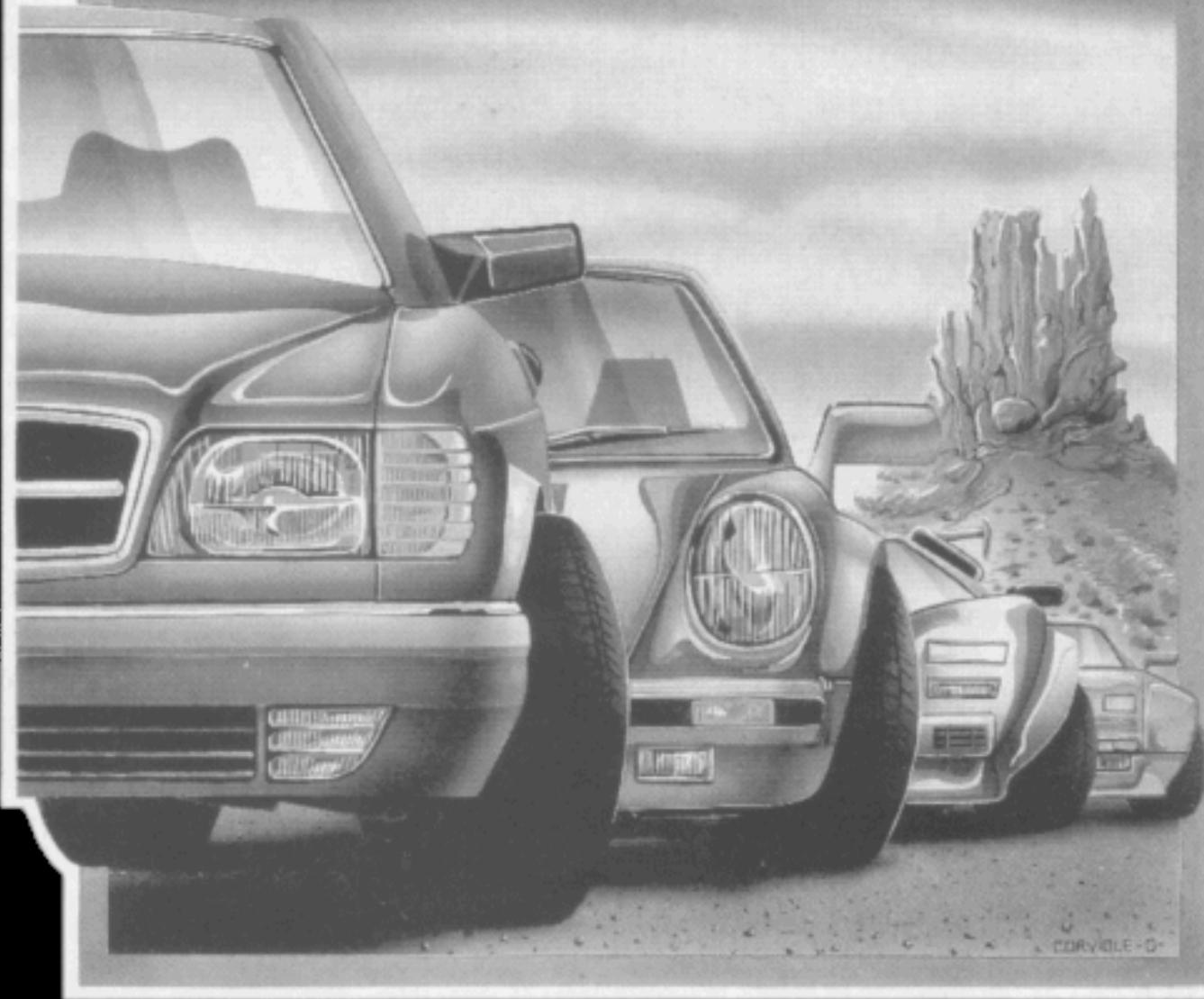
You are racing in the world's crazyest race: The American Cross Country Prestige Cars Race. This race is in three stages throughout the United States: Arizona, Space shuttle and Florida. If you are able to do those three challenges before the times run out, you will get a faster car. You start with a Mercedes 560, then a Porsche 911. Better than average drivers will receive a Lamborghini countach, and only the world's best drivers may drive a Ferrari GTO.
On the AMIGATM version there are three more stages: Mountain, Malibu and New York.
While racing, be careful not to collide with the other cars near you, each collision will slow your car down and cause you to lose time. Once you have passed a car, be careful to maintain your speed and not allow the cars behind you to collide with you.
CRAZY CARSTM was created as realistic as possible, therefore you must be careful to not lose control of your car especially when you are jumping or cornering.
If you go off the track, your speed will decrease very quickly and your chances of beating the clock will be greatly decreased. Hit- ing bumps at high speeds will cause your car to flight through the air, but this can be used to pass a car.
To win a stage, you have to go through the finish line before the time reaches zero. When the time runs out, the engine stops but you will coast as far as you can and if you go through the line, the judges might let you win.
PREPARE TO START, READY?
GO!!!

Made in France
TITUS
20432 Corisco Street
CHATSWORTH, CA 91311
MS/DOS is a trademark of Microsoft Corp.
PC, XT, AT, PS are trademarks of International Business Machine Corp. AMIGA, KICKSTART and WORKBENCH are trademarks of Commodore Amiga Inc.
COMMODORE 64, SX64 and COMMODORE 128 are trademarks of Commodore Business Machine Corp.
ATARI ST, MEGA ST, 520 ST and 1040 ST are trademarks of Atari Corp.
CRAZY CARS and TITUS are trademarks of Titus Software Corporation.