
ESA3156 - Réfrigérateur HAIER - Notice d'utilisation et mode d'emploi gratuit
Retrouvez gratuitement la notice de l'appareil ESA3156 HAIER au format PDF.

| Type de produit | Climatiseur monobloc |
|---|---|
| Capacité de refroidissement | 3,5 kW |
| Type de réfrigérant | R290 (écologique) |
| Alimentation électrique | 220-240 V, 50 Hz |
| Dimensions approximatives | 700 x 400 x 300 mm |
| Poids | 30 kg |
| Fonctions principales | Refroidissement, déshumidification, ventilation |
| Niveau sonore | 65 dB(A) |
| Entretien et nettoyage | Filtres lavables, nettoyage régulier recommandé |
| Pièces détachées et réparabilité | Disponibilité de pièces de rechange, service après-vente |
| Consommation énergétique | Classe énergétique A |
| Garantie | 2 ans |
| Informations de sécurité | Conforme aux normes CE, protection contre les surcharges |
FOIRE AUX QUESTIONS - ESA3156 HAIER
Questions des utilisateurs sur ESA3156 HAIER
0 question sur cet appareil. Repondez a celles que vous connaissez ou posez la votre.
Poser une nouvelle question sur cet appareil
Téléchargez la notice de votre Réfrigérateur au format PDF gratuitement ! Retrouvez votre notice ESA3156 - HAIER et reprennez votre appareil électronique en main. Sur cette page sont publiés tous les documents nécessaires à l'utilisation de votre appareil ESA3156 de la marque HAIER.
MODE D'EMPLOI ESA3156 HAIER
OPERRATION
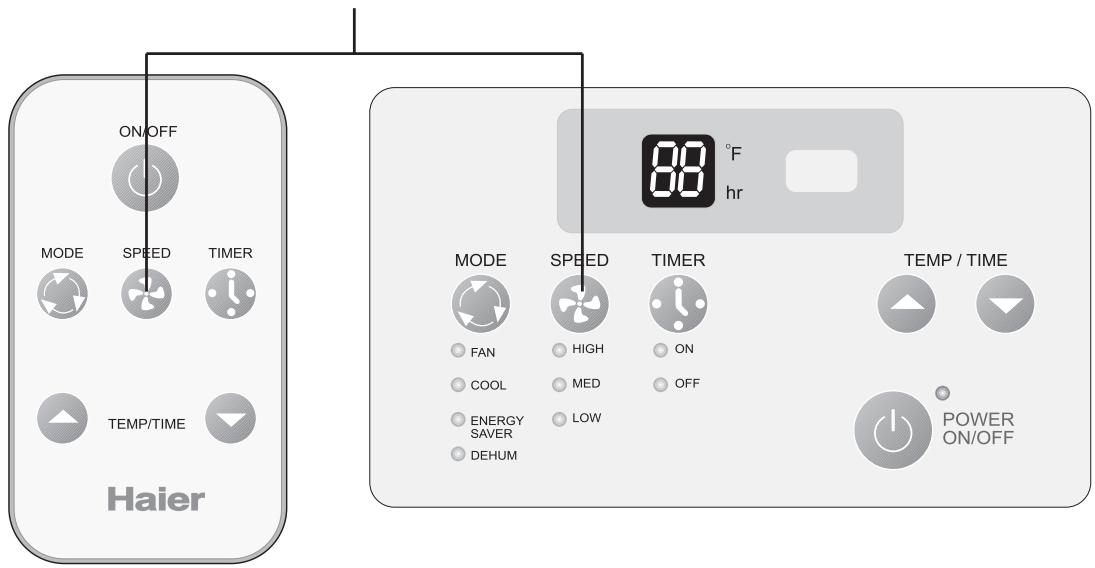
Fig. # 4
Control Panel.
Timer on or Timer off mode is used to pre-start or shut off your unit in advance. You can program this up to 24 hours in advance. You can use the Timer in 4 functions i.e. COOL, Energy saver, Dehumid or Fan.
- Timer on (See Fig. # 5)
Unit must be on to set the timer. Unit will shut down automatically after it accepts the settings in 5 seconds. Use this mode to pre-set the start time of the unit 24 hours in advance.
a) Press TIMER ON, LED display will show "XX" (time set last time) when power
is connected first time, LED display will show "01".
b) Set desired number of hours by pressing the (▲) pad of the Temp/Time buttons, one for each hour. If you passed the desired time use the (▼) pad key to lower the selection.
c) After set TIMER ON, LED display will show the time. This time displayed: unit will starts after X hours.
- Timer off (See Fig. # 5)
Unit must be running to set the timer off. Use this to preset the time you would like the unit to shut off.
a) Press TIMER OFF, LED display will show "XX" (time set last time) when power
is connected first time, LED display will show "01".
b) Set desired number by pressing the () pad of the Temp/Time buttons.
One for each hour. If you passed the desired time, use the () pad key to lower the selection.
c) After set TIMER OFF, LED display will show the room temperature about 5 seconds later.
When using the timer the unit will use/revert to the last COOL and fan settings when activated. The timer must be reset every time you choose to
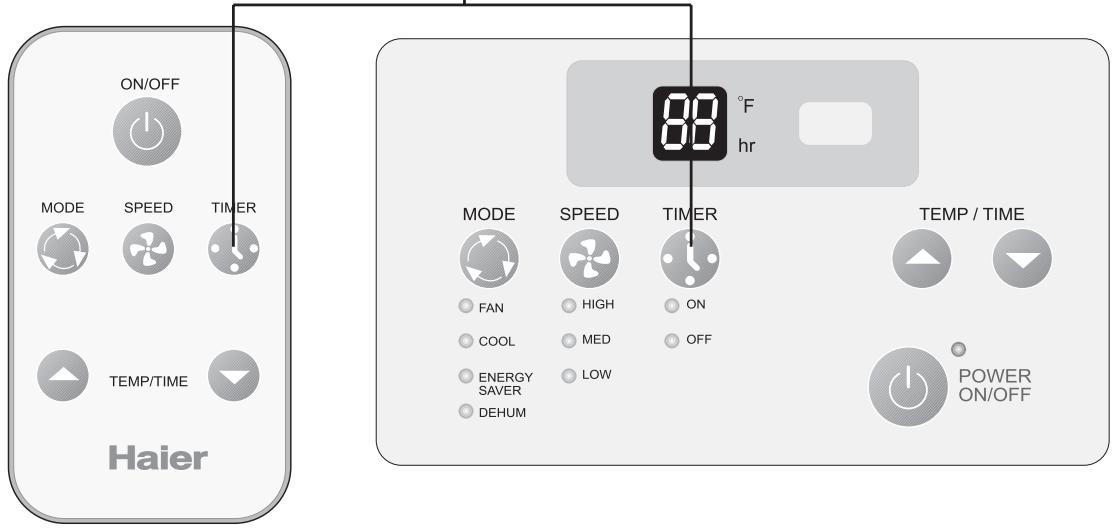
Fig. # 5 Control Panel.
Adjusting the Air Flow Direction
Airflow can be adjusted by changing the direction of the air conditioner's louvers. This can also increase the cooling efficiency of the air conditioner.
Adjusting Horizontal Air Flow Direction
Adjusting the vertical louvers left and right will change horizontal airflow.
Adjusting Vertical Air Flow Direction Adjusting the Horizontal vane up and down will change vertical airflow. The vane can be adjusted by nudging the back or up and down of the vane.
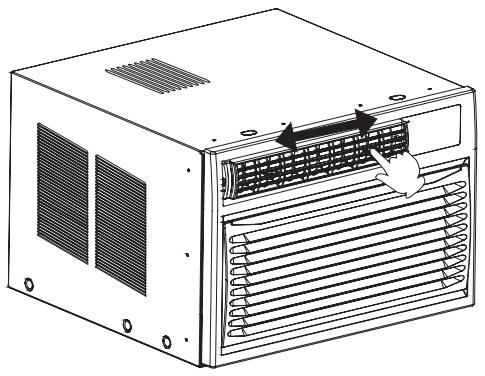
Adjusting Horizontal Air Flow
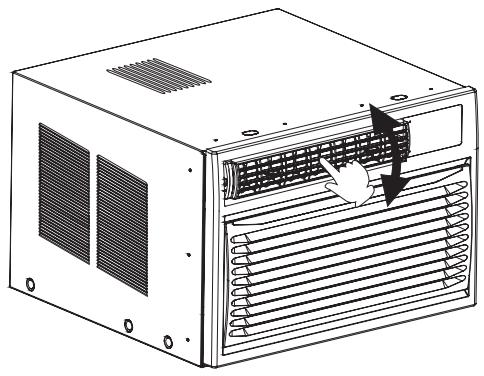
Adjusting Vertical Air Flow
Recommended orientation of louvers Adjust louvers to face upwards when cooling to maximize cooling efficiency.