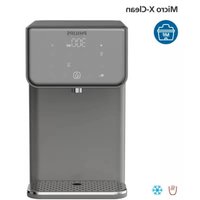
Micro X-Clean ADD5981 - Distributeur d'eau PHILIPS - Notice d'utilisation et mode d'emploi gratuit
Retrouvez gratuitement la notice de l'appareil Micro X-Clean ADD5981 PHILIPS au format PDF.


| Type de produit | Distributeur d'eau avec filtration |
| Marque | Philips |
| Modèle | Micro X-Clean ADD5981 |
| Dimensions (L × P × H) | Environ 30 × 20 × 40 cm |
| Poids net | Environ 3,5 kg |
| Alimentation électrique | 220-240 V ~ 50/60 Hz |
| Puissance | 1000 W |
| Capacité du réservoir d'eau | 2 L |
| Type de filtration | Micro X-Clean (filtre à charbon actif + membrane) |
| Débit d'eau filtrée | Environ 1 L/min |
| Température de l'eau | Trois niveaux : froide, ambiante, chaude (95 °C) |
| Fonctions principales | Distribution d'eau filtrée chaude et froide, verrouillage enfant |
| Affichage | Écran LED tactile |
| Matériau du boîtier | Plastique ABS sans BPA |
| Entretien et nettoyage | Nettoyage régulier du réservoir et du bec verseur ; détartrage tous les 3 mois |
| Durée de vie du filtre | Environ 3 mois ou 200 L |
| Indicateur de changement de filtre | Oui, alerte lumineuse |
| Sécurité | Double paroi isolante, arrêt automatique en cas de surchauffe, verrouillage enfant |
| Pièces détachées et réparabilité | Filtres de remplacement disponibles (ADD5981), pièces détachées sur service après-vente |
| Garantie | 2 ans (pièces et main-d'œuvre) |
FOIRE AUX QUESTIONS - Micro X-Clean ADD5981 PHILIPS
Questions des utilisateurs sur Micro X-Clean ADD5981 PHILIPS
0 question sur cet appareil. Repondez a celles que vous connaissez ou posez la votre.
Poser une nouvelle question sur cet appareil
Téléchargez la notice de votre Distributeur d'eau au format PDF gratuitement ! Retrouvez votre notice Micro X-Clean ADD5981 - PHILIPS et reprennez votre appareil électronique en main. Sur cette page sont publiés tous les documents nécessaires à l'utilisation de votre appareil Micro X-Clean ADD5981 de la marque PHILIPS.
MODE D'EMPLOI Micro X-Clean ADD5981 PHILIPS

User manual
1. Important
Necessary precautions must be taken when using electrical appliances, and these include the following:
- Keep the power cord out of reach of children.
- The appliance is not to be used by persons (including children) with reduced physical, sensory or mental capabilities, or lack of experience and knowledge, unless they have been given supervision or instruction.
• Children being supervised not to play with the appliance.
• Install the appliance according to the installation instructions in this user manual. - Use on a flat heat resistance surface.
- Use in a well ventilated area. This appliance emits hot steam.
- Ensure the voltage on the appliance rating plate corresponds to that of the mains electricity.
- Never place the appliance on or close to sources of heat or very damp places.
- Ensure that the power cord does not come into contact with hot surfaces.
- Never place the appliance body, plug or power cord in water or other liquids. Always wipe clean with a damp cloth.
- Always ensure that your hands are thoroughly dry before using or adjusting the switches on the appliance, or before touching the power plug or power connections.
- Do not obstruct the ventilation on the sides of the appliance.
- This product is intended to filter tap water only. Do not put water of unknown quality or that has been microbiologically impaired into the product. Use only cold or room temperature water. Do not use for the preparation of baby food.
- Consume filtered water within 24 hours.
- To unplug the appliance, grip the plug and remove it directly from the power socket. Never pull the power cord to unplug the appliance.
- Never use the appliance if the power cord or plug are damaged or if the appliance itself is faulty.
- Any changes to this product that have not been expressly authorized by the manufacturer may lead to the user's guarantee being rendered null and void.
- Packaging must never be left within the reach of children since it is potentially dangerous.
- This appliance is designed for filtering, chilling and heating water. Please do not use the appliance to chill other liquids as this will damage the appliance and void the warranty.
-
Do not store or use this appliance outdoors.
-
If the appliance is used incorrectly, please remove the plug from the socket and contact customer services.
- The appliance is designed for use with Philips Micro X-Clean Softening+ filter, the performance is not guaranteed if any other filters are used.
- Do not leave the appliance unattended during operation.
- Do not clean with solvents or harsh chemicals.
- Do not move appliance when in use.
- Do not operate appliance with a damaged cord, plug or after the appliance has malfunctioned or been damaged in any manner. If the cord is damaged it must be changed by a qualified person to avoid a hazard.
- Do not fill the appliance with hot water. The applicable inlet water temperature is 5-30°C.
- Do not remove filter whilst the appliance is running.
- Do not use appliance without the filter correctly placed or if the filter is damaged or broken.
- At first use or after the appliance has been completely drained of water in all tanks, ensure the instructions for first use are followed.
- The appliance is designed for domestic and small office use only. It should not be used for commercial purpose.
- Do not store explosive substances such as aerosol cans with a flammable propellant in this appliance.
- During the first-time usage, it will need several minutes to fill the cold water tank so no water comes out yet when you dispense cold water.
• After plug in, please press the Power Button to turn on the appliance and control panel. - This appliance is intended to be used in household and similar applications such as:
- staff kitchen areas in shops, offices and other working environments;
- by clients in hotels, motels and other residential type environments;
- bed and breakfast type environments;
- farm houses.
- Appliances normally cleaned after use and not intended to be immersed in water for cleaning, state that the appliance must not be immerse.
- The appliance shall not be placed in a cabinet when in use.
-
Cleaning and user maintenance shall not be made by children without supervision.
-
The heating element surface is subject to residual heat after use.
- Appliance outlet and other items may be hot after cycle.
- Be cautious of the hot steam when dispensing water ≥ 40°C .
- Do not move the appliance unless cutting off the power.
- Failure to follow these instructions could cause scalding or damage to the product.
- WARNING: Do not locate multiple portable socket-outlets or portable power supplies at the rear of the appliance
2. Parts and features
This is a water dispenser. With instant heating technology, it provides hot water with different temperatures within seconds. The chilled water can be down to 8°C on demand. Thanks to Philips Micro X-Clean Softening+ filter, you can always enjoy the crisp and pure tasting water at home.

① Control Panel
② Nozzle
③ Drip tray
④ Tap water tank cover
⑤ Tap water tank
⑥ Main unit
⑦ Power cord
Control panel

Filter Lifetime Indicator
Light flashes: the filter is about to reach the end of life.
Lights up constantly: the filter reaches the end of life.

Cooling Indicator
Lights flashes: the water is being cooled,
Lights up constantly: the cooling is done.

Water Shortage Indicator
Light flashes: not enough water in the water tank.
Light off: enough water in the water tank.

Cold

Ambient

Warm

Hot
Water Temperature Adjustment
Select the temperature you need by pressing the button:
Cold: chilled water
Ambient: press it repeatedly to select between ambient and 40°C
Warm: press it repeatedly to select between 70°C and 80°C
Hot: press it repeatedly to select between 90°C and 100°C

150ml

250ml

300ml

500ml
Water Volume Adjustment
Select the volume you need by pressing the button.

Descale
Descale Indicator/Button
Light flashes: it is about time to descale.
Light up constantly: you must perform descale now.
Long press 3 seconds to start the descaling process.

Dispense Button
Press to start or stop dispensing.
Long press the button for 3 seconds to continuously dispense 1L of ambient water.

Safety Lock
Press the unlock when hot water ≥40°C is chosen before pressing the "☐"
Press to lock the appliance.

Filter Lifetime Reset
Long press the button for 3 seconds to reset the filter lifetime. The "💡" will turn off once reset is completed.

Turn on/off the cooling system
Long press for 5 seconds to turn off/turn on the cooling system.
Combination button
( \bigcup_{Ambient} + \bigcup_{Warm} "Ambient" +"Warm" ) Long press " ( \bigcup_{Ambient}" +" ( \bigcup_{Warm}" ) to enable/disable the the beep sound prompt.
Main technical specifications
| Product name | Philips Water Station |
| Product model | ADD5981 |
| Rated voltage | 220-240V~ |
| Rated frequency | 50Hz-60Hz |
| Rated total power | 2200W |
| Heating power | 2100W |
| Cooling power: | 70W |
| Applicable water source | Municipal tap water |
| Applicable water temperature | 5-30°C |
| Applicable environmental temperature | 5-38°C |
| Tap water tank capacity | 2.8L |
3. First time use
Prepare for use
- Remove all packaging.
• Always keep the water dispenser away from any source of heat or direct sunlight. - Remove the tank cover, the funnel, and the water tank. Wash with mild detergent and dry thoroughly.
- Connect the appliance with power.
- Please keep minimum 20cm from the wall on both sides. This will help to ensure the cooling performance.
WARNING: DO NOT DISASSEMBLE THIS APPLIANCE YOURSELF. ELECTRIC ELEMENTS WILL BE EXPOSED AND THERE IS A RISK OF ELECTRIC SHOCK.
Prime the filter
- Soak the filter cartridge in clean water for 15 minutes. Shake the filter cartridge slightly to wash the carbon powder off. (A-1)
Note:
It is normal to have carbon powders on the filter cartridge surface. They are harmless, and they will not appear during subsequent use.

Fill the tap water tank
- Fill the water tank with ambient tap water.
Note:
DO NOT overfill the water tank.
Clean and turn on the cooling tank
- Fill the cooling tank by pressing " [IMAGE] ", "500ml", and " [IMAGE]".
- Long press "OFF" for 5 seconds to activate the cooling function. "W" will flash, which means
cooling is in progress. Once it lights up constantly, the cooling has completed and you can enjoy the chilled water.
Note:
- When extracting chilled water for the first time, there may be water splash because of the air in the pipe. The water flow will return to normal after a few seconds, this is normal.
4. Daily use
How to dispense water
- Press the "☐" to wake up the appliance when the appliance is in sleep mode.
• The appliance will automatically go to sleep mode if there is no operation within 1 minute.
- In sleep mode, only the " 🔊" lights up on the panel.
- Place a mug or glass on the left side of the water drip tray.
Note: place the container according to the mark on the drip tray based on the temperature you select.
- Select the desired temperature and volume
- Press " cold " to choose chilled water;
- Press "U" repeatedly to choose between ambient and 40°C;
- Press " warm " repeatedly to choose between 70°C and 80°C ;
- Press " ∪ " repeatedly to choose between 90°C and 100°C;
• There are four water volume presets for selection: 150ml, 250ml, 300ml, and 500ml.
-
Press " 🔒 " to unlock the appliance (not applicable for chilled water and ambient water).
-
Press "💡" to start dispensing.
- Press it again or touch any other buttons to stop.
- Once the cycle has been stopped, it cannot be resumed. A new cycle must be started.
Note:
- Press and hold the "U" and "U" buttons for 3 seconds to disable/enable the beeping sound.
• To avoid being scalded, keep away from the nozzle when extracting hot water.
How to descale
Descaling notes:
- For safe and efficient operation of your appliance it is important to descale regularly.
- Untreated scale deposits prevent the element from conducting heat efficiently and may affect its performance.
- The "💡" lights up constantly, the appliance requires the descale process. You can not dispense water until you perform descaling.
- Ensure the water tank is empty and the filter is removed before starting descale process.
Descale Procedure
- When the "💡" flashes, it reminds you it's about time to descale. You can continue to dispense about 10L of water. When the "💡" lights up constantly, descaling must be performed, otherwise, you cannot dispense water. (B-1)
- Empty the tap water tank, remove the filter and the funnel. (B-2)
- Fill the tap water tank with 3 liters of 5% citric acid solution (1g citric acid per 20 ml tap water).
- Place a jug under the dispense nozzle. Long press the "💡" for 3 seconds. The "💡" will flash, and the appliance will run a descale process.
• The descaling process lasts for about 30 minutes.
• Caution: The dispense solution is hot. Do not touch it.
- When the tap water tank is empty, the water shortage indicator will flash, and the dispense stops. The descaling process pauses.
- Refill with 3 liters of tap water and long press the "💡" for 3 seconds again.
- Once the water shortage indicator flashes and the dispense stops again, the descale procedure has completed.
• The "💡" will turn off once complete.
- Re-insert the filter and funnel. The water dispenser can be used normally.

B-1

B-2
Note:
- During descaling, press the "💡" to pause, and press the "💡" to resume.
- The descaling process cannot be stopped till it is finished. Even if you unplug the power cord, the descale procedure still exists when reconnect the power. Press the "💡" to resume.
- When it is time to descale, you can not dispense hot water.
• To avoid being scalded, keep away from the nozzle when descaling.
How to replace the filter cartridge
To ensure the best performance, please change the filter cartridge according to the "☐", or the suggested replacement cycle.
Filter lifetime indicator flashes: the filter is about to reach the end of life.
Filter lifetime indicator lights up constantly: the filter reaches the end of life.
- Please clean and install the filter cartridge as per the first-time cleaning instruction above.
- Reset the filter lifetime by long pressing the "①" button for 3 seconds.
• The "①" changes to white again, which means you have reset the lifetime successfully. - If you want to cancel the reset, long press "250ml" + "500ml" for 3 seconds to cancel the reset within 2 hours.
Holiday maintenance
Should the appliance not be used for an extended period (for example a holiday), we recommend the operation below.
- Unplug the appliance.
- Empty the tap water tank. The filter should be removed and placed in a sealed plastic bag and stored in the fridge.
-
Empty cooling tank inside the water dispenser, locate the cooling tank drain outlet at the bottom of the appliance. Place a container of 1L under it. Remove the silicone plug from the drain outlet. Wait until there is no water coming out, and re-insert the silicone plug tightly. (C-1)
-
Before using it again, please clean the water dispenser and install the filter cartridge as per the first-time cleaning instruction above.
• Water is a foodstuff. We recommend using the filtered water within 1 day.
• The filter should be placed in a sealed plastic bag and stored in the fridge. This will help to maintain the filter when it will not be used for an extended period of time. Before using the filter after storage, follow the preparation and installation instructions before using it again.
- For hygiene and safety reasons you should always clean the tap water tank, the funnel, and the tank cover regularly.

C-1
- Trouble shooting
| Trouble | Possible causes | Solutions |
| The display panel does not light up, or does not respond. | The appliance is not connected with power. | Plug in the power plug, and turn on the power switch. If it does not work, please contact consumer care. |
| The appliance is in sleep mode. | Touch any button to wake up the appliance. | |
| There is condensation on the display after extracting hot water. | Wipe the display panel with a dry cloth. | |
| The appliance does not dispense hot water. | The appliance is not connected with power. | Plug in the power plug, and turn on the power switch. If it does not work, please contact consumer care. |
| There is no water in the water tank. | Fill up the water tank. | |
| The dispense button is locked. | Press the safety lock button to unlock. | |
| The appliance does not dispense hot water, only can dispense ambient water. | Output water NTC abnormality. | It can be released when the NTC returns to normal or is lower than 60 degrees. |
| The appliance does not dispense cold water. | The appliance is not connected with power. | Plug in the power plug, and turn on the power switch. If it does not work, please contact consumer care. |
| The cooling tank is not filled yet. | During the first use, the appliance takes time to fill the cold water tank. | |
| The cooling system is turned off. | Long press the cold button for 5 seconds to turn it on. | |
| Cooling water tank NTC abnormality. | Please contact consumer care. | |
| The appliance does not dispense water. | Overheating. | Please contact consumer care. |
| There is water leakage. | Sealing parts malfunction. | Please contact consumer care. |
| Water shortage indicator flashes. | There is no water in the water tank. | Fill up the water tank. |
| Safety lock does not work | The safety lock function is turned off. | Long press the safety lock button for 10s to turn it on. |
| Safety Lock and 90°C flash, with a buzzing sound | The heating element is abnormal. | Cut off the power and wait for 5 minutes. Plug in again and descale according to the decaling procedure. If this does not resolve the problem, please contact consumer care. |
| Safety Lock and 250ml flash, with a buzzing sound | The inlet water temperature sensor is abnormal. | Please contact consumer care. |
| Safety Lock flashes, with a buzzing sound | Display malfunction. | Please contact consumer care. |
| Safety Lock and 100°C flash, with a buzzing sound | Overheating. | Cut off the power and wait for 5 minutes. Plug in again. If this does not resolve the problem, please contact consumer care. |
6. Guarantee and service
If you need information or if you have any problems, please visit the Philips website at www.philips.com or contact the consumer care center in your country. If there is no consumer care center in your country, go to the local dealer.
7. Packing list
| Water dispenser | x1 |
| Filter cartridge | x1 |
| Drip tray | x1 |
| User manual | x1 |
| Power cord | x1 |
| Quick start guide | x1 |
| Warranty leaflet | x1 |

This symbol on the products and accompanying documents means that used electrical and electronic products should not be mixed with general household waste. For proper disposal or treatment, recovery and recycling, please take these products to designated collection points
where they will be accepted on a free of charge basis. In some countries you may be able to
return your products to your local retailer upon the purchase of a new product.
Disposing of this product correctly will help you save valuable resources and prevent any possible effects on human health and the environment, which could otherwise arise from inappropriate waste handling.
Please contact your local authority for further details of your nearest collection point for WEEE.
Penalties may be applicable for the incorrect disposal of this product in accordance with national legislation.

Register your product and learn more in the website link below:
www.philips.com/water
Specifications are subject to change without notice
© 2023 AquaShield
All rights reserved.
The Philips trademark and the Philips Shield Emblem are registered trademarks of Koninklijke Philips N.V. used under license.
This product has been manufactured by and is sold under the responsibility of Hong Kong AquaShield Health Technology Company Limited and Hong Kong AquaShield Health Technology Company Limited is the warrantor in relation to this product.
Rev A JUL 23


- IMPORTANT
- PARTS AND FEATURES
- CONTROL PANEL
- SAFETY LOCK
- FILTER LIFETIME RESET
- TURN ON/OFF THE COOLING SYSTEM
- COMBINATION BUTTON
- FIRST TIME USE
- PREPARE FOR USE
- PRIME THE FILTER
- NOTE
- FILL THE TAP WATER TANK
- CLEAN AND TURN ON THE COOLING TANK
- DAILY USE
- HOW TO DISPENSE WATER
- HOW TO DESCALE
- DESCALING NOTES
- DESCALE PROCEDURE
- HOW TO REPLACE THE FILTER CARTRIDGE
- HOLIDAY MAINTENANCE
- GUARANTEE AND SERVICE
- PACKING LIST
Marque : PHILIPS
Modèle : Micro X-Clean ADD5981
Catégorie : Distributeur d'eau