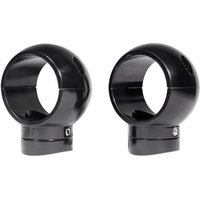
MacSwivel - Haut-parleur Rockville - Notice d'utilisation et mode d'emploi gratuit
Retrouvez gratuitement la notice de l'appareil MacSwivel Rockville au format PDF.


| Type de produit | Haut-parleur portable |
| Marque | Rockville |
| Modèle | MacSwivel |
| Dimensions (approx.) | 20 x 10 x 10 cm |
| Poids (approx.) | 500 g |
| Alimentation | Batterie rechargeable Lithium-ion |
| Autonomie de la batterie | Jusqu'à 6 heures |
| Connectivité | Bluetooth, entrée AUX 3,5 mm |
| Fonctions principales | Lecture audio Bluetooth, radio FM, fonction mains libres |
| Puissance de sortie | 10 W RMS |
| Réponse en fréquence | 50 Hz - 20 kHz |
| Entretien et nettoyage | Nettoyer avec un chiffon doux et sec. Ne pas utiliser de produits abrasifs. |
| Sécurité | Ne pas exposer à l'eau, à l'humidité ou à des températures extrêmes. |
| Pièces détachées incluses | Câble de chargement USB, câble AUX, manuel d'utilisation |
| Garantie | Garantie constructeur 1 an |
FOIRE AUX QUESTIONS - MacSwivel Rockville
Questions des utilisateurs sur MacSwivel Rockville
0 question sur cet appareil. Repondez a celles que vous connaissez ou posez la votre.
Poser une nouvelle question sur cet appareil
Téléchargez la notice de votre Haut-parleur au format PDF gratuitement ! Retrouvez votre notice MacSwivel - Rockville et reprennez votre appareil électronique en main. Sur cette page sont publiés tous les documents nécessaires à l'utilisation de votre appareil MacSwivel de la marque Rockville.
MODE D'EMPLOI MacSwivel Rockville

ROCKVILLE
Mac Swivel
360° ROTATION SWIVEL CLAMP MOUNTS
ASSEMBLY GUIDE
Thank you for purchasing these Mac Swivel 360 Degree Rotation Swivel Clamp Mounts. Please read these instructions carefully before use. Make sure all parts are included. If any parts are missing please contact our technical help line at 1-646-758-0144, Monday through Friday, 9am to 5pm EST.
| A |  | 1 pc. |
| B |  | 1 pc. |
| C |  | 4 pcs. |
| D | 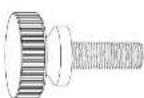 | 4 pcs. |
| E |  | 2 pcs. |
| F | 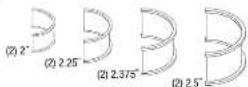 | 8 pcs. |
STEP 1
Remove the speaker, wire, and clamp from you MAC can. Attach the swivel clamp to the top of the can using the washer plate & allen bolts (from previous installation), and the larger of the two allen wrenches (B).
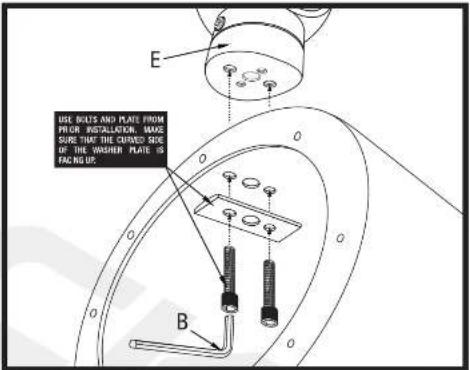
STEP 3
Place the bottom half of the swivel clamp below the wake tower pole. If your wake tower has predrilled holes for routing speaker cables, insert the them at this time. Place the top half of the clamp over the wake tower pole and attach to the lower half using 2 of the 4 included a len bolt. If the clamp does not fit snugly, use one of the 4 included rubber inserts. Do not overtighten the bolts.

STEP 2
Thread the speaker wire through the predrilled center hole and reinstall the speaker

STEP 4
To rotate the speaker, loosen the recessed alien screws located at the front and the rear of the clamp base using the smaller of the two included alien wrenches (A). Turn the speaker can to the desired angle, then lighten both alien screws. Do not overlighten.

© 2018 ROCKVILLE // The information presented is subject to change and or improvement without notice.
RockvilleAudio.com
Marque : Rockville
Modèle : MacSwivel
Catégorie : Haut-parleur