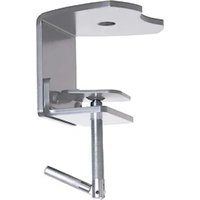
KTA1004S - Accessoire de fixation pour mobilier Chief - Notice d'utilisation et mode d'emploi gratuit
Retrouvez gratuitement la notice de l'appareil KTA1004S Chief au format PDF.


| Type de produit | Support mural pour écran plat |
| Marque | Chief |
| Modèle | KTA1004S |
| Norme VESA | 100x100 mm à 400x400 mm |
| Capacité de charge maximale | 45 kg (99 lb) |
| Dimensions du support | 480 x 310 x 50 mm (L x l x P) |
| Poids du support | 2,8 kg |
| Alimentation | Aucune (support mécanique) |
| Inclinaison | +5° / -15° |
| Rotation | ±45° |
| Nivellement | ±3° après installation |
| Matériau | Acier à haute résistance |
| Finition | Peinture époxy noire |
| Distance au mur | 15 mm à 50 mm (réglable) |
| Type de montage | Sur montants bois ou béton |
| Outils nécessaires | Perceuse, niveau à bulle, clé Allen |
| Entretien et nettoyage | Essuyer avec un chiffon doux et sec. Ne pas utiliser de produits abrasifs. |
| Sécurité | Vérifier la solidité du mur et utiliser les chevilles fournies. Ne pas dépasser la charge maximale. |
| Pièces détachées | Disponibles sur demande auprès du fabricant. |
| Réparabilité | Support réparable : visserie remplaçable, pièces mécaniques disponibles. |
| Garantie | 5 ans (sous réserve des conditions du fabricant) |
| Informations générales | Conçu pour les écrans plats LED, LCD, OLED. Compatible avec la plupart des marques. |
FOIRE AUX QUESTIONS - KTA1004S Chief
Questions des utilisateurs sur KTA1004S Chief
0 question sur cet appareil. Repondez a celles que vous connaissez ou posez la votre.
Poser une nouvelle question sur cet appareil
Téléchargez la notice de votre Accessoire de fixation pour mobilier au format PDF gratuitement ! Retrouvez votre notice KTA1004S - Chief et reprennez votre appareil électronique en main. Sur cette page sont publiés tous les documents nécessaires à l'utilisation de votre appareil KTA1004S de la marque Chief.
MODE D'EMPLOI KTA1004S Chief
INSTALLATION INSTRUCTIONS

DESK CLAMP FOR POLE MOUNTS
DISCLAIMER
Milestone AV Technologies and its affiliated corporations and subsidiaries (collectively "Milestone"), intend to make this manual accurate and complete. However, Milestone makes no claim that the information contained herein covers all details, conditions or variations, nor does it provide for every possible contingency in connection with the installation or use of this product. The information contained in this document is subject to change without notice or obligation of any kind. Milestone makes no representation of warranty, expressed or implied, regarding the information contained herein. Milestone assumes no responsibility for accuracy, completeness or sufficiency of the information contained in this document.
Chief® is a registered trademark of Milestone AV Technologies. All rights reserved.

IMPORTANT WARNINGS AND TIONS!

WARNING: A WARNING alerts you to the possibility of serious injury or death if you do not follow the instructions.

CAUTION: A CAUTION alerts you to the possibility of damage or destruction of equipment if you do not follow the corresponding instructions.

WARNING: Failure to read, thoroughly understand, and follow all instructions can result in serious personal injury, damage to equipment, or voiding of factory warranty! It is the installer's responsibility to make sure all components are properly assembled and installed using the instructions provided.

WARNING: Failure to provide adequate structural strength for this component can result in serious personal injury or damage to equipment! It is the installer's responsibility to make sure the structure to which this component is attached can support five times the combined weight of all equipment. Reinforce the structure as required before installing the component.

WARNING: Failure to keep all mounted equipment directly above the desk surface at all times can result in serious personal injury or damage to equipment! All mounted equipment must remain directly above the surface of the desk in order to ensure and maintain a stable mount.

WARNING: Exceeding the weight capacity can result in serious personal injury or damage to equipment! It is the installer's responsibility to make sure the combined weight of all components attached to the KTA-1004 desk clamp up to (and including) the display/projector does not exceed the weight limits of the pole mount attached to the desk clamp.
DIMENSIONS


LEGEND
 | Tighten Fastener |
| Apretar elemento de fijación | |
| Befestigungsteil festziehen | |
| Apertar fixador | |
| Serrare il fissaggio | |
| Bevestiging vastdraaien | |
| Serrez les fixations | |
 | Loosen Fastener |
| Aflojar elemento de fijación | |
| Befestigungsteil lösen | |
| Desapertar fixador | |
| Allentare il fissaggio | |
| Bevestiging losdraaien | |
| Desserrez les fixations | |
 | Phillips Screwdriver |
| Destornillador Phillips | |
| Kreuzschlitzschraubendreher | |
| Chave de fendas Phillips | |
| Cacciavite a stella | |
| Kruiskopschroevendraaier | |
| Tournevis à pointe cruciforme | |
 | Open-Ended Wrench |
| Llave de boca | |
| Gabelschlüssel | |
| Chave de bocas | |
| Chiave a punte aperte | |
| Steeksleutel | |
| Clé à fourche | |
 | By Hand |
| A mano | |
| Von Hand | |
| Com a mão | |
| A mano | |
| Met de hand | |
| À la main | |
 | Hex-Head Wrench |
| Llave de cabeza hexagonal | |
| Sechskantschlüssel | |
| Chave de cabeça sextavada | |
| Chiave esagonale | |
| Zeskantsleutel | |
| Clé à tête hexagonale |





Pencil Mark
Marcar con lápiz
Stiftmarkierung
Marcar com lápis
Segno a matita
Potloodmerkteken
Marquage au crayon
Drill Hole
Perforar
Bohrloch
Fazer furo
Praticare un foro
Gat boren
Percez un trou
Adjust
Ajustar
Einstellen
Ajustar
Regolare
Afstellen
Ajuster
Remove
Quitar
Entfernen
Remover
Rimuovere
Verwijderen
Retirez
Optional
Opcional
Optional
Opcional
Opzionale
Optie
En option
Security Wrench
Llave de seguridad
Sicherheitsschlüssel
Chave de segurança
Chiave di sicurezza
Veiligheidssleutel
Clé de sécurité
TOOLS REQUIRED FOR INSTALLATION
PARTS



INSTALLATION
NOTE: In order to reduce the chance of scratching to the mounting surface, bumpers may be installed. However, installation of bumpers is optional.
- Remove adhesive from underside of bumpers (B).
- Attach bumpers (B) to underside of desk clamp. (See Figure 1)
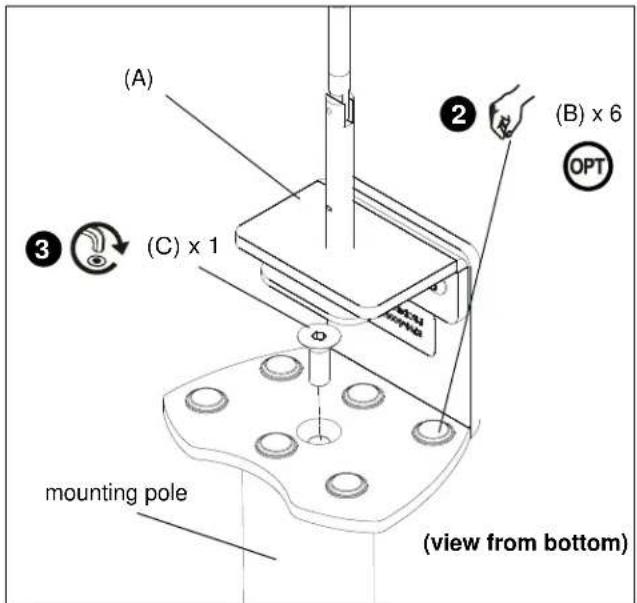
Figure 1
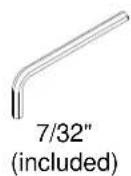
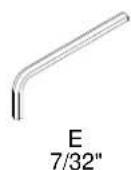
- Use 7/32" hex key (E) to install 3/8-16 x 1" flat head cap screw (C) through the opening on top of desk clamp (A) and into bottom of mounting pole (not included). (See Figure 1)
- Determine the location where desk clamp will be mounted.

WARNING: Failure to keep all mounted equipment directly above the desk surface at all times can result in serious personal injury or damage to equipment! All mounted equipment must remain directly above the surface of the desk in order to ensure and maintain a stable mount.
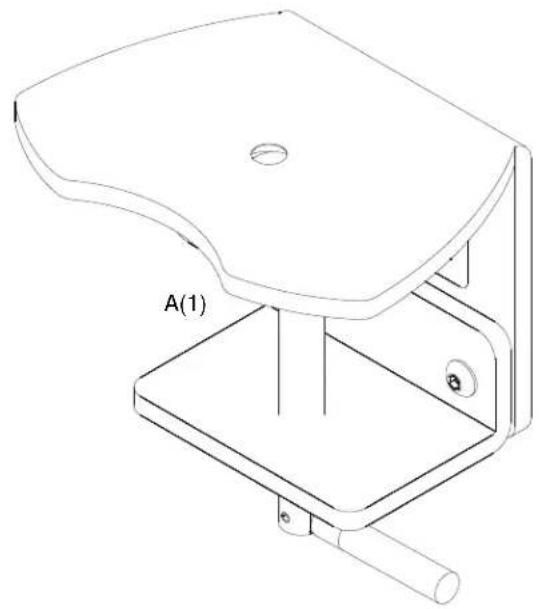
- Place desk clamp (A) over desired mounting location on desk. (See Figure 2)
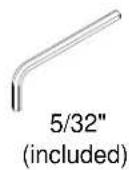
- If there is not enough clearance behind the desk for the device to clear, remove the bottom portion of the desk clamp by using 5/32" hex key (D) to remove 2 connecting screws. (See Figure 2)
- Reinstall bottom portion of the desk clamp (if necessary) by reinstalling 2 connecting screws underneath desk. (See Figure 2)
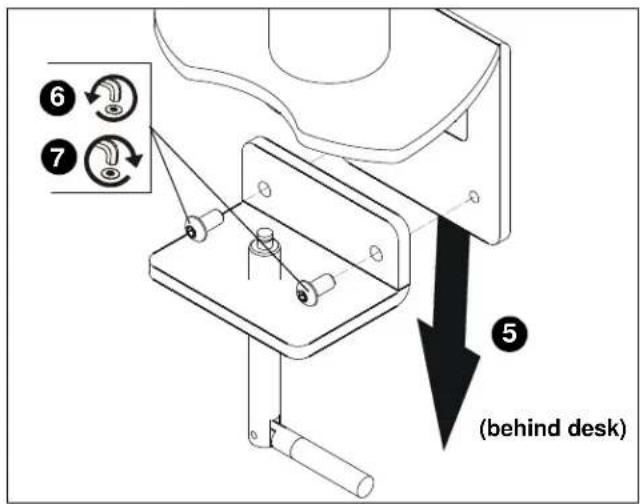
Figure 2
- Turn clamp screw until the clamp is secured to the desk as tightly as possible. (See Figure 3)

Figure 3

WARNING: Exceeding the weight capacity can result in serious personal injury or damage to equipment! It is the installer's responsibility to make sure the combined weight of all components attached to the KTA-1004 desk clamp up to (and including) the display/projector does not exceed the weight limits of the pole mount attached to the desk clamp.
- Install mount to mounting pole according to corresponding installation manual for the specific mount to be attached to mounting pole.

CHIEF®
Our Mounts. Your Vision.
Chief Manufacturing, a division of Milestone AV Technologies
8834-000007
©2008 Milestone AV Technologies
www.chiefmfg.com
10/08
USA/International A 8401 Eagle Creek Parkway, Savage, MN 55378
P 800.582.6480 / 952.894.6280
F 877.894.6918 / 952.894.6918
Europe A Fellenoord 130 5611 ZB EINDHOVEN, The Netherlands
P +31 (0)40 2668620
F +31 (0)40 2668615
Asia Pacific A Room 24F, Block D, Lily YinDu International Building
LuoGang, BuJi Town, Shenzhen, CHINA.
深圳市布吉罗岗村百合银都国际大厦D栋24F
P +86-755-8996 9226
F +86-755-8996 9217

Marque : Chief
Modèle : KTA1004S
Catégorie : Accessoire de fixation pour mobilier