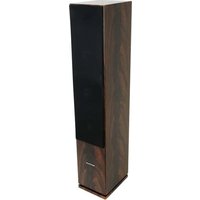
RockTower 64D - Haut-parleur Rockville - Notice d'utilisation et mode d'emploi gratuit
Retrouvez gratuitement la notice de l'appareil RockTower 64D Rockville au format PDF.


| Type de produit | Haut-parleur colonne |
| Marque | Rockville |
| Modèle | RockTower 64D |
| Dimensions (L x H x P) | 30 cm x 100 cm x 30 cm |
| Poids | 10 kg |
| Alimentation | 100-240 V AC, 50/60 Hz |
| Connectivité | Bluetooth, AUX, USB, FM radio |
| Télécommande | Incluse |
| Puissance de sortie | 200 W RMS |
| Réponse en fréquence | 20 Hz - 20 kHz |
| Nombre de voies | 2 voies |
| Matériau du boîtier | Bois et plastique |
| Fonctions principales | Lecture Bluetooth, USB, AUX, radio FM, contrôle du volume, équaliseur |
| Entretien et nettoyage | Nettoyer avec un chiffon doux et sec. Ne pas utiliser de produits chimiques. |
| Sécurité | Ne pas exposer à l'humidité ou aux liquides. Débrancher avant nettoyage. |
| Pièces détachées et réparabilité | Contacter le service après-vente Rockville pour les pièces détachées. Réparation par un professionnel recommandée. |
FOIRE AUX QUESTIONS - RockTower 64D Rockville
Questions des utilisateurs sur RockTower 64D Rockville
0 question sur cet appareil. Repondez a celles que vous connaissez ou posez la votre.
Poser une nouvelle question sur cet appareil
Téléchargez la notice de votre Haut-parleur au format PDF gratuitement ! Retrouvez votre notice RockTower 64D - Rockville et reprennez votre appareil électronique en main. Sur cette page sont publiés tous les documents nécessaires à l'utilisation de votre appareil RockTower 64D de la marque Rockville.
MODE D'EMPLOI RockTower 64D Rockville
ROCKVILLE
RockTower
PASSIVE HOME AUDIO TOWER SPEAKERS
RockTower 64/RockTower 68
OWNER'S MANUAL
ATTENTION:
WATCH THIS VIDEO BEFORE FIRST USE!
Who reads manuals? Scan the QR codes or go to the URLs to access how-to video(s), the owner's manual, and other important information you may need to get the most out of your item.
If you prefer written instructions, please read ahead! With Rockville you get many options.

rockvillesupport.com/rocktower-64c

rockvillesupport.com/rocktower-68c

rockvillesupport.com/rocktower-64b

rockvillesupport.com/rocktower-68b

rockvillesupport.com/rocktower-64w

rockvillesupport.com/rocktower-68w

rockvillesupport.com/rocktower-64d

rockvillesupport.com/rocktower-68d
Missing items? If you ordered a bundle that includes more than one product and you are missing part of your bundle then it just means your order shipped from two different warehouses. You will receive the remaining items very soon. If you have any concerns or inquiries, feel free to call our customer support center at 1-646-758-0144, 24 hours a day/7 days a week.
POCKINVILLE
Thank you for purchasing this Rockville RockTower tower speaker. Please read this owner's manual carefully for proper use of your Rockville RockTower. Should you need assistance, please call our technical help line at 1-646-758-0144, 24 hours a day/7 days a week.
CONNECTIONS
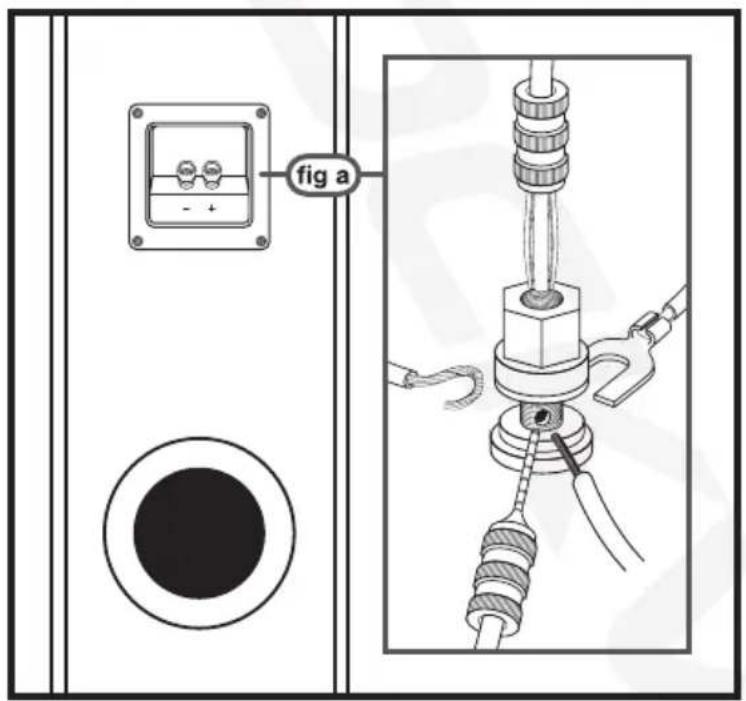
Connection and installation of these speakers is fairly straight forward. Each model features a pair of binding post connections. Binding posts (fig a) are positioned with standard spacing, so conventional speaker cables with paired banana plugs may be used. Additionally, each binding post has a feed hole which will accept up to 12AWG wire. For pro sound applications, it is recommended that at least 16AWG wire be used for short lengths. Longer lengths require 14AWG or 12AWG cable. Do not use shielded instrument cables.
- 1" Silk Dome Tweeter
- 6.5" Midrange Driver
- Two 6.5" Woofers
- Built-in Stand

SETUP
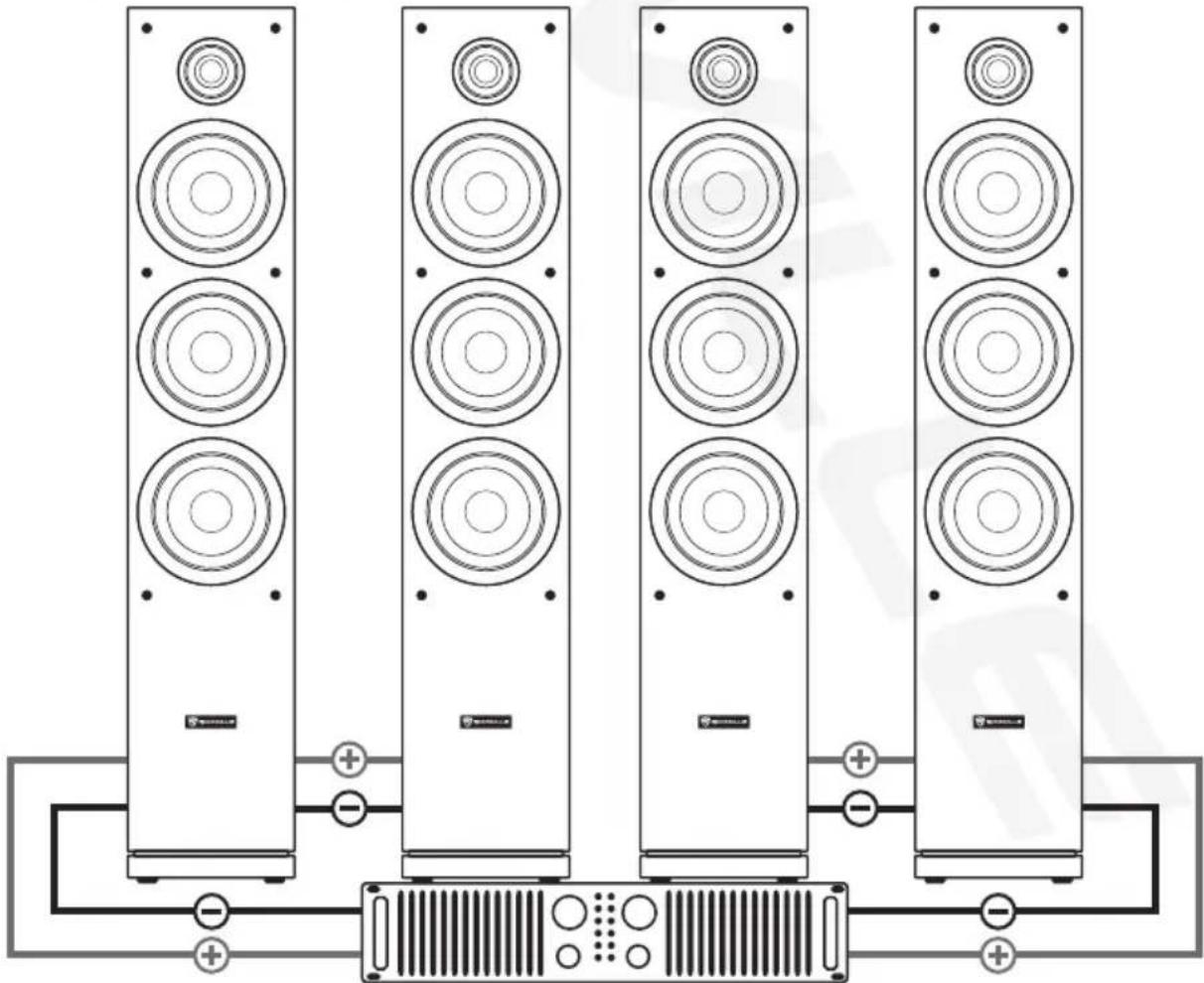
Two 4Ω or two 8Ω speakers wired to a 4-ohm amp.

Two 8Ω speakers wired in parallel to each channel of a 4-ohm amp.
FEATURES
• RMS Power: 125 Watts
• Peak Power: 500 Watts
- Woofer: 6.5" x 2
- Midrange: 6.5" x 1
- Tweeter: 1" Silk dome tweeter
• Each Woofer has a 15oz magnet and 1.25" voice coil
- Midrange has 8oz magnet and 1" voice coil
• Cabinet material: Top quality MDF
- Silk dome tweeter gives crisp and realistic sounding highs
- Detachable grill
- Vented enclosure gives a boost of punchy bass at low frequencies
• Gold-plated 5-way binding post terminals
• Impedance: Available in 4 ohm or 8 ohm
• Color: Available in black grain, white grain, classic wood grain, and dark wood grain
- Ultra-stiff Polypropylene dust cap on woofer
- Built-in 3-way crossover separates frequencies so each driver can work together
Speaker Frequency response: 30Hz – 20kHz
Woofer Frequency response: 30Hz – 200Hz
Midrange Frequency response: 200Hz – 6kHz
Tweeter Frequency response: 6kHz – 20kHz
• Rubber surrounds on woofer
• Sensitivity: 87dB 1W/1m
• High Quality Golden Terminals
- Dimensions of each speaker: 10.43" x 7.87" x 41.73"
• Weight per speaker: 55.1Lbs
TROUBLESHOOTING
| PROBLEM | SOLUTION |
| No Sound | 1. Check all connections.2. Check speaker cable.3. Check amplifier levels.4. Confirm that your amplifier is getting a signal.5. Check pre-amp volume and level settings.6. Make sure nothing is muted. |
| Intermittent Output | 1. Check all connections.2. Check speaker cable. |
| Low Bass | 1. Check speaker connections, polarity maybe reversed.2. Connect amplifier to different speaker or use headphones to confirm that the amplifier is receiving a proper signal. |
| Distortion | 1. Check the amplifier for “clipping”. If this is the case, turn down the Gain level on the amplifier and/or mixer.2. Make sure you are not exceeding your speakers RMS rating. |
ROCKVILLE
ROCKVILLE