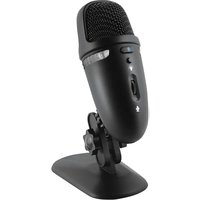
CVL-2009 - Microphone Cyber Acoustics - Notice d'utilisation et mode d'emploi gratuit
Retrouvez gratuitement la notice de l'appareil CVL-2009 Cyber Acoustics au format PDF.


| Type de produit | Microphone |
| Marque | Cyber Acoustics |
| Modèle | CVL-2009 |
| Type de microphone | Microphone à condensateur |
| Directivité | Cardioïde |
| Connectivité | USB (câble intégré) |
| Alimentation | Bus USB (5V) |
| Longueur du câble | 1,5 mètres |
| Réponse en fréquence | 100 Hz – 16 kHz |
| Sensibilité | -45 dBV/Pa |
| Impédance | 32 ohms |
| Compatibilité | Windows, Mac, Linux |
| Utilisation recommandée | Communication vocale, streaming, jeux |
| Dimensions (L x l x h) | 100 x 50 x 40 mm |
| Poids | 120 g |
| Matériau | Plastique ABS |
| Entretien et nettoyage | Nettoyer avec un chiffon doux et sec. Ne pas utiliser de produits chimiques. |
| Sécurité | Conserver à l'abri de l'humidité et des températures extrêmes. |
| Pièces détachées et réparabilité | Aucune pièce réparable par l'utilisateur. En cas de panne, contacter le service client. |
| Informations générales | Garantie 1 an. Fabriqué en Chine. |
FOIRE AUX QUESTIONS - CVL-2009 Cyber Acoustics
Questions des utilisateurs sur CVL-2009 Cyber Acoustics
0 question sur cet appareil. Repondez a celles que vous connaissez ou posez la votre.
Poser une nouvelle question sur cet appareil
Téléchargez la notice de votre Microphone au format PDF gratuitement ! Retrouvez votre notice CVL-2009 - Cyber Acoustics et reprennez votre appareil électronique en main. Sur cette page sont publiés tous les documents nécessaires à l'utilisation de votre appareil CVL-2009 de la marque Cyber Acoustics.
MODE D'EMPLOI CVL-2009 Cyber Acoustics

DUAL RECORDING PATTERNS

Cardiod
Captures primary audio from the front of the mic
Recording use for
- Podcasting & livestreaming
- Gaming voiceover
- Instrument & voice

Omnidirectional
Captures audio equally around the mic.
Recording use for
- Conference calls
- Surroundings /
Orchestra
Podcasting &
Livestreaming

Gaming Voice &
Instrument

Skype &
Internet Calls

Quick Setup
SYSTEM REQUIREMENTS:
Windows 10, Windows 8, Windows 7, Mac OS X 10.4.11, or higher
Mic Capsule
Two microphone elements with different recording characteristics for different sound environments.
-
-
-
-
-
-
-
-
-
-
-
-
-
-
-
-
-
-
-
-
-
-
-
-
-
-
-
-
-
-
-
-
-
-
-
-
-
-
-
-
-
-
-
-
-
-
-
-
-
-
-
-
-
-
-
-
-
-
-
-
-
-
-
-
-
-
-
-
-
-
-
-
-
-
-
-
-
-
-
-
-
-
-
-
-
-
-
-
-
-
-
-
-
-
-
-
-
- 99.
-
-
-
-
-
-
-
-
-
-
-
-
-
-
-
-
-
-
-
-
-
-
-
-
-
-
-
-
-
-
-
-
-
-
-
-
-
-
-
-
-
-
-
-
-
-
-
-
-
-
-
-
-
-
-
-
-
-
-
-
-
-
-
-
-
-
-
-
-
-
-
-
-
-
-
-
-
-
-
-
-
-
-
-
-
-
-
-
-
-
-
-
-
-
-
-

Using your Microphone
For best recording quality:
Speak directly into the front of the microphone where recording pickup is optimized.
Threaded Bottom for Mic Stand:
You can remove the adjustable stand and use the microphone with any common 1/4" threaded tripod or stand. Thread adapters may be added for additional stand mount options.
Specifications
Frequency: 20Hz - 20KHz
Sampling Rate: 48KHz / 24bit
Connection Type: USB
Cable Length: 5 ft / 1.5m
Stand Mount Ready: Threaded for 1/4"
stands/tripods
Troubleshooting
If your computer is not picking up audio from the microphone, attempt the following suggestions:
- Check the computer speaker's volume level.
- Check proper seating of cable connections.
- Verify the application settings you are using. Some applications have separate volume level control.
- Check that the computer recognizes the Microphone - showing it connected and selected within your computer OS settings.
- Verify the input (recording) levels within the sound/audio settings of your computer's OS.
- Check the microphone's mute setting. Verify LED light color. If red, press again to un-mute.
- Restart your computer and re-verify the above steps. Restarting often helps a computer connect to the Microphone.
Please keep in mind, under Windows OS, the audio out signal will be redirected to the CVL-2009 headphone outlet. You can
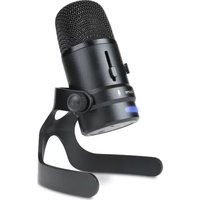

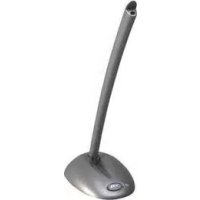
Marque : Cyber Acoustics
Modèle : CVL-2009
Catégorie : Microphone