
GX-F Aurum - Alimentation électrique Cougar - Notice d'utilisation et mode d'emploi gratuit
Retrouvez gratuitement la notice de l'appareil GX-F Aurum Cougar au format PDF.


| Type de produit | Alimentation pour PC |
| Marque | Cougar |
| Modèle | GX-F Aurum |
| Format | ATX |
| Puissance nominale | 750 W |
| Certification | 80 PLUS Gold |
| Dimensions (L x l x H) | 150 x 140 x 86 mm |
| Poids | 1,8 kg |
| Alimentation d'entrée | 100-240 VAC, 50-60 Hz |
| Ventilateur | 135 mm, silencieux |
| Modularité des câbles | Partiellement modulaire |
| Protections | OCP, OVP, UVP, SCP, OTP |
| Fonctions principales | Alimentation stable, faible bruit, efficacité énergétique |
| Entretien et nettoyage | Dépoussiérer avec un chiffon sec et doux |
| Sécurité | Ne pas ouvrir le boîtier, risque de choc électrique |
| Pièces détachées et réparabilité | Câbles de remplacement disponibles, réparation par professionnel |
| Informations générales | Garantie 5 ans, compatible avec la plupart des boîtiers ATX |
FOIRE AUX QUESTIONS - GX-F Aurum Cougar
Questions des utilisateurs sur GX-F Aurum Cougar
0 question sur cet appareil. Repondez a celles que vous connaissez ou posez la votre.
Poser une nouvelle question sur cet appareil
Téléchargez la notice de votre Alimentation électrique au format PDF gratuitement ! Retrouvez votre notice GX-F Aurum - Cougar et reprennez votre appareil électronique en main. Sur cette page sont publiés tous les documents nécessaires à l'utilisation de votre appareil GX-F Aurum de la marque Cougar.
MODE D'EMPLOI GX-F Aurum Cougar
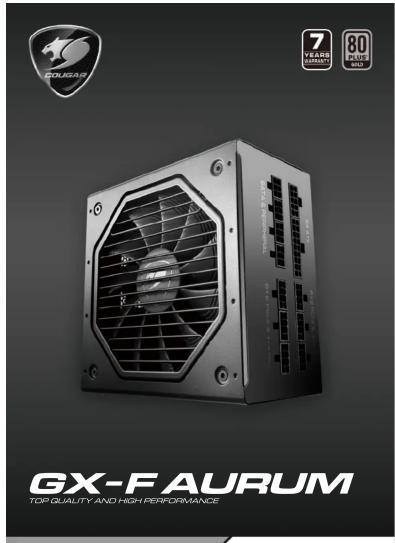
Specifications
Operating conditions
Working temperature: +10°C \~ +50°C
Operating humidity (without condensation water): 20%\~85% relative humidity
Storage humidity (without condensation water): 5%\~95% relative humidity
- Output power
| AC input | DC output | ||||||
| +3.3V | +5V | +12V | -12V | +5Vsb | Total | ||
| GX-F550 CGR GD-550 | AC100-240V 47-63Hz 9-4A | 24A | 24A | 45.5A | 0.5A | 3A | 550W |
| 130W | 546W | ||||||
| GX-F650 CGR GD-650 | AC100-240V 47-63Hz 10-5A | 24A | 24A | 54A | 0.5A | 3A | 650W |
| 130W | 648W | ||||||
| GX-F750 CGR GD-750 | AC100-240V 47-63Hz 11-5A | 25A | 25A | 62A | 0.5A | 3A | 750W |
| 150W | 744W | ||||||
- Connectors
| Connector | Main | CPU | Peripheral | S-ATA | PCI-E |
| Pin | 24(20+4)Pins | 8(4+4)Pins | 4 Pins | 5 Pins | 8(6+2)Pins |
| GX-F550C0R GD-550 | 1 | 2 | 3 | 6 | 2 |
| GX-F650C0R GD-650 | 1 | 2 | 3 | 8 | 4 |
| GX-F750C0R GD-750 | 1 | 2 | 3 | 8 | 4 |
English
Introduction
Dear customer:
Thank you for choosing a COUGAR® power supply unit. Before the installation please read the manual below carefully. If you have any questions, please contact our customer service:
Warnings and safety notes
Never open the PSU cover. There is potential danger of life due to high voltage inside. The PSU should only be opened by an authorized technician. The manufacture warranty will be void, if the PSU is opened by an unauthorized person.
Do not work on the PSU or the PC as long as the main voltage is still connected. Switch the I/O button to position "0" and disconnect the power plug from the power network.
Protect the PSU against moisture.
The PSU is suitable for operation at 100-240V\~/50-60 Hz and thus universally usable. The ambient temperature should not exceed 50°. Please ensure that there is sufficient ventilation of the entire system.
Make sure during the installation of the PSU that the ventilation slots are not covered. Do not clog the ventilation slots of the PSU. Keep your PC away from direct heat sources such as radiators.
When using an extension cord and/or multiple sockets pay attention to the maximum through-connection ability in order to avoid short-circuits.
During the operation of the PSU pay attention to the maximum loads. The single loads and the total loads must not exceed to cross the values shown in output power table.
Avoid the use of adapters, such as 4Pin Molex to 6+2Pin PCI-Express.
Trouble shooting
Never work on the PSU yourself. Even long time after its deactivation, life-threatening voltages can still be present in the PSU. Repairs should only be made by authorized specialists.
Working at power sources can lead to life-threatening injuries. If there is smoke, cable damage or intrusion of liquids the PSU has to be immediately disconnected from the power network and must not to be put into operation anymore afterwards.
Never open the PSU. It contains components, which can show high voltages even after long periods of deactivation.
Again, repairs should only be done by authorized specialists!
Problem: After the installation of the new PSU the system does not start. Possible solutions:
- Check the power code and the power supply of the wall socket and/or multiple socket strip. Also check whether the multiple socket strip can supply the necessary power.
- Check all connections within the PC; maybe not all cables are correctly connected.
- Check the components for possible short-circuits or defects.
Please also check the other components for compatibility. Often mainboard chipsets are not compatible with all memory and/or graphics card solutions.
Contact the manufacturer of the component to get more information.
If your PSU still does not function even though you have checked sources of errors mentioned above, please get in touch with our customer service.
Advice
This product is not to be disposed in the regular household waste and must be brought to a collection-point for electrical and electronic devices for recycling. The symbol to the left refers to that and can be found on the product, in the manual or on the packaging. Materials can be recycled according to their description. With the reuse, the recycling or other forms of reutilization of old devices you make an important contribution to the protection of our environment. Please inquire the appropriate location of disposal from your local administration.
• 80-PLUS® GOLD CERTIFIED
Up to 91% efficiency power conversion for reducing your electricity bill
• FULLY MODULAR POWER SUPPLY UNIT
Connect only the cables you need for less clutter and better airflow
• HDB FAN POWERED
Hydro Dynamic Bearing fan: Extended durability and lower noise levels
• SUPERIOR FAN CURVE TUNING
Advanced tuning technology for noise minimization
• FLAWLESS OPERATION AT 50°C
Powerful performance at 50°C ambient temperature
• ULTRA-STABLE VOLTAGE OUTPUTS
DC to DC technology for enhanced voltage stability
• SUPPORT FOR MULTI-GPU TECHNOLOGY
Supports PCI Express 3.0 graphic cards with 6+2pin PCI-E connectors
• SINGLE +12V DC SOURCE
Massive outputs for high power devices
• STRONG SAFEGUARDS: OCP, OPP, OVP, UVP, SCP & OTP
Maximum safety for your key system components
Installation/accessories
Before you begin with the installation, please read the section "Warnings and safety notes." For the arrangement only use the supplied screws since these have the correct thread. You need a screwdriver for the correct arrangement.
The following parts are included within the delivery:
- Screws for the PSU assembly
- Power cord (Please only use the power cord which is included; low-quality cords can damage your PSU and your PC-system.)
Warranty and information of the manufacturer
For further information of the warranty terms, please read the information of
"Guarantee Terms and conditions for COUGAR Power Supply Units (PSU) of the GX-F AURUM series"
Compucase Enterprise Co., Ltd.
No. 225, Lane 54, An Ho Road Sec. 2 Tainan, Taiwan, R.O.C
Tel:+886-6-356-0606
Service : cougargaming.com/support/contact/
More information you will find at cougargaming.com
Compucase Enterprise Co., Ltd.
All rights reserved.
Legal notices
This manual was created by COMPUCASE ENTERPRISE CO., LTD. and may not be completely or partially copied, passed on, distributed or stored without written consent by COMPUCASE ENTERPRISE CO., LTD.
COUGAR® is a registered brand of COMPUCASE ENTERPRISE CO., LTD. Other product and company names mentioned in this documentation may be brands or trademarks of their respective owners.
COMPUCASE ENTERPRISE CO., LTD. reserves the right to make changes concerning the contents of the manual and the technical data of the product without previous announcement.
Made in China
[Non-Text]
تعليمات التركيب و الأمان
يجب قصل التبار الكهربائي بشكل اشده التزكيب. يجب تركيب مرود الطاقة من المكان المخصصnP لم ققط يجب التاكام من توصيل � DKات�لا بالشكل الصينح. أgraphs الجهاز بعينا عن مصادر المياع والtruodenة أصل التبار الكهربائي فورا في حالة الإشتماء برائحة دخان. أكتayan مصدر الطاقة لديك منسب لم ي灸ناج هذا الجهاز.
- Brief instruction incl. Information about the warranty
Installation of the COUGAR® PSLU:
- Place the PSU into its designated place within the case and fix it with the supplied screws
- First insert the plugs for the mainboard supply (20/24 pin, 4 pin and possibly 8 pin – according to mainboard layout) into the respective slots.
- Connect the disk drives and if necessary the graphics cards to the PSU.
- Close the PC and ensure that the PSU power switch is set to the position "0"
- Connect the PSU to the power network using the supplied power cord. Using only the power cord provided in the package. Low quality power cord may damage the PSU and PC system!
- Turn on the PSU and then start your PC.
Safety functions
• OCP (Overcurrent protection)
If the current on a single line is higher than indicated, the PSU automatically switches off.
• UVP (Under voltage protection)
If the voltages fall below a certain tolerance value on the single lines, the PSU automatically
switches off.
• OVP (Over voltage protection)
If the voltages increase above a certain tolerance value on the single lines, the PSU
automatically switches off.
• SCP (Short-circuit protection)
In the case of a short-circuit this feature prevents damage to the core components of the PSU and its system components.
2017
If the custom is oversized and requires more power from the PELL than it can perform, this
protection function is activated.
• OTP (Over Temperature Protection)
If the temperature is too high, the PSU automatically switches off.
GX-F AURUM

GUARANTEE TERMS AND CONDITIONS FOR
COUGAR POWER SUPPLY UNITS (PSU) OF THE GX-F AURUM
COUGAR provides a 7-year limited warranty on GX-F AURUM series against manufacturing defects in materials and workmanship.
During this period, defects in material or workmanship will be repaired or restored with spare parts. To make use of the warranty service, the customer contact the retailer where the PSU was bought and provide a copy of the invoice and an error description. Compucare will only support directly if the retailer is not reachable repeatedly.
In the case of direct support by Compucase, the end user shall be responsible for packing the product properly and will assume all transportation costs.
Compucase's warranty does not cover any of the following:
• Damages due to acts of nature (e.g. Lightning, Water, Fire and so on)
• Accessory or consequential damages that happened, by using or not using the PSU
- Damages caused by misuse of the PSU or caused by negligence
- Loss of information or data, software or applications
- Damages caused by opening or modifying the PSU without previous accordance
- Damages caused by using or installing the PSU under conditions outside of the technical specifications which are described in the attached manual
This warranty is valid only for the first end user or consumer and is restricted to the above named period.

COUGAR
REAL GEAR FOR REAL GAMERS
www.cougargaming.com
facebook.com/cougargaming youtube.com/user/COUGARGGLOBAL
German
Einleitung
Sehr geehrte Kundin, sehr geehrter Kunde, Vielen Dank, dass Sie sich für ein Netzteil der COUGAR® GX-F AURUM entschieden haben. Um Fehlern vorzubeugen, lesen Sie bitte das Handbuch vor der Installation sorgfältig durch.
Sollten Sie weitere Fragen haben, kontaktieren Sie unseren Kundenservice.
Warnungen und Sicherheitshinweise
Öffnen Sie niemals das Netzteil, denn es besteht Lebensgefahr durch gefährliche Hochspannungen im Inneren. Das Netzteil darf nur von autorisiertem Fachpersonal geöffnet werden. Die Garantie erlischt im Falle eines selbstständigen Öffnens.
Führen Sie keine Arbeiten am Netzteil oder PC durch, solange dieses noch unter Netzspannung steht. Sie sollten immer den Netzteilschalter auf Position "0" stellen und danach den Netzstecker vom Stromnetz trennen.
Das Netzteil ist geeignet für eine Benutzung bei 100-240V\~/47-63 Hz und somit universell einsetzbar. Die Umgebungstemperatur sollte 50°C nicht überschreiten.
Beim Einbau des Netzteils ist sicherzustellen, dass die Lüftungsschlitze nicht verdeckt werden. Stecken Sie keine Gegenstände in die Öffnungen des Netzteils. Sorgen Sie dafür, dass Ihr PC nicht direkt an einer Wärmequelle (z.B. Heizkörper) platziert ist.
Beim Einsatz eines Verlängerungskabels oder einer Mehrfachsteckdosenleiste achten Sie bitte auf die maximale Durchleitungsfähigkeit, um Kurzschlüsse zu vermeiden. Wenn Sie Ihr Netzteil reinigen möchten, so trennen Sie dieses vom Stromnetz und bauen es aus
Achten Sie vor dem Ausbau darauf, dass Sie nicht statisch aufgeladen sind (z.B. durch Teppichböden oder Wollpullover). Reinigen Sie das Netzteil stets von außen. Benutzen Sie dazu nur trockene Tücher, niemals Wasser oder Reinigungsmittel Schützen Sie das Netzteil vor Feuchtigkeit.
Beim Betrieb des Netzteils sind die maximalen Lasten zu beachten. Die Einzellasten und die Gesamtlasten sollen die im Punkt Ausgangsleistung ausgewiesenen Werte nicht überschreiten. Vermeiden Sie auch die Benutzung von Adaptern (z. B. 4Pin Molex auf 6+2Pin PCI-Express).
Technische Details und Besonderheiten
- 80 Plus Gold zertifiziert-Bis zu 91 Prozent Wirkungsgrad für dauerhaft reduzierte Stromkosten - VOLL-MODULARES KABELMANAGEMENT-Schließen Sie nur die Kabel an, die Sie tatsächlich benötigen. Weniger Chaos, hessere Kühlung
• LÜFTER MIT HDB-LAGER-Erhöhte Lebensdauer und stets niedrigeres Betriebsgeräusch
- Optimal gestaltete Lüfterkurve-Fortschrittliche Technologie für besonders geringe Lautstärke - Problemloser Dauerbetrieb bei 50°C-Volle Leistung bei 50°C Umgebungstemperatur
- Ultra-Stabile Ausgangsspannungen-DC-DC-Technologie für besondere Spannungstabilität - Unterstützung für Multi-GPU-Setups
Geeignet für PCI Express 3.0 Grafikakrten mit 6+2-Pin-Steckern
• +12 Volt Single Rail-Massive Leistung für anspruchvolle Komponenten
- Wirksame Schutzschaltungen: OCP, OPP, OVP, UVP, SCP & OTP
Hochste Sicherheit für wertvolle Hardware Optimierter Überstromschaft, velle Sicherheit und Stabilität
• UMFANGREICHE SICHERUNGSFUNKTIONEN INKL OCP, SCP, OVP, UVP, OPP
Installation/Zubehör
Bevor Sie mit der Installation beginnen, lesen Sie bitte den Abschnitt „Warnungen und
Sicherheitshinweise Zur Montage benutzen Sie die mitgelieferten Schrauben, da diese über das korrekte Gewinde verfügen. Sie benötigen einen Schraubendreher zur korrekten Montage.
Im Lieferumfang befinden sich:
Schrauben zur Netzteilmontage
- Netzkabel (Bitte nur das mitgelieferte Netzkabel verwenden. Minderwertiges Netzkabel kann Netzteil und Ihr PC-System zerstören).
- Kurzanleitung inkl. Informationen zur erweiterten Garantie
Einbau des COUGAR ® Netzteils:
- Platzieren Sie das Netzteil an den vorgesehen Platz innerhalb des Gehäuses und fixieren Sie es mit den mitgelieferten Schrauben.
- Stecken Sie nun zuerst die Stecker für die Mainboardversorgung (20/24 Pin, 4 Pin und evtl. 8 Pin – je nach Mainboardausführung) in die vorgegebenen Steckplätze.
- Danach schließen Sie die einzelnen Laufwerke und ggf. die Grafikkarten an das Netzteil an.
- Schließen Sie Ihren PC und achten Sie darauf, dass der Netzteilschalter auf der Rückseite die Position. "0" einnimmt.
- Stellen Sie nun eine Verbindung zur Stromversorgung her und benutzen Sie dabei das mitgelieferte Verbindungskabel.
- Schalten Sie das Netzteil auf der Rückseite ein und starten Sie danach Ihren PC.
Sicherungsfunktioner
• OCP (Überstromschutz)
Sollte die Last auf den einzelnen Leitungen höher sein als angegeben, schaltet das Netzteil automatisch ab.
• UVP (Unterspannungsschutz)
Falls die Spannungen auf den einzelnen Leitungen unter einen gewissen
Toleranzwert fallen, schaltet sich das Netzteil automatisch ab. • OVR (Überspannungsschutz)
CVI (Überspannungsschutz) Falls die Spannungen auf den einzelnen Leitungen über einen gewissen Toleranzwert steigen,
schaltet sich das Netzteil automatisch ab • SCP (Kurzschlusssicherung)
Im Falle eines Kurzschlusses verhindert diese Sicherung eine Beschädigung der
Kernkomponenten des Netzteils und der einzelnen Systemkomponenten.
- OPP (Überlastschutz) Wenn das System "Ü
wird als es leisten kann, wird diese Sicherung ausgelöst. OTR (Uberhitzungsschutz):
- OTP (Obermitzungsschutz). Sollte die Temperatur im N
- 2017年1月1日
Spezifikationen
• Betriebsbedingungen
Arbeitstemperaturbereich: +10°C \~ +50°C
Lagerungstemperaturbereich: -40°C\~+70°C
Luftfeuchtigkeit (ohne Kondenswasser) bei Betrieb: 20%\~85% relative Luftfeuchtigkeit
Luftfreuchtigkeit (ohne Kondenswasser) bei Lagerung: 5%\~95% relative Luftfreuchtigkeit
• Ausgangsleistung
| AC Eingang | DC Ausgangsleistung | ||||||
| +3,3V | +5V | +12V | -12V | +5Vsb | Total | ||
| GX-F550GSH GO-750 | AC100-240V47-63Hz 9-4A | 24A | 24A | 45.5A | 0.5A | 3A | 550W |
| 130W | 546W | ||||||
| GX-F650GSH GO-850 | AC100-240V47-63Hz 10-5A | 24A | 24A | 54A | 0.5A | 3A | 650W |
| 130W | 648W | ||||||
| GX-F750GSH GO-750 | AC100-240V47-63Hz 11-5A | 25A | 25A | 62A | 0.5A | 3A | 750W |
| 150W | 744W | ||||||
• Anschlüsse
| MainCPU | PeripheralS-ATAPCI-EStecker | ||||
| Pin | 2(4,20+4) Pins | 8(4+4) Pins | 4 Pins | 5 Pins | 8(6+2) Pins |
| GX-F550C2R GD-550 | 1 | 2 | 3 | 6 | 2 |
| GX-F650C2R GD-650 | 1 | 2 | 3 | 8 | 4 |
| GX-F750C2R GD-750 | 1 | 2 | 3 | 8 | 4 |
Fehlerbehebung
WARNUNG
Arbeiten Sie niemals selber am Netzteil. Selbst nach längerem Nichtgebrauch können immer noch lebensbedrohliche hohe Spannungen im Inneren auftreten. Lassen Sie Reparaturen immer nur von autorisiertem Fachpersonal durchführen.
Arbeiten an Stromquellen können zu lebensbedrohlichen Verletzungen führen. Bei Rauchspuren, beschädigten Kabeln und Einwirkung von Flüssigkeiten ist das Netzteil sofort vom Stromnetz zu trennen und danach nicht mehr in Betrieb zu nehmen.
Schrauben Sie das Netzteil niemals auf. Im Inneren befinden sich Bauteile, die auch bei längerem Nichtgebrauch hohe Spannungen aufweisen können. Bitte lassen Sie Reparaturen nur von autoriciertome Fachpersonal durchführen!
Fehler: Trotz neu installiertem Netzteil startet das System nicht.
Mögliche Ursachen:
- Überprüfen Sie das Netzkabel und die Stromversorgung der Wandsteckdose
bzw. Mehrachsteckdosenleiste. Prufen Sie auch ob die evtl. vorha Mehrfahrstecklassleinte, die erforderliche Leistung liefern lang - Mehrachsteckdosenleierte die erforderliche Leistung liefern kann.
- Überprüfen Sie sämtliche Anschlüsse innerhalb des PCs, eutl. sind nicht alle Kabel korrekt
verbunden. - Überprüfen Sie die interne Verkabelung vom Ein/Aus-Schalter des Gehäuses zum Mainboard
- Überprüfen Sie die Komponenten auf evtl. Kurzschlüsse oder Defekte.
Bitte prüfen Sie auch die anderen Komponenten auf Kompatibilität. Oftmals sind Mainboardchipsätze nicht mit allen Speicher- und/oder Grafikkartenlösungen kompatibel. Kontaktieren Sie hierzu den jeweiligen Hersteller der Komponente.
Falls Ihr Netzteil immer noch nicht funktioniert obwohl Sie alle hier genannten Fehlerquellen überprüft haben, setzen Sie sich bitte umgehend mit unserem Kundenservice in Verbindung.
Hinweise
Dieses Produkt darf am Ende seiner Lebensdauer nicht über den normalen Haushaltsabfall entsorgt werden, sondern muss an einem Sammelpunkt für das Recycling von elektrischen und elektronischen Geräten abgegeben werden. Das Symbol auf dem Produkt der
Gebrauchsanleitung oder der Verpackung weist darauf hin. Die Werkstoffe sind gemäß ihrer Kennzeichnung wieder verwertbar. Mit der Wiederverwendung, der stofflichen Verwertung oder anderen Formen der Verwertung von Altgeräten leisten Sie einen wichtigen Beitrag zum Schutze unserer Umwelt. Bitte erfragen Sie bei der Gemeindeverwaltung die zuständige Entsorgungsstelle.
Gewährleistung und Angaben zum Hersteller
Für weitere Informationen zur Gewährleistung beachten Sie bitte die Information „Beschränkte Garantie und Haftungsbeschränkung für COUGAR Netzteile der GX-F AURUM Serie
Herstellerkontakt: N=225,100-54,141,869,167,371. More information you will find at
No. 225, Lane 54, An Ho Road Sec. 2 Talnhan, Taiwan, B.O.C.
Tel:+886-6-356-0606 Compucase Enterprise Co.,Ltd.
Service : cougargaming.com/support/contact/ All rights reserved.
Rechtliche Hinweise
Dieses Handbuch wurde von COMPUCASE erstellt und darf ohne vorherige schriftliche Genehmigung durch die COMPUCASE in keiner Form, weder ganz noch teilweise, vervielfältigt, weitergegeben, verbreitet oder gespeichert werden. COUGAR® ist eine eingetragene Marke der Firma COMPUCASE. Andere in dieser Dokumentation erwähnte Produkte- und Firmennamen können Marken oder Handelsnahmen ihrer jeweiligen Eigentümer sein.
Der Inhalt des Handbuchs und die technischen Daten des Produktes können ohne vorherige Ankündigung geändert werden. Die Firma COMPUCASE behält sich das Recht vor, Änderungen bzgl. der technischen Daten ohne vorherige Ankündigung vorzunehmen.
GX-F AURUM
BESCHRÄNKTE GARANTIE UND
HAFTUNGSBESCHRÄNKUNG FÜR COUGAR NETZTEILE DER GX-F AURUM SERIE
Nach Ablauf der gesetzlich festgelegten Gewährleistung von 24 Monaten gilt auf COUGAR Netzteile der GX-F AURUM Serie eine erweiterte beschränkte Garantie von 60 Monaten. Diese Garantie besteht ab dem Zeitpunkt an dem die gesetzliche Gewährleistung erloschen ist. Compucase behebt während diesem erweiterten Zeitraum Mängel an COUGAR Netzeilen, die auf einen Material- und / oder auf Verarbeitungsfehler beruhen. Während dieses Zeitraums wird das Produkt unter folgenden Bedingungen nach Ermessen der Compucase repariert oder mit Ersatzteilen instand gesetzt:
- Es muss eine datierte Kopie des Kaufbeleges im Servicefall sowie eine Fehlerbeschreibung vom Kunden beigeflügt werden.
- Der Käufer muss das beanstandete COUGAR Netzteil beim Fachhändler, bei dem es erworben wurde, reklamieren. Die Compucase übernimmt keinen direkten Support für Endkunden. Sollte der Händler nach wiederholter Kontaktaufnahme nicht erreichbar sein, kann die Compucase direkt kontaktiert werden. - Im Falle eines direkten Supports hat der Endkunde für eine ordnungsgemäße Verpackung des Produkts zu sorgen und er trägt auch die Kosten für die Sendung an Compucase. Unfreie Pakete werden nicht angenommen.
Compucase gewährt unter keinen Umständen eine Garantie für
- Schäden, die durch höhere Gewalt entstanden sind
- Begleit- oder Folgeschäden aller Art, die durch die Nutzung oder die nicht mögliche Nutzung des Natzeils entstanden sind.
- Schäden, die durch unsachgemäße Benutzung des Netzteils oder durch Fahrlässigkeit entstanden sind
- Verlust von Informationen oder Daten, Software oder Anwendungen - Schäden, die durch das Öffnen oder Modifizieren des Netzteiles ohne
- Schaden, die durch das Ohnen oder Mobilizieren des Netzelles ohne Vorlenge Zustimmung, entstanden sind
- Schäden, die dadurch entstanden sind, dass das Netzteil außerhalb der im beiliegenden Handbuch beschriebenen technischen Spezifikationen betrieben oder installiert wurde
Die Instandsetzung, der Ersatz oder die Erstattung des Kaufpreises gemäß dieser ausdrücklich beschränkten Garantie stellen den ausschließlichen Rechtsbehelf für den Verbraucher dar und werden anstelle aller sonstigen ausdrücklichen oder stillschweigenden Garantien gewährt.
Die erweiterte beschränkte Garantie für das COUGAR Netzteil gilt nur für den ersten Endbenutzer oder Verbraucher und ist auf den obigen erweiterten Garantiezeitraum beschränkt.
РУССКИЙ ЯЗЫКРУССКИЙ ЯЗЫК
ВВЕДЕНИЕ
Уважаемый покупатель! Благодарим Вас за выбор блока питания(БП) торговой марки COUGAR®.
Перед установкой изделия в Ваш корпус персонального компьютера(ПК) просим внимательно прочитать это руководство.
МЕРЫ БЕЗОПАСНОСТИ
БП торговой марки COUGAR ® являются комплектующими изделиями, которые могут быть установлены только в металлические компьютерные корпуса с уровнем электромагнитного излучения (EMI) не выше 15 dB. Они предназначены только для использования дома или в офисе.
Для установки БП в корпус ПК используйте только винты, входящие в комплект.
БП имеет класс защиты №1. Контакт заземления присоединен непосредственно к металлическому корпусу БП. Убедитесь, что контакт между корпусом ПК и БП надежен.
Никогда не открывайте БП самостоятельно. Существует реальная угроза жизни и здоровью из-за высокого напряжения внутри БП. Даже после выключения в БП существует остаточное напряжение, которое сохраняется достаточно долго. Внутренний осмотр и ремонт БП может производиться только специалистом авторизованного сервисного центра. Производитель снимает с себя обязательства по гарантийному обслуживанию БП, если он будет вскрыт несанкционированно.
Не оставляйте без присмотра Ваш БП подключенным к электросети долгое время - переведите выключатель БП в положение «0» или выньте вилку из розетки.
Берегите БП от попадания в него воды и не эксплуатируйте его в условиях повышенной влажности.
БП рассчитан на работу в электросетях с напряжением 100-240V/47-63 Гц. Для нормальной работы БП необходимо обеспечить хорошую вентиляцию Вашей системы.
Во время установки БП в корпус ПК необходимо позаботиться о том, чтобы вентиляционные отверстия не были перекрыты, а в процессе эксплуатации не забивались пылью. Перед чистчий БП убедитесь в том, что Вы не заряжены статическим электричеством, после чего отсоедините силовой кабель. Чистите БП только снаружи, используя только сухую тряяку или пылесос, но никогда - воду или химические реактивы.
Держите Ваш БП и системный блок вдали от источников тепла.
Не используйте адаптеры 4 pin Molex -> 6 pin PCI-Express.
КОМПЛЕКТ ПОСТАВКИ
В комплект БП входят следующие компоненты
- BIT COUGAR
- крепежные винты, - кабель питания 22
- краткое описание БП
- 2 держателя кабелей
УСТАНОВКА БП ТОРГОВОЙ МАРКИ COUGAR® В КОРПУС ПК
ВНИМАНИЕ!
Прежде чем приступить к установке БП в корпус ПК, внимательно прочтите раздел МЕРЫ БЕЗОПАСНОСТИ
- разместите БП в соответствующем отсеке Вашего корпуса ПК и
зафиксируйте винтами из комплекта;
- сначала присоедините кабели питания материнской платы (20/24 ріп, 4 или 8 ріп – в зависимости от типа Вашей платы) к соответствующим разъемам на плате:
- присоедините все устройства Вашего компьютера, включая графические карты, к БП:
- закройте Ваш системный блок и убедитесь, что выключатель БП
находится в положении «О», - подключите БП к электросети, используя кабель питания, входящий в комплект;
- включите БП, а затем и Ваш компьютер
УСЛОВИЯ РАБОТЫ И ХРАНЕНИЯ
- допустимая рабочая температура: +10°C - +50°C
- допустимая температура хранения : -40°C - +70°C
- допустимая относительная влажность при работе (без образования конденсата): 20%–85%
- допустимая относительная влажность при хранении (без образования конденсата): 5%-95%
ВНИМАНИЕ!
В случае появления запаха гари, попадания жидкости на БП или повреждения шнура питания, немедленно отключите БП от электросети и не пытайтесь включать его до тех пор, пока не устраните проблему.
Если после установки нового БП в корпус ПК, компьютерная система не
стартует
- проверьте надежность соединения кабеля питания с розеткой/тройником и БП, а также удостоверяты, в их неправности.
- проверьте, правильно ли присоединены все кабели к устройствам Вашей
системы;
- проверьте, правильно ли присоединены кабели питания материнской
- проверьте компоненты Вашей системы на наличие короткого замыкания
Если Ваш БП не заработал даже после проверки и устранения всех вышеуказанных причин, обратитесь центр поддержки пользователей БП торговой марки COUGAR ® .
БП содержит элементы, которые подлежат утилизации
Этот значок означает, что некоторые материалы могут быть использованы повторно. Не выбрасывайте свой отслуживший БП в обычный мусорный контейнер. Отнесите, пожалуйста, БП на специальный пункт утилизации.
ИНФОРМАЦИЯ О МЕЖДУНАРОДНОМ СЕРВИСНОМ ЦЕНТРЕ ТОРГОВОЙ МАРКИ СОUGAR:
Compucase Enterprise Co., Ltd.
No. 225, Lane 54, An Ho Road Sec. 2 Tainan,
Taiwan, R.O.C
+886-6-356-0606
www.cougargaming.com
Центр поддержки пользователей e-mail: service@cougargaming.com
ЗАЩИТА АВТОРСКИХ ПРАВ
COUGAR является зарегистрированной торговой маркой, принадлежащей COMPUCASE.
Другие продукты и товары, а также имена компаний, упоминаемые в данном руководстве, являются собственностью их правообладателей. COMPUCASE оставляет за собой право внесения изменений в данное руководство и в технические характеристики без предварительного уведомления.

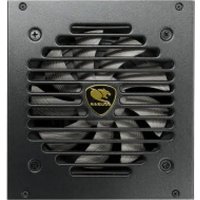
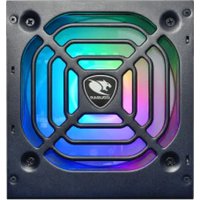
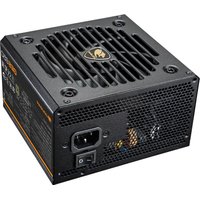

- SPECIFICATIONS
- ENGLISH
- INTRODUCTION
- WARNINGS AND SAFETY NOTES
- TROUBLE SHOOTING
- ADVICE
- INSTALLATION/ACCESSORIES
- LEGAL NOTICES
- SAFETY FUNCTIONS
- GX-F AURUM
- GUARANTEE TERMS AND CONDITIONS FOR
- COUGAR
- GERMAN
- EINLEITUNG
- WARNUNGEN UND SICHERHEITSHINWEISE
- TECHNISCHE DETAILS UND BESONDERHEITEN
- INSTALLATION/ZUBEHÖR
- IM LIEFERUMFANG BEFINDEN SICH
- EINBAU DES COUGAR ® NETZTEILS
- SICHERUNGSFUNKTIONER
- SPEZIFIKATIONEN
- FEHLERBEHEBUNG
- MÖGLICHE URSACHEN
- HINWEISE
- GEWÄHRLEISTUNG UND ANGABEN ZUM HERSTELLER
- RECHTLICHE HINWEISE
- BESCHRÄNKTE GARANTIE UND
- HAFTUNGSBESCHRÄNKUNG FÜR COUGAR NETZTEILE DER GX-F AURUM SERIE
- РУССКИЙ ЯЗЫКРУССКИЙ ЯЗЫК
- ВВЕДЕНИЕ
- МЕРЫ БЕЗОПАСНОСТИ
- КОМПЛЕКТ ПОСТАВКИ
- УСТАНОВКА БП ТОРГОВОЙ МАРКИ COUGAR® В КОРПУС ПК
- ВНИМАНИЕ
- УСЛОВИЯ РАБОТЫ И ХРАНЕНИЯ
- ИНФОРМАЦИЯ О МЕЖДУНАРОДНОМ СЕРВИСНОМ ЦЕНТРЕ ТОРГОВОЙ МАРКИ СОUGAR
- ЗАЩИТА АВТОРСКИХ ПРАВ
Marque : Cougar
Modèle : GX-F Aurum
Catégorie : Alimentation électrique