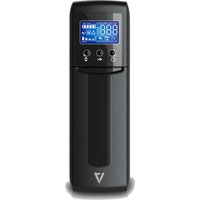
UPS1TW1500-1N - Onduleur V7 - Notice d'utilisation et mode d'emploi gratuit
Retrouvez gratuitement la notice de l'appareil UPS1TW1500-1N V7 au format PDF.


| Marque | V7 |
| Modèle | UPS1TW1500-1N |
| Type de produit | Onduleur (UPS) line-interactive |
| Puissance apparente (VA) | 1500 VA |
| Puissance active (W) | 900 W |
| Tension d'entrée | 230 V AC |
| Tension de sortie | 230 V AC (régulée) |
| Forme d'onde | Onde sinusoïdale approximative |
| Nombre de prises de sortie | 6 prises (4 avec protection batterie, 2 parasurtenseurs) |
| Protection | Surtension, sous-tension, court-circuit, surcharge |
| Type de batterie | Plomb-acide sans entretien |
| Autonomie typique (à moitié charge) | 15 minutes |
| Temps de recharge | 4 à 6 heures |
| Dimensions (L x P x H) | 310 x 140 x 200 mm |
| Poids | 9,5 kg |
| Affichage | LED : état batterie, charge, alarme |
| Interface de communication | Port USB (gestion via logiciel) |
| Niveau sonore | < 45 dB |
| Température de fonctionnement | 0°C à 40°C |
| Entretien et nettoyage | Dépoussiérer régulièrement, éviter l'humidité |
| Pièces détachées et réparabilité | Batterie remplaçable par l'utilisateur, contacter SAV pour autres |
FOIRE AUX QUESTIONS - UPS1TW1500-1N V7
Questions des utilisateurs sur UPS1TW1500-1N V7
0 question sur cet appareil. Repondez a celles que vous connaissez ou posez la votre.
Poser une nouvelle question sur cet appareil
Téléchargez la notice de votre Onduleur au format PDF gratuitement ! Retrouvez votre notice UPS1TW1500-1N - V7 et reprennez votre appareil électronique en main. Sur cette page sont publiés tous les documents nécessaires à l'utilisation de votre appareil UPS1TW1500-1N de la marque V7.
MODE D'EMPLOI UPS1TW1500-1N V7
UPS 1500VA TOWER US
UPS1TW1500-1N

natural_image
Line drawing of a portable electronic device with control panel and display (no text or symbols)Installation & Operation
1. Inspection
The following items are inside the box: UPS Unit, User Manual
- Remove the UPS from its package and inspect it for damage that may have occurred during shipping. If any damage is discovered, re-pack the unit and return it to the place of purchase.
2. Connect to Utility Power
- Connect AC power cord to utility power. Then, the UPS will start to charge inside battery. For best result, charge the battery for 6 hours prior to initial use.
3. Plug in Equipment
- Battery back-up Outlets (5)
- Connect computer and monitor to the "Battery Backup" outlets. These outlets provide battery backup, EMI filtering, line conditioning, and surge protection. Battery power is automatically provided in case of power failure.
- Surge-Protected Outlets (5)
- Connect a printer, fax machine, or scanner to the "Surge-protected" outlets. These outlets do not provide power during power failure.

CAUTION: NEVER connect a laser printer or scanner to the battery backup sockets of UPS. The equipment may draw significantly power to overload the UPS
4. Turn On/Off the UPS
- To turn on the UPS unit, hold the power button until you hear a beep. To turn off the UPS unit, hold the power button until it beeps. Then, display will shut off.
5. Install software (Optional for advanced users)
For optimal computer system protection, install UPS monitoring software to fully configure the UPS system. Please follow steps below to download and install monitoring software.
-
Go to the website http://www.V7-world.com/downloads
-
Select ViewPower software for your operating system to download the software.
- Follow the on-screen instructions to install the software.
Product Overview
- LCD display or LED indicators (Please check LCD section for the details)
- Power Switch
- Mute Button
- Up/down button
- AC Input
- Circuit Breaker
- Surge-protected outlets
- Battery Backup Outlets
-
USB port (option)
-
Modem/phone/network surge protection (option)
-
Coax surge protection (option)

LED DISPLAY
UPS1DT550-1N only
| Operation Display | ||
| UPS Mode LCD Description | ||
| UPS Power ON | 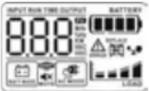 | When UPS is powered on, all icons will light up 1 second |
| Standby Mode |  | |
| Site wiring fault in standby mode |  | Low Battery |
| AC Mode |   | Press on to switch displayed information.1. Output voltage2. Output frequency3. Input voltage4. Input frequency5. Output power in kW6. Output power in kVA7. Estimated backup time |
| Overload in AC mode |   | When overload occurs, alarm will beep every 0.5 second. |
| Site wiring fault in AC mode | ||
| Battery Mode |   | Alarm will beep every 10 seconds and LCD information will be displayed in the following order when pressing button.1. Estimated backup time2. Output voltage3. Output frequency4. Input voltage5. Input frequency6. Output power in kW7. Output power in kVA |
 | Alarm will beep every second. This alarm can not be mute. | |
| Overload in battery mode |  | When overload occurs, alarm will beep every 0.5 second. |
| NOTE: The backlight will be always on when any fault or warning occurs. | ||
Fault Code Table
| Fault Condition LCD Solutions | ||
| Output short circuited |  | Disconnect short-circuited loads and restart the UPS again |
| Inverter/Output failure Call f |  tely tely | |
| Overcharge |  | Turn off the unit and wait for cooling.Or remove excessive loads and wait for cooling. |
Note: If fault alarm occurs, please call for service immediately.
Safety Information
- Caution -risk of electric shock. The battery circuit is not isolated from the input voltage. Hazardous voltages may occur between the battery terminals and the ground. Before touching, please verify that no voltage is present!.
- Remove the connection from ground if any part of the battery is determined to be grounded.
- When changing batteries, install the same number and same type of batteries..
- Do not attempt to dispose of batteries by burning them. This could cause battery explosion.
- Do not open or destroy batteries. Escaping electrolyte can cause injury to the skin and eyes. It may be toxic.
- Please replace the fuse or circuit breaker only with the same type and amperage in order to avoid fire hazards.
- Do not dismantle the UPS system, except the specialized technical personnel.
- This unit intended for installation in a controlled environment (temperature controlled, indoor area free of conductive contaminants). Avoid installing the UPS in locations where there is standing or running water, or excessive humidity.
- Do not plug the UPS input into its own output.
- Do not attach a power strip or surge suppressor to the UPS.
- Do not attach non-computer-related items, such as medical equipment, life-support equipment, microwave ovens, or vacuum cleaners to UPS.
- NOTE: This equipment has been tested and found to comply with the limits for a Class B digital device, pursuant to Part 15 of the FCC Rules. These limits are designed to provide reasonable protection against harmful interference in a residential installation. This equipment generates uses and can radiate radio frequency energy and, if not installed and used in accordance with the instructions, may cause harmful interference to radio communications. However, there is no guarantee that interference will not occur in a particular installation. If this equipment does cause harmful interference to radio or television reception, which can be determined by turning the equipment off and on, the user is encouraged to try to correct the interference by one or more of the following measures:
- Reorient or relocate the receiving antenna
| Model 1500 | |
| CAPACITY 1.5KVA/900W | |
| Input Voltage 120 VAC | |
| Input Voltage Range | 90-140 VAC |
| Output Voltage Regulation | ± 5 % (Bat. mode) |
| Transfer Time | Typical 6 ms, max. 10 ms |
| Waveform Simulated Sine Wave | |
| Battery Type & No | 12V/9Ah x 2 |
| Charging Time | 6-8 hours recover to 90% capacity |
| Dimension (DxWxH) | 16" x 4" x 11" |
| Net Weight (lbs) | 26lbs (11.79 kg) |
| Humidity | 0-90% RH @ 0-40°C non-condensing) |
| Noise Level | Less than 45dB @ 1 meter (3 ft.) |
- Increase the separation between the equipment and receiver.
- Connect the equipment into an outlet on a circuit different from that to which the receiver is connected.
- Consult the dealer or an experienced radio/TV technician for help.
- WARNING: Changes or modifications not expressly approved by the party responsible for compliance could void the user's authority to operate the equipment.
- Do not dispose of batteries in a fire as they may explode.
- Batteries may cause electric shock and have a high short-circuit current. Please take the precautionary measures specified below and any other measures necessary when working with batteries:
- Remove wristwatches, rings and other metal objects
- Use only tools with insulated grips and handles.
- Wear rubber gloves and boots.
- Do not lay tools or metal parts on top of batteries.
- Disconnect charging source and load prior to installing or maintaining the battery.
- Internal battery voltage is 12VDC.Sealed, lead-acid, 6-cell battery.
- Servicing of batteries should be performed or supervised by personnel knowledgeable of batteries and the required precautions. Keep unauthorized personnel away from batteries.
- Do not open or mutilate the battery or batteries. Release electrolyte is harmful to the skin and eyes. It may be toxic.
- Attention, hazardous through electric shock. Also with dis- connection of this unit from the mains, hazardous voltage still may be accessible through supply from battery. The battery supply should be therefore disconnected in the plus and minus pole at the connectors of the battery when maintenance or service work inside the UPS is necessary.
- To reduce the risk of overheating the UPS, do not cover the UPS' cooling vents and avoid exposing the unit to direct sunlight or installing the unit near heat emitting appliances such as space heater or furnaces.
- Unplug the UPS prior to cleaning and do not use liquid or spray detergent.
TroubleshootingSpecifications
| Problem Possible Cause Solutions | ||
| Nothing is displayed on the panel | The UPS is not on | Press the power switch again to turn on the UPS |
| Battery voltage is too low | Charge the battery at least 6 hours | |
| Battery fault Replace the battery | ||
| The UPS always on battery mode | Power cord is loose Re-plug | the power cord |
| The UPS continuously beeps or displays battery “REPLACE” icon | Battery is disconnected | Open the front battery cover by pushing in then pulling down. Check to make sure the battery is properly connected |
| Battery needs to be replaced | Replace the battery | |
| Fault Code Check the fault | code table for details | |
| Backup time too short | Battery voltage is too low | Charge the battery at least 6 hours |
| Overload | Remove unnecessary load. Before reconnecting equipment, please verify that the load matches the UPS capability in the specification | |
| Battery defect Replace the battery | ||
* If any abnormal situations occur that are not listed above, please call for service immediately

Marque : V7
Modèle : UPS1TW1500-1N
Catégorie : Onduleur