
IC-305 - Imprimante KONICA MINOLTA - Notice d'utilisation et mode d'emploi gratuit
Retrouvez gratuitement la notice de l'appareil IC-305 KONICA MINOLTA au format PDF.

| Type de produit | Contrôleur d'impression externe |
| Marque | KONICA MINOLTA |
| Modèle | IC-305 |
| Compatibilité | bizhub PRO C5501, C6501, C6501e/eP |
| Processeur | Intel Core 2 Duo @ 2.13 GHz |
| Mémoire vive (RAM) | 1,0 Go |
| Disque dur | 160 Go SATA |
| Lecteur optique | CD/DVD R/W |
| Système d'exploitation | Windows XPe SP2 |
| Logiciel | Fiery System 8 Release 2 |
| Formats de fichier supportés | PostScript (Level 1-3), PDF 1.4-1.7, PDF/X, EPS, TIFF, TIFF/IT, JPEG, PPML, FreeForm/FreeForm 2.1, VPS |
| Fonctions principales | Contrôle du flux de travaux, gestion des couleurs, gestion des travaux d'impression, imposition, composition |
| Gestion des couleurs | ColorWise Pro Tools, Spot-On, Color Profiler Suite (option) |
| Environnements clients | Windows 2000/XP/Vista, Mac OS X |
| Connectivité | 2 ports USB |
| Options | Fiery Graphic Arts Package, Color Profiler Suite, Compose, Impose |
| Informations générales | Notice d'utilisation et mode d'emploi gratuit disponibles en ligne au format PDF |
FOIRE AUX QUESTIONS - IC-305 KONICA MINOLTA
Questions des utilisateurs sur IC-305 KONICA MINOLTA
0 question sur cet appareil. Repondez a celles que vous connaissez ou posez la votre.
Poser une nouvelle question sur cet appareil
Téléchargez la notice de votre Imprimante au format PDF gratuitement ! Retrouvez votre notice IC-305 - KONICA MINOLTA et reprennez votre appareil électronique en main. Sur cette page sont publiés tous les documents nécessaires à l'utilisation de votre appareil IC-305 de la marque KONICA MINOLTA.
MODE D'EMPLOI IC-305 KONICA MINOLTA

natural_image
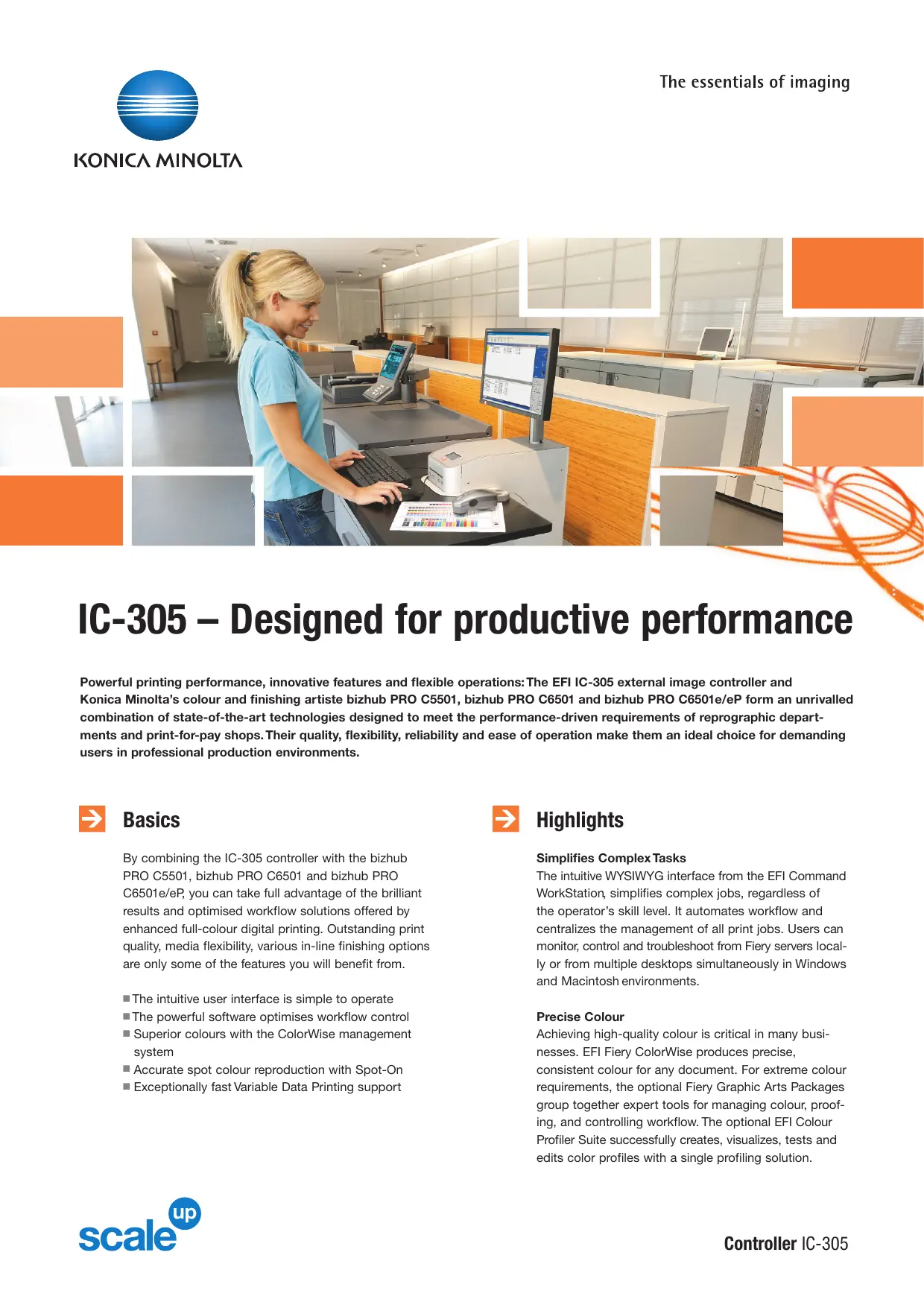
Woman in blue shirt using a computer at a service counter in an office (no visible text or symbols)IC-305 – Designed for productive performance
Powerful printing performance, innovative features and flexible operations: The EFI IC-305 external image controller and Konica Minolta's colour and finishing artiste bizhub PRO C5501, bizhub PRO C6501 and bizhub PRO C6501e/eP form an unrivalled combination of state-of-the-art technologies designed to meet the performance-driven requirements of reprographic departments and print-for-pay shops. Their quality, flexibility, reliability and ease of operation make them an ideal choice for demanding users in professional production environments.

Basics
By combining the IC-305 controller with the bizhub PRO C5501, bizhub PRO C6501 and bizhub PRO C6501e/eP, you can take full advantage of the brilliant results and optimised workflow solutions offered by enhanced full-colour digital printing. Outstanding print quality, media flexibility, various in-line finishing options are only some of the features you will benefit from.
■ The intuitive user interface is simple to operate
■ The powerful software optimises workflow control
■ Superior colours with the ColorWise management system
■ Accurate spot colour reproduction with Spot-On
■ Exceptionally fast Variable Data Printing support

Highlights
Simplifies Complex Tasks
The intuitive WYSIWYG interface from the EFI Command WorkStation, simplifies complex jobs, regardless of the operator's skill level. It automates workflow and centralizes the management of all print jobs. Users can monitor, control and troubleshoot from Fiery servers locally or from multiple desktops simultaneously in Windows and Macintosh environments.
Precise Colour
Achieving high-quality colour is critical in many businesses. EFI Fiery ColorWise produces precise, consistent colour for any document. For extreme colour requirements, the optional Fiery Graphic Arts Packages group together expert tools for managing colour, proofing, and controlling workflow. The optional EFI Colour Profiler Suite successfully creates, visualizes, tests and edits color profiles with a single profiling solution.

Features
■ Fiery Command WorkStation for total workflow control in a local or remote clients
■ Fiery ColorWise Pro Tools enable in-RIP total colour management
Colour Editor and Profile Manager enable you to download and manage ICC profiles, simulations, and device profiles and customize ICC profiles and colour curves
■ The Fiery Print Calibrator provides a simple interface to basic and advanced calibration methods
■ Fiery Spot-On to automatically match PANTONE, RGB, CMYK, lab, and spot colour, even when they are mixed on the same page
■ Advanced Job Management includes production automation features such as Rush Printing, Schedule Print, Suspend on Mismatch, and Job Reorder Quick Doc Merge
■ Hot folders for PC include Microsoft Office Filters which allow for an automated job submission for all users

Features (options)
■ EFI Fiery Graphic Arts Package, Premium Edition, groups together expert tools for managing colour, achieving power proofing, and controlling colour workflow
■ EFI Color Profiler Suite successfully creates, visualizes, tests and edits colour profiles with a single profiling solution
■ EFI Compose provides make-ready tools and advanced Visual Workflow for complex document composition
■ EFI Impose offers unlimited imposition capabilities and includes raster preview, sample proof printing and Control Strip for minimized waste

Hot Folder Application
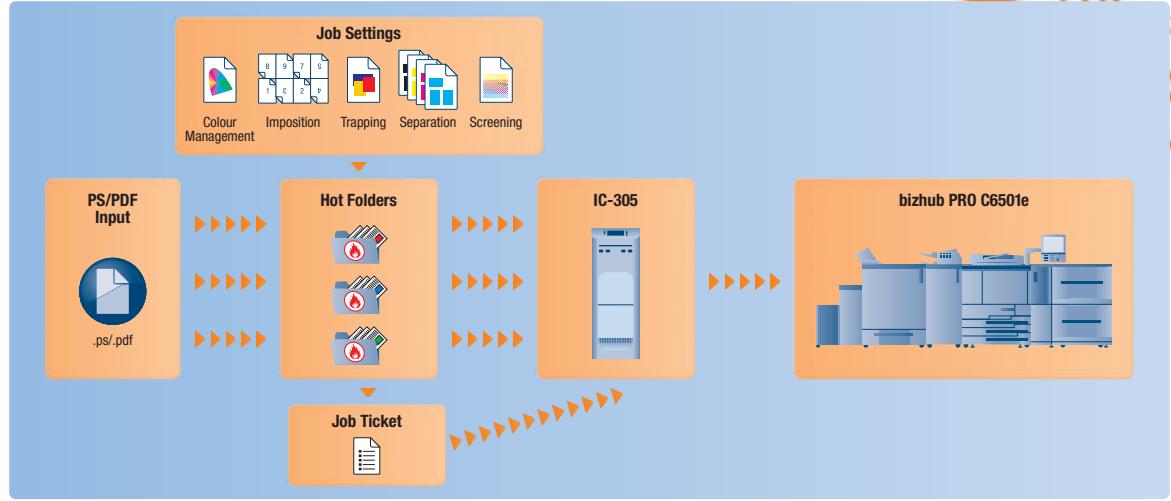
flowchart
graph TD
    A["PS/PDF Input .ps/.pdf"] --> B["Hot Folders"]
    B --> C["IC-305"]
    C --> D["bizhub PRO C6501e"]
    E["Job Settings"] --> B
    E --> C
    E --> D
    B --> F["Job Ticket"]
    style A fill:#f9f,stroke:#333
    style D fill:#bbf,stroke:#333

Specifications
Hardware
Intel Core 2 Duo @ 2.13 GHz
■ 160 GB SATA Hard drive
■ 1.0 GB high-speed memory
CD-DVD R/W
■ Windows XPe OS SP2
■ Fiery System 8 Release 2 software
■ 2 USB ports
File Formats
■ AdobePostScript Level 1, 2, 3
■ Adobe PDF 1.4, 1.5, 1.6, 1.7, PDFX
EPS
TIFF, TIFF/IT, JPEG
PPML
■ Fiery FreeForm/Fiery FreeForm 2.1
VPS
Client Environments
■ Windows 2000/XP/Vista
■ Macintosh OSX or higher
■ The support and availability of the listed specifications and functionalities varies depending on operating systems, applications, network protocols as well as network and system configurations.
■ Specifications and accessories are based on the information available at the time of printing and are subject to change without notice.
■ Konica Minolta does not warrant that any prices or specifications mentioned will be error-free.
■ Microsoft, Windows and the Windows logo are trademarks, or registered trademarks, of Microsoft Corporation in the United States and/or other countries.
■ All other brand and product names may be registered trademarks or trademarks of their respective holders and are hereby acknowledged.
Marque : KONICA MINOLTA
Modèle : IC-305
Catégorie : Imprimante