BISSELL CrossWave HF2 Select - Aspirateur

CrossWave HF2 Select - Aspirateur BISSELL - Notice d'utilisation et mode d'emploi gratuit

Retrouvez gratuitement la notice de l'appareil CrossWave HF2 Select BISSELL au format PDF.

📄 12 pages Français FR Télécharger 💬 Question IA 10 questions ⚙️ Specs
Notice BISSELL CrossWave HF2 Select - page 1
Choisissez votre langue et indiquez votre email : nous vous enverrons une version traduite specifiquement.
Type de produit Aspirateur laveur de sols
Marque Bissell
Modèle CrossWave HF2 Select
Dimensions (L x l x h) Environ 30 x 25 x 110 cm
Poids Environ 5,2 kg
Alimentation Batterie rechargeable Li-ion 25,2 V
Autonomie Environ 25 minutes (mode normal)
Temps de charge Environ 4 heures
Capacité du réservoir d'eau propre 0,6 L
Capacité du réservoir d'eau sale 0,6 L
Fonctions principales Aspiration et lavage simultanés, sélection de mode (sol dur, moquette)
Type de brosse Brosse rotative multi-surfaces
Filtration Filtre à mousse lavable
Niveau sonore Environ 75 dB(A)
Entretien et nettoyage Nettoyer régulièrement la brosse et le filtre ; réservoirs lavables à l'eau
Sécurité Arrêt automatique en cas de déversement ; protection batterie
Pièces détachées et réparabilité Brosses, filtres, réservoirs, batteries disponibles en pièces détachées
Garantie 2 ans (selon pays)

FOIRE AUX QUESTIONS - CrossWave HF2 Select BISSELL

Comment utiliser le CrossWave HF2 Select pour la première fois ?
Avant la première utilisation, chargez complètement la batterie (4 heures). Remplissez le réservoir d'eau propre avec de l'eau tiède et la solution de nettoyage Bissell recommandée. Assurez-vous que les réservoirs sont bien clipsés. Sélectionnez le mode en fonction de votre sol : sol dur ou moquette. Appuyez sur la gâchette pour libérer la solution et déplacez l'appareil d'avant en arrière.
Quels produits de nettoyage utiliser avec le CrossWave HF2 Select ?
Utilisez uniquement des solutions de nettoyage Bissell spécialement conçues pour les appareils CrossWave. L'utilisation d'autres produits peut endommager l'appareil et annuler la garantie. Les solutions Bissell sont formulées pour produire une mousse contrôlée et ne pas obstruer les filtres.
Comment nettoyer la brosse rotative ?
Pour nettoyer la brosse, retirez le cache-brosse situé sous l'appareil. Enlevez la brosse et rincez-la à l'eau claire. Utilisez une pince pour retirer les cheveux ou fibres emmêlés. Laissez sécher complètement avant de remonter. Il est recommandé de nettoyer la brosse après chaque utilisation.
Que faire si l'aspirateur n'aspire plus correctement ?
Vérifiez d'abord que le réservoir d'eau sale n'est pas plein. Videz-le si nécessaire. Ensuite, nettoyez le filtre à mousse : rincez-le à l'eau claire et laissez-le sécher pendant 24 heures. Vérifiez également que la brosse n'est pas obstruée par des débris. Enfin, assurez-vous que le tuyau d'aspiration n'est pas bouché.
Comment entretenir la batterie ?
Pour prolonger la durée de vie de la batterie lithium-ion, évitez de la décharger complètement. Rechargez-la après chaque utilisation. Stockez l'appareil dans un endroit sec à température ambiante. Si vous ne l'utilisez pas pendant une longue période, rechargez la batterie tous les 3 mois.
Puis-je utiliser le CrossWave HF2 Select sur de la moquette ?
Oui, le CrossWave HF2 Select est conçu pour les sols durs et les moquettes. Sélectionnez le mode 'Moquette' pour un nettoyage adapté. La brosse rotative s'ajuste automatiquement. Cependant, pour un résultat optimal, passez d'abord l'aspirateur sur la moquette pour enlever les gros débris.
Comment résoudre les problèmes de fuite d'eau ?
Les fuites peuvent provenir d'un réservoir mal clipsé ou d'un joint endommagé. Vérifiez que les réservoirs sont bien installés et que les joints en caoutchouc sont propres. Si le réservoir d'eau sale est plein, il peut déborder. Videz-le régulièrement. Si le problème persiste, contactez le service client.
Quelle est la meilleure façon de ranger l'appareil ?
Rangez le CrossWave HF2 Select verticalement sur sa base de chargement. Assurez-vous que les réservoirs sont vides et nettoyés pour éviter les moisissures. Ne posez pas l'appareil sur le côté, car le liquide pourrait s'écouler dans le moteur. Utilisez le support mural optionnel si disponible.
Comment remplacer le filtre à mousse ?
Le filtre à mousse est lavable et réutilisable. Cependant, s'il est usé ou déchiré, vous pouvez commander un filtre de rechange. Pour le remplacer, ouvrez le compartiment du filtre situé sur le dessus du réservoir d'eau sale, retirez l'ancien filtre et insérez le nouveau en appuyant fermement.
L'appareil s'arrête pendant l'utilisation, que faire ?
L'arrêt automatique peut être dû à une batterie déchargée, un réservoir d'eau sale plein, ou une surchauffe du moteur. Rechargez la batterie, videz le réservoir d'eau sale, et laissez l'appareil refroidir 30 minutes. Si le problème persiste, vérifiez que les filtres ne sont pas obstrués.

Questions des utilisateurs sur CrossWave HF2 Select BISSELL

0 question sur cet appareil. Repondez a celles que vous connaissez ou posez la votre.

Poser une nouvelle question sur cet appareil

L'email reste privé : il sert seulement à vous prévenir si quelqu'un répond à votre question.

Aucune question pour l'instant. Soyez le premier à en poser une.

Téléchargez la notice de votre Aspirateur au format PDF gratuitement ! Retrouvez votre notice CrossWave HF2 Select - BISSELL et reprennez votre appareil électronique en main. Sur cette page sont publiés tous les documents nécessaires à l'utilisation de votre appareil CrossWave HF2 Select de la marque BISSELL.

MODE D'EMPLOI CrossWave HF2 Select BISSELL

Bissell®

CROSSWAVE® HF2

3845, 3847, 3848 SERIES

Three black-and-white icons: warning triangle, open book, and two books with numbers 1 and 2 (no text or symbols on objects)

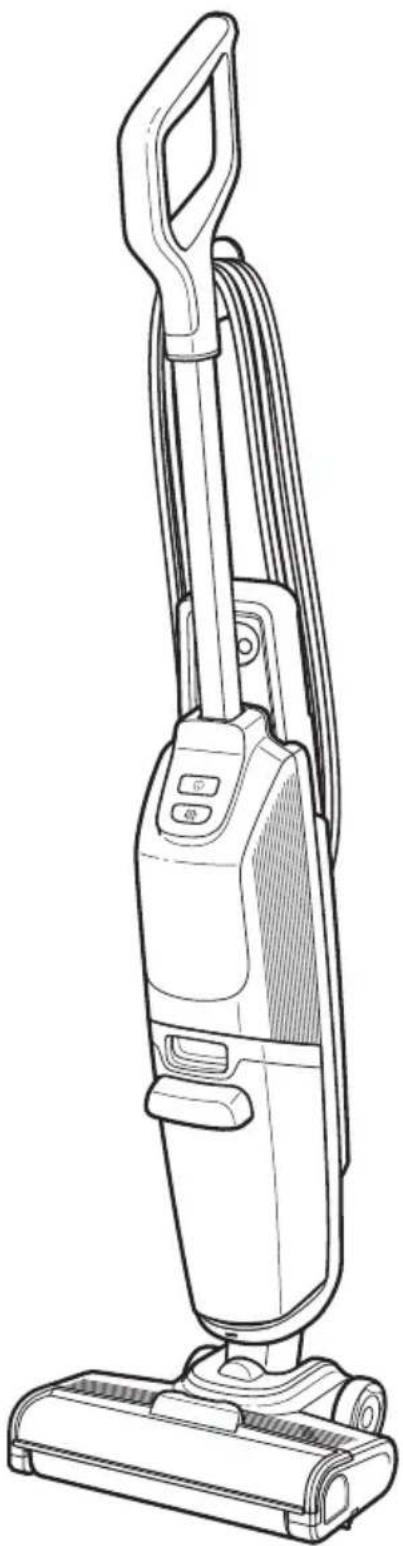
Line drawing of a vacuum cleaner with attached circuit board (no text or symbols)

HOME CLEANING EXPERTS BISSELL® FST.1876 U.S.A.

Abstract blue icon depicting two overlapping blocks with a right-pointing arrow, no text or symbols present.

BISSELL CrossWave HF2 Select - CROSSWAVE® HF2 - 5

Blue circular icon with a white power button symbol (no text or numbers)

Blue icon depicting a droplet and a triangular shape, no text or symbols present

Abstract blue water droplet and curved lines forming a circular pattern (no text or symbols)

BISSELL CrossWave HF2 Select - CROSSWAVE® HF2 - 9

......4

5

6

7

8

9

Blue line icon of an open box with an upward arrow, symbolizing upload or delivery (no text or symbols)

Line drawing of a vacuum cleaner with control panel and base (no text or symbols)

Line drawing of a manual push-button tool (no text or symbols)

Line drawing of a cylindrical object with a lid and handle, resembling a water bottle or container (no text or symbols)

Simple line drawing of a rolled-up cylindrical object with a small protrusion at the top (no text or symbols)

Bissell®

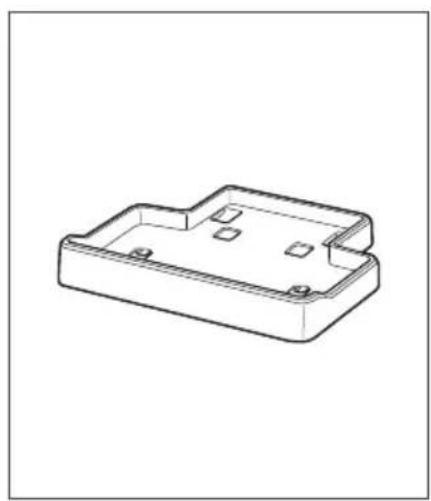
Isometric line drawing of a rectangular electronic component with mounting holes and internal compartments (no text or symbols)

Blue icon depicting a bidirectional arrow between two rectangular blocks, with radiating lines indicating flow or interaction (no text or symbols)

Illustration of a vacuum cleaner with blue airflow arrows indicating motion (no text or symbols)

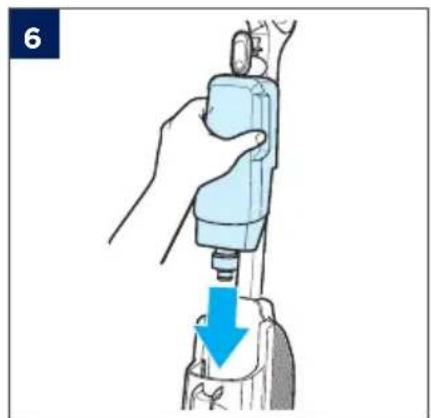
Diagram of a mechanical device with a blue downward arrow indicating force or movement (no text or symbols present)

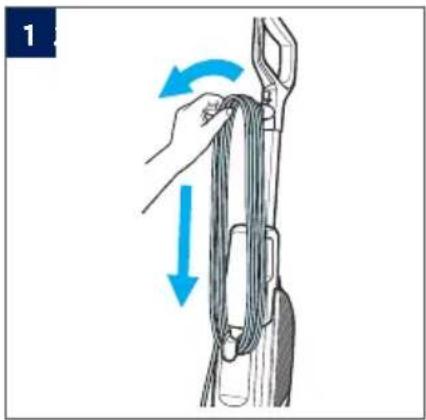
Diagram of a rope being lifted by two blue arrows, showing rope movement (no text or symbols)

Blue water droplet icon with a plus sign inside, no text or symbols present

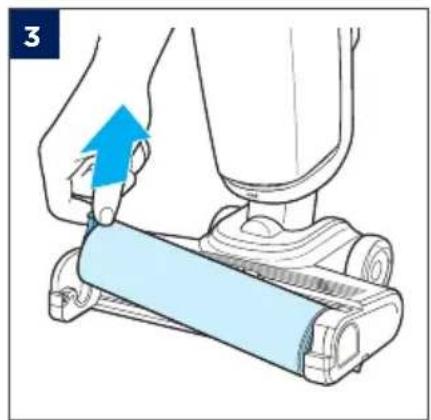
Illustration of a hand using a tool to lift a device, with a blue arrow indicating upward motion (no text or symbols present)

Illustration of a hand pressing down on a device with a blue arrow indicating motion (no text or symbols)

3

Illustration showing a hand pouring liquid into a bottle with a magnified inset highlighting the water level.

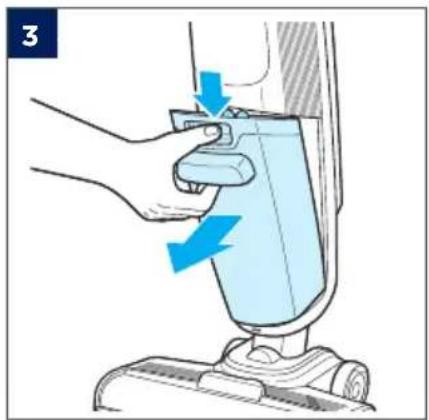
Illustration of a hand pressing down on a device with a blue arrow indicating motion (no text or symbols)

Illustration of a hand using a medical or surgical tool to press down a device, with a blue arrow indicating the process (no text or symbols present)

BISSELL CrossWave HF2 Select - CROSSWAVE® HF2 - 28

BISSELL® Natural Multi-Surface Cleaning Solution, BISSELLNatural Multi-Surface Pet Cleaning Solution, BISSELL Multi-Surface Cleaning Solution, BISSELLMulti-Surface Pet Cleaning Solution, BISSELL Wood Floor Cleaning Solution

Blue circular icon with a white power button symbol (no text or numbers)

Illustration of a hand holding a rope tied with a tool, showing a blue directional arrow indicating motion (no text or symbols)

Illustration of a mechanical device emitting a wall-mounted smiley face with a blue arrow indicating direction (no text or symbols)

Illustration of a robotic vacuum cleaner with a blue arrow indicating motion (no text or symbols)

Diagram showing a power button labeled 'Power' with an icon, likely from an industrial control device.

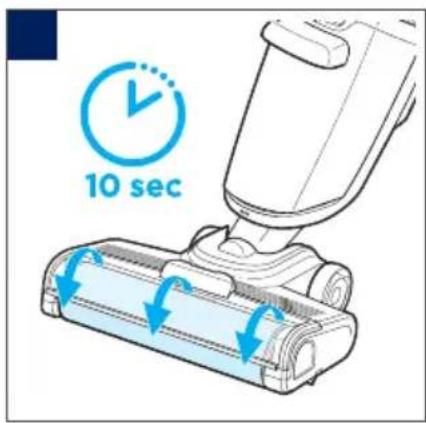
10 sec

Line drawing of a person using a vacuum cleaner on a tiled floor, with blue arrows indicating motion direction (no text or symbols)

Blue icon depicting a water droplet and a triangular shape, no text or symbols present

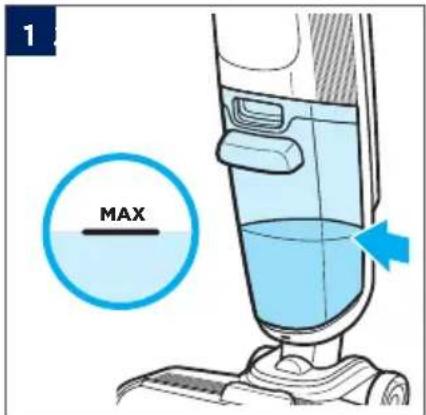
1 MAX

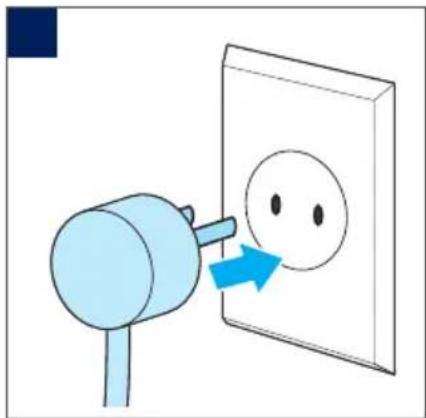
Illustration of a blue tool interacting with a wall-mounted socket, showing airflow direction (no text or symbols)

Illustration of a hand using a vacuum cleaner to lift a small blue object, with no text or symbols present.

Illustration of a hand pressing down on a cylindrical device with a blue upward arrow indicating motion (no text or symbols)

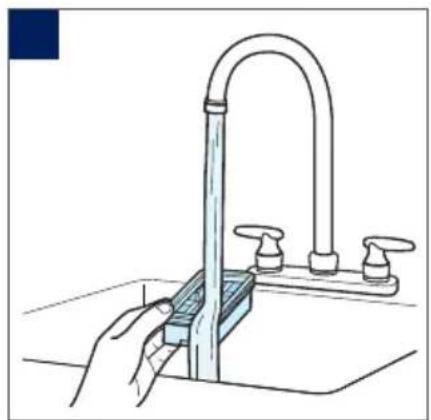
Illustration of a hand washing a blue liquid from a sink in a kitchen (no text or symbols)

Illustration of hands cleaning a faucet with a blue cloth, no text or symbols present

Illustration of a hand pressing down on a mechanical component with a blue arrow indicating downward motion (no text or symbols)

Illustration of a hand using a spray gun to clean a blue spray bottle (no text or symbols visible)

Five white warning symbols on a light blue background: triangular warning triangle, open book, camera icon, shield with sun and gear, and triangular warning triangle (no text or labels)

Abstract blue water droplet symbol on white background (no text or symbols)

Illustration of hands washing a blue liquid from a sink in a kitchen (no text or symbols)

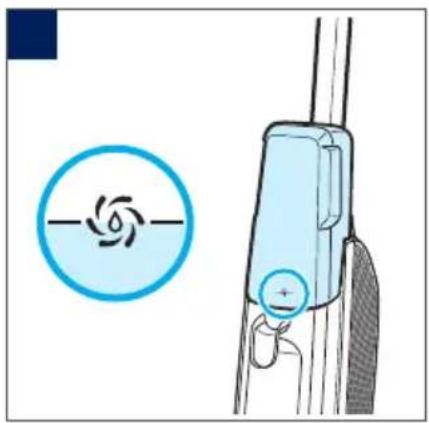
Diagram showing a blue circular icon with a spiral symbol and a light blue mechanical device with a plus button (no text or labels)

3

Diagram showing a robotic arm interacting with a mechanical component, with a blue arrow indicating the process (no text or symbols present)

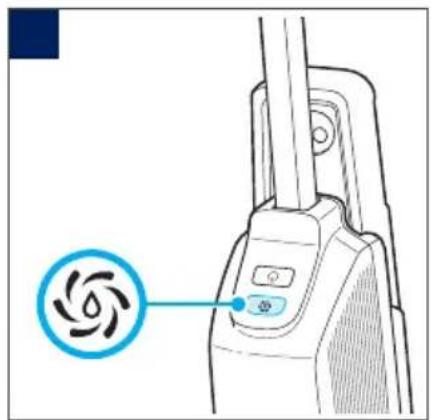
Line drawing of a vacuum cleaner with a circular button labeled 'Spiral' pointing to the device (no text or symbols beyond the label)

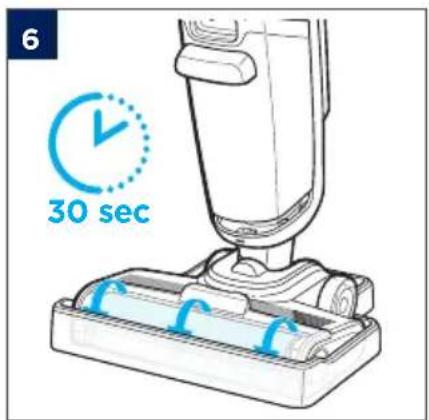
6 30 sec

Illustration of hands washing a blue liquid from a sink in a kitchen (no text or symbols)

Illustration of a hand using a tool to clean or wash water from a kitchen sink (no text or symbols)

Blue line icon of a hand washing with sparkles, symbolizing silence or help (no text or symbols)

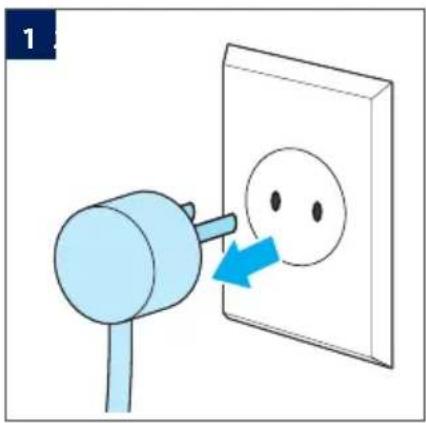
Illustration of a blue electric shock absorber emitting a face mask into a wall socket (no text or symbols)

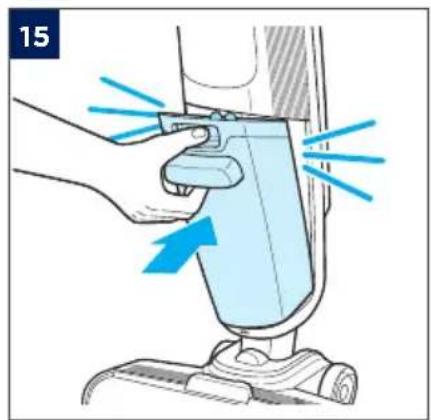
Illustration of a hand using a blue tool to press down a vacuum cleaner's airbag (no text or symbols present)

Illustration of a hand using a blue arrow to press a light blue roller on a mechanical device (no text or symbols)

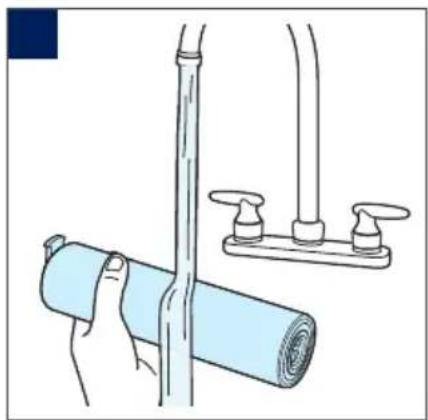
Illustration of a hand holding a rolled-up blue object next to a pipe with two valves, next to a horizontal drain (no text or symbols)

Illustration showing two steps of cleaning a plastic bag, with no text or symbols present.

6 7

Illustration of two hands using a cleaning or cleaning tool, showing top-down and side-view views (no text or symbols)

Illustration of a hand using a tool to clean or install a stainless steel sink with multiple washers (no text or symbols visible)

Illustration of a hand washing a sink with a blue plastic bag and a curved pipe (no text or symbols)

Illustration of various electronic components including a battery, switch, and motor housing (no text or symbols)

Mechanical assembly diagram showing two steps of a roller being inserted into a housing (no text or symbols present)

Five white warning symbols on a light blue background: triangular warning triangle, open book, circular icon with plug, shield, sun gear, and triangular warning triangle (no text or labels)

Diagram of a vacuum cleaner blade assembly with blue arrows indicating motion direction (no text or symbols)

Illustration of a hand using a blue tool to clean or adjust a vacuum cleaner's air gap (no text or symbols present)

Illustration of a hand pressing down a mechanical component with blue arrows indicating motion (no text or symbols)

Illustration of a hand using a vacuum cleaner to clean or store floor equipment (no text or symbols visible)

Diagram of a rope being twisted with blue directional arrows indicating motion (no text or symbols)

Line drawing of a vacuum cleaner inside a door, no text or symbols present

Sommaire Cliquez un titre pour y accéder
Assistant notice
Powered by Anthropic
En attente de votre message
Informations produit

Marque : BISSELL

Modèle : CrossWave HF2 Select

Catégorie : Aspirateur