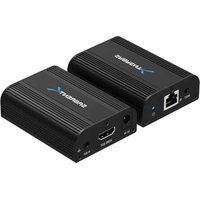
DA-4KEX - Extendeur HDMI Sabrent - Notice d'utilisation et mode d'emploi gratuit
Retrouvez gratuitement la notice de l'appareil DA-4KEX Sabrent au format PDF.


| Type de produit | Adaptateur vidéo DisplayPort vers HDMI |
| Marque | Sabrent |
| Modèle | DA-4KEX |
| Connecteurs | DisplayPort mâle (entrée) vers HDMI femelle (sortie) |
| Résolution maximale | 3840 x 2160 à 60 Hz |
| Compatibilité standard | DisplayPort 1.2, HDMI 2.0, HDCP 2.2 |
| Formats audio | PCM stéréo, Dolby Digital, DTS |
| Longueur de câble | 15 cm (câble intégré DisplayPort) |
| Dimensions (L x l x H) | 6 x 4 x 1.5 cm |
| Poids | 30 g |
| Matériau du boîtier | Plastique ABS, connecteurs plaqués or |
| Alimentation | Auto-alimenté via port DisplayPort |
| Fonctions principales | Conversion de signal DisplayPort vers HDMI, support 4K UHD, transmission audio |
| Entretien et nettoyage | Débrancher l'appareil avant nettoyage, utiliser un chiffon doux et sec |
| Sécurité | Utiliser à température ambiante (0-40°C), éviter l'humidité et l'exposition directe au soleil |
| Pièces détachées et réparabilité | Non applicable, appareil non réparable par l'utilisateur |
| Informations générales | Garantie constructeur 1 an, compatible Windows, Mac, Linux |
FOIRE AUX QUESTIONS - DA-4KEX Sabrent
Questions des utilisateurs sur DA-4KEX Sabrent
0 question sur cet appareil. Repondez a celles que vous connaissez ou posez la votre.
Poser une nouvelle question sur cet appareil
Téléchargez la notice de votre Extendeur HDMI au format PDF gratuitement ! Retrouvez votre notice DA-4KEX - Sabrent et reprennez votre appareil électronique en main. Sur cette page sont publiés tous les documents nécessaires à l'utilisation de votre appareil DA-4KEX de la marque Sabrent.
MODE D'EMPLOI DA-4KEX Sabrent
SABRENT
4K HDMI EXTENDER OVER CAT6 (60 METERS / 200 FEET)

natural_image
Two black SABRENT devices with ports and labels, one connected via Ethernet port (no readable text beyond branding)


IR PASS-THROUGH

DA-4KEX USER MANUAL
INTRODUCTION
Thank you for choosing Sabrent. This HDMI Extender kit includes two main units: a transmitter (TX), and a receiver (RX). It allows an HDMI signal to be transmitted up to 60 meters at 4K x 2K @ 30Hz, and up to 30 meters at 4K x 2K @ 60Hz via a single CAT6/6A/7 cable in a point-to-point configuration. Additionally, it supports IR passthrough with an IR frequency of 20-60KHz, which will allow you to use your device's original IR remote control.
FEATURES
• Support for HDMI 2.0, compatible with HDCP 2.2
- Highest resolution supported: 4K x 2K at 60Hz
• Transmission over a single CAT6/6A/7
- Support for IR passthrough function (IR range support 20\~60KHz)
• Range: Up to 60m when 4K @ 30Hz, and 30m when 4K @ 60Hz
- Plug & Play
- Metal casing
natural_image
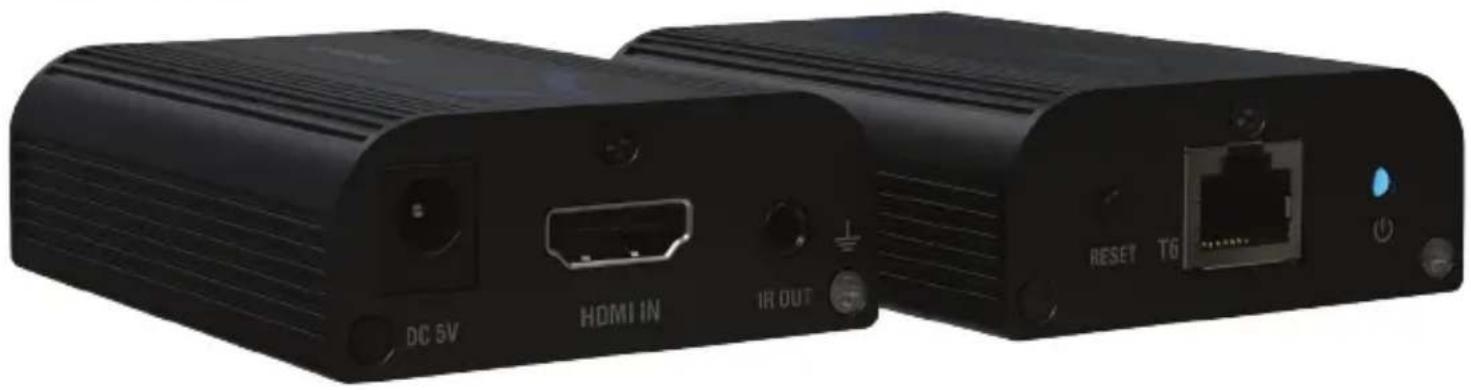
Two black wireless devices labeled DC 5V, HDMI IN, and IR OUT ports with ports and status indicators (no readable text beyond labels)PACKAGE CONTENTS

TRANSMITER UNIT X 1

RECEIVER UNIT X 1
natural_image
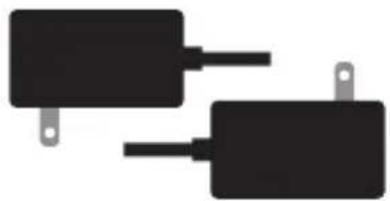
Two black rectangular electronic components with leads, no text or symbols visibleDC5V/1A X 2

natural_image
Abstract geometric logo design with white curved shapes on dark gray background (no text or symbols)USER MANUAL X 1

natural_image
Two black electrical connectors with wires, one with a probe icon and the other with a magnifying glass (no text or symbols)IR BLASTER EXTENSION X 1

natural_image
Two black cables with connectors, one plain and one with a circular connector (no text or symbols)IR RECEIVER EXTENSION X 1
IMPORTANT SAFETY INSTRUCTIONS
- Please note the different items to this product before proceeding.
- When the device is plugged in, do not remove or attach any cables.
- Only the included power adapter (5V DC) is approved for use with this device. It is not recommended to use any other power adapter.
- Static electricity can cause damage to this device. Please take ESD precautions before proceeding.
INSTALLATION REQUIREMENTS
- HDMI source device (TV cable box, computer video card, DVD or Blu-Ray player, game console, HD monitoring equipment, etc.)
- HDMI display device like standard-definition or high-definition TV, monitor, or projector with an available HDMI port.
- One CAT6 cable or better (up to 60 meters)
TRANSMITTER UNIT(TX)
1 - Reset button
2 - RJ45 signal output
3 - Power indicator
4 - DC5V input
5 - HDMI signal input
6 - IR signal output


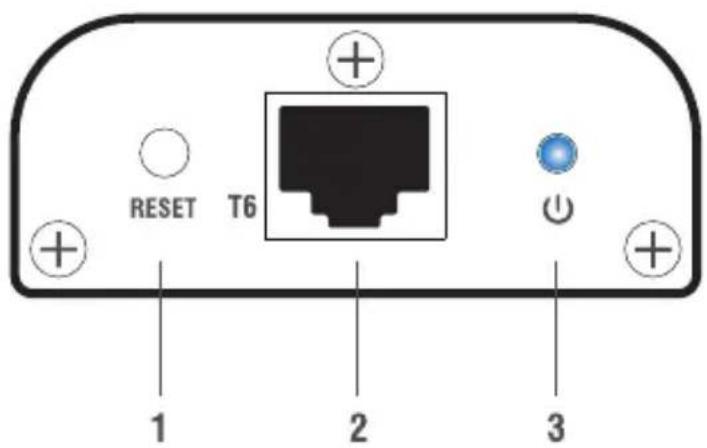
RECEIVER (RX)
1 - Reset button
2 - RJ45 signal input
3 - Power indicator
4 - DC5V input
5 - HDMI signal output
6 - IR signal input

CONNECTION DIAGRAM
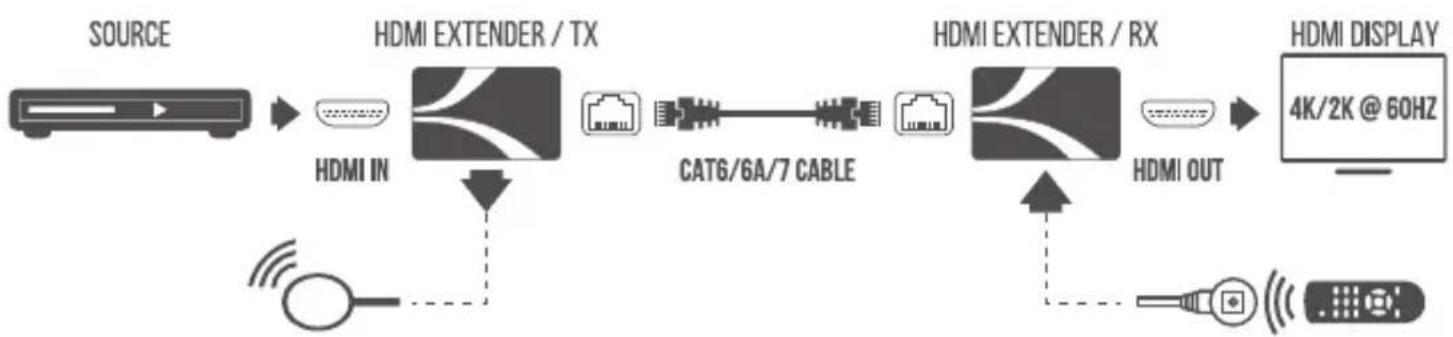
flowchart
graph LR
    A["SOURCE"] --> B["HDMI EXTENDER / TX"]
    B --> C["CAT6/6A/7 CABLE"]
    C --> D["HDMI EXTENDER / RX"]
    D --> E["HDMI DISPLAY 4K/2K @ 60HZ"]
    B --> F["HDMI IN"]
    D --> G["HDMI OUT"]
    F --> H["Wireless Signal"]
    G --> I["Wireless Signal"]
HOW TO CONNECT IT
- Connect your source device (Blu-ray, camera, etc.) to the Transmitter (TX), and your display device (monitor, TV, projector, etc.) to the Receiver (RX) via HDMI cables (not included).
- Connect Transmitter (TX) and Receiver (RX) via network cable (CAT6 / CAT6A or CAT7).
NOTE: In the package, we supply a certified 1-meter CAT6 cable for you to test your devices' compatibility and connectivity. Whether or not your HDMI extender works with a longer CAT6 cable will depend entirely on the quality of the cable itself.
- Connect both transmitter and receiver to their respective 5V DC power adaptors. This will begin the connection process. Once the units are synced, you will see the image and be able to change the resolutions to the attached display device.
USING THE IR (INFRA-RED) REMOTE CONTROL PASSTHROUGH FEATURE
This feature will allow you to continue using your infra-red remote control in spite of the distance between your source device and your display unit.
- According to the diagram above, connect the IR IN signal cable to the receiver (RX). Then connect the IR OUT signal cable to the transmitter (TX). For your convenience, both cables are labeled.
- The emitter of the IR OUT cable should be as close as possible to the HDMI input source device.
GROUNDING CABLE OPTION
If your Sabrent HDMI extender is to be deployed in a commercial or industrial setting, we recommend that you ground your units to avoid static discharges and to ensure signal reliability. For each unit, there is an unpainted screw marked with a GROUNDING SYMBOL ± above it.
TROUBLESHOOTING
If there is no output on the screen and all connections are correct, try the following:
- Test your equipment with the certified CAT6 1 - meter cable supplied with our unit. If it works with our 1 - meter cable, the problem is the quality of the longer cable.
- Make sure your TV/monitor/projector supports the HDMI signal which is being fed through the HDMI extender kit.
- If the output signal from the source device is 4K x 2K, make sure your HDMI cables support 4K x 2K.
- Please check and make sure the network cable is fully inserted into the network port on both sides.
- Restart the transmitter or receiver by pressing the reset button.
- Please check and make sure the length of your certified CAT6 network cable is within the usable range: 60 meters for 4K x 2K@30Hz / 30 meters for 4K x 2K@60Hz
- Reset the transmitter so that the units can resynchronize.
Q: The color or resolution becomes abnormal, or there is no audio output?
A: Reset the transmitter so that the units can resynchronize.
Q: The image goes black for a microsecond when I touch the metal casing of the TX or the RX unit
A: Avoid touching the units during operation, or ground your unit.

Please contact our Technical Support Team for additional troubleshooting
WWW.SABRENT.COM
Marque : Sabrent
Modèle : DA-4KEX
Catégorie : Extendeur HDMI