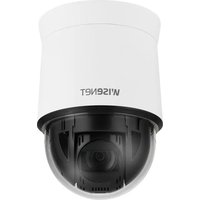
QNP-6250 - Caméra de surveillance Hanwha - Notice d'utilisation et mode d'emploi gratuit
Retrouvez gratuitement la notice de l'appareil QNP-6250 Hanwha au format PDF.


| Type de produit | Caméra de surveillance réseau PTZ |
| Marque | Hanwha |
| Modèle | QNP-6250 |
| Résolution maximale | 2 mégapixels (1920 x 1080) |
| Zoom optique | 30x |
| Vision nocturne | Oui, jusqu'à 150 mètres |
| Angle de rotation horizontal | 360° |
| Angle d'inclinaison vertical | -15° à 90° |
| Dimensions (Diamètre x Hauteur) | 160 mm x 230 mm |
| Poids | 2,2 kg |
| Alimentation | PoE+ (802.3at) ou 24 V AC |
| Consommation électrique | 15 W max |
| Indice de protection | IP66 (résistant aux intempéries) |
| Température de fonctionnement | -40°C à 55°C |
| Fonctions principales | Détection de mouvement, suivi automatique, flux vidéo H.265, audio bidirectionnel |
| Entretien et nettoyage | Nettoyer le dôme avec un chiffon doux et sec. Éviter les solvants. |
| Sécurité | Cryptage SSL/TLS, authentification utilisateur, protocole HTTPS |
| Pièces détachées et réparabilité | Disponibles via le service Hanwha. Indice de réparabilité non communiqué. |
| Informations générales | Caméra PTZ compacte pour surveillance extérieure et intérieure. Livrée avec support de montage. |
FOIRE AUX QUESTIONS - QNP-6250 Hanwha
Questions des utilisateurs sur QNP-6250 Hanwha
0 question sur cet appareil. Repondez a celles que vous connaissez ou posez la votre.
Poser une nouvelle question sur cet appareil
Téléchargez la notice de votre Caméra de surveillance au format PDF gratuitement ! Retrouvez votre notice QNP-6250 - Hanwha et reprennez votre appareil électronique en main. Sur cette page sont publiés tous les documents nécessaires à l'utilisation de votre appareil QNP-6250 de la marque Hanwha.
MODE D'EMPLOI QNP-6250 Hanwha
NETWORK CAMERA
Quick Guide
QNP-6320H/QNP-6320
QNP-6250H/QNP-6250
Important
Please check 'Manuals' from our website, before connecting to the Supply, https://www.hanwhavision.com/en/download-data/
We recommend to use the officially compatible VMS version or latest Hanwha NVR version when integrating with VMS or Hanwha NVR.
※ Pan/Tilt/Zoom motors and slip ring are warranted for one year under continuous operation.

Hanwha Vision cares for the environment at all product manufacturing stages, and is taking measures to provide customers with more environmentally friendly products.
The Eco mark represents Hanwha Vision's devotion to creating environmentally friendly products, and indicates that the product satisfies the EU RoHS Directive.

Correct Disposal of This Product (Waste Electrical & Electronic Equipment)
(Applicable in the European Union and other European countries with separate collection systems)
This marking on the product, accessories or literature indicates that the product and its electronic accessories (e.g. charger, headset, USB cable) should not be disposed of with other household waste at the end of their working life. To prevent possible harm to the environment or human health from uncontrolled waste disposal, please separate these items from other types of waste and recycle them responsibly to promote the sustainable reuse of material resources.
Household users should contact either the retailer where they purchased this product, or their local government office, for details of where and how they can take these items for environmentally safe recycling.
Business users should contact their supplier and check the terms and conditions of the purchase contract. This product and its electronic accessories should not be mixed with other commercial wastes for disposal.

Correct disposal of batteries in this product
(Applicable in the European Union and other European countries with separate battery return systems.)
This marking on the battery, manual or packaging indicates that the batteries in this product should not be disposed of with other household waste at the end of their working life. Where marked, the chemical symbols Hg, Cd or Pb indicate that the battery contains mercury, cadmium or lead above the reference levels in EC Directive 2006/66. If batteries are not properly disposed of, these substances can cause harm to human health or the environment.
To protect natural resources and to promote material reuse, please separate batteries from other types of waste and recycle them through your local, free battery return system.

QNP-6320/QNP-6250 QNP-6320H/QNP-6250H
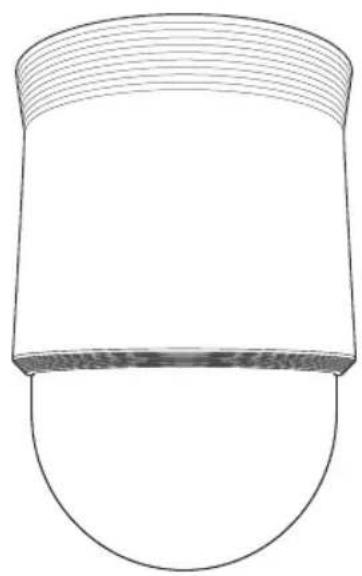
natural_image
Simple line drawing of a cylindrical object with a curved base and horizontal lines, no text or symbols present.
natural_image
Illustration of a hand holding a folder with the number 5 on it (no text or symbols beyond the numeral)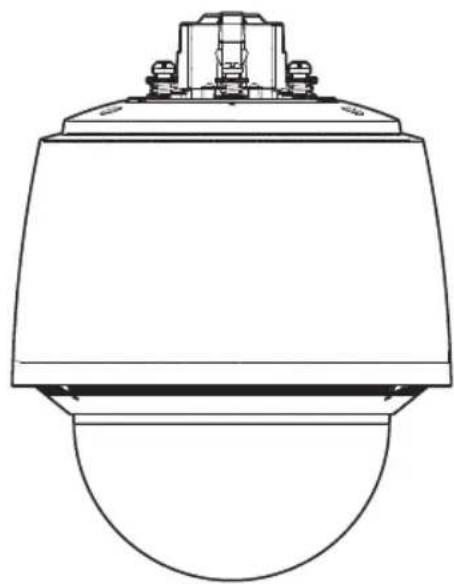
natural_image
Technical line drawing of a mechanical or electrical component with a dome-shaped base and top mount (no text or symbols)
natural_image
Illustration of a hand holding a folder with the number 9 on it (no text or symbols present)As for each sales country, accessories are not the same.
• QNP-6320/QNP-6250

natural_image
Simple line drawing of a cylindrical object with a curved base and top edge (no text or symbols)
natural_image
Line drawing of a blank rectangular sheet with no text or symbols
natural_image
Technical line drawing of a mechanical component with internal cavities and mounting holes (no text or symbols)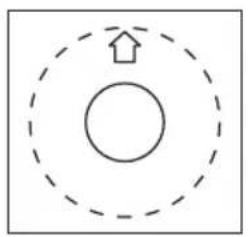
natural_image
Simple diagram with a circle, concentric dashed circles, and an upward arrow inside (no text or symbols)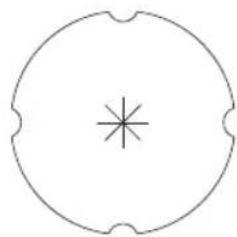
natural_image
Simple circular diagram with a central star-like symbol (no text or labels)
- Not Included : SD CARD

natural_image
Technical diagram of a device interior showing internal components and directional arrows (no text or symbols)1
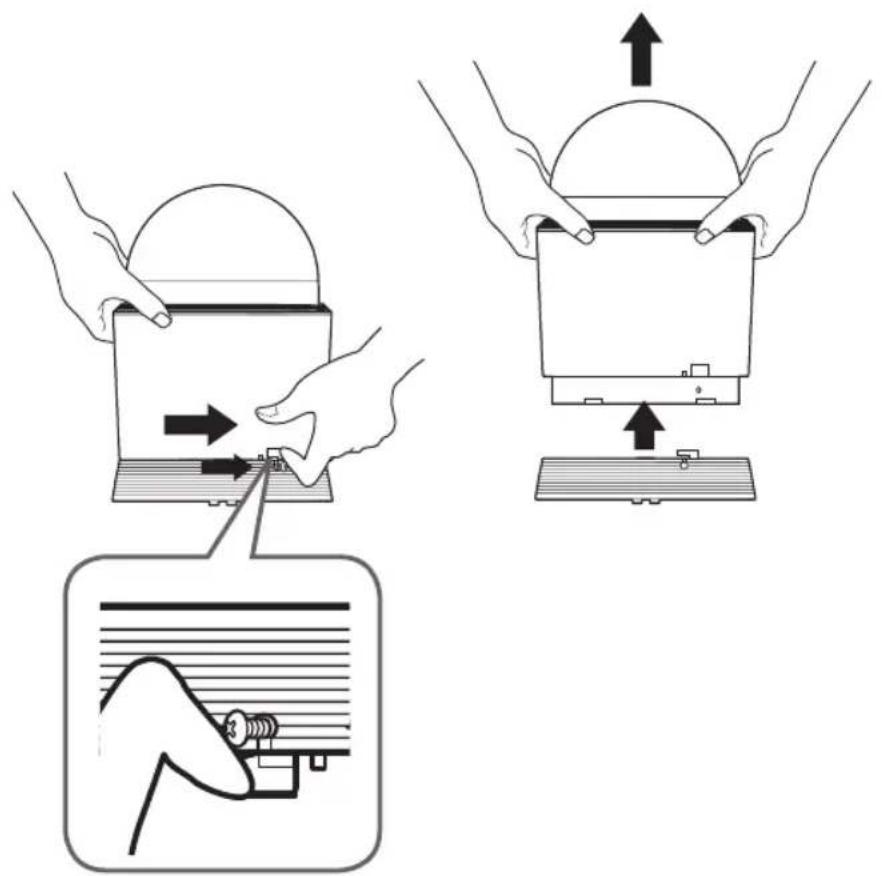
2
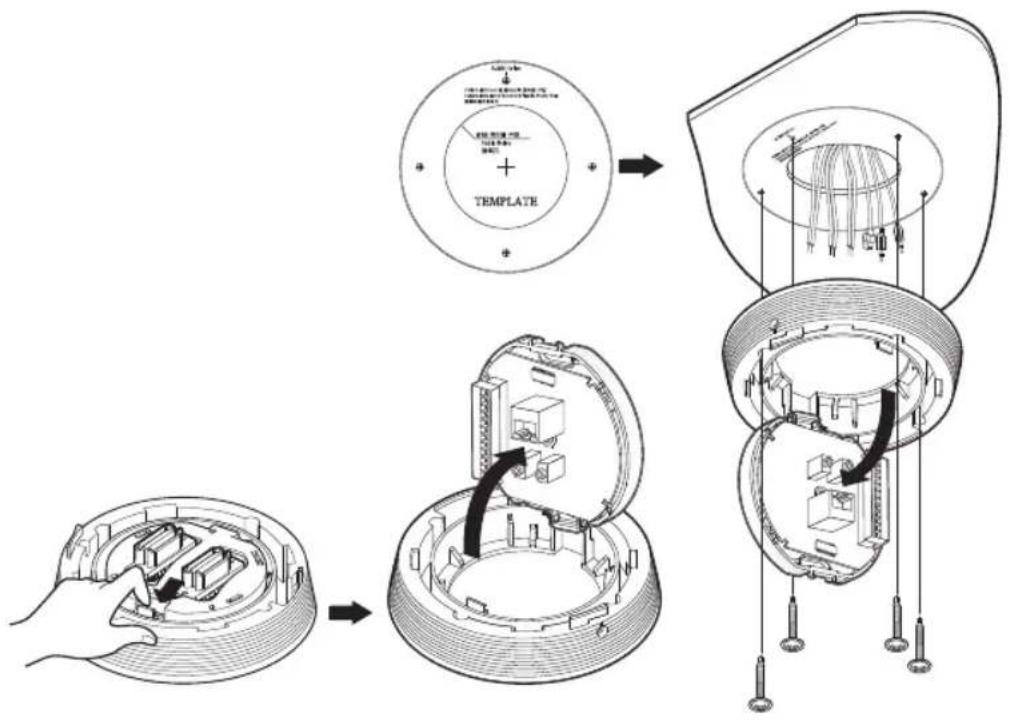
3

natural_image
Technical diagram of a mechanical assembly showing internal components and a 3D wire connection (no text or symbols)4

natural_image
Technical line drawing of a mechanical component with internal structure and arrows indicating assembly (no text or symbols)5

natural_image
Illustration of hands holding a small electronic device with an upward arrow indicating motion (no text or symbols)
natural_image
Illustration of hands holding a device with arrows indicating motion or force direction (no text or symbols)6

As for each sales country, accessories are not the same.
• QNP-6320H/QNP-6250H

1

natural_image
Diagram of a mechanical component with rotating arrows indicating motion, no text or symbols present2

natural_image
Technical line drawing of a mechanical component with a curved base and internal structure, showing a directional arrow (no text or symbols)3
• Not Included : Micro SD Card


4
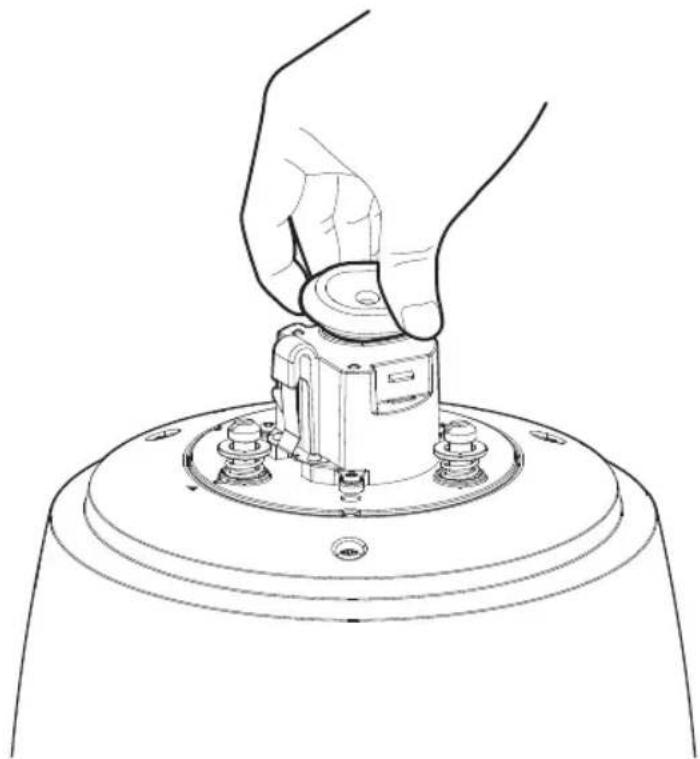
natural_image
Line drawing of a hand pressing down on a mechanical component (no text or symbols)5

natural_image
Four technical diagrams showing mechanical assembly steps with arrows indicating motion (no text or symbols)6

7
- Not Included: Wall & Pole mount

natural_image
Technical line drawing of a mechanical device with a suspended component and a close-up view of its base (no text or symbols)8
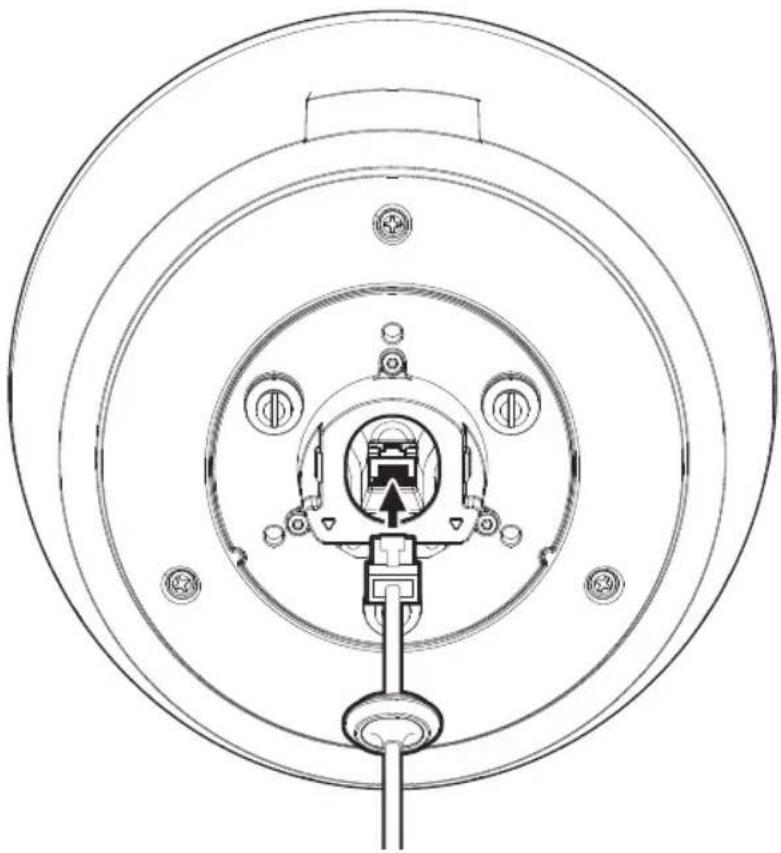
natural_image
Technical line drawing of a circular mechanical or electrical component with internal components and mounting holes (no text or symbols)9

natural_image
Line drawing of a hand using a tool to press or adjust a mechanical component on a circular base (no text or symbols)10
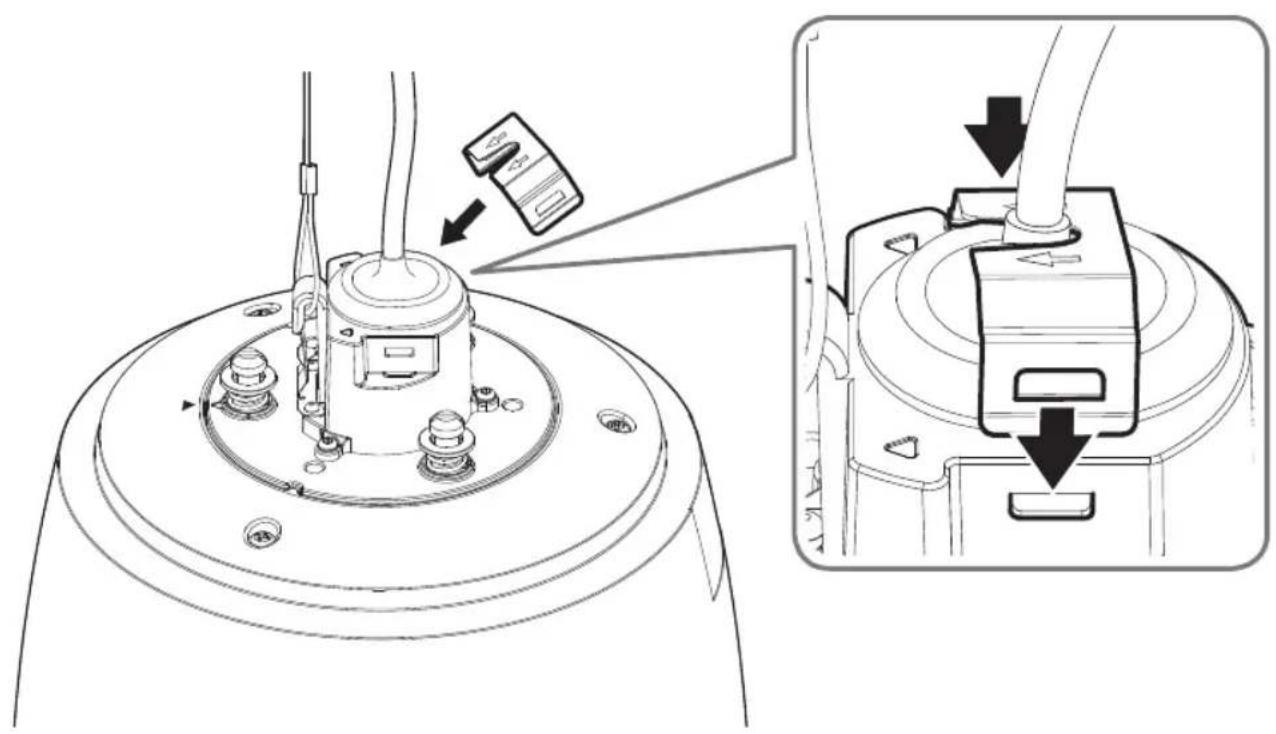
11

natural_image
Technical diagram of a mechanical device with an upward arrow indicating motion, shown alongside with a magnified inset showing internal components (no text or symbols)12
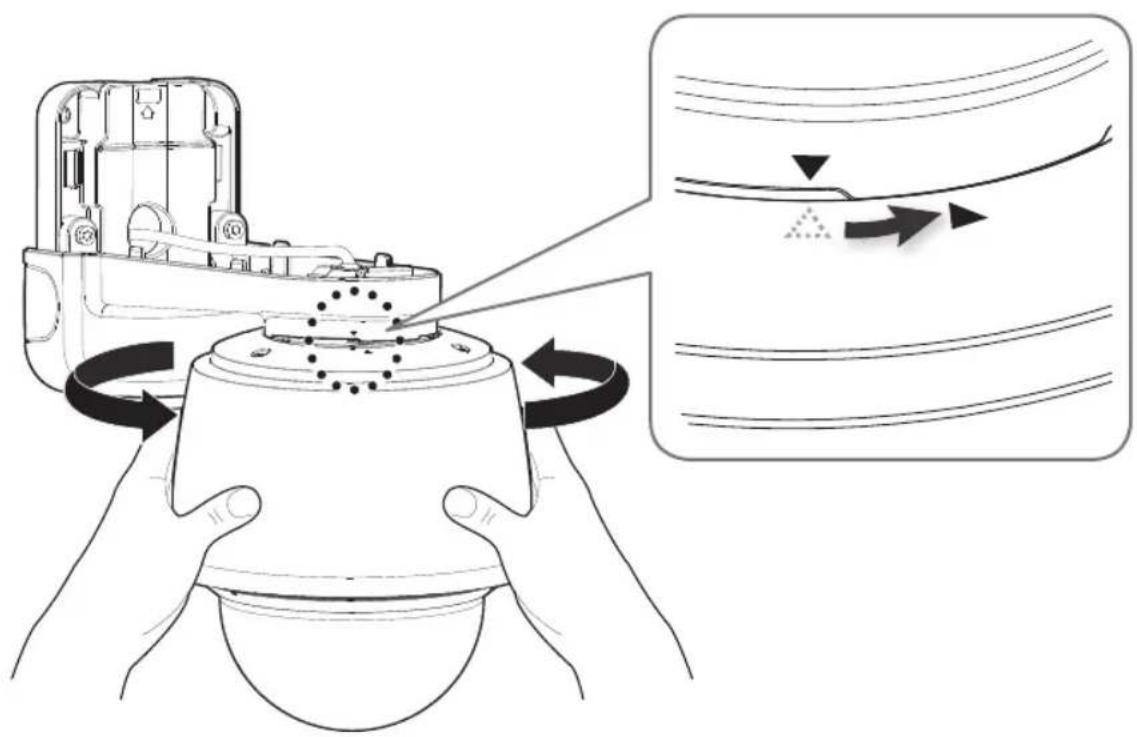
13

14
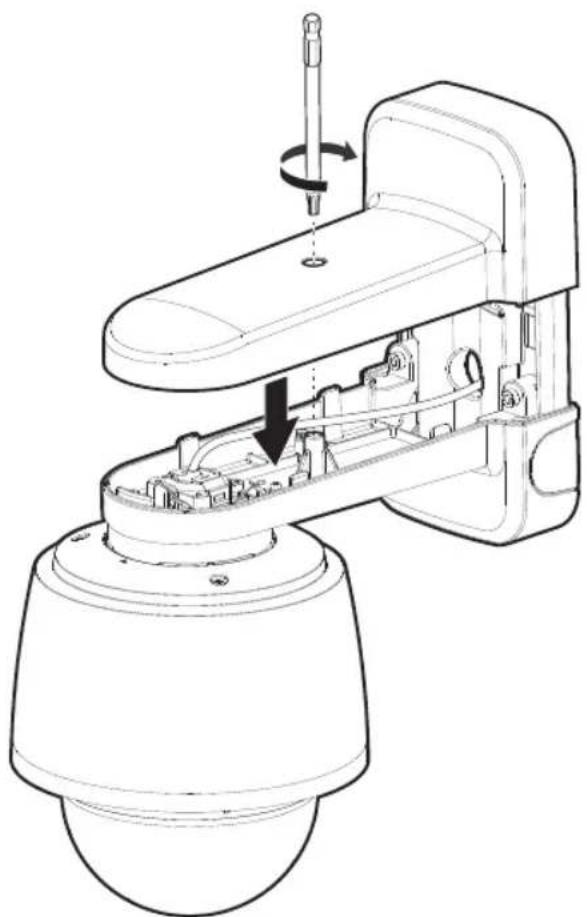
natural_image
Technical line drawing of a mechanical device with internal components and a rotating shaft (no text or symbols)15
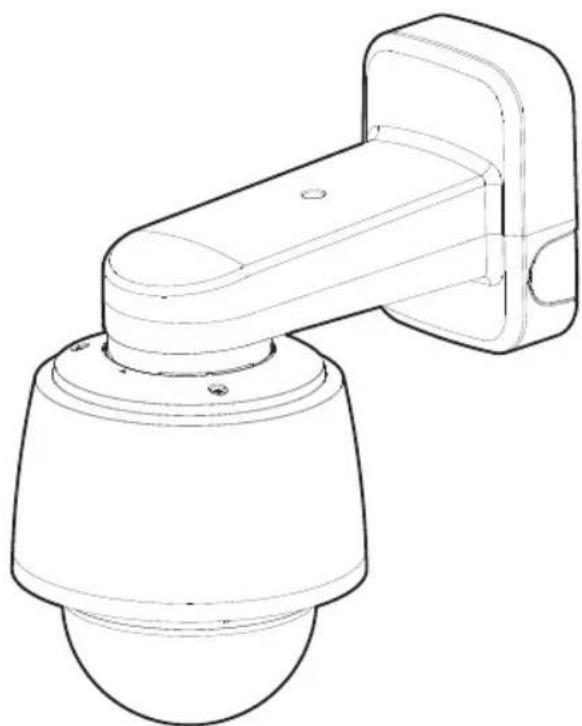
natural_image
Line drawing of a security camera with a mounted sensor or bracket (no text or symbols)16
When you access the product for the first time, you must register the login password.
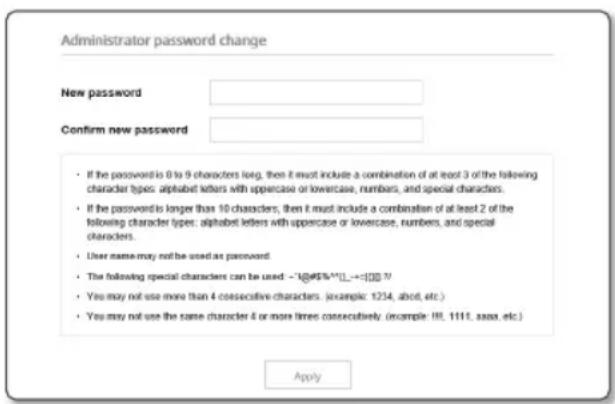
- For a new password with 8 to 9 digits, you must use at least 3 of the following: uppercase/lowercase letters, numbers and special characters. For a password with 10 to 15 digits, you must use at least 2 types of those mentioned.
- Special characters that are allowed. :
- For higher security, you are not recommended to repeat the same characters or consecutive keyboard inputs for your passwords.
- If you lost your password, you can press the [RESET] button to initialize the product. So, don't lose your password by using a memo pad or memorizing it.
$$ \sim ! @ # \% ^ {*} () _ {-} + = | {} ].? / $$
Whenever you access the camera, the login window appears.
Enter the User ID and password to access the camera.
① Enter "admin" in the
② Enter the password in the
③ Click [Sign in].

microSD, microSDHC, and microSDXC Logos are trademarks of SD-3C LLC. microSD,
microSDHC, microSDXC are trademarks or registered trademarks of SD-3C, LLC in the United States, other countries or both.

Подлежит использованию по назначению
в нормальных условиях
Срок службы: 7 лет.
Türkiye Distribütörü
EDS Elektronik Destek Sanayi ve Ticaret Ltd. Şti.
Meclis Mah. Teraziler Cad. Hayran Sk. (Eskisi Kılıç Sk.) No: 4 Sancaktepe / İstanbul / Türkiye
Tel +90.216.313.25.15
ENTES ELEKTRONİK CİHAZLAR İMALAT VE TİC. A.Ş.
Dudullu Org.San.Bölg. 1. Cad. No:23 34776 Ümraniye / İstanbul / Türkiye
Tel +90.216.313.01.10
TEKNOMAKS TEKNOLOJI / TEKNOMAKS BILISIM
MERDİVENKÖY MAH.DİKYOL SOK. BUSINESS ISTANBUL No:2, Kat:7, D:B67, 34732 Kadıköy / İstanbul / Türkiye
Tel +90.212.217.54.22
Cihazın Ticaret Bakanlığınca önerilen ortalama ömrü
Cihazın EEE yönetmeliklerine uygun olduğuna benzer beyan

Hanwha
Vision
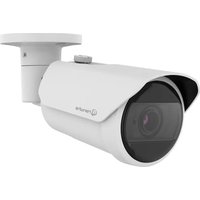
Marque : Hanwha
Modèle : QNP-6250
Catégorie : Caméra de surveillance