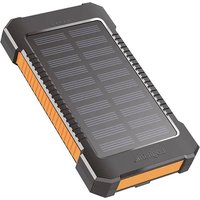
PA0290 - Batterie externe LOGILINK - Notice d'utilisation et mode d'emploi gratuit
Retrouvez gratuitement la notice de l'appareil PA0290 LOGILINK au format PDF.


| Type de produit | Adaptateur secteur universel |
| Marque | LogiLink |
| Modele | PA0290 |
| Tension d'entree | 100-240 V AC, 50/60 Hz |
| Tension de sortie | 5 V DC |
| Courant de sortie | 2 A max |
| Puissance maximale | 10 W |
| Connecteur de sortie | USB-A femelle |
| Dimensions (L x l x H) | 80 x 50 x 30 mm |
| Poids | 100 g |
| Materiau du boitier | Plastique ABS ignifuge |
| Couleur | Noir |
| Fonctions principales | Charge de smartphones, tablettes et autres appareils USB |
| Protections | Surcharge, surtension, court-circuit, surchauffe |
| Certifications | CE, RoHS |
| Entretien et nettoyage | Debrancher avant nettoyage. Essuyer avec un chiffon doux et sec. |
| Securite | Ne pas exposer a l'humidite. Utiliser uniquement dans des locaux secs. |
| Pieces detachees et reparabilite | Non reparables par l'utilisateur. Aucune piece detachee disponible. |
| Informations generales | Adaptateur secteur compact pour voyages. Livre avec cable USB-A vers micro USB ou USB-C selon version. |
FOIRE AUX QUESTIONS - PA0290 LOGILINK
Questions des utilisateurs sur PA0290 LOGILINK
0 question sur cet appareil. Repondez a celles que vous connaissez ou posez la votre.
Poser une nouvelle question sur cet appareil
Téléchargez la notice de votre Batterie externe au format PDF gratuitement ! Retrouvez votre notice PA0290 - LOGILINK et reprennez votre appareil électronique en main. Sur cette page sont publiés tous les documents nécessaires à l'utilisation de votre appareil PA0290 de la marque LOGILINK.
MODE D'EMPLOI PA0290 LOGILINK
LogiLink®
PA0290

DE Solar Powerbank - 6.000 mAh
Bedienungs- und Sicherheitshinweise
EN Solar Power Bank, 6,000 mAh
Operation and Safety Notes
ES Banco de Energía Solar - 6.000 mAh
Instrucciones de funcionamiento y seguridad
PL Powerbank solarny - 6.000 mAh
Instrukcja obsługi i bezpieczeństwa
DE | Bedienungs- und Sicherheitshinweise Seite 4
EN | Operation and Safety Notes Page 13
ES | Instrucciones de funcionamiento y seguridad Página 22
PL | Instrukcja obsługi i bezpieczeństwa Strona 31


Verwendete Warnhinweise und Symbole ..... Seite 5
Einleitung Seite 5
Bestimmungsgemäße Verwendung ..... Seite 5
Hinweise zu Warenzeichen .... Seite 6
Lieferumfang Seite 6
Vor der Inbetriebnahme Seite 6
Teilebeschreibung Seite 6
Technische Daten Seite 7
Sicherheitshinweise Seite 7
Bedienung und Betrieb Seite 8
Powerbank laden Seite 8
Ladezustand prüfen Seite 9
Mobile Geräte mit der Powerbank laden ..... Seite 9
Taschenlampe Seite 10
Fehlerbehebung Seite 10
Reinigung und Pflege Seite 10
Lagerung bei Nichtgebrauch ...... Seite 11
Entsorgung Seite 11
Hinweise zur EU-Konformitätserklärung ..... Seite 11
Garantie Seite 11
Abwicklung im Garantiefall ...... Seite 12
Service Seite 12
▲Verwendete Warnhinweise und Symbole
In dieser Bedienungsanleitung werden die folgenden Symbole und Warnhinweise verwendet:
 | GEFAHR! Dieses Symbol mit dem Signalwort „GEFAHR" bezeichnet eine Gefährdung mit einem hohen Risikograd, die, wenn sie nicht vermieden wird, eine schwere Verletzung oder den Tod zur Folge hat. |
 | WARNUNG! Dieses Symbol mit dem Signalwort „WARNUNG" bezeichnet eine Gefährdung mit einem mittleren Risikograd, die, wenn sie nicht vermieden wird, eine schwere Verletzung zur Folge haben kann. |
 | VORSICHT! Dieses Symbol mit dem Signalwort „VORSICHT" bezeichnet eine Gefährdung mit einem niedrigen Risikograd, die, wenn sie nicht vermieden wird, eine geringe oder mäßige Verletzung zur Folge haben kann. |
 | ACHTUNG! Dieses Symbol weist in Kombination mit dem Signalwort „ACHTUNG" auf einen möglichen Sachschaden hin. |
 | WARNUNG! EXPLOSIONSGEFAHR! Eine Warnung, welche mit diesem Zeichen und den Worten „WARNUNG! EXPLOSIONSGEFAHR!" versehen ist, weist auf eine mögliche Explosionsgefahr hin. Wird ein solcher Warnhinweis nicht befolgt, kann das ernsthafte Verletzungen nach sich ziehen oder tödlich enden und möglichen Sachschaden nach sich ziehen. Folgen Sie den Anweisungen dieser Warnung, um Lebensgefahr, schwerwiegende Verletzungen oder Sachschäden zu vermeiden! |
 | HINWEIS: Dieses Symbol mit dem Signalwort „Hinweis" bietet weitere nützliche Informationen. |
 | Dieses Symbol bedeutet, dass bei Verwendung des Produkts die Bedienungsanleitung beachtet werden muss. |
 | Gleichstrom |
▲Einleitung
Herzlichen Glückwunsch zum Kauf dieses Produkts!
Lesen Sie die Anweisungen und Warnhinweise in dieser
Bedienungsanleitung sorgfältig durch, bevor Sie das Produkt zum ersten
Mal verwenden. Bei Nichtbeachtung kann es zu Beschädigungen des
Gerätes kommen.
■ Bestimmungsgemäße Verwendung
Dieses Produkt ist ein Gerät der Informationstechnik und ist ausschließlich zum Aufladen von mobilen Geräten, die standardmäßig über einen USB-
Anschluss aufgeladen werden, geeignet. Das Produkt ist nicht für den gewerblichen Einsatz bestimmt. Für Schäden aufgrund nicht bestimmungsgemäßer Verwendung übernimmt der Hersteller keine Haftung.
■ Hinweise zu Warenzeichen
- USB® ist ein eingetragenes Warenzeichen von USB Implementers Forum, Inc.
• Die Marke und der Handelsname LogiLink, sind Eigentum der jeweiligen Inhaber. - Alle weiteren Namen und Produkte können die Warenzeichen oder eingetragene Warenzeichen ihrer jeweiligen Eigentümer sein.
■ Lieferumfang
• Powerbank x1
• USB-Ladekabel x1
• Bedienungsanleitung x1
■ Vor der Inbetriebnahme
i Entfernen Sie sämtliches Verpackungsmaterial vom Produkt. Prüfen Sie den Lieferumfang auf sichtbare Schäden. Falls Sie irgendwelche Schäden am Produkt bemerken oder Teile fehlen, wenden Sie sich bitte an den Händler, der Ihnen das Produkt verkauft hat. Diese Anleitung wurden mit größtmöglicher Sorgfalt und nach bestem Wissen entwickelt - Irrtum und technische Änderungen vorbehalten.
■ Teilebeschreibung
Bitte beachten Sie Seite 3.
A Einschaltknopf
B Abdeckung gegen Spritzwasser
USB-A-Ausgang x2
D USB-C-Eingang
E Grüne Solar-Lade-LED-Anzeige
F Blaue Akkustatus-LED-Anzeige
G Solarpanel
H Taschenlampe: 3 Modi (Dauerlicht/SOS/Strobe)
I Gürtelclip
J Bedienungsanleitung
K USB-C-auf-USB-A-Kabel
■ Technische Daten
| Integrierter Akku | 3,7 V / 6.000 mAh. 22,2 Wh (Lithium-Polymer) |
| Solar-Eingang | 5,0 V---0,12 A (0,6 W) |
| USB-C-Eingang | 5,0 V---2,0 A (10,0 W) |
| USB-A-Ausgang 1 | 5,0 V---2,0 A (10,0 W) |
| USB-A-Ausgang 2 | 5,0 V---2,0 A (10,0 W) |
| Gesamt Max. Leistung | 10,0 W |
| Betriebstemperatur | 0–45°C |
| Maße | 138,5 x 76,8 x 23,5 mm |
| Gewicht | 181 g |

Sicherheitshinweise
Machen Sie sich vor der ersten Benutzung des Produkts mit allen Bedien- und Sicherheitshinweisen vertraut. Händigen Sie alle Unterlagen bei Weitergabe des Produkts an Dritte mit aus.
- Kontrollieren Sie das Produkt vor der Verwendung auf äußere sichtbare Schäden. Nehmen Sie ein beschädigtes oder heruntergefallenes Produkt nicht in Betrieb.
- Dieses Produkt kann von Kindern ab 8 Jahren und darüber sowie von Personen mit verringerten physischen, sensorischen oder mentalen Fähigkeiten oder Mangel an Erfahrung und Wissen benutzt werden, wenn Sie beaufsichtigt oder bezüglich des sicheren Gebrauchs des Produktes unterwiesen wurden und die daraus resultierenden Gefahren verstehen. Kinder dürfen nicht mit dem Produkt spielen. Reinigung und Benutzer-Wartung dürfen nicht von Kindern ohne Beaufsichtigung durchgeführt werden.
GEFAHR! Verpackungsmaterialien sind kein Spielzeug. Halten Sie alle Verpackungsmaterialien von Kindern fern. Es besteht Erstickungsgefahr!
- Verwenden Sie das Produkt immer auf einer stabilen und ebenen Fläche. Bei Stürzen kann es beschädigt werden.
- Setzen Sie das Produkt nicht direktem Sonnenlicht oder hohen Temperaturen aus. Anderenfalls kann es überhitzen und irreparabel beschädigt werden.
- Betreiben Sie das Produkt nicht in der Nähe von Wärmequellen wie Heizkörpern oder anderen wärmeerzeugenden Geräten.
- Das Produkt nicht in der Nähe von offenen Flammen betreiben, z. B. Kerzen. Das Produkt ist nicht für den Betrieb in Räumen mit hoher Temperatur oder
- Luftfeuchtigkeit (z. B. Badezimmer) oder übermäßigem Staubaufkommen ausgelegt.
Setzen Sie das Produkt nie extremer Hitze aus. Dies gilt insbesondere für eine
- Lagerung im Auto. Bei längeren Standzeiten entstehen extreme Temperaturen in Innenraum und Handschuhfach. Entfernen Sie elektrische und elektronische Geräte aus dem Fahrzeug.
- Verwenden Sie das Produkt nicht sofort, wenn es von einem kalten Raum in einen warmen Raum gebracht wurde. Lassen Sie das Produkt erst akklimatisieren, bevor Sie es einschalten.
- ⚠️ WARNING! Öffnen Sie niemals das Gehäuse des Produktes. Es befinden sich keine zu wartenden Bauteile im Produkt.
- ⚠️ WARNING! Eine falsche Handhabung von Akkus kann zu Feuer, Explosionen, Auslaufen gefährlicher Stoffe oder anderen Gefahrensituationen führen! Werfen Sie das Produkt nicht ins Feuer, da der integrierte Akku explodieren kann.
- Nehmen Sie keine eigenmächtigen Veränderungen an dem Produkt vor.
- Lassen Sie Reparaturen am Produkt nur von autorisierten Fachbetrieben oder dem Kundenservice durchführen. Durch unsachgemäße Reparaturen können erhebliche Gefahren für den Benutzer entstehen. Zudem erlischt der Garantieanspruch.
- Schalten Sie das Produkt unverzüglich aus und ziehen Sie das möglicherweise angeschlossene Ladekabel vom Produkt ab, falls Sie Brandgeruch oder Rauchentwicklung feststellen. Lassen Sie das Produkt durch einen qualifizierten Fachmann überprüfen, bevor Sie es erneut verwenden.
- Bei Verwendung eines USB-Netzteils muss die verwendete Steckdose immer leicht zugänglich sein, damit in einer Gefahrensituation das USB-Netzteil schnell aus der Steckdose entfernt werden kann. Beachten Sie dazu die Bedienungsanleitung des Herstellers.
- Beachten Sie die Nutzungseinschränkungen bzw. Nutzungsverbote für batteriebetriebene Produkte an Orten mit gesonderter Gefahrenlage, wie z. B. Tankanlagen, Flugzeugen, Krankenhäusern, usw.
- ⚠️ WARNING! Decken Sie das Produkt nicht während des Ladevorgangs ab. Es besteht die Gefahr eines Wärmestaus und der Überhitzung.
▲ Bedienung und Betrieb
■ Powerbank laden
Vor der Nutzung des Produkts muss der integrierte Akku vollständig geladen werden.
- Verwenden Sie zum Laden der Powerbank nur Netzteile mit einer Ausgangsspannung von 5 V und einem Ausgangsstrom von mindestens 2 A.
① Verbinden Sie das USB-Kabel K mit dem USB-C-Eingang D der Powerbank.
② Schließen Sie das andere Ende des USB-Kabels K an ein USB-Netzteil (nicht im Lieferumfang enthalten) an (siehe Abb. L).
③ Die Powerbank wird bei Sonnenlicht durch das Solarpanel automatisch aufgeladen.
• Die grüne Solar-Lade-LED leuchtet während des Aufladens durch Sonnenlicht. Die blaue LED leuchtet, wenn die Powerbank vollständig aufgeladen ist.
- Der aktuelle Ladezustand wird mit Hilfe der LED-Ladezustandsanzeige angezeigt:
| Status LED-Ladezustandsanzeige | Kapazitätsgrad Powerbank* |
| 1 LED blinkt | 0–25 % |
| 1 LED leuchtet auf, 1 LED blinkt | 25–50 % |
| 2 LEDs leuchten auf, 1 LED blinkt | 50–75 % |
| 3 LEDs leuchten auf, 1 LED blinkt | 75–100 % |
| 4 LEDs leuchten auf | 100 % |
*Dies ist ungefähr der Prozentsatz der Powerbank-Kapazität, jedoch nicht der tatsächliche Messwert.
■ Ladezustand prüfen
Sie können den Ladezustand jederzeit mit der LED-Ladezustandsanzeige überprüfen.
- Drücken Sie kurz die Power-Taste A. Die LED-Ladezustandsanzeige F zeigt für ca. 30 Sekunden den aktuellen Ladezustand der Powerbank in Prozent an. Die 4 LEDs der Ladezustandsanzeige F zeigen den Ladezustand der Powerbank an:
| Status LED-Ladezustandsanzeige | Batteriestatus* |
| 1 LED leuchtet | 25 % |
| 2 LEDs leuchten | 50 % |
| 3 LEDs leuchten | 75 % |
| 4 LEDs leuchten | 100 % |
*Dies ist ein ungefährer Prozentsatz der Batteriekapazität, aber keine tatsächliche Messung.
■ Mobile Geräte mit der Powerbank laden
① Verwenden Sie das mitgelieferte USB-Kabel K oder ein anderes Ladekabel von einem zuverlässigen Anbieter. Schließen Sie den USB-Stecker Typ A an den USB-Ausgang der Powerbank an.
② Schließen Sie das andere Ende des USB-Kabels K an das zu ladende USB-Gerät an. Der Ladevorgang wird automatisch gestartet.
③ Falls der Ladevorgang nicht sofort beginnt, drücken Sie kurz die Power-Taste A, um den Ladevorgang zu starten. Der aktuelle Batteriestatus der Powerbank wird während des Ladevorgangs durch die LED-Anzeige F angezeigt.
④ Um den Ladevorgang zu beenden, trennen Sie das USB-Ladekabel vom USB-Gerät und der Powerbank. Die LED-Anzeige F schaltet sich nach ca. 30 Sekunden aus.
Beim gleichzeitigen Laden von 2 Geräten beträgt die Ausgangsleistung an allen Anschlüssen 5 V und max. 10 W.
■ Taschenlampe
① Drücken Sie die Einschalttaste A für 2 Sekunden, um die Taschenlampe H einzuschalten.
② Drücken Sie erneut die Einschalttaste A, um das Stroboskoplicht einzuschalten.
③ Drücken Sie nach dem Stroboskoplicht erneut die Einschalttaste A, um das SOS-Licht einzuschalten.
④ Drücken Sie die Einschalttaste A 2 Sekunden lang, um die Taschenlampe auszuschalten.
▲Fehlerbehebung
◆ = Problem
◇ = Ursache
◇ = Lösung
◆ Die Powerbank wird nicht geladen.
Evtl. Verbindung fehlerhaft.
Überprüfen Sie die Verbindung.
Um die Powerbank aufzuladen, muss eine Stromversorgung mit 5 V und mindestens 2 A verwendet werden.
Ein angeschlossenes Gerät wird nicht geladen.
Der Akku ist leer.
◇ Laden Sie den Akku auf.
Keine Verbindung zum Gerät.
Überprüfen Sie die Verbindung. Drücken Sie kurz die EIN- / AUS-Taste A, um den Ladevorgang zu starten.
Die Stromaufnahme der angeschlossenen Geräte könnte zu niedrig sein.
Ziehen Sie die Bedienungsanleitung des angeschlossenen Geräts hinzu und prüfen Sie, ob dessen Stromaufnahme mit diesem Produkt übereinstimmt.
Die Powerbank reagiert nicht auf Tastendruck oder wenn ein Gerät angeschlossen wird, obwohl der Akku geladen ist.
Die Stromaufnahme des angeschlossenen Gerätes ist zu hoch. Dadurch wurde die interne Überstromsicherung ausgelöst.
◇ Bitte trennen Sie das zu ladende Gerät von der Powerbank und suchen Sie eine andere Powerbank zum Aufladen.
▲ Reinigung und Pflege
Es befinden sich keine zu wartenden Teile im Inneren. Eindringende Feuchtigkeit kann zu einer Beschädigung des Produkts führen.
- Stellen Sie sicher, dass bei der Reinigung keine Feuchtigkeit in das Produkt eindringt, um eine irreparable Beschädigung des Produktes zu vermeiden.
- Verwenden Sie keine ätzenden, scheuernden oder lösungsmittelhaltigen
- Reinigungsmittel. Diese können die Oberflächen des Produkts angreifen. Reinigen Sie das Produkt ausschließlich mit einem leicht feuchten Tuch und einem milden Spülmittel.
- Achten Sie darauf, dass sämtliche Steckerkontakte frei von Schmutz und Fremdkörpern sind.
▲Lagerung bei Nichtgebrauch
- Lagern Sie das Produkt an einem trockenen und staubfreien Ort ohne direkte Sonneneinstrahlung.
- Bei längerer Lagerung sollte der integrierte Akku voll geladen werden, um die Lebensdauer zu verlängern.
- Laden Sie den integrierten Akku bei längerer Nichtbenutzung regelmäßig nach. Dies ist zur Schonung des Akkus erforderlich.
▲ Entsorgung
• Die Verpackung besteht aus umweltfreundlichen Materialien, die Sie über die örtlichen Recyclingstellen entsorgen können.
- Möglichkeiten zur Entsorgung des ausgedienten Produkts erfahren Sie bei Ihrer Gemeinde oder Stadtverwaltung.

Elektrische und elektronische Geräte dürfen nach der europäischen WEEE-Richtlinie nicht mit dem Hausmüll entsorgt werden. Deren Bestandteile müssen getrennt der Wiederverwertung oder Entsorgung zugeführt werden, weil giftige und gefährliche Bestandteile bei unsachgemäßer Entsorgung die Umwelt nachhaltig schädigen können.
Sie sind als Verbraucher nach dem Elektrogesetz (ElektroG) verpflichtet, elektrische und elektronische Geräte am Ende ihrer Lebensdauer an den Hersteller, die Verkaufssteile oder an dafür eingerichtete, öffentliche Sammelstellen kostenlos zurückzugeben. Einzelheiten dazu regelt das jeweilige Landesrecht. Das Symbol auf dem Produkt, der Betriebsanleitung oder/und der Verpackung weist auf diese Bestimmungen hin. Mit dieser Art der Stofflrennung, Verwertung und Entsorgung von Algeräten leisten Sie einen wichtigen Beitrag zum Schutz unserer Umwelt.
Diese Entsorgung ist für Sie kostenfrei.
Schonen Sie die Umwelt und entsorgen Sie fachgerecht.
Weitere Informationen erhalten Sie bei Ihrem lokalen Entsorger oder der Stadt bzw. Gemeindeverwaltung.
Der eingebaute Akku kann zur Entsorgung nicht ausgebaut werden.
▲ Hinweise zur EU-Konformitätserklärung

Das CE-Zeichen bestätigt, dass dieses Produkt die Hauptanforderungen der Richtlinie 2014/30/EU des Europäischen Parlaments und des Europarates über Telekommunikations- und Endgeräte bezüglich der Sicherheit und der Gesundheit der Benutzer und hinsichtlich elektro-magnetischer Störungen einhält. Die CE Konformität wurde nachgewiesen. Die entsprechenden Erklärungen sind beim Hersteller hinterlegt.
2direct GmbH · Langenstück 5 D-58579 Schalksmühle
▲ Garantie
Das Produkt wurde nach strengen Qualitätsrichtlinien sorgfältig produziert und vor Anlieferung gewissenhaft geprüft. Im Falle von Mängeln dieses Produkts stehen Ihnen gegen den Verkäufer des Produkts gesetzliche Rechte zu. Diese gesetzlichen Rechte werden durch unsere im Folgenden dargestellte Garantie nicht eingeschränkt.
Sie erhalten auf dieses Produkt 2 Jahre Garantie ab Kaufdatum. Die Garantiefrist beginnt mit dem Kaufdatum. Bitte bewahren Sie den Original-Kassenbon gut auf. Diese Unterlage wird als Nachweis für den Kauf benötigt.
Tritt innerhalb von 2 Jahren ab dem Kaufdatum dieses Produkts ein Material- oder Fabrikationsfehler auf, wird das Produkt von uns – nach unserer Wahl – für Sie kostenlos repariert oder ersetzt. Diese Garantie verfällt, wenn das Produkt beschädigt, nicht sachgemäß benutzt oder gewartet wurde.
Die Garantieleistung gilt für Material- oder Fabrikationsfehler. Diese Garantie erstreckt sich nicht auf Produkteile, die normaler Abnutzung ausgesetzt sind (z. B. Batterien) und daher als Verschleißteile angesehen werden können oder Beschädigungen an zerbrechlichen Teilen, z. B. Schalter, Akkus oder die aus Glas gefertigt sind.
■ Abwicklung im Garantiefall
Um eine schnelle Bearbeitung Ihres Anliegens zu gewährleisten, folgen Sie bitte den folgenden Hinweisen:
Bitte halten Sie für alle Anfragen den Kassenbon und die Artikelnummer (z. B. PA0290) als Nachweis für den Kauf bereit. Die Artikelnummer entnehmen Sie bitte dem Typenschild, einer Gravur, auf dem Titelblatt Ihrer Anleitung oder als Aufkleber auf der Rück- oder Unterseite.
Sollten Funktionsfehler oder sonstige Mängel auftreten, kontaktieren Sie zunächst die nachfolgend benannte Serviceabteilung telefonisch oder per E-Mail. Wenn Sie ein defektes Produkt an uns zurücksenden, stellen Sie bitte sicher, dass Sie den Kaufbeleg (Kassenzettel) und Informationen darüber beilegen, um welchen Defekt es sich handelt und wann er aufgetreten ist.
■ Service
Tel
Mo.-Fr. 10:00 bis 18.00 Uhr
(+49) 2351-66887-19
(Zum Festnetzpreis)
support@logilink.com
Warnings and Symbols Used ...... Page 14
Introduction Page 14
Intended Use Page 14
Trademark Notice Page 15
Scope of Delivery Page 15
Before Use Page 15
Parts Description Page 15
Technical Data Page 16
Safety Notices Page 16
Operation and Use Page 17
Charging the Powerbank Page 17
Checking the Battery Status Page 18
Charging Mobile Devices with the Powerbank .. Page 18
Flashlight Page 19
Troubleshooting Page 19
Cleaning and Care Page 19
Storage During Non-use Page 19
Disposal Page 20
Note to EU Declaration of Conformity ...... Page 20
Warranty Page 20
Warranty Claim Procedure Page 21
Service Page 21
▲Warnings and Symbols Used
These instructions for use contain the following symbols and warnings:
 | DANGER! This symbol with the signal word "DANGER" indicates a hazard with a high level of risk which, if not avoided, will result in serious injury or death. |
 | WARNING! This symbol with the signal word "WARNING" indicates a hazard with a medium level of risk which, if not avoided, will result in serious injury. |
 | CAUTION! This symbol with the signal word "CAUTION" indicates a hazard with a low level of risk which, if not avoided, will result in minor or moderate injury. |
 | ATTENTION! This symbol with the signal word "ATTENTION" indicates a possible property damage. |
 | WARNING! EXPLOSION HAZARD! A warning with this symbol and word "WARNING! EXPLOSION HAZARD" indicates the potential threat of explosion. Failure to observe this warning may result in serious or fatal injuries and potential property damage. Follow the instructions in this warning to prevent serious injuries, a danger to life or property damage! |
 | NOTE: This symbol with the signal word "NOTE" provides additional useful information. |
 | This symbol means that the operating instructions must be observed when using the product. |
 | Direct Current |
▲Introduction
Congratulations on the Purchase of PA0290!
Please read the manual and safety Instructions before using the product for the first time. Otherwise damage may result.
■ Intended Use
This product is an IT device which is solely intended to be used to charge mobile devices which are normally charged through a USB port. This product is not intended for commercial use. Manufacturer is not liable for damages, which result from non-intended use.
■ Trademark Notice
- USB® is a registered trademark of USB Implementers Forum, Inc.
- The LogiLink, trademark and trade name is the property of their respective owners.
- Any other names and products may be trademarks or registered trademarks of their respective owners.
■ Scope of Delivery
• Power Bank x1
• USB Charging Cable x1
- User Manual x1
■ Before Use
When removing all packaging materials from the product, please check the contents inside to see if there is any damage. If you notice any damage or missing parts, please contact the dealer who sold this product. Elaborated to the best of our knowledge and with utmost diligence we reserve the right of error and technical modifications.
■ Parts Description
Please refer to page 3.
A Power button
B Splashproof cover
USB-A output x2
D USB-C input
E Green solar charging LED indicator
F Blue battery status LED indicators
G Solar panel
H Flashlight: 3 modes (Steady light/SOS/Strobe)
I Belt clip
J User manual
USB-C to USB-A cable
■ Technical Data
| Built-in Battery | 3.7 V / 6,000 mAh, 22.2 Wh (Lithium polymer) |
| Solar Input | 5.0 V---0.12 A (0.6 W) |
| USB-C Input | 5.0 V---2.0 A (10.0 W) |
| USB-A Output 1 | 5.0 V---2.0 A (10.0 W) |
| USB-A Output 2 | 5.0 V---2.0 A (10.0 W) |
| Total Max. Output | 10.0 W |
| Operating Temperature | 0-45°C |
| Dimensions | 138.5 x 76.8 x 23.5 mm |
| Weight | 181 g |

Safety Notices
Please familiarize yourself with all instructions for use and safety notices before using the product for the first time. When passing this product on to third parties, please be sure to include all documentation.
- Check the product for visible external damage before use. Do not use the product if damaged or dropped.
- This product may be used by children age 8 years and up, as well as by persons with physical, sensory or mental impairments or lacking experience and / or knowledge, provided they are supervised or instructed in the safe use of the product and understand the associated risks. Do not allow children to play with the product. Never allow children to clean or maintain this product unsupervised.
* DANGER! Packaging materials are not a toy. Keep all packaging materials out of the reach of children. Suffocation hazard!
• Always use the product on flat and smooth surface. The product could be damaged if it falls.
- Do not expose the product to high temperatures. It may otherwise overheat and be damaged beyond repair.
- Do not operate the product near open flames, e.g. candles.
- The product is not designed for use in rooms with high temperatures or humidity (i.e. bathrooms) or those in which a great amount of dust is generated.
- Do not expose the product to extremely high temperatures. This applies in particular if you are thinking about storing the product in your car. Over a prolonged period of time, the car and the glove compartment could become extremely hot. Remove electric devices from the car.
- Do not use the product immediately after it has been brought in from a cold room to a warm room. Allow the product to acclimatize before you switch it on.
- ⚠️ WARNING! Never open the product casing. This product has no internal parts requiring maintenance.
- WARNING! Improper handling of lithium polymer batteries can result in fire, explosions, hazardous substances leaking, or other dangerous situations! Do not throw the product into the fire, as this could lead to the built-in battery exploding.
- Do not independently convert or modify the product.
- Repairs to the product must be performed by authorized specialized companies or customer service. Improper repairs may place the user in considerable danger. They will also void the warranty.
- Immediately switch the product off and remove the charging cable from the product if you smell burning or see smoke. Have the product examined by a qualified technician before using it again.
- If you use a USB power supply, the socket used must always be easily accessible so that the USB power supply can be quickly removed from the socket in the case of emergency. Please also refer to the manufacturer's instruction manual.
- Observe the usage restrictions and prohibitions of use for battery-operated products in situations which may be hazardous such as at petrol stations, airports, hospitals, etc.
* ⚠️ WARNING! During charging process, please note that the product must not be covered. There is a risk of warming and overheating. - Due to the high power consumptions, the power bank must not be charged from a PC or notebook.
- ATTENTION! The solar panel is designed for emergency charging, it should not be the primary charging source. Prolonged exposure under the sun will cause damage to the solar panel.
- The required charging time for the power bank depends on the charging source and its output power.
- ATTENTION! Do not connect any device to the power bank for charging while the power bank itself is charging. Remove the charging cable from the power bank when it is fully charged.
▲Operation and Use
■ Charging the Power Bank
The built-in rechargeable battery must be fully charged before using the product.
• To charge the power bank through USB cable, use power supplies with an output voltage of 5 V and the output current of at least 2 A.
① Connect the USB cable K with the USB-C input D of the power bank.
② Connect the other end of the USB cable K to a USB power supply (not included in the scope of delivery) (see fig L).
③ The power bank will start charging automatically under sunlight through the solar panel G.
• The green solar charging LED will light while charging by sunlight. Turning to solid blue LED when the power bank is fully charged.
• The battery charging status is shown by LED indicator F :
| LED Indicator Status | Power Bank Capacity Level* |
| 1 LED flash | 0–25 % |
| 1 LED light up, 1 LED flash | 25–50 % |
| 2 LEDs light up, 1 LED flash | 50–75 % |
| 3 LEDs light up, 1 LED flash | 75–100 % |
| 4 LEDs light up | 100 % |
* This is approximate percentage of power bank capacity but not actual measurement.
■ Checking the Battery Status
You can check the battery status on the LED indicator F anytime.
- Press the Power button A. The LED indicator F shows the current battery status of the power bank for approx. 30 seconds in terms of 4 LED indicators F to show overall power bank capacity.
| LED Indicator Status | Battery Status* |
| 1 LED light up | 25 % |
| 2 LEDs light up | 50 % |
| 3 LEDs light up | 75 % |
| 4 LEDs light up | 100 % |
* This is approximate percentage of Battery capacity but not actual measurement.
■ Charging Mobile Devices with the Power Bank
① Use provided USB cable K or other charging cable purchased from reliable supplier. Connect USB Type A plug to USB output of the power bank.
② And connect the other end of the USB cable K to the USB device to be charged. The charging process will start automatically.
③ In case if the charging process does not begin immediately, press the Power button A shortly to begin the charging process. The current battery status of the power bank is shown during the charging process by the LED indicator F.
④ To end the charging process, separate the USB charging cable from the USB device and the power bank. The LED indicator F will switch off after approx. 30 seconds.
When charging 2 devices simultaneously, all output ports will be 5 V and 10 W max.
■ Flashlight
① Press Power button A for 2 seconds to turn on the flashlight H.
② Press Power button A again to turn on strobe light.
③ Press Power button A again after the strobe light to turn on SOS light.
④ Press Power button A for 2 seconds to turn off the flashlight.
▲Troubleshooting
◆ = Problem
◇ = Cause
◇ = Solution
◆ The power bank is not being charged.
It may be that the power bank is not connected properly.
◇ Check that it is connected.
In order to charge the power bank, a power supply with 5 V and at least 2 A has to be used.
◆ A connected device is not being charged.
The battery is drained.
Charge the battery.
The device is not connected.
◇ Check that it is connected. Lightly press the Power button A to begin the charging process.
The current consumption of the connected device might be too low.
◇ Check your connected device manual and see if your connected device current consumption complies with this product.
The power bank does not react when the button is pressed or when a device is connected, even though the battery is charged.
The power consumption of the connected device is too high. Therefore, the internal overcurrent protection device was activated.
Please unplug your device to be charged and find another suitable power bank for charging.
▲Cleaning and Care
This product has no internal parts requiring maintenance. Moisture entering the product may result in damage.
- Ensure no moisture enters the product during cleaning to prevent damaging the product beyond repair.
- Do not use abrasive, solvent-based or aggressive cleaners. These can damage the surface of the product.
- Only clean the product with a slightly damp cloth and mild washing-up liquid.
• Make sure that all plug contacts are free of dirt and foreign objects.
▲Storage During Non-use
- Store the product in a dry, dust-free location, protected from direct sunlight.
- If the product is not used for a long time, the built-in battery should be fully charged to prolong its operating life.
- Regularly charge the built-in battery if you do not use the product for a long period of time. This is necessary to preserve the battery.
▲ Disposal
- The packaging is made of environmentally friendly materials, which may be disposed of through your local recycling facilities.
- Contact your municipality for information on how to dispose of your worn-out product.

According to the European WEEE directive, electrical and electronic equipment must not be disposed with consumers waste. Its components must be recycled or disposed apart from each other. Otherwise contaminative and hazardous substances can pollute our environment.
You as a consumer are committed by law to dispose electrical and electronic devices to the producer, the dealer, or public collecting points at the end of the devices lifetime for free. Particulars are regulated in national right. The symbol on the product, in the user's manual, or at the packaging alludes to these terms. With this kind of waste separation, application, and waste disposal of used devices you achieve an important share to environmental protection.
This disposal is free of charge to you.
Protect the environment and dispose properly.
Please contact your local waste management company or the city municipal administration for more information.
The built-in rechargeable battery cannot be removed for disposal.
▲Note to EU Declaration of Conformity

The CE mark confirmed that this product meets the main requirements of the Directive 2014/30/EU of the European Parliament and the Council of Europe concerning telecommunications and terminals regarding the Safety and health of users and of electro-magnetic interference compliance. The CE has been demonstrated. These statements are deposited by the manufacturer.

2direct GmbH · Langenstück 5 D-58579 Schalksmühle
▲ Warranty
The product has been manufactured to strict quality guidelines and meticulously examined before delivery. In the event of product defects you have legal rights against the retailer of this product. Your legal rights are not limited in any way by our warranty detailed below.
The warranty for this product is 2 years from the date of purchase. Should this product show any fault in materials or manufacture within 2 years from the date of purchase, we will repair or replace it – at our choice – free of charge to you.
The warranty period begins on the date of purchase. Please keep the original sales receipt in a safe location. This document is required as your proof of purchase. This warranty becomes void if the product has been damaged, or used or maintained improperly.
The warranty applies to defects in material or manufacture. This warranty does not cover product parts subject to normal wear, thus possibly considered consumables (e.g. batteries) or for damage to fragile parts, e.g. switches, rechargeable batteries or glass parts.
■ Warranty Claim Procedure
To ensure quick processing of your case, please observe the following instructions:
Please have the till receipt and the item number (e.g. PA0290) available as proof of purchase. You will find the item number on the type plate, an engraving on the front page of the instructions, or as a sticker on the rear or bottom of the appliance.
If functional or other defects occur, please contact the service department listed either by telephone or by e-mail. You can return a defective product to us and ensure that you enclose the proof of purchase (till receipt) and information about what the defect is and when it occurred.
■ Service
Hotline
10:00 a.m. - 06:00 p.m.
(+49) 2351-66887-19
(German landline number)
support@logilink.com
Advertencias y símbolos utilizados ...... Página 23
Introducción ...... Página 23
Uso previsto Página 23
Aviso de marca registrada ...... Página 24
Contenido del paquete ...... Página 24
Antes del uso ...... Página 24
Descripción de las partes ...... Página 24
Datos técnicos ...... Página 25
Avisos de seguridad ...... Página 25
Operación y uso ...... Página 26
Cargando el banco de energía ...... Página 26
Comprobación del estado de la batería ...... Página 27
Cargar los dispositivos móviles con el banco de energía ...... Página 27
Linterna Página 28
Solución de problemas ...... Página 28
Limpieza y cuidado ...... Página 28
Almacenamiento durante la falta de uso ..... Página 29
Eliminación ...... Página 29
Nota de la Declaración de Conformidad de la UE ...... Página 29
Garantía ...... Página 29
Procedimiento de reclamación de la garantía .. Página 30
Servicio ...... Página 30
▲Advertencias y símbolos utilizados
En este manual de instrucciones se utilizan los siguientes símbolos y advertencias:
 | ¡PELIGRO! Este símbolo con la palabra de señalización "PELIGRO" indica un peligro con un alto nivel de riesgo que, si no se evita, provocará lesiones graves o la muerte. |
 | ¡ADVERTENCIA! Este símbolo con la palabra de señalización "ADVERTENCIA" indica un peligro de grado medio que, si no se evita, puede dar lugar a lesiones graves. |
 | ¡PRECAUCIÓN! Este símbolo con la palabra de señalización "PRECAUCIÓN" indica un peligro con un nivel de riesgo bajo que, si no se evita, puede dar lugar a lesiones menores o moderadas. |
 | ¡Cuidado! Este símbolo en combinación con la palabra de señal "Cuidado" indica un posible daño a la propiedad. |
 | ¡ADVERTENCIA! ¡PELIGRO DE EXPLOSIÓN! Una advertencia, que se combina con esta y las palabras "¡ADVERTENCIA! PELIGRO DE EXPLOSIÓN" indica un posible peligro de explosión. El incumplimiento de esa advertencia puede provocar lesiones graves o la muerte y posibles daños a la propiedad. Siga las instrucciones de esta advertencia para evitar el peligro de vida, lesiones graves o daños a la propiedad! |
 | NOTA: Este símbolo con la palabra de señal "Nota" proporciona información adicional útil. |
 | Este símbolo significa que deben observarse las instrucciones de uso al utilizar el producto. |
 | Corriente directa |
▲Introducción
Felicitaciones a la compra de LogiLink PA0290!
Por favor, lea el manual de instrucciones de seguridad antes de utilizar el producto por primera vez. De lo contrario el producto puede ser dañado.
■ Uso previsto
Este producto es un dispositivo informático destinado únicamente a ser utilizado para cargar dispositivos móviles que normalmente se cargan a través de un puerto USB. Este producto no está destinado a un uso comercial. El fabricante no se hace responsable de los daños que resulten de un uso no previsto.
■ Aviso de marca registrada
- USB® es una marca registrada de USB Implementers Forum, Inc.
- La marca y el nombre comercial LogiLink, son propiedad de sus respectivos propietarios.
- Cualquier otro nombre o producto puede ser una marca comercial o una marca registrada de sus respectivos propietarios.
■ Contenido del paquete
- Banco de alimentación x1
• Cable de carga USB x1 - Manual de usuario x1
■ Antes del uso
Cuando retire todos los materiales de embalaje del producto, por favor, compruebe el contenido de la entrega dentro del embalaje para ver si hay algún daño. Si observa algún daño o falta alguna pieza, póngase en contacto con el distribuidor que vendió este producto. Elaborado según nuestros conocimientos y con la mayor diligencia nos reservamos el derecho de error y de modificaciones técnicas.
■ Descripción de las partes
Por favor, consulte la página 3.
A Botón de encendido
B Cubierta contra salpicaduras de agua
C Salida USB-A x2
D Entrada USB-C
E Indicador LED verde de carga solar
F Indicadores LED azules de estado de la batería
G Panel solar
H Linterna: 3 modos (luz fija/SOS/Strobe)
1 Clip para el cinturón
J Manual de usuario
K Cable USB-C a USB-A
■ Datos técnicos
| Batería incorporada | 3,7 V / 6.000 mAh, 22,2 Wh (polímero de litio) |
| Entrada solar | 5,0 V---0,12 A (0,6 W) |
| Entrada USB-C | 5,0 V---2,0 A (10,0 W) |
| Salida USB-A 1 | 5,0 V---2,0 A (10,0 W) |
| Salida USB-A 2 | 5,0 V---2,0 A (10,0 W) |
| Salida total máx. Salida | 10,0 W |
| Temperatura de funcionamiento | 0-45°C |
| Dimensiones | 138,5 x 76,8 x 23,5 mm |
| Peso | 181 g |

Avisos de seguridad
Por favor, familiarícese con todas las instrucciones de uso y avisos de seguridad antes de usar el producto por primera vez. Cuando pase este producto a terceros, por favor asegúrese de incluir toda la documentación.
- Compruebe que el producto no tenga daños externos visibles antes de usarlo. No utilice el producto si está dañado o se ha caído.
- Este producto puede ser utilizado por niños a partir de los 8 años de edad, así como por personas con impedimentos físicos, sensoriales o mentales o que carezcan de experiencia y/o conocimientos, siempre que sean supervisados o instruidos en el uso seguro del producto y comprendan los riesgos asociados. No permita que los niños jueguen con el producto. Nunca permita que los niños limpien o mantengan este producto sin supervisión.
- ¡PELIGRO! Los materiales de embalaje no son un juguete. Mantenga todos los materiales de embalaje fuera del alcance de los niños. ¡Peligro de asfixia!
- Siempre use el producto en una superficie plana y lisa. El producto podría dañarse si se cae.
- No exponga el producto a altas temperaturas. De lo contrario, podría recalentarse y dañarse sin remedio.
- No utilice el producto cerca de llamas abiertas, por ejemplo, velas.
- El producto no está diseñado para su uso en habitaciones con altas temperaturas o humedad (por ejemplo, cuartos de baño) o en las que se genere una gran cantidad de polvo.
- No exponga el producto a temperaturas extremadamente altas. Esto se aplica especialmente si piensa guardar el producto en su coche. Durante unperíodo de tiempo prolongado, el coche y la guantera podrían llegar a estar extremadamente calientes. Retire los dispositivos eléctricos y de electricidad del coche.
- No utilice el producto inmediatamente después de haberlo llevado de una habitación fría a una habitación caliente. Deje que el producto se aclimate antes de encenderlo.
* !ADVERTENCIA! Nunca abra la carcasa del producto. Este producto no tiene ninguna pieza interna que requiera mantenimiento.
- ADVERTENCIA! El manejo inadecuado de las baterías de polímero de litio puede provocar incendios, explosiones, fugas de sustancias peligrosas u otras situaciones peligrosas. No arroje el producto al fuego, ya que esto podría provocar la explosión de la batería incorporada.
- No convierta o modifique el producto de forma independiente.
- Las reparaciones del producto deben ser realizadas por empresas especializadas autorizadas o por el servicio de atención al cliente. Las reparaciones inadecuadas pueden poner al usuario en un peligro considerable. Además, anularán la garantía.
- Apague inmediatamente el producto y retire el cable de carga del producto si huele a quemado o ve humo. Haga que un técnico cualificado examine el producto antes de volver a utilizarlo.
- Si utiliza una fuente de alimentación USB, el enchufe utilizado debe ser siempre fácilmente accesible para que la fuente de alimentación USB pueda ser retirada rápidamente del enchufe en caso de emergencia. Consulte también el manual de instrucciones del fabricante.
- Respete las restricciones de uso y las prohibiciones de uso de los productos que funcionan con pilas en situaciones que pueden ser peligrosas, como en gasolineras, aeropuertos, hospitales, etc.
- ! ADVERTENCIA! Durante el proceso de carga, tenga en cuenta que el producto no debe ser cubierto. Existe el riesgo de calentamiento y sobrecalentamiento.
▲Operación y uso
■ Cargando el banco de energía
La batería recargable incorporada debe estar completamente cargada antes de usar el producto.
- Para cargar el banco de energía a través del cable USB, utilice fuentes de alimentación con un voltaje de salida de 5 V y una corriente de salida de al menos 2 A.
① Conecte el cable USB K con la entrada USB-C D del banco de energía.
② Conecte el otro extremo del cable USB K a una fuente de alimentación USB (no incluida en el suministro) (véase la figura L).
③ El banco de energía comenzará a cargarse automáticamente bajo la luz del sol a través del panel solar G.
- El LED verde de carga solar se encenderá mientras se carga con la luz del sol. El LED verde de carga solar se encenderá mientras se esté cargando con la luz del sol, y se convertirá en azul cuando el cargador esté completamente cargado.
- El estado actual de la batería se muestra mediante el indicador LED F :
| Estado del indicador LED | Banco de energía Nivel de capacidad* |
| 1 flash LED | 0–25 % |
| 1 LED se ilumina, 1 LED parpadea | 25–50 % |
| 2 LEDs se encienden, 1 LED parpadea | 50–75 % |
| 3 LEDs se encienden, 1 LED parpadea | 75–100 % |
| 4 LEDs se iluminan | 100 % |
* Este es un porcentaje aproximado de la capacidad del banco de energía pero no la medición real.
■ Comprobación del estado de la batería
Puedes comprobar el estado de la batería en el indicador LED F en cualquier momento.
- Pulse el botón de encendido A. El indicador LED F muestra el estado actual de la batería del banco de energía durante aproximadamente 30 segundos en términos de 4 indicadores LED F para mostrar la capacidad total del banco de energía.
| Estado del indicador LED | Estado de la batería* |
| 1 LED se ilumina | 25 % |
| 2 LEDs se iluminan | 50 % |
| 3 LEDs se iluminan | 75 % |
| 4 LEDs se iluminan | 100 % |
* Este es un porcentaje aproximado de la capacidad del banco de energía pero no la medición real.
■ Cargar los dispositivos móviles con el banco de energía
① Utilice el cable USB proporcionado K u otro cable de carga proporcionado por un proveedor de confianza. Conecte el enchufe USB tipo A a la salida USB del banco de energía.
② Y conecte el otro extremo del cable USB K al dispositivo USB para ser cargado. El proceso de carga se producirá automáticamente.
③ En caso de que el proceso de carga no comience inmediatamente, presione el botón de encendido A en breve comenzará el proceso de carga. El estado de carga de la batería del power bank se mostrará mediante el indicador LED F.
④ Para finalizar el proceso de carga, quite el cable de carga USB del dispositivo. El indicador led F se apagará después de aprox. 30 segundos.
Al cargar 2 dispositivos simultáneamente, todos los puertos de salida tendrán 5 V y 10W máx.
■ Linterna
① Pulse el botón de encendido A durante 2 segundos para encender la linterna H.
② Pulse de nuevo el botón de encendido A para encender la luz estroboscópica.
③ Pulse de nuevo el botón de encendido A después de la luz estroboscópica para encender la luz SOS.
④ Pulse el botón de encendido A durante 2 segundos para apagar la linterna.
▲Solución de problemas
◆ = Problema
◇ = Causa
◇ = Solución
El banco de energía no está siendo cargado.
Puede ser que el banco de energía no esté conectado correctamente.
◇ Comprueba que está conectado.
Para cargar el banco de energía, se debe utilizar una fuente de alimentación de 5 V y al menos 2 A.
◆ Un dispositivo conectado no se está cargando.
La batería está agotada.
◇ Cargue la batería.
El dispositivo no está conectado.
◇ Compruebe que esté conectado. Presione ligeramente el interruptor de encendido/apagado A para iniciar el proceso de carga.
El consumo de corriente del dispositivo conectado puede ser demasiado bajo.
Revise el manual del dispositivo conectado y compruebe si el consumo de corriente del dispositivo conectado cumple con este producto.
El banco de energía no reacciona cuando se pulsa el botón o cuando se conecta un dispositivo, aunque la batería esté cargada.
El consumo de energía del dispositivo conectado es demasiado alto. Por lo tanto, se ha activado el dispositivo interno de protección contra sobrecorriente.
Por favor, desenchufe el dispositivo que va a cargar y busque otro banco de energía adecuado para la carga.
▲Limpieza y cuidado
Este producto no tiene partes internas que requieran mantenimiento. La entrada de humedad en el producto puede provocar daños.
- Asegúrese de que no entre humedad en el producto durante la limpieza para evitar que el producto se dañe más allá de la reparación.
- No utilice limpiadores abrasivos, a base de disolventes o agresivos. Éstos pueden dañar la superficie del producto.
- Limpie el producto sólo con un paño ligeramente húmedo y un líquido lavavajillas suave.
- Asegúrese de que todos los contactos de los enchufes estén libres de suciedad y objetos extraños.
▲Almacenamiento durante la falta de uso
- Almacene el producto en un lugar seco, libre de polvo y protegido de la luz solar directa.
- Si el producto no se utiliza durante mucho tiempo, la batería incorporada debe cargarse completamente para prolongar su vida útil.
- Cargue regularmente la batería incorporada si no utiliza el producto durante un período de tiempo prolongado. Esto es necesario para preservar la batería.
▲ Eliminación
- El embalaje está hecho de materiales respetuosos con el medio ambiente, que pueden ser eliminados a través de sus instalaciones de reciclaje locales.
- Póngase en contacto con su municipio para obtener información sobre cómo deshacerse de su producto usado.

De acuerdo con la directiva europea WEEE, equipos eléctricas y electrónicos no deben desecharse con las residuos a los consumidores. Sus componentes deben ser reciclados o eliminados separados unas de otros. De lo contrario las sustancias contaminante y peligrosa puede contaminar nuestro medio ambiente.
Usted como consumidor se han comprometido por ley a disponer de dispositivos eléctricos y electrónicos para el productor, el distribuidor, o puntos públicos de recogida al final de la vida de los dispositivos de forma gratuita. Datas están reguladas en el derecho nacional. El símbolo en el producto, en el manual del usuario, o en el embalaje hace referencia a estos términos. Con este tipo de separación de residuos, aplicación y eliminación de residuos de aparatos utilizados a lograr una participación importante a la protección del medio ambiente.
Esta eliminación es gratuita para usted.
Proteja el medio ambiente y deséchelo adecuadamente.
Para obtener más información, póngase en contacto con la empresa local de gestión de residuos o con la administración municipal.
La batería recargable incorporada no se puede retirar para su eliminación.
▲Nota de la Declaración de Conformidad de la UE

La marca CE confirma que este producto cumple los principales requisitos de la Directiva 2014/30/UE del Parlamento Europeo y el Consejo de Europa relativa a las telecomunicaciones y terminales en relación con la seguridad y la salud de los usuarios y de interferencia electromagnética cumplimiento. La CE se ha demostrado. Estas declaraciones son depositados por el fabricante.
2direct GmbH. Langenstück 5 D-58579 Schalksmühle
▲ Garantía
El producto ha sido fabricado según estrictas normas de calidad y examinado meticulosamente antes de su entrega. En caso de defectos en el producto, usted tiene derechos legales contra el vendedor de este producto. Sus derechos legales no están limitados de ninguna manera por nuestra garantía que se detalla a continuación.
La garantía de este producto es de 2 años a partir de la fecha de compra. Si este producto presenta algún defecto de materiales o de fabricación en los 2 años siguientes a la fecha de compra, lo repararemos o reemplazaremos, a nuestra elección, sin cargo alguno para usted.
El período de garantía comienza en la fecha de compra. Por favor, guarde el recibo de compra original en un lugar seguro. Este documento es necesario como prueba de compra. Esta garantía quedará anulada si el producto ha sido dañado, o si se ha usado o mantenido de forma inadecuada.
La garantía se aplica a los defectos de material o de fabricación. Esta garantía no cubre las piezas del producto sujetas a un desgaste normal, por lo que posiblemente se consideren consumibles (p. ej., las baterías) o por daños en piezas frágiles, como por ejemplo, interruptores, baterías recargables o piezas de vidrio.
■ Procedimiento de reclamación de la garantía
Para asegurar una rápida tramitación de su caso, por favor, observe las siguientes instrucciones:
Por favor, tenga a mano el recibo de la caja y el número de artículo (por ejemplo, PA0290) como prueba de compra. Encontrará el número de artículo en la placa de características, un grabado en la primera página de las instrucciones (abajo a la izquierda), o como pegatina en la parte trasera o inferior del aparato.
En caso de que se produzcan defectos funcionales o de otro tipo, póngase en contacto con el departamento de servicio técnico indicado, ya sea por teléfono o por correo electrónico. Puede devolvernos un producto defectuoso y asegurarse de que adjunta el comprobante de compra (hasta su recepción) e información sobre cuál es el defecto y cuándo se produjo.
■ Servicio
Teléfono
10:00 a.m - 06:00 p.m
(+49) 2351-66887-19
(Número de teléfono fijo alemán)
Correo electrónico
support@logilink.com
Stosowane ostrzeżenia i symbole ...... Strona 32
Wprowadzenie ...... Strona 32
Przeznaczenie ...... Strona 32
Zawiadomienie o znaku towarowym ...... Strona 33
Zakres dostawy ...... Strona 33
Przed użyciem ...... Strona 33
Części Opis ...... Strona 33
Dane techniczne ...... Strona 34
Uwagi dotyczące bezpieczeństwa ...... Strona 34
Obstuga i użytkowanie ...... Strona 35
Ładowanie banku mocy ...... Strona 35
Sprawdzanie stanu akumulatora ...... Strona 36
Ładowanie urządzeń przenośnych za pomocą banku zasilania ...... Strona 36
Latarka ...... Strona 37
Rozwiązywanie problemów ...... Strona 37
Czyszczenie i pielegnacja ...... Strona 37
Przechowywanie podczas nieużywania ...... Strona 38
Utylizacja ...... Strona 38
Nota do deklaracji zgodności UE ...... Strona 38
Gwarancja ...... Strona 38
Postępowanie w sprawie roszczenia gwarancyjnego ...... Strona 39
Serwis ...... Strona 39
▲Stosowane ostrzeżenia i symbole
W niniejszej instrukcji obsługi stosowane są następujące symbole i ostrzeżenia:
 | NIEBEZPIECZEŃSTWO! Ten symbol z napisem "NIEBEZPIECZEŃSTWO" oznacza niebezpieczeństwo o wysokim stopniu zagrożenia, które może spowodować ciężkie obrażenia ciała lub śmierć. |
 | OSTRZEŻENIE! Ten symbol z napisem ostrzegawczym "OSTRZEŻENIE" oznacza zagrożenie o średnim stopniu zagrożenia, które może powodować najcięższe obrażenia ciała. |
 | OSTROŻNIE! Ten symbol z napisem "OSTROŻNIE" oznacza zagrożenie o niewielkim stopniu ryzyka, które może powodować lekkie lub średnio ciężkie obrażenia ciała. |
 | UWAGA! Ten symbol w połączeniu ze słowem sygnalizującym "UWAGA" oznacza możliwe szkody materialne. |
 | OSTRZEŻENIE! NIEBEZPIECZEŃSTWO WYBUCHU!Ostrzeżenie, które jest połączone z tym znak i słowa "OSTRZEŻENIEI". EXPLOSION DANGER" wskazuje na możliwe zagrożenie wybuchem. Niezastosowanie się do takiego ostrzeżenia może spowodować poważne obrażenia ciała lub śmierć oraz możliwe szkody materialne. Należy przestrzegać wskazówek zawartych w tym ostrzeżeniu, aby uniknąć zagrożenia życia, poważnych obrażeń ciała lub szkód materialnych! |
 | UWAGA: Ten symbol z napisem "UWAGA" dostarcza dodatkowych użytecznych informacji. |
 | Ten symbol oznacza, że podczas użytkowania produktu należy przestrzegać instrukcji obsługi. |
 | Prąd stały |
▲ Wprowadzenie
Gratulujemy zakupu urządzenia PA0290!
Przed użyciem należy zapoznać się z instrukcją oraz zasadami bezpiecznego korzystania z urządzenia. Nieświadome użytkowanie może prowadzić do uszkodzenia urządzenia.
■ Przeznaczenie
Ten produkt jest urządzeniem informatycznym, które jest przeznaczone
wyłącznie do ładowania urządzeń przenośnych, które są zwykle ładowane przez port USB. Ten produkt nie jest przeznaczony do użytku komercyjnego. Producent nie ponosi odpowiedzialności za szkody powstałe w wyniku niezgodnego z przeznaczeniem użytkowania.
■ Zawiadomienie o znaku towarowym
- USB® jest zastrzeżonym znakiem towarowym firmy USB Implementers Forum, Inc.
- Znak towarowy i nazwa handlowa LogiLink, jest własnością ich
- właścicieli.
Wszelkie inne nazwy i produkty mogą być znakami towarowymi lub zastrzeżonymi znakami towarowymi należącymi do ich odpowiednich właścicieli.
■ Zakres dostawy
• Power Bank – 1 szt.
- Kabel ładujący USB - 1 szt.
- Instrukcja obsługi – 1 szt.
■ Przed użyciem
Należy sprawdzić zawartość opakowania. W przypadku zauważenia jakichkolwiek uszkodzeń lub brakujących części, należy skontaktować się ze sprzedawcą. Opracowane zgodnie z naszą najlepszą wiedzą i z najwyższą starannością zastrzegamy sobie prawo do błędów i modyfikacji technicznych.
■ Części Opis
Proszę odnieść się do strony 3.
A Przycisk zasilania
B Ostona przed wodą rozpryskową
© Wyjście USB-A x2
D Wejście USB-C
E Zielony wskaźnik LED ładowania słonecznego
F Niebieskie wskaźniki LED stanu baterii
G Panel słoneczny
H Latarka: 3 tryby (światło state/SOS/Stroboskop)
1 Klips do paska
J Instrukcja obstugi
K Kabel USB-C do USB-A
■ Dane techniczne
| Wbudowana bateria | 3,7 V / 6 000 mAh, 22,2 Wh (litowo-polimerowy) |
| Wejście słoneczne | 5,0 V === 0,12 A (0,6 W) |
| Wejście USB-C | 5,0 V === 2,0 A (10,0 W) |
| Wyjście USB-A 1 | 5,0 V === 2,0 A (10,0 W) |
| Wyjście USB-A 2 | 5,0 V === 2,0 A (10,0 W) |
| Razem Maks. Wyjście | 10,0 W |
| Temperatura pracy | 0–45°C |
| Wymiary | 138,5 x 76,8 x 23,5 mm |
| Waga | 181 g |

Uwagi dotyczące bezpieczeństwa
Przed pierwszym użyciem produktu prosimy o zapoznanie się ze wszystkimi instrukcjami obsługi i uwagami dotyczącymi bezpieczeństwa. Przekazując ten produkt osobom trzecim, należy pamiętać o dołączeniu do niego całej dokumentacji.
- Przed użyciem należy sprawdzić produkt pod kątem widocznych uszkodzeń zewnętrznych. Nie należy używać produktu w przypadku jego uszkodzenia lub upuszczenia.
- Ten produkt może być używany przez dzieci od 8 roku życia, jak również przez osoby z upośledzeniem fizycznym, sensorycznym lub umysłowym lub nieposiadające doświadczenia i/lub wiedzy, pod warunkiem, że są one nadzorowane lub poinstruowane w zakresie bezpiecznego użytkowania produktu i rozumieją związane z tym ryzyko. Nie należy pozwalać dzieciom na zabawę z produktem. Nigdy nie pozwalaj dzieciom na czyszczenie lub konserwację tego produktu bez nadzoru.
• NIEBEZPIECZEŃSTWO! Materiały opakowaniowe nie są zabawką.
Wszystkie materiały opakowaniowe należy przechowywać w miejscu niedostępnym dla dzieci. Niebezpieczeństwo uduszenia!
- Zawsze używaj produktu na płaskiej i gładkiej powierzchni. Produkt może zostać uszkodzony w przypadku upadku.
- Nie należy narażać produktu na działanie wysokich temperatur. W przeciwnym razie produkt może się przegrzać i ulec uszkodzeniu nie do naprawienia. Nie należy używać produktu w pobliżu otwartego ognia, np. świec.
- Produkt nie jest przeznaczony do użytku w pomieszczeniach o wysokiej temperaturze lub wilgotności (np. łazienki) lub takich, w których powstaje duża ilość pyłu.
Nie należy narażać produktu na działanie bardzo wysokich temperatur.
- Dotyczy to w szczególności sytuacji, gdy zastanawiasz się nad przechowywaniem produktu w swoim samochodzie. Przez dłuższy okres czasu samochód i schowek na rękawice mogą stać się bardzo gorące. Wyjmii z samochodu urządzenia elektryczne i elektryczne.
- Nie należy używać produktu natychmiast po przeniesieniu go z zimnego pomieszczenia do ciepłego pomieszczenia. Zanim włączysz produkt, pozwól mu się zaaklimatyzować.
* OSTRZEŻENIE! Nigdy nie otwieraj obudowy produktu. Ten produkt nie posiada żadnych części wewnętrznych wymagających konserwacji. - OSTRZEŻENIE! Niewłaściwe obchodzenie się z bateriami litowo-polimerowymi może spowodować pożar, wybuch, wyciek niebezpiecznych substancji lub inne niebezpieczne sytuacje! Nie wolno wrzucać produktu do ognia, ponieważ może to doprowadzić do eksplozji wbudowanej baterii.
- Nie wolno samodzielnie przerabiać ani modyfikować produktu.
- Naprawy produktu muszą być wykonywane przez autoryzowane firmy specjalistyczne lub dział obsługi klienta. Niewłaściwe wykonanie naprawy może spowodować poważne zagrożenie dla użytkownika. Unieważniają one również gwarancję.
- Natychmiast przełączyć produkt na off i wyjąć kabel łodujący z produktu, jeśli czujesz zapach spalenizny lub widzisz dym. Przed ponownym użyciem produktu należy zlecić zbadanie go przez wykwalifikowanego technika.
• W przypadku korzystania z zasilacza USB, używane gniazdo musi być zawsze łatwo dostępne, aby w razie potrzeby można było szybko wyjąć z niego zasilacz USB. Prosimy również o zapoznanie się z instrukcją obsługi producenta.
Należy przestrzegać ograniczeń i zakazów użytkowania produktów zasilanych z baterii w sytuacjach, które mogą być niebezpieczne, np. na stacjach benzynowych, lotniskach, w szpitalach itp. - OSTRZEŻENIE! Podczas procesu ładowania należy zwrócić uwagę, że produkt nie może być przykryty. Istnieje ryzyko ocieplenia i przegrzania.
▲Obsługa i użytkowanie
■ ładowanie banku mocy
Wbudowany akumulator musi być w pełni naładowany przed użyciem produktu.
- Aby naładować bank zasilania przez kabel USB, należy używać zasilaczy o napięciu wyjściowym 5 V i prądzie wyjściowym co najmniej 2 A.
① Podłącz kabel USB K z wejściem USB-C D power banku.
② Podłącz drugi koniec kabla USB K do zasilacza USB (nie wchodzi w zakres dostawy) (patrz rys. L).
③ Power bank zacznie się automatycznie ładować pod wpływem światła słonecznego przez panel słoneczny G.
- Zielona dioda LED ładowania solarnego będzie świecić podczas ładowania przez światło słoneczne. Po całkowitym naładowaniu banku energii dioda zmieni się na niebieską.
- Aktualny stan akumulatora jest wskazywany przez wskaźnik LED F :
| Wskaźnik LED Stan wskaźnika | Bank mocy Poziom wydajności* |
| 1 Miganie diody LED | 0–25 % |
| 1 dioda LED zapala się, 1 dioda LED miga | 25–50 % |
| 2 diody LED zapalają się, 1 dioda LED miga | 50–75 % |
| 3 diody LED zapalają się, 1 dioda LED miga | 75–100 % |
| 4 diody LED świecą się | 100 % |
* Jest to przybliżony procent mocy banku mocy, ale nie jest to rzeczywisty pomiar.
■ Sprawdzanie stanu akumulatora
W każdej chwili można sprawdzić stan akumulatora na wskaźniku LED F.
- Naciśnij przycisk Power A. Wskaźnik LED F pokazuje aktualny stan akumulatora banku mocy przez około 30 sekund w postaci 4 wskaźników LED F, aby pokazać całkowitą pojemność banku mocy.
| Wskaźnik LED Stan wskaźnika | Stan akumulatora* |
| 1 dioda LED świeci się | 25 % |
| 2 diody LED świecą się | 50 % |
| 3 diody LED świecą się | 75 % |
| 4 diody LED świecą się | 100 % |
* Jest to przybliżony procent mocy banku mocy, ale nie jest to rzeczywisty pomiar.
■ ładowanie urządzeń przenośnych za pomocą banku zasilania
① Użyj kabla USB K dostawcy lub innego kabla ładującego zakupionego od renomowanego dostawcy. Podłącz USB typu A do wyjścia USB power banku.
② Drugi koniec kabla USB K podłącz do urządzenia USB, które ma być ładowane. Proces ładowania rozpocznie się automatycznie.
③ W przypadku, gdy proces ładowania nie rozpocznie się natychmiast, naciśnij krótko przycisk zasilania A, aby rozpocząć proces ładowania.
Aktualny stan baterii powerbanku jest pokazywany podczas procesu ładowania za pomocą wskaźnika LED F.
④ Aby zakończyć proces ładowania, odłącz kabel ładujący USB od urządzenia USB i power banku. Dioda LED F zgaśnie po ok. 30 sekundach.
iii Podczas jednoczesnego ładowania 2 urządzeń wszystkie porty wyjściowe będą miały maksymalnie 5 V i 10 W !!!
■ Latarka
① Naciśnij przycisk zasilania A przez 2 sekundy, aby włączyć latarkę H
② Naciśnij ponownie przycisk zasilania A, aby włączyć światło stroboskopowe.
③ Wciśnij przycisk zasilania A ponownie po włączeniu światło stroboskopowego, aby włączyć światło SOS.
④ Naciśnij przycisk zasilania A przez 2 sekundy, aby wyłączyć latarkę.
▲ Rozwiązywanie problemów
◆ = Problem
◆ = Przyczyna
◇ = Rozwiązanie
◆ Bank mocy nie jest ładowany.
Może być tak, że bank zasilania nie jest prawidłowo podłączony.
◇ Sprawdź, czy jest podłączony.
◇ Aby naładować bank mocy, należy użyć zasilacza o napięciu 5 V i natężeniu co najmniej 2 A.
Podłączone urządzenie nie jest ładowane.
Bateria jest rozładowana.
◇ Naładuj akumulator.
Urządzenie nie jest podłączone.
◇ Sprawdź, czy jest podłączone. Lekko naciśnij włącznik A, aby rozpocząć proces ładowania.
Pobór prądu przez podłączone urządzenie może być zbyt mały.
Sprawdź instrukcję podłączonego urządzenia i sprawdź, czy pobór prądu przez podłączone urządzenie jest zgodny z tym produktem.
Bank zasilania nie reaguje po naciśnięciu przycisku lub po podłączeniu urządzenia, nawet jeśli bateria jest naładowana.
Pobór prądu przez podłączone urządzenie jest zbyt wysoki. Dlatego włączono wewnętrzne zabezpieczenie nadprądowe.
◇ Proszę odłączyć urządzenie, które ma być ładowane i znaleźć inny odpowiedni bank mocy do ładowania.
▲Czyszczenie i pielęgnacja
Ten produkt nie posiada żadnych części wewnętrznych wymagających konserwacji. Wilgoć dostająca się do produktu może spowodować jego uszkodzenie.
- Upewnij się, że wilgoć nie dostanie się do produktu podczas czyszczenia, aby zapobiec jego uszkodzeniu po zakończeniu naprawy.
- Nie należy używać środków ściernych, rozpuszczalnikowych ani agresywnych środków czyszczących. Mogą one uszkodzić powierzchnię produktu.
- Produkt należy czyścić tylko lekko wilgotną szmatką i łagodnym płynem do mycia naczyń.
- Upewnić się, że wszystkie styki wtyczki są wolne od brudu i ciał obcych.
▲Przechowywanie podczas nieużywania
- Produkt należy przechowywać w suchym, wolnym od kurzu miejscu, chronionym przed bezpośrednim działaniem promieni słonecznych.
- Jeśli produkt nie jest używany przez dłuższy czas, wbudowany akumulator powinien być w pełni naładowany, aby przedłużyć jego żywotność.
- Jeśli produkt nie jest używany przez dłuższy czas, należy regularnie ładować wbudowaną baterię. Jest to niezbędne dla zachowania baterii.
▲Utylizacja
- Opakowanie jest wykonane z materiałów przyjaznych dla środowiska, które mogą być utylizowane za pośrednictwem lokalnych zakładów recyklingu.
- Aby uzyskać informacje na temat utylizacji zużytego produktu, należy skontaktować się z gminą.

Zgodnie z Dyrektywą WEEE, wyrzucanie urządzeń elektrycznych ani elektronicznych razem z odpadami gospodarstwa domowego jest zabronione. Ich części składowe podlegają recyklizacji lub należy je wyrzućć osobno. W przeciwnym wypadku mogą powadować uwalnianie substancji szkodłwych i niebezpiecznych stanowiących zagrozenie dla środowiska.
Prawo zobowiązuje każdego konsumento do nieodpłatnego zwracania zużytych i niepotrzebnych urządzeń elektrycznych i elektronicznych do producentów, pośredników sprzedaży lub do punktów zajmujących się utylizację tego typu odpadów. Szczegółowe warunki regulują przepisy danego kraju. Powyzszy symbol umieszczony na produkcie, w instrukcji użytkownika lub na opakowaniu nowiązuje to tego właśnie wymogu. Dzięki właściwej segregacji oraz stosowaniu się do przepisów dotyczących utylizacji odpadów, każdy użytkownik przyczynia się w znoczący sposób do ochrony środowiska.
Utylizacja ta jest dla Ciebie bezpłatna.
Należy chronić środowisko naturalne i właściwie utylizować.
Aby uzyskać więcej informacji, należy skontaktować się z lokalną firmą zajmującą się gospodarką odpadami lub administracją miejską.
Wbudowany akumulator nie może być wyjęty w celu utylizacji.
▲Nota do deklaracji zgodności UE

Znak CE połwierdza, że niniejszy produkt spełnia główne założenia dyrektywy 2014/30/UE Parlamentu Europejskiego oraz Rody Europy w zakresie urządzeń i terminali telekomunikacyjnych zarówno jeśli chodzi obezpieczeństwo jak zdrowie użytkownika oraz spełnia wymogi zgodności interferencji elektromagnetycznej. Produkt pasiada znak CE. Niniejsze oświadczenie jest oświadczeniem producenta.
2direct GmbH · Langenstück 5 D-58579 Schalksmühle
▲ Gwarancja
Produkt został wyprodukowany zgodnie z surowymi wytycznymi jakościowymi i dokładnie sprawdzony przed dostawą. W przypadku wad produktu przystugują Państwu ustawowe prawa wobec sprzedawcy tego produktu. Twoje ustawowe prawa nie są w żaden sposób ograniczone przez naszą gwarancję wyszczególnioną poniżej.
Gwarancja na ten produkt wynosi 2 lata od daty zakupu. Jeśli produkt wykaże jakąkolwiek wadę materiałową lub produkcyjną w ciągu 2 lat od daty zakupu, naprawimy lub wymienimy go - według naszego wyboru - bezpłatnie.
Okres gwarancji rozpoczyna się w dniu zakupu. Oryginalny paragon sprzedaży należy przechowywać w bezpiecznym miejscu. Ten dokument jest wymagany jako dowód zakupu. Niniejsza gwarancja traci ważność, jeśli produkt został uszkodzony, używany lub konserwowany w niewłaściwy sposób.
Gwarancja dotyczy wad materiałowych lub produkcyjnych. Niniejsza gwarancja nie obejmuje części produktu podlegających normalnemu zużyciu, a więc potencjalnie uważanych za materiały eksploatacyjne (np. baterie) lub za uszkodzone delikatne części, np. przełączniki, akumulatory lub części szklane.
■ Postępowanie w sprawie roszczenia gwarancyjnego
Aby zapewnić szybkie rozpatrzenie sprawy, należy przestrzegać poniższych instrukcji:
Prosimy o udostępnienie jako dowodu zakupu paragonu i numeru artykułu (np. PA0290). Numer artykułu znajduje się na tabliczce znamionowej, grawerunek na przedniej stronie instrukcji (na dole po lewej stronie) lub jako naklejka na tylnej lub dolnej części urządzenia.
W przypadku wystąpienia usterek funkcjonalnych lub innych, prosimy o kontakt telefoniczny lub mailowy z podanym działem serwisu. Możesz zwrócić nam wadliwy produkt i upewnić się, że dołączyłeś do niego dowód zakupu (do paragonu) oraz informacje o tym, co to jest wada i kiedy do niej doszło.
■ Serwis
Telefon
10:00 a.m - 06:00 p.m
(+49) 2351-66887-19
(niemiecki numer telefonu stacjonarnego)
support@logilink.com


- LOGILINK®
- VERWENDETE WARNHINWEISE UND SYMBOLE ..... SEITE 5
- EINLEITUNG SEITE 5
- SICHERHEITSHINWEISE SEITE 7
- BEDIENUNG UND BETRIEB SEITE 8
- FEHLERBEHEBUNG SEITE 10
- REINIGUNG UND PFLEGE SEITE 10
- LAGERUNG BEI NICHTGEBRAUCH ...... SEITE 11
- ENTSORGUNG SEITE 11
- HINWEISE ZUR EU-KONFORMITÄTSERKLÄRUNG ..... SEITE 11
- GARANTIE SEITE 11
- ▲VERWENDETE WARNHINWEISE UND SYMBOLE
- ▲EINLEITUNG
- BESTIMMUNGSGEMÄSSE VERWENDUNG
- HINWEISE ZU WARENZEICHEN
- LIEFERUMFANG
- VOR DER INBETRIEBNAHME
- TEILEBESCHREIBUNG
- TECHNISCHE DATEN
- SICHERHEITSHINWEISE
- ▲ BEDIENUNG UND BETRIEB
- POWERBANK LADEN
- LADEZUSTAND PRÜFEN
- MOBILE GERÄTE MIT DER POWERBANK LADEN
- TASCHENLAMPE
- ▲FEHLERBEHEBUNG
- ▲ REINIGUNG UND PFLEGE
- ▲LAGERUNG BEI NICHTGEBRAUCH
- ▲ ENTSORGUNG
- DIESE ENTSORGUNG IST FÜR SIE KOSTENFREI
- ▲ HINWEISE ZUR EU-KONFORMITÄTSERKLÄRUNG
- ▲ GARANTIE
- ABWICKLUNG IM GARANTIEFALL
- SERVICE
- WARNINGS AND SYMBOLS USED ...... PAGE 14
- INTRODUCTION PAGE 14
- SAFETY NOTICES PAGE 16
- OPERATION AND USE PAGE 17
- TROUBLESHOOTING PAGE 19
- CLEANING AND CARE PAGE 19
- STORAGE DURING NON-USE PAGE 19
- DISPOSAL PAGE 20
- NOTE TO EU DECLARATION OF CONFORMITY ...... PAGE 20
- WARRANTY PAGE 20
- ▲WARNINGS AND SYMBOLS USED
- ▲INTRODUCTION
- INTENDED USE
- TRADEMARK NOTICE
- SCOPE OF DELIVERY
- BEFORE USE
- PARTS DESCRIPTION
- TECHNICAL DATA
- SAFETY NOTICES
- ▲OPERATION AND USE
- CHARGING THE POWER BANK
- CHECKING THE BATTERY STATUS
- CHARGING MOBILE DEVICES WITH THE POWER BANK
- FLASHLIGHT
- ▲TROUBLESHOOTING
- ▲CLEANING AND CARE
- ▲STORAGE DURING NON-USE
- ▲ DISPOSAL
- THIS DISPOSAL IS FREE OF CHARGE TO YOU
- ▲NOTE TO EU DECLARATION OF CONFORMITY
- ▲ WARRANTY
- WARRANTY CLAIM PROCEDURE
- ADVERTENCIAS Y SÍMBOLOS UTILIZADOS ...... PÁGINA 23
- INTRODUCCIÓN ...... PÁGINA 23
- AVISOS DE SEGURIDAD ...... PÁGINA 25
- OPERACIÓN Y USO ...... PÁGINA 26
- SOLUCIÓN DE PROBLEMAS ...... PÁGINA 28
- LIMPIEZA Y CUIDADO ...... PÁGINA 28
- ALMACENAMIENTO DURANTE LA FALTA DE USO ..... PÁGINA 29
- ELIMINACIÓN ...... PÁGINA 29
- NOTA DE LA DECLARACIÓN DE CONFORMIDAD DE LA UE ...... PÁGINA 29
- GARANTÍA ...... PÁGINA 29
- ▲ADVERTENCIAS Y SÍMBOLOS UTILIZADOS
- ▲INTRODUCCIÓN
- USO PREVISTO
- AVISO DE MARCA REGISTRADA
- CONTENIDO DEL PAQUETE
- ANTES DEL USO
- DESCRIPCIÓN DE LAS PARTES
- DATOS TÉCNICOS
- AVISOS DE SEGURIDAD
- ▲OPERACIÓN Y USO
- CARGANDO EL BANCO DE ENERGÍA
- COMPROBACIÓN DEL ESTADO DE LA BATERÍA
- CARGAR LOS DISPOSITIVOS MÓVILES CON EL BANCO DE ENERGÍA
- LINTERNA
- ▲SOLUCIÓN DE PROBLEMAS
- ▲LIMPIEZA Y CUIDADO
- ▲ALMACENAMIENTO DURANTE LA FALTA DE USO
- ▲ ELIMINACIÓN
- ESTA ELIMINACIÓN ES GRATUITA PARA USTED
- ▲NOTA DE LA DECLARACIÓN DE CONFORMIDAD DE LA UE
- ▲ GARANTÍA
- PROCEDIMIENTO DE RECLAMACIÓN DE LA GARANTÍA
- SERVICIO
- TELÉFONO
- CORREO ELECTRÓNICO
- STOSOWANE OSTRZEŻENIA I SYMBOLE ...... STRONA 32
- WPROWADZENIE ...... STRONA 32
- UWAGI DOTYCZĄCE BEZPIECZEŃSTWA ...... STRONA 34
- OBSTUGA I UŻYTKOWANIE ...... STRONA 35
- ROZWIĄZYWANIE PROBLEMÓW ...... STRONA 37
- CZYSZCZENIE I PIELEGNACJA ...... STRONA 37
- PRZECHOWYWANIE PODCZAS NIEUŻYWANIA ...... STRONA 38
- UTYLIZACJA ...... STRONA 38
- NOTA DO DEKLARACJI ZGODNOŚCI UE ...... STRONA 38
- GWARANCJA ...... STRONA 38
- ▲STOSOWANE OSTRZEŻENIA I SYMBOLE
- ▲ WPROWADZENIE
- PRZEZNACZENIE
- ZAWIADOMIENIE O ZNAKU TOWAROWYM
- ZAKRES DOSTAWY
- PRZED UŻYCIEM
- CZĘŚCI OPIS
- DANE TECHNICZNE
- UWAGI DOTYCZĄCE BEZPIECZEŃSTWA
- ▲OBSŁUGA I UŻYTKOWANIE
- ŁADOWANIE BANKU MOCY
- SPRAWDZANIE STANU AKUMULATORA
- ŁADOWANIE URZĄDZEŃ PRZENOŚNYCH ZA POMOCĄ BANKU ZASILANIA
- LATARKA
- ▲ ROZWIĄZYWANIE PROBLEMÓW
- ▲CZYSZCZENIE I PIELĘGNACJA
- ▲PRZECHOWYWANIE PODCZAS NIEUŻYWANIA
- ▲UTYLIZACJA
- UTYLIZACJA TA JEST DLA CIEBIE BEZPŁATNA
- ▲NOTA DO DEKLARACJI ZGODNOŚCI UE
- ▲ GWARANCJA
- POSTĘPOWANIE W SPRAWIE ROSZCZENIA GWARANCYJNEGO
- SERWIS
Marque : LOGILINK
Modèle : PA0290
Catégorie : Batterie externe