
43HS701AN - Téléviseur Aconatic - Notice d'utilisation et mode d'emploi gratuit
Retrouvez gratuitement la notice de l'appareil 43HS701AN Aconatic au format PDF.


| Marque | Aconatic |
| Modèle | 43HS701AN |
| Type de produit | Téléviseur LED |
| Taille de l'écran | 43 pouces (109 cm) en diagonale |
| Résolution | Full HD 1920 x 1080 pixels |
| Fréquence de rafraîchissement | 60 Hz |
| Dimensions avec pied (L x H x P) | Environ 96,5 x 60,5 x 22 cm |
| Poids avec pied | Environ 8,5 kg |
| Alimentation | 100-240 V ~ 50/60 Hz |
| Consommation en veille | Moins de 0,5 W |
| Connectivité | 2 entrées HDMI, 1 entrée USB, prise casque, sortie audio numérique optique |
| Tuner | TNT HD (DVB-T2), satellite (DVB-S2), câble (DVB-C) |
| Fonctions principales | Télécommande, menu OSD, contrôle parental, mode éco, minuterie |
| Entretien et nettoyage | Nettoyer avec un chiffon doux et sec. Ne pas utiliser de produits abrasifs. |
| Sécurité | Stabilité assurée par le pied fourni. Fixation murale possible (norme VESA 200 x 200). |
| Pièces détachées et réparabilité | Disponibilité des pièces via service après-vente. Indice de réparabilité non communiqué. |
| Informations générales | Notice d'utilisation disponible en téléchargement sur notice-facile.com |
FOIRE AUX QUESTIONS - 43HS701AN Aconatic
Questions des utilisateurs sur 43HS701AN Aconatic
0 question sur cet appareil. Repondez a celles que vous connaissez ou posez la votre.
Poser une nouvelle question sur cet appareil
Téléchargez la notice de votre Téléviseur au format PDF gratuitement ! Retrouvez votre notice 43HS701AN - Aconatic et reprennez votre appareil électronique en main. Sur cette page sont publiés tous les documents nécessaires à l'utilisation de votre appareil 43HS701AN de la marque Aconatic.
MODE D'EMPLOI 43HS701AN Aconatic
Aconatic
คุ้มือการใช้งาน
LED TV
รั่น
43HS701AN
43HS800AN
คำแนะนำ
กรุณาศึกษาคู่มืออย่างละเอียด ก่อนทำการติดตั้งและใช้งานโทรทัศน์
เก็บคู่มือนี้ไว้ใช้อ้างอิง
คำแนะนำสำคัญด้านความปลอดภัย

CAUTION RISK OF ELECTRIC SHOCK DO NOT OPEN
ATTENTION: RISQUE DE CHOC ELECTRIQUE-NE PAS OUVRIR
สัญลักษณ์การแจ้งเตือนด้วยสายฟ้าพร้อมลูกศรภายในสามเหลี่ยมด้านเท่านี้มีวัตถุประสงค์เพื่อแจ้ง ให้ผู้ใช้ทราบถึงการมี "แรงต้นไฟฟ้าที่อันตราย" ที่ไม่ได้ติดฉนวนภายในกล่องสินค้าซึ่งอาจการก่อให้ เกิดความเสี่ยงต่อการถูกซ่อกไฟฟ้า
คำเตือน
- เพื่อลดความเสี่ยงต่อการลูกซื้อตไฟฟ้า โปรดอย่าถอดฝา (ด้านหลัง) เนื่องจากไม่มีชั้นส่วนที่ผู้ใช้ สามารถช่อมได้ กรุณาติดต่อบุคคลที่มีความรู้และความ-Shานาญในการช่อมบํารุง
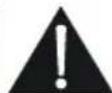
- เครื่องหมายตกใจภายในสามเหลี่ยมต้านเท่ากันมีวัตถุประสงค์เพื่อเตือนให้ผู้ใช้ทราบถึงคำแนะนำ ในการใช้งานและการบํารุงรักษาของผลิตภัณฑ์
- อย่าติดตั้งอุปกรณ์นี้ในพื้นที่ที่ถูกจากัดหรืออยู่ในอาคารเช่น คู่หนังสื่อ หรือพื้นที่คล้ายคลึงกัน และเว้นระยะเหมาะสมเพื่อให้อากาศถ่ายเหมาะสม ไม่ควรมีสิ่งเกิดขวาง เช่น หนังสือพิมพ์ ฝ้าม่าน เป็นต้น
- โปรดอ้างอิงข้อมูลในภาชนะต้านล่างภายนอกเกี่ยวกับข้อมูลทางไฟฟ้าและความปลอดภัยก่อนติดตั้งหรือใช้งานอุปกรณ์นี้
- ปลี้ก/อุปกรณ์เชื่อมต่อปลี้กไฟ ควรอยู่ในสถานะที่สามารถใช้งานได้เสมอ
- เพื่อลดความเสี่ยงจากไฟไหมัหรือไฟฟ้าช็อต อย่าให้อุปกรณ์นี้โดนฝนหรือความชั้น ห้ามวางอุปกรณ์ให้โดนน้ำหยด
หรือกระเช่น และห้ามวางวัตถุที่มีของเหลว เช่น แจกัน ไว้บนเครื่องมือ
7.แบตเตอรี่ (แบตเตอรี่หรือชุดแบตเตอรี่) จะต้องไม่ถูกความร้อนมากเกินไป เช่น แสงแดด ไฟ หรือสิ่งที่คล้ายกัน
8.อย่างโทรทัศน์ในที่ที่ไม่มั่นคง เครื่องรับโทรทัศน์อาจตกลงมาทำให้ได้รับบาดเจ็บสาหัส โดยการบาดเจ็บหลายอย่าง โดยเฉพาะกับเต็กสามารถหลีกเลี่ยงได้โดยใช้มาตรการป้องกันง่ายๆ เช่น:
-ใช้ตู้หรือแท่นวางที่แนะนำโดยผู้ผลิตเครื่องรับโทรทัศน์
-ใช้เฟอร์นิเจอร์ที่รองรับโทรทัศน์ได้อย่างปลอดภัยเท่านั้น
-ไม่วางเครื่องรับโทรศัศน์บนเฟอร์นิเจอร์ทรงสูง (เช่น ดู้หรือชั้นหนังสือ) โดยไม่มีที่ยืดทั้งเฟอร์นิเจอร์และโทรศัศน์
-ไม่วางเครื่องรับโทรศัศน์บนผ้าหรือวัสดุอื่นที่อาจอยู่ระหว่างเครื่องรับโทรศัศน์และเฟอร์นิเจอร์ - ให้ความรู้แก่เด็กเกี่ยวกับอันตรายของการปืนขึ้นไปบนเฟอร์นิเจอร์เพื่อเข้าถึงโทรทัศน์หรือควบคุม
ถ้าโทรทัศน์ที่มลูกเก็บรักษาและตั้งอยู่ควรใช้การพิจารณาแบบเดียวกันข้างต้น
9.ไม่ควรวางแหล่งกำหนดเปลวไฟ เช่น เทียนไขที่จุดไฟไว้บนอุปกรณ์
10.รักษาระยะห่างอย่างน้อย 5 ชม.รอบขอบทั้งหมดของจอแสดงผลเพื่อการระบายอากาศที่เพียงพอ
หมายเหตุสำหรับการทิ้งแบตเตอรี่
แบตเตอร์ที่ใช้กับผลตภัณฑ์นี้มีสารเคมที่เป็นอันตรายต่อส่งแวดล้อม เพื่อรักษาของเราส่งแวดล้อม ทั้งแบตเตอร์ที่ใช้แล้ว ตามกฎหมายหรือระเบียบข้อบังคับในท้องถิ่นของคุณ อย่าทั้งแบตเตอร์กับขยะทั่วไปในครัวเรือน สำหรับข้อมูลเพิ่มเต็ม โปรดติดต่อหน่วยงานท้องถิ่นหรือร้านค้าปลิกของคุณที่คุณซื้อผลตภัณฑ์ เครื่องหมายการค้าทั้งหมดเป็นทรัพย์สนของ บริษที่เกี่ยวข้องและมสทร์ทั้งหมด

อุปกรณ์นี้เป็นเครื่องใช้ไฟฟ้าประเภท Ⅱ หรือฉนวนสองชั้น ได้รับการออกแบบในลักษณะที่ไม่ต้องการการ เชื่อมต่อกับสายดิน

เพื่อป้องกันการแพร่กระจายของไฟ เก็บเทียนหรือเปลวไฟอื่น ๆ ให้ห่างจากผลิตภัณฑ์นี้ตลอดเวลา

การกําจัดผลิตภัณฑ์นี้อย่างถูกวิธี เครื่องหมายนี้ระบุว่าไม่ควรทั้งผลิตภัณฑ์นี้ร่วมกับขยะในครัวเรือนอื่นๆ ทั่วสหภาพยุโรป เพื่อบ้องกันอันตรายที่อาจเกิดขึ้นกับสิ่งแวดล้อมหรือสุขภาพของมนุษย์จากการกําจัด ของเสียที่ไม่มีการควบคุม ให้รีใชเคลอย่างมีความรับผิดชอบเพื่อส่งเสริมการนำทรัพยากรวัสดุกลับมา ใช้ใหม่อย่างยั่งยืน หากต้องการส่งคืนอุปกรณ์ที่ใช้แล้ว โปรดใช้ระบบส่งคืนและรับสินค้าหรือติดต่อ ร้านค้าปลีกที่ชื่อผลิตภัณฑ์ พวกเขาสามารถนำผลิตภัณฑ์นี้ไปรีใชเคลอย่างปลอดภัยต่อสิ่งแวดล้อม
ห้ามวางโทรศัศน์ในที่ที่ไม่มั่นคง เครื่องรับโทรศัศน์อาจตกลงมาทำให้ได้รับบาดเจ็บสาหัสหรือเสียชีวิตได้การบาดเจ็บหลายอย่างโดยเฉพาะกับเต็กสามารถหลีกเลี่ยงได้โดยใช้มาตรการป้องกันง่ายๆ เช่น:
-ใช้ตู้หรือแท่นวางที่แนะนำโดยผู้ผลิตเครื่องรับโทรทัศน์
- ใช้ฟอร์นิเจอร์ที่รองรับโทรทัศน์ได้อย่างปลอดภัยเท่านั้น
- ไม่วงเครื่องรับโทรทัศน์บนเฟอร์นิเจอร์ทรงสูง (เช่น ตู้หรือผู้หนังสื้อ) โดยไม่ได้ยืดทั้งเครื่องเรือน
และเครื่องรับโทรทัศน์ไว้บนฐานรองรับที่เหมาะสม
-ไม่วงเครื่องรับโทรศัศน์บนผ้าหรือวัสดุอื่นๆ ที่อาจอยู่ระหว่างเครื่องรับโทรศัศน์และเฟอร์นิเจอร์ที่รองรับ
- ให้ความรู้แก่เต็กเกี่ยวกับอันตรายของการปืนขึ้นไปบนเฟอร์นิเจอร์เพื่อเข้าถึงโทรทัศน์หรือส่วนควบคุม
หากเครื่องรับโทรทัศน์ที่มื่อยู่ของคุณลูกเก็บรักษาและระบุตําแหน่ง ควรใช้การพิจารณาแบบเดี่ยวกันช้างต้น
บทที่ 1 : การแนะนำผลิตภัณฑ์
ข้อควรระวัง 4
ผลิตภัณฑ์ 4
แหล่งจ่ายไฟและปลัก 4
สายไฟและสายสัญญาณ 4
สภาพแวดล้อม 4
ทำความสะอาด 4
แขวนที่วับนผนัง 4
บทที่ 2 : การใช้งานทั่วไป
การเปิดเครื่อง 5
การปิดเครื่อง 5
การเชื่อมต่อเครือข่าย 6
บทที่ 3 : รายละเอียดอื่นๆ
การแก้ไขปัญหา 7
การติดตั้งชาทวี 7
ข้อควรระวัง
อ่านคำแนะนำทั้งหมดก่อนใช้งาน เก็บคำแนะนำเหล่านี้เพื่อใช้ในอนาคต
ผลิตภัณฑ์
- อย่าปิดกั้นหรือปิดช่องระบายอากาศด้านหลังเครื่อง
- ห้ามต้นวัตถุใดๆ เข้าไปในเครื่องนี้ผ่านช่องระบายอากาศ เนื่องจากวัตถุดังกล่าวอาจสัมผัสกับชั้นส่วนที่ไฟฟ้าทำให้ เกิดการลัดวงจร ส่งผลให้เกิดไฟไหม้ไฟฟ้าช็อต
- อย่าพยายามเปิดฝากหลังเพราะอาจทำให้เกิดความเสียหายได้ไม่มีชึ่นส่วนภายในที่คุณสามารถซ่อมบารุงได้ด้วยตัวเองโปรดใช้การบริการกับบุคลากรที่มีคุณสมบัติเหมาะสม
- ห้ามใช้น้ําวัสมผัสพื้นผิวหน้าจอในลักษณะนี้อาจทำให้หน้าจอ ที่ว่เป็นรอย
- อย่ากระแทกหรือใช้แรงกดหน้าจอที่วี อาจทำให้นน้ําจอที่วีเสียหาย
- อย่างรุ่นแรง
แหล่งจ่ายไฟและปลัก
- ถอดปลักภายใต้เงื่อนไขต่อไปนี้:
-หากไม่ได้ใช้งานที่วีเป็นระยะเวลานาน
-หากสายไฟหรือปลักไฟเสียหาย
- ทำตามคำแนะน้ำเพื่อติดตั้งและปรับแต่งผลิตภัณฑ์ปรับส่วน
ควบคุมที่ไม่ได้กล่าวถึงในคู่มือการใช้งานนี้ เนื่องจากการปรับส่วน
ควบคุมอื่นๆ ที่ไม่เหมาะสมอาจส่งผลให้เกิดความเสียหายได้
หากเกิดเหตุการณ์นี้ขึ้น ให้อตปลีกและติดต่อเจ้าหน้าที่บริการ
-หากมีการกระทกหรือมีการตกหล่นทำให้เครื่องเสียหาย
สายไฟและสายสัญญาณ
-อย่าให้มีอะไรทับหรือทับสายไฟและสายสัญญาณ
- ป้องกันสายไฟและสายสัญญาณถูกกดทับ
-อย่าให้สายไฟหรือเต้าเสียบไฟใช้ไฟมากเกินไป
- อย่าให้สายไฟและสายสัญญาณถูกความชิ้น
สภาพแวดล้อม
- อย่างชุดบนรถเข็น ขาดั้ง หรือโต๊ะที่ไม่มั่นคง
- วางชุดบนที่ระบายอากาศได้ดี
- ห้ามใช้ชุดใกล้บริเวณที่ชั้นและเย็น ปกป้องชุดจากความร้อนสูงเกินไป เก็บชุดให้ห่างจากแสงแตดโดยตรง
- ห้ามให้อุปกรณ์โดนน้ำหยดหรือกระเด็นใส่และห้ามใส่สิ่งของที่มีของเหลว เช่น แจกันวางไว้บนเครื่อง
- ห้ามใช้ชุดใกล้ที่มีผุ่น
ทำความสะอาด
- ปัลผุ่นเครื่องด้วยการเช็ดหน้าจอด้วยผ้านุ่มสะอาดหรือน้ํายาทำความสะอาด
- อย่าใช้แรงมากเกินไปกับหน้าจอเมื่อทำความสะอาด
- ห้ามใช้น้ําหรือสารเคมีทำความสะอาดอื่นๆ ในการทำความสะอาดหน้าจอ เนื่องจากอาจทำให้พื้นผิวของที่วีเสียหายได้น้ําจอ
แขวนที่วีบนผนั้ง
ลำเตือน: การดำเนินการนี้ต้องใช้คนสองคนเพื่อให้นใจว่า การติดตั้งปลอดภัย ให้ปฏิบัติตามความปลอดภัยต่อไปนี้ หมายเหตุ:
- ตรวจสอบว่าที่วีและชุดติดผนังสามารถรับน้ำหนัก ที่วีได้หรือไม่
- ปฏิบัติตามคำแนะนำในการติดตั้งที่ให้มาพร้อมกับผนัง
- ที่วีต้องติดตั้งเครื่องบนผนังในแนวตั้ง
- ตรวจสอบให้แน่ใจว่าใช้สกรุที่เหมาะสมกับวัสดุเท่านั้น
- ตรวจสอบให้แน่ใจว่าได้วางสายเคเบิลของเครื่องรับโทรทัศน์ไว้ในลักษณะที่ไม่มีอันตรายจากการสะดุดส้ม
คำแนะนำต้านความปลอดภัยอื่นๆ ทั้งหมดเกี่ยวกับเครื่องรับ โทรศัศน์สามารถใช้ได้ร่วมกัน
หมายเหตุ:
ภาพประกอบภายในเอกสารนี้มไว้เพื่อการอ้างอิงเท่านั้น
การเปิดเครื่อง
ทำตามคำแนะนำในหน้านี้เกี่ยวกับวิธีเปิดที่วีและรีโมทคอนโทรลก่อนที่จะไปยังหน้าต่อไปที่อธิบายวิธีใช้การตั้งค่าช่องสัญญาณโดยขึ้นตอนมีดังนี้.
- ใส่แบตเตอรี่สองก้อนในรีโมทคอนโทรล
ข้อควรระวังในการใช้แบตเตอรี่:
-ใช้เฉพาะประเภทแบตเตอรี่ที่ระบุเท่านั้น - ตรวจสอบให้แน่ใจว่าคุณใส่ขั๋วที่ถูกต้อง
-อย่าผสมแบตเตอรี่ใหม่และแบตเตอรี่ที่ใช้แล้ว
-ห้ามใช้แบตเตอรี่แบบชาร์ไฟได้ - อย่าให้แบตเตอรี่โดนความร้อนมากเกินไป เช่น แสงแดดไฟ หรือสิ่งที่คล้ายกัน เพราะอาจเป็นสาเหตุได้ร่ววไหลหรือระเบิดได้
-
อดแบตเตอร์ออกจากรีโมทคอนโทรลหากคุณไม่ได้ใช้งานเป็นเวลานาน
-
เชื่อมต่อสายไฟเข้ากับโทรศัศน์ก่อน จากนั้นจึงต่อเข้ากับเต้ารับ (หมายเหตุ: หากเชื่อมต่อสายไฟเข้ากับโทรศัศน์ โปรดเชื่อมต่อเฉพาะสายไฟเข้ากับเต้ารับหลัก)
- ทีวีของคุณควรเชื่อมต่อกับแหล่งจ่ายไฟ AC ที่วีควรเชื่อมต่อกับแหล่งจ่ายไฟกระแสสลับ เท่านั้น ไม่ควรเชื่อมต่อไปยังแหล่งจ่ายไฟกระแสตรง หากปลั้กหลุดออกจากสายไฟ ลิ่งที่ไม่ควรทำเป็นอย่างยึ่ง คือการเสียบปลั้กเข้ากับเต้ารับหลัก เนื่องจากมีความเสี่ยงที่จะเกิดไฟฟ้าชื่อตได้
- หากที่วีของคุณเซื่อมต่อกับแหล่งจ่ายไฟ DC ที่วีของคุณควรเซื่อมต่อกับแหล่งจ่ายไฟ DC เท่านั้น จะต้องไม่เซื่อมต่อไปยังแหล่งจ่ายไฟฟ้ากระแสสลับ หากปลักหลุดออกจากสายเคเบิลอย่าทําภายใต้ข้อใดข้อหนึ่งให้ต่อเข้ากับเต้ารับหลัก เนื่องจากมีความเสี่ยง ที่จะเกิดไฟฟ้าช้อตได้
3.เชื่อมต่อสายอากาศจากภายนอกเข้ากับต้านหลังที่วี
4. เมื่อทำการเปิดเครื่อง ที่วีจะเปิดอัตโนมัติหรืออยู่ในโหมดสแดนบายด์
หมายเหตุ: สำหรับบางรุ่น การเปิดที่วีต้องกดปุ่ม Power
ถ้าไฟแสดงสถานะสว่างขึ้น ที่วีจะอยู่ในโหมดสต้นบายต์.กดปุ่ม © บนรี้โมทคอนโทรลหรือกดปุ่มที่หว่าเพื่อเปิดเครื่อง
การปิดเครื่อง
- หากต้องการให้เครื่องทีวีเข้าสู่โหมดแดนต์บาย ให้กดปุ่ม ① บนรีโมทคอนโทรลของทีวี ที่วิจะยังคงเปิดอยู่แต่มีการสิ้นเปลืองพลังงานต่ํา
- หากต้องการปิดเครื่องที่วี ให้ออดปลักไฟหลักออกจากเต้ารับหลักหมายเหตุ: สำหรับบางรุ่น ให้กดปุ่มเปิด/ปิด เพื่อปิดเครื่องที่วี
การเชื่อมต่อเครือข่าย
การเชื่อมต่อเครือข่ายในการเข้าถึงอินเทอร์เน็ต คุณต้องสมัครบริการอินเทอร์เน็ตจากผู้ให้บริการอินเทอร์เน็ต
คุณสามารถเชื่อมต่อกับเครือข่ายในบ้านได้ 2 วิธี:
- เดินสายโดยใช้ขั้วต่อ RJ45 (LAN) ที่แพงค้านหลัง
- เชื่อมต่อแบบไร้สายโดยใช้เครือข่ายไร้สายของคุณ
หมายเหตุ: พังก์ชันนี้ไม่มในบางรุ่น คำแนะนําต้านล่างเป็นเพียงวัธยปกติในการเชื่อมต่อท่ววไปยังเครือข่ายแบบใช้สายหรือไร้สาย
วัธีการเชื่อมต่ออาจแตกต่างกันไปขึ้นอยู่กับเครือข่ายจริงของคุณ การกำหนดค่า หากคุณมข้อสงสัยเกี่ยวกับเครือข่ายในบ้านของคุณ
โปรดดูที่ ISP (ผู้ให้บริการอินเทอร์เน็ต) ของคุณ
เชื่อมต่อกับเครือข่ายแบบใช้สาย
ในการเชื่อมต่อกับเครือข่ายแบบใช้สาย
- ตรวจสอบให้แน่ใจว่า:
- คุณมีสายอีเซอร์เน็ตยาวพอที่จะเข้าถึงที่วีของคุณ
- เราเตอร์หรือโมเด็มที่มีพอร์ต Ethernet
- การเชื่อมต่ออินเทอร์เน็ตความเร็วสูง
• พอร์ต Ethernet (LAN) ที่ด้านหลังของที่วี - เช้อมต่อสายเคเปลอีเซอร์เน็ตของคุณเข้ากับเราเตอร์และเข้ากับ
พอร์ต Ethernet ที่ค้านหลังของที่วี - ใช้การตั้งค่าเครือข่ายเพื่อกำหนดค่าที่วี
เซื่อมต่อกับเครือข่ายไร้สาย
การเชื่อมต่อกับเครือข่ายไร้สาย
- ตรวจสอบให้แน่ใจว่าคุณมี:
- เราเตอร์กระจายสัญญาณ ไร้สายความเร็วสูง
- การเชื่อมต่ออินเทอร์เน็ตความเร็วสูง
- อะแตปเตอร์ USB แบบ wireless
- ชุดที่วีพร้อมโมดูล Wi-Fi
- ใช้เมนูเครือข่ายเพื่อกำหนดค่าที่วี
หมายเหตุ: บางรุ่นอาจมีโมดูลไร้สายภายในจึงไม่จำเป็นต้องใช้
อแต่ปเตอร์ USB ไร้สาย บางอแต่ปเตอร์ไร้สายภายนอกไม่สามารถ
ใช้ร่วมกับที่วีได้
![graph TD A["TV Set"] --> B["Modem"] B --> C["Router"] C --> D["Internet"] B --> E["Ethernet Port on the back panel"] E --> F["or"] F --> C](/content/2026/06/1384610/images/9f5e7a239d6a6d5b41c5d27c147fde07dcb362c29c1a82c3e8dc9b291092a521.jpg)
![graph TD A["Modem"] --> B["Wireless Router"] B --> C["USB port on the back panel"] C --> D["TV Set"] style A fill:#f9f,stroke:#333 style B fill:#ccf,stroke:#333 style C fill:#cfc,stroke:#333 style D fill:#fcc,stroke:#333](/content/2026/06/1384610/images/07004f210d57c01855e8a28ac98ccb6dcebff657cd73063ec33c44592f82c4e7.jpg)
การแก้ไขปัญหา
ปัญหาส่วนใหญ่ที่คุณพบในทีวีอาจเป็นได้แก้ไขได้โดยดู
รายการการแก้ไขปัญหาต่อไปนี้
ไม่มีภาพไม่มีเสียง
- ตรวจสอบว่าฟิวส์หรือเบรกเกอร์ทำงานหรือไม่
2.เสียบปลักอุปกรณ์ไฟฟ้าอื่นเข้ากับเต้ารับ
ตรวจสอบว่าทำงานหรือเปิดอยู่
3.ปลักไฟสัมผัสกับเต้ารับไม่ตี - ตรวจสอบแหล่งสัญญาณ
ไม่มีสี
1.เปลี่ยนระบบสี
2. ปรับความอื่มตัวของสี
3. ลองช่องอื่น อาจได้รับโปรแกรมขาว-คำ
รีโมทคอนโทรศัฟไม่ทำงาน
1.เปลี่ยนแบตเตอรี
2.ติดตั้งแบตเตอรี่ไม่ถูกต้อง
3.ไม่ได้ต่อไฟหลัก
ไม่มีภาพเสียงปกติ
- ปรับความสว่างและความคมชัด
2.ความล้มเหลวในการออกอากาศอาจเกิดขึ้นได้
ภาพปกติไม่มีเสียง
- กดปุ่ม Vol+ เพื่อเพิ่มระดับเสียง
2.ระดับเสียงถูกตั้งค่าเป็นปิดเสียง กลปุ่มปิดเสียงเพื่อคืนค่าเสียง
3.เปลี่ยนระบบเสียง
4.อาจเกิดการรับสัญญาณของเสาอากาศ
สัญญาณเป็นคลื่นที่ไม่เป็นระเบียบบนหน้าจอ
มักเกิดจากการรบกวนในพื้นที่ เช่น รถยนต์ โคมไฟเตย์ไลท์ และไตร์เป้าผมปรับสาอากาศเป็นลดการรบกวน
หน้าจอไม่มีสัญญาณในโหมด VGA
ที่ว่าจําไม่รู้จักความละเอียดที่ตั้งค่าไว้พีซี แนะนําให้เปลี่ยนเป็นความ ละเอียดที่ดีที่สุดหรือความละเอียดอื่นๆ ตามมาตรฐานของระบบ Windows
เกิดจุดหรือการรบกวนของสัญญาณ
หากเสาอากาศอยู่บริเวณห่างไกลจากสถานีโทรทัศน์ อาจเกิดสัญญาณอ่อน ซึ่งเป็นภาพมีรอยเปื้อนตามจุด เมื่อสัญญาณอ่อนมากอาจจำเป็นต้องติดตั้ง เสาอากาศพิเศษเพื่อปรับปรุงการรับสัญญาณ
- ปรับดำเนินและทิศทางเส่าอากาศ
- ตรวจสอบการเชื่อมต่อของเส아อากาศ
- ปรับแต่งช่อง
- ลองเปลี่ยนช่องรับชม
หน้าจอมีจุด
มีจุดตําหรือเส้นแนวนอนปรากฏชั้น หรือรูปภาพล่องลอย ซึ่งมักเกิด จากการรบกวนจากระบบทหลอดนืออน สว่านไฟฟ้า หรือเครื่องใช้ไฟฟ้า อื่นๆ
ภาพช้อน
ภาพซ้อนเกิดจากที่วีรับสัญญาณเข้ามาพร้อมกัน สามารถเปลี่ยนทิศทาง หรือตําแหน่งของสาอากาศอาจทำให้การรับสัญญาณดีขึ้น
การบทวนของคลื่นความตัวทุการบทวนนี้
ทำให้เกิดระลอกคลื่นหรือแนวทางแข่งเส้นรู้ว และในบางกรณีการสูญเสียความเปรียบต่างในภาพค้นหาและลบแหล่งสัญญาณรับกวนวิทยุ
ถ้าที่วีข่ารุด
- กดปุ่ม Power เพื่อปิดทว์ จากนั้นกลปุ่ม Power เพื่อตรวจสอบทวออกครั้ง
- hoạtสายไฟ จากนั้นกดปุ่มเปิด/ปิดเพื่อรี่เช็ดที่วีหมายเหตุ หาก 2 วิธีนี้ ไม่สามารถแก้ไขได้ไปรติดต่อหลังการขายเพื่อแก้ปัญหา
การติดตั้งชาทีวี
หันด้านชาทีวี ในตรงตําแหน่งจากนั้นข้นสกรูเพื่อชีดกับที่วี หมายเหตุ: ภาพประกอบด้านล่างมีไว้เพื่อการอ้างอิงเท่านั้น และอาจแตกต่างจากรูปลักษณ์ของผลิตภัณฑ์จริง

IMPORTANT SAFETY INSTRUCTIONS

This lightning flash with arrowhead symbol within an equilateral triangle is intended to alert the user to the presence of non-insulated "dangerous voltage" within the product's enclosure that may be of sufficient magnitude to constitute a risk of electric shock.
WARNING
-
To reduce the risk of electric shock, do not remove cover (or back) as there are no user-serviceable parts inside. Refer servicing to qualified personnel.
-
The exclamation point within an equilateral triangle is intended to alert the user to the presence of important operating and maintenance instructions in the literature accompanying the appliance.
-
Do not install this equipment in a confined or building-in space such as a book case or similar unit, and remain a well ventilation conditions at open site. The ventilation should not be impeded by covering the ventilation openings with items such as newspaper, table-cloths, curtains etc.
-
Please refer the information on exterior bottom enclosure for electrical and safety information before installing or operating the apparatus.
-
The mains plug/appliance couple is used as disconnect device, the disconnect device shall remain readily operable.
-
To reduce the risk of fire or electric shock, do not expose this apparatus to rain or moisture. The apparatus shall not be exposed to dripping or splashing and that objects filled with liquids, such as vases, shall not be placed on apparatus.
-
The battery (battery or batteries or battery pack) shall not be exposed to excessive heat such as sunshine, fire or the like.
-
Never place a television set in an unstable location. A television set may fall, causing serious personal injury or death. Many injuries, particularly to children, can be avoided by taking simple precautions such as:
- Using cabinets or stands recommended by manufacturer of the television set.
- Only using furniture that can safely support the television set.
- Not placing the television set on tall furniture (for example, cupboards or bookcases) without anchoring both the furniture and television set to a suitable support.
- Not placing the television set on cloth or other materials that may be located between the television set and supporting furniture.
- Educating children about the dangers of climbing on furniture to reach the television set or its controls. If your existing television set is being retained and located, the same considerations are above should be applied.
-
No naked flame sources, such as lighted candles, should be placed on the apparatus.
-
Keep a minimum distance of 5 cm around all edges of the display for sufficient ventilation.
Notes for battery disposal
The batteries used with this product contain chemicals that are harmful to the environment. To preserve our environment, dispose of used batteries according to your local laws or regulations. Do not dispose of batteries with normal household waste. For more information, please contact the local authority or your retailer where you purchased the product. All trademarks are the property of their respective owners and all rights are acknowledged.

This equipment is a Class II or double insulated electrical appliance. It has been designed in such a way that it does not require a safety connection to electrical earth.

To prevent the spread of fire, keep candles or other open flames away from this product at all times.

Correct Disposal of this product. This marking indicates that this product should not be disposed with other household wastes throughout the EU. To prevent possible harm to the environment or human health from uncontrolled waste disposal, recycle it responsibly to promote the sustainable reuse of material resources. To return your used device, please use the return and collection systems or contact the retailer where the product was purchased. They can take this product for environmental safe recycling.
* Never place a television set in an unstable location. A television set may fall, causing serious personal injury or death. Many injuries, particularly to children, can be avoided by taking simple precautions such as:
- Using cabinets or stands recommended by manufacturer of the television set.
- Only using furniture that can safely support the television set.
- Not placing the television set on tall furniture (for example, cupboards or bookcases) without anchoring both the furniture and television set to a suitable support.
- Not placing the television set on cloth or other materials that may be located between the television set and supporting furniture.
- Educating children about the dangers of climbing on furniture to reach the television set or its controls. If your existing television set is being retained and located, the same considerations are above should be applied.
Chapter 1: Introduction
Precautions 11
Product 11
Power and Plug 11
Power Cord and Signal Cable 11
Use Environment 11
Cleaning 11
Hanging the TV Set on the Wall 11
Chapter 2: General Operation
Switching on 12
Switching off 12
Network connection 13
Chapter 3: Other Information
Troubleshooting 14
Base Installation 14
Precautions
Read all of the instructions before operating the set. Keep these instructions well for future use.
Product
- Do not block or cover the ventilation openings on the back cover.
- Do not push objects of any kind into this unit through the cabinet slots as they could touch the current carrying parts or short-circuit parts, resulting in fire, electric shock, or damage to the unit.
- Do not attempt to open the cabinet as this may cause damage. There are no parts inside you can service by yourself. Refer all servicing to qualified personnel.
- Do not touch the screen surface with fingers as this may scratch or mar the TV screen.
- Do not impact the TV screen with hard pressure as this may damage the TV screen severely.
Power and Plug
- Unplug the set under the following conditions:
- If the set will not be used for a long period of time.
- If the power cord or the power outlet/plug is damaged.
- Follow the instructions to install and adjust the product. Adjust those controls that are covered in this operating instructions as improper adjustment of other controls may result in damage. If this happens, unplug the set and refer to the service personnel.
- If the set is subject to impact or has been dropped to have the cabinet damaged.
Power Cord and Signal Cable
- Do not allow anything to rest on or roll over the power cord and the signal cable.
- Protect the power cord and the signal cable from being trampled.
- Do not overload the power cord or the power outlet.
- Do not expose the power cord and the signal cable to moisture.
Use Environment
- Do not place the set on an unstable cart, stand, or table.
- Place the set on a place that allows good ventilation.
- Do not use the set near damp, and cold areas. Protect the set from overheating.
- Keep the set away from direct sunlight.
- Apparatus shall not be exposed to dripping or splashing and no objects filled with liquids, such as vases, shall be placed on the apparatus.
- Do not use the set near dust place.
Cleaning
- Dust the set by wiping the screen and the cabinet with a soft, clean cloth or some special liquid cleaner.
- Do not apply excessive force to the screen when cleaning.
- Do not use water or other chemical cleaner to clean the screen as this may damage the surface of the TV screen.
Hanging the TV Set on the Wall
Warning: This operation requires two people.
To ensure a safe installation, observe the following safety notes:
- Check that the wall can support the weight of the TV set and wall mount assembly.
- Follow the mounting instructions provided with the wall mount.
- The TV set must be installed on a vertical wall.
- Make sure to use only screws suitable for the material of the wall.
• Make sure that the TV set cables are placed so that there is not danger of tripping over them.
All other safety instructions about our TV sets are also applicable here.
Note: Illustrations within this publication are provided for reference only.
Switching on
Follow the instructions on this page on how to switch on your TV set and the remote control before going on to following pages describing how to use the channel set-up procedure.
- Insert two batteries in the remote control.
Precautions on using batteries:
- Only use the battery types specified.
- Make sure you use the correct polarity.
- Do not mix new and used batteries.
- Do not use rechargeable batteries.
- Do not expose batteries to excessive heat such as sunshine, fire or the like, throw them in a fire, recharge them or try to open them, as this could cause them to leak or explode.
-
Remove the batteries from the remote control if you are not using it for a long period of time.
-
Connect the power cable FIRST to the television, THEN to a mains socket. (Note: If the power cable is connected to the television, please only connect the power cable to the mains socket.)
-
If your TV is connected to an AC supply Your TV set should only be connected to an AC supply. It must not be connected to a DC supply. If the plug is detached from the cable, do not, under any circumstances, connect it to a mains socket, as there is a risk of electric shock.
-
If your TV is connected to a DC supply Your TV set should only be connected to a DC supply. It must not be connected to a AC supply. If the plug is detached from the cable, do not, under any circumstances, connect it to a mains socket, as there is a risk of electric shock.
-
Connect an outside aerial to the ANTENNA IN socket at the back of the TV set.
- When powered on, the TV will be turned on directly or be in standby. Note: For some models, switch the TV on by pressing the power button.
If the power indicator lights up, the TV set is in standby mode. Press the Ⓐ button on the remote control or on the TV set to turn on the TV.
Switching off
- To put the TV set into standby mode, press the ⏻ button on the remote control or on the TV, the TV set remains powered up, but with low energy consumption.
- To switch off the TV set, unplug the mains socket from the mains outlet. Note: For some models, press the power button to switch off the TV set.
Network Connection
To access the internet, you must subscribe high speed broadband internet service from your internet service provider.
Your TV can be connected to your home network in two ways:
- Wired, using the RJ45 (LAN) connector on the back panel.
- Wireless, using the internal wireless or external wireless USB adapter and your home wireless network.
Note: This function is not available for certain models. Instructions below are just the usual ways to connect your TV to the wired or wireless network. The connection method may be different depending on your actual network configuration. If you have any questions about your home network, please refer to your ISP (Internet Service Provider).
Connecting to a wired network
To connect to a wired network:
-
Ensure you have:
• An ethernet cable long enough to reach your TV
• A router or modem with an available Ethernet port
• A high-speed internet connection
• An Ethernet (LAN) port on the back of the TV -
Connect your ethernet cable to the router and to the Ethernet port on the back of the TV.
-
Use the Network Settings to configure the TV.
![graph TD A["Router"] --> B["Modem"] B --> C["Internet"] D["Ethernet Port on the back panel"] --> E["TV Set"] style A fill:#f9f,stroke:#333 style B fill:#ccf,stroke:#333 style C fill:#cfc,stroke:#333 style D fill:#fcc,stroke:#333 style E fill:#cff,stroke:#333](/content/2026/06/1384610/images/ffcc8e1c6f94e26c68b8b2b31f21d4fa3d453620a70ea70cadb4fcfde011e351.jpg)
Connecting to a wireless network
To connect to a wireless network
- Ensure you have:
• A router broadcasting a high-speed wireless signal
• A high-speed internet connection -
A wireless USB Adapter (not need for a built-in wireless connection).
-
The TV set with Wi-Fi Module.
-
Use the Network menu to configure the TV.
Note: Some models may have internal wireless module, then the wireless USB adapter is unnecessary. Some external wireless adapters cannot be compatible with the TV.
![graph TD A["Modem"] --> B["Wireless Router"] B --> C["USB port on the back panel"] C --> D["TV Set"] style A fill:#f9f,stroke:#333 style B fill:#ccf,stroke:#333 style C fill:#cfc,stroke:#333 style D fill:#fcc,stroke:#333](/content/2026/06/1384610/images/b7cbb3c4b6cb22f32f551698e44fc77b813367a315190ae05eff53a45320e0d6.jpg)
Troubleshooting
Most problems you encounter with your TV can be corrected by consulting the following troubleshooting list.
No picture, no sound
- Check if the fuse or circuit breaker is working.
- Plug another electrical device into the outlet to make sure it is working or turned on.
- Power plug is in a bad contact with the outlet.
- Check the signal source.
No color
- Change the color system.
- Adjust the saturation.
- Try another channel. Black-white program may be received.
Remote control does not work
- Change the batteries.
- Batteries are not installed correctly.
- Main power is not connected.
No picture, normal sound
- Adjust the brightness and contrast.
- Broadcasting failure may happen.
Normal picture, no sound
- Press the Vol+ button to increase volume.
- Volume is set to mute, press the mute button to restore sound.
- Change the sound system.
- Broadcasting failure may happen.
Unorderly ripples on the picture
It is usually caused by local interference, such as cars, daylight lamps and hair driers. Adjust the antenna to minimize the interference.
Blank screen in VGA mode
Perhaps the TV can not recognize the resolution set by the PC. Suggest to change to the best resolution or other standard resolutions of the Windows system.
Snowy dots and interference
If the antenna is located in the fringe area of a television signal where the signal is weak, the picture may be marred by dots. When the signal is extremely weak, it may be necessary to install a special antenna to improve the reception.
- Adjust the position and orientation of the indoor/outdoor antenna.
- Check the connection of antenna.
- Fine tune the channel.
- Try another channel. Broadcasting failure may happen.
Ignition
Black spots or horizontal streaks appear, or the picture flutters or drifts. This is usually caused by interference from car ignition system, neon lamps, electric drills, or other electrical appliance.
Ghost
Ghosts are caused by the television signal following two paths. One is the direct path, the other is reflected from tall buildings, hills, or other objects. Changing the direction or position of the antenna may improve the reception.
Radio frequency interference
This interference produces moving ripples or diagonal streaks, and in some case, loss of contrast in the picture. Find out and remove the radio interference source.
If the TV is crashed
- Press the Power button to turn off TV, then press the Power button again to reset TV.
- Unplug the power cord, then press the Power button to reset TV.
Note: If these 2 methods can not be resolved, please contact the after-sales to solve.
Base Installation
To fix the double support base on the unit by screws, the installation is completed.
Note: Illustrations below are provided for reference only and may differ from actual product appearance.

Aconatic
บริษัท ไตรฟ เฉเรียนท์ ไทย จํากัด (มหาชน)
HIFI ORIENT THAI PUBLIC COMPANY LIMITED
83/161 - 162 ของจามวงศ์วาน47(ชิ้นเขต2)
Ins. 0-2954-5281, 0-2580-6955
แขวงทุ่งสองห้อง เขตหลักสิ
Core Line. 02-591-9444, 02-589-5115
กรุงเทพมหานตร 10210

หมายเหตุ : บริษัทขอสงวนสิทธิ์ในการเปลี่ยนแปลงรายการของสมนาคุณและรายละเอียดสินค้าโดยมีต้องแจ้งไท่ทราบล่วงหน้า


- ACONATIC
- คำแนะนำสำคัญด้านความปลอดภัย
- คำเตือน
- หมายเหตุสำหรับการทิ้งแบตเตอรี่
- บทที่ 1 : การแนะนำผลิตภัณฑ์
- บทที่ 2 : การใช้งานทั่วไป
- บทที่ 3 : รายละเอียดอื่นๆ
- ข้อควรระวัง
- ผลิตภัณฑ์
- แหล่งจ่ายไฟและปลัก
- สายไฟและสายสัญญาณ
- สภาพแวดล้อม
- ทำความสะอาด
- แขวนที่วีบนผนั้ง
- หมายเหตุ
- การเปิดเครื่อง
- การปิดเครื่อง
- การเชื่อมต่อเครือข่าย
- เชื่อมต่อกับเครือข่ายแบบใช้สาย
- เซื่อมต่อกับเครือข่ายไร้สาย
- การแก้ไขปัญหา
- ไม่มีภาพไม่มีเสียง
- ไม่มีสี
- รีโมทคอนโทรศัฟไม่ทำงาน
- ไม่มีภาพเสียงปกติ
- ภาพปกติไม่มีเสียง
- สัญญาณเป็นคลื่นที่ไม่เป็นระเบียบบนหน้าจอ
- หน้าจอไม่มีสัญญาณในโหมด VGA
- เกิดจุดหรือการรบกวนของสัญญาณ
- หน้าจอมีจุด
- ภาพช้อน
- การบทวนของคลื่นความตัวทุการบทวนนี้
- ถ้าที่วีข่ารุด
- การติดตั้งชาทีวี
- IMPORTANT SAFETY INSTRUCTIONS
- WARNING
- NOTES FOR BATTERY DISPOSAL
- CHAPTER 1: INTRODUCTION
- CHAPTER 2: GENERAL OPERATION
- CHAPTER 3: OTHER INFORMATION
- PRECAUTIONS
- PRODUCT
- POWER AND PLUG
- POWER CORD AND SIGNAL CABLE
- USE ENVIRONMENT
- CLEANING
- HANGING THE TV SET ON THE WALL
- SWITCHING ON
- SWITCHING OFF
- NETWORK CONNECTION
- CONNECTING TO A WIRED NETWORK
- CONNECTING TO A WIRELESS NETWORK
- TROUBLESHOOTING
- NO PICTURE, NO SOUND
- NO COLOR
- REMOTE CONTROL DOES NOT WORK
- NO PICTURE, NORMAL SOUND
- NORMAL PICTURE, NO SOUND
- UNORDERLY RIPPLES ON THE PICTURE
- BLANK SCREEN IN VGA MODE
- SNOWY DOTS AND INTERFERENCE
- IGNITION
- GHOST
- RADIO FREQUENCY INTERFERENCE
- IF THE TV IS CRASHED
- BASE INSTALLATION
- บริษัท ไตรฟ เฉเรียนท์ ไทย จํากัด (มหาชน)
- HIFI ORIENT THAI PUBLIC COMPANY LIMITED
Marque : Aconatic
Modèle : 43HS701AN
Catégorie : Téléviseur