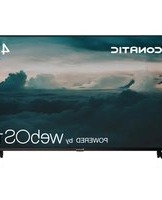
43US200AN - Téléviseur Aconatic - Notice d'utilisation et mode d'emploi gratuit
Retrouvez gratuitement la notice de l'appareil 43US200AN Aconatic au format PDF.


| Marque | Aconatic |
| Modèle | 43US200AN |
| Type de produit | Téléviseur LED |
| Diagonale de l'écran | 43 pouces (109 cm) |
| Résolution d'écran | 1920 x 1080 pixels (Full HD) |
| Taux de rafraîchissement | 60 Hz |
| Dimensions (sans pied) | 97 x 56,5 x 8 cm |
| Dimensions (avec pied) | 97 x 62 x 22 cm |
| Poids (sans pied) | 8,2 kg |
| Poids (avec pied) | 8,5 kg |
| Alimentation | 220-240 V ~ 50/60 Hz |
| Consommation électrique (veille) | 0,5 W |
| Consommation électrique (max) | 65 W |
| Type de tuner | TNT HD, câble, satellite |
| Connecteurs | 2 x HDMI, 1 x USB, 1 x VGA, 1 x entrée audio, 1 x sortie optique |
| Wi-Fi intégré | Oui |
| Haut-parleurs intégrés | 2 x 8 W |
| Fonctions principales | Télévision, Smart TV, enregistrement USB, contrôle parental, minuterie |
| Entretien et nettoyage | Nettoyer avec un chiffon doux et sec. Éviter produits chimiques. |
| Sécurité | Fixation murale recommandée pour éviter le basculement. Ne pas exposer à l'humidité. |
| Pièces détachées et réparabilité | Indice de réparabilité 6,5/10. Pièces disponibles : alimentation, carte mère, écran. |
| Température de fonctionnement | 0°C à 40°C |
FOIRE AUX QUESTIONS - 43US200AN Aconatic
Questions des utilisateurs sur 43US200AN Aconatic
0 question sur cet appareil. Repondez a celles que vous connaissez ou posez la votre.
Poser une nouvelle question sur cet appareil
Téléchargez la notice de votre Téléviseur au format PDF gratuitement ! Retrouvez votre notice 43US200AN - Aconatic et reprennez votre appareil électronique en main. Sur cette page sont publiés tous les documents nécessaires à l'utilisation de votre appareil 43US200AN de la marque Aconatic.
MODE D'EMPLOI 43US200AN Aconatic
Aconatic
คู่มือการใช้งาน
LED TV

43US200AN
55US200AN
75US200AN
50US200AN
65US210AN
คำแนะนำ
กรุณาศึกษาคู่มืออย่างละเอียด ก่อนทำการติดตั้งและใช้งานโทรทัศน์
เก็บคู่มือนี้ไวใช้อ้างอิง
- ข้อมูลสำคัญด้านความปลอดภัย……2
- อุปกรณ์เสริม....7
- การติดตั้งที่วี LED......8
- ภาพรวมของชุดที่วี......9
- เชื่อมต่ออุปกรณ์ภายนอก 11
- การใช้รีโมทคอนโทรล....13
- webOS Guide-หน้าหลัก 17
คำเตือน
- จำนวนค่าแนะนําเหล่านี้
- ปฏิบัติตามค่าแนะนำเหล่านี้
3.เอาใจใส่หุกค่าเดือน - ทำตามดำเน้นำทั้งหมด
- อย่าใช้อุปกรณ์นี้ไกลน้ำ
- ทำความสะอาดด้วยผ้าแห้งเท่านั้น
- อย่าปิดกั้นช่องระบายอากาศใด ๆ ดิดตั้งตามค่าแนะนำของผู้ผลิต
- อย่าติดตั้งใกล้แหล่งความร้อนใด ๆ เช่น เTdาร้อนหรืออุปกรณ์อื่น ๆ (รวมถึงเครื่องขยายเสียง) ที่ก่อให้เกิดความร้อน
- อย่าใช้งานปลั้กชนิดมีขั่วหรือปลั้กชนิดต่อสายดินที่ผิดวัตถุประสงค์ด้านความปลอดภัย ปลั้กชนิดมีขั่วจะมีขาเสียบสองขา โดยชาหนึ่งจะกว้างกว่าอีกขาหนึ่ง ปลั้กชนิดต่อสายดินจะมีขาเสียบสองขา และชาที่สามเป็นชาสายดิน ชาที่กว้างกว่าหรือชาที่สามนั้นมีไว้เพื่อความปลอดภัยของคุณ หากปลั้กที่ให้มาไม่พอดีกับเต้ารับของคุณ โปรดปรึกษาช่างไฟฟ้าเพื่อทําการเปลี่ยนเป็นเต้ารับรุ่นใหม่
- ป้องกันไม่ให้สายไฟลูกเดินเทียบหรือลูกกดทับโดยเฉพาะอย่างยิงบริเวณปลัก เต้ารับ และจุดที่สายไฟออกจากลุปกรณ์
- ใช้อุปกรณ์ที่ให้มา/อุปกรณ์เสริมตามที่ระบุไว้โดยผู้ผลิตเท่านั้น
- ใช้กับรถเข็น ขาดัง ขาดังแบบสามชา ด้วยีด หรือโต๊ะที่ระบุไว้โดยผู้ผลิตหรืออุปกรณ์ที่ จําหน่ายเท่านั้น เมื่อใช้รถเข็น โปรดใช้ความระมัดระวังในการเคลื่อนย้ายรถเข็น/อุปกรณ์รวม เพื่อป้องกันมิให้พลิกคว่า
- ถอดปลักในช่วงที่มีฝนตกฟ้าคะนองหรือเมื่อไม่ได้ใช้งานเป็นเวลานาน
- เข้ารับการซ่อมบํารุงกับเจ้าหน้าที่บริการที่มีคุณสมบัติเหมาะสม จําเป็นต้องมีการซ่อมบํารุงเมื่ออุปกรณ์ได้รับความเสียหายไม่ว่าด้วยอาการใด ๆ เช่น สายไฟหรือปลักเสียหาย ของเหลวหกใส่ หรือมีวัตถุดกลงไปในอุปกรณ์ อุปกรณ์สัมผัสกับฝนหรือความชึ้น ไม่ทางานตามปกติหรือตกหล่น
- ค่าเตือน: เพื่อลดความเสียงจากไฟไหมหรือไฟฟ้าช็อดอยาให้อุปกรณ์นี้ถูกฝนหรือความชื่น
- ห้ามมิให้อุปกรณ์สัมผัสกับหยดนําหรือมีน้ํากระเด็นใสและห้ามวางสิงของที่บรรจุของเหลว เช่น วางแจกันไว้บนเครื่อง
- ปลักไฟหลักหรืออุปกรณ์เชื่อมต่อเครื่องใช้ไฟฟ้าจะต้องพร้อมใช้งาน
- การใช้งานภายนอกอาคาร: ทีวีนี้ไม่ได้ออกแบบมาสำหรับการติดตั้งภายนอกอาคาร อย่าให้ ทีวีโดนฝนเพราะอาจทำให้เกิดไฟไหมหรือไฟฟ้าชื่อดได้ นอกจากน้อย่าให้ทีวีโดนแสงแตด โดยตรงเพราะอาจทำให้เกิดความร้อนเกินและเสียหายได้

ความปลอดภัย:
เพื่อลดความเสี่ยงจากไฟฟ้าช็อด อยากอด事先ครอบ (หรือฟ้าหลัง) ไม่มีส่วนที่ผู้ใช้สามารถซ่อมบ่ารงไต้อยู่ข้างใน โปรดสงต่อให้บุคคลที่มีคุณสมบัติเหมาะสมเท่านั้น
1
ข้อมูลสำคัญด้านความปลอดภัย
ไทย

แรงดันไฟฟ้าที่เป็นอันตราย: สัญลักษณ์รูปฟ้าแลบที่มีหัวลูกศรภายในรูป สามเหลี่ยมต้านเท่ามีจุดมุ่งหมายเพื่อเตือนให้ผู้ใช้ทราบถึงแรงดันไฟฟ้าที่เป็น อันตรายภายในผลิตภัณฑ์ ซึ่งอาจอยู่ในระดับที่เพียงพอที่จะก่อให้เกิดความเสี่ยง ต่อการถูกไฟฟ้าช็อด

คำแนะนำ: เครื่องหมายอัศเจรีย์ภายในสามเหลี่ยมด้านเท่ามีไว้เพื่อเดือนให้ผู้ใช้ ทราบถึงคำแนะนำในการใช้งานและการบํารุงรักษาที่สำคัญ ซึ่งอยู่ในเอกสารที่ให้ มาพร้อมกับลุปกรณ์
คำแนะนำที่เป็นข้อควรระวังเพื่อความปลอดภัย
การปฏิบัติตามข้อควรระวังพื้นฐานที่กล่าวถึงในคู่มือเล่มนี้จะช่วยให้คุณเพลิดเพลินไปกับการใช้งานที่ปลอดภัยเป็นเวลานานหลายปี
ผลิตภัณฑ์นี้เป็นไปตามข้อกำหนดด้านความปลอดภัยของรัฐบาลกลางสหรัฐอเมริกา และข้อกําหนดของ Canadian Standards Association (สมาคมกํากับดูแลมาตรฐานของแคนดา)
- จำนวนและปฏิบัติตามค่าแนะน่า
ควรอ่านและปฏิบัติตามค่าแนะนําด้านความปลอดภัยและการใช้งานทั้งหมดก่อนที่จะใช้งานที่รี
- เก็บรักษาค่าแนะน่านี้ไว้
ควรเก็บรักษาค่าแนะน่าด้านความปลอดภัยและการใช้งานนี้เอาไว้เพื่อใช้อ้างอิงในอนาคต
- เอาใจใส่ค่าเดือน
ควรปฏิบัติตามค่าเดือนทั้งหมดที่อยู่บนทีวีและในคู่มือการใช้งาน
- การทำความสะอาด
ここでปลักที่วือ facebookเต้ารับที่ผนังก่อนทำความสะอาด อย่าใช้น้ํายาทำความสะอาดหรือเสปรย์ ทำความสะอาด ใช้ผ้าที่นุ่มและหมวดเล็กน้อยในการทำความสะอาด
- น้ำและความขึ้น
อย่าใช้งานที่วีนี้ใกล้น้ํา เช่น ใกล้กับอ่างอาบน้ํา อ่างล้างมือ อ่างล้างจาน หรืออ่างซักผ้า ในห้อง ไตตินที่ชื่น หรือใกล้สระว่ายน้ํา
- ขาดั้งและรถเข็นอุปกรณ์เสริม
อย่างทีวิน้ําบนพื้นผิวที่ลื่นหรือเอียง หรือวางไวับนรถเข็น ชาตั้ง หรือโต๊ะที่ไม่มั่นคง ทีวีอาจเลื่อน หรือดกลงมาได้ ซึ่งอาจทำให้เด็กหรือผู้ใหญ่ได้รับบาดเจ็บสาหัสและทีวีได้รับความเสียหายอย่าง ร้ายแรง
- การขนส่งที่วี
ชุดทีวและรถเข็นควรได้รับการเคลื่อนย้ายด้วยความระมัดระวัง การหยุดอย่างรวดเร็ว การออกแรง ที่มากเกินไป และพื้นผิวที่ไม่เรียบอาจทำให้ชุดทีวและรถเข็นพลิกคว่าได้
8. การระบายอากาศ
ร่องและช่องเปิดในดู้มีไว้เพื่อระบายอากาศและเพื่อให้นแน่ใจว่าที่ว่างานได้อย่างมีเสถียรภาพ และจะต้องห้ามปิดกั้นหรือปิดบังช่องเหล่านี้เพื่อเป็นการป้องกันไม่ให้เครื่องมีความร้อนสูงเกินไป ไม่ควรปิดกั้นช่องเปิดด้วยการวางที่วีไวบนเตียง โชฟ้า พรม หรือพื้นผิวอื่น ๆ ที่คล้ายคลึงกัน ไม่ ควรวางที่วีในเฟอร์นิเจอร์แบบบิวท์อิน เช่น ดู้หนังสือหรือขั้นวาง เวนแต่จะมีการระบายอากาศที่เหมาะสม
9. แหล่งจ่ายไฟ
ควรใช้งานที่วีนี้กับแหล่งจ่ายไฟที่ระบุไว้บนฉลากค่ากับเท่านั้น หากคุณไม่แน่ใจเกี่ยวกับประเภทของแหล่งจ่ายไฟที่บ้านของคุณ โปรดปรึกษาร้านค้าปลีกที่ จำหน่ายอุปกรณ์อิเล็กทรอนิกส์หรือบริษัทที่ให้บริการไฟฟ้าในพื้นที่
10. ขั้วของสายไฟ
ขุดที่วีนี้มีปลักแบบสองสาย
ปลักรนี้จะพอดีกับเต้ารับไฟฟ้าแบบมีสายดินเท่านั้น นี่คือคุณสมบัติด้านความปลอดภัย หากคุณไม่สามารถเสียบปลักเข้ากับเต้ารับได้ โปรดติดต่อช่างไฟฟ้าของคุณเพื่อเปลี่ยนเต้ารับที่ล้าสมัยออกอย่าใช้งานปลักรชนิดต่อสายดินผิดวัตถุประสงค์ต้านความปลอดภัย
11. การป้องกันสายไฟ
ควรเดินสายไฟในลักษณะที่ป้องกันไมให้สายไฟถูกเดินเทยียบรหรือถูกสิ่งของใดๆ กดหับ โดยเฉพาะอย่างยิ่งสายไฟบริเวณปล็ค เต้ารับ และจุดที่สายไฟออกจากที่วี
12. การป้องกันฟ้าผ่า
เพื่อเป็นการป้องกันที่วีเพิ่มเติมสำหรับในช่วงที่มีฝนตกฟ้าคะนองหรือเมื่อปล่อยทั้งไวโดยไม่ได้ใช้งานเป็นเวลานาน ให้อตปลักออกจากเต้ารับที่ผนังและกอดสายอากาศออกหรือตัดการเชื่อมต่อจากระบบสายเคเบิล การทำเซ่นนี้จะช่วยป้องกันมิให้ที่วีได้รับความเสียหายจากฟ้า Produceและไฟกระขาก
13. การต่อสายดินสำหรับเส아อากาศภายนอกอาคาร
หากมีการเชื่อมต่อเสาอากาศยานอกอาคารหรือระบบสายเคเบิลเข้ากับที่วี โปรดตรวจสอบให้แน่ใจว่าเสาอากาศหรือระบบสายเคเบิลมีการต่อสายดินเพื่อป้องกันไฟกระซากและการสร้างประจุไฟฟ้าสถิต มาตรา 810 กฎหมายข้อบังคับในการออกแบบและติดตั้งระบบไฟฟ้าแห่งชาติ (สหรัฐอเมริกา) ANSI/NFPA ให้ข้อมูลเกี่ยวกับการต่อสายดินที่เหมาะสมสำหรับเสาอากาศและโครงสร้างรองรับ การต่อสายดินให้กับสายไฟชาเข้าของชุดเสาอากาศ ขนาดของตัวนําที่ใช้ต่อสายดิน ตําแหน่งของเสาอากาศ การเชื่อมต่อกับอิเล็กโทรศักราวด์และข้อกำหนดสำหรับอิเล็กโทรศักราวด์
1
ข้อมูลสำคัญด้านความปลอดภัย
ไทย
ตัวอย่างการต่อสายดินตามคำแนะนําในกฎหมายข้อบังคับ ในการออกแบบและติดตั้งระบบไฟฟ้าแห่งชาติ

NEC - กฎข้อบังคับในการออกแบบและดิดตั้งระบบไฟฟ้าแห่งชาติ
- สายไฟ ไม่ควรติดตั้งระบบเสาอากาศยานอกอาคารไว้ในพื้นที่ที่อยู่ใกล้เคียงกับสายไฟเหนือศีรษะ หรือ ระบบแสงสว่าง หรือวงจรไฟฟ้าอื่น ๆ หรือในพื้นที่ที่เสาอากาศอาจล้มใส่สายไฟหรือวงจรไฟฟ้า ได้ เมื่อติดตั้งระบบเสาอากาศยานอกอาคารควรใช้ความระมัดระวังเป็นอย่างยิ่งเพื่อป้องกันไม่ให้ เสาอากาศสัมผัสกับสายไฟหรือวงจรตั้งกล่าวเนื่องจากหากมีใครมาสัมผัสกับเสาอากาศ อาจท่าให้ เป็นอันตรายถึงชีวิตได้
- การใช้กําลังไฟฟ้าเกินพิกัดหรือการโอเวอร์โหลด อย่าใช้เต้ารับและสายไฟในลักษณะที่มีการต่อพ่วงมากเกินไป เพาะอาจทำให้เกิดไฟไหมหรอไฟฟ้า ชื่อดได้
- วัตถุและของเหลวเข้าไปในตัวเครื่อง อย่าดันวัตถุใด ๆ เข้าไปในที่วีผ่านช่องเนื่องจากอาจสัมผัสกับจุดที่มีแรงดันไฟฟ้าที่เป็น อันตรายหรืออาจลัดวงจรชิ้นส่วนภายในซึ่งอาจท่าให้เกิดไฟไหมหหรือไฟฟ้าช็อดได้ ห้ามท่า ของเหลวหกใสหรือเข้าไปในที่วี
- การซ่อมบํารุง อย่าพยายามซ่อมบํารุงทีวีนี้ด้วยตัวเองเนื่องจากการเปิดหรือการถอดฝาปิดออกอาจท่าให้คุณ สัมผัสกับแรงดันไฟฟ้าที่เป็นอันตรายหรืออันตรายอื่น ๆ ควรเข้ารับการซ่อมบํารุงกับเจ้าหน้าที่บริการที่ มีคุณสมบัติเหมาะสม
ข้อมูลสำคัญด้านความปลอดภัย
1
18.หากเกิดความเสียหายที่จำเป็นต้องเข้ารับการซ่อมบํารุง
ถอดปลักออกจากเต้ารับที่ผนังและเข้ารับบริการกับช่างช่อมบ่ารุงที่มีคุณสมบัติเหมาะสมภายใต้ เงื่อนไขต่อไปนี้:
a.หากสายไฟหรือปลักเสียหาย
b.หากมีของเหลวหกใส่หรือมีวัตถุหล่นเข้าไปในผลิตภัณฑ์
c.หากทีวีส้มผัสกกับฝนหรือนำ
d. หากที่วีทํางานผิดปกติเมื่อปฏิบัติตามค่าแนะนําในการใช้งานแล้วจะต้องใช่ช่างเทคนิคที่มีคุณสมบัติเหมาะสมในการซ่อมแซมผลิตภัณฑ์ให้กลับคืนสู่การทํางานตามปกติ
e.หากทีวิหล่นหรือตัวเครื่องได้รับความเสียหาย
f.หากที่วีมีประสิทธิภาพการทำงานที่เปลี่ยนแปลงไปอย่างชัดเจน
2 | อุปกรณ์เสริม
ไทย
โปรดตรวจสอบให้แน่ใจว่ารายการต่อไปนี้มาพร้อมกับที่วี LED ของคุณ หากมีรายการใด ๆ หายไป โปรดติดต่อตัวแทนจำนวนของคุณ

43US200AN 50US200AN 55US200AN
65US210AN 75US200AN
*โปรดตูที่ผลิตภัณฑ์จริง
ที่วี LED

คู่มือการใช้งาน

รีโมเทคนิทรส
แบตเตอรี่ 2 ก้อน
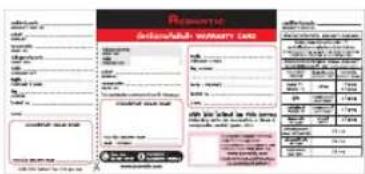
ใบรับประกัน
การติดตั้งขาดั้ง


- วางเครื่องที่วีบนผ้าที่นุ่มหรือบนเบาะโดยคว่าหน้าง วางฐานในตําแหน่งตั้งภาพ (ดูรปที่ 1)
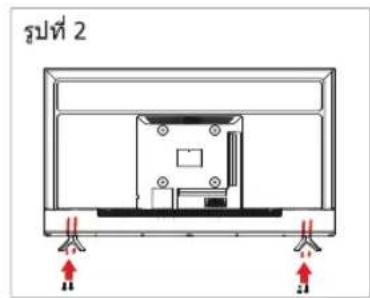
- ใส่สกรุ 4 ตัว (ที่ให้มา) เข้าไปในรูสกรุ และใช้ไขดวงขันยืด (ดูรปที่ 2)
- ตั้งทีวีชื่น (ดูรูปที่ 3)
การถอดขาดตั้ง
- วางที่วีบนโต๊ะโดยคว่าหน้าจอ LED ลง เพื่อป้องกันไม่ให้ที่วีเป็นรอย ให้วางผ้านุ่ม ๆ บนโต๊ะที่จะวางหน้าจอ (ดูรปที่ 1)
- ถอดสกรู 4 ตัวที่ขาดั้งออก จากนั้นดึงขาดั้งขึ้นข้าฯ (ดูรูปที่ 2)
3.จากนั้นคุณจะสามารถนําฐานออกได้สำเร็จ (ดูรปที่ 3)
รูปที่ 1

รูปที่ 2

รูปที่ 3
4
ภาพรวมของชุดที่วี
191
มุมมองต้านหน้า

43US200AN

50US200AN

55US200AN
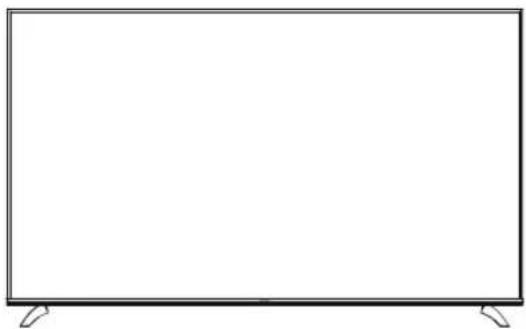
65US210AN
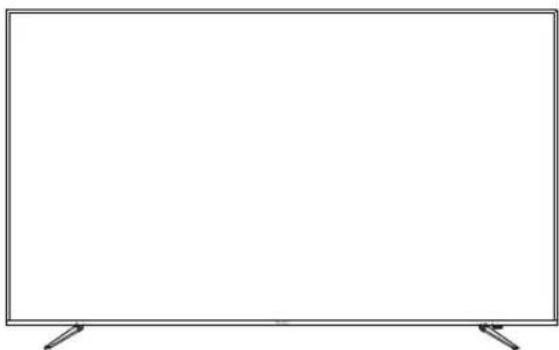
75US200AN
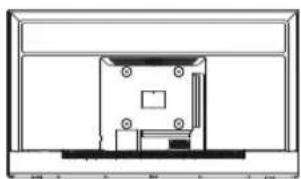
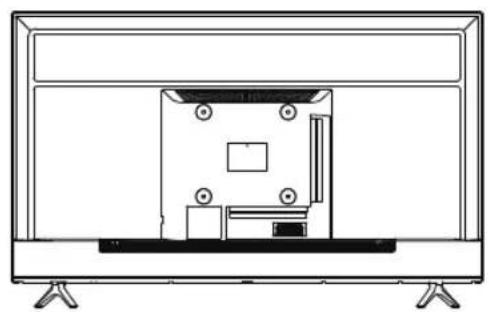
มุมมองด้านหลัง
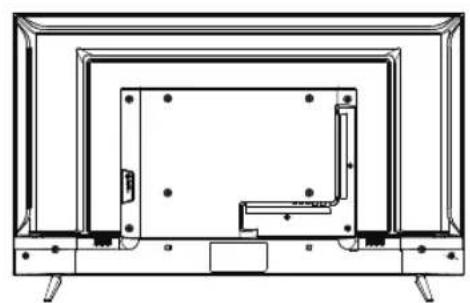
43US200AN
50US200AN
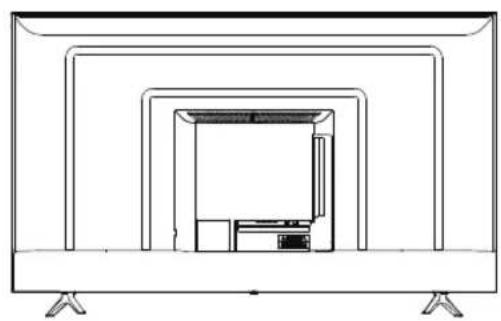
55US200AN

65US210AN

75US200AN
5
ส่วนควบคุม
ไทย
ส่วนควบคุมและการเชื่อมต่อ (ต่อ)


- RJ45
- USB 2
- OPTICAL
- วิตีโอ/เสียง ข้ายและขวา
- RF
- HDMI 3
- HDMI2(eARC)
- HDMI 1
- USB 1
- หุฟัง
การเชื่อมต่อ USB
ใส่อุปกรณ์จัดเก็บข้อมูล USB เข้ากับพอร์ต USB เพื่อบันทึกข้อมูล เล่นภาพวิตีโอ/ภาพถ่าย/เพลง
สัญญาณที่รองรับ
| AV | HDMI |
| 480i | 480i |
| 576i | 576i |
| 480P | 480P |
| 576P | 576P |
| 720P / 50 Hz | 720P / 50 Hz |
| 720P / 60 Hz | 720P / 60 Hz |
| 1080i / 50 Hz | 1080i / 50 Hz |
| 1080i / 60 Hz | 1080i / 60 Hz |
| 2160P / 50 Hz | 2160P / 50 Hz |
| 2160P / 60 Hz | 2160P / 60 Hz |
การใส่แบตเตอรี่รีโมทคอนโทรล
- ถอดฝาปิดแบตเตอร์ออกโดยดึงแล้วยกปุ่มที่ฝาปิด
- ใส่แบตเตอร์ตามเครื่องหมาย (+) และ (-) ที่ช่องใส่แบตเตอร์
- ใส่ pasปิดแบตเตอร์กลับคืน


ข้อควรระวัง
- ใช้แบตเตอรี่ AA ที่ระบุไว้เท่านั้น
- อย่าใช้แบตเตอรี่เก่าและใหม่ผสมกัน เนื่องจากอาจส่งผลให้เกิดการปะทุหรือรั่วไหล ซึ่งอาจ ก่อให้เกิดไฟใหม่หรือน่าไปสู่การบาดเจ็บได้
- ใสแบตเตอรี่ตามเครื่องหมาย (+) และ (-) การใสแบตเตอรี่ไม่ถูกต้องอาจส่งผลให้เกิดการ ปะทุหรือร่วําไหล ซึ่งอาจก่อให้เกิดไฟไหมมหรอนําไปสู่การบาดเจ็บได้
- ทิ้งแบตเตอร์ตามกฎหมายและระเบียบข้อบังคับของท้องถิ่น
- เก็บแบตเตอรี่ให้ห่างจากเด็กหรือสัตว์เลี้ยง
- เมื่อจะไม่ไดใช้ร็โมทคอนโทรลเป็นระยะเวลานาน ให้ออดแบตเตอร์ออก
การใช้รีโมทคอนโทรล
- ยืนรีโมทคอนโทรลไปที่เซนเซอร์โมทคอนโทรลที่ต้านล่างของที่วี
- ระยะของรีโมทคอนโทรลจะอยู่ที่ประมาณ 16 พตเมื่อทำ มุมประมาณ 30 องศา
- หลักเสี่ยงมิให้มีสิ่งกัดขวางอยู่ระหว่างรู้โมทคอนโทรลและเข็นเซอร์
หากคุณไม่ได้ต้องการจะใชรีโมทคอนโทรลเป็นเวลานานให้ออดแบตเตอร์ออก
หากรีโมทดสอบโทรศั่งทํางานไม่ถูกต้อง หรือหากระจายการ ทํางานลดลงให้เปลี่ยนแบตเตอรี่ใหม่ทั้งสองก้อน

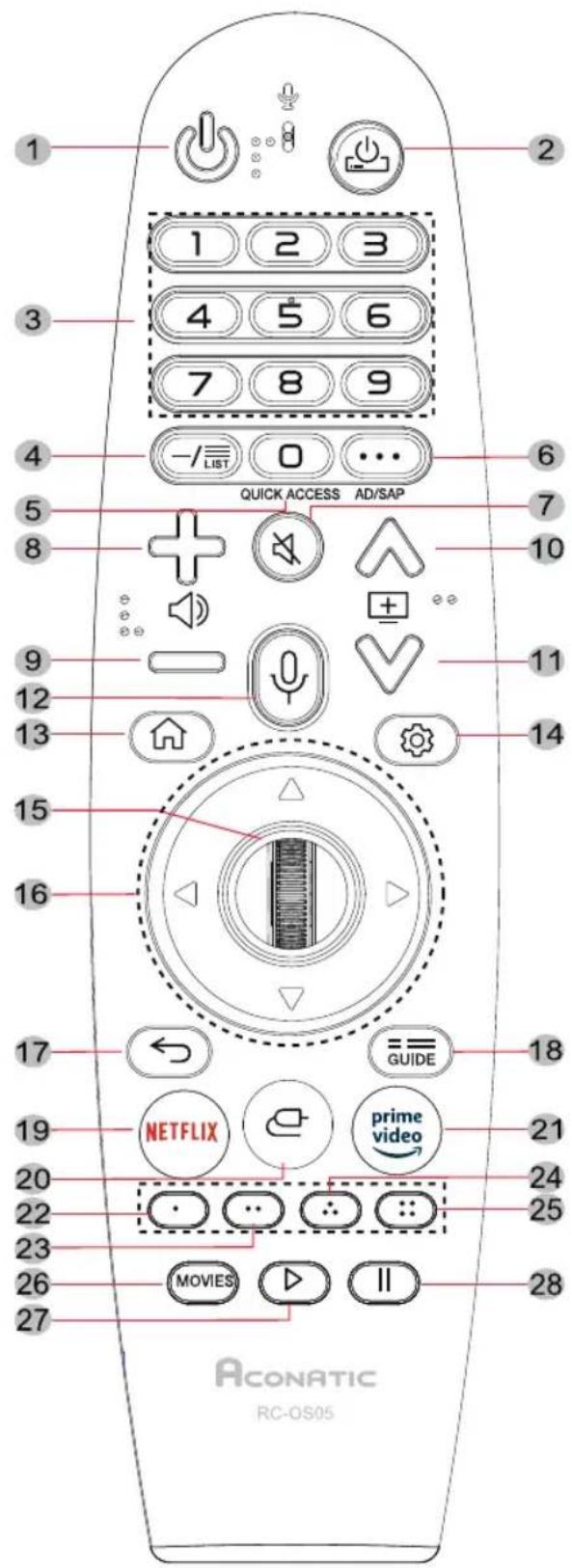
| 1. | ### | ###/### |
| 2. | ### | ###/### STB |
| 3. | 1-9 | ### |
| 4. | —/LIST | ### |
| 5. | □ QUICK ACCESS | ### |
| 6. | • • • AD/SAP | ### |
| 7. | ### | ### |
| 8. | + ### | ### |
| 9. | - ### | ### |
| 10. | ### | ### |
| 11. | ### | ### |
| 12. | ### | ### |
| 13. | ### | ### |
| 14. | ### | ### |
| 15. | ###(###) | ### |
| ###(###) | ### | |
| ### | ### | |
| 16. | ▲ | ### |
| ◀ | ### | |
| ▶ | ### | |
| ▼ | ### | |
| 17. | ← | ### |
| 18. | ==### | ### |
| 19. | NETFLIX | ### |
| 20. | ### | ### |
| 21. | ### | ### |
| 22. | ### (RED) | ### |
| 23. | ### (GREEN) | |
| 24. | ### (YELLOW) | |
| 25. | ### (BLUE) | |
| 26. | MOVIES | ### |
| 27. | ▶ | ### |
| 28. | II | ### |
7
webOS Guide-หน้าหลัก
ไทย
มีสองวิธีในการทำความเข้าใจกับ Web OS TV
- ลิงค์ https://webos.developer.lge.com/webos-tv (หากมีการเปลี่ยนแปลงจะไม่แจ้งเป็นรายบุคคล)

- คุณสามารถใช้รีโมทเพื่อเข้าสู่ User Guide ในทวี

a

b
17

- Important Safety Information...... 2
- Accessories...... 6
- Installing the LED TV.... 7
- Overview of the TV set...... 8
- Controls 10
- Using the Remote Control 12
- webOS Guide.... 15
Warnings
-
Read these instructions.
-
Keep these instructions.
-
Heed all warnings.
-
Follow all instructions.
5.Do not use this apparatus near water.
-
Clean only with dry cloth.
-
Do not block any ventilation openings. Install in accordance with the manufacturer instructions.
-
Do not install near any heat sources such as radiators, heat registers stoves, or other apparatus(including amplifiers)that produce heat.
-
Do not defeat the safety purpose of the polarized or grounding-type plug. A polarized plug has two blades with one wider than the other. A grounding type plug has two blades and a third grounding prong. The wide blade or the third prong are provided for your safety. If the provided plug does not fit into your outlet, consult an electrician for replacement of the obsolete outlet.
-
Protect the power cord from being walked on or pinched particularly at plugs, convenience receptacles, and the point where they exit from the apparatus.
-
Only use attachments/accessories specified by the manufacturer.
-
Use only with the cart, stand, tripod, bracket, or table specified by the manufacturer, or sold paratus. When a cart is used, use caution when moving the cart/apparatus combination to from tip-over.
-
Unplug this apparatus during lighting storms or when unused for long periods of time.
-
Refer all servicing to qualified service personnel. Servicing is required when the apparatus has been damaged in any way, such as power-supply cord or plug is damaged, liquid has been spilled or objects have fallen into the apparatus. the apparatus has been exposed to rain or moisture. does not operate normally, or has been dropped.
-
WARNING: To Reduce The Risk Of Fire Or Electric Shock, Do Not Expose This Apparatus To Rain Or Moisture.
-
Apparatus shall not be exposed to dripping or splashing and no objects filled with liquids, such as vases, shall be placed on the apparatus.
-
The mains plug or appliance coupler shall remain readily operable.
-
Use in outdoor: This TV is not designed for outdoors installation. Do not expose the TV to rain, as it may result in a fire or an electric shock. Also, do not expose the TV to direct sunlight, as it may heat up and become damaged.
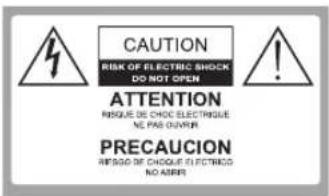
Safety: TO REDUCE THE RISK OF ELECTRICAL SHOCK DO NOT REMOVE COVER (OR BACK). NO USER SERVICEABLEPARTS ARE INSIDE. REFER TO QUALH-FIED PERSONNEL ONLY.
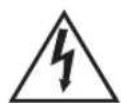
Dangerous Voltage: The lightning flash with arrowhead symbol, within an equilateral triangle, is intended to alert the user to the presence of dangerous voltage within the inside of the product that may be sufficient level to constitute a risk of electric shock to persons.

Instruction: The exclamation point within an equilateral triangle is intended to alert the user to the presence of important operating and servicing instructions in the literature accompanying the appliance.
Safety Precautions Instruction
Observing the simple precautions discussed in this booklet will provide you with many years of enjoyment and safe operation.
This product complies with all applicable US Federal safety requirements, and those of the Canadian Standards Association.
- Read Follow Instructions
All safety and operating instructions should be read and followed before the TV is operated.
- Retain Instructions
The safety and operating instructions should be retained for future reference.
- Heed Warnings
All warnings on the TV and in the operating instructions should be adhered to.
- Cleaning
Unplug the TV from the wall outlet before cleaning. Do not use liquid cleaners or aerosol cleaners. Use soft and slightly damp cloth for cleaning.
- Water and Moisture
Do not use this TV near water, for example, near bathtub, wash bowl, kitchen sink, or laundry tub, in wet basement, or near a swimming pool.
- Accessories Carts and Stands
Do not place this TV on a slippery or tilted surface, or on an unstable cart, stand, or table. The TV may slide or fall, causing serious injury to a child or adult, and serious damage to the TV.
- Transporting the Television
ATV and cart combination should be moved with care. Quick stops, excessive force, and uneven surfaces may cause the TV and cart combination to overturn.
- Ventilation
Slots and openings in the cabinet are provided for ventilation and to ensure reliable operation of the TV and to protect it from overheating, and these openings must not be blocked or covered. The openings should never be blocked by placing the TV on a bed, sofa, rug, or other similar surface. The TV should not be placed in a built-in installation such as a bookcase or rack unless proper ventilation is provided.
- Power Sources
This TV should be operated only from the type of power source indicated on the marking label. If you are not sure of the type of power supply to your home, consult your electronics retailer or local power company.
- Power-Cord Polarization
This TV set is equipped with a two-wire plug.
This plug will only fit into a grounding-type power outlet. This is a safety feature. If you are unable to insert the plug into the outlet the contact your electrician to replace your obsolete outlet. Do not defeat the safety purpose of the grounding-type plug.
11. Power-Cord Protection
Power-supply cords should be routed so that they are not likely to be walked on or pinched by items placed upon or against them, paying particular attention to cords at plugs, convenience receptacles, and the point where they exit from the TV.
12. Lightning
For added protection for the TV during a lightning storm, or when it is left unattended and unused for long periods of time, unplug it from the wall outlet and disconnect the antenna or cable system. This will prevent damage to the TV from lightning and power-line surges.
13. Outdoor Antenna Grounding
If an outside antenna or cable system is connected to the tV be sure the antenna or cable system is grounded so as to provide some protection against voltage surges and built up static charges. Article 810 of the National Electrical Code(U.S.A.), ANSI/ NFPA provides information with regard to proper grounding of the mast and supporting structure, grounding of the lead-in wire to an antenna discharge unit, size of grounding conductors, location of antenna-discharge unit, connect on to grounding electrodes and requirements for the grounding electrode.
Example of Grounding According to National Electrical Code Instructions

NEC - National Electrical Code
14. Power Lines
An outside antenna system should not be located in the vicinity of overhead power lines or other electric light or power circuits, or where it can fall on to power lines or circuits. When installing an outside antenna system, extreme care should be taken to keep from touching such power lines or circuits as contact with them might be fatal.
15. Overloading
Do not overload wall outlets and extension cords as this can result in a risk of fire or electric shock.
16. Object and Liquid Entry
Never push objects of any kind into this TV through openings as they may touch dangerous voltage points or short-out parts that could result in a fire or electric shock. Never spill liquid of any kind on or inside the TV.
17. Servicing
Do not attempt to service this TV yourself as opening or removing covers may expose you to dangerous voltage or other hazards. Refer all servicing to qualified service personnel.
18. Damage Requiring Service
Unplug from the wall outlet and refer servicing to qualified service personnel under the following conditions:
a. If the power-supply cord or plug is damaged.
b. If liquid has been spilled, or objects have fallen into the product.
c. If the TV has been exposed to rain or water.
d. If the TV does not operate normally by following the operating instructions. Adjust only those controls that are covered by the operating instructions as an improper adjustment of other controls may result in damage and will often require extensive work by a qualified technician to restore the product to its normal operation.
e. If the TV has been dropped or the cabinet has been damaged.
f. If the TV exhibits a distinct change in performance.
Please make sure the following items are included with your LED TV. If any items are missing, please contact your dealer.

43US200AN 50US200AN 55US200AN
65US210AN 75US200AN
*Please refer to the real object
LED TV

Instruction Manual

Remote Control

2 batteries

warranty card
Installing the Stand
Figure 1

Figure 2

Figure 3

- Place the TV set on soft cloth or cushion with face down. Place the base in position as shown. (see Figure 1).
- Insert 4 screw(provided)into the screw holes, Use a screwdriver lock. (see Figure 2)
- Stand the TV up. (see Figure 3)
Disconnecting the Stand
- Lay the TV flat on a table with the LED screen face down. To prevent the TV from being scratched, put a piece of soft cloth on the table on which the screen will be set. (see Figure 1)
- Remove the 4 screw on the stand, then pull up the stand slowly. (see Figure 2)
- Then you successfully removed the base. (see Figure 3)
Figure 1

Figure 2
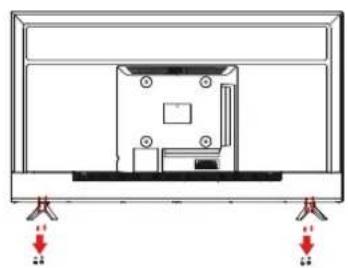
Figure 3

Front View
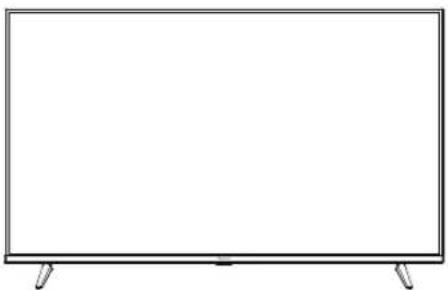
43US200AN

50US200AN

55US200AN

65US210AN
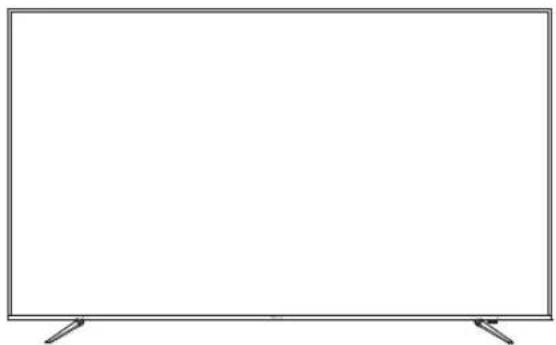
75US200AN
Rear View

43US200AN
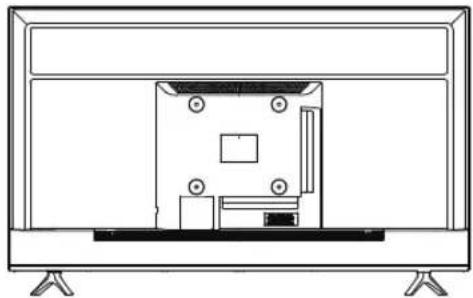
50US200AN

55US200AN

65US210AN

75US200AN
Controls And Connections(Cont.)


- RJ45
- USB 2 INPUT
- OPTICAL
- VIDEO / AUDIO LEFT & RIGHT
- RF
- HDMI 3
- HDMI2(eARC)
- HDMI 1
- USB 1 INPUT
- EARPHONE
USB connection
Insert a USB storage device into the USB port to record, playback of video/photo/music
Supporting signals
| AV | HDMI |
| 480i | 480i |
| 576i | 576i |
| 480P | 480P |
| 576P | 576P |
| 720P / 50Hz | 720P / 50Hz |
| 720P / 60Hz | 720P / 60Hz |
| 1080i / 50Hz | 1080i / 50Hz |
| 1080i / 60Hz | 1080i / 60Hz |
| 2160P / 50Hz | 2160P / 50Hz |
| 2160P / 60Hz | 2160P / 60Hz |
Inserting Remote Control Batteries
- Remove the battery cover by pulling then lifting the knob on the cover.
- Insert the batteries, corresponding to the (+)and (-)markings on the battery compartment.
- Reattach the battery cover.


CAUTION
. Only use the specified AA batteries.
. Do not mix new and old batteries. This may result in creaking or leakage, which may pose a risk of fire or lead to personal injury.
. Insert batteries according to(+)and (-)markings. Inserting the batteries incorrectly may result in leakage, which may pose a risk of fire or lead to personal injury.
. Dispose of the battery in accordance with local laws and regulations.
. Keep the batteries away from children or pets.
. When the remote control will not to be used for an extended period, remove the batteries.
Operating the Remote Control
- Aim Remote Control directly at the Remote Control Sensor on the down of the TV set.
- Remote Control range is at approx. 16 feet with angles of approx. 30 degree.
- Avoid obstructions between the Remote Control and the sensor.
If you do not intent to use the remote control for a long time, remove the batteries.
If the remote control does not operate correctly, or if the operating range. reduced, replace both batteries with new ones.


| 1. ⏻ | TV POWER ON/OFF |
| 2. ⏻ | STB POWER ON/OFF |
| 3. 1-9 | Number Key |
| 4. —/LIST | Channel List |
| 5. ☐ QUICK ACCESS | Brief : Number Key / Hold : Quick Access |
| 6. ••• AD/SAP | Brief : More Actions / Hold : Audio Description |
| 7. ✉ | Mute |
| 8. + ⏻ | Volume UP |
| 9. - ⏻ | Volume Down |
| 10. ⊕^ | Channel UP |
| 11. ⊕∨ | Channel Down |
| 12. ♂ | Voice recognition Call (Voice recognition activation roll) |
| 13. ⏱ | Home Menu Call |
| 14. ⚙ | Quick Settings Call |
| 15. Wheel(UP) | Page Scroll Up / Go to upper channel level |
| Wheel(OK) | Confirm |
| Wheel(DOWN) | Page Scroll Down / Go to lower channel level |
| 16. ▲ | Focus Move Up |
| ◀ | Focus Move Left |
| ▶ | Focus Move Right |
| ▼ | Focus Move Down |
| 17. ← | Historical Back |
| 18. ≡GUIDE | EPG Call |
| 19. NETFLIX | NETFLIX APP Execution |
| 20. 📋 | Input Picker Call |
| 21. prime video | AMAZON APP Execution |
| 22. ⬇ (RED) | Color Key |
| 23. ⬇ (GREEN) | |
| 24. ⬇ (YELLOW) | |
| 25. ⬇ (BLUE) | |
| 26. MOVIES | MOVIES Call |
| 27. ▷ | Play |
| 28. II | Pause |
There are two ways to help you to understand the Web OS TV.
1: The link: https://webos.developer.lge.com/webos-tv,(if there is any update, without prior notice)

2: You can use the remote control, a key to enter User Guide.

a

b
Aconatic
บริษัท ไอยู่ เฉเรียนที่ไอยู่ จํากัด (มหาชน) HIFI ORIENT THAI PUBLIC COMPANY LIMITED
83/161 -162 ข้อมูลค่า 47(ขีวิตต์) มหัวที่ยุ่งส่งนั้งกํา 90000000 Core Line. 02-591-9444, 02-589-5115 กรุงเทพฯนดท 10210
![graph LR A["Service Center"] --> B["ACONATIC ช่วงบุคและศูนย์บริหาร"] B --> C["เรือนเจ้า ผลประวม"] B --> D["ISUZU"] B --> E["ไตรกุม ISUZU"] B --> F["ปัลเยี่ยม CALTEX"] B --> G["ครั้งสินค์"] B --> H["คําเนินค่า"] B --> I["คําเนินค่า"] B --> J["คําเนินค่า"] B --> K["คําเนินค่า"] B --> L["คําเนินค่า"] B…](/content/2026/06/1383125/images/4443c1757a6e2fad880422b30781d52c7cfca1762351a6d2229a2a2f9314f9c7.jpg)
หมายเหตุ : บริษัทของสวนเสิทธอื่นผการเบลี่ย/แน overlaysรายการของสมนาคุณและรายละเอียดสินค้าโดยมีต้องแจ้ง IoTทราบต่วงหน้า


- ACONATIC
- คำเตือน
- ข้อมูลสำคัญด้านความปลอดภัย
- คำแนะนำที่เป็นข้อควรระวังเพื่อความปลอดภัย
- การระบายอากาศ
- แหล่งจ่ายไฟ
- ขั้วของสายไฟ
- การป้องกันสายไฟ
- การป้องกันฟ้าผ่า
- การต่อสายดินสำหรับเส아อากาศภายนอกอาคาร
- 2 | อุปกรณ์เสริม
- การติดตั้งขาดั้ง
- การถอดขาดตั้ง
- การใส่แบตเตอรี่รีโมทคอนโทรล
- ข้อควรระวัง
- การใช้รีโมทคอนโทรล
- WEBOS GUIDE-หน้าหลัก
- WARNINGS
- SAFETY PRECAUTIONS INSTRUCTION
- POWER-CORD PROTECTION
- LIGHTNING
- OUTDOOR ANTENNA GROUNDING
- POWER LINES
- OVERLOADING
- OBJECT AND LIQUID ENTRY
- SERVICING
- DAMAGE REQUIRING SERVICE
- INSTALLING THE STAND
- DISCONNECTING THE STAND
- FRONT VIEW
- REAR VIEW
- CONTROLS AND CONNECTIONS(CONT.)
- INSERTING REMOTE CONTROL BATTERIES
- CAUTION
- OPERATING THE REMOTE CONTROL
- บริษัท ไอยู่ เฉเรียนที่ไอยู่ จํากัด (มหาชน) HIFI ORIENT THAI PUBLIC COMPANY LIMITED
Marque : Aconatic
Modèle : 43US200AN
Catégorie : Téléviseur