PHILIPS 3000 Series XC3033 - Aspirateur

3000 Series XC3033 - Aspirateur PHILIPS - Notice d'utilisation et mode d'emploi gratuit

Retrouvez gratuitement la notice de l'appareil 3000 Series XC3033 PHILIPS au format PDF.

📄 20 pages Français FR Télécharger 💬 Question IA 10 questions ⚙️ Specs
Notice PHILIPS 3000 Series XC3033 - page 1
Choisissez votre langue et indiquez votre email : nous vous enverrons une version traduite specifiquement.
Type de produit Aspirateur balai sans fil
Marque Philips
Modèle 3000 Series XC3033
Dimensions (L x l x h) 25 x 20 x 115 cm
Poids 3,5 kg
Alimentation Batterie lithium-ion 22,2 V
Type de batterie Lithium-ion amovible
Autonomie Jusqu'à 45 minutes
Temps de charge 4 à 5 heures
Capacité du réservoir à poussière 0,6 L
Type de filtre Cyclonique, lavable
Niveau sonore ≤ 80 dB
Fonctions principales Nettoyage multi-surfaces, convertible en aspirateur à main
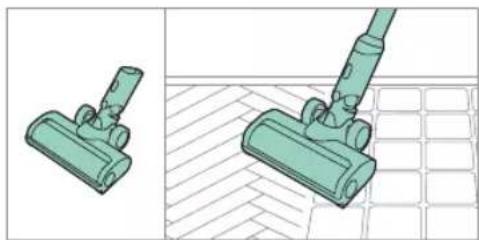
Accessoires inclus Suceur fente, brosse à poussière
Entretien Filtre lavable à l'eau, vidage du réservoir
Sécurité Arrêt automatique en cas de surchauffe, batterie sécurisée
Pièces détachées Filtre, batterie, brosse
Réparabilité Indice de réparabilité estimé 7,9/10
Garantie 2 ans

FOIRE AUX QUESTIONS - 3000 Series XC3033 PHILIPS

Comment vider le réservoir à poussière ?
Appuyez sur le bouton de déverrouillage situé sur le réservoir, retirez-le et videz son contenu dans une poubelle. Pour un nettoyage optimal, rincez le filtre à l'eau tiède.
Comment laver le filtre de mon aspirateur Philips XC3033 ?
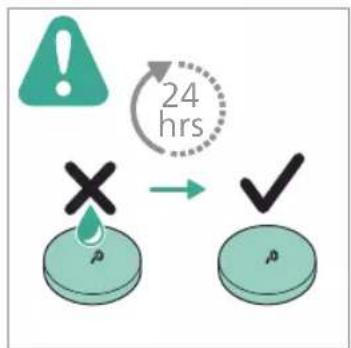
Retirez le filtre du réservoir et rincez-le sous l'eau tiède jusqu'à ce que l'eau soit claire. Laissez-le sécher complètement à l'air libre pendant au moins 24 heures avant de le remettre en place.
Quelle est l'autonomie de l'aspirateur ?
L'autonomie peut atteindre 45 minutes en mode normal. En mode turbo, elle est réduite à environ 15 minutes. Pour maximiser la durée de vie de la batterie, évitez les décharges complètes.
Comment recharger la batterie ?
Branchez le chargeur fourni sur la prise de charge située à l'arrière de l'aspirateur ou sur la batterie si elle est retirée. Le temps de charge complet est d'environ 4 à 5 heures.
Puis-je utiliser l'aspirateur en mode manuel ?
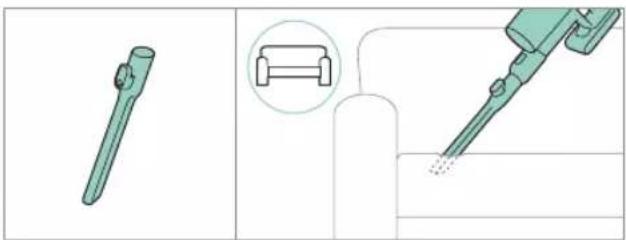
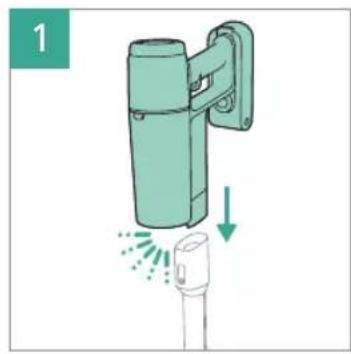
Oui, le XC3033 est convertible en aspirateur à main. Débranchez le tube et le suceur pour accéder à l'embout manuel intégré. Idéal pour les surfaces rembourrées et les endroits difficiles d'accès.
Que faire si l'aspirateur perd en puissance d'aspiration ?
Vérifiez que le réservoir n'est pas plein et que le filtre n'est pas obstrué. Nettoyez le filtre comme indiqué dans le manuel. Si le problème persiste, inspectez le tube et la brosse pour déceler des blocages.
Comment entretenir la brosse principale ?
Retirez régulièrement les cheveux et les fibres enroulés autour de la brosse à l'aide d'une paire de ciseaux ou d'un outil fourni. Pour un nettoyage en profondeur, détachez la brosse et rincez-la à l'eau.
Où trouver des pièces de rechange pour le XC3033 ?
Les pièces détachées comme les filtres, les batteries et les brosses sont disponibles sur le site officiel de Philips ou chez les revendeurs agréés. Utilisez le numéro de modèle XC3033 pour trouver les bonnes références.
L'aspirateur s'arrête subitement, que faire ?
Cela peut être dû à une surchauffe ou une batterie faible. Laissez refroidir l'appareil pendant 30 minutes et rechargez la batterie. Si le problème se répète, contactez le service client Philips.
Puis utiliser l'aspirateur sur des sols durs et des tapis ?
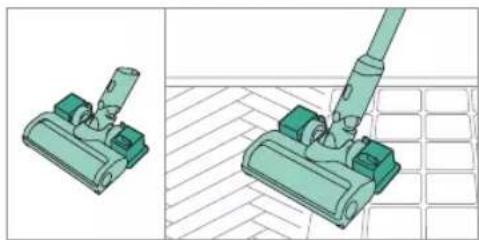
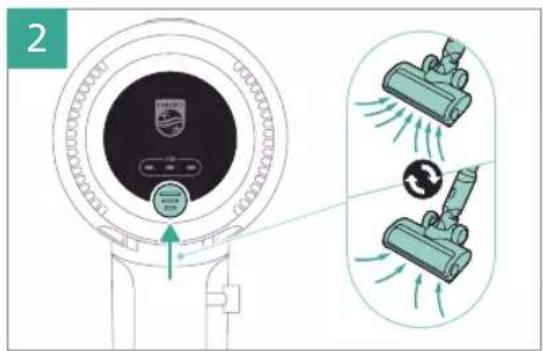
Oui, le XC3033 est conçu pour les sols durs et les tapis. La brosse motorisée s'adapte automatiquement au type de sol. Pour un nettoyage optimal, utilisez le mode 'Auto'.

Questions des utilisateurs sur 3000 Series XC3033 PHILIPS

0 question sur cet appareil. Repondez a celles que vous connaissez ou posez la votre.

Poser une nouvelle question sur cet appareil

L'email reste privé : il sert seulement à vous prévenir si quelqu'un répond à votre question.

Aucune question pour l'instant. Soyez le premier à en poser une.

Téléchargez la notice de votre Aspirateur au format PDF gratuitement ! Retrouvez votre notice 3000 Series XC3033 - PHILIPS et reprennez votre appareil électronique en main. Sur cette page sont publiés tous les documents nécessaires à l'utilisation de votre appareil 3000 Series XC3033 de la marque PHILIPS.

MODE D'EMPLOI 3000 Series XC3033 PHILIPS

PHILIPS

3000 Series

Cordless Vacuum

XC303*

XC313*

* =0-9, representing different colors

QR code image containing encoded data, no visible human-readable text

home.id/welcome
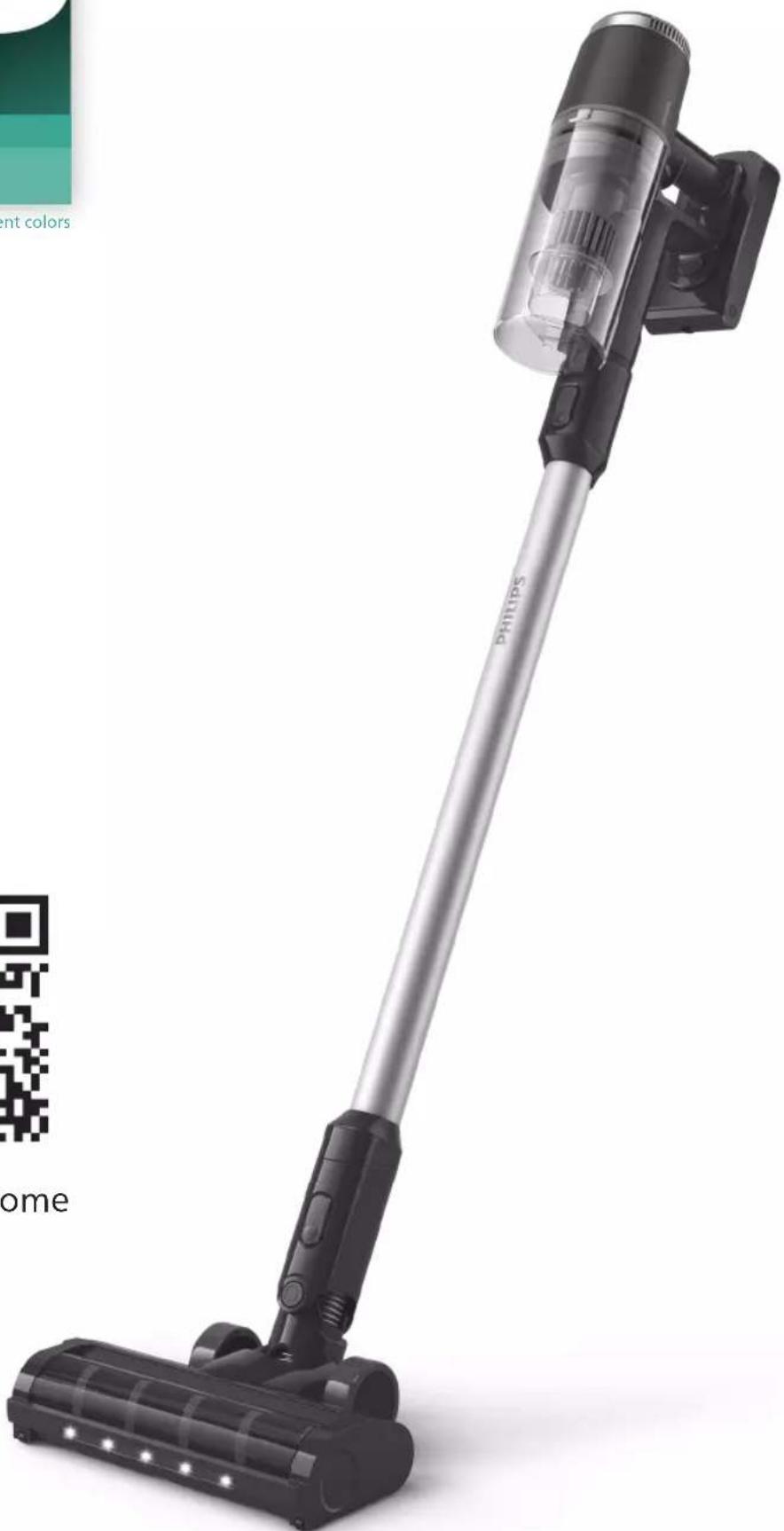
Exterior view of a Philips vacuum cleaner with black handle and white base (no text or symbols on device body)

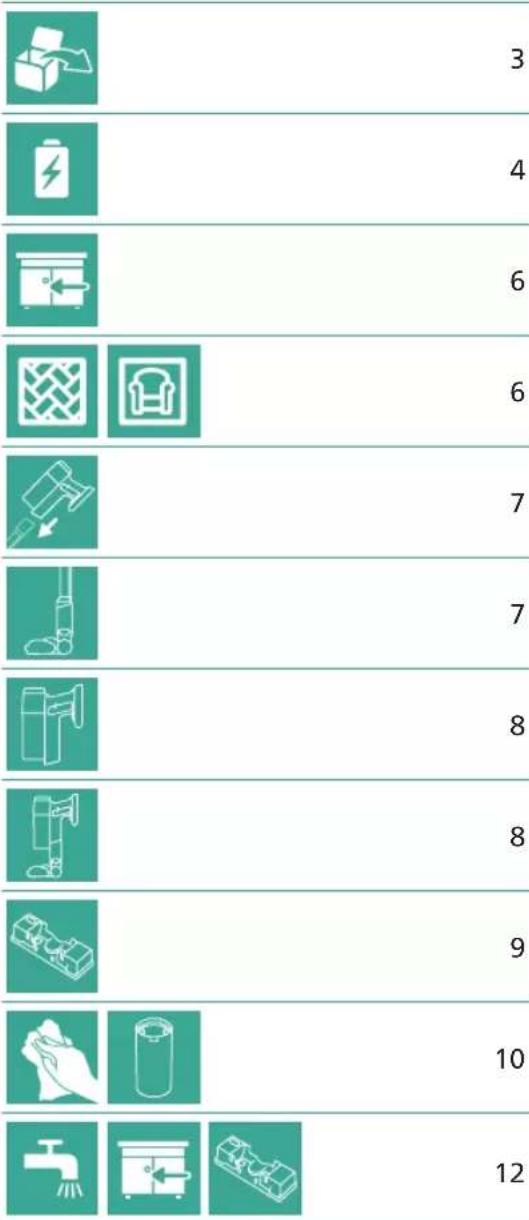
3 4 6 6 7 7 8 8 9 10 12

13
14
15
15
16
17
18
19
20
20

XC3133 XV1632 XC313*

PHILIPS 3000 Series XC3033 - PHILIPS - 5

1

2

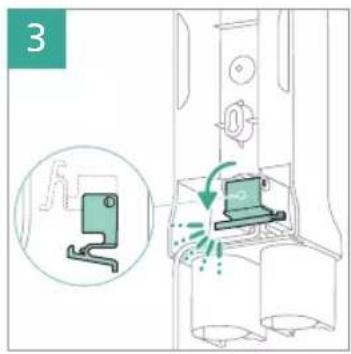
3

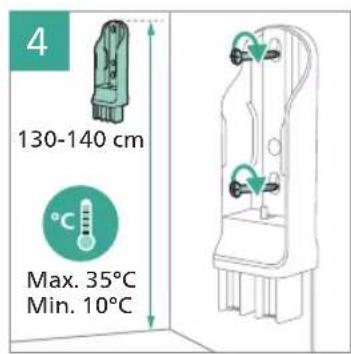
4 130-140 cm °C Max. 35°C Min. 10°C

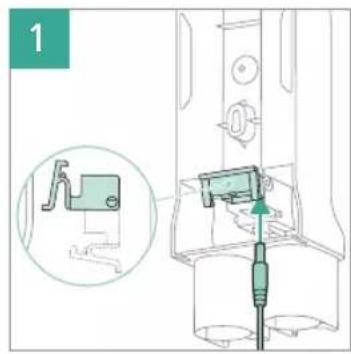
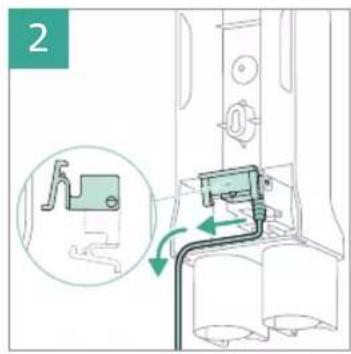
Diagram showing two cable installation methods with warning symbols and connection points

5a

6a PHIPIPS 5 hrs

Illustration of a green mechanical device with a downward arrow indicating force or movement (no text or symbols)

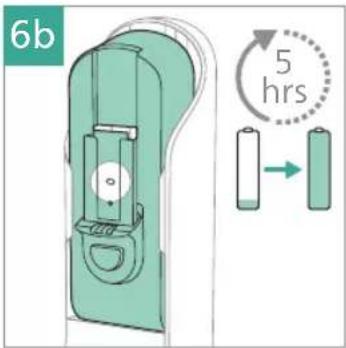
6b 5 hrs

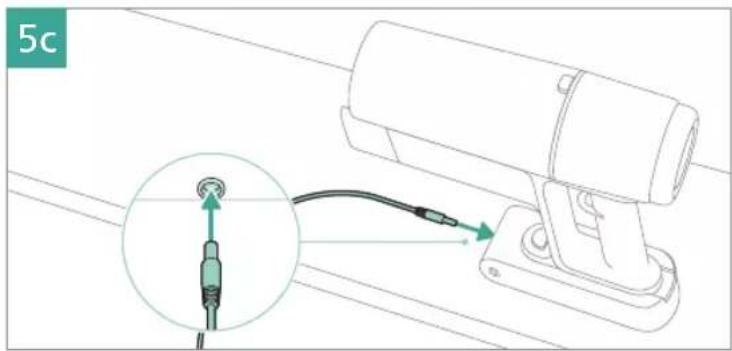
5c

6c PHILIPS 5 hrs

5d

6d 5 hrs

PHILIPS 3000 Series XC3033 - PHILIPS - 19

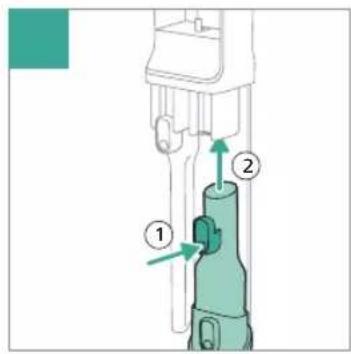
12 ① ②

Diagram of a medical device with labeled parts and directional arrows indicating movement or force

Illustration of a cleaning or cleaning device with a green handle and lever mechanism (no text or symbols)

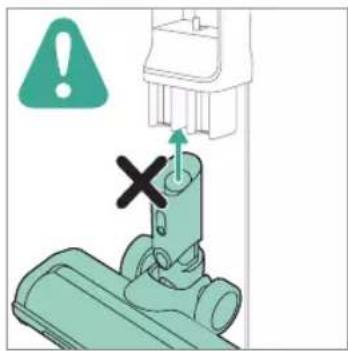
Diagram showing a mechanical component with warning symbol and cross mark, indicating failure or failure point

PHILIPS 3000 Series XC3033 - PHILIPS - 24

Technical illustration of two mechanical components with a handle, shown from different angles (no text or symbols present)

Illustration of medical or surgical tools including a tool, a chair, and a tool tip (no text or symbols present)

Technical illustration of a vacuum cleaner assembly with green components and a tool, shown from two different angles (no text or symbols present)

Illustration of a green-handled brush tool with directional arrows and a spiderweb, showing mechanical components (no text or symbols)

PHILIPS 3000 Series XC3033 - PHILIPS - 29

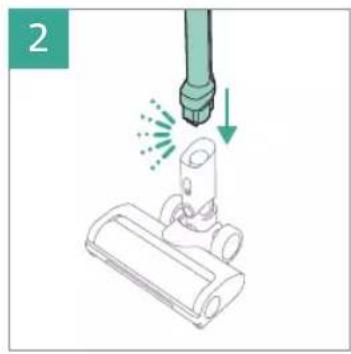
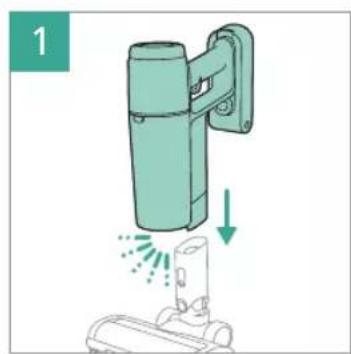
Illustration of a green cylindrical device with a vertical panel and a downward arrow indicating motion or force (no text or symbols)

Illustration of a robotic vacuum cleaner with motion arrows indicating action (no text or symbols)

PHILIPS 3000 Series XC3033 - PHILIPS - 32

1

2

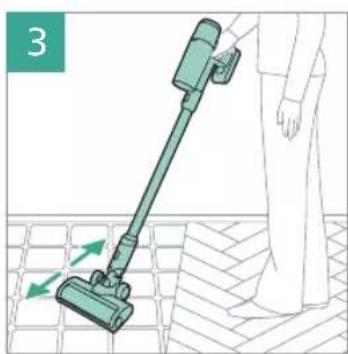
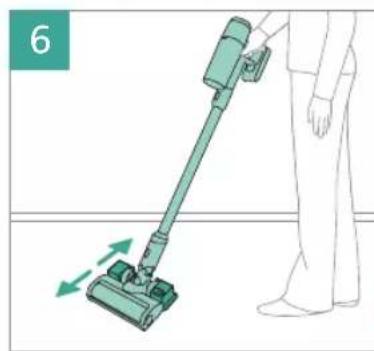
Illustration of a person using a vacuum cleaner on tiled floor, with green arrows indicating motion direction (no text or symbols)

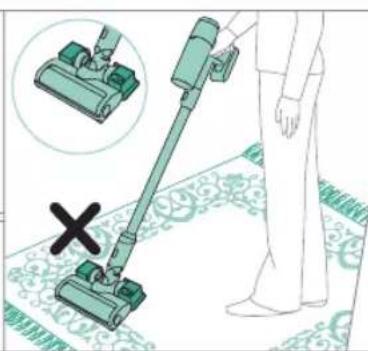
Safety warning illustration showing a person using a vacuum cleaner with a warning symbol and a cross indicating no need.

PHILIPS 3000 Series XC3033 - PHILIPS - 37

1

2

PHILIPS 3000 Series XC3033 - PHILIPS - 40

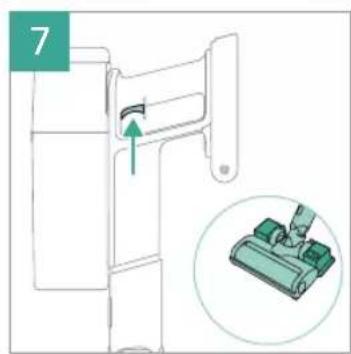
Illustration of a green cylindrical device with a downward arrow indicating motion or force, mounted on a base (no text or symbols present)

2

Illustration of a green mechanical device with a magnified inset showing a staircase (no text or symbols)

PHILIPS 3000 Series XC3033 - PHILIPS - 44

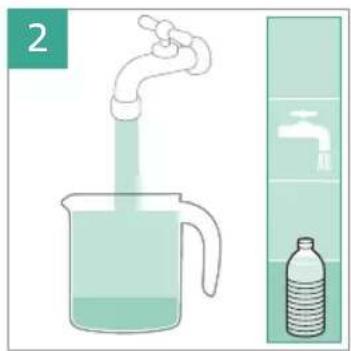
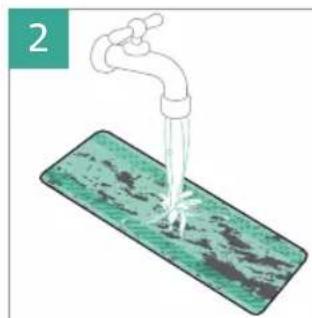
Illustration of a faucet spraying water onto a green surface, no text or symbols present

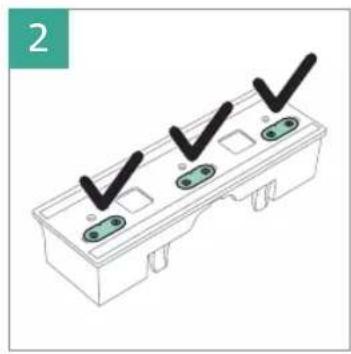
Diagram of a three-pin electrical connector with three black checkmarks (no text or symbols)

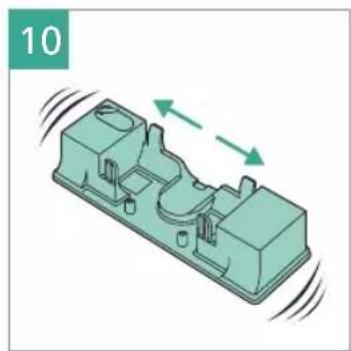
3D mechanical part diagram showing a housing with internal components and a close-up inset of a component detail (no text or symbols)

4 MAX 50 °C

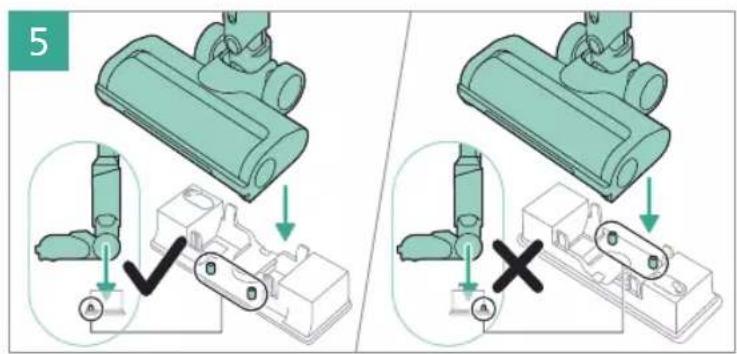
5 A A X

Illustration of a person using a vacuum cleaner to clean floor, with motion arrows indicating movement (no text or symbols)

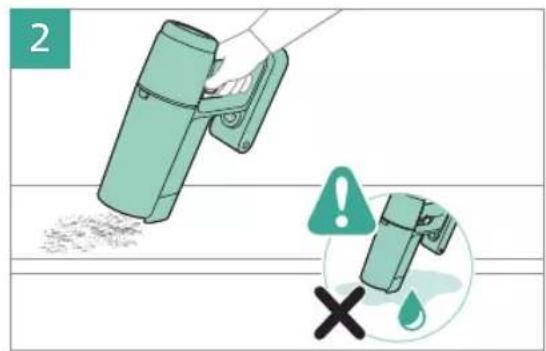
Illustration showing a person using a vacuum cleaner with a cross symbol indicating no change, accompanied by an inset image of the cleaner's device.

Safety warning illustration showing a person using a vacuum cleaner with warning symbols and a cross indicating water droplets.

7

Illustration of a robotic arm interacting with a mechanical component (no text or symbols visible)

Illustration of a mechanical component with a drain and a circular base, no text or symbols present

PHILIPS 3000 Series XC3033 - PHILIPS - 56

1

2 ① ②

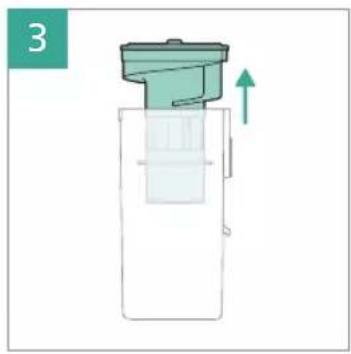
Diagram of a mechanical device with a green component and an upward arrow, no text or symbols present

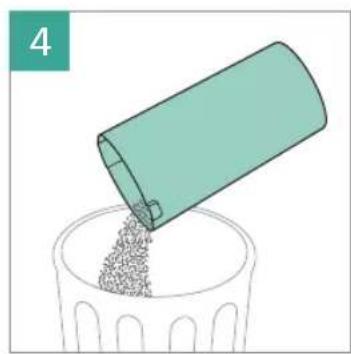
Illustration of a container pouring granular material into a plastic cup (no text or symbols)

Illustration of a faucet spraying water onto a sink with a green plastic bag, no text or symbols present

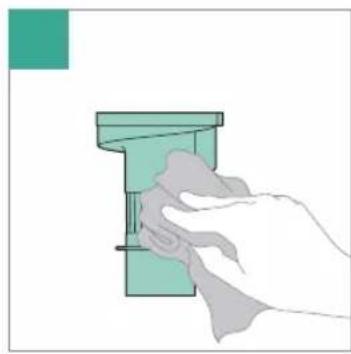
Hand cleaning a green rectangular object with a cloth (no text or symbols visible)

7 ① ②

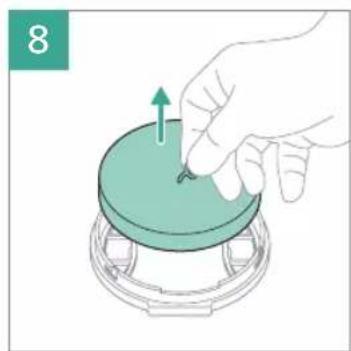
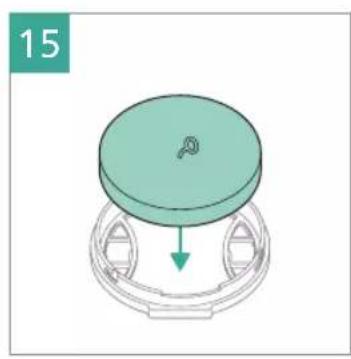
Illustration of a hand pressing down on a circular component with an arrow indicating upward motion (no text or symbols)

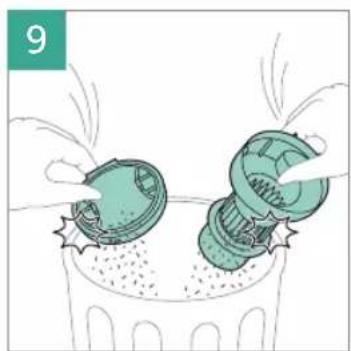
Illustration of two green mechanical components pouring liquid into a trash bin (no text or symbols)

Illustration of a hand using a faucet to lift a green mechanical component (no text or symbols)

Illustration of a hand cleaning a green mechanical component (no text or symbols)

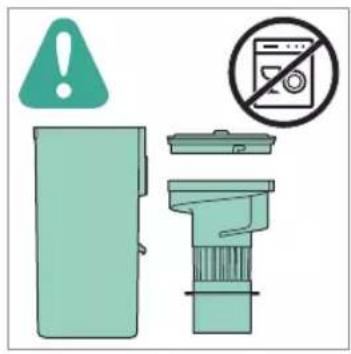
Safety warning icons including a warning symbol, a washing machine, and a trash bin with no clear symbols.

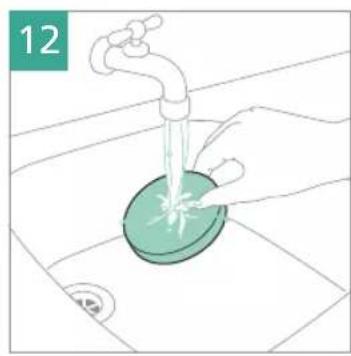
Illustration of a hand washing a green circular object with a faucet, placed on a surface (no text or symbols)

Illustration of a hand holding a green sponge with water droplets (no text or symbols)

24 hrs × p p

3D diagram of a mechanical component with a circular top and curved base, showing a downward arrow (no text or symbols)

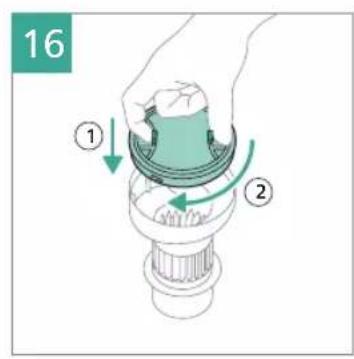
16 ① ②

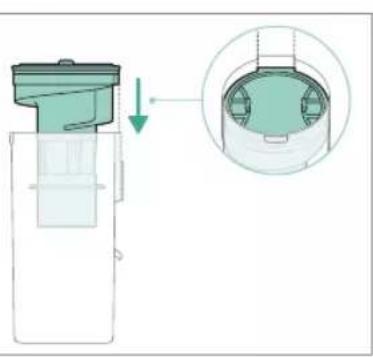
17

Diagram showing a mechanical component with a downward arrow and a magnified inset of its internal structure (no text or symbols)

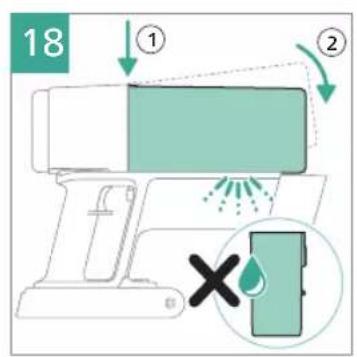
18 ① ② ×

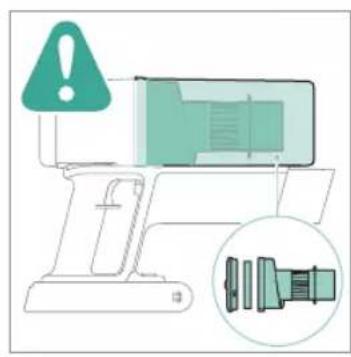
Diagram showing a device with warning symbol and magnified detail of its internal components, likely indicating a safety or repair process.

Three green icons representing plumbing fixtures: faucet, door lock, and electrical switch (no text or symbols)

Illustration of a mechanical component with a water level indicator (no text or symbols)

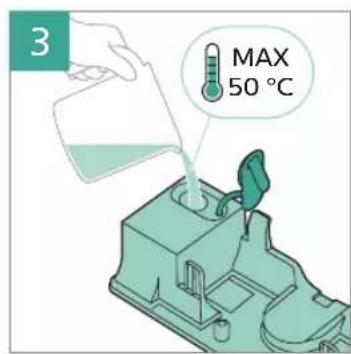
2 MAX 50 °C

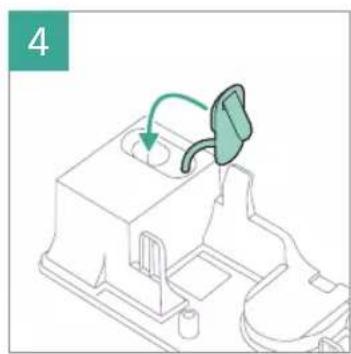
Technical line drawing of a mechanical component with a green arrow indicating direction (no text or symbols)

3D diagram of a mechanical component with directional arrows indicating motion (no text or symbols)

Illustration of a mechanical component pouring liquid into a sink (no text or symbols)

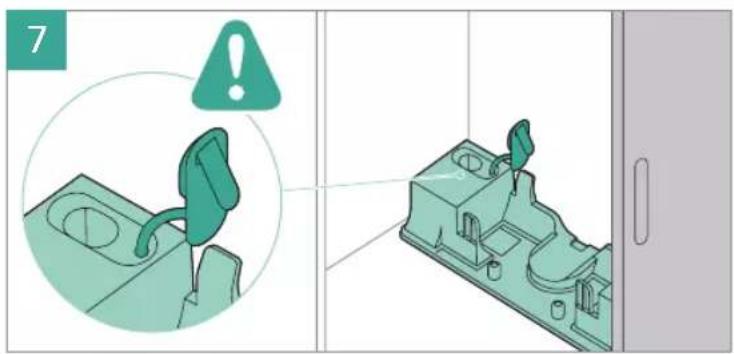
3D mechanical component diagram with a green tool inserted, accompanied by a circular warning symbol (no text or labels)

3D mechanical assembly diagram showing a component being removed, with no visible text or symbols

Three green square icons: a faucet, a calendar with 1M units, and a circuit breaker (no text or symbols)

1 DECALC

2

3 MAX 50 °C

Diagram of a mechanical assembly with a green arrow indicating direction, no text or symbols present

3D diagram of a mechanical component with directional arrows indicating motion (no text or symbols)

3D diagram of a mechanical component with a 12-hour cycle indicator (no text or symbols on the object itself)

Illustration of a mechanical component with a water level indicator (no text or symbols)

8 MAX 50 °C

Diagram of a mechanical device with a green arrow indicating a process or operation, no visible text or symbols

3D illustration of a mechanical component with motion arrows indicating movement (no text or symbols)

Illustration of a mechanical component with a drain and base, no visible text or symbols

PHILIPS 3000 Series XC3033 - PHILIPS - 98

3D diagram of a mechanical component with an inset showing a close-up view of a housing (no text or symbols)

Illustration of a faucet dispensing liquid into a green textured surface (no text or symbols)

PHILIPS 3000 Series XC3033 - PHILIPS - 101

Collection of nine different symbols and numbers, including a hand washing cup, a water level, crossed-out triangles, a circle, crossed-out crossed-out box, and crossed-out cross.

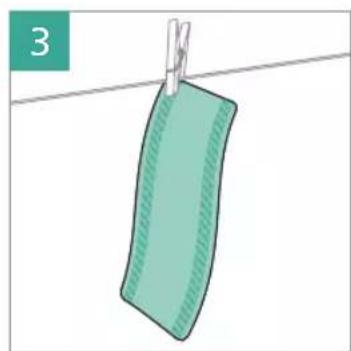
Illustration of a green fabric hanging from a clothesline against a white background (no text or symbols)

1x 6M

1

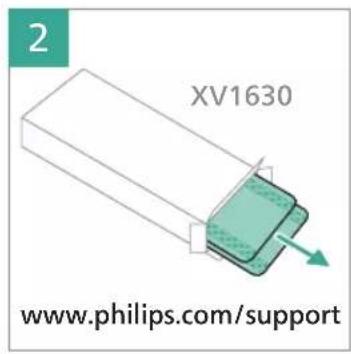
2 XV1630 www.philips.com/support

Illustration of a mechanical component with an inset showing its assembly (no text or symbols present)

PHILIPS 3000 Series XC3033 - PHILIPS - 108

1

2 XV1631 www.philips.com/support

Three green icons representing cleaning tools: a cloth, a brush, and a tool holder (no text or symbols)

1

2 ② ①

Illustration of a hand holding a device with a green arrow indicating direction (no text or symbols)

Illustration of hands cutting a green cylindrical object with scissors, no text or symbols present

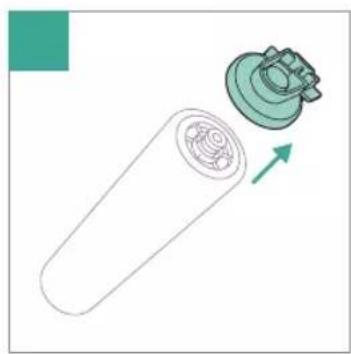
Diagram of a cylindrical device with internal components and a mechanical component, showing an arrow indicating direction (no text or symbols)

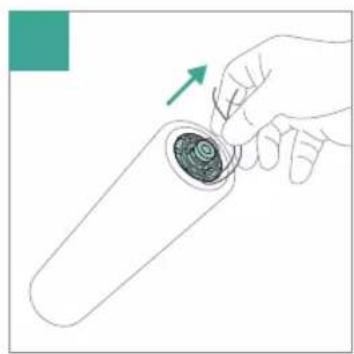
Hand holding a test tube with a spiral inside, showing a green arrow indicating direction (no text or symbols)

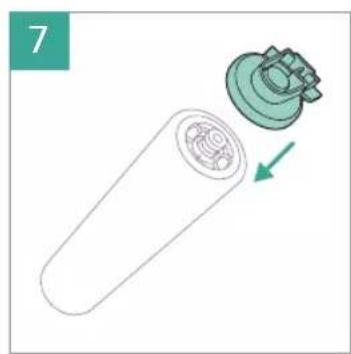
Diagram of a cylindrical device with internal components and a green arrow indicating direction (no text or symbols)

Illustration of a mechanical device with a green component and a close-up view showing internal components (no text or symbols)

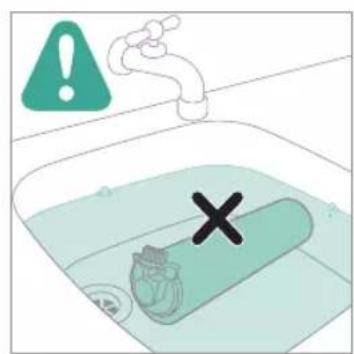
Safety warning symbol showing a water tank with a valve and a cross mark, accompanied by an exclamation icon.

PHILIPS 3000 Series XC3033 - PHILIPS - 121

Safety warning illustration showing a hand holding a device with a warning symbol and a cross indicating water release.

Safety warning illustration showing a hand holding a device with warning symbols and a water droplet symbol

Illustration of a hand using a tool to prevent water drop, with warning symbols and a cross symbol indicating failure.

Safety warning illustration showing a hand using a vacuum cleaner to lift water, with warning symbols and a cross indicating failure.

Safety warning illustration showing a person using a vacuum cleaner with a warning symbol and a cross indicating no need.

24 hrs

Warning symbol with exclamation mark and water drop icons, indicating incorrect safety or hazard

Diagram illustrating a mechanical device with three steps: press, press, and component assembly.

Diagram illustrating a device safety warning with warning symbols and a drop in the phone, labeled with steps ① and ②.

Illustration of a computer monitor with an alert symbol and a magnified inset showing a cable connector (no text or labels)

Diagram showing a hand using a tool to mark a warning symbol with an exclamation mark

Safety warning illustration showing a lamp and a vacuum cleaner with an exclamation mark indicating no need.

PHILIPS 3000 Series XC3033 - PHILIPS - 134

graph TD A["Infection"] --> B["Warning: 10°C"] B --> C["Cleaning: 5 hrs"] C --> D["Monitoring: 5 hrs"] D --> E["Support: www.philips.com/support"] E --> F["Application: i → globe icon"] F --> G["Access: ① → ③ → ④"] G --> H["User: i → globe icon"] H --> I["Monitor: www.philips.com/support"] I --> J["…

PHILIPS 3000 Series XC3033 - PHILIPS - 136

graph LR A["www.philips.com/support"] --> B["XV1630"] A --> C["XV1631"] A --> D["XV1632"] A --> E["XV1633"] F["www.philips.com/support"] --> G["XV1630"] F --> H["XV1631"] F --> I["XV1632"] F --> J["XV1633"]

PHILIPS 3000 Series XC3033 - PHILIPS - 138

www.philips.com/support

PHILIPS 3000 Series XC3033 - PHILIPS - 140

PHILIPS 3000 Series XC3033 - PHILIPS - 141

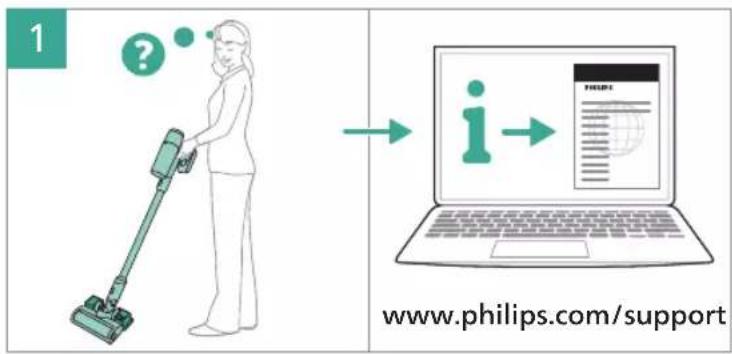
1 ? → i → www.philips.com/support

PHILIPS 3000 Series XC3033 - PHILIPS - 143

75% recycled paper 75% papier recyclé

www.philips.com

3000.111.3295.1

Sommaire Cliquez un titre pour y accéder
Assistant notice
Powered by Anthropic
En attente de votre message
Informations produit

Marque : PHILIPS

Modèle : 3000 Series XC3033

Catégorie : Aspirateur