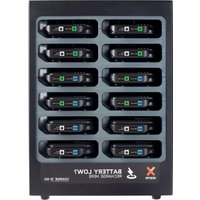
BU203 - Chargeur de batterie Xtorm - Notice d'utilisation et mode d'emploi gratuit
Retrouvez gratuitement la notice de l'appareil BU203 Xtorm au format PDF.


| Type de produit | Batterie externe (Power Bank) |
| Modèle | BU203 |
| Marque | Xtorm |
| Dimensions (approx.) | 150 x 70 x 15 mm |
| Poids (approx.) | 250 g |
| Capacité de la batterie | 10 000 mAh (Lithium-ion) |
| Tension d'entrée | 5 V / 2 A (via micro USB) |
| Tension de sortie | 5 V / 2,4 A (via USB-A) |
| Nombre de ports de sortie | 2 ports USB-A |
| Fonctions principales | Recharge d'appareils mobiles (smartphones, tablettes), indication du niveau de batterie |
| Indicateur de charge | LED à 4 niveaux |
| Matériau du boîtier | Plastique ABS |
| Alimentation | Batterie interne rechargeable |
| Entretien et nettoyage | Essuyer avec un chiffon doux et sec. Ne pas utiliser de produits abrasifs. |
| Sécurité | Protection contre les surcharges, les courts-circuits et les surtempératures |
| Pièces détachées et réparabilité | Non réparable par l'utilisateur. Aucune pièce détachée disponible. |
| Informations générales | Conforme aux normes CE et RoHS |
FOIRE AUX QUESTIONS - BU203 Xtorm
Questions des utilisateurs sur BU203 Xtorm
0 question sur cet appareil. Repondez a celles que vous connaissez ou posez la votre.
Poser une nouvelle question sur cet appareil
Téléchargez la notice de votre Chargeur de batterie au format PDF gratuitement ! Retrouvez votre notice BU203 - Xtorm et reprennez votre appareil électronique en main. Sur cette page sont publiés tous les documents nécessaires à l'utilisation de votre appareil BU203 de la marque Xtorm.
MODE D'EMPLOI BU203 Xtorm

XTORM-BUSINESS.EU
Xtorm keeps people charged wherever and whenever needed. Whether you need your own Power Bank or a bigger Charging Solution, with Xtorm products you will always have some extra energy at hand! With Xtorm Business products we offer a whole new product line that is completely focused on providing charging solutions on a large scale. Nowadays our everyday lives revolve around mobile devices, people bring their smartphone, tablet or laptop everywhere they go. If any of these items would run out of energy we would be feeling very powerless. That is why everyone is in need of power. With the Xtorm Business product line we offer companies a solution to provide their customers with power they need.
More energy.

xtorm
Business
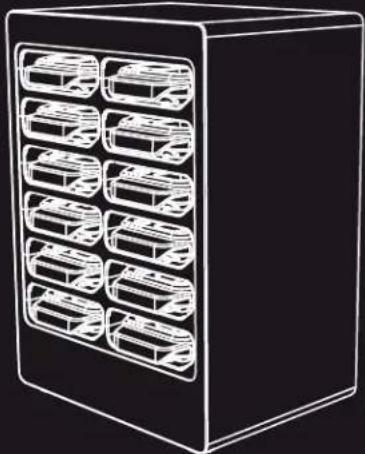
USER MANUAL
BU203 - Charge 'n Go 12
INDEX
page
- SPECIFICATIONS & OVERVIEW ____ 1
- IN THE BOX ____ 3
- DESCRIPTION AND FUNCTION ____ 5
- INTENDED USE ____ 5
- NOTES ON SAFETY 6
- WARRANTY AND LIABILITY ____ 7
- TROUBLESHOOTING ____ 7
- NOTE ON WASTE DISPOSAL ____ 8
- CONNECTING AND OPERATING ____ 9
1. SPECIFICATIONS & OVERVIEW

Color:
Dimensions Power Bank:
Dimensions Base station:
Input:
Black
85x170x24 mm
240x317x180 mm
AC 100-240V
/50-60 Hz
Output Power Bank:
Battery capacity:
Weight
Certifications:
2x 5V/1A (max. 2A)
5000mAh
10Kg
CE, FCC
POWER BANK DOCK
CHARGE 'N GO 12
12X 5000



2
IN THE BOX
1x

AC Adapter
(100 - 240 V / 50 - 60 Hz)
1x
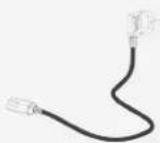
Power cord
(Optional UK/US/EU/AUS)
1x
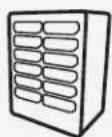
Charge 'n Go 12 base station
3
1x
User manual
12x

Power Bank
(5000mAh)
24x
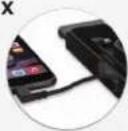
Built-in charging cables
Each Power Bank has two built-in charging cables
4x Lightning cable + Micro USB cable
4x Micro USB cable + USB C cable
4x USB C cable + Lightning cable
4
3. DESCRIPTION AND FUNCTION
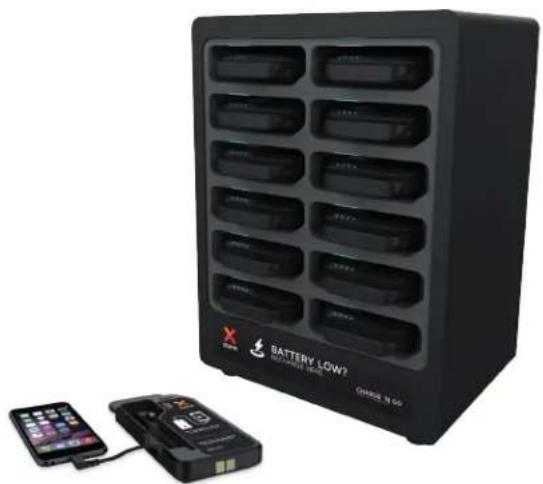
The Charge 'n Go 12 is a Power Bank docking system ideal for hospitality venues, public places and events. Each Power Bank holds 5000 mAh on a full charge.
4. INTENDED USE
Use this device only in dry or interior rooms. If you do not follow the regulations and safety notes it might cause fatal accidents, injuries and damages to property.
5. NOTES ON SAFETY

ATTENTION! Only skilled electricians may assemble and disassemble the housing of the product. There is a risk of electric shock and short circuit.
• This product is not a toy and is not meant for children. It contains small parts which can be swallowed and injure when used inappropriately.
- Please install the system and attached devices in a way that individuals cannot be injured and objects cannot be damaged for example by dropping and stumbling.
- Please remove the packing materials, because children may cut themselves on them while playing. Furthermore, there is a risk of swallowing and inhalation of incidentals and insulation material.
• To prevent fire or shock hazard avoid places with high temperature, or humidity, or places that may come in contact with water.
- Do not install the product near air conditioner openings, or places with an excessive amount of dust, smoke or vibrations.
- Place the product only on horizontal and flat surfaces to avoid falling.
• Do not modify or alter the product and accessories.
• Do not use any damaged parts.
• Plug and unplug all cables and adaptors slowly and carefully.
• If trouble occurs, immediately disconnect the device from the wall socket.
- During transport, observe the details listed in the Chapter 'Specifications' and 'Care, maintenance and transport' and implement measures suitable for transport e.g. use of original package.
- For questions, defects, mechanical damages, malfunctions, and other functional problems which cannot be resolved by this manual, please contact your dealer for repair or replacement.
6
WARRANTY AND LIABILITY

• The manufacturer grants a 1 year warranty to a new device.
• Product warranty only applies to the product itself, as the manufacturer has no influence on installation.
In case of any fault or damage to your device, please contact your dealer and if necessary provide your sales slip or invoice as evidence of the purchase. Your dealer will either repair the fault on site or send it to the manufacturer. The work of our technicians will be considerably easier when the fault is described in detail. If your dealer cannot be contacted, you can also contact the manufacturer directly.
• The manufacturer is not liable for damage to persons or property caused by improper installation or operation.
• Any use other than described in this user manual is not permitted, and causes loss of warranty, loss of guarantee and non-liability.
• We reserve our right for misprints and changes of the device, packing or user manual.
8
NOTE ON WASTE DISPOSAL

According to the European WEEE directive, electrical and electronic equipment must not be disposed with consumers waste. The consumer is committed by law to deposit electrical and electronic devices to a public collecting point or to the dealer at the end of the devices lifetime. Particulars are regulated in national right. The symbol shown on the product, in the manual or on the packaging refers to these terms. This way of disposing used devices contributes to environmental protection.
7.
TROUBLESHOOTING
| PROBLEM | HELP |
| The device does not charge | • When a device is fully charged it will automatically stop charging, therefore no charging is shown.• Check all connections for tight fitting |
| Other problems | Contact Xtorm at: +31 30 635 4800 |
7
9
CONNECTING AND OPERATING
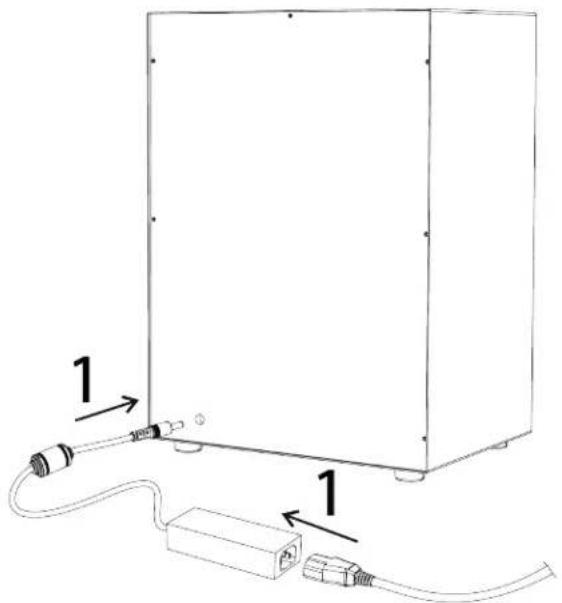
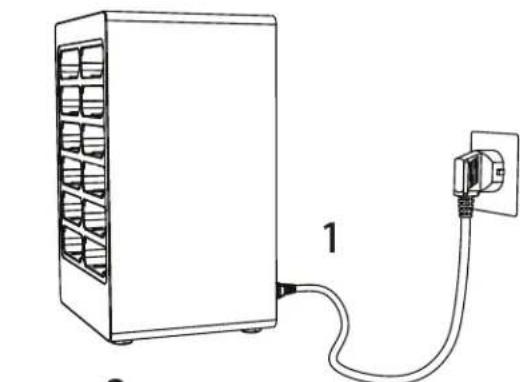
- Connect the included power cord to the AC adapter and then to the Charge 'n Go 12.
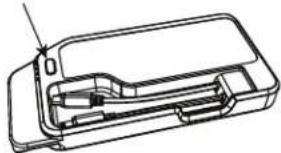
- Place the Power Banks in the slots for charging.
- Press the button to start charging your mobile device(s).
9

10
Marque : Xtorm
Modèle : BU203
Catégorie : Chargeur de batterie