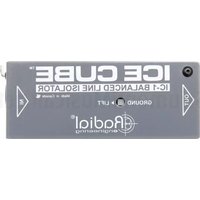
IceCube IC-1 - Isolateur audio Radial Engineering - Notice d'utilisation et mode d'emploi gratuit
Retrouvez gratuitement la notice de l'appareil IceCube IC-1 Radial Engineering au format PDF.


| Type de produit | Boîte de direct (DI) passive |
| Marque | Radial Engineering |
| Modèle | IceCube IC-1 |
| Alimentation | Aucune (passive) |
| Entrée | XLR femelle, jack 6,35 mm (1/4") |
| Sortie | XLR mâle symétrique |
| Rapport de transformation | 12:1 (optimisé pour basse impédance) |
| Atténuation | -15 dB (commutable) |
| Filtre coupe-bas | 80 Hz (commutable) |
| Masse (Ground Lift) | Oui, interrupteur |
| Construction | Boitier en acier plié, finition noire |
| Dimensions (L x l x H) | 13,3 x 8,3 x 5,1 cm (5.25" x 3.25" x 2") |
| Poids | 0,45 kg (1 lb) |
| Entretien et nettoyage | Essuyer avec un chiffon sec ; éviter les solvants |
| Sécurité | Utiliser uniquement en intérieur ; ne pas exposer à l'humidité |
| Pieces détachées et réparabilité | Transformateur et connecteurs remplaçables par un technicien qualifié |
| Garantie | 3 ans (pièces et main-d'œuvre) |
| Utilisation recommandée | Clavier, guitare acoustique, source ligne, etc. |
FOIRE AUX QUESTIONS - IceCube IC-1 Radial Engineering
Questions des utilisateurs sur IceCube IC-1 Radial Engineering
0 question sur cet appareil. Repondez a celles que vous connaissez ou posez la votre.
Poser une nouvelle question sur cet appareil
Téléchargez la notice de votre Isolateur audio au format PDF gratuitement ! Retrouvez votre notice IceCube IC-1 - Radial Engineering et reprennez votre appareil électronique en main. Sur cette page sont publiés tous les documents nécessaires à l'utilisation de votre appareil IceCube IC-1 de la marque Radial Engineering.
MODE D'EMPLOI IceCube IC-1 Radial Engineering
Ice-Cube™ IC-1 Line Isolator
Thank you for purchasing your Ice-Cube™ IC-1 signal line isolator! Although the Ice-Cube is easy to use, please take a minute to read this short manual. It will give you insight on how to get the most out of your Radial product. Should you have any questions check our Ice-Cube FAQ at www.radialeng.com. This is where we post questions from users and informational updates. If you still do not find what you are looking for, send us an email at info@radialeng.com and we will do our very best to answer you in short order.
The Ice-Cube is a passive audio isolator designed to be inserted into the signal chain to eliminate hum and buzz caused by ground loops. The Ice-Cube accepts both balanced or unbalanced line-level signals and is equally suitable for consumer electronics and professional audio. Since the Ice-Cube is passive, no power supply is required.
MAKING CONNECTIONS
As with any audio system, it is good practice to turn volume levels down or audio systems off to prevent plug-in and turn-on transients from damaging more sensitive components such as loudspeakers and headphones.
You can connect balanced devices to and from the Ice-Cube using standard XLR cables up to 100 meters (300') in length. The Ice-Cube is wired following the AES convention with pin-1 ground, pin-2 (+), and pin-3 (-).

If your devices uses balanced 14 " TRS connectors you can use a balanced TRS to XLR adaptor cable to connect balanced devices.

ISOLATING BALANCED DEVICES
When interfacing equipment that is distanced far apart, such as a mixer and self powered speaker, the devices will derive their AC power from different legs on the AC distribution box. This can often lead to hum and buzz caused by ground loops. Use the Ice-Cube to isolate the two devices by inserting it in between with balanced cables. The Ice-Cube introduces a magnetic bridge that isolates the devices by blocking stray DC currents.

flowchart
graph LR
    A["Powered Speakers"] --> B["Balanced XLR Cable (up to 100 meters)"]
    B --> C["ICE CUBE"]
    C --> D["Balanced XLR Cable (up to 100 meters)"]
    D --> E["Mixing Console Source"]
USING THE ICE-CUBE WITH UNBALANCED SIGNALS
You can connect an unbalanced device, like a DJ mixer, to the Ice-Cube and convert its output to a balanced signal. This allows you to run long balanced cables from the Ice-Cube to the destination mixing console while also isolating noise caused by ground loops. Connect unbalanced devices by using a properly wired adapter cable as shown below.

UNBALANCED SOURCE
Connect the output of the DJ mixer to the Ice-Cube with a short unbalanced cable up to 6 meters (20'). Connect the output of the Ice-Cube to the PA system with balanced cable up to 100 meters (300').

flowchart
graph LR
    A["Mixing Console"] --> B["Balanced XLR Cable (up to 100 meters)"]
    B --> C["ICE CUBE"]
    C --> D["Unbalanced RCA (up to 6 meters)"]
    D --> E["DJ Mixer Source"]
UNBALANCED DESTINATION
The Ice-Cube can also convert the balanced output from a pro mixing console to unbalanced allowing you to interface a recording device like a laptop or hand-held recorder.

flowchart
graph LR
    A["Recorder"] --> B["Unbalanced Cable (up to 6 meters)"]
    B --> C["ICE CUBE"]
    C --> D["Balanced Cable (up to 100 meters)"]
    D --> E["Mixing Console Source"]
Connecting unbalanced devices will reduce the signal amplitude by roughly 6dB but for high output active devices like CD/DVD players and DJ mixers this is usually not a problem. Simply increase the gain to compensate.
Once the connections are made, slowly increase the volume to test. It is a good idea to always test the audio system at low volumes. This will further prevent system damage should a cable or connection be faulty.
LIFTING THE GROUND
The Ice-Cube features a recessed GROUND LIFT switch. If you hear noise such as hum and buzz try pushing the GROUND LIFT switch inward using a small screwdriver. When pushed in, the signal ground connection is 'lifted' on both sides of the internal transformer. This further isolates the source and destination devices and generally results in less noise.


To view the 3-year transferable warranty details and product specification please visit www.radialeng.com
Marque : Radial Engineering
Modèle : IceCube IC-1
Catégorie : Isolateur audio