PRO C720 - Imprimante multifonction professionnelle RICOH - Notice d'utilisation et mode d'emploi gratuit
Retrouvez gratuitement la notice de l'appareil PRO C720 RICOH au format PDF.


| Type de produit | Imprimante multifonction professionnelle couleur |
| Vitesse d'impression | 72 pages par minute (couleur et N&B) |
| Résolution | 1 200 x 1 200 dpi |
| Processeur | Intel Core 2 Duo 2,16 GHz (contrôleur EFI) |
| Mémoire vive | 2 Go standard |
| Disque dur | 640 Go (copieur) + 500 Go (imprimante) |
| Capacité papier standard | 2 x 1 000 feuilles + 1 x 500 feuilles + 1 x 2 000 feuilles (M) |
| Capacité papier maximale | 11 000 feuilles |
| Formats papier | Jusqu'à 330,2 x 487,7 mm (SRA3) |
| Grammage papier | 60 à 300 g/m² selon bacs |
| Alimentation électrique | 220-240 V, 50-60 Hz |
| Consommation électrique maximale | Moins de 5,5 kW |
| Temps de préchauffage | Moins de 420 secondes |
| Première copie | Moins de 13,5 secondes |
| Options de finition | Agrafage, pliage, perforation, livret |
| Écran | Panneau de commande couleur inclinable |
| Interfaces réseau | Ethernet 1000/100/10 base-T |
| Dimensions (L×P×H) | 2 605 x 1 100 x 1 440 mm |
FOIRE AUX QUESTIONS - PRO C720 RICOH
Questions des utilisateurs sur PRO C720 RICOH
0 question sur cet appareil. Repondez a celles que vous connaissez ou posez la votre.
Poser une nouvelle question sur cet appareil
Téléchargez la notice de votre Imprimante multifonction professionnelle au format PDF gratuitement ! Retrouvez votre notice PRO C720 - RICOH et reprennez votre appareil électronique en main. Sur cette page sont publiés tous les documents nécessaires à l'utilisation de votre appareil PRO C720 de la marque RICOH.
MODE D'EMPLOI PRO C720 RICOH
COPIER (RICOH ProTM C720s)
Copying process:
4-drum dry electrostatic transfer system with internal transfer belt
Copy speed:
Full colour: 72 copies per minute
B/W: 72 copies per minute
Resolution:
1,200 dpi
Multiple copy:
Up to 9,999
Warm-up time:
Less than 420 seconds
First output speed
Less than 13.5 seconds
Zoom:
25 - 400% (in 1% steps)
Memory:
Standard: 2 GB
Hard Disk Drive: 640 GB
Paper input capacity:
Standard: 2 × 1,000 -sheet paper trays
1 x 500-sheet paper tray
2x2,000-sheet paper tray M
Maximum: 11,000 sheets
Paper size:
Maximum: 330.2 - 487.7 mm
Paper weight:
Standard trays: 60 - 220 g/m²
SRA3 LCT 3rd/4th tray: 60 - 300 g/m²
Duplex tray: 60 - 220 g/m
Dimensions (W× D× H)
2,605 x 1,100 x 1,440 mm
Power source:
220-240V,50-60Hz
Power consumption:
Maximum:Less than 5.5kW
Energy saver mode: Less than 3.2 W
PRINTER/SCANNER
PRINTER (EFI CONTROLLER - Standard)
CPU:
Intel Core 2 Duo 2.16 GHz
Print speed:
Full colour: 72 prints per minute
B/W: 72 prints per minute
Memory:
Standard: 2 GB
Hard Disk Drive: 500 GB
Network protocol:
TCP/IP, IPv4, IPv6, AppleTalk, SMB
Driver:
PostScript® 3TM, PCL5c, PCL6
VDP format:
PPML, Fiery Free Form, Creo VPS
Fonts:
PCL:80 fonts
PostScript® 3TM: 136 + 2 MM fonts
Interface:
Ethernet 1000/100/10 base-T
∠SCANNER (RICOH ProTM C720s)
Scan speed:
Black and white, full colour: Maximum 75
images per minute (at 200 dpi)
Resolution:
Up to 1,200 dpi (Network TWAIN mode)
Original size
A5-A3
Output formats:
TIFF (single, multi-page), PDF (single, multi-page), JPEG, High compression PDF
Bundled drivers
Network TWAIN
Scan to e-mail:
SMTP
Destination addresses:
Maximum 500 per job
Stored destination addresses: M
Address book:
Via LDAP, locally on Hard Disk Drive or through Web Image
Monitor, SmartDeviceMonitorTM
Scan to folder:
SMB, FTP or NCP protocol (with login security)
Destination:
Maximum 50 folders per job
SOFTWARE (OPTIONS)
EFI Impose
EFI Compose
EFI Color Profile Suits
Fiery Graphic Arts Package Premium Edition
OTHER OPTIONS
4,550-sheet A4 large capacity tray (RICOH Pro™C720 only), 2 x 2,000-sheet SRA3 large capacity
tray, 500-sheet multi bypass tray, Bridge unit, Cooling fan unit, Buffer pass unit, Dual station cover
interposer, 3,000-sheet finisher with 100-sheet stapler and jogger unit, Punch unit (2/4 switchable
hole punch, Scandinavian 4-hole punch), Saddle stitch unit, Professional booklet maker, GBC
StreamPunch™ III, Z-stacker, DLT/A3 tray, Tab sheet unit, Stacker unit, Roll-away cart for stacker, TCRU
kit, Data Overwrite Security Unit, VM card (RICOH ProTM C720S only), Counter interface unit type A
1 With required settings.
ISO9001 certified, ISO14001 certified
All brand and/or product names are trademarks of their respective owners. Specifications and external appearance are subject to change without notice. The colour of the actual product may vary from the colour shown in the brochure. The images in this brochure are not real photographs and slight differences in detail might appear.
Copyright © 2009 Ricoh Europe PLC. All rights reserved. This brochure, its contents and/or layout
may not be modified and/or adapted, copied in part or in whole and/or incorporated into other works without the prior written permission of Ricoh Europe PLC.

edded Software Architecture

AdobePostScript3


Our earth. Our tomorrow
RICOH
For more information, please contact:
RICOH ASIA PACIFIC PTE LTD
103 Penang Road #08-01/07
VISIONCREST Commercial
Singapore 238467
Phone: +65 6830 5888
Fax: +65 6830 5830
www.ricoh-ap.com
Affordable quality for light production
RICOH Pro™
C720/C720s
outstanding productivity

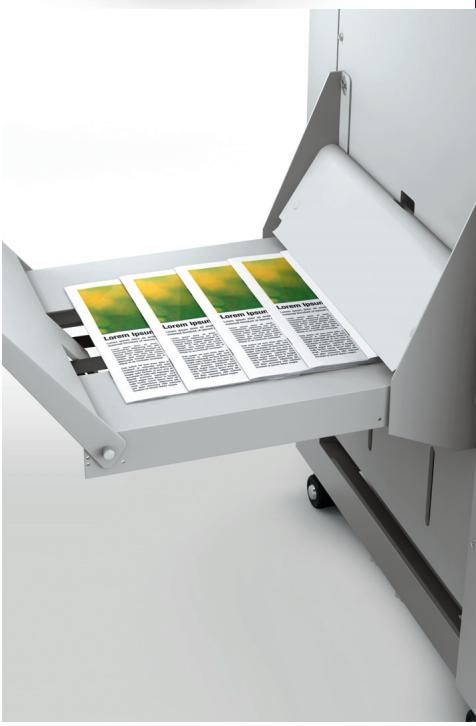
create stunningly finished output
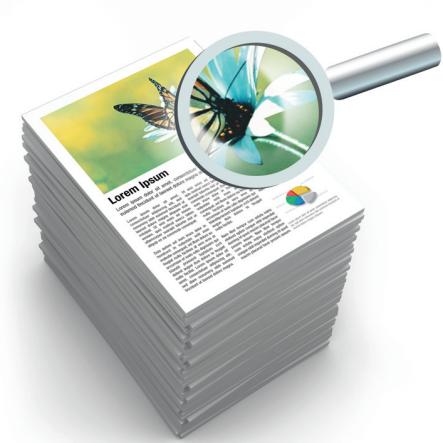
excellent image quality
Productivity you can rely on


The RICOH Pro™ C720/C720S colour printers address the light production requirements of printing professionals. They offer high productivity and image quality (maximum image resolution 1,200 x 1,200dpi), with a speed of 72 pages per minute. They handle coated and uncoated stocks up to 300g / m^2 , and offer a paper capacity of 11,000 sheets and a stacking capacity of 13,000 sheets. These innovative devices are fitted out with a wealth of finishing possibilities and are provided with options to optimise your printing process. Easy to use, they smoothly process complex print jobs from start to finish.
- Exceptional productivity - print speed of 72 pages per minute.
- High uptime - many components can be replaced by users.
- Excellent image quality - 1,200 dpi with Ricoh's latest image processing technology.
- Ease of use - tiltable, easy-to-view operation panel.
- Range of options such as extra-capacity trays and high-capacity stacker.
Heavyweight performance in a lightweight package
HIGH PRODUCTIVITY
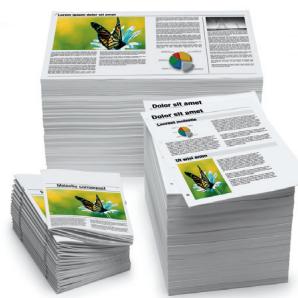
The RICOH Pro™ C720/C720S offer a fast print speed of 72 pages per minute, regardless of paper type. In other words high productivity is ensured even when printing heavyweight papers up to 300g / m^2 . The RICOH Pro™ C720/C720S are therefore ideal for the quick turnaround of items printed on thick stock, such as direct mail or Point of Purchase material.
MAXIMUM UPTIME
With the RICOH Pro™ C720/C720S you can load paper and replace toner bottles on the fly. Trained users can easily replace a number of key components (OPC drum, developer, charger unit, drum cleaning unit, belt cleaning unit and paper transfer roller unit) instead of waiting for a service engineer. The result? Maximise your uptime and achieve your production targets.
EXCELLENT IMAGE QUALITY
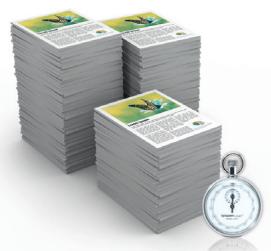
The outstanding image quality of the RICOH Pro™ C720/C720S is realised by 1,200 x 1,200 dpi multi-bit imaging and the adoption of Ricoh's latest image processing technology. Ricoh's new OPC drum – Advanced Stabilization OPC – has an extremely durable overcoat layer that produces high-quality, stable colour during continuous printing. High registration accuracy is obtained as the devices are equipped with a mechanical paper registration unit.
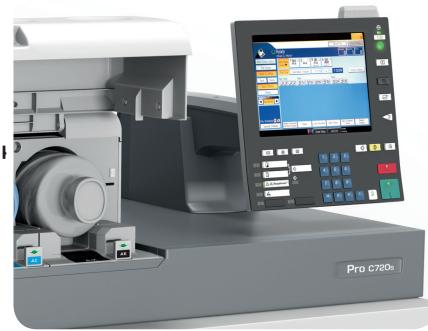
EASE OF USE
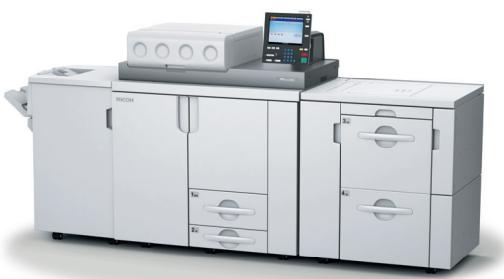
Your learning curve with the RICOH Pro™ C720/C720S will be minimal as the large colour operation panel is highly intuitive. You will always have a good view of the panel, whatever your working position, as it can be tilted up and down or angled side-to-side for easy viewing. For ease of use you can choose between a regular or simplified screen display. If a paper jam or other problem should occur, animated troubleshooting procedures will enable you to fix it quickly and easily.
VARIETY OF OPTIONS
The extensive options available with the RICOH Pro™ C720/C720S will help you optimise your printing process. Paper capacity can be expanded to 11,000 sheets by adding large-capacity trays. Potential multi-feeding problems that can occur when coated paper is printed are averted with the optional air-assist paper feed mechanism. Up to 13,000 sheets can be stacked with the addition of high-capacity stackers.

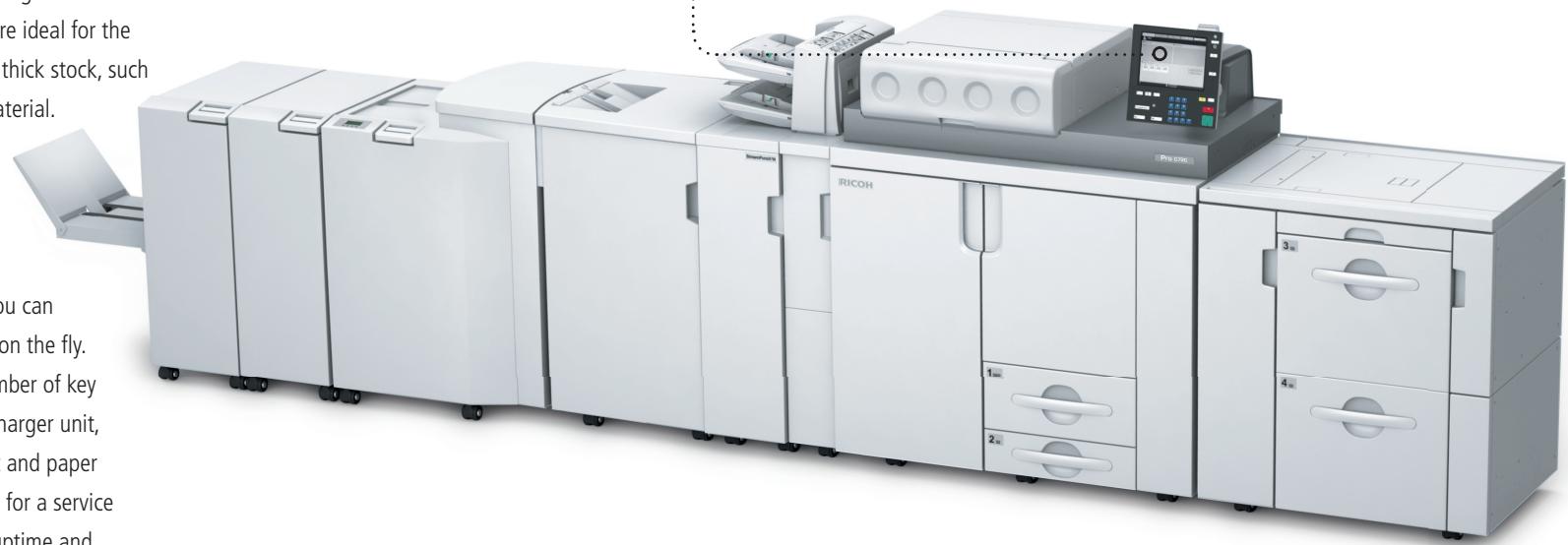
AUTOMATED FINISHING
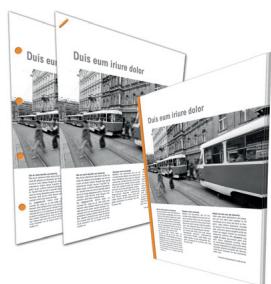
The RICOH Pro™ C720/C720S give you multiple ways of finishing without any extra investment. These include saddle-stitching, folding, inserting, punching and booklet-making.
MEDIA SUPPORT
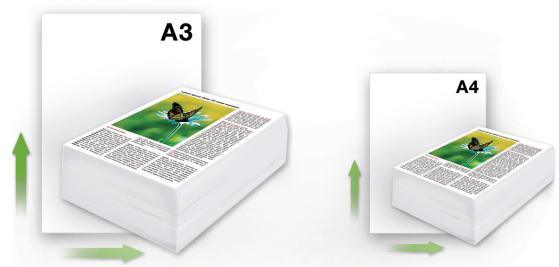
- Print full-bleed A3 documents: both systems handle SRA3 paper.
- Stack paper of up to 300g / m^2 with the finishers and stackers.
- Print on a variety of media including tab sheets, coated paper, transparencies and card stock.
SUPERIOR COLOURS WITH EFI TECHNOLOGY
The RICOH Pro™ C720/C720S incorporate state-of-the-art EFI technology. The built-in EFI controller offers full Fiery functionality for swift RIPing. The powerful performance and flexible workflow solutions offered by these printers will undoubtedly meet your and your clients' high standards.
- COPIER (RICOH ProTM C720s)
- PRINTER/SCANNER
- ∠SCANNER (RICOH ProTM C720s)
- SOFTWARE (OPTIONS)
- OTHER OPTIONS
- RICOH
- Affordable quality for light production
- RICOH Pro™
- C720/C720s
- outstanding productivity
- create stunningly finished output
- excellent image quality
- Productivity you can rely on
- Heavyweight performance in a lightweight package
- HIGH PRODUCTIVITY
- MAXIMUM UPTIME
- EASE OF USE
- VARIETY OF OPTIONS
- AUTOMATED FINISHING
- MEDIA SUPPORT
- SUPERIOR COLOURS WITH EFI TECHNOLOGY
Marque : RICOH
Modèle : PRO C720
Catégorie : Imprimante multifonction professionnelle