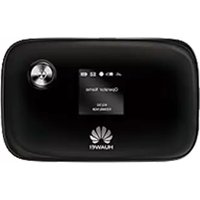
E5776S-32 - Point d'accès Wi-Fi HUAWEI - Notice d'utilisation et mode d'emploi gratuit
Retrouvez gratuitement la notice de l'appareil E5776S-32 HUAWEI au format PDF.


| Type de produit | Point d'accès Wi-Fi mobile 4G LTE |
| Marque | Huawei |
| Modèle | E5776S-32 |
| Couleur | Blanc |
| Dimensions | 99 x 62,5 x 15,9 mm |
| Poids | 150 g (avec batterie) |
| Type d'alimentation | Batterie lithium-ion rechargeable 3000 mAh |
| Autonomie en veille | Jusqu'à 300 heures |
| Autonomie en utilisation | Jusqu'à 6 heures |
| Ports | Micro USB, emplacement carte SIM (Micro-SIM) |
| Standard Wi-Fi | 802.11 b/g/n |
| Nombre d'utilisateurs max | 10 |
| Débit maximal descendant | 150 Mbps |
| Débit maximal montant | 50 Mbps |
| Écran | LCD 1,77 pouces (monochrome) |
| Fonctionnalités réseau | DHCP, NAT, support SMS, filtrage MAC |
| Sécurité | Chiffrement WPA/WPA2, verrouillage PIN |
| Entretien et nettoyage | Chiffon doux et sec, éviter les liquides |
| Pièces détachées et réparabilité | Batterie amovible uniquement |
| Contenu de la boîte | Point d'accès, batterie, câble USB, guide de démarrage rapide |
FOIRE AUX QUESTIONS - E5776S-32 HUAWEI
Questions des utilisateurs sur E5776S-32 HUAWEI
0 question sur cet appareil. Repondez a celles que vous connaissez ou posez la votre.
Poser une nouvelle question sur cet appareil
Téléchargez la notice de votre Point d'accès Wi-Fi au format PDF gratuitement ! Retrouvez votre notice E5776S-32 - HUAWEI et reprennez votre appareil électronique en main. Sur cette page sont publiés tous les documents nécessaires à l'utilisation de votre appareil E5776S-32 de la marque HUAWEI.
MODE D'EMPLOI E5776S-32 HUAWEI
Driver Installation Guide for MAC10.15 OS

natural_image
Huawei corporate logo featuring a red stylized flower or star design (no text or symbols)HUAWEI
Huawei Technologies Co., Ltd.
All rights reserved
Once the package is downloaded from support web-page, user will find below software's and documents in the downloaded zip file.
- MobileWiFi.zip (This can be used to install MobileWiFi Driver in MAC system)
- Driver Installation Guide for MAC10.15 OS (NDIS).doc (this document)
Here is the information on how to use these software to install MobileWiFi in the MAC OS.
1.1 Install Procedure
1.1.1 privacy setting
a. Download MobileWiFi.zip to MAC system and extract it. Double click on "MobileWiFi_Driver.app"

b.

C.

d.

e.

f.

g. Re-open the following prompt box, Click "open" button

1.1.2 Installation steps
MobileWIFI_Driver to initiate the installation process.

Click continue button


1.1.3 After installation finish, double click MobileWiFi to open the device's homepage.


Marque : HUAWEI
Modèle : E5776S-32
Catégorie : Point d'accès Wi-Fi