
Pump Air X - Casque BLUEANT - Notice d'utilisation et mode d'emploi gratuit
Retrouvez gratuitement la notice de l'appareil Pump Air X BLUEANT au format PDF.


| Type de produit | Casque Bluetooth sans fil |
| Marque | BlueAnt |
| Modèle | Pump Air X |
| Dimensions | 18 x 15 x 5 cm |
| Poids | 200 g |
| Alimentation | Batterie lithium-ion rechargeable, 300 mAh |
| Autonomie | Jusqu'à 15 heures de lecture |
| Temps de charge | Environ 2 heures |
| Connectivité | Bluetooth 5.0 |
| Version Bluetooth | 5.0 |
| Profils Bluetooth | HFP, HSP, A2DP, AVRCP |
| Portée Bluetooth | Jusqu'à 10 mètres |
| Réduction de bruit | Oui, réduction active du bruit (ANC) |
| Microphone | Microphone intégré avec réduction de bruit |
| Commandes | Tactiles sur l'écouteur |
| Étanchéité | IPX5 (résistance aux éclaboussures) |
| Compatibilité | iOS, Android, PC |
| Contenu de la boîte | Casque, câble USB-C, embouts supplémentaires, manuel |
| Entretien et nettoyage | Nettoyer avec un chiffon doux et sec. Ne pas utiliser de produits abrasifs. |
| Sécurité | Ne pas exposer à l'eau ou à une chaleur excessive. Utiliser uniquement le chargeur fourni. |
| Pièces détachées et réparabilité | Embouts et câble de charge disponibles séparément. Pas de réparation par l'utilisateur. |
FOIRE AUX QUESTIONS - Pump Air X BLUEANT
Questions des utilisateurs sur Pump Air X BLUEANT
0 question sur cet appareil. Repondez a celles que vous connaissez ou posez la votre.
Poser une nouvelle question sur cet appareil
Téléchargez la notice de votre Casque au format PDF gratuitement ! Retrouvez votre notice Pump Air X - BLUEANT et reprennez votre appareil électronique en main. Sur cette page sont publiés tous les documents nécessaires à l'utilisation de votre appareil Pump Air X de la marque BLUEANT.
MODE D'EMPLOI Pump Air X BLUEANT
PUMP AIR X

Product Manual
ENGLISH 3
ESPAÑOL 23
简体中文 45
繁體中文 62
WELCOME TO THE BLUEANT PUMP AIR X
Please read through this manual to find out how to get the best fit and sound from your PUMP AIR X. For further instructions please visit www.blueantwireless.com


flowchart
graph TD
    A["Node 1"] --> B["Node 2"]
    B --> C["Node 3"]
    C --> D["Node 4"]
    D --> A

flowchart
graph TD
    A["Node 1"] -->|5| B["Node 2"]
    B -->|6| A
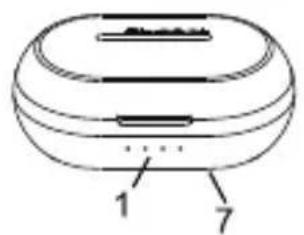
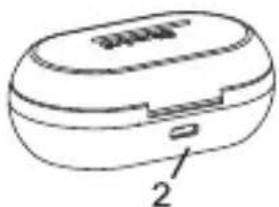
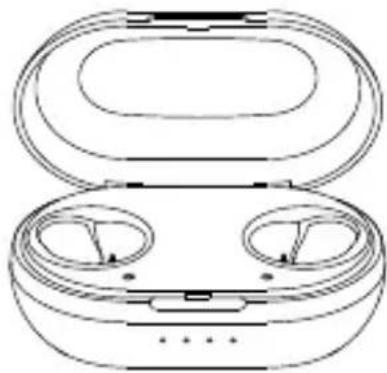
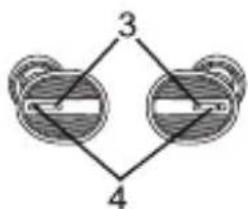
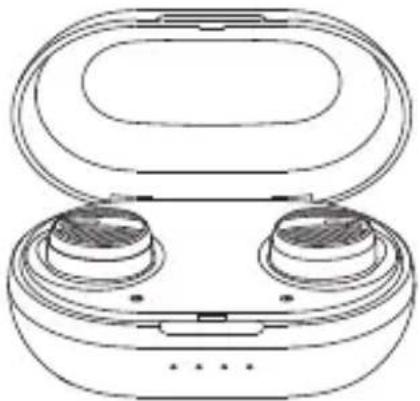
- charging case battery level indicators
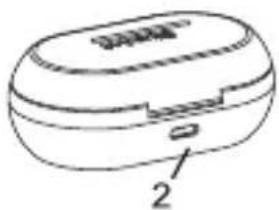
- charge port
- command button/LED
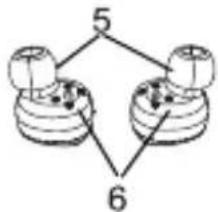
- microphones
- ear tips
- charging points
- wireless charging

CHARGING THE EAR BUDS

natural_image
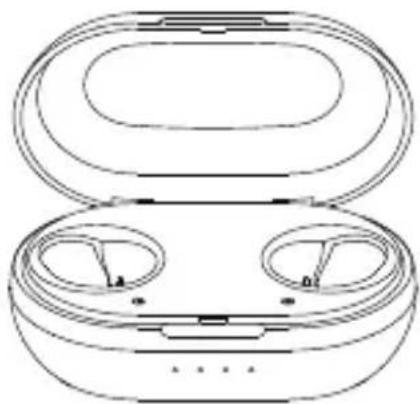
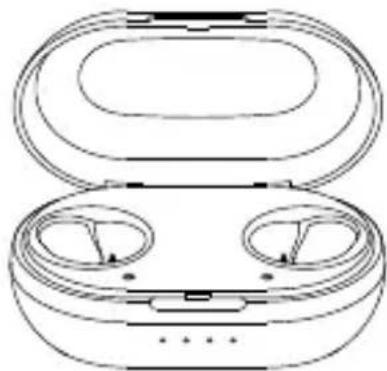
Line drawing of an open electronic device with two circular ports and a lid (no text or symbols)open the charging case

natural_image
Line drawing of a smart speaker with two speakers and an open case (no text or symbols)place ear buds in case

natural_image
Line drawing of a circular electronic device with a lid and internal components (no text or symbols)close the lid, the ear buds take about 1 hr to charge

CHARGING THE CASE

natural_image
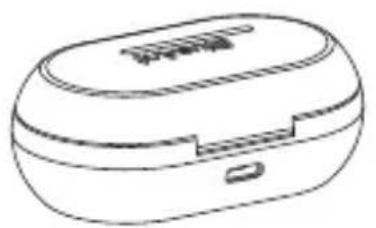
Line drawing of a small electronic device with a lid and ports (no text or symbols)Use the supplied charging cable and please only use 5V 1A chargers.

natural_image
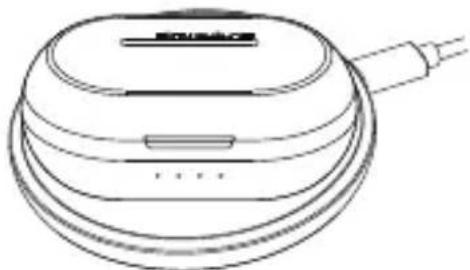
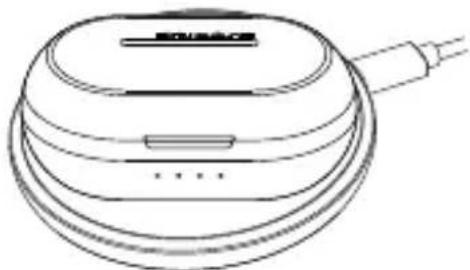
Line drawing of a circular electronic device with a handle and internal components (no text or symbols)You can also wirelessly charge the Charging case by placing it on a Compatible Qi charging pad. 5-10W wireless charging is supported.
natural_image
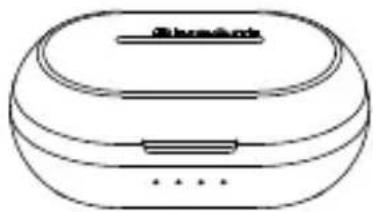
Line drawing of a microwave oven with lid and ventilation slots (no text or symbols)The Pump Air X Charging Case takes 1 hour for a full charge. The charging case should charge the ear buds 10 times.

CHARGING
natural_image
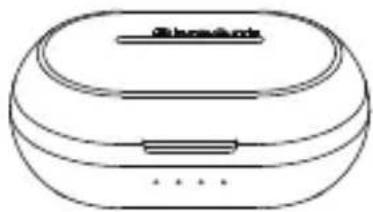
Line drawing of a closed electronic device with a lid and ventilation slots (no text or symbols)

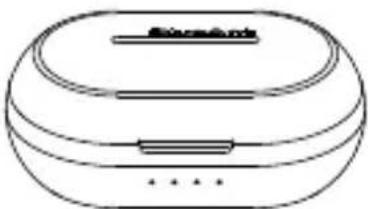
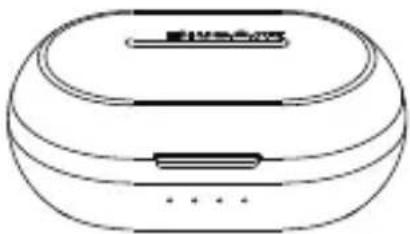
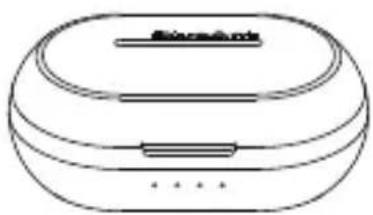
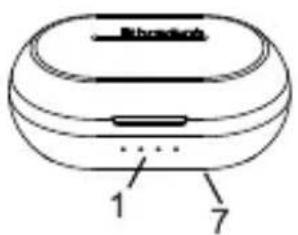
The charging case features 4 lights.
These signify the charge level of the charging case.
1 light 25%, 2 lights 50%, 3 lights 75%, 4 lights 100%.
Once fully charged unplug the charging case or remove the charging case from the wireless charging pad.
The charging case battery level indicator lights turn on when you remove or replace the Pump Air X in the charging case to let you know the charge level of the charging case.
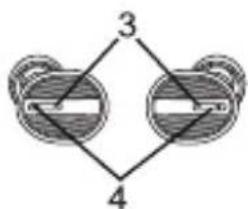
The ear buds have a light on the button that lights up
when charging the ear bud and turns off when fully charged.
The ear buds may charge at different rates for left and right sides.

PAIRING
In order to get started using the PUMP AIR X we need to pair it to your phone.
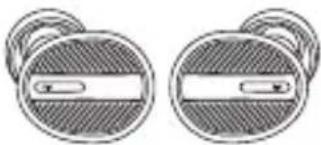
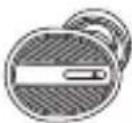
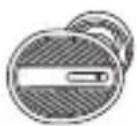
Please remove the Left and Right PUMP AIR X from the charging case and put them in your ears.
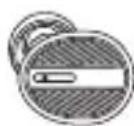
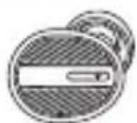
After a few seconds the left and right ear buds will connect to each other.

natural_image
Two circular mechanical components with textured surfaces and central slots, no visible text or symbols
natural_image
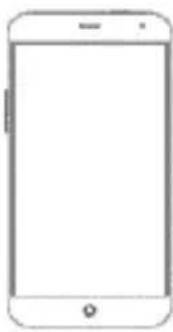
Front view line drawing of a smartphone with blank screen (no text or symbols)When the PUMP AIR X turns on for the first time it will going into pairing mode.
Now search on your smartphone for BlueAnt Pump Air X and pair.
The PUMP AIR X will auto-reconnect to your phone whenever you take it out of the charging case and power off when you put it back.

PAIRING
If you need to pair with another phone press and hold the right hand side command button to power off the Pump Air X and then let go of the button and press and hold the button for 4 seconds until the light starts to flash rapidly, then repeat the pairing process on the new phone.
Troubleshooting - Sometimes the left and right ear buds can become disconnected from each other.
This is simple to fix so you can get back to listening in both ears.
Please follow the steps below to resolve this issue:
- Please plug in the charging case or place it on a wireless charging pad to charge and place both Pump Air X into the charging case.
• Make sure your Pump Air X are both charged. - Turn Bluetooth off on your phone.
Take the left Pump Air X and place it in your ear press and hold the button until the ear bud says "powering down" then let go of the button. Now press and hold the button again for 6 seconds until the ear bud says "pair me" and then let go of the button.
Take the right Pump Air X and place it in your ear, press and hold the button until the ear bud says "powering down" then let go of the button. Now press and hold the button again for 6 seconds until the ear bud says "pair me" and then let go of the button.
• The Pump Air X will now reconnect the left and right side and tell you when connected, this will take 10-15 seconds. - After they have reconnected place the Pump Air X back into the charging case.
- Now turn Bluetooth on your phone back on and search for devices.
• Take both Pump Air X ear buds out of the charging case and select the Pump Air X on your phone. - Now you should be able to listen to music on both ear buds again.

FIT
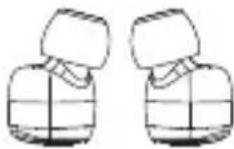
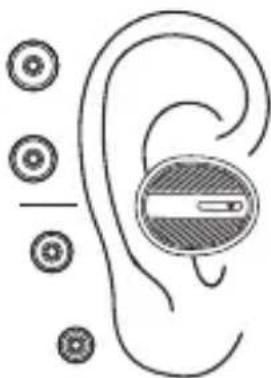
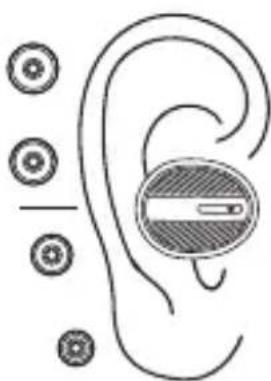
To ensure the best sound you need the best fit, this creates a seal and enhances the bass performance.
Please see this picture of how the Pump Air X should sit in your ear.
We have included 4 sizes of ComfortSeal tips with the Pump Air X. extra small, small, medium and large. We have also included 3 sizes of ComfortSeal Plus tips.
natural_image
Diagram of a human ear with earphones and circular components, no text or symbols presentGive a few sizes a try to make sure you are getting the most out of your PUMP AIR X.

Listen

Talk
Some phones transfer call audio to the phone when you answer on the phone. To keep call audio on your Pump Air X please press the button on the Pump Air X to answer.

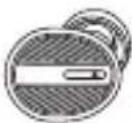

Play/Pause


Skip Forward


Answer call


End call


Reject call

SIRI/GOOGLE

VOLUME
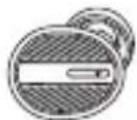


Activate/Cancel Siri/Google
Please use your phone volume controls

POWER

natural_image
Line drawing of an open and closed electronic device with two circular ports (no text or symbols)

When you remove the PUMP AIR X from the charging case it will automatically power on and try to reconnect to the last phone it was connected to.
When you replace the PUMP AIR X in the charging case it will automatically disconnect from the phone it is connected to and power off.
If you wish to power the PUMP AIR X on or off without the charging case simply press and hold the command button for 5 seconds.
The PUMP AIR X announces when the battery is low, this is when there is about 20 mins of play time left.
The PUMP AIR X features an iphone battery meter.
MOND Operation :
It is possible to use the PUMP AIR X as a mono headset. Simply pair the right side ear bud to your phone.

LEGAL
Please protect your ears. BlueAnt devices can reach volumes above 100 decibels. Prolonged use at high volumes may affect your hearing capacity and may result in noise induced hearing loss (NIHL). Please read the enclosed safety card for information about the safe use of BlueAnt products. The Bluetooth* word mark and logos are registered trademarks owned by Bluetooth SIG, Inc. and any use of such marks by BlueAnt Wireless is under license. Android is a trademark of Google Inc., Apple, iPhone and Siri are trademarks of Apple Inc., registered in the U.S. and other countries. BlueAnt and other trademarks are trademarks of BlueAnt and other organizations and may not be used without permission. The BlueAnt logo is registered in the U.S. Patent and Trademark Office and globally with the World Intellectual Property Organization under the Madrid protocol.

SUPPORT
For help and support visit:support.blueantwireless.com Register your PUMP AIR X for updates: register.blueantwireless.com By using this product you agree to the terms and conditions listed on the BlueAnt website: www.blueantwireless.com

WATERPROOF
The PUMP AIR X ear buds are IP67 waterproof, while the charging case is not, please take care to avoid moisture and liquids entering the charging case.
SAFETY INFORMATION AND WARRANTY TERMS
Important Safety Information
PLEASE READ THIS ENTIRE DOCUMENT CAREFULLY, BECAUSE IT CONTAINS IMPORTANT INFORMATION ABOUT THE SAFE USE OF BLUEANT DEVICES
WARNING - PROTECT YOUR HEARING
BLUEANT DEVICES CAN REACH VOLUMES ABOVE 100 DECIBELS.
PROLONGED USE AT HIGH VOLUMES MAY AFFECT YOUR HEARING CAPACITY AND MAY RESULT IN NOISE INDUCED HEARING LOSS (NIHL). TURN OFF THE POWER TO YOUR DEVICE WHEN NOT IN USE.
Please ensure that the device and any associated components such as ear gels or chargers are stored safely and that any packaging or unwanted contents are disposed of thoughtfully. Do not place the product on the floor or leave it in a place where young children could access it, or someone could trip over it.
Using Ear Gels
Your BlueAnt headset will come with ear gels or foam tips that are designed to provide a secure fit in your ear while providing high quality audio.
- Ear gels and tips are designed to sit comfortably in your ear and should not be forced into your ear at any time. If
you have trouble fitting the ear gel or foam please refer to the owner's manual for correct insertion and usage information.
• Always make sure that the ear gel or foam is fitted securely to your device before placing it in your ear.
WARNING
NOTE THAT NON- COMPLIANCE, MISUSE OR FORCING THE EAR GEL OR FOAM MAY CAUSE DAMAGE TO YOUR EAR CANAL OR EARDRUM, OR
MAY OTHERWISE CAUSE BODILY HARM
Smart Practices While Driving
Check the laws and regulations on the use of mobile devices and accessories such as your BlueAnt device in the areas where you drive. Always obey them. DO NOT USE MOBILE DEVICES AND ACCESSORIES IN AREAS WHERE THEIR USE IS PROHIBITED. ENSURE THAT YOUR USE COMPLIES WITH ANY RESTRICTIONS.
Your BlueAnt device lets you communicate by voice when wireless service is available and safe conditions allow. When driving a car, driving is your first responsibility.
If you choose to use your Bluetooth device while driving, remember the following tips:
- Get to know your BlueAnt device and its features such as speed dial and redial. These features help you to place your call without taking your attention off the road.
- If you receive an incoming call at an inconvenient time, let your voice mail answer it for you.
- Let the person you are speaking to know you are driving; if necessary, suspend the call in heavy traffic or hazardous weather conditions. Rain, sleet, snow, ice, and heavy traffic can be hazardous.
- Do not take notes or look up phone numbers while driving. Remember that your primary responsibility is driving safely.
- Do not engage in stressful or emotional conversations that may be distracting.
Make people you are talking to aware you are driving and suspend conversations that can divert your attention away from the road.
• In the case of fire, traffic accidents, medical or other serious emergencies, dial the local emergency number.
- Call roadside assistance or a special non-emergency wireless assistance number when necessary.
Care and Handling
Your BlueAnt Bluetooth device is a precision engineered instrument. To ensure its ongoing performance, you should look after it as you would any quality consumer electronic product, and use it in accordance with the instructions.
BlueAnt recommends that you take the following precautions.
- Avoid leaving your device in direct sunlight, such as on the dashboard or console of a car or truck. Do not leave your device unattended in your vehicle.
-
Do not leave your device, or use your device, in any area where the temperature may exceed 60 degrees Centigrade (140 degrees Fahrenheit), such as inside a closed car on a hot day. Remember that on a hot day the temperature inside a closed car may be significantly higher than the outside air temperature.
-
Do not leave your device, or use your device, in any area where the temperature is likely to drop below 0 degrees Centigrade (32 degrees Fahrenheit).
- Do not leave your device, or use your device, in any area exposed to humidity, dust, soot, other foreign objects, smoke, or steam as this may cause your device to malfunction.
- Do not use any household or industrial grade detergents or cleaners to clean your device. If your device becomes dirty or smeared, in most instances a wipe with a dry or slightly damp cloth should be sufficient to clean it.
- Do not leave your Bluetooth device plugged into a wall or carcharger for long periods after it is fully charged. BlueAnt does not recommend long periods of continued charging.
- Before charging your BlueAnt device, make sure that the AC outlet, adaptor and cable are not damaged. If you notice any abnormalities, seek advice from a qualified professional.
- If traveling internationally, ensure that your BlueAnt wall or car power adapter is approved for use in the country where you plan to use it and that the adapter voltage is suited to the local power supply.
- Should a fault develop with your BlueAnt product, contact BlueAnt for advice on how to proceed. Do not attempt to repair or alter any BlueAnt product yourself.
Approved Accessories
The use of accessories not approved by BlueAnt, including but not limited to batteries, antennas, wall adapters, car chargers, ear gels and foam tips and convertible covers, may cause your BlueAnt device to malfunction or in the case of non-approved electrical accessories may cause the device to exceed RF energy exposure guidelines. Use only 5V/1A chargers.
Use of non approved accessories will void your device's warranty. For a list of approved BlueAnt accessories, visit our website at: www.blueantwireless.com
Electromagnetic Interference
Nearly every electronic device is susceptible to electromagnetic interference (EMI) if inadequately shielded, designed, or otherwise configured for electromagnetic compatibility.
Similar to a mobile phone, your BlueAnt device is a low power transmitter / receiver and is covered by regulations pertaining to such devices. Turn off your BlueAnt device in any facility where posted notices instruct you to do so. These facilities may include hospitals or health care facilities that may be using equipment that is sensitive to external RF energy.
- When instructed to do so, turn off your BlueAnt device when on board an aircraft. Any use of a mobile device must be in accordance with applicable laws, regulations and airline crew instructions.
- Some Bluetooth devices may interfere with some hearing aids. In the event of such interference, you may want to consult your hearing aid manufacturer or physician to
discuss alternatives.
- If you use any other personal medical device, consult the manufacturer of your device to determine if it is adequately shielded from RF energy. Your doctor or physician may be able to assist you in obtaining this information.
- If you are in doubt about whether your BlueAnt device or mobile phone can be safely turned on or used, please consult an authorized person in the location you want to use your BlueAnt device. If no authorized person is available or you remain uncertain, BlueAnt recommends that you turn off your Bluetooth device and any mobile phones unless they are required in an emergency situation.
FCC Notice To Users
15.21: BlueAnt has not expressly approved the user to make any changes or modifications to this device. You are cautioned that if you make any changes or modifications to this device, you can void your authority to operate the equipment. See 47 CFR section 15.21.
15.19(3): This device complies with part 15 of the FCC Rules. Operation is subject to the following two conditions: (1) This device may not cause harmful interference, and (2) this device must accept any interference received, including interference that may cause undesired operation. See 47 CFR section 15.19(3) & (5).
15.105(b): If your mobile device or accessory has a USB connector, or is otherwise considered a computer peripheral device whereby it can be connected to a computer for purposes of transferring data, then it is considered a Class B device and the following statement
applies:
NOTE: This equipment has been tested and found to comply with the limits for a Class B digital device, pursuant to part 15 of the FCC Rules. These limits are designed to provide reasonable protection against harmful interference in a residential installation. This equipment generates, uses and can radiate radio frequency energy and, if not installed and used in accordance with the instructions, may cause harmful interference to radio communications. However, there is no guarantee that interference will not occur in a particular installation. If this equipment does cause harmful interference to radio or television reception, which can be determined by turning the equipment off and on, the user is encouraged to try to correct the interference by one or more of the following measures:
• Reorient or relocate the receiving antenna.
- Increase the separation between the equipment and receiver.
- Connect the equipment to an outlet on a circuit different from that to which the receiver is connected.
- Consult the dealer or an experienced radio/TV technician for help.
See 47 CFR section 15.105(b)
FCC RF Radiation Exposure Statement
This equipment complies with FCC radiation exposure limits set forth for an uncontrolled environment. End users must follow the specific operating instructions for satisfying RF exposure compliance. This transmitter must not be co-located or operating in conjunction with any other antenna or transmitter.
Industry Canada Notice to Users
This Class [B] digital apparatus complies with Canadian ICES-003 and RSS-210. Operation is subject to the following two conditions: (1) This device may not cause interference and (2) This device must accept any interference, including interference that may cause
undesired operation of the device. See RSS-GEN 7.1.3. ICES Certification: CAN ICES-3(B)/NMB-3(B)
Radio Frequency (RF) Exposure Information
The radiated output power of the Wireless Device is below the Industry Canada [IC] radio frequency exposure limits. The Wireless Device should be used in such a manner such that the potential for human contact during normal operation is minimized.
This device has also been evaluated and shown compliant with the IC RF Exposure limits under portable exposure conditions (antennas are less than 20 cm of a person's body).
European Union Directives Conformance Statement
Hereby, BlueAnt declares that this product is in compliance with:
• The essential requirements and other relevant provisions of Directive 1999/5/EC
• All other relevant EU Directives
Caring for the Environment by Recycling
(Applicable in the European Union and other European countries with separate collection systems)
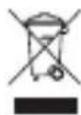
This symbol on a BlueAnt product or its literature indicates that it should not be disposed of with other household waste at the end of its working life. To prevent possible harm to the environment or human health from uncontrolled waste disposal, please separate this from other types of wastes and recycle it responsibly to promote the sustainable reuse of material resources. Household users should contact either the retailer where they purchased this product, or their local government office, for details of where and how they can take this item for environmentally safe recycling. Business users should contact their supplier and check the terms and conditions of the purchase contract. This product should not be mixed with other commercial waste for disposal.
Recycling Bluetooth Accessories
Do not dispose of Bluetooth accessories, such as chargers or headsets, with your household waste. In some countries or regions, collection systems are set up to handle electrical and electronic waste items, and may prohibit or restrict how such items are disposed of. Check the laws and regulations for your areas to determine how to properly dispose of such items. Contact your regional authorities for more details. If collection systems are not available, please return unwanted accessories to any BlueAnt Approved Service Center for your region.
BlueAnt Limited Global Warranty
This product is covered by BlueAnt's limited global warranty for one (1) year from the date of purchase by the first consumer purchaser of the Product.
Please refer to warranty.blueantwireless.com for full terms and conditions.
THANK YOU FOR CHOOSING A BLUEANT PRODUCT.
AUSTRALIAN CONSUMER LAW
Our goods come with guarantees that cannot be excluded under the Australian Consumer Law. You are entitled to a replacement or refund for a major failure and compensation for any other reasonably foreseeable loss or damage. You are also entitled to have the goods repaired or replaced if goods fail to be of acceptable quality and the failure does not amount to a major failure.
For warranty and technical support please visit www.blueantwireless.com or call 1300 669 049
BlueAnt Wireless Suite 6, 861 Doncaster Rd, Doncaster East, Vic 3109, Australia
BIENVENIDO A PUMP AIR X DE BLUEANT
Lee este manual para saber cuál es el mejor ajuste y el mejor sonido que puedes lograr con tu PUMP AIR X. Para instrucciones adicionales, visita www.blueantwireless.com
natural_image
Diagram of a circular device with labeled parts (1 and 7), no text or symbols present
flowchart
graph TD
    A["3"] --> B["4"]
    B --> C[" "]
    C --> D[" "]
    D --> E[" "]

flowchart
graph TD
    A["Node 1"] -->|5| B["Node 2"]
    B -->|6| A
-
indicadores de nivel de batería del estuche cargador
-
puerto de carga
-
botón de comando/LED
-
micrófonos
-
audífonos
-
puntos de carga
-
carga inalámbrica

CARGAR LOS AUDÍFONOS
natural_image
Line drawing of an open electronic device with two circular ports and a lid (no text or symbols)abre el estuche cargador

natural_image
Line drawing of a smart earbuds with open lid and two side panels (no text or symbols)coloca los audífonos en el estuche
natural_image
Line drawing of a circular electronic device with a lid and internal components (no text or symbols)cierra la tapa, los audífonos tardan alrededor de una hora en cargarse
CARGAR EL ESTUCHE
natural_image
Line drawing of a small electronic device with a lid and handle (no text or symbols)Usa el cable cargador suministrado y usa solo cargadores de 5 V y 1 A.
natural_image
Line drawing of a circular device with a handle and internal components (no text or symbols)También puedes cargar inalámbricamente el estuche cargador colocándolo en una almohadilla cargadora Qi compatible. La carga inalámbrica 5-10W es compatible.
natural_image
Line drawing of a closed electronic device with a lid and ventilation slots (no text or symbols)El estuche cargador de los Pump Air X tarda 1 hora en cargarse por completo. El estuche cargador deberá cargar los audífonos 10 veces.

CARGA
natural_image
Line drawing of a microwave oven with lid and ventilation slots (no text or symbols)
El estuche cargador tiene 4 luces.
Estas indican el nivel de carga del estuche cargador.
1 luz: 25%, 2 luces: 50%, 3 luces: 75%, 4 luces: 100%.
Cuando esté totalmente cargado, desconecta el estuche y retira el estuche cargador de la almohadilla de carga inalámbrica.
Las luces indicadoras del nivel de batería del estuche cargador se encienden cuando retiras o vuelvas a poner los Pump Air X en el estuche cargador para que puedas saber cuál es el nivel de carga del estuche cargador.
Los audífonos tienen una luz en el botón que se enciende al cargarlos y se apaga cuando están totalmente cargados.
Es posible que el audífono derecho y el izquierdo se carguen a diferentes tasas.

EMPAREJAR
Para comenzar a usar PUMP AIR X, necesitamos que los emparejes con tu teléfono. Por favor, retira los audífonos derecho e izquierdo PUMP AIR X del estuche cargador y colócalos en tus orejas.
Tras unos cuantos segundos, los audífonos derecho e izquierdo se conectarán entre sí.
natural_image
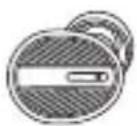
Two circular mechanical components with textured surfaces and central slots, no visible text or symbols
natural_image
Front view of a blank smartphone with no visible text, numbers, or symbolsCuando los PUMP AIR X se enciendan por primera vez, se pondrán en modo emparejar. Ahora, busca BlueAnt Pump Air X en tu smartphone y empareja. PUMP AIR X se reconectan automáticamente a tu teléfono cuando los sacas del estuche cargador y se apagan cuando los vuelves a guardar.

EMPAREJAR
Si necesitas emparejarlos con otro teléfono, pulsa y mantén pulsado el botón de comando del lado derecho para apagar los Pump Air X y luego suelta el botón, pulsa y mantén pulsado el botón durante 4 segundos, hasta que la luz empiece a parpadear rápidamente. Luego, repite el proceso de emparejamiento en el nuevo teléfono.
Resolución de problemas: a veces los audífonos derecho e izquierdo se desconectan entre sí. Esto es sencillo de arreglar para que puedas volver a escuchar en ambos lados.
Sigue los pasos abajo para resolver este problema:
- Conecta el estuche cargador o colócaio en la almohadilla de carga inalámbrica para que se cargue y coloca ambos Pump Air X en el estuche.
• Asegúrate de que ambos Pump Air X estén cargados. - Apaga el Bluetooth de tu teléfono.
- Toma el Pump Air X izquierdo y colócalo en tu oreja, pulsa y mantén pulsado el botón hasta que el audífono diga «apagando», entonces suelta el botón. Ahora pulsa y mantén pulsado el botón nuevamente durante 6 segundos hasta que escuches «emparéjame», y luego suelta el botón.
Toma el Pump Air X derecho y colócalo en tu oreja, pulsa y mantén pulsado el botón hasta que el audifono diga «apagando», entonces suelta el botón. Ahora pulsa y mantén pulsado el botón nuevamente durante 6 segundos hasta que escuches «emparéjame», y luego suelta el botón. - Los Pump Air X se reconectan en ambos lados y te avisan cuando estén conectados. Esto tomará entre 10 y 15 segundos.
• Después de que se han vuelto a conectar, coloca Pump Air X en el estuche cargador.
• Ahora, vuelve a activar el Bluetooth en tu teléfono y busca dispositivos. - Saca ambos Pump Air X del estuche cargador y selecciona Pump Air X en tu teléfono.
- Ya podrás escuchar música con ambos audífonos de nuevo.

AJUSTE

Para asegurar el mejor sonido, necesitas el mejor ajuste, esto crea un sello y mejora el rendimiento del bajo.
Consulta esta imagen de cómo deben quedar los Pump Air X en tus orejas.
Incluimos 4 tamaños de audífonos ComfortSeal con Pump Air X. Extra pequeño, pequeño, medio y grande. También incluimos 3 tamaños de audífonos ComfortSeal Plus.
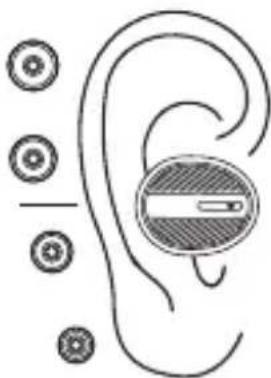
natural_image
Diagram of an ear with a shaded circular component and surrounding circular elements (no text or labels)Prueba los diferentes tamaños para asegurarte de que estés sacando el mayor provecho de tus PUMP AIR X.

ESCUCHAR

HABLAR
Algunos teléfones transferen llamadas de audio a tu teléfono cuando aceptas una llamada en tu teléfono. Para mantener la llamada de audio activado en las Pump Air X, puisa el bien ON de los Pump Air X para contestar.


Reproducir/Pausar


Adelantar


Tomar una llamada


Terminar una llamada


Rechazar una llamada

SIRI/GOOGLE

VOLUMEN


Activar/Cancelar Siri/Google
Usa los controles de volumen de tu teléfono

ENCENDER

natural_image
Line drawing of an open and closed electronic device with two circular ports (no text or symbols)

Cuando retiras los PUMP AIR X del estuche cargador, se encienden automáticamente y tratan de conectarse al teléfono al que estuvieron conectados por última vez.
Cuando vuelves a colocar los PUMP AIR X en el estuche cargador, se desconectan automáticamente del teléfono al cual estaban conectados y se apagan.
Si quieres encender los PUMP AIR X sin el estuche cargador, tan solo pulsa y mantén pulsado el botón de comando durante 5 segundos.
Los PUMP AIR X anuncian cuando la batería está baja. A partir de ese momento, quedan cerca de 20 minutos de reproducción.
Los PUMP AIR X tienen un medidor de batería de iphone.
Operación de MONO:
Los PUMP AIR X se pueden usar como audífonos mono. Para ello, solo tienes que emparejar el lado derecho con tu teléfono.

EMPAREJAR
Por favor, protege tus oídos. Tus dispositivos BlueAnt pueden alcanzar volúmenes mayores a 100 decibeles. El uso prolongado a altos volúmenes puede afectar tu capacidad auditiva y puede resultar en pérdida de audición inducida por el ruido. Lee la tarjeta de seguridad adjunta para información sobre el uso seguro de los productos BlueAnt. La marca y el logo de Bluetooth son marcas comerciales registradas propiedad de Bluetooth SIG, Inc. y cualquier uso de dichas marcas por BlueAnt Wireless se hace bajo licencia. Android es una marca comercial registrada de Inc., Apple, iPhone and Siri son marcas comerciales registradas de Apple Inc., registradas en los EE. UU. y otros países. BlueAnt y otras marcas comerciales registradas son marcas comerciales de BlueAnt y otras organizaciones y no deben usarse sin permiso. El logotipo de BlueAnt está registrado en los EE. UU. La oficina de patentes y de marca comercial registrada, y globalmente con la Organización de Propiedad Intelectual Mundial bajo el protocolo de Madrid.

SOPORTE
Para ayuda y soporte, visita support.blueantwireless.com Registra tu PUMP AIR X para actualizaciones en: register.blueantwireless.com Al usar este producto, aceptas los términos y condiciones que se encuentran en el sitio web de BlueAnt: www.blueantwireless.com

A PRUEBA DE AGUA
Los audífonos PUMP AIR X son a prueba de agua IP67, aunque el estuche cargador no lo es. Ten cuidado de no mojar ni permitir que entre líquido en el estuche cargador.
Información importante sobre seguridad
LEA DETENIDAMENTE ESTE DOCUMENTO EN SU TOTALIDAD YA QUE CONTIENE INFORMACIÓN IMPORTANTE SOBRE EL USO SEGURO DE LOS DISPOSITIVOS BLUEANT
ADVERTENCIA - PROTÉJASE LOS OÍDOS
TODOS LOS PRODUCTOS DE BLUEANT ESTÁN DISEÑADOS PARA ALCANZAR VOLÚMENES DE HASTA 100 DECIBELES. EL USO PROLONGADO
A VOLÚMENES ALTOS PUEDE AFECTAR SU CAPACIDAD AUDITIVA. EL USO POR PERÍODOS EXTENSOS PUEDE RESULTAR EN LA PÉRDIDA DE AUDICIÓN INDUCIDA POR EL RUIDO. APAGUE EL DISPOSITIVO CUANDO NO ESTÉ EN USO.
- La pérdida de la audición puede suscitarse si se usa un auricular a volúmenes máximos más de 5 minutos al día o a volúmenes medios más de 1 hora por día.
- La exposición a un sonido a corta distancia, por ejemplo, por un auricular en los oídos, puede derivar en la pérdida de la audición, inclusive a niveles bajos.
No escuche a volúmenes altos. Recuerde que los oídos se adaptarán al nivel del volumen y si pasa a volúmenes más altos, tal vez los oídos no sientan malestar aunque es posible que se esté produciendo un daño en la audición.
BlueAnt recomienda que usted:
- Fije el control de volumen en una posición baja antes de colocarse el auricular o los audifonos en los oídos.
- Limite la cantidad de tiempo que utiliza los auriculares o audifonos a un volumen alto.
- Evite subir el volumen para bloquear el ruido externo.
- Baje el volumen si no puede escuchar hablar a las personas que están cerca de usted.
Si siente algún malestar después de usar el producto, deje de usarlo de inmediato. Si el problema persiste procure asistencia médica de inmediato.
PELIGRO DE ASFIXIA
SU DISPOSITIVO BLUEANT, SU EMPAQUE Y EL CONTENIDO DEL PAQUETE PUEDEN CONTENER PIEZAS QUE PRESENTEN PELIGRO DE ASFIXIA PARA LOS NIÑOS PEQUEÑOS.
Asegúrese de que el dispositivo y cualquier componente asociado, entre ellos los geles para cídos o los cargadores, estén guardados en forma segura y que se desechen por completo todos los materiales de empaque o contenidos no deseados. No coloque el producto sobre el piso, ni lo deje en un lugar donde puedan acceder a él los niños pequeños o donde pueda hacer tropezar a alguien.
Uso de los geles para oídos
Su auricular BlueAnt vendrá con geles para oídos o cubierta de espuma que están diseñados para su adecuación segura al oído y que brindan a la vez audio de alta calidad.
- Los geles para oídos y las cubiertas están diseñados para que al colocarlos se sientan cómodos, no debe forzar su inserción en el oído en ningún momento. Si
tiene problemas para colocarse el gel para oidos o la espuma, consulte el manual del usuario para aprender a insertarlos y usarlos en forma correcta.
- Asegúrese siempre de que el gel para oídos o la espuma estén bien sujetos a su dispositivo antes de colocárselo en el oído.
ADVERTENCIA
TENGA EN CUENTA QUE EL INCUMPLIMIENTO, EL USO INDEBIDO O LA INSERCIÓN FORZADA DEL GEL PARA OÍDOS O LA ESPUMA PUEDEN CAUSAR DAÑOS EN EL CANAL AUDITIVO O EL TÍMPANO O PODRÍAN CAUSAR UN DAÑO CORPORAL.
Prácticas inteligentes al conducir
Verifique las leyes y reglamentaciones sobre el uso de los dispositivos y accesorios móviles, entre ellos su dispositivo BlueAnt, de las áreas en las que conduce.
Respételas siempre. NO USE DISPOSITIVOS Y ACCESORIOS MÓVILES EN LAS ÁREAS EN LAS QUE SU USO ESTÁ PROHIBIDO. VERIFIQUE QUE SU USO SE AJUSTA A LAS RESTRICCIONES.
Su dispositivo BlueAnt le permite comunicarse por voz quando servicio inalámbrico es disponible, y si se dan las debidas condiciones de seguridad. Al conducir un automóvil, conducir es su primera responsabilidad.
Si elige usar el dispositivo Bluetooth mientras conduce, recuerde los siguientes consejos:
- Conozca su dispositivo BlueAnt y sus funciones, entre ellas el discado rápido y el rediscado automático. Estas funciones le ayudarán a realizar la llamada sin quitar su atención de la carretera.
- Si recibe una llamada en un momento inconveniente, deje que conteste el correo de voz.
- Haga saber a la persona con la que está hablando que está conduciendo. De ser necesario, suspenda la llamada si hay mucho tránsito o condiciones climáticas peligrosas. La lluvia, el agua nieve, la nieve, el hielo y el tránsito intenso pueden ser peligrosos.
- No tome notas ni busque números de teléfono mientras conduce. Recuerde que su principal responsabilidad es conducir en forma segura.
- No mantenga conversaciones estresantes o emocionales que puedan ser una distracción. Haga que la persona con la que está hablando esté al tanto de que usted está conduciendo y suspenda las conversaciones que puedan desviar su atención de la carretera.
- En caso de incendio, accidentes de tránsito, emergencias médicas u otras situaciones graves de emergencia, llame al número de emergencias local.
- Llame al servicio de asistencia vial o al número
inalámbrico de asistencia para casos que no sean emergencias siempre que sea necesario.
Cuidado y manejo
Su dispositivo BlueAnt Bluetooth es un instrumento de ingeniería de precisión. Para garantizar su desempeño continuo, debe cuidarlo tal como cuidaría cualquier otro producto electrónico de calidad para el consumidor y debe usarlo según las instrucciones.
BlueAnt recomienda que tome las siguientes precauciones.
- Evite dejar su dispositivo expuesto a la luz solar directa como, por ejemplo, sobre el panel o la consola de un automóvil o camioneta. No deje su dispositivo sin vigilancia en su vehículo.
- No deje ni use su dispositivo en un área en la que la temperatura pueda superar los 60 grados Centigrados (140 grados Fahrenheit), por ejemplo, dentro de un automóvil cerrado en un día caluroso. Recuerde que en un día caluroso, la temperatura en el interior de un
automóvil cerrado puede ser significativamente mayor que la temperatura del aire exterior.
- No deje ni use su dispositivo en un área en la que la temperatura pueda llegar a menos de 0 grados Centigrados (32 grados Fahrenheit).
- No deje ni use su dispositivo en un área expuesta a humedad, polvo, hollín, otros objetos extraños, humo o vapor, ya que podría causar el mal funcionamiento de su dispositivo.
-
No use ningún detergente o limpiador de uso doméstico o grado industrial para limpiar su dispositivo. Si su dispositivo se ensucia o se mancha, en la mayoría de los casos, será suficiente con pasarle un paño seco o apenas húmedo para limpiarlo.
• No deje su dispositivo Bluetooth enchufado a la pared o al cargador de su automóvil durante períodos prolongados una vez que esté totalmente cargado. BlueAnt no recomienda períodos prolongados de carga continua. -
Antes de cargar su dispositivo BlueAnt, asegúrese de que el tomacorriente, el adaptador y el cable de CA no estén dañados. Si nota alguna anomalía, procure el asesoramiento de un profesional calificado.
- Si viaja a otro país, asegúrese de que su adaptador de energía de pared o para automóviles BlueAnt esté aprobado para su uso en el país donde planes utilizarlo y que la tensión del adaptador sea la adecuada para el suministro eléctrico local.
- Si se produce una falla en su producto BlueAnt, comuníquese con BlueAnt para recibir asesoramiento sobre cómo proceder. No intente reparar o alterar ningún producto BlueAnt por su propia cuenta.
Accesorios aprobados
El uso de accesorios no aprobados por BlueAnt, entre los que se incluyen a modo de ejemplo, baterías, antenas, adaptadores de pared, cargadores para automóviles, geles para oídos, cubiertas de espuma y cubiertas convertibles, pueden causar un mal funcionamiento de su dispositivo BlueAnt o, en el caso de los accesorios eléctricos no aprobados, pueden hacer que el dispositivo exceda las pautas de exposición a energía de RF, Utilice sólo cargadores de 5V / 1A.
El uso de accesorios no aprobados invalidará la garantía de su dispositivo. Si desea una lista de accesorios aprobados de BlueAnt, visite nuestro sitio web www.blueantwireless.com
Interferencia electromagnética
Casi todos los dispositivos electrónicos son susceptibles a la interferencia electromagnética (electromagnetic interference, EMI) si están protegidos, diseñados o configurados inadecuadamente para la compatibilidad electromagnética.
Al igual que un teléfono móvil, su dispositivo BlueAnt es un transmisor/receptor de baja potencia y está cubierto por las reglamentaciones asociadas a tales dispositivos. Apague su dispositivo BlueAnt en los lugares en los que haya avisos que así lo indiquen. Estas instalaciones pueden incluir hospitales o centros de atención médica
en donde es posible que se usen equipos sensibles a la energía de RF externa.
- Cuando se lo pidan, apague su dispositivo BlueAnt a bordo de una aeronave. El uso de dispositivos móviles debe adecuarse a las leyes, reglamentaciones pertinentes y a las instrucciones de la tripulación de la línea aérea.
- Algunos dispositivos Bluetooth pueden interferir con ciertos audifonos. Si esto ocurre, le recomendamos que consulte al fabricante del audifono o a su médico para analizar las alternativas.
- Si usa algún otro dispositivo médico, consulte al fabricante de su dispositivo para determinar si está protegido adecuadamente contra la energía de RF. Su médico o profesional de la salud podrá ayudarle a obtener esta información.
- Si está en duda acerca de si su dispositivo o teléfono móvil BlueAnt puede ser encendido o usado en forma segura, consúltelo con una persona autorizada en el
lugar en el que desea usar el dispositivo BlueAnt. Si no hay ninguna persona autorizada disponible o sigue sin estar seguro, BlueAnt recomienda que apague su dispositivo Bluetooth y los teléfonos móviles, a menos que sean necesarios en una situación de emergencia.
Aviso de la FCC para los usuarios - 15.21
BlueAnt no ha aprobado ningún cambio o modificación del usuario para este dispositivo. Se le advierte que los cambios o las modificaciones podrían anular la autoridad del usuario para operar el equipo. Vea 47 CFR, Sec. 15.21.
15.19(3)
Este dispositivo cumple con la parte 15 de las Normas de la Comisión Federal de Comunicaciones (Federal Communications Commission, FCC). Su operación está sujeta a las dos condiciones que se indican a continuación: (1) Este dispositivo no debe causar una interferencia perjudicial y (2) este dispositivo debe aceptar cualquier interferencia que reciba, incluso aquella que pueda causar un funcionamiento no deseado. Vea 47 CFR, Sec. 15.19(3) E (5).
15.105(b)
Si su dispositivo móvil o accesorio tiene una conexión USB o si se lo considera un dispositivo periférico para computadoras puesto que se puede conectar a una
computadora para transferir datos, el dispositivo pertenece a la Clase B y se aplica la siguiente afirmación:
NOTA: Este equipo ha sido probado y se ha determinado que cumple con los límites para un dispositivo digital de Clase B, de acuerdo con la parte 15 de las Normas de la FCC. Estos límites fueron diseñados para brindar una protección razonable contra la interferencia perjudicial en una instalación residencial. Este equipo genera, usa e irradia energía de radiofrecuencia y, si no se instala y usa según las instrucciones, puede causar una interferencia perjudicial en las comunicaciones de radio. Sin embargo, no hay garantía de que no se vayan producir interferencias en una instalación en particular. Si este equipo causa una interferencia perjudicial en la recepción de radio o televisión, algo que puede determinarse apagando y encendiendo el equipo, se recomienda al usuario que intente corregir esta interferencia tomando una o más de las siguientes medidas;
- Reorientar o reubicar la antena receptora.
- Aumentar la separación entre el equipo y el receptor.
- Conectar el equipo a un tomacorriente en otro circuito que no sea el que tiene conectado el receptor.
- Consultar al vendedor o a un técnico de radio/television con experiencia para obtener ayuda.
Vea 47 CFR, Sec. 15.105(b).
Declaración de exposición a la radiación de RF de la FCC
Este equipo cumple con los límites de exposición a la radiación de la FCC estipulados para un entorno no controlado. Los usuarios finales deben seguir las instrucciones operativas específicas para cumplir con las especificaciones de exposición a RF. Este transmisor no debe estar colocado ni funcionando junto con otra antena o transmisor.
Aviso del sector para los usuarios de Canadá
La operación está sujeta a las dos condiciones que se indican a continuación: (1) Este dispositivo no debe causar una interferencia perjudicial y (2) este dispositivo
debe aceptar cualquier interferencia, incluso aquella que pueda causar un funcionamiento no deseedo. Vea RSS-GEN 71.3.
Declaración de conformidad de las Directivas de la Unión Europea
Por el presente, BlueAnt declara que este producto cumple:
- los requisitos esenciales y demás disposiciones relevantes de la Directiva 1999/5/CE
- todas las demás Directivas de la UE
Cuidar el medio ambiente a través del reciclado
(Aplicable en la Unión Europea y en otros países europeos con sistemas de recolección separados)

Este símbolo en un producto BlueAnt o en su documentación indica que no se lo debe desechar con otros residuos domésticos al finalizar su vida útil. Para evitar causar un posible daño al medio ambiente o a la salud humana por el desecho de residuos sin control, separe este producto de otros tipos de desechos y reciclelo responsablemente para promover la reutilización sustentable de los recursos materiales.
Los usuarios residenciales deben comunicarse con el vendedor a quien compraron el producto o con la oficina de gobierno local si desean obtener información de dónde y cómo pueden reciclar este artículo en forma segura para el medio ambiente. Los usuarios comerciales deben comunicarse con su proveedor y consultar los términos y las condiciones del contrato de compra. No debe mezclarse este producto con otros residuos comerciales
para desecho.
Reciclado de accesorios Bluetooth
No deseche los accesorios Bluetooth, entre ellos cargadores o auriculares, junto con sus residuos domésticos. En algunos países o regiones, se crearon sistemas de recolección para manejar los artículos de desecho eléctricos y electrónicos. Verificar las leyes y reglamentos para su región. Comuniquese con las autoridades regionales si desea obtener más detalles. Si no hay sistemas de recolección disponibles, devuelva los accesorios no deseados a cualquier Centro de Servicio Técnico Aprobado de BlueAnt en su región.
Garantía mundial limitada de BlueAnt
Este producto está cubierto por la garantía limitada mundial de BlueAnt por un (1) año a partir de la fecha de compra por parte del comprador consumidor original del Producto.
Por favor, consulte warranty.blueantwireless.com para los términos y condiciones completos.
Gracias por elegir un producto BlueAnt
感谢购买 BLUEANT PUMP AIR X 耳机
请仔细阅读本手册,了解您的 PUMP AIR X 耳机的最佳佩戴与音效调整方法。欲了解更多使用详情,请访问网站 www.blueantwireless.com
flowchart
graph TD
    A["Node 1"] --> B["Node 2"]
    B --> C["Node 3"]
    C --> D["Node 4"]
natural_image
Line drawing of a device casing with labeled parts (no text or symbols)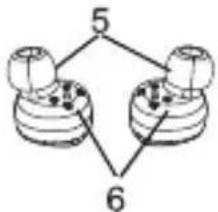
flowchart
graph TD
    A["Node 1"] -->|5| B["Node 2"]
    B -->|6| A
- 充电盒电池电量指示
- 充电端口
- 控制按钮/LED
- 麦克风
- 耳塞头
- 充电端
- 无线充电

充电

natural_image
Line drawing of an open electronic device with two circular ports and a lid (no text or symbols)打开充电盒

natural_image
Line drawing of a smart earbuds with two front speakers and a closed lid (no text or symbols)将耳机放入盒中

natural_image
Line drawing of a circular electronic device with a lid and internal components (no text or symbols)关上盒盖,充电盒给耳机充满电大概需要1个小时。

给充电盒充电

natural_image
Line drawing of a closed electronic device with a lid and ports (no text or symbols)使用本产品产品的充电线,请务必使用5V,1A充电器。
natural_image
Line drawing of a circular electronic device with a handle and internal components (no text or symbols)你也可以将充电盒放在一个兼容Qi无线充设备上进行无线充电。仅支持5-10W无线设备充电。

natural_image
Line drawing of a microwave oven with lid and control panel (no text or symbols)Pump Air X充电盒充满电的时间是1个小时,充电盒可以给耳机充电10次左右。

充电

natural_image
Line drawing of a microwave oven with lid and ventilation slots (no text or symbols)

充电盒有4盏指示灯,
用于显示充电盒的电量。
1盏灯亮起时表示电量为25%,
2盏灯亮起时表示电量为50%,
3盏灯亮起时表示电量为75%,
4盏灯亮起时表示电量为100%。
充满电后,请拔下充电器电源或者从无线充设备上移开。
当取出或更换充电盒中的 Pump Air X 耳机时,
充电盒电池电量指示灯亮起,显示充电盒电量。
耳机在按钮处设有一盏指示灯,耳机充电时会亮起,
在耳机完全充满电后熄灭。
左右耳机的充电速度有可能不一致。

配对
使用PUMP AIR X耳机之前,需要将其与您的手机配对。
请将PUMP AIR X左右耳机从充电盒中取出,
将其分别塞入双耳中,
几秒钟之后,左右耳机就会连接起来。


natural_image
Simple line drawing of a smartphone with blank screen (no text or symbols)PUMP AIR X耳机首次开启后,将持续保持配对模式。
现在请为BlueAnt Pump Air X耳机搜索您的智能手机并配对。
每次将PUMP AIR X从充电盒中拿出后,耳机将再次自动连接您的手机,将其放回充电盒时,耳机便自动关机。

配对
如果您需要与其它手机配对,请长按右耳机控制按钮,关掉PUMP AIR X耳机,随后放开按钮,再次长按4秒,直至指示灯开始快速闪烁,随后重复匹配步骤,连接新手机。
故障排除 - 有时候您的耳机左右两边会断开连接,这很容易解决并恢复听音乐,请按照以下步骤解决这个问题:
· 请插入充电线给充电盒充电,或者放在无线充设备上给充电盒充电,并将左右两只耳机放入充电盒中。
- 确认你的左右两个Pump Air X在充电。
- 关闭你的手机蓝牙。
- 拿出左边Pump Air X放入耳中,按住开关按键,直到听到"powering down"的语音后松开按键。然后再按住开关按键6秒,直到听到"pair me"的语音后松开按键。
- 拿出右边Pump Air X放入耳中,按住开关按键,直到听到"powering down"的语音后松开按键。然后再按住开关按键6秒,直到听到"pair me"的语音后松开按键。
- Pump Air X左右两边重新连接,并提示你已经连接,这个需要大概10-15秒。
- 左右两边重新连接后,将Pump Air X放进充电盒。
· 现在重新打开你手机的蓝牙,搜索设备。
- 从充电盒中拿出Pump Air X耳机,选择手机上面的配对名Pump Air X进行配对。
· 现在你应该可以用两个耳机听音乐了。

佩戴


为确保获得适于您的最佳音效,需要将耳机以最佳方式佩戴,在耳中形成强调低音效果的封闭空间。
请参阅此图示, 了解如何将 Pump Air X 耳机佩戴在耳内。Pump Air X 耳机附赠4种尺寸的 ComfortSeal 耳塞头: 超小号、小号、中号和大号。我们还附赠3种尺寸的 ComfortSeal Plus 耳塞头。

natural_image
Diagram of an ear with a medical device inside, showing ear, ear, and ear with surrounding circular components (no text or labels)请试戴不同尺寸,确保您能获得最佳的 Pump Air X 耳机佩戴效果。

听

通话
当你接听电话的时候,有些手机可以把通话音频传到电话上。如果要保持使用你的Pump Air X音频通话,请按Pump Air X上面的接听键。

播放/暂停


快进


接听电话


结束通话


拒绝通话

SIRI/GOOGLE

音量


激活/取消 Siri/Google
请使用您手机的音量控制

电源
natural_image
Line drawing of an open and closed electronic device with two circular ports (no text or symbols)
当您将 PUMP AIR X 耳机从充电盒中取出时,它将自动开启并尝试再次连接最后一次配对的耳机。
当您更换充电盒中的 PUMP AIR X 耳机时,它将自动断开正在连接的手机并关机。如果您希望在不使用充电盒的情况下开启或关闭 PUMP AIR X 耳机,只需长按控制按钮5秒即可。
在电池电量不足时,PUMP AIR X 耳机会发出提醒,这表示耳机只剩下20分钟的播放时间了。
PUMP AIR X 耳机配备 iPhone 电池电量指示。
单耳操作:
也可以将 PUMP AIR X 耳机作为单声道耳机使用,只需要将右耳与手机配对即可。

法律声明
请谨慎保护您的双耳。BlueAnt 设备可达到高于 IDO 分贝的音量——在高音量状态下长期使用有可能对您的听觉造成损害,并导致噪声性听力损伤 (NIHU),因此,请仔细阅读随附安全卡片上提供的关于安全使用 BlueAnt 产品之信息。Bluetooth (蓝牙) 一词的商标和 logo 标志为 Bluetooth SIG, Inc. 公司注册商标,BlueAnt Wireless 使用上述商标及标志已获授权。Android (安卓) 为 Google Inc. 公司商标,Apple、iPhone 和 Siri 为 Apple Inc. 公司商标,并已在美国和其他国家注册。BlueAnt 和其他商标为 BlueAnt 及其他机构商标,未经许可不准使用。BlueAnt logo 标志已在美国专利商标局 (U.S. Patent and Trademark Office) 注册,并根据《马德里议定书》(Madrid protocol) 在世界知识产权组织 (World Intellectual Property Organization) 全球注册。

支持
欲获得帮助与支持,请访问:
support.blueantwireless.com
请注册您的 PUMP AIR X 耳机, 及时获得更新:
register.blueantwireless.com
使用此产品即表示您已同意遵守 BlueAnt 网站
www.blueantwireless.com 上所列之条款与条件

防水
PUMP AIR X 耳机具有IP67防水功能,但充电盒并无此项功能,因此,请避免潮气和液体进入充电盒中。
安全资讯及保修条款
重要安全资讯
本文档包含安全使用BLUEANT设备的重要资讯,请仔细阅读整个文档。
警告 - 保护您的听觉
BLUEANT 设备的音量可达 100 分贝。长时间使用高音量聆听可能会影响您的听力及引致噪音性听力损伤
(NIHL)。
当不使用您的设备时,请关上它。
请确保设备及其配件(如耳塞或充电器)均存放在安全的位置,并妥善处置任何包装或不需要的附带物品。请勿将产品放置於地板上,也不要将其置於幼儿可以取得之处或可能绊倒他人之处。
使用耳塞
您的 BlueAnt 耳机附有耳塞或耳棉,旨在提供高音质的同时,能够确保耳机牢固地紧贴在耳内。
· 耳塞和耳棉应舒适地放入耳内,任何时候都不应该被强力塞进耳内。如果您在塞入耳塞或耳棉时遇有困难,请参考说明书内有关正确使用的讯息。
· 在佩戴耳机之前,请务必确保耳塞或耳棉已与设备稳固的连接上。
警告
不适当的使用、误用或用力塞入耳塞或耳棉,可能会对耳道和鼓膜造成伤害,或造成其他身体创伤。
驾车使用建议
请了解您所在地区有关在驾车时使用移动设备及配件(如您的BlueAnt设备)的法例,并请确保遵守所有规则。请勿在禁止使用移动设备及配件的地方使用设备,亦请确保您在使用设备时符合所有规定。
您的 BlueAnt 设备能让您在无线服务可用及安全情况下进行语音通讯。驾车时,驾驶是您的首要责任。
如果您选择在驾车时使用蓝牙设备,请谨记以下建议:
了解您的 BlueAnt 设备及其功能,如快速拨号和重拨等。这些功能可以协助你在拨打电话的同时,也能将注意力保持在路面上。
如果您在不方便通话的时候接到来电,请将其转到语音信箱。
让对方知道您在驾车。如有需要,请在交通繁忙或天气条件恶劣的情况下暂停通话。雨、雪、冰雹和繁忙的交通等都可能导致危险。
· 驾车时请不要做笔记或查找电话号码,切记您的首要责任是安全驾驶。
请不要进行可能使您分心、紧张或情绪化的谈话。请让对方知道您在驾驶,并暂停会将您的注意力从路况上转移开的通话。
· 如果遇上火灾、交通事故、医疗或其他严重的紧急情况,请拨打当地的紧急事故号码。
· 如有需要,可拨打道路援助或特殊非紧急事故无线援助号码。
保养及处理
您的 BlueAnt 蓝牙设备是经过精密设计的。为保证其性能,您应该对其进行跟高质素消费类电子产品同样的常规保养。BlueAnt 建议您采取以下的预防措施:
·避免设备长时间受到阳光直射,如避免将其放置於汽车或卡车的仪表盘或控制台上。请勿将设备留在无人车辆内。
请勿在任何温度可能超过60摄氏度(140华氏度)的地方内放置或使用设备,例如在炎热天气下的密闭车内等。谨记在天气炎热时,车内的温度可能会远高于外界气温。
请勿在任何温度可能会降至 0 摄氏度(32 华氏度)的地方放置或使用设备。
请勿在任何暴露於潮湿、粉尘、烟尘、其他异物、烟雾或蒸汽的环境中放置或使用设备,因为这可能会导致您的设备发生故障。
请勿使用任何家居或工业用清洁剂或去污剂来清洁设备。如果您的设备变脏或沾染了污渍,在大多数的情况下,使用微湿或乾的布擦拭应足以清洁它。
在蓝牙设备充满电接,请勿仍使之长时间与壁式或车载式充电器保持连接。BlueAnt 不建议您长时间对设备持续充电。
· 在为您的 BlueAnt 设备充电前,请确保交流电源插座、适配器和电线均未被损坏。如果您发现有任何异常情况,请寻求合格专业人士的意见。
· 在外地旅行时,请确保 BlueAnt 壁式或车载式电源适配器在当地可以使用,并且电压与当地的电源相匹配。
如果 BlueAnt 产品出现故障,请联系 BlueAnt 寻求使用建议。请勿尝试自行修理或改装任何 BlueAnt 产品。
核准配件
使用未经 BlueAnt 批准的配件,包括但不限于电池、天线、塑式适配器、车载式充电器、耳塞、耳棉和可变外壳,可能会导致您的 BlueAnt 设备发生故障。此外,使用未经批准的电子配件可能会导致设备超出射频能量暴露准则,只能用 5V/1A 的充电器充电。
使用未经批准的配件会使您的设备的保养失效。如需获取可使用的 BlueAnt 配件清单,请浏览我们的网页:
www.blueantwireless.com
电磁干扰
如果对电磁兼容性没有进行充分屏蔽、设计或设置,差不多所有电子设备都会受到电磁干扰(EMI)。
您的 BlueAnt 设备是一种低功率发射器或接收器,就如行动电话一样,会受到此类设备的规则管辖。请依从指示,在任何要求关闭此类设备的地方关上您的 BlueAnt 设备。这些地方可能包括医院和其他保健机构,因为这些地方可能会使用对外来射频能量敏感的设备。
乘坐飞机时,请按指示关上您的 BlueAnt 设备。使用移动设备时,务必遵照法律、规则和空中服务员的指示。
某些蓝牙设备可能会干扰助听器。如发生此类干扰,您可能需要咨询您的助听器生产商或医生以讨论替代方案。
如果您需要使用任何其他个人医疗设备,请咨询设备制造厂商,以确定该设备对射频能量是否充分屏蔽。您的医生或医师或许可以帮助您获取此类讯息。
如果您想使用 BlueAnt 设备,但却不能确定开启或使用您的 BlueAnt 设备或行动电话是否安全,请咨询该场所的负责人。如果无法找到负责人或您仍然不确定,BlueAnt 建议您关闭您的蓝牙设备和所有行动电话。除非遇上紧急情况,否则不要使用。
美国联邦通讯委员会(FCC)给用户的公告
15.21: BlueAnt 不允许用户对本设备进行任何改变或改装。我们提醒您,如果您对本设备进行任何改变或改装,则会使允许您操作该设备的授权失效。详见美国《联邦规例法典》(CFR)第47篇15.21。
15.19(3): 本设备符合 FCC 规则第 15 部分的要求。其运行符合以下两个条件:[1] 本设备不能造成有害干扰;[2] 本设备必须能够承受接收到的所有干扰,包括可能不利运行的干扰。详见美国《联邦规例法典》(CFR) 第 47 篇 15.19(3) 及 (5)。
15.105(b): 如果您的移动设备或配件具有 USB 接口,或者可被视作电脑周边设备(即可以连接到电脑并传输数据者),即代表该设备为 B 类设备,并适用於以下声明:
注意:本设备已通过测试,并符合 FCC 规则第 15 部分对 B 类数码产品的限制,这些限制旨在保护家居免於有害干扰,本设备会产生、使用和散发无线电能量。如果不按照指示安装和使用,可能会对无线电通讯造成有害的干扰。不过,在某些具体的安装情况下,却无法保证其不会产生干扰。如果本设备确实对无线电或电视讯号的接收造成有害干扰,可以通过关闭和开启设备予以确定,确定之後,用户可以尝试采取以下方法消除干扰:
· 重新调整或放置接收天线。
· 增加设备和接收器间的距离。
· 将设备连接到与接收器不同电路的插座上。
咨询经销商或向有经验的无线电或电视技术人员寻求帮助。
详见美国《联邦规例法典》[CFR]第47篇15.105(b)。
FCC 射频辐射暴露声明
本设备符合 FCC 为非受控环境设立的辐射暴露限制。用户必须遵循符合射频暴露限制的具体操作说明。本发射机不得与任何其他天线或发射器共同运作。
加拿大工业部 (Industry Canada) 给用户的公告
本 [B] 类数码设备符合加拿大 ICES-003 及 RSS-210 标准。其工作运行符合以下两个条件:(1) 本设备不能造成干扰;(2) 本设备必须能够承受所接收到的干扰,包括可能不利于运行的干扰。详见 RSS-GEN 71.3。
ICES 认证:CAN ICES-3(B) 或 NMB-3(B)
无线电频率(RF)暴露资讯
本无线装置的辐射输出功率低於加拿大工业部(IC)制订的无线电频率暴露限制。惟在正常情况下使用本无线装置时,仍应尽量避免接触人体。
本装置亦已经过评估,证明在便携式暴露情况下符合IC无线电频率的暴露限制[天线与人体的距离少於20厘米]。
欧盟条例合规声明
BlueAnt 在此宣称本产品符合以下标准:
1999/5/EC条例的基本要求及其他有关规定。
· 所有其他相关的欧盟条例。
爱护环境,提倡回收
(适用於欧盟及其他采用独立回收系统的欧洲国家)
本产品及说明书上的此符号代表本产品在使用期限结束以后,不应与其他家居废弃物一同弃置。随意弃置可能对环境或人类健康造成伤害。因此,请将本产品与其它废弃物分开,单独回收,为促进材料资源的可持续再利用尽一份力。家居用户应联系本产品的零售商或当地政府,以获知具体应如何以环保方式回收此产品。商务用户应与其供应商联系,并查看购货合同的条款和条件。本产品不应与其他商业废弃物混合弃置。
回收蓝牙配件
请勿将蓝牙配件(如充电器或耳机)与您的家居废弃物一同弃置,一些国家和地区已设立处理电器和电子废弃物的收集系统,并可能禁止或限制弃置此类物品。请了解您所在地区的法律法规,以恰当的处置此类物品。请联系您的地方当局以获得更多资讯。如果回收系统不可用,请将不需要的配件返还给您所在区域且经BlueAnt认可的服务中心。
BlueAnt 的全球受限性保养
本产品之初始消费者自购买当天起计一(1)年内,可享有BlueAnt的全球受限性保养。
如需完整的条款与条件,请参阅 warranty.blueantwireless.com。
感谢您选购 BLUEANT 产品。

歡迎使用 BLUEANT PUMP AIR X
請細閱本使用說明書,以讓您的 PUMP AIR X 舒適貼耳,發揮最佳音質。
如需查閱更詳盡的使用說明,請瀏覽 www.blueantwireless.com

flowchart
graph TD
    A["Node 1"] --> B["Node 2"]
    B --> C["Node 3"]
    C --> D["Node 4"]
    D --> A

natural_image
Line drawing of a device casing with labeled parts (no text or symbols)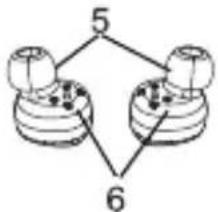
flowchart
graph TD
    A["Node 1"] -->|5| B["Node 2"]
    B -->|6| A
- 充電盒電量指示燈
- 充電埠
- 指令按鈕/LED
- 咪高峰
- 耳塞
- 充電接觸點
- 無線充電

給耳機充電

natural_image
Line drawing of an open and closed electronic device with two circular ports (no text or symbols)打开充电盒
natural_image
Line drawing of a smart earbuds with open lid and two circular ports (no text or symbols)将耳机放入盒中

natural_image
Line drawing of a circular electronic device with a lid and ports (no text or symbols)关上盒盖,充电盒给耳机充满电大概需要1个小时。

給充電盒充電

natural_image
Line drawing of a closed electronic device with a lid and handle (no text or symbols)使用本產品產品的充電線,請務必使用5V,1A充電器。

natural_image
Line drawing of a circular electronic device with a handle and internal components (no text or symbols)你也可以將充電盒放在一個相容Qi無線充設備上進行無線充電。僅支持5-10W無線設備充電。

natural_image
Line drawing of a microwave oven with lid and ventilation slots (no text or symbols)Pump Air X充電盒充滿電的時間是1個小時,充電盒可以給耳機充電10次左右。

充電

natural_image
Line drawing of a microwave oven with lid and ventilation slots (no text or symbols)

充電盒上有4盏指示燈。
指示燈顯示充電盒的充電狀態。
1盏燈代表25%電量,
2盏燈代表50%電量,
3盞燈代表75%電量,
4盏燈代表100%電量。
充滿電後,請拔下充電器電源或者從無線充設備上移開。
當您取出充電盒內的 Pump Air X 耳機,或將耳機放回充電盒,
充電盒的電量水平指示燈會亮起,以顯示充電盒的充電狀態。
為耳機充電時,耳機按鈕上的指示燈會亮起,當耳機完全充電後,指示燈便會熄滅。
左右耳機的充電速度或有所不同。

配對
使用PUMP AIR X耳機之前,需要將其與您的手機配對。
請將PUMP AIR X左右耳機從充電盒中取出,
將其分別塞入雙耳中,
幾秒鐘之後,左右耳機就會連接起來。


natural_image
Simple line drawing of a smartphone with no text or symbolsPUMP AIR X耳機首次開啟後,將持續保持配對模式。
現在請為BlueAnt Pump Air X耳機搜索您的智能手機並配對。
每次將PUMP AIR X從充電盒中拿出後,耳機將再次自動連接您的手機,將其放回充電盒時,耳機便自動關機。

配對
如果您需要與其它手機配對,請長按右耳機控制按鈕,關掉PUMP AIR X耳機,隨後放開按鈕,再次長按4秒,直至指示燈開始快速閃爍,隨後重複匹配步驟,連接新手機。
故障排除 - 有時候您的耳機左右兩邊會斷開連接,這很容易解決並恢復聽音樂,請按照以下步驟解決這個問題:
·請插入充電線給充電盒充電,或者放在無線充設備上給充電盒充電,並將左右兩只耳機放入充電盒中。
· 確認你的左右兩個Pump Air X在充電。
- 關閉你的手機藍牙。
- 拿出左邊Pump Air X放入耳中,按住開關按鍵,直到聽到"powering down"的語音後鬆開按鍵。然後再按住開關按鍵6秒,直到聽到"pair me"的語音後鬆開按鍵。
- 拿出右邊Pump Air X放入耳中,按住開關按键,直到聽到"powering down"的語音後鬆開按键。然後再按住開關按键6秒,直到聽到"pair me"的語音後鬆開按键。
- Pump Air X左右兩邊重新連接,並提示你已經連接,這個需要大概10-15秒。
- 左右兩邊重新連接後,將Pump Air X放進充電盒。
· 現在重新打開你手機的藍牙,搜索設備。
·從充電盒中拿出Pump Air X耳機,選擇手機上面的配對名Pump Air X進行配對。
· 現在你應該可以用兩個耳機聽音樂了。

配戴耳機


要確保耳機發揮最佳音質,耳機必須完美配合您的耳形,從而達至密封效果,提升低音表現。
請參閱此圖片,了解佩戴 PUMP AIR X 耳機的方法。PUMP AIR X 耳機附送4款不同尺寸的 ComfortSeal 耳塞(分特小、小、中及大),亦附設3款不同尺寸的 ComfortSeal Plus 耳塞。
natural_image
Diagram of an ear with a medical device inside, showing ear, ear, and ear with surrounding circular components (no text or labels)您可試戴不同尺寸的耳塞,以確保您的 PUMP AIR X 耳機舒適貼耳。

聆聽

通話
當你接聽電話的時候,有些手機可以把通話音頻傳到電話上。如果要保持使用你的Pump Air X音频通話,請按Pump Air X上面的接聽能。


播放/暂停


跳到下一首


接聽來電


結束通話


拒接來電

SIRI/GOOGLE

音量


啟用/取消Siri/Google
請使用手機來控制音量

電源
natural_image
Line drawing of an open and closed electronic device with two circular ports (no text or symbols)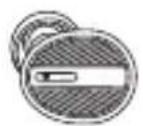
從充電盒取出 PUMP AIR X 耳機後,耳機會自動開啟電源,並嘗試與上一次連接的手機重新連接。
當您將 PUMP AIR X 耳機放回充電盒,耳機會自動中斷連接並關閉電源。如您不想以充電盒來開關 PUMP AIR X 耳機,只需長按指令按鈕5秒。在電池電量不足時,PUMP AIR X 耳機會發出提醒,這表示耳機只剩下20分鐘的播放時間了。
PUMP AIR X 支援 iphone 電量顯示。
單耳操作:
也可以將 PUMPAIR X 耳機作為單聲道耳機使用,只需要將右耳與手機配對即可。

法律聲明
請保護您的耳朵。BlueAnt裝置的音量可超過100分貝。長時間以高音量使用耳機可能會影響您的聽力並造成噪音性聽力受損(NIHU)。請查閱隨附的安全須知卡,以了解有關安全使用BlueAnt產品的資訊。Bluetooth®文字標誌及商標為Bluetooth SIG, Inc.擁有之註冊商標。BlueAnt Wireless已獲授權使用這些商標。Android為Google Inc.之商標。Apple、iPhone及Siri為Apple Inc.在美國及其他國家之註冊商標。BlueAnt及其他商標為BlueAnt及其他機構之商標,未經許可,不得使用。BlueAnt標誌已於美國專利及商標局註冊,並已根據馬德里協定,於世界知識產權組織取得國際註冊。

支援
如需協助及支援,請瀏覽:
support.blueantwireless.com
註冊您的 PUMP AIR X 耳機以便定期更新:
register.blueantwireless.com
使用本產品即表示您同意列於 BlueAnt 網站
www.blueantwireless.com 上之條款及細則。

防水功能
PUMP AIR X 耳機具備IP67防水功能,惟充電盒不具備此功能,故請小心使用,避免讓濕氣或液體滲入充電盒內。
安全資訊及保修條款
重要安全資訊
本文檔包含安全使用 BLUEANT 設備的重要資訊,請仔細閱讀整個文檔。
警告 - 保護您的聽覺
BLUEANT 設備的音量可達 100 分貝。長時間使用高音量聆聽可能會影響您的聽力及引致噪音性聽力損傷
(NIHL)。
當不使用您的設備時,請關上它。
請確保設備及其配件(如耳塞或充電器)均存放在安全的位置,並妥善處置任何包裝或不需要的附帶物品。請勿將產品放置於地板上,也不要將其置於幼兒可以取得之處或可能絆倒他人之處。
使用耳塞
您的 BlueAnt 耳機附有耳塞或耳棉,旨在提供高質素音樂的同時,能夠確保耳機牢固地緊貼在耳內。
- 耳塞和耳棉應舒適地放入耳內,任何時候都不應該被強力塞進耳內。如果您在塞入耳塞或耳棉時遇有困難,請參考說明書內有關正確使用的訊息。
- 在佩戴耳機之前,請務必確保耳塞或耳棉已與設備穩固的連接上。
警告
不適當的使用、誤用或用力塞入耳塞或耳棉,可能會對耳道和鼓膜造成傷害,或造成其他身體創傷。
駕車使用建議
請了解您所在地區有關在駕車時使用移動設備及配件(如您的 BlueAnt 設備)的法例,並請確保遵守所有規則。請勿在禁止使用移動設備及配件的地方使用設備,亦請確保您在使用設備時符合所有規定。
您的 BlueAnt 設備能讓您在無線服務可用及安全情況下進行語音通訊。駕車時,駕駛是您的首要責任。
如果您選擇在駕車時使用藍牙設備,請謹記以下建議:
了解您的 BlueAnt 設備及其功能,如快速撥號和重撥等。這些功能可以協助你在撥打電話的同時,也能將注意力保持在路面上。
如果您在不方便通話的時候接到來電,請將其轉到語音信箱。
讓對方知道您在駕車。如有需要,請在交通繁忙或天氣條件恶劣的情況下暫停通話。雨、雪、冰雹和繁忙的交通等都可能導致危險。
· 駕車時請不要做筆記或查找電話號碼。切記您的首要責任是安全駕駛。
請不要進行可能使您分心、緊張或情緒化的談話。請讓對方知道您在駕駛,並暫停會將您的注意力從路況上轉移開的通話。
如果遇上火災、交通事故、醫療或其他嚴重的緊急情況,請撥打當地的緊急事故號碼。
· 如有需要,可拨打道路援助或特殊非緊急事故無線援助號碼。
保養及處理
您的 BlueAnt 藍牙設備是經過精密設計的。為保證其性能,您應該對其進行跟高質素消費類電子產品同樣的常規保養。BlueAnt 建議您採取以下的預防措施:
- 避免設備長時間受到陽光直射,如避免將其放置於汽車或卡車的儀表盤或控制台上。請勿將設備留在無人車輛內。
· 請勿在任何溫度可能超過 60 擬氏度(140 華氏度)的地方內放置或使用設備,例如在炎熱天氣下的密閉車內等。謹記在天氣炎熱時,車內的溫度可能會遠高於外界氣溫。
· 請勿在任何溫度可能會降至 0 攝氏度(32 華氏度)的地方放置或使用設備。
請勿在任何暴露於潮濕、粉塵、煙塵、其他異物、煙霧或蒸汽的環境中放置或使用設備,因為這可能會導致您的設備發生故障。
請勿使用任何家居或工業用清潔劑或去污劑來清潔設備。如果您的設備變體或沾染了污漬,在大多數的情況下,使用微瀉或乾的布擦拭應足以清潔它。
· 在藍牙設備充滿電後,請勿仍使之長時間與壁式或車載式充電器保持連接。BlueAnt 不建議您長時間對設備持續充電。
· 在為您的 BlueAnt 設備充電前,請確保交流電源插座、適配器和電線均未被損壞。如果您發現有任何異常情況,請尋求合格專業人士的意見。
- 在外地旅行時,請確保 BlueAnt 壁式或車載式電源適配器在當地可以使用,並且電壓與當地的電源相匹配。
如果 BlueAnt 產品出現故障,請聯繫 BlueAnt 專求使用建議。請勿嘗試自行修理或改裝任何 BlueAnt 產品。
核准配件
使用未經 BlueAnt 批准的配件,包括但不限於電池、天線、壁式適配器、車載式充電器、耳塞、耳棉和可變外殼,可能會導致您的 BlueAnt 設備發生故障。此外,使用未經批准的電子配件可能會導致設備超出射頻能量暴露準則,只能用 5V/1A 的充電器充電。
使用未經批准的配件會使您的設備的保養失效。如需獲取可使用的 BlueAnt 配件清單,請瀏覽我們的網頁:
www.blueantwireless.com
電磁干擾
如果對電磁兼容性沒有進行充分屏蔽、設計或設置,差不多所有電子設備都會受到電磁干擾(EMI)。
您的 BlueAnt 設備是一種低功率發射器或接收器,就如行動電話一樣,會受到此類設備的規則管轄。請依從指示,在任何要求關閉此類設備的地方關上您的 BlueAnt 設備。這些地方可能包括醫院和其他保健機構,因為這些地方可能會使用對外來射頻能量敏感的設備。
· 乘坐飛機時,請按指示關上您的 BlueAnt 設備。使用移動設備時,務必遵照法律、規則和空中服務員的指示。
某些藍牙設備可能會干擾助聽器。如發生此類干擾,您可能需要咨詢您的助聽器生產商或醫生以討論替代方案。
如果您需要使用任何其他個人醫療設備,請咨詢設備製造廠商,以確定該設備對射頻能量是否充分屏蔽。您的醫生或醫師或許可以幫助您獲取此類訊息。
如果您想使用 BlueAnt 設備,但卻不能確定開啟或使用您的 BlueAnt 設備或行動電話是否安全,請咨詢該場所的負責人。如果無法找到負責人或您仍然不確定,BlueAnt 建議您關閉您的藍牙設備和所有行動電話。除非遇上緊急情況,否則不要使用。
美國聯邦通訊委員會〔FCC〕給用戶的公告
15.21: BlueAnt 不允許用戶對本設備進行任何改變或改裝。我們提醒您,如果您對本設備進行任何改變或改裝,則會使允許您操作該設備的授權失效。詳見美國《聯邦規例法典》(CFR)第47篇15.21。
15.19(3): 本設備符合 FCC 規則第 15 部分的要求。其運行符合以下兩個條件:(1) 本設備不能造成有害干擾;(2) 本設備必須能夠承受接收到的所有干擾,包括可能不利運行的干擾。詳見美國《聯邦規例法典》(CFR) 第 47 篇 15.19(3) 及 (5)。
15.105(b): 如果您的移動設備或配件具有 USB 接口,或者可被視作電腦週邊設備(即可以連接到電腦並傳輸數據者),即代表該設備為 B 類設備,並適用於以下聲明:
注意:本設備已通過測試,並符合 FCC 規則第 15 部分對類數碼產品的限制。這些限制旨在保護家居免於有害干擾,日本設備會產生、使用和散發無線電能量。如果不按照指示安裝和使用,可能會對無線電通訊造成有害的干擾。不過,在某些具體的安裝情況下,卻無法保證其不會產生干擾。如果本設備確實對無線電或電視訊號的接收造成有害干擾,可以通過關閉和開啟設備予以確定。確定之後,用戶可以當試採取以下方法消除干擾:
· 重新調整或放置接收天線。
- 增加設備和接收器間的距離。
· 將設備連接到與接收器不同電路的插座上。
· 咨詢經銷商或向有經驗的無線電或電視技術人員尋求幫助。
詳見美國《聯邦規例法典》(CFR)第47篇15.105(b)。
FCC 射頻輻射暴露聲明
本設備符合 FCC 為非受控環境設立的輻射暴露限制。用戶必須遵循符合射頻暴露限制的具體操作說明。本發射機不得與任何其他天線或發射器共同運作。
加拿大工業部 (Industry Canada) 給用戶的公告
本 [B] 類數碼設備符合加拿大 ICES-003 及 RSS-210 標準。其工作運行符合以下兩個條件:(1) 本設備不能造成干擾;及 (2) 本設備必須能夠承受所接收到的干擾,包括可能不利於運行的干擾。詳見 RSS-GEN 7.1.3。
ICES 認証:CAN ICES-3(B) 或 NMB-3(B)
無線電頻率 (RF) 暴露資訊
本無線裝置的輻射輸出功率低於加拿大工業部(IC)制訂的無線電頻率暴露限制。惟在正常情況下使用本無線裝置時,仍應盡量避免接觸人體。
本裝置亦已經過評估,證明在便攜式暴露情況下符合 IC 無線電頻率的暴露限制(天線與人體的距離少於 20 厘米)。
歐盟條例合規聲明
BlueAnt 在此宣稱本產品符合以下標準:
· 1999/5/EC 條例的基本要求及其他有關規定。
· 所有其他相關的歐盟條例。
愛護環境,提倡回收
(適用於歐盟及其他採用獨立回收系統的歐洲國家)
本產品及說明書上的此符號代表本產品在使用期限結束以後,不應與其他家居廢棄物一同棄置。隨意棄置可能對環境或人類健康造成傷害。因此,請將本產品與其它廢棄物分開,單獨回收,為促進材料資源的可持續再利用盡一份力。家居用戶應聯繫本產品的零售商或當地政府,以獲知具體應如何以環保方式回收此產品。商務用戶應與其供應商聯繫,並查看購貨合同的條款和條件。本產品不應與其他商業廢棄物混合棄置。
回收蓝牙配件
請勿將藍牙配件(如充電器或耳機)與您的家居廢棄物一同棄置。一些國家和地區已設立處理電器和電子廢棄物的收集系統,並可能禁止或限制棄置此類物品。請了解您所在地區的法律法規,以恰當的處置此類物品。請聯繫您的地方當局以獲得更多資訊。如果回收系統不可用,請將不需要的配件返還給您所在區域且經BlueAnt認可的服務中心。
BlueAnt 的全球受限性保養
本產品之初始消費者自購買當天起計一(1)年內,可享有 BlueAnt 的全球受限性保養。
如需完整的條款與條件,請參閱 warranty.blueantwireless.com。

感謝您選購 BLUEANT 產品。
BlueAnt
- PUMP AIR X
- WELCOME TO THE BLUEANT PUMP AIR X
- CHARGING THE EAR BUDS
- CHARGING THE CASE
- CHARGING
- PAIRING
- FIT
- Listen
- Talk
- SIRI/GOOGLE
- VOLUME
- POWER
- LEGAL
- SUPPORT
- WATERPROOF
- SAFETY INFORMATION AND WARRANTY TERMS
- Important Safety Information
- WARNING - PROTECT YOUR HEARING
- Using Ear Gels
- WARNING
- MAY OTHERWISE CAUSE BODILY HARM
- Smart Practices While Driving
- Care and Handling
- Approved Accessories
- Electromagnetic Interference
- FCC Notice To Users
- FCC RF Radiation Exposure Statement
- Industry Canada Notice to Users
- Radio Frequency (RF) Exposure Information
- European Union Directives Conformance Statement
- Caring for the Environment by Recycling
- Recycling Bluetooth Accessories
- BlueAnt Limited Global Warranty
- THANK YOU FOR CHOOSING A BLUEANT PRODUCT.
- AUSTRALIAN CONSUMER LAW
- BIENVENIDO A PUMP AIR X DE BLUEANT
- CARGAR LOS AUDÍFONOS
- CARGAR EL ESTUCHE
- CARGA
- EMPAREJAR
- AJUSTE
- ESCUCHAR
- HABLAR
- VOLUMEN
- ENCENDER
- SOPORTE
- A PRUEBA DE AGUA
- Información importante sobre seguridad
- ADVERTENCIA - PROTÉJASE LOS OÍDOS
- BlueAnt recomienda que usted:
- PELIGRO DE ASFIXIA
- Uso de los geles para oídos
- ADVERTENCIA
- Prácticas inteligentes al conducir
- Respételas siempre. NO USE DISPOSITIVOS Y ACCESORIOS MÓVILES EN LAS ÁREAS EN LAS QUE SU USO ESTÁ PROHIBIDO. VERIFIQUE QUE SU USO SE AJUSTA A LAS RESTRICCIONES.
- Cuidado y manejo
- Accesorios aprobados
- Interferencia electromagnética
- Aviso de la FCC para los usuarios - 15.21
- 15.19(3)
- 15.105(b)
- Declaración de exposición a la radiación de RF de la FCC
- Aviso del sector para los usuarios de Canadá
- Declaración de conformidad de las Directivas de la Unión Europea
- Cuidar el medio ambiente a través del reciclado
- Reciclado de accesorios Bluetooth
- Garantía mundial limitada de BlueAnt
- 感谢购买 BLUEANT PUMP AIR X 耳机
- 充电
- 给充电盒充电
- 配对
- 佩戴
- 电源
- 法律声明
- 支持
- 防水
- 安全资讯及保修条款
- 重要安全资讯
- 警告 - 保护您的听觉
- 使用耳塞
- 警告
- 驾车使用建议
- 保养及处理
- 核准配件
- 电磁干扰
- 美国联邦通讯委员会(FCC)给用户的公告
- FCC 射频辐射暴露声明
- 加拿大工业部 (Industry Canada) 给用户的公告
- 无线电频率(RF)暴露资讯
- 欧盟条例合规声明
- 爱护环境,提倡回收
- 回收蓝牙配件
- BlueAnt 的全球受限性保养
- 歡迎使用 BLUEANT PUMP AIR X
- 給耳機充電
- 給充電盒充電
- 充電
- 配對
- 配戴耳機
- 聆聽
- 通話
- 音量
- 電源
- 法律聲明
- 支援
- 防水功能
- 安全資訊及保修條款
- 重要安全資訊
- 警告 - 保護您的聽覺
- 駕車使用建議
- 保養及處理
- 電磁干擾
- 美國聯邦通訊委員會〔FCC〕給用戶的公告
- FCC 射頻輻射暴露聲明
- 加拿大工業部 (Industry Canada) 給用戶的公告
- 無線電頻率 (RF) 暴露資訊
- 歐盟條例合規聲明
- 愛護環境,提倡回收
- BlueAnt 的全球受限性保養
Marque : BLUEANT
Modèle : Pump Air X
Catégorie : Casque