SL595plus - Smartphone Bea-fon - Notice d'utilisation et mode d'emploi gratuit
Retrouvez gratuitement la notice de l'appareil SL595plus Bea-fon au format PDF.


| Type de produit | Smartphone |
| Marque | Bea-fon |
| Modèle | SL595plus |
| Écran | 4 pouces, résolution 480x800 pixels |
| Dimensions | 130 x 65 x 12 mm |
| Poids | 150 g |
| Batterie | Amovible Lithium-ion 2000 mAh |
| Système d'exploitation | Android Go |
| Mémoire | RAM 512 Mo, Stockage 4 Go extensible par microSD |
| Appareil photo arrière | 2 MP |
| Appareil photo avant | 0.3 MP |
| Connectivité | 4G, Wi-Fi, Bluetooth 4.0, GPS, prise jack 3.5 mm, USB micro-B |
| Fonctions spéciales | Touches larges, bouton SOS, mode simplifié, haut-parleur puissant |
| Entretien et nettoyage | Nettoyer avec un chiffon doux et sec, éviter l'eau |
| Sécurité | Mot de passe, verrouillage d'écran, localisation |
| Pièces détachées et réparabilité | Batterie, écran, coque arrière (réparabilité modérée) |
| Informations générales | Garantie 2 ans, température d'utilisation 0-40°C |
FOIRE AUX QUESTIONS - SL595plus Bea-fon
Questions des utilisateurs sur SL595plus Bea-fon
0 question sur cet appareil. Repondez a celles que vous connaissez ou posez la votre.
Poser une nouvelle question sur cet appareil
Téléchargez la notice de votre Smartphone au format PDF gratuitement ! Retrouvez votre notice SL595plus - Bea-fon et reprennez votre appareil électronique en main. Sur cette page sont publiés tous les documents nécessaires à l'utilisation de votre appareil SL595plus de la marque Bea-fon.
MODE D'EMPLOI SL595plus Bea-fon


natural_image
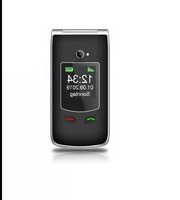
Front view of a black flip phone with a small screen and perforated speaker grille (no visible text or symbols)
natural_image
Two silver foldable smartphones with visible buttons and front lamps (no text or symbols)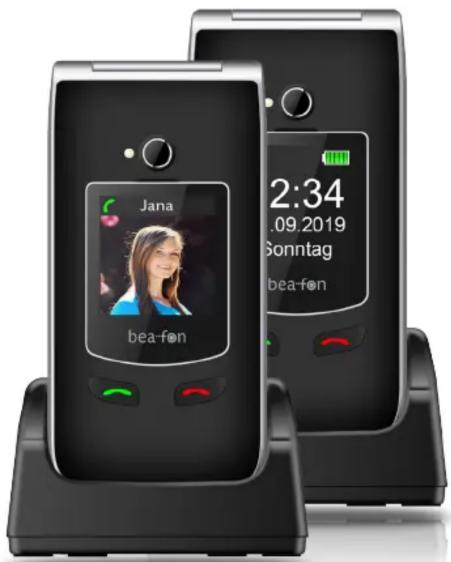
Everything in view!
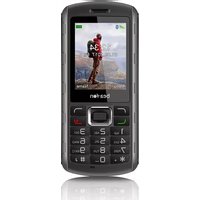
With model SL595Plus you have all functions immediately in view. Bea-fon SL595Plus is the first device from the new Bea-fon model series SL595 and SL495 with a direct call acceptance key and a call termination key on the front panel.
An external XXL colour display shows not only the time of the day and the year, but also an image (photo contact) of the incoming caller next to a phone number when unlocked or stored. A top-notch 3.0 MP camera enables to capture all your memorable moments to be stored in a Micro SD card with a capacity of up to 16GB (optional). Thus, not only landscape images become a recurring experience, but also your selfies become a lasting memory.
The discretely integrated SOS emergency call key on the rear of the device provides immediate assistance in an emergency. You can personally input up to 5 numbers/persons that will receive your call for help. Even the charging process is simplified by an included table charger.
Bea-fon SL595Plus...A phone you have never seen before.


Functions
• Photo contact display on call
- Call acceptance and call termination keys on the front panel
• External display for status messages
- 2.4" high-contrast internal TFT colour display
- 1.44" high-contrast external TFT colour display
- 3.0 MP camera
- Photo contact on the external display when calling
- SOS emergency call button
• Table charger is included
- Extra loud ringtone
- Large backlit keys
- Torch
- Bluetooth
• Phonebook for up to 250 contacts
- SMS/MMS
... and more!
Colours:

| Specifications | |
| Type Clamshell phone | |
| Colour Black silver | |
| Dimensions in mm (L x W x D) 101.8 x 50.5 x 18.5 | |
| Weight in grammes approx. 88 | |
| Standby time in hours 250 | |
| Talk time in minutes 300 | |
| Battery Li-ion 3.7V - 800mAh | |
| Charger 5V - 500mA | |
| (Micro) USB port | √ |
| GSM band 850/900/1800/1900 MHz | |
| SAR head 0.929 W/kg | |
| SAR body 0.649 W/kg | |
| SIM card Mini | |
| Backlit keypad | √ |
| Safety functions | |
| Unique emergency call key | √ |
| Extra loud ringtone | √ |
| Torch | √ |
| Speed dial keys (2-9) | √ |
| Direct dial keys (I/II) | √ |
| Display | |
| Mono/Colour | TFT colour |
| Colours | 65,000 |
| Resolution | 240 x 320 |
| Size | 2.4" |
| External display type | TFT colour display |
| External display resolution | 128 x 128 |
| External display type | 1.44" |
| Extra large font | √ |
| Backlight | √ |
| Clock | √ |
| Date | √ |
| Tones and signals | |
| Profile | √ |
| Polyphonic ringtones | √ |
| Extra loud ringtone | √ |
| Vibration alarm | √ |
| Turn keypad tone on/off | √ |
| Key signal tone of numbers | √ |
| SOS settings | |
| Unique emergency call key | √ |
| SOS SMS | √ |
| Emergency numbers | 5 |
| SOS sound alarm | √ |
| Call | |
| Phone numbers in phonebook | 250 |
| Volume settings | 7 |
| Hands-free function | √ |
| Speaker volume control | √ |
| Headset port | 3.5 jack |
| Mute | √ |
| Call duration | √ |
| Conference call | √ |
| Call list | |
| Incoming calls | 20 |
| Missed calls 20 | |
| Dialled calls | 20 |
| Call duration | √ |
| SMS/MMS | |
| Send | √ |
| Receive | √ |
| Call back | √ |
| Send to selected receivers | √ |
| Delete | √ |
| Delete all messages | √ |
| Forward messages | √ |
| Text mode | Smart ABC, Abc, abc, 123 |
| Network services | |
| Caller ID | √ |
| Call waiting | √ |
| Forward (all) calls | √ |
| Forward call if not reachable | √ |
| Forward call if not answered | √ |
| Forward call if busy | √ |
| Forward (all) data | √ |
| Manual/automatic network selection | √ |
| Safety | |
| Lock phone | √ |
| Turn SIM PIN on/off | √ |
| Change SIM PIN | √ |
| Reset to default settings | √ |
| Extras | |
| Phone languages | EN/DE/FR/NL/SP IT/TÜ |
| User guide languages | DE/NL/FR/IT |
| Alarm | √ |
| Calendar | √ |
| Reminders | √ |
| Calculator | √ |
| FM radio | √ |
| Bluetooth | √ |
| Photo contact display on call | 8 |
| Camera | 3.0 MP |
| Call keys on the front panel | √ |
| Micro SD card slot | Up to 16GB |
| Package contents | |
| Mobile phone | √ |
| Battery | √ |
| Table charger | √ |
| Power adapter | √ |
| USB cable | √ |
| User guide | √ |
EAN black silver: 9120042772848
Item No. black silver: SL595plus_EU001BS
Marque : Bea-fon
Modèle : SL595plus
Catégorie : Smartphone