
SL595 - Smartphone Bea-fon - Notice d'utilisation et mode d'emploi gratuit
Retrouvez gratuitement la notice de l'appareil SL595 Bea-fon au format PDF.


| Type de produit | Smartphone |
| Marque | Bea-fon |
| Modèle | SL595 |
| Dimensions (H x L x P) | Environ 140 x 70 x 10 mm |
| Poids | Environ 150 g |
| Écran | Écran tactile couleur de 5,5 pouces |
| Processeur | Quad-core 1,3 GHz |
| Mémoire vive (RAM) | 1 Go |
| Stockage interne | 8 Go (extensible par microSD) |
| Batterie | Lithium-ion 2000 mAh (amovible) |
| Système d'exploitation | Android 8.1 Oreo (Édition Go) |
| Appareil photo arrière | 5 mégapixels avec flash |
| Appareil photo frontal | 2 mégapixels |
| Connectivité | 4G LTE, Wi-Fi, Bluetooth 4.0, GPS |
| Capteurs | Accéléromètre, capteur de proximité |
| Fonctions principales | Téléphone, SMS, Internet, appareil photo, radio FM, lecteur multimédia |
| Sécurité | Verrouillage par code PIN, motif ou mot de passe |
| Entretien et nettoyage | Nettoyer avec un chiffon doux et sec, éviter les liquides |
| Pièces détachées et réparabilité | Batterie amovible, réparation possible en centre agréé |
FOIRE AUX QUESTIONS - SL595 Bea-fon
Questions des utilisateurs sur SL595 Bea-fon
0 question sur cet appareil. Repondez a celles que vous connaissez ou posez la votre.
Poser une nouvelle question sur cet appareil
Téléchargez la notice de votre Smartphone au format PDF gratuitement ! Retrouvez votre notice SL595 - Bea-fon et reprennez votre appareil électronique en main. Sur cette page sont publiés tous les documents nécessaires à l'utilisation de votre appareil SL595 de la marque Bea-fon.
MODE D'EMPLOI SL595 Bea-fon

ENGLISH
Instructions for Use
Read and observe the following information and keep the instructions for use for future reference!
WARNING!
Safety indications
- Explosion hazard!
- Use only the mains power supplies supplied!
- Use only rechargeable batteries supplied or equivalent!
●Always treat batteries and rechargeable batteries with caution
and use batteries and rechargeable batteries only as described.
●Never mix rechargeable batteries with batteries.
●Never use rechargeable batteries or batteries with different
capacities or states of charge
- Avoid using defective rechargeable batteries or batteries.
- Death hazard for pacemaker users!
●Maintain a safety distance of at least 15 cm from pacemaker
users.
●Choking hazard due to small parts, protective films and
packaging!
- Keep this packaging out of the reach of children!
●Rechargeable batteries and batteries can cause damage to
health and the environment!
- Do not open, damage, swallow or disperse accumulators and
batteries in the environment. These can contain heavy metals
harmful and damaging for the environment.
ATTENTION!
●Risk of material damage.
- Avoid exposure to smoke, dust, vibrations, chemicals,
●humidity, heat and direct sunlight.
●Repairs should only be entrusted to qualified personnel from the technical assistance service.

Note that some services of your mobile phone may need to be activated by this provider before you can use it.
USE ACCORDING TO THE INTENDED USE
This mobile phone allows you to make phone calls, navigate in Internet and send SMS. Any other use is considered improper. Observe local laws and regulations. Unauthorized modifications or changes are not allowed. Do not open the appliance for any reason, nor carry out repairs on your own initiative.
OBJECT SUPPLIED
1 mobile phone, 1 rechargeable lithium-ion battery, 1 user manual, 1 charging station
Charge the rechargeable battery
Charge the rechargeable battery for the first time for at least 12 hours, then fully charge and discharge it for a few cycles.
This prolongs the useful life of the rechargeable battery Place the portable unit in the charging station.
COMMISSIONING
Insert SIM card and rechargeable battery
●The SIM card can be damaged.
- Be careful to keep the SIM card clean and intact. Insert the SIM card from the correct side.
●The rechargeable battery or phone can be damaged.
- Make sure that the rechargeable battery is inserted correctly.
Switch the phone off before removing the battery compartment cover. Switch the device on again only after having installed the battery compartment cover.
Remove the battery compartment cover, insert the SIM card Insert the battery, install the battery compartment cover
| 1 Left | menu key / Main menu |
| 2 Green | Call key / Call logs |
| To access the call log from standby | |
| 3 M1 | one-touch key |
| 4 Key | *Press this key in standby mode to access the following characters: */+/P/W. |
| 5 Speaker | |
| 6 Direction | button (up)In standby mode, access the SMS menu; |
| 7 Direction | button (down)In standby mode, access photos of the contacts |
| 8 Right | menu key / In standby mode, access the directory |
| 9 Turn | the phone on or off, end a call, reject a call |
| 10 M2 | one-touch key |
| 11 Camera | key |
| 12 Hash # key | Press and hold in standby mode to enable/disable the silent mode.In writing mode, it allows you to change the input method. |
| 13 Emergency | call button |
| 14 Polyphonic | speakers |
| 15 Headphone | input (3.5 mm) |
| 16 Micro | USB charging port |
| 17 Volume | up (+) key |
| 18 Flashlight | Press and hold the volume up key 17 or volume down key 19 key to turn the flashlight on/off |
| 19 Volume | down (-) key |
Insert the SIM/microSD card The phone must be turned off and disconnected from the charger.
To remove the battery compartment cover from the back, press with the thumb nail on the bottom left of the cover.

Insert the SIM card carefully into the space provided.

Charge the rechargeable battery
There are two options for charging the battery:
A. Charging base
B. Battery charger
1. Insert the charger connector into the phone.
2. Connect the charger to a power outlet.

natural_image
Technical line drawing of a device with a dome-shaped component and a vertical-mounted device (no text or symbols)SET THE DISPLAY LANGUAGE
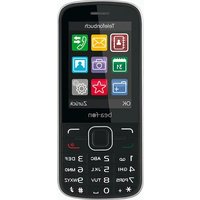
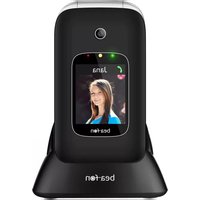
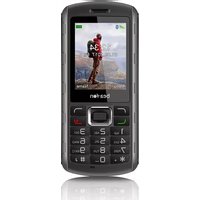
- Instructions for Use
- WARNING!
- Safety indications
- ATTENTION!
- USE ACCORDING TO THE INTENDED USE
- OBJECT SUPPLIED
- Charge the rechargeable battery
- COMMISSIONING
- Insert SIM card and rechargeable battery
- SET THE DISPLAY LANGUAGE
- CALL
- Redial from the call list
- STRUCTURE AND FUNCTIONS MENU
- PHONE CONTACTS
- MESSAGES
- ORGANIZER
- MULTIMEDIA
- SETTINGS
- ◆Network settings
- ◆Restore factory settings
- SOS description
- Declaration of conformity
- Limitation of liability
- Further information
- Address
- Disposal
- Technical data
- Mains power supply
- Suggestion
Marque : Bea-fon
Modèle : SL595
Catégorie : Smartphone