
Metal Gear Solid - The Twin Snakes (GameCube) - Jeu vidéo NINTENDO - Notice d'utilisation et mode d'emploi gratuit
Retrouvez gratuitement la notice de l'appareil Metal Gear Solid - The Twin Snakes (GameCube) NINTENDO au format PDF.


| Type de produit | Jeu vidéo sur disque optique Nintendo GameCube |
| Plateforme | Nintendo GameCube |
| Genre | Action-Infiltration (Stealth) |
| Nombre de joueurs | 1 joueur |
| Support | 1 disque Nintendo GameCube (8 cm) |
| Langues disponibles | Français, Anglais |
| Date de sortie originale | 2004 |
| Développeur | Silicon Knights / Konami Computer Entertainment Japan |
| Éditeur | Konami |
| Configuration requise | Console Nintendo GameCube, manette GameCube, carte mémoire (59 blocs) |
| Contenu de la boîte | Disque de jeu, manuel d'instruction, jaquette |
| Classification PEGI | 16+ (Violence, Violence envers des personnages sans défense) |
| Dimensions du boîtier | Environ 14,2 x 12,4 x 1,5 cm (boîtier standard DVD) |
| Poids du boîtier | Environ 100 g |
| Alimentation | Néant (fournie par la console) |
| Fonctionnalités principales | Infiltration, combats furtifs, codec, radar de détection, nombreuses armes et objets |
| Entretien et nettoyage | Essuyer le disque avec un chiffon doux et sec du centre vers la périphérie. Éviter les rayures. |
| Précautions de sécurité | Ne pas exposer le disque à la chaleur ou à l'humidité. Tenir à l'écart des enfants de moins de 3 ans (risque de petite pièce). |
| Pièces détachées et réparabilité | Disque et boîtier peuvent être remplacés. Contactez le service client Konami pour les pièces. |
| Informations générales | Remake du jeu original Metal Gear Solid (1998) avec des graphismes améliorés et des cinématiques retravaillées. |
FOIRE AUX QUESTIONS - Metal Gear Solid - The Twin Snakes (GameCube) NINTENDO
Questions des utilisateurs sur Metal Gear Solid - The Twin Snakes (GameCube) NINTENDO
0 question sur cet appareil. Repondez a celles que vous connaissez ou posez la votre.
Poser une nouvelle question sur cet appareil
Téléchargez la notice de votre Jeu vidéo au format PDF gratuitement ! Retrouvez votre notice Metal Gear Solid - The Twin Snakes (GameCube) - NINTENDO et reprennez votre appareil électronique en main. Sur cette page sont publiés tous les documents nécessaires à l'utilisation de votre appareil Metal Gear Solid - The Twin Snakes (GameCube) de la marque NINTENDO.
MODE D'EMPLOI Metal Gear Solid - The Twin Snakes (GameCube) NINTENDO
TACTICAL ESPIONAGE ACTION
METAL GEAR SOLID
THE TWIN SNAKES
PLEASE CAREFULLY READ THE SEPARATE HEALTH AND SAFETY PRECAUTIONS BOOKLET INCLUDED WITH THIS PRODUCT BEFORE USING YOUR NINTENDO® HARDWARE SYSTEM, GAME DISC OR ACCESSORY. THIS BOOKLET CONTAINS IMPORTANT HEALTH AND SAFETY INFORMATION.
IMPORTANT SAFETY INFORMATION: READ THE FOLLOWING WARNINGS BEFORE YOU OR YOUR CHILD PLAY VIDEO GAMES
WARNING - Seizures
- Some people (about 1 in 4000) may have seizures or blackouts triggered by light flashes or patterns, such as while watching TV or playing video games, even if they have never had a seizure before.
- Anyone who has had a seizure, loss of awareness, or other symptom linked to an epileptic condition should consult a doctor before playing a video game.
- Parents should watch when their children play video games. Stop playing and consult a doctor if you or your child have any of the following symptoms:
Convulsions Altered vision
Eye or muscle twitching Involuntary movements
Loss of awareness Disorientation
To reduce the likelihood of a seizure when playing video games:
- Sit or stand as far from the screen as possible.
- Play video games on the smallest available television screen
- Do not play if you are tired or need sleep.
- Play in a well-lit room.
- Take a 10 to 15 minute break every hour.
WARNING - Repetitive Motion Injuries and Eyestrain
Playing video games can make your muscles, joints, skin or eyes hurt after a few hours. Follow these instructions to avoid problems such as tendinitis, carpal tunnel syndrome, skin irritation or eyestrain:
- Avoid excessive play. It is recommended that parents monitor their children for appropriate play.
• Take a 10 to 15 minute break every hour, even if you don't think you need it. - If your hands, wrists, arms or eyes become tired or sore while playing, stop and rest them for several hours before playing again.
If you continue to have sore hands, wrists, arms or eyes during or after play, stop playing and see a doctor.
WARNING - Electric Shock
To avoid electric shock when you use this system:
- Do not use the Nintendo GameCube during a lightning storm. There may be a risk of electric shock from lightning.
- Use only the AC adapter that comes with your system.
- Do not use the AC adapter if it has damaged, split or broken cords or wires.
- Make sure that the AC adapter cord is fully inserted into the wall outlet or extension cord.
- Always carefully disconnect all plugs by pulling on the plug and not on the cord. Make sure the Nintendo GameCube power switch is turned OFF before removing the AC adapter cord from an outlet.
CAUTION - Motion Sickness
Playing video games can cause motion sickness. If you or your child feel dizzy or nauseous when playing video games with this system, stop playing and rest. Do not drive or engage in other demanding activity until you feel better.
CAUTION - Laser Device
The Nintendo GameCube is a Class I laser product. Do not attempt to disassemble the Nintendo GameCube. Refer servicing to qualified personnel only. Caution - Use of controls or adjustments or procedures other than those specified herein may result in hazardous radiation exposure.
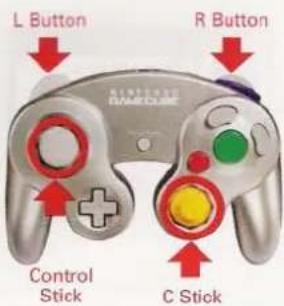
CONTROLLER NEUTRAL POSITION RESET
If the L or R Buttons are pressed or the Control Stick or C Stick are moved out of neutral position when the power is turned ON, those positions will be set as the neutral position, causing incorrect game control during game play.
To reset the controller, release all buttons and sticks to allow them to return to the correct neutral position, then hold down the X, Y and START/PAUSE Buttons simultaneously for 3 seconds.
The official seal is your assurance that this product is licensed or manufactured by Nintendo. Always look for this seal when buying video game systems, accessories, games and related products.
Nintendo does not license the sale or use of products without the Official Nintendo Seal.


THIS GAME SUPPORTS GAME PLAY WITH ONE PLAYER AND CONTROLLER.

THIS GAME REQUIRES A MEMORY CARD FOR SAVING GAME PROGRESS, SETTINGS OR STATISTICS.

THIS GAME IS COMPATIBLE WITH PROGRESSIVE SCAN MODE TVs.

NINTENDO, NINTENDO GAMECUBE AND THE OFFICIAL SEAL ARE TRADEMARKS OF NINTENDO. © 2001 NINTENDO. ALL RIGHTS RESERVED.
CONTENTS
03
natural_image
Illustration of a character in combat attire holding a rifle, no text or symbols presentTACTICAL ESPIGNAGE ACTION METAL GEAR SOLID™ THE TWIN SNAKES
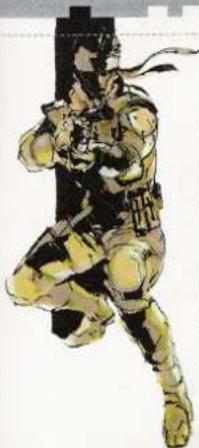
Thank you for purchasing Konami's METAL GEAR SOLID® THE TWIN SNAKES. For best results, we recommend that you read through this manual prior to playing the game. Keep this manual in a safe place. This game is a work of fiction. Any resemblance to actual persons, groups, organizations, or national bodies, is purely coincidental.
| GETTING STARTED | 004 | RADAR MODES | 021 |
| CONTROLS | 005 | WEAPONS AND EQUIPMENT | 022 |
| INTRODUCTION | 006 | WEAPONS LIST | 023 |
| STARTING THE GAME | 008 | MAIN ITEMS LIST | 025 |
| GAME SCREEN | 010 | SPECIAL | 026 |
| CONTROLS | 011 | BRIEFING | 027 |
| PLAYER ACTIONS | 012 | OPTIONS | 028 |
| CODEC | 014 | CHARACTERS | 029 |
| FREQUENCY LIST | 015 | MISSIONS > OPENING WALKTHROUGH | 032 |
| PLAYER ACTIONS > COMBAT | 015 | MISSIONS > HELIPORT WALKTHROUGH | 033 |
| CAMERA VIEWS | 019 | NOTES | 034 |
| STATUS MODES FOR ENEMIES | 020 |
IMPORTANT LEGAL INFORMATION
Copying of any video game for any Nintendo system is illegal and is strictly prohibited by domestic and international intellectual property laws, "Back-up" or "archival" copies are not authorized and are not necessary to protect your software. Violators will be prosecuted.
This video game is not designed for use with any unauthorized copying device or any unlicensed accessory. Use of any such device will invalidate your Nintendo product warranty. Nintendo (and/or any Nintendo licensee or distributor) is not responsible for any damage or loss caused by the use of any such device. If use of such device causes your game to stop operating, disconnect the device carefully to avoid damage and resume normal game play. If your game ceases to operate and you have no device attached to it, please contact the game publisher's "Technical Support" or "Customer Service" department.
The contents of this notice do not interfere with your statutory rights.
This booklet and other printed materials accompanying this game are protected by domestic and international intellectual property laws.
GETTING STARTED
CONTROLS
04

-GETTING STARTED
STARTING THE GAME
- Insert DISC 1 of Metal Gear Solid® The Twin Snakes into the Nintendo GameCube™ and turn the power on.
- A demo movie will play, followed by the Title Screen.
- Press START at the Title Screen to display the Title Menu. Press the Control Stick (+Control Pad) Up/Down to select an item and press the A Button to enter your selection.
NEW GAME
Start a game from the beginning. (p08)
LOAD GAME
Load a saved game. (p09)
OPTIONS
Change various settings. (p28)
BRIEFING
View briefing. (p27)
SPECIAL
Display the Special Menu. (p26)

→CHANGING DISCS
This game is divided into 2 discs. Please change discs when the Change Disc Screen is displayed. If a game is saved in an area on DISC 2, you can start the game with DISC 2.
PROGRESSIVE SCAN MODE
This game can be set to display a higher resolution image on TVs that support progressive scan mode (EDTV, HDTV).
In order to use the progressive scan mode, you need a TV that can accept this type of input (see your TV operation manual), and a Nintendo GameCube Component Video Cable (available only through Nintendo, visit www.nintendo.com or call 1-800-255-3700).
To activate the progressive scan mode, press and hold the B Button while the Nintendo GameCube logo is being displayed until the message "Would you like to display in progressive scan mode?" appears. Select Yes to activate the mode.
Please note that on some TVs, activating the progressive scan mode will set the format of the image to a wide screen (16:9) format.
05

START/PAUSE
Pushed together with the A Button: Toggle Codec on/off Pushed together with the B Button: Pause
INTRODUCTION
INTRODUCTION
06
natural_image
Illustration of two stylized human figures in dynamic poses, rendered in green tones with expressive faces (no text or symbols)TACTICAL EMISSIONAGE ACTION METAL GEAR SOLID
THE TWIN SNAKES
STEALTH GAME
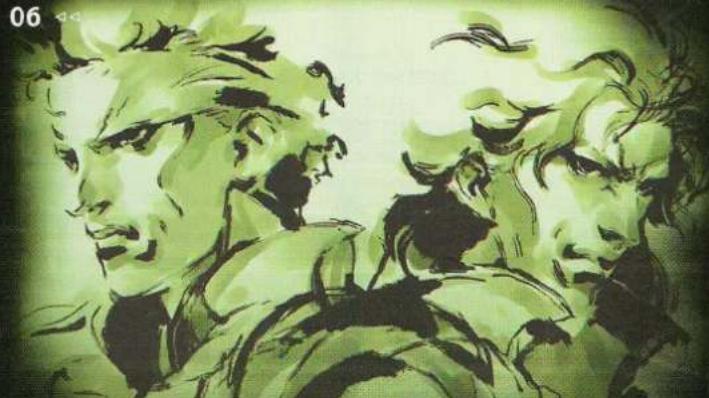
Metal Gear Solid is a thrilling 3D action adventure game where the goal is to infiltrate without being detected.
The main character, Solid Snake, must evade the enemy's field of vision, and use the environment for cover to infiltrate deep into enemy territory in order to complete the mission.
The gripping gameplay and captivating story first appeared in 1998, and continues to win new fans around the world.
METAL GEAR SOLID THE TWIN SNAKES game uses the first Metal Gear Solid as a base and is enhanced with numerous new facets of gameplay, adding deeper strategy and more tension.
The designer, producer and originator of Metal Gear Solid, Hideo Kojima of Konami Computer Entertainment Japan, together with the Canadian software company Silicon Knights of Eternal Darkness fame, and cut scene director Ryuhei Kitamura, joined forces to create the powerful images seen in the game.
We hope you fully enjoy METAL GEAR SOLID THE TWIN SNAKES, the result of this international collaboration.
ETERNAL DARKNESS™ & ©2002 Nintendo
THE OUTER HEAVEN UPRISING
FROM METAL GEAR (RELEASED 1987)
FOXHOUND operator Solid Snake infiltrates Outer Heaven, a fortress-nation deep in the heart of South Africa, and destroys their prototype weapon Metal Gear, a walking tank with nuclear capability. In the process, he discovers that the leader of Outer Heaven is none other than Big Boss, the supreme commander of FOXHOUND, and puts an end to his former comrade's twisted schemes.
THE ZANZIBAR LAND DISTURBANCE
FROM METAL GEAR 2: SOLID SNAKE (RELEASED 1990)
After surviving the Outer Heaven incident, Big Boss escapes to Zanzibar Land and sets up an independent military regime with the hope of creating a world of strife, the only kind of world a born soldier can truly enjoy. At the request of FOXHOUND, Solid Snake infiltrates Zanzibar Land and again destroys Metal Gear, which had been transferred to Zanzibar Land following the collapse of Outer Heaven. He triumphs once again in a final, decisive battle with Big Boss and ensures the downfall of Zanzibar Land.
THE DAWN OF THE 21st CENTURY—
The nuclear weapons disposal facility on Shadow Moses Island in Alaska's Fox Archipelago was being used to train the next generation special forces unit FOXHOUND when the unit suddenly revolted and captured the island.
The terrorists have secured hundreds of nuclear warheads and are demanding that the government turn over the remains of Big Boss. They warn that if their demands are not met within 24 hours, they'll launch a nuclear weapon.
Solid Snake is once again called back to duty in a top-secret mission to deal with the greatest terrorist threat the world has ever seen.
First, he must single-handedly infiltrate the nuclear weapons disposal site and rescue two hostages, DARPA Chief Donald Anderson and the President of ArmsTech, Kenneth Baker, and then eliminate the terrorist threat and prevent a nuclear launch.
With just 24 hours left, the clock is already ticking.
Once again, Snake heads into battle...alone.
STARTING THE GAME
STARTING THE GAME
08
-0.41

STARTING THE GAME
→NEW GAME
Choose this when playing for the first time.
After choosing NEW GAME, the selectable difficulty levels will be displayed. (Some difficulty levels will only become available after the game is completed.)
VERY EASY
For first-time players of action games.
EASY
For players still getting the feel of action games.
NORMAL
Normal difficulty level.
HARD
For players who have action gaming experience.
EXTREME
Available after completing the game. Extremely difficult. Only for the hardcore.

P:D
09
RADAR TYPE
Choose a radar type.
TYPE 1- Radar for beginners. The radar is displayed in Intrusion mode and Locker mode.
TYPE 2- Normal radar. The radar is not displayed in Intrusion mode and Locker mode.
OFF- The radar is not displayed in all modes. For expert players.
Furthermore, if the game is completed, GAME OVER IF DISCOVERED mode will be unlocked. It is available for difficulty level HARD and EXTREME. In this mode, if you are seen by an enemy or a camera, the game is over immediately. Try this mode for the utmost in high-tension infiltration.
LOAD GAME-
After choosing [LOAD GAME] from the Title Menu, the Data Selection Screen will be displayed. Choose a file to start from the saved continue point.

GAME OVER
When your character's Life Gauge is empty, the game is over. In certain situations, being caught in an enemy trap will also end the game. When the game is over, the Continue Screen will be displayed.
CONTINUE
When the game is over, you can continue immediately from the last Continue Point. There is no limit to the number of times you can continue. (However, you will not be able to continue after certain events.)
EXIT
Returns to the Title Screen. Please be sure to save your game before selecting this.
CONTINUE POINT
As you progress through the game, breaks are present in situations such as right before a boss, before and after events, or midway through an area.
SAVE
When you want to take a break from the game, you can continue later from where you left off by saving your game. The character's condition and the last save point or continue point that was passed will be saved.
Call Mei Ling to save your game.

natural_image
Dark background with faint wavy line and horizontal bar (no text or symbols)
GAME SCREEN
CONTROLS
10


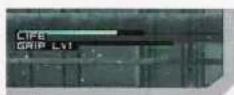

GAME SCREEN
→LIFE GAUGE
When the Life Gauge is completely empty, the game will end. If there is little Life remaining, the Gauge will become orange, and if blood loss is not stopped, Life will continue to deplete. The bleeding can be stopped by using the Bandage item, or by crouching or lying flat without moving.
→RADAR
Displays the player's surroundings. (p21 Radar)
→EQUIPPED WEAPON
Displays the weapon currently equipped. Press the A Button to use the weapon.
If a weapon is not equipped, nothing will be displayed.
-ITEM
Displays the item currently equipped.
If an item is not equipped, nothing will be displayed.
-BOSS BATTLE
BOSS LIFE GAUGE-Decreases when you inflict damage with weapons.
BOSS STUN GAUGE-Decreases when using tranquilizer darts or Punch (hand-to-hand) attacks.
If either the Life Gauge or the Stun Gauge reaches zero, the Boss battle will end.
-GRIP GAUGE
Displayed during Hanging Node. (p13 Basic Controls: Movement) If the Gauge reaches zero, the player will fall. By performing a special action, the maximum level of the Grip Gauge can be increased.
-02 GAUGE
Displays remaining oxygen while underwater. When the O2 Gauge reaches zero, the Life Gauge will start to decrease. Pressing the Y Button repeatedly will cause the O2 Gauge to decrease at a slower rate.
CONTROLS
Control Stick / +Control Pad
Normal View: Move Character
First Person View: Move View
C Stick
Corner View: Move camera angle
START/PAUSE
Pushed together with the A Button: Toggle Codec on/off Pushed together with the B Button: Pause
L Button Equip Item button
Normal mode: Select item / Equip and remove
Corner View / First Person View: Peek left
R Button Equip Weapon button
Normal mode: Select weapon / Equip and remove weapon Corner View / First Person View: Peek right
Cut Scene: Zoom Camera
A Button Weapon button
Use weapon / Throw or choke (when no weapon is equipped)
B Button
Punch / Knock (when flattened against a wall)
X Button
Switch between crawling/crouching and standing
Y Button
Open locker / Use ladder / Climb onto platform / Hang from railing, etc.
Z Button
Normal mode: Switch to First Person View
natural_image
Illustration of a female character in combat attire holding a handgun, no text or symbols presentMERYL SILVERBURGH
PLAYER ACTIONS
PLAYER ACTIONS
12
<


PLAYER ACTIONS
Basic Controls: Movement
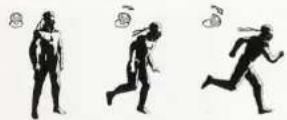
→MOVE (WALK / RUN)
Move around by pressing the Control Stick (+Control Pad) in the direction you want to go.
Press the stick a little to walk and press fully to run. In some areas, running will make noise and alert the enemy.
→CROUCH / CRAWL
Press the X Button while not running to crouch down. This is useful for hiding behind waist-high objects.
While crouched, press the Control Stick (+Control Pad) to crawl. Crawling allows you to crawl under tables or move into low spaces. Pressing the X Button while crouching or crawling will switch Snake back to a standing position.
→DIVING SOMERSAULT
Press the X Button while running to perform a diving somersault. Useful for moving quickly from cover to cover, or jumping over holes and gaps. This move can also be used to knock down enemies. When doing a diving somersault, hold down the X Button to enter a crouching position when you land.
-CLIMBING TO A HIGHER LEVEL
Objects that are about waist-high can be climbed by pressing the Y Button.
HANGING>
In certain places, facing a railing and pressing the Y Button will cause Snake to hang down on the outside of the railing. Press the Control Stick (+Control Pad) Left or Right to move along the railing. Keep an eye on the Grip Gauge - if it reaches zero, Snake will fall.
Press the Y Button while hanging to climb back over the railing. Press the X Button to drop down from the railing. The L Button and R Button can also be used to move Left or Right. Press the L Button and R Button simultaneously to do a pull-up. (Falling from high places will cause some damage, Falling from some places will instantly end the game.)
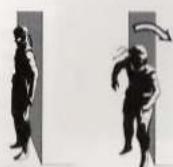
FLATTENING AGAINST A WALL>
Face a wall or similar surface, then press and hold the Control Stick (+Control Pad) to flatten against it. Depending on the location, the view may change to Corner View, making it easier to see around the corner.
It is also possible to move while flattened against a wall. Moving while flattened against a wall will allow the character to enter narrow spaces that cannot be entered while walking normally.
PEEKING
Press the L Button/R Button while in Corner View to peek Left/Right. Use the C Stick to change the camera angle.
MAKING NOISE
Press the 8 Button while flattened against a wall to knock on the wall. The noise can be useful for distracting enemies.
13

natural_image
Sequence of four black-and-white illustrations showing a person climbing stairs, holding a curved object, and lifting a weight (no text or symbols)

CODEC
FREQUENCY LIST
14
15
CALL
CODEC
To enter Codec Mode, press the A Button while pressing START/PAUSE. Codec Mode can be used to contact Snake's allies and can also be used to get hints and information if questions or puzzles arise.
USING THE CODEC
- SET THE FREQUENCY
Change the frequency by pressing the Control Stick (+Control Pad) Left/Right.
- BEGIN TRANSMISSION
Press the Control Stick (+Control Pad) up, or press the A Button to begin transmission. If the frequency is not correct, there will be no response. At other times, even if the frequency is correct, the other person might not answer.
- EXIT CODEC MODE
End transmission and press the A Button while pressing START/PAUSE, or press the B Button, to exit Codec Mode.
natural_image
Exterior view of a dark rectangular electronic device with no visible text or symbolsCHOOSING A CONTACT FROM MEMORY
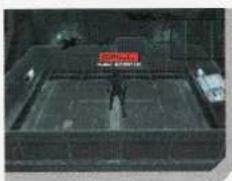
Press the Control Stick (+Control Pad) down to open a memory window of contacts who have been called. Select a contact with the Control Stick (+Control Pad) then press the A Button to begin transmission.
→RECEIVING CALLS
When someone calls, a green CALL sign will appear on the screen. Press the A Button while pressing START/PAUSE when the CALL sign is displayed to answer the call. CALLs always contain vital information, so be sure to answer them.
When a red CALL sign is received, the call will automatically be answered and Codec Mode will start.
SAVING
Call Mei Ling to save your game.
FREQUENCY LIST
| PERSONNEL | FREQUENCY | INFORMATION TYPE | |
 | Roy Campbell | 140.85 | Snake's commanding officer can give advice. Ask him about the controls, getting through a level, or other hints. |
| [4HSC] | Naomi Hunter | 140.85 | The chief of FOXHOUND's medical staff can provide information about FOXHOUND, and about team members (Bosses). |
 | Mei Ling | 140.96 | The operator in charge of communications and data management for this mission. She also takes care of save games. |
 | Nastasha Romanenko | 141.52 | This military analyst can provide information about using weapons or even nuclear arms. She is a heavy smoker. |
 | Master Miller | 141.80 | This former survival instructor can offer psychological advice and teach various techniques. He also knows a great deal about Alaska. |
PLAYER ACTIONS > COMBAT
Combat should be avoided as much as possible on a solo infiltration mission. However, in some situations, engaging the enemy will be necessary.
ATTACKING WITH A WEAPON
After equipping a weapon, press the A Button to use it. In general, gun-type weapons will automatically lock-on to the enemy. When locked on, you can switch between targets by pressing the B Button.
HAND-TO-HAND COMBAT
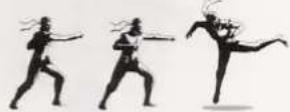
Press the B Button to punch. Press repeatedly to perform a combination of attacks to take down enemies. Hand-to-hand attacks will damage enemies and knock them out. Punching while a weapon is equipped will inflict even more damage.
PLAYER ACTIONS > COMBAT
PLAYER ACTIONS > COMBAT
16
사진
-ATTACKING IN FIRST PERSON VIEW
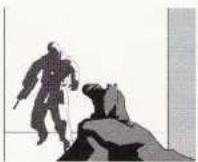
Attacking while in First Person View is also possible. Press the Z Button to enter First Person View, and then press the A Button to draw the weapon. Some targets that cannot be attacked in Normal View, such as enemies' vital spots or radios, can be hit by using a weapon in First Person View. To put the weapon down after drawing it, press the Y Button while pressing the A Button. Hand-to-hand combat can also be executed while in First Person View. Controls may differ slightly, depending on the weapon.
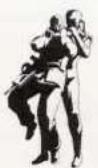
→CHOKING
To grab an enemy by the neck, sneak up behind an enemy when you have no weapon equipped, and press the A Button while the Control Stick (+Control Pad) is in the neutral position. If the enemy moves while in the chokehold, press the A Button again quickly to regain the hold. Press the A Button repeatedly to render the enemy unconscious. You can also move around while choking an enemy by holding down the A Button.

natural_image
Two black-and-white illustrations showing a person in a physical position with arrows indicating movement or motion (no text or symbols)→DRAGGING
With no weapon equipped, press the A Button when near a fallen enemy to pick up the body. Use the Control Stick (+Control Pad) while holding down the A Button to drag the body. This is useful for hiding bodies where they cannot be found.
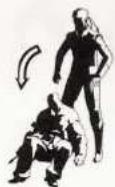
-THROWING
With no weapon equipped, press the A Button while pressing on the Control Stick (+Control Pad).
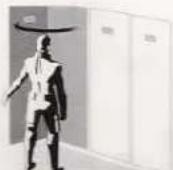
LOCKER / BATHROOM DOORS
When standing in front of a locker or bathroom door, press the Y Button to open the door. It is possible to hide by entering and then closing the door. Press the Y Button again to exit. *Some lockers and toilets are locked and canno: be opened.
ELEVATOR
- Face the panel next to the elevator and press the Y Button to call the elevator. The elevator may take a while to arrive.
- Standing in front of the panel inside the elevator will cause the floor buttons to appear.
- Select the floor by pressing the Control Stick (+Control Pad) Up/Down, then press the A Button to activate the elevator.
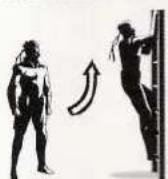
CLIMBING / DESCENDING LADDERS
Press the Y Button when at the bottom or top of a ladder to climb or descend.

HOLD UPS>
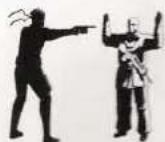
With a gun equipped, sneak up on an enemy and press the A Button to poin: the gun at them and hold them up. The enemy will raise their hands and will be unable to attack. However, they will seize any opportunity to strike back.
SHAKEDOWN
With no weapon equipped, stand next to a fallen enemy and press the A Button to pick them up and release the button to drop them. Doing this repeatedly will sometimes cause the soldier to drop items.
TACTICAL RELOAD—
Reloading in the middle of a firefight will leave you open to enemy attacks. Avoid running out of ammunition during combat by pressing the R Button twice quickly to reload with a full clip.


17
PLAYER ACTIONS > COMBAT
CAMERA VIEWS
18


LIQUID SNAKE

natural_image
Illustration of a muscular character in a long, stylized coat with arms crossed (no text or symbols visible)→SHOOTING ON THE RUN
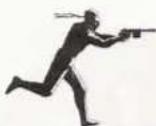
When a handgun or assault rifle is drawn, use the Control Stick (+Control Pad) while holding down the B Button to shoot while running.
→JUMP-OUT SHOTS
When a gun is equipped and you are flattened against a wall and in Corner View, press the A Button to jump out and fire a shot. This technique allows you to launch a quick attack from cover. Grenades can also be thrown while peeking around the corner.
→HANGING CATCH
When there are places to hang one above another, you can hang from the upper level and push the X Button to drop, then the Y Button with the right timing to grab hold of the lower railing.


CAMERA VIEWS
Metal Gear Solid The Twin Snakes features
4 camera positions, making for a truly gripping tactical espionage experience.
Getting accustomed to each camera view's unique features is vital to successfully completing the mission.
NORMAL VIEW
The default camera shows an overhead view.
CORNER VIEW
For scoping out an area while hiding.
When near a corner, press the Control Stick (+Control Pad) toward the wall to flatten against it. The camera angle will change, allowing the area around the corner to be seen.
Also, in certain places, the L Button/R Button can be used to peek Left/Right, making more of the surroundings visible. Remember that leaning out and exposing the body will raise the chances of being discovered.
The camera angle can be changed by using the C Stick.
FIRST PERSON VIEW
Press the Z Button while in Normal View to see through the character's eyes for making precise shots or looking at surroundings. While in First Person View, the following actions are possible:
You can adjust your field of view with the Control Stick (+Control Pad)
Press the L Button/R Button to take a step to the Left/Right.
Press the L Button and R Button simultaneously to stretch up.
Solid Snake cannot move while in First Person View.
INTRUSION VIEW
Crawling into narrow spaces will shift the camera to the character's view, and the character will still be able to move. First Person View can also be used by pressing the Z Button. (The character cannot move while in First Person View.)


natural_image
Sequence of four black-and-white illustrations showing a person in motion, possibly dancing or gesturing, with no visible text or symbols.
natural_image
Three identical black-and-white illustrations of a person in full-body attire, standing upright with no visible text or symbols.
STATUS MODES FOR ENEMIES
RADAR MODES
20
<

natural_image
Illustration of a woman in business attire standing with one hand near her head (no text or symbols)MEI LING
STATUS MODES FOR ENEMIES
NORMAL MODE
The default condition – when the player has not been discovered by an enemy soldier or surveillance camera. While in Normal mode, the enemy soldiers will follow a fixed patrol route, looking for anything suspicious. Sometimes the soldiers will not move at all if they are guarding something or sleeping on the job. Enemy soldiers can see and hear. If they hear a sound or notice footprints or a trail of blood, they will daviate from their patrol route and search the surrounding area. If they find nothing suspicious, they will return to their route.
ALERT MODE
You have been discovered by an enemy or a surveillance camera. Enemy soldiers will call for back up and attack in Alert mode. To get out of Alert mode, you must run from the enemy or defeat a certain number of them.
EVASION MODE
In this mode the enemy has lost sight of you and will search the entire area. If you are hiding in a locker or under a table an all clear signal from the soldiers might occur. Depending on the circumstances, a small window that shows the enemy's status may appear at the upper right of the screen. Enemy soldiers will conduct a thorough sweep of the area they suspect you may be hiding in.
CAUTION MODE
In Caution mode, enemy soldiers will be more vigilant than in their usual patrols. In certain places, extra soldiers will be posted.
RADAR MODES
NORMAL MODE
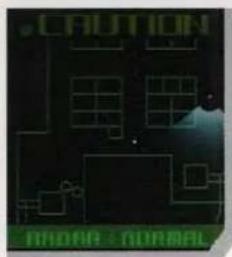
CENTRAL DOT
Player character
GREEN CONE
The player character's field of vision in First Person View. RED DOTS AND CONES
Represent enemies, cameras, gun cameras and their respective fields of vision.
The color of the cone will change according to status in the following way.
NORMAL: Blue
SUSPICIOUS: Yellow
PLAYER DISCOVERED: Red
ENEMY HAS BEEN ATTACKED: Red
WHEN A MINE DETECTOR IS EQUIPPED>
Yellow dots indicate the positions of mines.
Entering the cone-shaped area while in a standing position will cause the mine to explode.
ALERT MODE
The radar cannot be displayed.
Occurs when the player is discovered by an enemy soldier or camera. When the gauge becomes empty, Evasion Mode will begin.
EVASION MODE
The radar cannot be displayed.
Soldiers will search for the player and may perform sweeps. When the gauge becomes empty, Caution Mode will begin.
CAUTION MODE
Enemy soldiers are more vigilant than usual in their patrols. When the gauge becomes empty, the game will return to Normal Mode.
WHEN THE SIGNAL IS JAMMED
The radar cannot be used if the signal is being jammed. Also, equipment containing electronic components, such as surveillance cameras and remote control missiles, will not function properly. Furthermore, enemy soldiers will not be able to use the radio to call for backup.
≥2
21

natural_image
Abstract geometric design with green grid and shadow on dark background (no text or symbols)
natural_image
Abstract geometric pattern with glowing green shapes and dark circular elements on a dark background (no text or symbols)

WEAPONS AND EQUIPMENT
WEAPONS LIST
22
[Unreadable]

natural_image
Green octagonal button labeled 'RATIO' on a textured surface (no other text or symbols visible)WEAPONS AND EQUIPMENT
-PICKING UP ITEMS
Acquire items by collecting Item Boxes. Look at the label on the Item Box to check the contents.
Ammunition for a weapon not in possession cannot be picked up. Find the weapon before trying to pick up the ammo. Acquired items can be equipped and checked in the Equip Window. Two numbers will appear under items and weapons. The first represents the current number of objects in possession and the second represents the maximum number that can be carried. For gun-type weapons, the number of bullets left in the magazine will be displayed instead.
EQUIPPING ITEMS AND WEAPONS
-EQUIP BUTTONS
L Button: Items
R Button: Weapons

Press and hold either of the Equip buttons to display the Equip Window. Use the Control Stick (+Control Pad) to select an item or weapon and release the Equip button to equip it. To remove equipment, select the "NONE" icon.
The order of the icons in the Equip Window can be changed in Options. (p28 Options)
QUICK CHANGE
Press an Equip button once quickly to do a Quick Change—equipping something without opening the window. There are two methods of Quick Changing, which can be set in Options. (p28 Options)
UNEQUIP
Press the Equip button and switch between equipping and unequipping the current weapon/item.
PREVIOUS
Press the Equip button and switch between equipping and unequipping the current weapon/item and the previously equipped weapon/item.
5-10
23
WEAPONS LIST
M9-
Fires anesthetic bullets that knock out enemies. Press the Weapon button to draw the gun and release the button to fire. It is fitted with a suppressor and laser sight.
SOCOM>
Semi-automatic pistol with a laser sight. Press the Weapon button to draw the gun and release the button to fire. Attach a suppressor to muffle the gunshot.
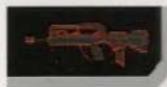
FA-MAS
Assault Rifle. Press the Weapon button to fire. Hold down the button for full-auto firing.
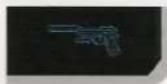
PSG1-
Sniper Rifle. View will switch to a targeting screen when the weapon is drawn. Move the sight with the Control Stick (+Control Pad) and press the Weapon button to fire. It is also possible to zoom in with the B Button and zoom out with the X Button. A similar model, the PGS1-T, fires anesthetic bullets.

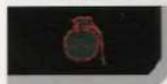
GRENADE-
Hand-thrown antipersonnel grenade. Press and hold the Weapon button to pull the pin and ready the grenade. Release the button to throw. The longer you hold the button down, the farther you will be able to throw the grenade. Once the pin has been pulled, the grenade will explode in 5 seconds.
CHAFF.G
Electronic jamming device. Press and hold the Weapon button to ready the grenade and release the button to throw. The longer you hold the button down, the farther you will be able to throw the grenade. Once the grenade has been readied, it will explode in 5 seconds.

STUN.G
Flash-bang grenade. Press and hold the Weapon button to ready the grenade and release the button to throw. The longer you hold the button down, the farther you will be able to throw the grenade. Once the grenade has been readied, it will explode in 5 seconds. Enemies in the area of the explosion will be knocked out for a fixed amount of time.
C4-
Plastic explosive. Set with the Weapon button and press the Action button to detonate.


WEAPONS LIST
MAIN ITEMS LIST
24


→CLAYMORE
Antipersonnel directional land mine. Press the Weapon button to place the mine. If Snake or an enemy enters its range of detection, it will explode. The mine can be picked up safely while crawling. Mines can be seen on the radar if a mine detector is equipped.
→STINGER
Portable surface to air missile. View will switch to targeting screen when the weapon is drawn. Move the sight with the Control Stick (+Control Pad) and press the Weapon button to fire. Keep the target in the sights to lock on.
→NIKITA
Radio guided missile. Press the Weapon button to ready the launcher and release the button to fire. Guide the missile using the Control Stick (+Control Pad). The missile will detonate after a fixed period of time. Use the C Stick to control the missile camera. The missile cannot be controlled if the area is being jammed. The missile can only be controlled within a fixed area when outdoors.
-BOOK
Press the A Button to put the book down. Useful for diverting enemies.
MAGAZINE
Empty ammunition clip for guns. Press the A Button to ready and release the button to throw. The noise can be used to distract the enemy.

natural_image
Illustration of three armed individuals in winter gear holding rifles (no text or symbols visible)[Non-Text]

natural_image
Illustration of a person in full protective gear holding a rifle (no text or symbols visible)[1]
MAIN ITEMS LIST
RATION-
Military rations. Press the A Button while the Equip Window is open to restore the player's Life by a fixed amount. When equipped, rations will automatically be consumed to heal damage when the Life Gauge is empty.
BANDAGE
Adhesive hemostatic pad. Press the A Button while the Equip Window is open to use a bandage and stop blood loss.
CARD LV 1-X
Opens doors of equal or lower security when equipped. The security level of a door can be checked in First Person View.
CARDBOARD BOX
Equip the box to hide under it. Enemy soldiers will often overlook the box as harmless. It is also possible to move while under the box. Several types of boxes can be found.
SCOPE
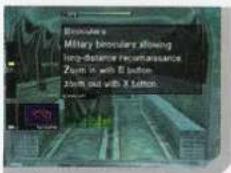
Binoculars with adjustable magnification. Useful for long distance reconnaissance. Press the B Button to zoom in and the X Button to zoom out.
THERM.G - Thermal Goggles
Infrared goggles. Useful in low light situations. Creates an image by detecting differences in thermal distribution.
SCM.SUPR - Socom Suppressor
Muffles gunshots. Equip the suppressor, and then equip the Socom to attach. The suppressor must be attached to be effective.
D:P
25



GENOME SOLDIERS
SPECIAL
26

natural_image
Person in white gear and gloves standing indoors near a window with green lights (no visible text or symbols)
natural_image
Close-up of a black textured object on a white background, no visible text or symbolsSPECIAL
PREVIOUS OPERATIONS
Read the stories for Metal Gear and Metal Gear 2: Solid Snake.
PHOTO ALBUM
If there is photo data on a Memory Card, photos can be viewed, their names changed, and RGB color settings adjusted.
DOG TAG VIEWER
If dog tags have been obtained from enemies during the game, they can be viewed here.
DEMO THEATER
Becomes available after completing the game. Cut scenes from the game can be viewed here. This can be selected when there is completed save game data on a Memory Card.
BOSS SURVIVAL
Becomes available after completing the game. In this mode, the boss battles can be fought one after another.
-DOG TAGS
"Dog tags" are ID badges worn by soldiers so that they can be identified if killed on the battlefield.
Information such as name and blood type is engraved on the tags. Dog tags can be taken from enemy soldiers and browsed in the DOG TAG VIEWER.

BRIEFING
27
ACQUIRING DOG TAGS
Enemy soldiers can be "held up" by sneaking up behind them and sticking a gun toward their back. In First Person View, searching an enemy soldier's head or waist while his hands are up will cause the soldier to drop his dog tags. (Dog tags can only be taken once from each soldier.)
*Enemy soldiers who are carrying dog tags will show a telltale flash of light around their necks when held up. From greater distances, equip the Thermal Goggles to determine whether a soldier is carrying dog tags.
AFTER ACQUIRING DOG TAGS
When you have one or more dog tags in your possession, a dog tag icon will be included in the Equipment icons. The number of dog tags collected so far is recorded in saved game data.
Some soldiers carry different dog tags on each difficulty level. To collect all the dog tags in the game, all difficulty levels must be completed.
DOG TAG ID'S
The names engraved on the dog tags are the names of the game's development team members as well as the winners of the "Your Name in METAL GEAR SOLID THE TWIN SNAKES!" (Dog Tag Names) Campaign held on Konami Computer Entertainment Japan's web site.
BRIEFING-
Useful for checking the details of the mission. During a briefing, the 4 camera views can be freely selected, and the direction and zoom can be controlled as well. Use the L Button/R Button to switch cameras. Use the Control Stick (+Control Pad) to aim the camera. Use the B Button to zoom in and the X Button to zoom out.


OPTIONS
CHARACTERS
28

29
OPTIONS
Adjust various game settings.
RUMBLE Turn Controller Rumble on/off.
RADAR Select radar type.
BLOOD Turn blood effects on/off.
SOUND Select stereo, mono or DOLBY® PRO LOGIC® II sound.
SUBTITLE Turn subtitles on/off and select the language.
1ST PERSON VIEW SWITCH
HOLD DOWN Enter First Person View only while the button is held down.
TOGGLE Press once to enter First Person View and one more time to exit.
1ST PERSON VIEW MOTION
NORMAL Pressing the Control Stick (+Control Pad) Up or Down corresponds directly to camera movement in First Person View.
REVERSE Pressing the Control Stick (+Control Pad) Up or Down is reversed in First Person View.
ITEM WINDOW
GROUP Items are grouped by type.
LINEAR All items are displayed on one list.
QUICK CHANGE
UNEQUIP Equip/unequip selected weapon/item.
PREVIOUS Switch between currently selected and previously selected weapon/item. SCREEN ADJUSTMENT Adjust screen position.
→BRIGHTNESS ADJUSTMENT Adjust the screen brightness to your liking.
EXIT Return to Title Screen.
This game is presented in Dolby® Pro Logic® II. Connect your game console to a sound system with Dolby Pro Logic or Dolby Pro Logic II decoding, and select "Dolby® Pro Logic® II" in the Options Screen of the game to experience the excitement of surround sound.
natural_image
Illustration of a muscular character in dynamic combat pose (no text or symbols)CHARACTERS
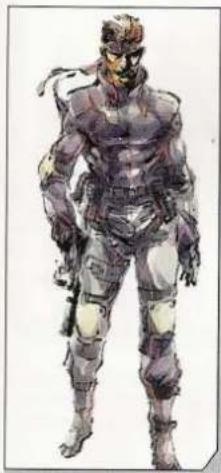
→SOLID SNAKE
Former member of FOXHOUND. This infiltration expert can accomplish his mission in any location, under any circumstances.
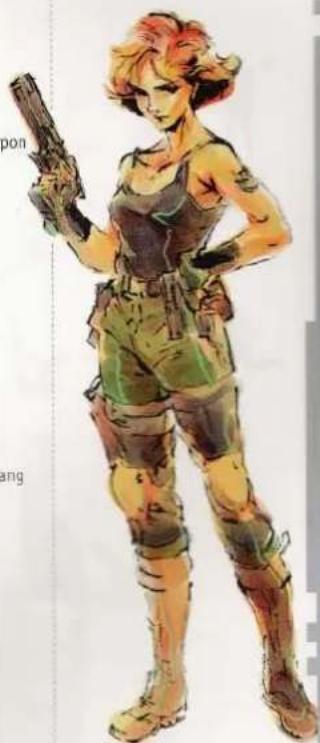
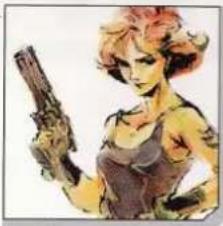
MERYL SILVERBURGH
Colonel Campbell's niece. She has been dragged into the FOXHOUND revolt. She has superior training, but no combat experience.
natural_image
Illustration of a female character holding a handgun (no text or symbols visible)
natural_image
Illustration of a person in military uniform saluting (no text or symbols visible)→ROY CAMPBELL
Former commanding officer of FOXHOUND. Although retired, he was reactivated for duty as he is the only mission commander who knows Solid Snake.
NAOMI HUNTER- Chief of FOXHOUND's medical staff and in charge of gene therapy. She provides support for Snake along with Campbell.

natural_image
Illustration of a woman with long hair wearing a collared shirt (no text or symbols)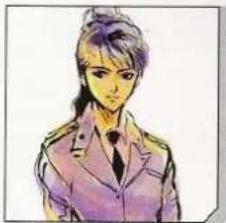
natural_image
Illustration of a person in a purple jacket with hair tied up (no text or symbols)-MEELING
Operator in charge of communications and data management for this mission. She is the inventor of the Codec – Snake's communications device.
CHARACTERS
30

natural_image
Illustration of six fantasy characters in dynamic poses, including a green armored figure and a white trench coat (no text or symbols)AREVOLVER OCELOT FOXHOUND member. Unmatched with a revolver and an expert on torture.
ASNIPER WOLF
FOXHOUND member. A brilliant sniper, she can remain in a sniping position for a week at a time without moving.
A DECOY OCTOPUS
FOXHOUND member. No details on file.
ALIQUID SNAKE
Appearance is identical to Solid Snake. He is the combat leader for FOXHOUND and the mastermind behind the terrorist attack.
▲VULCAN RAVEN
FOXHOUND member. This giant shaman has untapped spiritual powers. He is extremely resistant to cold.
IPSYCHO MANTIS
FOXHOUND member. Former member of the KGB's Paranormal Intelligence Division. Possesses powerful telekinetic and mind-reading abilities.
NINJA-
A mysterious cyborg ninja. Body is well suited to stealth and camouflage. Wields a steel Japanese katana, capable of deflecting bullets.

natural_image
Illustration of a muscular character with dynamic pose (no text or symbols)
natural_image
Illustration of a muscular man in a turtleneck and coat, no visible text or symbolsBIG BOSS
Former FOXHOUND commander, a.k.a. "The Legendary Soldier". His remains have been preserved by the military.
CHARACTERS
31
HAL EMMERICH-
ArmsTech developer. Obsessive fan of Japanese animation. Nicknamed Otacon, short for "otaku convention".

→NASTASHA ROMANENKO Freelance military analyst. Supports Snake as a specialist on nuclear arms.

MASTER MILLER
Former survival instructor for FOXHOUND. Supports Snake on the Codec.


→DONALD ANDERSON
Chief of Defense Advanced Research Projects Agency (DARPA). Taken hostage in Alaska.
JIM HOUSEMAN>
Secretary of Defense. Commands the counter-terrorist operation from an Airborne Warning and Control System (AWACS) plane.


→KENNETH BAKER
President of the leading arms manufacturer, ArmsTech. Taken hostage along with the DARPA Chief.
GENOME SOLDIERS
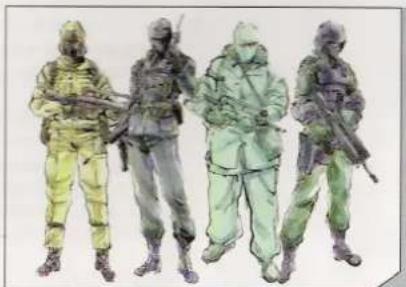
Reserves of the next generation special forces unit, FOXHOUND. Most have no combat experience but are ready for battle due to thorough VR training.
natural_image
Illustration of four stylized human figures in full combat gear, no text or symbols presentMISSIONS/OPENING WALKTHROUGH
MISSIONS/HELIPORT WALKTHROUGH
32
44

natural_image
Illustration of a man in a long coat and tie, standing with hands clasped (no text or symbols)-MISSIONS
OPENING WALKTHROUGH: ENTRY DOCK
CRAWL INTO NARROW SPACES
Crawl into spaces that cannot be accessed normally. Press the Crouch button to crouch down and push the Control Stick (+Control Pad) to crawl. Press the Crouch button again to stand up.
EQUIP RATIONS
Snake is on a solo mission and must procure weapons and equipment on site. Make sure you don't miss any Item Boxes. One of the most important items found in an Item Box is the ration. If rations are equipped, they will automatically be used when the Life Gauge becomes low. Be sure to equip them when entering into unfamiliar territory.
HIDE IN THE WATER
If you are spotted, the enemy will chase you, but they won't follow you into the water. Face the railing in front of the water and press the Action button to hang from the railing. Press the Crouch button to hide under the surface of the water. The enemy won't enter the water, but they still might shoot at you, so move out into deeper water for safety.
MOVE QUIETLY
There are puddles in certain places, and running through them will make a sound that might alert the enemy to your presence. Be sure to walk or crawl over puddles for minimal noise.
THE ELEVATOR TAKES TIME
The objective for the entry dock area is to ride the elevator without being seen. However, the elevator will take some time to come back down. Stay hidden until it arrives back at the dock level. Hiding in a locker is a good idea. Just make sure you are not seen entering or leaving the locker.
PAY ATTENTION TO THE RADAR
The radar shows more than just the positions of the enemy. It also shows the enemy's field of vision. Use the radar to make sure you do not enter those fields. As long as you stay out of their vision, you can sneak right behind their backs.
33
WATCH THE SHADOWS
Be careful of your shadow and the enemy's shadow cast on the floor. When hidden around a corner, your shadow can still alert the enemy.
USE THE CODEC FOR HELP
If you run into trouble, press START/PAUSE and the A Button to enter Codec mode. Important information about progressing through the game can be gained by using the Codec. Get familiar with each contact's specialty to use the Codec effectively.
HELIPORT WALKTHROUGH
STUDY THE SEARCHLIGHTS
There is an Item Box on the heliport that contains Chaff Grenades. Study the movement of the searchlights and pick up the Item Box without being seen.
WATCH OUT FOR THE SURVEILLANCE CAMERA
An Item Box containing Stun Grenades and a surveillance camera can be found in the warehouse. The area directly below the camera is a blind spot. Flatten against the wall to move past it safely. The camera can also be bypassed by using a Chaff Grenade.
GET THE SOCOM
The Socom semi-automatic pistol can be found in the cargo area of the dock. Press the Weapon button to draw the gun and it will lock-on to enemies.
WATCH YOUR FOOTPRINTS
Walking on snow will leave footprints, which might alert enemy soldiers. Crawl over the snow to avoid arousing suspicion.
THE OBJECTIVE
The objective at the heliport is to enter one of the two ventilation ducts. Both ducts are down low, so crouch down to crawl into the duct.
SLEEPING GUARD
The soldier guarding the area near the first floor duct occasionally dozes off. Do not overlook the security camera when approaching. Make a noise to lure the soldier away. If you are seen, the soldier will not fall asleep again.


NOTES
34
NOTES
35
NOTES
36
WARRANTY
Konami Digital Entertainment - America warrants to the original purchaser of this Konami software product that the medium on which this computer program is recorded is free from defects in materials and workmanship for a period of ninety (90) days from the date of purchase. This Konami product is sold "as is," without express or implied warranty of any kind, and Konami is not liable for any losses or damages of any kind resulting from use of this program. Konami agrees for a period of ninety (90) days to either repair or replace, at its option, free of charge, any Konami product, postage paid, with proof of date of purchase, at its Factory Service Center. This warranty is not applicable to normal wear and tear. This warranty shall not be applicable and shall be void if the defect in the Konami software product has arisen through abuse, unreasonable use, mistreatment, or neglect.
THIS WARRANTY IS IN LIEU OF ALL OTHER WARRANTIES AND NO OTHER REPRESENTATIONS OR CLAIMS OF ANY NATURE SHALL BE BINDING ON OR OBLIGATE KONAMI. ANY IMPLIED WARRANTIES APPLICABLE TO THIS SOFTWARE PRODUCT, INCLUDING WARRANTIES OF MERCHANTABILITY AND FITNESS FOR A PARTICULAR PURPOSE, ARE LIMITED TO THE NINETY (90) DAY PERIOD DESCRIBED ABOVE. IN NO EVENT WILL KONAMI BE LIABLE FOR ANY SPECIAL INCIDENTAL OR CONSEQUENTIAL DAMAGES RESULTING FROM POSSESSION, USE OR MALFUNCTION OF THIS KONAMI PRODUCT.
Some states do not allow limitations as to how long an implied warranty lasts and/or exclusions or limitations of incidental or consequential damages so the above limitations and/or exclusions of liability may not apply to you. This warranty gives you specific rights, and you may also have other rights which vary from state to state.
If you experience technical problems with your game, please call our Warranty Services number at (650) 654-5687.
Konami Digital Entertainment - America
1400 Bridge Parkway
Redwood City, CA 94065
CONSUMER SUPPORT
If you feel stuck in the game, or just need a boost, don't worry! You can call the Konami Game Hint & Tip Line for help on many Konami games.
Konami Game Hint & Tip Line: 1-650-801-0465
Hints are available 24 hours a day. Availability is subject to change.
Become a
KONAMI

Go to www.konami.com/usa to register your KONAMI games and get exciting news and information from KONAMI.
When you register your game you will be automatically entered into monthly drawings to win FREE games!

- METAL GEAR SOLID
- WARNING - Seizures
- WARNING - Repetitive Motion Injuries and Eyestrain
- WARNING - Electric Shock
- CAUTION - Motion Sickness
- CAUTION - Laser Device
- CONTROLLER NEUTRAL POSITION RESET
- TACTICAL ESPIGNAGE ACTION METAL GEAR SOLID™ THE TWIN SNAKES
- GETTING STARTED
- CONTROLS
- -GETTING STARTED
- PROGRESSIVE SCAN MODE
- START/PAUSE
- INTRODUCTION
- TACTICAL EMISSIONAGE ACTION METAL GEAR SOLID
- STEALTH GAME
- THE OUTER HEAVEN UPRISING
- THE ZANZIBAR LAND DISTURBANCE
- THE DAWN OF THE 21st CENTURY—
- STARTING THE GAME
- RADAR TYPE
- LOAD GAME-
- GAME OVER
- GAME SCREEN
- PLAYER ACTIONS
- CODEC
- FREQUENCY LIST
- USING THE CODEC
- CHOOSING A CONTACT FROM MEMORY
- SAVING
- PLAYER ACTIONS > COMBAT
- ATTACKING WITH A WEAPON
- HAND-TO-HAND COMBAT
- -ATTACKING IN FIRST PERSON VIEW
- →CHOKING
- →DRAGGING
- -THROWING
- LOCKER / BATHROOM DOORS
- ELEVATOR
- CLIMBING / DESCENDING LADDERS
- HOLD UPS>
- SHAKEDOWN
- TACTICAL RELOAD—
- CAMERA VIEWS
- →SHOOTING ON THE RUN
- →JUMP-OUT SHOTS
- →HANGING CATCH
- Metal Gear Solid The Twin Snakes features
- CORNER VIEW
- FIRST PERSON VIEW
- INTRUSION VIEW
- STATUS MODES FOR ENEMIES
- RADAR MODES
- WEAPONS AND EQUIPMENT
- WEAPONS LIST
- EQUIPPING ITEMS AND WEAPONS
- QUICK CHANGE
- UNEQUIP
- PREVIOUS
- SOCOM>
- FA-MAS
- PSG1-
- GRENADE-
- CHAFF.G
- STUN.G
- C4-
- MAIN ITEMS LIST
- →CLAYMORE
- →STINGER
- →NIKITA
- -BOOK
- MAGAZINE
- RATION-
- BANDAGE
- CARD LV 1-X
- CARDBOARD BOX
- SCOPE
- THERM.G - Thermal Goggles
- SCM.SUPR - Socom Suppressor
- SPECIAL
- PREVIOUS OPERATIONS
- PHOTO ALBUM
- DOG TAG VIEWER
- DEMO THEATER
- BOSS SURVIVAL
- -DOG TAGS
- BRIEFING
- ACQUIRING DOG TAGS
- AFTER ACQUIRING DOG TAGS
- DOG TAG ID'S
- BRIEFING-
- OPTIONS
- CHARACTERS
- 1ST PERSON VIEW SWITCH
- 1ST PERSON VIEW MOTION
- ITEM WINDOW
- ASNIPER WOLF
- A DECOY OCTOPUS
- ALIQUID SNAKE
- ▲VULCAN RAVEN
- IPSYCHO MANTIS
- NINJA-
- BIG BOSS
- HAL EMMERICH-
- MASTER MILLER
- →DONALD ANDERSON
- JIM HOUSEMAN>
- →KENNETH BAKER
- GENOME SOLDIERS
- MISSIONS/OPENING WALKTHROUGH
- MISSIONS/HELIPORT WALKTHROUGH
- -MISSIONS
- EQUIP RATIONS
- HIDE IN THE WATER
- MOVE QUIETLY
- THE ELEVATOR TAKES TIME
- PAY ATTENTION TO THE RADAR
- WATCH THE SHADOWS
- USE THE CODEC FOR HELP
- HELIPORT WALKTHROUGH
- STUDY THE SEARCHLIGHTS
- WATCH OUT FOR THE SURVEILLANCE CAMERA
- GET THE SOCOM
- WATCH YOUR FOOTPRINTS
- THE OBJECTIVE
- SLEEPING GUARD
- NOTES
- WARRANTY
- CONSUMER SUPPORT
Marque : NINTENDO
Modèle : Metal Gear Solid - The Twin Snakes (GameCube)
Catégorie : Jeu vidéo