
Donkey Kong Jr. (NES) - Jeu vidéo NINTENDO - Notice d'utilisation et mode d'emploi gratuit
Retrouvez gratuitement la notice de l'appareil Donkey Kong Jr. (NES) NINTENDO au format PDF.


| Type de produit | Jeu vidéo sur cartouche NES |
| Marque | Nintendo |
| Modèle | Donkey Kong Jr. (NES) |
| Dimensions (approx.) | 125 x 100 x 20 mm |
| Poids (approx.) | 100 g |
| Alimentation | Via la console NES (adaptateur secteur fourni avec la console) |
| Plateforme | Nintendo Entertainment System (NES) |
| Genre | Jeu de plateforme / Action |
| Nombre de joueurs | 1 joueur |
| Fonctions principales | Contrôle de Donkey Kong Jr. pour sauver son père, escalade de vignes et collecte de fruits |
| Contrôles | Croix directionnelle, boutons A et B |
| Langue du jeu | Anglais (interface minimaliste) |
| Entretien et nettoyage | Nettoyer les contacts avec un coton-tige imbibé d'alcool isopropylique. Conserver à l'abri de la poussière et de l'humidité. |
| Sécurité | Ne jamais insérer ou retirer la cartouche lorsque la console est allumée. Ne pas exposer à des températures extrêmes. |
| Pièces détachées et réparabilité | Aucune pièce réparable par l'utilisateur. En cas de dysfonctionnement, contacter un service de réparation spécialisé. |
| Informations générales | Développé et édité par Nintendo. Sorti initialement en 1983 au Japon, 1986 en Europe. |
| Contenu de la boîte | Cartouche de jeu uniquement (selon version) |
FOIRE AUX QUESTIONS - Donkey Kong Jr. (NES) NINTENDO
Questions des utilisateurs sur Donkey Kong Jr. (NES) NINTENDO
0 question sur cet appareil. Repondez a celles que vous connaissez ou posez la votre.
Poser une nouvelle question sur cet appareil
Téléchargez la notice de votre Jeu vidéo au format PDF gratuitement ! Retrouvez votre notice Donkey Kong Jr. (NES) - NINTENDO et reprennez votre appareil électronique en main. Sur cette page sont publiés tous les documents nécessaires à l'utilisation de votre appareil Donkey Kong Jr. (NES) de la marque NINTENDO.
MODE D'EMPLOI Donkey Kong Jr. (NES) NINTENDO
DONKEY KONG JR.®
INSTRUCTION BOOKLET

natural_image
Silhouette of a person using a computer (no text or symbols visible)ARCADE SERIES
Look for this seal on all software and accessories for your Nintendo Entertainment System. It represents Nintendo's commitment to bringing you only the highest quality products. Items not carrying
this seal have not been approved by
Nintendo, and are not guaranteed to meet our standards of excellence in workmanship, reliability and most of all, entertainment value.

Thank you for selecting the Nintendo® Entertainment System™ Donkey Kong Junior® Pak.
OBJECT OF THE GAME/GAME DESCRIPTION
DK Junior is on a mission to rescue Donkey Kong from Mario's cage. Jump from vine to vine collecting bonus fruits and avoiding lethal snapjaws. Then move on to tougher stages. Jump platforms, dodge sparks of electricity, and watch out for those birds. Use your skills to get the key that will set your Papa free.
Please read this instruction booklet to ensure proper handling of your new game, and then save the booklet for future reference.
1. PRECAUTIONS
1) This is a high precision game. It should not be stored in places that are very hot or cold. Never hit it or drop it. Do not take it apart.
2) Avoid touching the connectors, do not get them wet or dirty. Doing so may damage the game.
3) Do not clean with benzene, paint thinner, alcohol or other such solvents.
Note: In the interest of product improvement, Nintendo Entertainment System specifications and design are subject to change without prior notice.
Nintendo of America, Inc.
©1986 Nintendo
2. NAMES OF CONTROLLER PARTS AND OPERATING INSTRUCTIONS
Controller 1 — For playing alone.
Controller 2 — For second player in 2 player games.
Controller 1/Controller 2

A button
He Jumps
B button
Not Used
- Control Pad

* Select and Start Buttons Are Not Used on Controller 2.
SELECT and START buttons are functional on Controller 1 ONLY.

SELECT button
Press this button during the demonstration sequence to recall the game menu.
Press this button again to move the asterisk (*) to the game you wish to select:
1-Player game A - Beginner
1-Player game B - Expert
2-Player game A – Beginners
2-Player game B - Experts
The Select button will not work once the game has begun.
START button
Press this button to begin.
Pause:
If you wish to interrupt play in the middle of a game, press the Start button. The pause tone will sound and the game will stop. Press the Start button again when you wish to continue playing. The game will continue where you left off.
* The Top score will reset to 0 if the reset button (on the control deck) is pressed or the power is turned off.
* Use Controller 1 for 1 Player games.
* Use Controller 1 and 2 for 2 Player games.
3. HOW TO PLAY
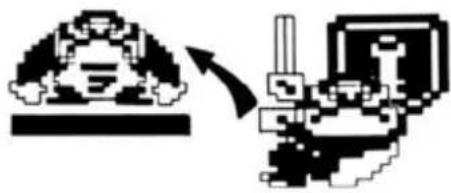
Junior's purpose: To steal the key from Mario and free his Papa.
natural_image
Pixelated illustration of a robot head and its internal components, showing motion direction (no text or symbols)- Rounds 1 to 3: Try to make it to the key at the top of the screen. If you jump onto the vine next to the key, the game will automatically advance to the next round.
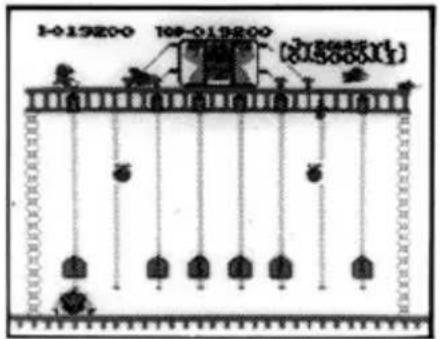
- In the fourth round, push the six keys up and insert them into the key holes at the top of the screen. The chains on the cage will then fall off, and Papa can be rescued.
Characters

Junior

Snapjaw

natural_image
Pixelated abstract black-and-white graphic with no discernible text or symbolsNitpicker

natural_image
Pixelated abstract geometric pattern with no text or symbolsSpark
Hints Use these three special techniques to speed up the action.

natural_image
Pixelated mechanical diagram showing a piston-cranked joint with an upward force arrow and downward load (no text or symbols)* Climb up quickly by grabbing onto two vines at once.

natural_image
Pixelated abstract diagram with arrow and downward arrow, no readable text or symbols* Slide down quickly by holding onto one vine.

flowchart
graph TD
    A["House"] --> B["Building"]
    style A fill:#f9f,stroke:#333
    style B fill:#bbf,stroke:#333
* High jump (second round)
A well-timed press of the "A" button will allow you to jump all the way to the moving island using the spring board.
Scoring
Four ways to improve your score.

\* Fruit attack
Additional points for getting fruit. Drop the fruit on the enemy. Knock out several bad guys at once and get a special high score!
\* Bonus points
When you reach the key, bonus points are added to your score. The bonus points you get depend on how long it takes you to reach the key; the longer you take, the lower the bonus. Time runs out at the same time the bonus points go to zero, and Junior is finished.
natural_image
Two pixelated abstract shapes: a cloud-like figure and a curved arrow, both without any text or symbols.\* Jumps
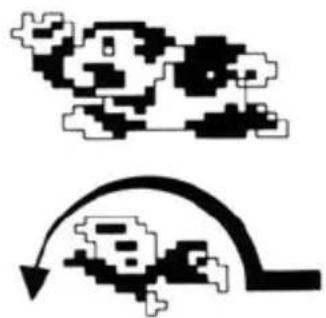
Jump over a nitpicker or spark to successfully escape their attack and get additional points.
natural_image
Pure mechanical diagram showing a piston-cranked mechanism without any text, numbers, or symbols\* Additional points with the keys (fourth round)
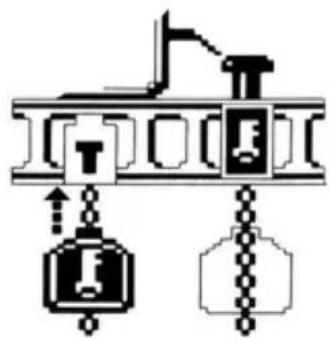
Additional points are given for each key inserted into a keyhole. You can insert two keys at once using both hands.
Bonus: If your score goes over 20,000, you get an extra Junior.


Beware!
Watch out for the following: getting bitten by a snapjaw, getting pecked by a nitpicker, colliding with a spark, and falling from a vine. Each time one of these happens, one Junior disappears. When all Juniors are gone, the game is over.

natural_image
Pixel art illustration of a giant monkey with two smaller figures below (no text or symbols)
Loops
After clearing the fourth round and saving Papa, the first loop is over. Next, challenge the second loop. The number of enemies and their speed increases. Compete to see who gets the highest score or the highest loop!
COMPLIANCE WITH FCC REGULATIONS
This equipment generates and uses radio frequency energy and if not installed and used properly, that is, in strict accordance with the manufacturer's instructions, may cause interference to radio and television reception. It has been type tested and found to comply with the limits for a Class B computing device in accordance with the specifications in Subpart J of Part 15 of FCC Rules, which are designed to provide reasonable protection against such interference in a residential installation. However, there is no guarantee that interference will not occur in a particular installation. If this equipment does cause interference to radio or television reception, which can be determined by turning the equipment off and on, the user is encouraged to try to correct the interference by one or more of the following measures:
— Reorient the receiving antenna
— Relocate the NES with respect to the receiver
— Move the NES away from the receiver
- Plug the NES into a different outlet so that computer and receiver are on different circuits.
90-DAY LIMITED WARRANTY NINTENDO GAME PAKS
90-DAY LIMITED WARRANTY:
Nintendo of America Inc. ("Nintendo") warrants to the original consumer purchaser that this Nintendo Game Pak ("PAK") (not including Game Pak Accessories or Robot Accessories) shall be free from defects in material and workmanship for a period of 90 days from date of purchase. If a defect covered by this warranty occurs during this 90-day warranty period, Nintendo will repair or replace the PAK, at its option, free of charge.
REPAIRS AFTER EXPIRATION OF WARRANTY:
If the PAK develops a problem after the 90-day warranty period, you may contact the Nintendo Consumer Service Department at the phone number noted above. If the Nintendo service technician is unable to solve the problem by phone, he may provide you with a Return Authorization number. You may then record this number on the outside packaging of the defective PAK and return the defective PAK freight prepaid to Nintendo, enclosing a check or money order for \10.00 payable to Nintendo of America Inc. Nintendo will, at its option, subject to the conditions above, repair the PAK or replace it with a new or repaired PAK. If replacement PAKS are not available, the defective PAK will be returned and the \10.00 payment refunded.
WARRANTY LIMITATIONS:
ANY APPLICABLE IMPLIED WARRANTIES, INCLUDING WARRANTIES OF MERCHANTABILITY AND FITNESS FOR A PARTICULAR PURPOSE, ARE HEREBY LIMITED TO NINETY DAYS FROM THE DATE OF PURCHASE AND ARE SUBJECT TO THE CONDITIONS SET FORTH HEREIN. IN NO EVENT SHALL NINTENDO BE LIABLE FOR CONSEQUENTIAL OR INCIDENTAL DAMAGES RESULTING FROM THE BREACH OF ANY EXPRESS OR IMPLIED WARRANTIES.
The provisions of this warranty are valid in the United States only. Some states do not allow limitations on how long an implied warranty lasts or exclusion of consequential or incidental damages, so the above limitations and exclusion may not apply to you. This warranty gives you specific legal rights, and you may also have other rights which vary from state to state.
This warranty shall not apply if the PAK has been damaged by negligence, accident, unreasonable use, modification, tampering, or by other causes unrelated to defective materials or workmanship.

Any original instruction manuals included with this software are digital reproductions of the original printed manuals. They are as faithful as possible to those documents and feature a bare minimum of edits. Reference may be made to features that can't be used in this version of the game, or the contact information provided may no longer be valid. Some copyright information may be out-of-date. Please also note that printed manuals were not always released in multiple languages.

- DONKEY KONG JR.®
- OBJECT OF THE GAME/GAME DESCRIPTION
- PRECAUTIONS
- NAMES OF CONTROLLER PARTS AND OPERATING INSTRUCTIONS
- SELECT button
- START button
- Pause:
- HOW TO PLAY
- Characters
- Scoring
- \* Fruit attack
- \* Bonus points
- \* Jumps
- \* Additional points with the keys (fourth round)
- Beware!
- Loops
- COMPLIANCE WITH FCC REGULATIONS
- 90-DAY LIMITED WARRANTY NINTENDO GAME PAKS
- 90-DAY LIMITED WARRANTY:
- REPAIRS AFTER EXPIRATION OF WARRANTY:
- WARRANTY LIMITATIONS:
Marque : NINTENDO
Modèle : Donkey Kong Jr. (NES)
Catégorie : Jeu vidéo