
Mega Man 2 (NES) - Jeu vidéo NINTENDO - Notice d'utilisation et mode d'emploi gratuit
Retrouvez gratuitement la notice de l'appareil Mega Man 2 (NES) NINTENDO au format PDF.


| Type de produit | Cartouche de jeu vidéo |
| Plateforme | Nintendo Entertainment System (NES) |
| Genre | Jeu d'action/plateforme |
| Dimensions (approx.) | 10.5 cm x 7 cm x 1.5 cm |
| Poids (approx.) | 80 g |
| Alimentation | Fonctionne sur la console NES (via le connecteur) |
| Nombre de joueurs | 1 joueur |
| Langue | Anglais / Japonais |
| Développeur | Capcom |
| Date de sortie originale | 1988 (Japon), 1989 (USA) |
| Fonctions principales | Jeu de plateforme avec saut, tir d'armes, sélection d'armes, boss battles, niveaux variés |
| Sauvegarde | Mots de passe pour reprendre la progression (pas de sauvegarde intégrée) |
| Entretien et nettoyage | Nettoyer les contacts avec un chiffon sec et de l'alcool isopropylique; éviter l'humidité |
| Sécurité | Tenir hors de portée des enfants de moins de 3 ans; ne pas exposer à des températures extrêmes |
| Pièces détachées et réparabilité | Réparation complexe; contacter des spécialistes; pièces de rechange rares |
FOIRE AUX QUESTIONS - Mega Man 2 (NES) NINTENDO
Questions des utilisateurs sur Mega Man 2 (NES) NINTENDO
0 question sur cet appareil. Repondez a celles que vous connaissez ou posez la votre.
Poser une nouvelle question sur cet appareil
Téléchargez la notice de votre Jeu vidéo au format PDF gratuitement ! Retrouvez votre notice Mega Man 2 (NES) - NINTENDO et reprennez votre appareil électronique en main. Sur cette page sont publiés tous les documents nécessaires à l'utilisation de votre appareil Mega Man 2 (NES) de la marque NINTENDO.
MODE D'EMPLOI Mega Man 2 (NES) NINTENDO

NES-XR-USA
A Special Message From
Thank you for selecting exciting and fun-filled MEGA MAN 2™... One of our exclusive family of computer/home video games from CAPCOM's Captain Commando™ "Challenge Series."
MEGA MAN 2™, created by CAPCOM™ ... premier world-wide arcade game designer . . . features colorful state-of-the-art high resolution graphics.
Licensed by Nintendo For Play On The


This official seal is your assurance that Nintendo® has reviewed this product and that it has met our standards for excellence in workmanship, reliability and entertainment value. Always look for this seal when buying games and accessories to ensure complete compatibility with your Nintendo Entertainment System®

Captain Commando
Nintendo and Nintendo Entertainment System are registered trademarks of Nintendo of America Inc.
GETTING STARTED
- Insert the MEGA MAN II cartridge and turn on your Nintendo machine. The story of Mega Man will begin. If you would like to skip the story, press START.
- The MEGA MAN II title screen should be on the screen. Use SELECT to choose NORMAL or DIFFICULT mode. Press START to begin the game.
- You must now choose to START or enter a PASSWORD. Press START to begin the game. The PASSWORD option will be discussed later in the Passwords section of the manual.
- The STAGE SELECT screen will appear. This screen has pictures of all eight enemy robots plus a spot in the middle for Dr. Wiley. Use the control pad to move the fleshing box to the opponent of your choice and press START. The experienced player will probably want to choose Metal Man first. The beginning player may want to try Air Man or Flashman first. Later on in the manual you will find a section called How to Beat Airman. This is intended to help a beginner get the feel of the game.
CONTROLLING MEGA MAN
The controls for Mega Man are quite simple, but true mastery takes both practice and skill.
Pushing RIGHT and LEFT on the controller moves Mega Man right and left. This works even when he is jumping or falling. Remember this! It is a very important feature.
UP and DOWN are used for climbing up and down ladders. Anytime the pad is pushed UP and Mega Man is over a ladder, he will immediately start climbing.
The A button is used for jumping. The longer you hold the button down, the higher Mega Man will jump. If Mega Man is standing still on a ladder when you try to jump, he will fall. Pushing UP while Mega Man is falling off of a ladder will make him stop falling.
The B button is used for shooting. Unlike some super heros, Mega Man can shoot while he is jumping or falling.
The START button is used for changing weapons, using energy crystals,
CONTROLLING MEGA MAN
and finding out how many lives you have left. It is also a convenient way to pause the game. Choose Next to look at the second screen. Use the UP and DOWN arrows to select the weapon you want and push START again to return to the game. For more information on this function, see the Weapons section of this manual. Be careful; if you push START while on a ladder, Mega Man will fall off the ladder when you return to the game.
One final note: When Mega Man is damaged, he is invulnerable for a second or two. Take advantage of this time to get past tough opponents.

ENERGY
In the upper left hand corner of the game screen is an energy meter. This shows how many more points of damage Mega Man is capable of absorbing. When the meter reaches zero points, one Mega Man life will be lost.
There are a number of objects that Mega Man can find that will increase his energy. There is an energy pellet and an energy ball. These add a little energy and a lot of energy respectively.
There is also an energy crystal. This is a full load of energy that Mega Man can carry around with his weapons and use whenever he is running low on juice. This is accessed by pressing the START button and selecting the Energy crystal. Push the START button again to fill your energy back up to maximum. Then select a weapon and hit the START button once more.
When you select a weapon besides the standard Mega Man weapon, a second meter will appear to the left of the first. This tells how much charge
remains in the current weapon. When that reaches zero, the weapon no longer fires. Weapons may be re-energized with weapon energy pellets and balls.
The final robot of each level also has an energy meter on the right side of the screen to tell how many of your shots it can absorb. When this meter reaches the zero, you have defeated the enemy. Some enemies are invulnerable to certain weapons, but usually one certain weapon will damage each opponent a great deal.

natural_image
Simple line drawing of a cartoon character's face with glasses and a top (no text or symbols)1 UP Adds One Player
natural_image
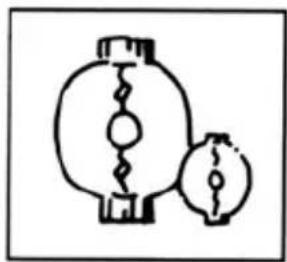
Simple line drawing of two lanterns with internal wavy lines (no text or symbols)Player's Life energy increases

natural_image
Simple line drawing of two connected devices (no text or symbols)Player's weapon energy increases
SPECIAL ITEMS
In addition to the weapons, there are three special transportation items. These are:
Item: Acquired when HeatMan is defeated. This is a levitation platform. Up to three may be launched at a time.
Item: Acquired when AirMan is defeated. This is a jet sled. Use it to fly over difficult areas.
Item: Acquired when FlashMan is defeated. This is an elevator and may only be used against a wall. This item is capable of traveling higher than the Levitation Platform.
PASSWORDS
After defeating each enemy, you will have a choice between either Stage Select or Password. If you choose Password, the current password will be shown. You may write this down and use it later to get to this exact same point in the game. Simply keep track of where the bubbles are and next time you begin the game select Password. A cursor will be displayed. Move the cursor around with the control pad and hit the A button in each square that had a bubble in it before. When you are finished you can continue the game from that point.

natural_image
Cartoon character illustration of a monkey in dynamic pose (no text or symbols)MEGA MAN
HOW TO BEAT AIRMAN
Airman lives in his domain in the clouds. Fortunately, Dr. Light has found information about his domain. Here is a step-by-step guide beginning just after you select the Airman level. Push the START button to pause at the end of each section. (Remember: You must push START again to return to the game.)
-
Walk right to the edge of the platform. When you reach the edge, the first Air Tikkli will appear. It will immediately start raising its horns. Jump onto it as soon as it starts to lower its horns, run across and jump to the platform on the other side. Do not remain on its head if you can help it. As soon as you land on the platform on the other side, turn around and shoot the Lump that pops up. If you do not hit him immediately, jump up and shoot at him until you hit him. Then turn and wait for the horns to go down on the next Air Tikkli and repeat the process. Do this for all five.
-
a) A Lightening Lord will fly on the screen to your right. Jump up and shoot him until he explodes. Then jump onto his Thunder Charlot.
b) Turn to your right and shoot at the next Lightening Lord as he comes onto the screen and jumps his chariot.
c) Ride through the cloud and as you drift up into range, carefully jump up and shoot at the next Lord as quickly as possible. Jump to his chariot as fast as you can.
d) Turn to the left and shoot the next Lord as you come up alongside. Then simply step off the left side of your chariot and you will land on his.
e) Face right to shoot the final Lord when he comes up alongside, and jump to his chariot. When this chariot gets close to the next edge, you can easily jump onto it.
- Run along the platform until you see a Flying Fish drop an egg. When the egg hits the ground it will explode and the feathers will hurt you. To avoid this, you should stop and shoot at the egg as it is falling. The Flying Fish are evenly spaced and some are not visible because they are behind clouds. You will have to learn how far apart they are so that you know when to stop running and start shooting. When you reach the right edge of the platform, walk into the cloud and off the side and you will fall down to the lower level.
HOW TO BEAT AIRMAN
-
Walk right to the edge of the platform and another Air Tikkli will appear. When its horns start to go down, jump onto it and walk to the right edge and back to the center. Walking to the right edge will summon the next Air Tikkli. You must wait, however, for the horns on both demons to go down before jumping onto the second one. Wait at the center of the second one for the horns to go down again and jump to the edge. Remember, if you get hit, you are invulnerable so move quickly.
-
Jump from platform to platform until you get close to the first Fan Flend. The Fan Flends will try to blow you away from them, just jump up to the right and shoot away while he blows you back left. After you defeat him, move on to the next one. Be careful, there are more flying fish out there. If you are jumping between platforms and get hit, you may fall into the abyss. Once past all three Fan Flends, you will reach a gate. Walk through this gate and you will enter a room with another gate on the far end. Beyond this gate dwells Airman.
-
Airman throws small tornadoes which deflect your shots and damage you.
-
Jump left onto the two upper platforms. Then walk into the cloud on the lower left and you will fall down to the next screen.
Run up close to the nearest tornado and try to jump over it. When there is nothing between you and Airman, he is very vulnerable to your shots.
Shoot as quickly as you can before he has a chance to throw more tornadoes. He will usually throw 2, 3 or 4 sets of tornadoes before a proficient player defeats him.
Good luck!
WEAPONS
natural_image
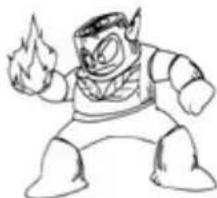
Cartoon character with exaggerated facial expression holding a flame (no text or symbols)Wood Man

natural_image
Cartoon character illustration with exaggerated facial features and limbs (no text or symbols)Clash Man

natural_image
Cartoon character illustration with exaggerated facial features and raised arms (no text or symbols)Quick Man

natural_image
Cartoon character in dynamic pose with flame background (no text or symbols)Heat Man

natural_image
Cartoon character in dynamic pose, wearing gloves and a helmet (no text or symbols)Metal Man

Air Man
natural_image
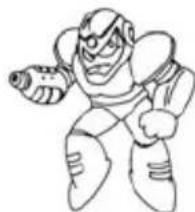
Cartoon character illustration with dynamic pose and helmet (no text or symbols)Flash Man

natural_image
Line drawing of a cartoon robot in dynamic pose (no text or symbols)Bubble Man
WEAPONS
As Mega Man defeats each enemy, he acquires their powers.
HeatMan: The (H) Atomic Fire can throw three different sizes of fireballs. The longer you hold the fire button, the bigger the fireball.
AirMan: The (A) Air Shooter throws small tornadoes.
WoodMan: The (W) Leaf Shield creates a shield around you until you move. The leaves are then thrown in the direction the control pad is pushed.
BubbleMan: The (B) Bubble lead is a bubble that rolls on the ground in front of you and damages what it hits.
QuickMan: The (Q) Quick Boomerang can throw up to three boomerangs. Hold the fire button for continuous fire.
FishMan: The (F) Time Stopper will freeze all enemies for a little while. Be careful. When this is used, it will continue until it is completely drained of energy. It cannot be turned off early.
MetalMan: The (M) Metal Blade is a gear. Up to three may be thrown in any direction the control pad is pushed. This is probably the best general purpose weapon and the energy lasts a long time.
CrashMan: The (C) Crash Bomber can be thrown at walls and will detonate after a short delay. It may be used to get through certain walls.
These weapons work with varying degrees of effectiveness on different opponents. It is best to experiment, especially when fighting the final robot of each level.
ENEMY CHARACTERS
natural_image
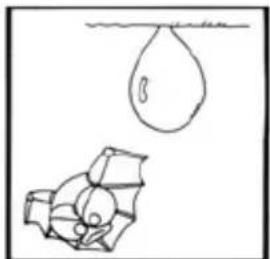
Simple line drawing of a falling object with a submerged container (no text or symbols)Bubble Bat

natural_image
Cartoon illustration of a rooster-like character in motion (no text or symbols)Atomic Chicken

natural_image
Cartoon illustration of a stylized animal character with a long scroll (no text or symbols)Hot Dog

natural_image
Simple line drawing of a stylized animal figure with a bow (no text or symbols)Snapper
natural_image
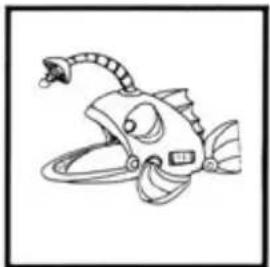
Line drawing of a cartoon fish with a spiral tail and segmented body (no text or symbols)Lantern Fish

natural_image
Simple line drawing of a stylized animal face with horns and facial features (no text or symbols)Air Tikki

Gremlin

natural_image
Simple line drawing of a cartoon insect-like creature with wings and antennae (no text or symbols)Crabbot

natural_image
Line drawing of a cartoon rabbit with ears and legs (no text or symbols)Robo-Rabbit

natural_image
Cartoon character in dynamic pose with two smaller figures nearby (no text or symbols)Hothead

natural_image
Cartoon illustration of a duck riding a sled (no text or symbols)Lightening Lord

natural_image
Simple line drawing of a penguin-like creature with large eyes and a rounded body, no text or symbols present.Mecha Monkey
ENEMY CHARACTERS

natural_image
Cartoon character holding a circular object with motion lines (no text or symbols)Fan Fiend

natural_image
Cartoon illustration of a frog-like character with large eyes and limbs (no text or symbols)Croacker
natural_image
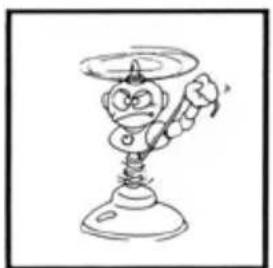
Cartoon character holding a megaphone (no text or symbols)Prop-Top

natural_image
Simple line drawing of a stylized robot or mechanical component with no text or symbolsCrazy Cannon

natural_image
Line drawing of a cartoon dragon with wings and tail (no text or symbols)Dragon

natural_image
Cartoon illustration of a character riding a tank (no text or symbols)Guts-Dozer
COMPLIANCE WITH FCC REGULATIONS
This equipment generates and uses radio frequency energy and if not installed and used properly, that is, in strict accordance with the manufacturers' instructions, may cause interference to radio and television reception. It has been type tested and found to comply with the limits for a Class B computing device in accordance with the specifications in Subpart J of Part 15 of FCC Rules, which are designed to provide reasonable protection against such interference in a residential installation. However, there is no guarantee that interference will not occur in a particular installation. If this equipment does cause interference to radio or television reception, which can be determined by turning the equipment off and on, the user is encouraged to try to correct the interference by one or more of the following measures:
— Reorient the receiving antenna
— Relocate the computer with respect to the receiver
— Move the computer away from the receiver
— Plug the computer into a different outlet so that computer and receiver are on different—circuits.
PREMIER WORLD—WIDE ARCADE GAME DESIGNER
CAPCOM™
Printed in Japan
Any original instruction manuals included with this software are digital reproductions of the original printed manuals. They are as faithful as possible to those documents and feature a bare minimum of edits. Reference may be made to features that can't be used in this version of the game, or the contact information provided may no longer be valid. Some copyright information may be out-of-date. Please also note that printed manuals were not always released in multiple languages.

Marque : NINTENDO
Modèle : Mega Man 2 (NES)
Catégorie : Jeu vidéo