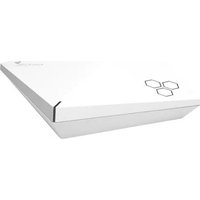
Aerohive AP250 - Point d'accès DELL - Notice d'utilisation et mode d'emploi gratuit
Retrouvez gratuitement la notice de l'appareil Aerohive AP250 DELL au format PDF.


| Type de produit | Point d'accès sans fil |
| Marque | Dell |
| Modèle | Aerohive AP250 |
| Dimensions (L x l x H) | 200 x 200 x 40 mm |
| Poids | Environ 500 g |
| Alimentation | PoE+ (802.3at) ou adaptateur secteur 12 V (non inclus) |
| Normes sans fil | Wi-Fi 802.11ac, double bande 2.4 GHz et 5 GHz |
| Antennes | MIMO 2x2 intégré |
| Débit maximal | Jusqu'à 1,2 Gbps (agrégé) |
| Ports | 1 x Ethernet Gigabit (RJ-45, PoE+), 1 x console (RJ-45) |
| Gestion | Cloud via HiveManager ou mode autonome |
| Fonctions principales | Wi-Fi double bande, roaming, QoS, VLAN, pare-feu intégré |
| Sécurité | WPA2, WPA3, 802.1X, filtrage MAC, détection d'intrusion |
| Entretien et nettoyage | Nettoyer avec un chiffon doux et sec, éviter les liquides |
| Pièces détachées | Aucune pièce réparable par l'utilisateur ; kit de montage disponible |
| Informations générales | Compatible avec les accessoires de montage standard (plafond/mur) |
FOIRE AUX QUESTIONS - Aerohive AP250 DELL
Questions des utilisateurs sur Aerohive AP250 DELL
0 question sur cet appareil. Repondez a celles que vous connaissez ou posez la votre.
Poser une nouvelle question sur cet appareil
Téléchargez la notice de votre Point d'accès au format PDF gratuitement ! Retrouvez votre notice Aerohive AP250 - DELL et reprennez votre appareil électronique en main. Sur cette page sont publiés tous les documents nécessaires à l'utilisation de votre appareil Aerohive AP250 de la marque DELL.
MODE D'EMPLOI Aerohive AP250 DELL
DELL EMC
DELL EMC NETWORKING AEROHIVE
QUICK REFERENCE GUIDE

Dell EMC Networking Aerohive wireless access points feature built-in distributed control technology that provides enterprise scalability without the need for controllers, advanced BYOD and security features, and cloud-based management via HiveManager, a network management system that is available for public or private cloud deployment.
| Models | Wireless access points | |||||||
 |  | [50DK] | [XYSK] | [WDBA] | [276T] |  | [YBYA] | |
| AP122 AP130 | AP150W AP230 AP250 AP245X AP550 | AP1130 | ||||||
| Specifications | 802.11ac2x2:2 MIMO867Mbps max rate | 802.11ac2x2:2 MIMO867 Mbps max rate | 802.11ac Wave 23x3:3 MIMO1.3Gbps max rate | 802.11ac3x3:3 MIMO1.3Gbps max rate | 802.11ac Wave 23x3:3 MU-MIMOSoftware selectable radios2.6Gbps max rate | 802.11ac Wave 23x3:3 MU-MIMO1.3Gbps max rate | 802.11ac Wave 24x4:4 MU-MIMOSoftware selectable radios3.64Gbps max rate | 802.11ac2x2:2 MIMO867Mbps max rate |
| Security Trusted Platform Module (TPM) Chip for hardware-based key storage and encryption | ||||||||
| Network interface(s) | 1x GbE 1x GbE 4x GbE | 2x GbEw/link aggregation | 2x GbEw/link aggregation | 2x GbEw/link aggregation | 2x GbEw/link aggregation | 1x GbE | ||
| PoE interface | 802.3af | 802.3af | 802.3af and/or 802.3at | 802.3af and/or 802.3at | 802.3af and/or 802.3at | 802.3af and/or 802.3at | 802.3af and/or 802.3at | 802.3at |
| Other interface | USB and BLE | N/A | BLE and ZigBee | USB | Integrated BLE and USB | Integrated BLE and USB | Integrated BLE and USB | N/A |
| Operating temp | 0° to 40°C | 0° to 40°C | 0° to 40°C | 0° to 40°C | 0° to 40°C | 0° to 50°C | 0° to 40°C | -40° to 55°C |
| Environment | Indoor | Indoor, plenum rated | Indoor, Wallplate | Indoor, plenum rated | Indoor, plenum rated | Indoor, plenum rated | Indoor, plenum rated | Outdoor, waterproof(IP 67) |
HiveManager Cloud-Based Network Management
HiveManager is a powerful cloud-based network management solution for Dell EMC Networking switches and access points. This next-generation management system allows administrators to plan, configure and deploy their network within minutes and maintain control through an informative, user focused GUI. Key benefits include:
• Public or private cloud deployment options
• Flexible, cloud-based management
- Simplified deployment workflows
• Streamlined device and network configuration
• Centralized policy management
- Help desk-style troubleshooting interface

Dell EMC Support
HiveManager includes 1, 3 or 5 years of ProSupport for Multivendor Software, providing access to Dell EMC's global team of certified engineers who serve as primary support provider for troubleshooting your environment. We deliver a consistent level of software support services for server, storage and networking hardware to minimize disruptions, while helping you maintain a high level of availability and operational excellence.
Learn more and register for a free trial of HiveManager at Dell.com/HiveManager
© 2018 Dell Inc. Dell Inc. Dell, EMC, and other trademarks are trademarks of Dell Inc. or its subsidiaries. Other trademarks may be trademarks of their respective owners.
February 2018 | Version 1.6
Dell EMC Aerohive Quick Reference Guide


Marque : DELL
Modèle : Aerohive AP250
Catégorie : Point d'accès